Your team doesn't need yet another generic task tracker. Instead, you should be looking for an integrated system that understands software delivery: QA, management, and other workflows you have established in place. Work OS will help you stay ahead, while competitors are still dealing with multiple platforms in their tech stack. This guide will delve into what work OS are and how they work. It will also showcase you aqua cloud, a dedicated, AI-powered work OS that can be used by all your IT teams across the entire suite of business processes.
A Work OS is an all-in-one platform that replaces scattered tools by unifying project management, document collaboration, communication, and automation in one place.
What Makes It Essential
Single Source of Truth – All work lives in one platform instead of scattered across multiple apps.
AI-Powered Efficiency – Automates repetitive tasks like scheduling and reporting.
Real-Time Collaboration – Teams edit documents and communicate without switching tools.
Smart Task Management – Prioritizes work automatically based on deadlines and dependencies.
aqua cloud consolidates your workspace by combining projects, docs, AI tools, and team chat into one platform. This eliminates tool-switching and saves teams up to 40% of their time.
A Work Operating System orchestrates all aspects of work in one central system. The platform creates a unified environment where your teams plan, execute, and track work across organizations. Unlike traditional project management tools focusing on individual tasks, a Work OS provides infrastructure for managing complex workflows and enabling collaboration across departments.
For IT teams specifically, a Work OS transforms how quality assurance, development, and operations collaborate. The platform creates a single source of truth where requirements, test cases, defects, and execution results live together with full traceability. This eliminates information silos and scattered spreadsheets that typically plague software delivery. Moreover, the platform understands domain-specific concepts like test coverage and requirement traceability rather than forcing your teams into generic templates.
Key characteristics of an effective Work OS include:
Unified data model: All work artifacts exist in a connected system with relationships maintained automatically
Role-based perspectives: Different team members see relevant views of the same data
Workflow automation: Repetitive processes happen automatically based on defined rules
Integration ecosystem: Deep connections with existing tools prevent complete toolchain replacement
Scalability and governance: Supports teams from startups to enterprises with appropriate permissions and audit trails
WorkOS platforms give a broader, integrated workspace. They offer communication, document collaboration, task management, automation and analytics among other things. Their goal is to create a "single pane of glass" for work.
A Work OS succeeds based on its ability to integrate with tools your IT teams already use. Modern development environments are complex ecosystems. An effective Work OS acts as connective tissue, orchestrating workflows across the entire toolchain.
Critical integration categories for Work OS platforms:
Issue Tracking Systems: Bidirectional sync with Jira, Azure DevOps, and GitHub Issues, maintaining full context as defects flow between systems
CI/CD Pipelines: Automated test result ingestion from Jenkins, GitLab CI, CircleCI, and Azure Pipelines enabling continuous traceability
Authentication & Identity: Enterprise integration through LDAP, Active Directory, and SSO providers like Okta or Auth0
Test Automation Frameworks: Direct connections with Selenium, Cypress, TestNG, and JUnit automatically ingesting execution results
Version Control: Integration with Git and SVN linking code changes to requirements and test coverage
API Access: RESTful APIs enabling custom integrations for specialized tools or proprietary systems
This flexibility means your teams can adopt a Work OS incrementally. You can connect to existing tools rather than facing a complete toolchain replacement.
Disconnected systems create more problems than they solve for your teams. This is precisely where aqua cloud, a specialized Work OS designed for QA teams, comes in. aqua provides the structured backbone your quality processes need. Requirements management makes traceability automatic rather than painful. With aqua’s domain-trained AI Copilot, you’ll generate test cases from requirements in seconds. The system ensures they’re grounded in your own project’s documentation and terminology. The result is test assets that truly reflect your specific needs rather than generic templates. Your teams using aqua report productivity increases of 20-30% after implementation. Some cut release cycle times by as much as 40%. The platform’s deep integrations with Jira, Jenkins, Azure DevOps, and major CI/CD pipelines ensure seamless coordination. You can work with your existing toolchain without forcing a complete replacement.
Boost IT team effectiveness by 80% with aqua’s capabilities
Use Cases of Work OS in QA and Software Development
Work OS platforms transform how your IT teams manage quality and delivery. The structured approach to requirements, testing, and traceability solves operational challenges that disconnected tools simply can’t address.
Use case 1: Regulatory Compliance and Audit Readiness
Financial services, healthcare, and manufacturing face complex regulatory requirements for software quality documentation. A Work OS provides automated traceability from requirements through execution to deployment. The system creates audit trails without manual documentation.
Illustrative example: A European banking institution consolidated requirements, tests, and defects into a Work OS. This reduced audit preparation time by 60%. When regulators requested evidence, the compliance team generated comprehensive reports instantly.
Use case 2: Distributed Team Coordination
Organizations with geographically dispersed QA teams struggle to maintain consistency. A Work OS creates a centralized system where all your teams work from the same requirements baseline. They contribute to unified reporting regardless of location.
Illustrative example: A manufacturing technology company with teams across three continents used a Work OS to coordinate testing. When hardware specifications changed, the impact on software tests became immediately visible to all teams. This reduced certification preparation time by 35%.
Use case 3: Scaling QA Practices
Fast-growing companies hit scaling walls where informal testing approaches break down. A Work OS provides structure, enabling growth without excessive process overhead that would slow your delivery.
Illustrative example: A SaaS startup growing from 15 to 50 engineers implemented a Work OS to replace Google Sheets-based coordination. New QA hires were onboarded quickly with clear visibility into test coverage. Meanwhile, the platform maintained its rapid release cadence.
Use case 4: Test Automation Management
As your organization invests in test automation, coordinating frameworks and tracking coverage becomes increasingly complex. A Work OS ties automated execution to requirements and manual testing. This creates unified quality coverage views.
Illustrative example: An e-commerce platform running multiple frameworks used a Work OS to centralize results and track automation coverage. The platform automatically ingested CI/CD results and highlighted coverage gaps. This gave the team clear visibility into their testing landscape.
Work OS vs Conventional QA Platform
The distinction between a Work OS and conventional QA platforms becomes apparent at scale. Traditional QA tools focus narrowly on test case storage and execution tracking. They treat these activities as isolated from the broader software delivery lifecycle. As a result, your teams end up maintaining separate tools for requirements, defects, and test automation. This creates silos and manual reconciliation overhead.
A Work OS treats quality as integrated across software delivery. Requirements connect to test cases, which link to executions and defects, creating unbroken traceability. Workflow automation eliminates repetitive tasks, while role-based views ensure relevant information without overwhelming complexity. Deep integrations mean your teams don’t need to replace their entire toolchain. Instead, the Work OS orchestrates across systems. This architectural difference translates into measurable operational benefits: reduced context switching and faster impact analysis.
Factor
Work OS
Conventional QA Platform
Scope
Orchestrates entire quality lifecycle with cross-functional visibility
Focused on test case management in isolation
Integration Depth
Bidirectional sync maintaining context across systems
Limited integrations, often one-way export
Traceability
Automatic end-to-end traceability with impact analysis
Manual traceability maintenance
Workflow Automation
Comprehensive automation across execution, reporting, defects
Basic automation for scheduling and notifications
Collaboration Model
Role-based views of shared data enabling cross-functional work
Tool-centric requiring same interface
Governance & Compliance
Built-in audit trails and compliance reporting
Manual compliance documentation
Scalability
Supports 10 to 1000+ users with consistent performance
Often struggles at scale
Benefits of Work OS for Diverse IT Teams
A properly implemented Work OS delivers measurable improvements across IT team types. These benefits manifest in enhanced collaboration and productivity gains.
Key benefits include:
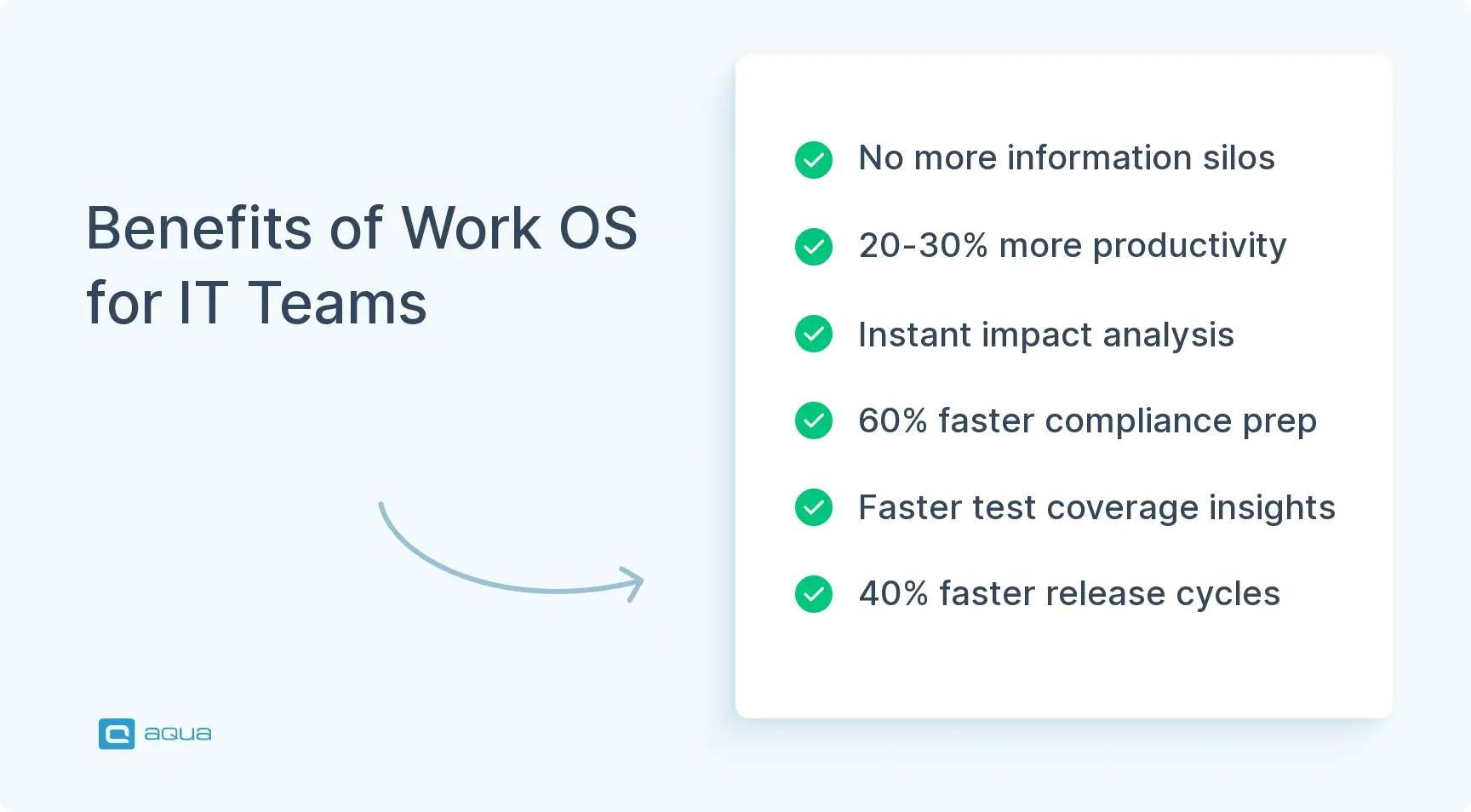
Eliminated Information Silos: Product managers, QA engineers, developers, and compliance teams work from the same data model. Cross-functional coordination becomes natural rather than requiring heroic effort from your team members.
20-30% Productivity Improvements: Your teams spend less time on duplicate data entry and context switching. This frees capacity for actual testing and quality improvement activities.
Instant Impact Analysis: When requirements change, your teams immediately identify affected test cases and execution results. What previously required hours now happens in seconds.
40-60% Reduction in Compliance Overhead: Banking clients report 60% faster audit readiness. Manufacturing teams cite 35% reductions in certification documentation efforts.
Faster Test Coverage Analysis: Visibility into coverage gaps emerges automatically from traceability relationships. As a result, your teams discover problems during development rather than post-release.
Reduced Time to Market: Some organizations report 40% compression in release cycle times through integrated test execution and accelerated defect resolution.
Scalable Quality Practices: Growing companies maintain quality standards during rapid scaling without proportionally increasing QA headcount.
Automated Reporting: Dynamic dashboards eliminate manual data aggregation. Your stakeholders get real-time visibility into quality metrics.
aqua cloud: An AI-Driven Work OS
aqua cloud is a next-generation Work OS engineered for IT teams needing more than generic digital project management. This platform combines test case management and automation coordination into a single workspace that centralizes your entire QA workflow. Unlike horizontal platforms forcing QA workflows into rigid templates, aqua cloud starts with domain-specific building blocks. You get requirements with version control, test cases with execution history, and defect tracking tied to test runs. Everything from requirements traceability to defect tracking lives in one place for your team.
What distinguishes aqua cloud is its AI Copilot, powered by Retrieval-Augmented Generation. This intelligence layer is grounded in your organization’s actual documentation and terminology. The AI assistant generates test cases from requirements documentation and voice notes. The Copilot suggests edge cases you might’ve missed and helps maintain test coverage as your application evolves. Your teams generate comprehensive test coverage in minutes with AI-suggested cases requiring minimal editing. Beyond that, the platform supports both manual and automated testing workflows. Native integrations with Jira, Azure DevOps, Jenkins, and major CI/CD platforms maintain defect context across systems. Automated test execution triggers on code commits.
Key Features of aqua cloud
aqua cloud delivers a comprehensive feature set for IT teams coordinating quality and governance. These capabilities work as an integrated system, creating coherent workflow orchestration that actually serves your daily needs.
AI-Powered Test Generation: The RAG-grounded AI Copilot analyzes your project documentation and generates contextually relevant test cases in seconds. This dramatically reduces test design time while ensuring coverage aligns with your specific requirements.
Requirements Management with Traceability: Create, version, and approve requirements with automatic linkage to test cases and execution results. Impact analysis becomes instantaneous. Change a requirement and immediately see which tests need updating.
Integrated Test Execution: Execute manual and automated tests within a unified environment. Results get automatically recorded and traced back to requirements. The platform maintains a comprehensive execution history for trend analysis that helps you understand quality patterns over time.
Centralized Defect Tracking: Report bugs during test execution with full context automatically attached. You’ll see which requirement was violated and which test exposed the issue. Native Jira integration ensures bidirectional sync without duplicate records cluttering your workflow.
Automation Framework Integration: Connect with Selenium, Cypress, TestNG, and JUnit to automatically ingest execution results from your CI/CD pipelines. Track automation coverage and identify gaps from one platform.
Comprehensive Audit Trails: Every action creates audit trail entries with timestamps and user attribution. Whether you’re approving requirements or executing tests, the system records everything. Generate compliance reports in minutes when auditors come calling.
Real-Time Collaboration: Product managers, QA engineers, developers, and compliance teams get customized views of the same data model. This eliminates information silos while maintaining appropriate access controls for your distributed teams. The platform excels at collaboration in QA planning across dispersed teams.
Customizable Dashboards and Analytics: Dynamic dashboards provide instant visibility into test coverage and execution progress. Customize views for different stakeholder needs, from detailed QA metrics to executive summaries.
These features eliminate context switching and duplicate data entry that typically slow your teams down.
Are your teams still dealing with requirements spread across Word documents, tests in spreadsheets, and defects in separate systems? As a true Work OS for IT teams, aqua cloud centralizes all your quality processes. The platform maintains deep integrations with tools like Jira, Jenkins, and Azure DevOps. aqua’s comprehensive traceability automatically links requirements to tests to defects. This makes impact analysis instantaneous and audit preparation a breeze instead of a quarterly nightmare. What truly sets aqua apart is its AI Copilot with RAG grounding. The system turns your organization’s documentation into an intelligence engine. You get project-specific test cases and requirements with unprecedented relevance and accuracy. All this while maintaining the governance and visibility that regulated industries demand. aqua’s native integrations span your entire toolchain. Bidirectional Jira sync maintains defect context. CI/CD pipeline connections automatically ingest test results from Jenkins and GitLab.
Achieve 100% traceability with an IT-focused Work OS
If you’re tracking requirements in Word, tests in Excel, and defects in Jira while keeping execution results in someone’s drive, aqua cloud merges that fragmented mess. With AI-powered test generation and comprehensive traceability, the system provides a structure that prevents chaos. The platform’s native support for test automation frameworks like Selenium and Cypress means automated execution results flow directly into your traceability system. For teams serious about quality without sacrificing velocity, aqua cloud represents genuine evolution beyond disconnected QA tools. Check out success stories from teams who’ve made the transition.
What is a Work OS, and how does it differ from project management software?
A Work OS is a comprehensive platform that orchestrates workflows across entire organizations. Unlike project management software focusing on task tracking, a Work OS provides unified data models and role-based collaboration. The system creates a single source of truth where all your teams work from the same data.
How does a Work OS improve test coverage and quality assurance?
A Work OS automatically maintains traceability between requirements, test cases, and execution results. This makes coverage gaps immediately visible. When requirements change, the system instantly identifies affected tests, preventing outdated test coverage. Teams report discovering coverage problems during development rather than post-release. This enables proactive quality management and reduces defect escapes by 30-40%.
Can a Work OS integrate with existing QA and development tools?
Yes, modern Work OS platforms provide bidirectional integrations with issue trackers like Jira and Azure DevOps. They connect with CI/CD pipelines such as Jenkins and GitLab, plus test automation frameworks including Selenium and Cypress. These integrations maintain context and traceability across systems. This allows incremental adoption without requiring a complete toolchain replacement for your teams.
What ROI can teams expect from implementing a Work OS?
Organizations consistently report 20-30% productivity improvements through eliminating duplicate data entry. Banking clients cite 60% faster audit preparation. Manufacturing teams report 35% reductions in certification documentation time, and some companies achieve 40% compression in release cycle times. The ROI comes from automated reporting and instant impact analysis.
Join our community of enthusiastic experts! Get new posts from the aqua blog directly in your inbox. QA trends, community discussion overviews, insightful tips — you’ll love it!
We're committed to your privacy. Aqua uses the information you provide to us to contact you about our relevant content, products, and services. You may unsubscribe from these communications at any time. For more information, check out our Privacy policy.
X
🤖 Exciting new updates to aqua AI Assistant are now available! 🎉
We use cookies and third-party services that store or retrieve information on the end device of our visitors. This data is processed and used to optimize our website and continuously improve it. We require your consent fro the storage, retrieval, and processing of this data. You can revoke your consent at any time by clicking on a link in the bottom section of our website.
For more information, please see our Privacy Policy.
This website uses cookies to improve your experience while you navigate through the website. Out of these, the cookies that are categorized as necessary are stored on your browser as they are essential for the working of basic functionalities of the website. We also use third-party cookies that help us analyze and understand how you use this website. These cookies will be stored in your browser only with your consent. You also have the option to opt-out of these cookies. But opting out of some of these cookies may affect your browsing experience.
Necessary cookies are absolutely essential for the website to function properly. These cookies ensure basic functionalities and security features of the website, anonymously.
Cookie
Duration
Description
cookielawinfo-checkbox-analytics
11 months
This cookie is set by GDPR Cookie Consent plugin. The cookie is used to store the user consent for the cookies in the category "Analytics".
cookielawinfo-checkbox-functional
11 months
The cookie is set by GDPR cookie consent to record the user consent for the cookies in the category "Functional".
cookielawinfo-checkbox-necessary
11 months
This cookie is set by GDPR Cookie Consent plugin. The cookies is used to store the user consent for the cookies in the category "Necessary".
cookielawinfo-checkbox-others
11 months
This cookie is set by GDPR Cookie Consent plugin. The cookie is used to store the user consent for the cookies in the category "Other.
cookielawinfo-checkbox-performance
11 months
This cookie is set by GDPR Cookie Consent plugin. The cookie is used to store the user consent for the cookies in the category "Performance".
viewed_cookie_policy
11 months
The cookie is set by the GDPR Cookie Consent plugin and is used to store whether or not user has consented to the use of cookies. It does not store any personal data.
Functional cookies help to perform certain functionalities like sharing the content of the website on social media platforms, collect feedbacks, and other third-party features.
Performance cookies are used to understand and analyze the key performance indexes of the website which helps in delivering a better user experience for the visitors.
Analytical cookies are used to understand how visitors interact with the website. These cookies help provide information on metrics the number of visitors, bounce rate, traffic source, etc.
Advertisement cookies are used to provide visitors with relevant ads and marketing campaigns. These cookies track visitors across websites and collect information to provide customized ads.






 Bankingaqua ALM helps banks increase testing productivity by over 50%