Key takeaways
- Functional testing templates provide a repeatable structure that clearly defines what’s being tested, how to run it, and what constitutes a pass, eliminating ambiguity.
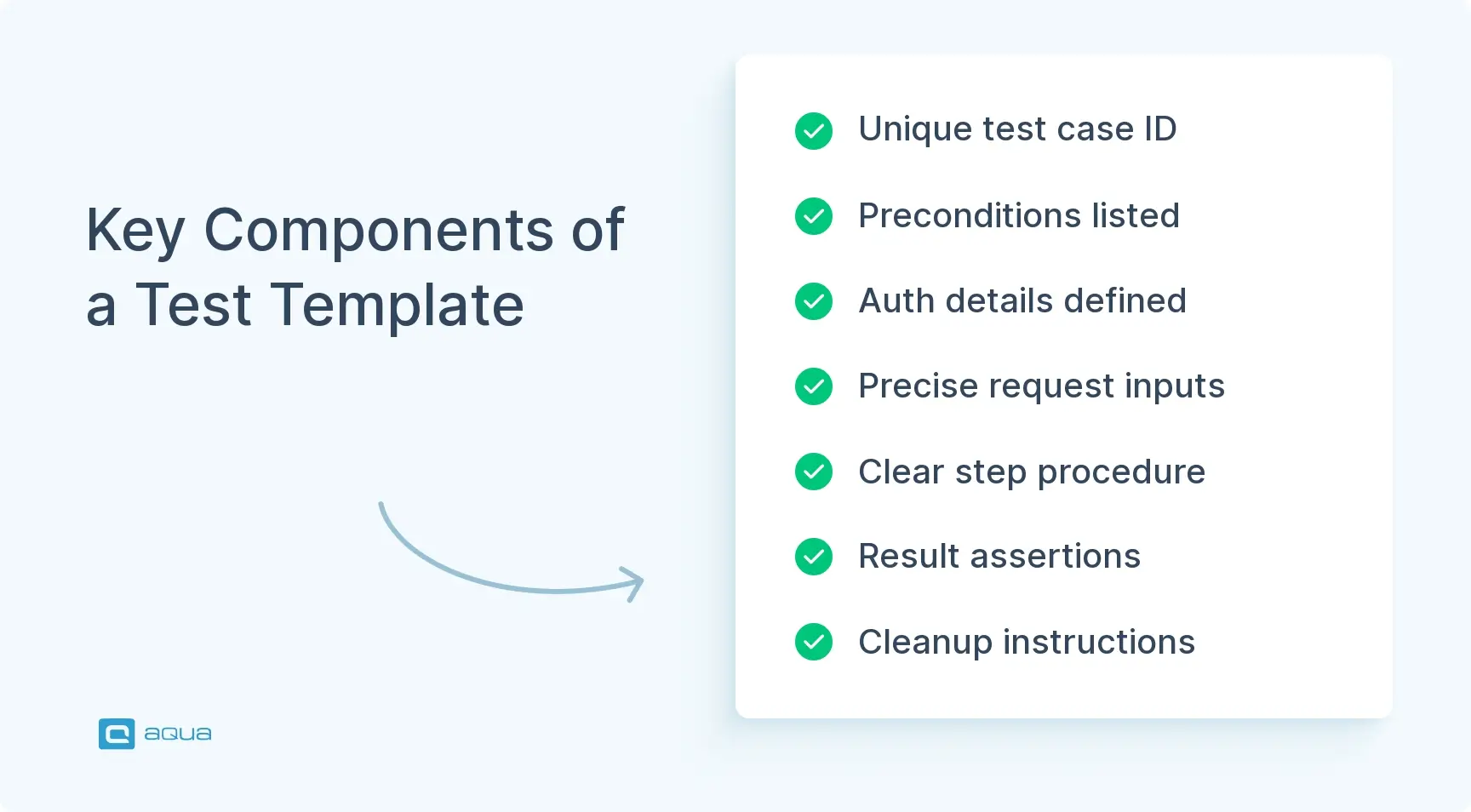
- A complete API testing template includes identification fields, preconditions, authentication setup, request specifications, execution steps, expected results, and cleanup instructions.
- Test cases should be written to be automation-ready from day one with deterministic steps, schema validation, and independence between test cases.
- Effective test cases must verify both happy paths and negative scenarios, with cleanup steps to prevent test data accumulation that leads to flaky results.
Are your tests scattered across multiple tools and storage? A structured template can help to set up, automation-ready process that works across teams and time zones. See the complete implementation guide below 👇
What is Functional Testing?
Functional testing verifies that your software fulfills its intended core and additional purposes, whether it’s communication, data storage, or another way in which an app supposed to serve users. For example, then someone hits “Submit Order,” you check whether the order gets created, whether inventory updates, and whether the confirmation email is sent. You’re examining the feature’s behavior and outputs rather than code performance or memory usage.
For APIs specifically, functional testing gets more surgical and contract-focused. You validate endpoints through precise checks like whether `/v2/orders` returns a 200 when you POST valid JSON, or whether it properly rejects garbage input with a 400. Response schemas need to match your OpenAPI spec, and you need to verify side effects beyond the immediate response. Database records should get written correctly, Kafka events should fire downstream, and services need to maintain their contracts with consumers.
A functional test case template becomes essential when you’re shipping changes daily or hourly. Templates create repeatable, reviewable proof that keeps contracts intact across releases, teams, and environments.
Benefits of Using a Functional Testing Template
You can’t share knowledge assets when test cases are spread across tools and personal notes. Someone leaves your team, and their testing approach is gone as well. A functional testing template creates a shared structure that persists beyond individual contributors, standardizing how your team documents what needs testing, how to run it, and what success looks like. This standardization compounds over time, especially as your API surface area grows and more teams depend on your services.
Here’s what you get with a structured approach:
- Organized coverage. Every endpoint and workflow gets the same rigorous treatment regardless of who writes the test. Critical paths get documented with the same depth as edge cases, preventing gaps where assumptions hide.
- Faster onboarding. New team members can contribute tests on day one without decoding knowledge or tracking down the one person who knows how authentication works. The template guides them through each required field.
- Safer refactoring. Traceability links failing tests directly to stories and requirements, so when something breaks, you immediately know which feature caused it and who owns the fix.
- Automation-ready structure. Tests written for humans translate cleanly into CI/CD pipelines because deterministic steps and machine-checkable assertions are built in from the start. You translate rather than rewrite when automating.
- Reusable patterns. Auth setups, schema checks, and error formats become modular building blocks. Write the auth flow once, reference it in 50 test cases, and update it in one place when OAuth configuration changes.
- Efficient reviews and handoffs. Consistent structure lets reviewers scan quickly to verify completeness. The endpoint, auth method, assertions, and cleanup steps all live in predictable locations that reduce review time.
When your release train moves fast, the difference between “someone knows how to test this” and “anyone can test this” becomes measurable in hours saved per sprint.
Looking to implement functional testing templates effectively? While a well-structured functional testing document template provides the foundation, you need a system that makes these templates work seamlessly across your team. aqua cloud, an AI-powered test and requirement management platform, has built-in template capabilities that can be used to streamline your entire testing process. You can create standardized functional testing templates that include all the components discussed, from preconditions to assertions, and share them across your organization. aqua’s domain-trained AI Copilot learns from your project’s documentation to generate test cases automatically, producing project-specific cases grounded in your actual requirements and context. Teams using aqua use, on average, 42% of AI-generated test cases requiring no edits whatsoever. Turn chaotic conversations into organized, traceable test artifacts with one click. aqua integrates with Jira, Azure DevOps, Jenkins, and 10+ other tools to fit your existing workflow.
Save 12.8 hours per tester per week with functional test templates
Components of a Functional Testing Template
A functional testing template needs enough structure to eliminate guesswork without excessive ceremony. The essential components ensure clarity and repeatability, especially for API testing where precision matters most. Let’s walk through each component and why it belongs in your template.
1. Identification & Traceability
Every test case starts with a unique Test Case ID like API-FUNC-042 that makes it findable across tools and conversations. Add a short title that reveals at a glance what’s being tested, plus a description explaining the objective in more detail. Including a requirement link to your user story, ticket, or epic means that when this test fails, you know exactly what feature broke and can trace it back to the original requirement.
Tagging creates the organizational structure that makes your test suite navigable:
- Tag categories – smoke, regression, auth, negative, contract
- Component/Service – such as
billing-api or v2/orders
- Priority levels – P0 through P3
- Ownership – team or person responsible
This metadata layer makes your test discoverable, reviewable, and traceable across sprints and incidents. Without proper identification, you’re building disconnected scripts that nobody can navigate when pressure hits.
2. Preconditions
This section answers whether someone else can reproduce this test right now. Start with the environment details like dev, stage, or prod-like, plus the base URL that tells testers where to point their requests. You’ll need to specify the API version since /v1 and /v2 endpoints often behave differently, along with any feature flags or config toggles that control behavior.
Document the test data state carefully, noting what must exist beforehand, such as specific users, orders, or products. Call out dependencies clearly so there’s no confusion about whether downstream services should be mocked or real, whether there’s a time assumption around timezone or “now” handling, and what seed data must be present before the test can run.
Poorly defined preconditions cause tests to fail inconsistently across environments. If your QA runs it at 2 pm and gets a 200, but your CI job at 4 am gets a 404 because seed data is missing, you have an unreliable test rather than a useful quality signal.
3. Authentication & Authorization Setup
APIs require precise control over who gets in and what they’re allowed to do. Start by spelling out the auth type, such as OAuth2, JWT, API key, or mTLS, then detail how to acquire the token or credentials through fixtures, scripts, or manual steps. Include the required roles, scopes, or claims that the token needs, plus any special header requirements like correlation ID or tenant ID that your services expect.
This section prevents flaky access problems and lets you verify security rules properly. If your test silently uses an admin token when it should check a read-only user, you’re skipping actual validation. For API tests running in CI, this section protects against random 401 errors that waste debugging time.
4. Inputs - Request Specification
This section defines the actual call with precision, starting with the endpoint and HTTP method like POST /v2/orders. The request specification includes all headers, such as content type, accept, and custom headers, that your API expects. Query params and the request body with example JSON should be specific enough that someone could actually use them in a real test without modification.
For testing variations, add a test data table that covers different scenarios:
- Valid input scenario
- Missing required fields
- Invalid enum values
The specificity here matters because vague inputs create vague tests that don’t catch real problems. Someone should be able to copy-paste this into a curl command and get the same result you documented.
5. Steps - Execution Procedure
Write the steps like a human will run them first, even if you plan to automate later. Use clear, numbered actions with verbs like send POST to /v2/orders with body from valid_order.json, verify response status is 201, and assert response contains orderId. When there’s a matching automated script, note the tooling hint, such as the test framework file path, so people can find the automation.
This dual clarity means your template serves both exploratory runs and CI pipelines effectively. Keep steps deterministic and avoid steps requiring intuition or interpretation, since ambiguity leads to inconsistent execution across different testers.
6. Expected Results - Assertions
This section defines what “pass” means with precision, starting with the HTTP status code. Response time expectations matter if they’re relevant to your SLA, and response body field checks should verify correctness and type rather than just field existence. Include schema validation against JSON Schema or OpenAPI contract, plus headers like cache control or correlation IDs that indicate proper system behavior.
Check beyond the immediate response to verify side effects:
- Did the DB row get created?
- Did the event publish to Kafka?
- Did the email queue fire?
For negative tests, specify the error payload format with error code, message, and structure so you can verify errors are handled gracefully. Vague expectations like “should succeed” don’t help anyone identify actual failures when they occur.
7. Postconditions & Cleanup
Tests that leave garbage behind create instability over time, so this section specifies data cleanup steps. You might delete created records, reset state, or define your isolation approach using ephemeral namespaces and unique IDs. Rollback scripts offer another option for returning the system to a clean state.
If you’re testing order creation, either delete that order afterward or use a unique customer ID that won’t collide on the next run. This keeps environments stable and tests re-runnable over time. Without cleanup, your suite becomes fragile quickly as test data accumulates and causes unexpected interactions.
I coach testers to write test cases using open-ended questions. These questions are motivated by an information objective - usually the risk under evaluation. I don’t recommend long descriptions of HOW to execute the test, and I don’t recommend having an expected result.
8. Automation Mapping
This component connects your manual intent to automated coverage. Include automation status like Not automated, Automated, Partially, or Blocked, along with the repo path or test name and the CI job name. Where results appear matters for quick reference when investigating failures.
If the test is flaky or time-dependent, call it out explicitly so people know to expect occasional failures. This field tells you at a glance whether this test is running in your pipeline or sitting dormant, and it surfaces technical debt with those “Blocked” tests that need refactoring or new fixtures before they can run reliably.
Your template becomes a structured contract between who writes the test, who runs it, and the pipeline that enforces it. Missing any of these components leads back to inconsistent testing and wasted effort.
Steps to Implementing Functional Testing Using Templates
You have the template structure. Now you need to use it without turning test case creation into a second job. Here’s how to roll out templates across your team effectively.
1. Explore the Template
Start by familiarizing yourself with each section through hands-on practice. Open your chosen test management solution and walk through a simple scenario like a “happy path” GET request to understand how the pieces fit together.
Fill in the fields systematically by working through ID, title, and description first, then moving to preconditions and auth setup. Add request details and steps next, followed by expected results and cleanup, finishing with automation status. Working through this once manually helps you internalize the rhythm, and the initial awkwardness gives way to muscle memory after a few iterations.
2. Identify Workflows & Endpoints
Map out what you’re testing by creating your endpoint inventory. Start by listing which routes matter most to your users and business logic, beginning with smoke-critical paths like login, checkout, and data retrieval. Layer in edge cases such as pagination, filtering, and error states once you have the core paths documented.
For each workflow, sketch the user or service intent that guides what you need to verify. “As a billing service, I need to create a subscription and verify the charge appears in Stripe” becomes your test objective. Pick three high-risk endpoints to start and iterate from there rather than trying to template everything on day one, which often leads to template fatigue before you see benefits.
3. Write Test Cases Using the Template
Fill in the blanks for each endpoint and scenario you’ve identified, starting by creating a test case row or document and copying the template structure. Populate the fields with specifics like endpoint URL, auth token type, and request payload example. Add expected status and schema information, plus cleanup SQL or API call details.
Use realistic test data that reflects what your system actually processes:
- Actual JSON structures
- Valid enums
- Edge values like empty strings, max lengths, boundary conditions
For negative scenarios such as missing required fields or invalid auth, create separate test cases with clear titles like POST /v2/orders - Missing customerId returns 400. The template keeps you honest about completeness, and if a field is hard to fill, that signals that some fixes need to be implemented.
4. Execute Tests
Run your test cases manually first to validate the template’s clarity before investing in automation. Verify that someone else could follow the steps without asking questions, and check if the expected results are precise enough to call pass or fail confidently. Log actual results in the template, and if you’re using a test management tool, record screenshots or response bodies for failures to help with debugging.
This execution step catches missing preconditions or flaky dependencies that you might have overlooked during writing. Adjust the template as you learn, refine unclear sections, and add missing fields that would help clarity. The template becomes a living document that improves with use rather than a perfect artifact from day one.
5. Report Bugs & Link Back
When a test fails, the template provides everything needed for a solid bug report, including preconditions, exact request, expected versus actual response, environment, and traceability to the requirement. File the ticket with all this context, link it to the test case, and update the test case with “Known issue: JIRA-1234” to close the feedback loop.
Devs get the context they need to reproduce issues, QA gets tracking for regression testing, and the next release can re-run the same test to verify the fix. Automation mapping helps here because if the test is automated, you can re-run it in CI and close the loop faster without manual coordination across teams.
Once you’ve written a handful of test cases this way, the next batch goes faster as patterns emerge. You start reusing auth setups, data patterns, and cleanup scripts across multiple tests. When a new team member joins, hand them the template, point them at two sample test cases, and they’re writing tests by lunch rather than spending days learning your testing approach.
Best Practices for Effective Functional Testing
Templates give you structure, but best practices for managing tests keep you productive and focused on quality. Here’s how to maximize the value of your templates without drowning in process.
Write automation-ready from day one
Even if you’re executing manually at first, write your test cases like a script will run tomorrow. This means using deterministic steps with clear pass/fail criteria rather than subjective judgments. Prefer assertions that a machine can check, like status codes, JSON field values, and schema conformance. Writing with clarity rather than leaving room for interpretation makes tests reproducible, and if a human can follow the steps without guessing, a script can too. When you do automate, you’re translating rather than rewriting from scratch.
Prefer contract and schema-driven checks for APIs
Add a “Contract” section to your template with a link to your OpenAPI spec, JSON Schema, or consumer expectations. Then, validate responses against that contract by checking field presence and types, enums and formats, plus required versus optional fields. Schema checks catch drift early, especially in microservices where your API serves as a shared contract between teams. Small changes break things silently, and validation prevents those breaks from reaching production and causing customer impact.
Run tests in CI/CD
Store your functional tests as executable suites and wire them into your pipeline to catch issues early. Run them on pull requests to catch problems before merge, on deploys to verify production-like environments, and schedule health checks to monitor ongoing system stability. Publish results to a dashboard where your team can see them, which turns your template from documentation into active enforcement. When a test fails in CI, you know immediately before the feature hits production and causes customer impact.
Separate test data from test logic
Keep your input variations in data files like CSV or JSON, or store them in environment variables rather than hardcoding them in your test steps. This makes tests portable because you can swap dev data for stage data easily without touching test logic. It also supports data-driven testing where one test case can cover ten input scenarios through parameterization. Your template’s “Inputs” section should reference the data source rather than duplicating content, which makes maintenance easier when data formats change.
Cover happy path and critical negatives
For every endpoint, ensure your functional testing plan template prompts both success and failure scenarios to catch different types of issues. Include 200 OK with correct payload for the happy path, plus 400 for validation errors, 401/403 for auth failures, 404 for not found, 409 for conflicts, and 429 for rate limits. Add a “Negative cases checklist” to your template header as a reminder. Bugs typically live in error handling paths rather than happy path scenarios, so comprehensive negative testing catches more issues.
Keep test cases independent
If test case B requires test case A to run first, your pipeline will break when A flakes or times out. Design for independence where each test creates its own data using unique IDs or ephemeral users, or uses seeded fixtures that reset per run. For APIs, that often means tenant isolation, correlation IDs, or cleanup hooks that run after each test. Your template’s “Postconditions” section enforces this principle, and without defined cleanup, the test lacks true independence.
Version your templates
Treat your testing templates like product documentation that evolves over time. When you add new fields such as observability headers, contract validation rules, or mTLS setup, version the template and communicate the change to your team. Put updates through lightweight review with QA, dev, and platform teams to maintain alignment as everyone adopts the changes. This keeps everyone synchronized as tooling and standards evolve across your organization.
These practices separate test suites you trust from ones you ignore. Stick with them, and your templates become the backbone of your quality process rather than bureaucratic overhead.
You'll have to tailor your template to your use cases. Take a step back and look at all your use cases you already have and see what they all have in common. What data is important to execute the test and the priority. This should all be documented in your testing strategy as well so you have clear knowledge and can share it with others.
Free Functional Testing Template
Here’s a ready-to-use functional test template you can copy, customize, and start using today. It’s built for API testing but works just as well for UI workflows with minor tweaks.
Template Structure
Test Case ID: API-FUNC-___
Title: [Short, specific description]
Service / Endpoint: [e.g., billing-api, /v2/orders]
Requirement / Story: [Link to ticket or user story]
Tags: smoke / regression / negative / auth / contract / [custom]
Priority/Risk: P0 / P1 / P2 / P3
Owner: [Team or person]
Last Updated: [Date]
—
Objective
What behavior are we validating?
[e.g., “Verify that POST /v2/orders creates an order record and returns a valid orderId when provided with correct input.”]
—
Preconditions
- Environment/Base URL:
[dev.api.example.com]
- API Version:
[/v2]
- Feature Flags/Config:
[new-checkout-flow: enabled]
- Required Test Data:
[Customer ID 12345 must exist; product SKU ABC-001 must be in stock]
- Dependencies:
[Payment gateway mocked; inventory service real]
—
AuthN/AuthZ
- Method:
[OAuth2 / JWT / API Key / mTLS]
- Token/Credentials Source:
[Auth0 test tenant / fixture token]
- Roles/Scopes:
[orders:write, customers:read]
- Required Headers:
[Authorization: Bearer {token}, X-Tenant-ID: acme]
—
Request – Inputs
- Method + URL:
POST https://dev.api.example.com/v2/orders
- Headers:
  Content-Type: application/json
  Accept: application/json
  Authorization: Bearer {token}
  X-Correlation-ID: {uuid}
- Query Params:
[None]
- Body (Example):
{
  "customerId": "12345",
  "items": [
    {"sku": "ABC-001", "quantity": 2}
  ],
  "shippingAddress": {
    "street": "123 Main St",
    "city": "Springfield",
    "zip": "12345"
  }
}
Test Data Set(s):
| Scenario |
customerId |
sku |
Expected Status |
| Valid |
12345 |
ABC-001 |
201 |
| Missing customerId |
null |
ABC-001 |
400 |
| Invalid sku |
12345 |
INVALID |
400 |
Steps
- Send POST request to
/v2/orders with valid body.
- Verify response status is
201 Created.
- Assert response contains
orderId field (UUID format).
- Check database for new order record matching
orderId.
- Verify inventory decremented by 2 for SKU
ABC-001.
—
Expected Results – Assertions
- Status Code:
201
- Response Body Checks:
orderId present and matches UUID regexcustomerId equals request inputstatus equals "pending"
- Schema Checks: Response conforms to
Order.schema.json
- Headers:
X-Correlation-ID echoed back
- Side Effects:
- Order row exists in
orders table
- Inventory count for
ABC-001 reduced by 2
- Event published to
order.created topic
- Negative/Error Contract (if applicable):
- Missing
customerId → 400, {"error": "MISSING_CUSTOMER_ID", "message": "customerId is required"}
—
Postconditions & Cleanup
- Delete created order:
DELETE /v2/orders/{orderId}
- OR rollback strategy: Reset inventory count via admin API
- OR isolation: Use unique
customerId namespace per test run
—
Automation Mapping
- Status:
Automated / Not Automated / Partially / Blocked
- Script/Test Path:
tests/api/orders/test_create_order.py
- CI Job/Report Link:
Jenkins: api-smoke-tests / Allure Report
- Notes on Flakiness/Time-Dependence:
[None / Requires seed data refresh]
How to Use This Template
Copy this structure into your test management solution, spreadsheet, or markdown file in your repo. For each endpoint or workflow, create a new test case and fill in the blanks with your specific details. Start with high-priority smoke tests that cover critical user paths, then expand to regression and negatives as you build confidence with the template. Keep it visible in your wiki or shared drive so everyone knows where to find it and how to contribute their own test cases.
Customize the template to fit your team’s needs over time. Add sections for performance expectations if speed matters to your SLA, include compliance checks if you’re in a regulated industry, or reference consumer contracts if you’re building platform APIs. You may also freely remove fields that don’t add value to your specific context, since the template should enable testing rather than create busywork. Focus on clarity and repeatability, which are the goals that matter most.
Functional testing templates bring structure and repeatability to your testing process, but implementing them effectively requires more than document structure alone. You need a platform that turns templates into traceable test assets across your entire QA workflow. aqua cloud, an AI-driven test requirement and management platform, makes functional testing templates work perfectly with your development process. With aqua, you can implement all the best practices mentioned: write automation-ready test cases from day one, ensure schema-driven API checks, integrate with CI/CD pipelines, separate test data from logic, and maintain test case independence. Every test case is version-controlled, linked to requirements, and accessible to your entire team through aqua’s centralized repository. The nested test case feature allows you to create reusable components like authentication steps or cleanup procedures that can be referenced across multiple tests, making maintenance significantly easier. Aqua has API-based integrations with Jira, Azure DevOps, Jenkins, and many other external tools from your tech stack.
Save 70% of documentation time with aqua's AI
Conclusion
A functional testing template replaces chaos with clarity in your QA process. When your test cases live in a consistent structure, anyone on your team can write, run, and review them without hunting for context or decoding someone’s personal shorthand. That consistency becomes valuable as you scale with more endpoints, more teams, and more releases per week. Start small with three high-risk endpoints, fill out the template, run the tests, and refine based on what you learn through real usage. Then expand by templating your smoke suite, wiring it into CI, and catching regressions before they ship to customers. The payoff includes faster onboarding, safer releases, and fewer scrambles in Slack when someone asks if a feature was tested.






 Bankingaqua ALM helps banks increase testing productivity by over 50%