31 Best Functional Testing Tools for 2026: Complete Guide
Imagine you've developed something great. The code looks clean, and your UI feels responsive, so the team's ready to ship. However, functionality is what users care about the most. That's why failing to meet their needs here undermines all other efforts combined. Functional testing tools help you verify that every button, workflow, permission check, and API connection behaves securely and reliably. Exactly as expected. In this post, you'll find a list of top functional testing tools for your review. Besides, you'll learn the importance of automated functional testing and best practices for using it.
Functional testing verifies software behavior against requirements, focusing on user workflows, business rules, and feature interactions rather than performance or load capacity.
Modern testing strategies combine automated tools for regression and core paths with strategic manual testing for exploratory scenarios and edge cases.
Successful functional testing implementations start with critical user paths rather than attempting complete automation immediately.
Self-healing test capabilities and AI-powered maintenance features significantly reduce the time teams spend fixing broken tests after UI changes.
Most teams in 2026 don’t rely on a single testing tool but create layered strategies. Automation handles critical paths, manual testing addresses UX nuances, and crowdtesting validates real-world scenarios. See which combination might work best for your specific needs 👇
What is Functional Testing?
Functional testing verifies that your software does what you promised in your requirements. You test user workflows and business rules while making sure new features don’t break old ones. Performance testing measures speed, and load testing checks capacity. However, functional testing focuses purely on behavior. Does Feature X work as documented when User Y does Action Z?
Most teams blend automated functional testing tools with manual testing. Automation handles repetitive regression checks and core user paths that run in CI/CD pipelines. Meanwhile, manual testing covers exploratory scenarios and edge cases. The smart approach in 2026 combines both methods. Automate what’s stable and high-frequency, then deploy humans strategically for discovery work and validation.
The Importance of Automated Functional Testing
Manual regression tests before every release prove futile. Automated functional testing tools let you run hundreds or thousands of checks in parallel while your team sleeps. Consequently, they catch regressions the instant someone’s merge breaks a critical flow.
Speed matters, but so does accuracy. Humans get tired and miss steps. They can’t realistically test across twenty browser-OS combinations without losing their minds. In contrast, automation doesn’t get distracted or skip the boring edge cases. You get consistent, repeatable validation that scales with your codebase instead of creating bottlenecks in your release schedule.
Coverage expands beyond what manual testing can touch. You can verify that your app works across multiple browsers and operating systems. Additionally, you can test every permission combo for your role-based access system. Automation makes that feasible. You define the tests once, then let them run on every pull request and every nightly build. This creates a safety net that catches breaking changes before they reach production.
Modern tools keep getting smarter. Self-healing locators mean your tests survive UI tweaks without constant maintenance. AI tools for functional testing help you triage failures faster. Was that a real bug, a flaky test, or an environment hiccup? Parallel execution and cloud infrastructure compress feedback cycles from hours to minutes.
Navigation through the functional testing tools can feel overwhelming. While each solution has its benefits, the real challenge lies in testing efficiently without draining your team’s time and energy. aqua cloud, an AI-powered test and requirement management solution, stands apart with its integrated approach to test management. Unlike point solutions that tackle just one aspect of testing, aqua brings everything together. The platform features centralized test management and AI-powered automation. Seamless integrations connect with the tools your team already uses. The domain-trained AI Copilot learns from your project’s own documentation to create highly relevant tests that speak your project’s language. aqua’s AI-generated test cases require no further human input 42% of the time. Connect your functional testing tools through aqua’s REST API. Native integrations with Selenium and Playwright. Jenkins, Jira, Azure DevOps, and others are supported as well.
Why QA Should Use Automated Functional Testing Tools
Strategic implementation of automated functional testing delivers measurable improvements in release velocity and software reliability. Modern teams use automation to compress testing cycles while maintaining comprehensive coverage across platforms and scenarios.
Key benefits of automated functional testing:
Faster feedback cycles: Tests run in minutes instead of days, catching bugs while context is fresh and fixes are cheap. Your CI pipeline becomes a quality gate that validates every code change automatically. Consequently, teams ship with confidence knowing regressions can’t slip through undetected.
Broader coverage without scaling headcount: One engineer maintains tests that exercise hundreds of scenarios across multiple platforms. Automation handles browser combinations and device variations that would overwhelm manual testers. As a result, coverage expands without proportionally increasing team size.
Regression safety net: Every code change triggers your full test suite automatically. New features can’t accidentally break existing functionality without immediate detection. This safety net proves especially valuable for complex applications where unexpected interactions between features create subtle bugs.
Consistency and repeatability: Automated tests execute identically every time without fatigue or distraction. No forgotten steps, no variation between testers with different experience levels. Therefore, the same validation runs on every environment and eliminates “works on my machine” problems that plague manual testing.
Better resource allocation: QA teams stop doing repetitive verification work and start doing high-value activities. Exploratory testing and UX evaluation require human judgment. Machines can’t replicate creative adversarial thinking. Human expertise focuses on judgment-heavy work where it matters most.
The pattern is clear across successful organizations. Automate stable, repetitive paths to create bandwidth for strategic testing that requires human insight. That shift from mechanical verification to thoughtful validation accelerates releases while improving quality.
Everyone should have a shared responsibility for quality and testing. To what extent that goes to is for the team to decide together.
The functional testing landscape in 2026 offers options for every tech stack, team size, and budget. However, choosing the wrong tool means months of rework and a test suite nobody trusts. Below, we’ve broken down 31 tools across different categories. Modern open frameworks, commercial low-code platforms, and AI-powered solutions each serve specific needs. Each has its sweet spot, and your job is to match that to your reality.
1. Playwright
Microsoft’s Playwright has become the go-to choice for teams wanting modern cross-browser E2E testing without legacy baggage. It handles Chromium, Firefox, and WebKit with an architecture designed for speed and stability from the ground up.
Cross-browser testing with built-in parallel execution
Excellent trace viewer and UI mode for debug sessions
Modern architecture handles SPAs and shadow DOM seamlessly
2. Cypress
Cypress made browser testing debug sessions enjoyable instead of painful. Time-travel snapshots and the same-origin architecture give developers direct app access that traditional WebDriver tools can’t match.
Time-travel debug capability with visual snapshots
Automatic wait functionality without manual timeouts
Developer-centric workflow with fast feedback
Same-origin architecture limits some cross-domain scenarios
3. Selenium
Selenium remains the industry standard for browser automation after nearly two decades. W3C WebDriver standardization and universal language support make it the safe choice for enterprises with diverse tech stacks.
W3C WebDriver standard with universal compatibility
Massive community and extensive documentation
Supports virtually any browser and language binding
Requires strong engineering patterns to avoid flakiness
Looking to use any of these three popular tools? Great news. All three can be used with aqua, an AI-driven test and requirement management solution. With aqua, you can benefit from top-tier functional testing while having all your QA within a single environment.
Unify Playwright, Cypress, and Selenium experience under aqua
Tosca targets enterprise teams that manage complex application portfolios. ERP and packaged systems often fail with standard automation. The model-based approach enables reusable components that scale across organizational boundaries.
Model-based approach for reusable test components
Handles complex enterprise apps such as SAP and ERP
Vision AI and self-healing locators reduce maintenance
Enterprise pricing requires a significant investment
5. Katalon Platform
Katalon positions itself as the accessible middle ground between low-code simplicity and full scripting power. The platform unifies web, API, mobile, and desktop testing without requiring separate toolchains.
Hybrid record-and-script approach for flexibility
Multi-platform support covers web and API surfaces
AI-powered self-healing and smart test generation
Performance can lag with very large test suites
6. TestComplete
SmartBear’s TestComplete excels at desktop application testing, where web-first tools struggle. It supports Windows apps and legacy thick clients. Additionally, it handles hybrid workflows that span browser and native UI.
Superior desktop application testing support
Keyword-driven and scriptless test creation options
Object recognition for dynamic UIs
Licensing costs scale with team size
7. Ranorex Studio
Ranorex Studio offers codeless automation through visual flowchart-style test construction. Teams without programming expertise can create functional tests through drag-and-drop components.
Codeless visual editor for fast test creation
Supports web, mobile, and desktop applications
Built-in reports and CI/CD integration
Can be limiting for highly complex test scenarios
8. Appium
Appium is the open-source standard for mobile automation across iOS and Android. WebDriver protocol compatibility makes it familiar to Selenium users who expand into mobile testing.
Open-source mobile automation standard
Cross-platform support for iOS and Android
WebDriver protocol familiar to Selenium users
Requires discipline to avoid flaky tests
9. Espresso
Google’s Espresso provides Android-native testing with tight Android Studio integration. Tests run on-device with direct app access. Consequently, this delivers unmatched speed and reliability for Android applications.
Android-native with tight Android Studio integration
Blazing fast with automatic synchronization
Direct access to app internals for test execution
Android-only, requires Java or Kotlin skills
10. XCUITest
Apple’s XCUITest offers iOS-native testing deeply integrated with Xcode. As Apple’s official framework, it supports the latest iOS features immediately upon release.
iOS-native with deep Xcode integration
Excellent performance and built-in synchronization
Official Apple framework with the latest feature support
iOS-only, requires Swift or Objective-C knowledge
11. Robot Framework
Robot Framework implements keyword-driven testing where tests read like English sentences. The approach makes tests accessible to non-programmers while remaining extensible through Python libraries.
Keyword-driven syntax accessible to non-programmers
Extensible with Python libraries
Supports web and API testing
Requires thoughtful architecture to avoid complexity
12. Cucumber
Cucumber enables Behavior-Driven Development through Gherkin syntax that bridges technical and business stakeholders. Tests written in Given-When-Then format serve as executable specifications.
BDD with readable Gherkin syntax
Bridges technical and non-technical stakeholders
Multi-language support, including Java and Ruby
Requires cultural buy-in beyond just the tool
13. TestCafe
TestCafe is a Node.js framework that eliminates WebDriver setup through direct script injection into browsers. The simplified architecture reduces configuration overhead for JavaScript teams.
No WebDriver setup required
Cross-browser support with parallel execution
Clean JavaScript/TypeScript syntax
Smaller ecosystem than Playwright or Cypress
14. Puppeteer
Google’s Puppeteer provides programmatic Chrome/Chromium control via DevTools Protocol. Teams use it for E2E tests that require low-level browser capabilities. While not strictly a testing framework, it serves that purpose well.
Direct Chrome/Chromium control via DevTools Protocol
Low-level capabilities beyond standard WebDriver
Clean API for advanced automation scenarios
Chromium-only with secondary Firefox support
15. Nightwatch.js
Nightwatch.js wraps WebDriver with a cleaner Node.js API. It offers straightforward configuration and readable syntax for JavaScript teams that want WebDriver compatibility without Selenium’s verbosity.
Clean Node.js API built on WebDriver
Built-in assertions and automatic wait functionality
Straightforward configuration and setup
Smaller community than leading frameworks
16. Protractor
Protractor was Angular’s official E2E framework with tight framework integration. Now deprecated, it remains in many enterprise codebases that require migration planning.
Legacy Angular E2E framework, now deprecated
Tight Angular integration and auto-sync
Still present in many enterprise codebases
Migration to modern frameworks is recommended
17. WebdriverIO
WebdriverIO brings modern JavaScript patterns to WebDriver automation with promises and async/await. Its flexible plugin ecosystem extends functionality for web and mobile testing.
Modern JavaScript patterns with WebDriver
Multi-platform support covers web and mobile surfaces
Flexible configuration and plugin ecosystem
Moderate learning curve for WebDriver newcomers
18. Gauge
ThoughtWorks’ Gauge emphasizes readability through Markdown-based specifications. Tests function as living documentation accessible to non-developers while supporting multiple programming languages.
Markdown-based specifications for readability
Multi-language support through plugins
Encourages modular, reusable test design
Smaller community than mainstream frameworks
19. Taiko
Taiko, another ThoughtWorks offering, focuses on smart locators and natural language commands. Tests use human-readable instructions that adapt to UI changes. This reduces maintenance burden compared to brittle selectors.
Natural language-like test commands
Smart locators reduce maintenance overhead
Node.js library with simple syntax
Less mature ecosystem than established tools
20. Mabl
Mabl markets intelligent test automation through low-code creation and AI-driven maintenance. The SaaS platform eliminates infrastructure management while automatically adapting tests to UI changes.
Low-code visual test creation
AI-driven auto-healing and insights
SaaS model with no infrastructure overhead
Limited flexibility for complex custom scenarios
Biggest frustration? Too many options and it isn't clear what the difference is between them and what fits well in my case. You have to literally try them all out and with that comes the problem "Why isn't it working on MY machine?".
Testim blends AI-powered stability with scripting flexibility. Record tests visually while the platform learns app behavior. Subsequently, customize with code when scenarios require it.
AI-powered test creation and maintenance
Hybrid visual record and code customization
Cloud execution with dev tool integrations
Can struggle with highly dynamic SPAs
22. Functionize
Functionize emphasizes machine learning for test creation from natural language descriptions. The platform promises autonomous testing that eliminates manual maintenance through self-healing and root cause analysis.
ML-driven test creation from natural language
Self-healing tests with root cause analysis
Minimal maintenance overhead promised
Premium SaaS pricing for AI capabilities
23. Accelq
Accelq delivers codeless automation for enterprises that span web and mobile surfaces. Autonomous test generation and built-in ALM integration appeal to organizations with governance requirements.
Codeless platform for non-technical users
Multi-application support covers web and mobile
Autonomous test generation and self-healing
Can be limiting for complex edge cases
24. LambdaTest
LambdaTest provides cloud infrastructure for test execution across 3000+ browser-OS combinations. Framework-agnostic support lets teams use Selenium, Cypress, or any preferred tool without managing device farms.
Cloud infrastructure for 3000+ browser-OS combinations
Framework-agnostic support for Selenium and Cypress
Real device testing and screenshot comparison
Usage-based pricing scales with testing needs
25. BrowserStack
BrowserStack offers a mature cloud testing infrastructure with comprehensive framework support. Features like Percy for visual regression address common enterprise pain points. Additionally, local testing works for firewalled apps.
Mature cloud testing infrastructure
Percy integration for visual regression
Comprehensive framework support
Enterprise-grade reliability and documentation
26. Sauce Labs
Sauce Labs rounds out the major cloud platforms with strong analytics and debug capabilities. The platform scales from small teams to enterprises that run millions of tests monthly.
Enterprise-scale cloud testing platform
Advanced analytics and debug tools
Supports all major testing frameworks
Strong customer support and documentation
27. Global App Testing
Global App Testing uses vetted human testers who execute functional tests on real devices globally. The approach validates real-world conditions that automation misses. Consequently, teams gain coverage across diverse geographies and device combinations.
Human testers on real devices globally
Quick results across diverse environments
Validates real-world device and regional variations
Cost per test execution versus automated marginal cost
28. Testlio
Testlio provides fully managed testing operations that span 600,000+ devices across 150+ countries. The partner model suits global commerce applications where payment paths and regional variations are critical.
Fully managed testing operations partner
600,000+ devices across 150+ countries
Strong for global commerce and payment testing
Premium pricing for comprehensive coverage
29. Applause
Applause pioneered crowdtesting by matching projects with global testers based on demographics and expertise. The platform handles recruit operations and coordination. Meanwhile, it covers functional and usability testing.
Pioneer in crowdtesting model
Access to a diverse global tester community
Covers multiple testing types beyond functional
Test quality depends on the requirement definition
30. test IO
test IO, acquired by Applause, emphasizes rapid crowdtesting turnaround for agile teams. Results arrive in hours rather than weeks. Therefore, testing fits sprint schedules without derailing development velocity.
Optimized for rapid turnaround in hours
Per-bug or per-test-cycle pricing model
Fits agile sprint schedules
Global tester network for diverse coverage
31. Rainforest QA
Rainforest QA combines crowdtesting with no-code test creation in plain English. Human testers execute scenarios while the platform also runs automated checks. This provides hybrid validation.
Hybrid crowd and automated testing
Plain-English test creation
CI/CD integration for manual tests
Per-test-run pricing scales with usage
How to Choose the Right Functional Testing Tools
Selecting appropriate functional testing tools requires matching capabilities to your testing context. Start by identifying your environment. Web applications demand tools like Playwright or Cypress. Mobile apps need Appium or Espresso. Desktop applications require TestComplete or Ranorex.
Consider whether you need open-source flexibility or commercial support. Free tools like Selenium and Cypress provide depth and community innovation but require more setup time. Commercial options such as Katalon or TestComplete trade licensing costs for polished workflows and vendor support. Most professionals run hybrid toolchains. Open-source tools handle core tasks while commercial licenses address areas where productivity gains justify costs.
Balance automation against manual control requirements. Automated tools excel at regression testing and consistent validation. However, exploratory testing and UX evaluation require human judgment. When you create a functional testing tools comparison, evaluate based on your specific use case rather than seeking universal solutions.
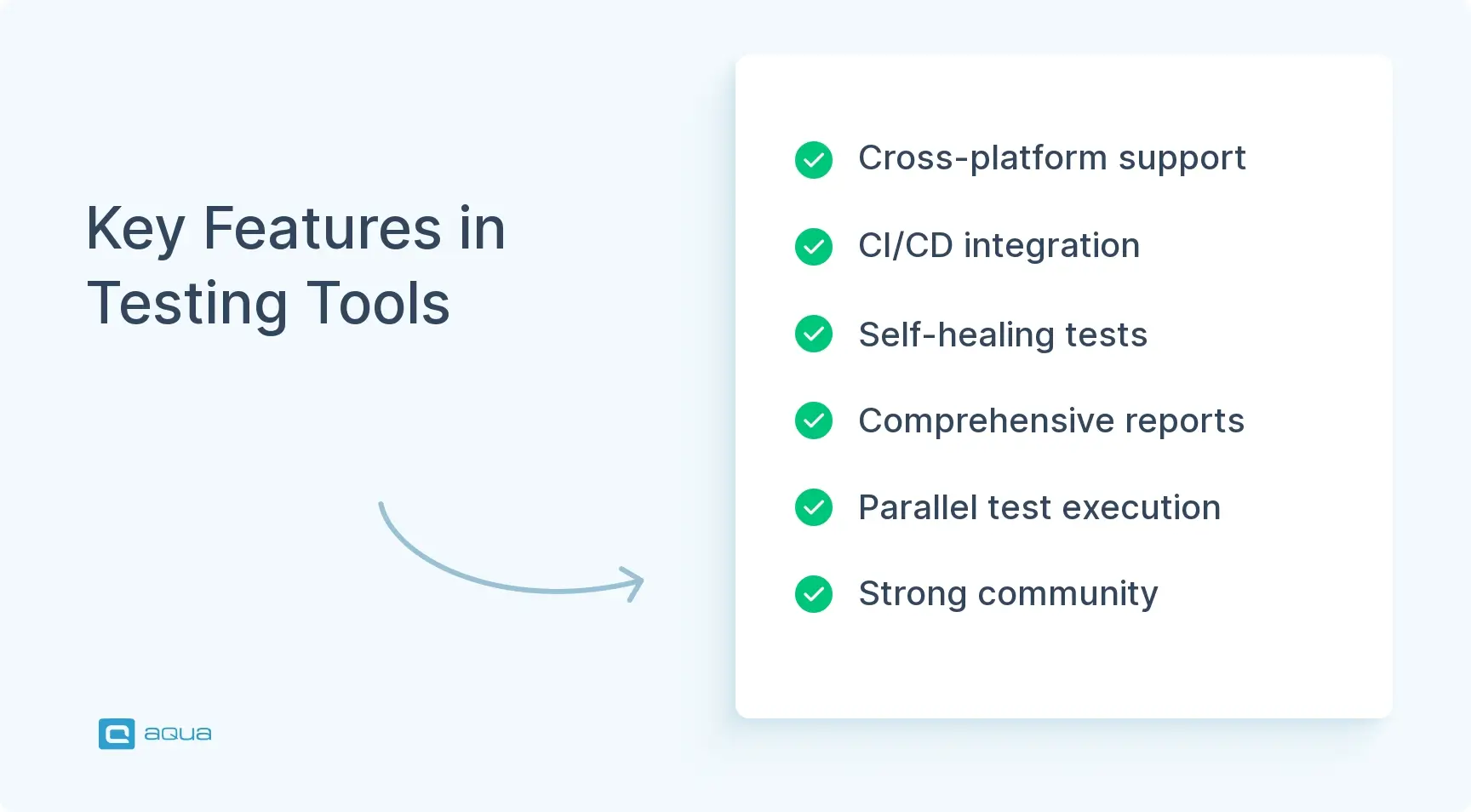
Key Features to Look for in Effective Functional Testing Tools
Several characteristics separate effective functional testing tools from mediocre options.
Cross-browser and cross-platform support: Your users access applications from diverse environments. Tools must validate behavior across different browsers and operating systems. Additionally, they should handle devices without maintaining separate test suites for each platform.
Integration with CI/CD pipelines: Modern development demands continuous testing. Look for tools that integrate seamlessly with Jenkins or GitLab CI. This enables tests to run automatically on every code change.
Self-healing capabilities: UI changes shouldn’t break your entire test suite. Smart locators and AI-powered element identification reduce maintenance overhead when interfaces evolve.
Comprehensive reports and analytics: Clear test results help teams identify failures quickly. Look for detailed logs and screenshots on failure. Video records also help. Integration with test management platforms provides centralized visibility.
Parallel execution: Running tests sequentially bottlenecks feedback cycles. Tools that support parallel execution across multiple browsers or devices dramatically reduce overall test duration.
Community and documentation: Strong community support means readily available answers when you encounter obstacles. Comprehensive documentation accelerates onboarding and reduces the learning curve for new team members.
Best Practices for Implementing Functional Testing Tools
Successful implementation of functional testing tools requires strategic planning and disciplined execution.
1. Start with critical user paths: Don’t try to automate everything immediately. Focus on core workflows that users interact with most frequently. Login flows and checkout processes typically provide the highest ROI for initial automation efforts.
2. Maintain test data separately: Hardcoded test data in scripts creates brittleness. Use external data sources like CSV files or databases to separate test logic from test data. This enables easier maintenance and broader coverage.
3. Implement page object models: Abstract UI elements and interactions into reusable page objects. When the UI changes, you update one location instead of hundreds of test scripts. This pattern proves essential for maintainable automation at scale.
4. Monitor test execution metrics: Track test run duration and failure rates over time. Flakiness metrics also matter. Flaky tests erode confidence in automation. Therefore, address unstable tests immediately rather than tolerating intermittent failures.
5. Integrate early in the development cycle: Late introduction of functional testing creates backlogs and rushed automation. Shift testing left by writing tests alongside feature development. This catches defects when fixes cost less.
6. Layer your testing strategy: Combine unit tests for fast feedback with integration tests for component interactions. End-to-end functional tests validate critical workflows. The testing pyramid suggests more tests at lower levels and fewer at higher levels. This balances coverage with execution speed.
Many organizations now rely on AI functional testing tools to enhance capabilities with intelligent features. These span both open-source and commercial categories. They offer self-healing tests and predictive analysis regardless of pricing model.
Most professionals run hybrid toolchains. Open-source tools handle core automation tasks while commercial licenses address areas where productivity gains justify expense. Check a comprehensive functional testing tools list to understand all available options. This includes specialized examples of functional testing tools used across different industries.
While the 31 tools we’ve discussed all have their place, many organizations find themselves juggling multiple solutions. aqua cloud, an AI-powered test and requirement management solution, offers a more cohesive alternative by combining test case management with AI-powered test generation. With aqua, you can generate complete test cases from requirements in seconds and visualize coverage gaps instantly. The platform’s domain-trained AI Copilot goes beyond generic AI to create contextually relevant tests based on your project’s specific documentation and terminology. This results in higher quality tests with less effort. Teams report saving up to 97% of their time on test creation while achieving full coverage. With aqua, your team can focus on delivering quality software rather than maintaining testing infrastructure. Integrate aqua with your existing stack through native connections to Jira, Azure DevOps. Jenkins, Selenium, Playwright, and a dozen other software solutions.
Achieve 100% test coverage with aqua's AI capabilities
Choosing the right functional testing tools means matching capabilities to your actual needs. Most mature testing strategies in 2026 combine automation for stable critical paths with manual testing for UX nuances. Crowd platforms validate real-world variability. Web apps that ship to global audiences might need Playwright for core automation and BrowserStack for cross-browser coverage. Enterprise teams that manage SAP integrations alongside mobile apps might lean on Tosca’s breadth with Appium for mobile coverage. The right mix depends on your app’s complexity, team skills, user diversity, and shipping velocity. Map your risks, audit your gaps, and build a testing stack that protects what matters.
Functional testing validates that software behaves according to specified requirements by testing user workflows, business logic, and feature interactions. It focuses on what the application does rather than how it performs under load or how fast it responds. Testers verify inputs produce expected outputs, user interfaces respond correctly, and integrations function properly across different scenarios and conditions.
What is a functional testing tool?
A functional testing tool automates the validation of software behavior against requirements. These tools simulate user interactions and execute test scripts across different environments. They report discrepancies between expected and actual results. They range from browser automation frameworks like Selenium to comprehensive platforms like Katalon that support multiple testing surfaces within unified interfaces.
What are different types of functional testing?
Functional testing encompasses smoke testing for critical functionality and regression testing to verify unchanged features still work. Integration testing validates component interactions. User acceptance testing confirms business requirement validation, and sanity testing provides quick verification after changes. Each type addresses specific validation needs at different development stages. Collectively, they ensure comprehensive software quality before production deployment.
How do functional testing tools integrate with continuous integration pipelines?
Modern functional testing tools integrate with CI/CD pipelines through plugins and APIs. Command-line interfaces also enable integration. They trigger automatically on code commits or pull requests. The tools execute test suites and report results directly within development workflows. Jenkins and GitLab CI support native integrations that enable automated quality gates. These prevent broken code from reaching production environments.
What are the key criteria for selecting the best functional testing tool for enterprise applications?
Enterprise functional testing tool selection requires evaluation of cross-platform support for web and mobile systems. Consider scalability for large test suites and integration capabilities with existing ALM tools. Assess compliance with security and audit requirements along with vendor support and training availability. Calculate total cost of ownership including licensing and maintenance. Finally, evaluate your team’s technical capabilities for implementation and long-term sustainability.
Home » Best practices » 31 Best Functional Testing Tools for 2026: Complete Guide
Do you love testing as we do?
Join our community of enthusiastic experts! Get new posts from the aqua blog directly in your inbox. QA trends, community discussion overviews, insightful tips — you’ll love it!
We're committed to your privacy. Aqua uses the information you provide to us to contact you about our relevant content, products, and services. You may unsubscribe from these communications at any time. For more information, check out our Privacy policy.
X
🤖 Exciting new updates to aqua AI Assistant are now available! 🎉
We use cookies and third-party services that store or retrieve information on the end device of our visitors. This data is processed and used to optimize our website and continuously improve it. We require your consent fro the storage, retrieval, and processing of this data. You can revoke your consent at any time by clicking on a link in the bottom section of our website.
For more information, please see our Privacy Policy.
This website uses cookies to improve your experience while you navigate through the website. Out of these, the cookies that are categorized as necessary are stored on your browser as they are essential for the working of basic functionalities of the website. We also use third-party cookies that help us analyze and understand how you use this website. These cookies will be stored in your browser only with your consent. You also have the option to opt-out of these cookies. But opting out of some of these cookies may affect your browsing experience.
Necessary cookies are absolutely essential for the website to function properly. These cookies ensure basic functionalities and security features of the website, anonymously.
Cookie
Duration
Description
cookielawinfo-checkbox-analytics
11 months
This cookie is set by GDPR Cookie Consent plugin. The cookie is used to store the user consent for the cookies in the category "Analytics".
cookielawinfo-checkbox-functional
11 months
The cookie is set by GDPR cookie consent to record the user consent for the cookies in the category "Functional".
cookielawinfo-checkbox-necessary
11 months
This cookie is set by GDPR Cookie Consent plugin. The cookies is used to store the user consent for the cookies in the category "Necessary".
cookielawinfo-checkbox-others
11 months
This cookie is set by GDPR Cookie Consent plugin. The cookie is used to store the user consent for the cookies in the category "Other.
cookielawinfo-checkbox-performance
11 months
This cookie is set by GDPR Cookie Consent plugin. The cookie is used to store the user consent for the cookies in the category "Performance".
viewed_cookie_policy
11 months
The cookie is set by the GDPR Cookie Consent plugin and is used to store whether or not user has consented to the use of cookies. It does not store any personal data.
Functional cookies help to perform certain functionalities like sharing the content of the website on social media platforms, collect feedbacks, and other third-party features.
Performance cookies are used to understand and analyze the key performance indexes of the website which helps in delivering a better user experience for the visitors.
Analytical cookies are used to understand how visitors interact with the website. These cookies help provide information on metrics the number of visitors, bounce rate, traffic source, etc.
Advertisement cookies are used to provide visitors with relevant ads and marketing campaigns. These cookies track visitors across websites and collect information to provide customized ads.