Playwright Review 2026: What Users Say About This Test Automation Framework
Have you considered using Playwright for your test automation? It's quickly become one of the most talked-about frameworks out there. The speed and cross-browser capabilities earn genuine praise. The numbers back it up too: over 74,000 GitHub stars, 3.2 million weekly npm downloads, and community surveys showing usage that exceeds Selenium among many respondents. But implementing Playwright in your QA workflow reveals challenges that often get overlooked. Here's what development and QA teams actually experience with Playwright daily.
Playwright is an open-source, cross-browser automation framework developed by Microsoft for end-to-end testing of web applications.
The framework has great browser automation speed but requires programming expertise to use effectively.
Teams often spend up to 50% of their time on test maintenance rather than creating new tests.
Flaky tests remain a problem, causing unpredictable CI/CD pipeline failures.
Playwright lacks native test management capabilities, requiring third-party tools for proper test case organization and reporting.
Mobile testing support is limited to browser emulation. Real device testing requires additional tools.
Have you considered using Playwright for your test automation? It’s quickly become one of the most talked-about frameworks out there. The speed and cross-browser capabilities earn genuine praise. The numbers back it up too: over 74,000 GitHub stars, 3.2 million weekly npm downloads, and community surveys showing usage that exceeds Selenium among many respondents. But implementing Playwright in your QA workflow reveals challenges that often get overlooked. Here’s what development and QA teams actually experience with Playwright daily.👇
What Is Playwright?
Playwright is an open-source automation framework developed by Microsoft. It handles end-to-end testing of web applications across multiple browsers and platforms. Released in 2020 by the team behind Puppeteer, Playwright lets developers write automated tests using a single API. That API works across Chromium, Firefox, and WebKit browsers.
The framework supports JavaScript, TypeScript, Python, Java, and C#. Its architecture provides auto-waiting for elements, network interception, and parallel test execution. These features make it attractive for teams looking to automate web application testing.
Is Playwright the right choice for your QA team in 2025? That depends on your team’s technical capabilities and testing needs.
How Does Playwright Work?
Playwright communicates directly with browsers using native protocols, which is different from the WebDriver approach that Selenium uses. Tests execute faster and with more reliability than traditional automation frameworks. The framework installs browser binaries automatically, eliminating driver management headaches.
When you write a Playwright test, you use locators to find elements, then actions to interact with them. The framework handles waiting automatically, which reduces flaky tests in most scenarios. Tests can run in manual mode for debugging or automated mode for CI/CD pipelines.
Who Uses Playwright?
Playwright is in demand among dev teams and technical QA engineers comfortable with code-based testing. Microsoft, Adobe, and various startups have adopted the framework for web application testing. Industry surveys show Playwright now holds roughly 15% market share in test automation, with strong year-over-year growth.
Typical Playwright users include:
Frontend developers writing tests for their own code
SDETs and automation engineers building test frameworks
DevOps teams integrating E2E tests into CI/CD pipelines
QA engineers with programming backgrounds
Teams migrating from Selenium or Cypress
Mid-sized to large organizations with dedicated automation engineers usually get the most value from Playwright.
Playwright Features
Playwright is popular because of its modern approach to browser automation and cross-browser support. When teams scale their test suites, certain limitations start to show up. Here’s what Playwright actually delivers.
Test Script Creation
Playwright provides a code-first approach to test creation. Developers appreciate the flexibility. The framework includes Codegen, a tool that records browser interactions and generates test code automatically.
Playwright offers for test creation:
Auto-generated test scripts from browser recording
Support for multiple programming languages
Built-in test runner with TypeScript support
VS Code extension for debugging
This code-centric approach creates barriers for some teams. Manual testers and business stakeholders cannot participate in test creation without programming knowledge.
Nothing particular, it is just the same problem as with other test automation frameworks. You need to have an SDET to maintain it.
This dependency on specialized engineers creates bottlenecks in QA. Valuable domain expertise from non-technical team members often goes unused.
Manage all your testing in one place, including Playwright automation
Playwright automates browsers well, but automation results need a unified platform. Test data spread across repositories, spreadsheets, and Jira tickets creates blind spots that drag out your releases. aqua cloud consolidates everything with AI-powered test and requirement management. Import your Playwright results alongside manual tests, exploratory sessions, and other automation tools in one unified interface. See coverage gaps instantly with 100% traceability from requirements to test cases to defects. aqua’s AI Copilot generates complete test cases from documentation, text, and voice notes in seconds, saving manual effort. With support responses under 2 hours from engineers who understand testing, aqua fits into your existing workflow without friction. Connect through 12 out-of-the-box integrations, including Jira, Azure DevOps, and Selenium, plus a REST API for custom connections. No more managing test data in multiple applications.
Save 97% time on test case creation with AI-powered automation
Playwright’s primary strength is cross-browser support. The framework supports Chromium, Firefox, and WebKit through a unified API. Teams can run the same tests across multiple browsers without modification.
Key capabilities include:
Single API for Chrome, Firefox, and Safari testing
Mobile device emulation for responsive testing
Parallel test execution across browsers
Automatic browser binary management
Playwright is used by the people who develop NASA technology, so, pretty reliable.
Playwright doesn’t support legacy browsers or real mobile devices. For mobile testing, you’re limited to emulation, which doesn’t really capture what users experience on actual hardware. If you need comprehensive mobile testing or support for older browsers, you’ll need to bring in additional tools.
Auto-Waiting and Reliability
Playwright’s auto-waiting mechanism is one of its most praised features. The framework automatically waits for elements to be actionable before performing interactions. This theoretically eliminates the need for explicit waits and reduces test flakiness.
Features include:
Automatic waiting for element stability
Web-first assertions with retry logic
Configurable timeout values
Network request interception
Flakiness 9/10 times is to do with the people using the tool rather than the tool itself. Playwright won't save you from using it poorly, but it offers a lot to save you from yourself.
Despite these features, flaky tests remain a significant problem for many Playwright users. Auto-waiting works in most scenarios. Complex UIs, third-party components, and dynamic content often require manual intervention.
The main adjustment for me was that Playwright doesn't seem to automatically wait for actionability before performing actions such as click, etc. I am manually having to wait for elements to be attached and visible/not animating before actions. Also, you have to await every async call, which is kind of annoying.
Teams report spending significant time debugging timeout issues. Elements that Playwright considers “actionable” sometimes aren’t truly ready for interaction.
Debugging and Tracing
Playwright offers impressive debugging tools. The Trace Viewer provides a complete timeline of test execution, including screenshots, DOM snapshots, and network activity.
Available debugging features:
Trace Viewer for post-mortem analysis
VS Code extension with step-through debugging
Video recording of test execution
Screenshot capture on failure
Using these tools effectively requires technical expertise. Non-technical stakeholders cannot easily interpret trace files or debug failed tests. The learning curve for mastering Playwright’s debugging capabilities is substantial.
You need to learn async/await patterns, handle timeouts, and understand advanced Playwright features like browser contexts or multiple-page handling to get going with Playwright test automation, which is definitely difficult.
Playwright provides integration capabilities with CI/CD systems. Teams can connect it to various third-party tools through community-maintained plugins and custom implementations.
Integration options include:
GitHub Actions, GitLab CI, and Azure DevOps support
JUnit XML report generation for test management tools
Custom reporter capabilities
API for programmatic control
With Playwright we automated the critical path, we integrated it into our CI/CD, and now it's constantly running and detecting errors and bugs before they even reach to QA.
Playwright doesn’t include native test management capabilities. Integrations with test management systems require additional setup, custom code, or third-party plugins. This adds complexity and creates extra maintenance work. When you’re using Playwright on its own, it’s tough to keep track of how requirements, test cases, and defects all connect.
Connect Playwright to your complete QA ecosystem
aqua cloud comes with 12+ out-of-the-box integrations including Jira, Azure DevOps, Selenium, and Jenkins. Import Playwright results seamlessly and see them alongside all your other testing data. Maintain complete visibility and traceability across your entire QA process without custom development.
Playwright’s usability varies based on technical background. Developers comfortable with code generally appreciate the framework’s API and comprehensive documentation. The experience differs for teams without strong programming backgrounds.
The code-centric interface means every interaction requires writing and maintaining scripts. There’s no visual interface for test creation, execution monitoring, or results analysis built into the core framework. Your team need to either use the command line or configure IDE extensions.
If you're completely new to test automation, there's a bit of a learning curve, and sometimes the error messages can be a little cryptic.
It makes automating complex user interactions easier, fits right into our CI/CD for continuous testing, and works great across different browsers. The Documentation is a plus, you don't really need to search a lot to understand and find what you need for the coding.
The VS Code extension provides helpful features like test discovery and step-through debugging. It assumes familiarity with development tools that many QA professionals may not possess.
Reporting and Analytics
Playwright’s built-in reporting capabilities are functional but limited. The default HTML reporter shows test results, screenshots, and trace files. It lacks the analytical depth needed for enterprise QA management.
Users report these limitations:
No built-in trend analysis or historical comparisons
Limited test coverage visualization
No native requirement traceability
Basic pass/fail reporting without detailed analytics
Teams seeking comprehensive reporting must implement custom reporters or integrate with third-party platforms.
Test Maintenance Challenges
Test maintenance is where Playwright’s limitations become most apparent. As test suites expand, maintaining test scripts can become overwhelming.
When the test suite size in Playwright is huge, many teams spend up to 50% of their time on test maintenance rather than on more productive tasks. You could have used this time to create more robust new tests. However, this precious time is being spent on maintenance.
Without self-healing capabilities, every element property change can cause test failures. This creates a continuous cycle of test repair that drains team resources.
Language-Specific Experiences
I think it was built first and foremost NodeJS. I have had issues with the .net implementation, missing features, async click event not actually waiting. I am now wondering if I should have stuck with Selenium.
If your team is using Java, Python, or .NET bindings, you might run into missing features or behavior that doesn’t quite match the JavaScript/TypeScript version.
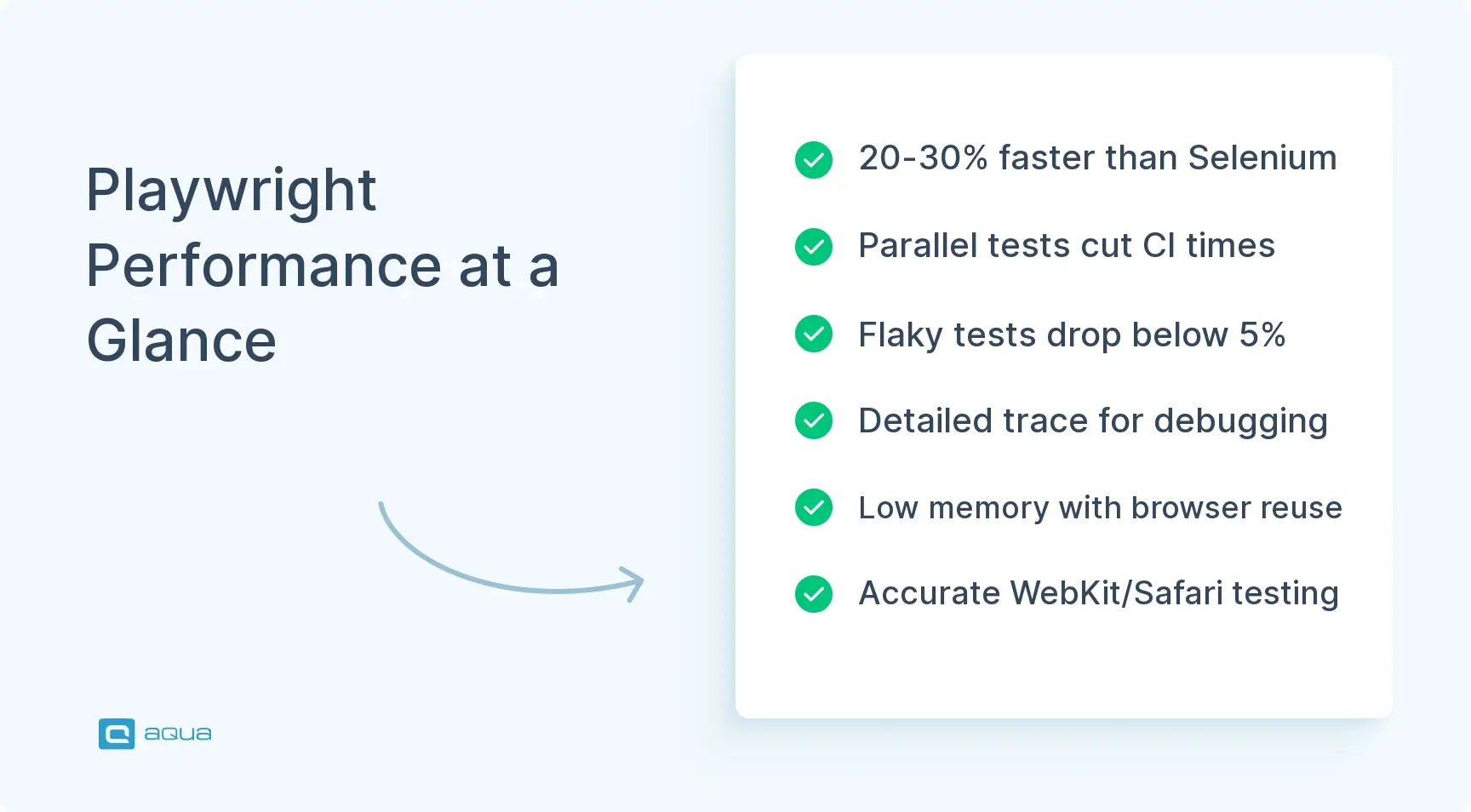
Performance and Parallelization
Playwright lets you run however many tests you want on your node.js process, as long as your machine can handle it; gives you sharding out-of-the-box or even if that's still not enough, you can just plug it on a Selenium Grid, and that's it.
Playwright does seem to be more perf, though, so it's a trade-off.
Derpcock
Posted on Reddit
This performance advantage helps you run large test suites efficiently. It doesn’t eliminate the maintenance burden that comes with scaling, though.
Learning and Onboarding
I was able to get a Junior QA Engineer up to speed on Playwright in about a week. His tests are no less reliable than if they were written with Cypress. I have a cicd workflow that runs its tests 5 times in parallel before I merge its PRs to ensure the majority of flakes are shaken off.
I can understand Selenium, as you've got to manage all the drivers and then handle waits and page loads yourself; it's old news now. Cypress is lovely, though. The async chainable design is weird to get around, but once you understand it, it's fine.
Playwright’s API design and feature set appeal to developers who find Selenium outdated and Cypress limiting. However, preference often depends on team composition and project requirements.
Summary & Key Insights
After analyzing user feedback across G2, GitHub, Stack Overflow, Reddit, and real-world implementations, clear patterns emerge. Playwright excels in specific areas while presenting genuine challenges in others. Here are the platform ratings of Playwright:
Techjockey: 4.5/5
Trustradius: 8.6/10
G2: 4.8/5
Other platforms and forums: Mixed reviews
Here’s a balanced assessment based on what teams actually report.
Pros of Playwright
Free and open-source with no licensing costs
Fast test execution through native browser protocols
Excellent cross-browser support for Chromium, Firefox, and WebKit
Comprehensive debugging tools, including Trace Viewer
Active development with frequent updates from Microsoft
Built-in parallelization without external infrastructure
High maintenance burden that can consume 50% of team time
No native test management capabilities for enterprise QA
Limited mobile testing with emulation only
Flaky test issues despite auto-waiting mechanisms
Integration complexity requires custom development for TMS tools
No AI-powered test generation for accelerated test creation
Excludes non-technical team members from test creation
Basic reporting that requires third-party tools for analytics
Locator maintenance challenges when UIs change frequently
Language-specific implementation gaps (particularly for Java, .NET, Python)
Manual waiting is still required for complex UI scenarios
Managing Playwright Tests: Why You Need More Than Just Automation
Playwright handles browser automation well, but automation is just one piece of your QA process. You still need to manage test cases, track requirements, report defects, and maintain traceability.
Teams using Playwright may struggle with a complicated workflow. That’s because automated tests live in code repositories, while manual test cases sit in spreadsheets or separate tools. Defects go into yet another system. Requirements exist somewhere else entirely. This fragmentation creates blind spots and slows down releases.
A test management platform brings everything together. Import Playwright results alongside manual testing efforts. Link tests to requirements. Track defects from discovery to resolution. See coverage gaps at a glance. Make decisions based on complete information rather than scattered data.
aqua cloud: Unified Test Management for All Your Testing Needs
For your QA work, aqua provides what Playwright lacks: one centralized platform for your entire testing lifecycle. Manage requirements, test cases, defects, and projects in one place. Import results from Playwright and other automation tools. Get AI-powered test case generation that saves 98% of creation time.
Why teams choose aqua cloud alongside Playwright:
AI Copilot: Generate test cases from requirements, documentation, or voice notes
Complete traceability: Link requirements to tests to defects automatically
Unified platform: Manual and automated testing in one interface
Enterprise support: Get answers from testing experts, not ticket queues
Seamless integrations: Connect to Jira, Azure DevOps, Jenkins, and more
Playwright handles automation for your QA. aqua cloud, an AI-powered test and requirement management platform, handles the rest. Track test execution history across every run, identify flaky patterns before they derail releases, and report quality metrics to stakeholders from one unified platform. No more piecing together information from multiple tools and manual traceability mapping in spreadsheets. aqua’s purpose-built architecture handles repositories with thousands of test cases without the slowdowns that plague add-on tools. The platform combines test management, requirements management, and defect tracking with AI that actually accelerates your work. When questions arise, get answers from engineers with 20 years of testing expertise, not ticket queues that take weeks to respond. Connect your existing workflow through 12 out-of-the-box integrations, including Jira, Confluence, Azure DevOps, Jenkins, and Selenium, plus a REST API for custom connections.
Cut testing time by 80% with AI-driven test management
Playwright deserves its reputation as a capable browser automation framework. The cross-browser support, modern architecture, and debugging tools make it a solid choice for technical teams. However, the steep learning curve and high maintenance burden create challenges, with teams spending up to 50% of their time on test upkeep. The framework works best when paired with proper test management. For teams evaluating their testing strategy in 2025, consider how Playwright fits into your complete QA process. Automation is one part. Effective test management ties it all together.
Playwright supports mobile testing through device emulation, allowing you to simulate various mobile viewports and user agents. However, it doesn’t support real device testing natively. Emulation works for checking responsive design, but it won’t show you what users actually experience on physical devices. Teams needing comprehensive mobile testing typically use additional tools like Appium or cloud-based device farms alongside Playwright for complete coverage.
How long does it take to learn Playwright?
Learning Playwright depends heavily on your programming background. Developers familiar with JavaScript/TypeScript and async/await patterns can become productive within a week. QA engineers new to coding may need several weeks to months to master the framework effectively. The learning curve includes understanding browser contexts, actionability concepts, and debugging tools. Playwright’s documentation helps, but hands-on practice with real test scenarios is essential for proficiency.
What causes flaky tests in Playwright?
Flaky tests in Playwright typically stem from improper waiting strategies, complex animations, third-party components with unpredictable behavior, and network timing issues. While Playwright’s auto-waiting handles most scenarios, dynamic UIs sometimes require manual wait configurations. Race conditions between multiple page elements, browser-specific rendering differences, and environment inconsistencies also contribute to flakiness. Proper test design with explicit element visibility checks and network stabilization strategies helps minimize these issues.
Can non-technical team members use Playwright?
Playwright requires programming knowledge, making it unsuitable for non-technical team members without training. The framework lacks a visual interface or no-code options for test creation. While Codegen can record interactions and generate test scripts, understanding and maintaining that code still requires development skills. Teams wanting to include non-technical QA members in test creation typically pair Playwright with test management platforms or consider hybrid approaches using low-code alternatives for certain test types.
Home » Test Automation » Playwright Review 2026: What Users Say About This Test Automation Framework
Do you love testing as we do?
Join our community of enthusiastic experts! Get new posts from the aqua blog directly in your inbox. QA trends, community discussion overviews, insightful tips — you’ll love it!
We're committed to your privacy. Aqua uses the information you provide to us to contact you about our relevant content, products, and services. You may unsubscribe from these communications at any time. For more information, check out our Privacy policy.
X
🤖 Exciting new updates to aqua AI Assistant are now available! 🎉
We use cookies and third-party services that store or retrieve information on the end device of our visitors. This data is processed and used to optimize our website and continuously improve it. We require your consent fro the storage, retrieval, and processing of this data. You can revoke your consent at any time by clicking on a link in the bottom section of our website.
For more information, please see our Privacy Policy.
This website uses cookies to improve your experience while you navigate through the website. Out of these, the cookies that are categorized as necessary are stored on your browser as they are essential for the working of basic functionalities of the website. We also use third-party cookies that help us analyze and understand how you use this website. These cookies will be stored in your browser only with your consent. You also have the option to opt-out of these cookies. But opting out of some of these cookies may affect your browsing experience.
Necessary cookies are absolutely essential for the website to function properly. These cookies ensure basic functionalities and security features of the website, anonymously.
Cookie
Duration
Description
cookielawinfo-checkbox-analytics
11 months
This cookie is set by GDPR Cookie Consent plugin. The cookie is used to store the user consent for the cookies in the category "Analytics".
cookielawinfo-checkbox-functional
11 months
The cookie is set by GDPR cookie consent to record the user consent for the cookies in the category "Functional".
cookielawinfo-checkbox-necessary
11 months
This cookie is set by GDPR Cookie Consent plugin. The cookies is used to store the user consent for the cookies in the category "Necessary".
cookielawinfo-checkbox-others
11 months
This cookie is set by GDPR Cookie Consent plugin. The cookie is used to store the user consent for the cookies in the category "Other.
cookielawinfo-checkbox-performance
11 months
This cookie is set by GDPR Cookie Consent plugin. The cookie is used to store the user consent for the cookies in the category "Performance".
viewed_cookie_policy
11 months
The cookie is set by the GDPR Cookie Consent plugin and is used to store whether or not user has consented to the use of cookies. It does not store any personal data.
Functional cookies help to perform certain functionalities like sharing the content of the website on social media platforms, collect feedbacks, and other third-party features.
Performance cookies are used to understand and analyze the key performance indexes of the website which helps in delivering a better user experience for the visitors.
Analytical cookies are used to understand how visitors interact with the website. These cookies help provide information on metrics the number of visitors, bounce rate, traffic source, etc.
Advertisement cookies are used to provide visitors with relevant ads and marketing campaigns. These cookies track visitors across websites and collect information to provide customized ads.