15 Test Automation Challenges: Insights and Solutions
Test suite failed again. Most teams automate everything they can, then wonder why their CI/CD pipeline takes 45 minutes and breaks twice a week. The promise was faster releases and fewer bugs. The real challenge is how to automate without ending up with flaky tests, spiraling costs, and maintenance headaches. This article walks through 15 real-world test automation challenges with practical solutions grounded in recent research.
Test automation requires significant initial investment, but the real long-term costs come from maintenance, infrastructure scaling, and managing flaky tests rather than setup.
Most successful teams use a layered approach with fast unit tests, targeted API tests, and fewer end-to-end tests to balance coverage and execution speed.
Test data management is critical for automation success, requiring proper masking of sensitive information, isolation between test runs, and strategies for cross-environment consistency.
Flaky tests that pass inconsistently are the biggest threat to automation trust, with 59% of developers encountering them monthly, and teams often ignoring all failures as a result.
Complete automation is unrealistic for most teams, with about half of organizations achieving only partial automation coverage by balancing automated and manual testing approaches.
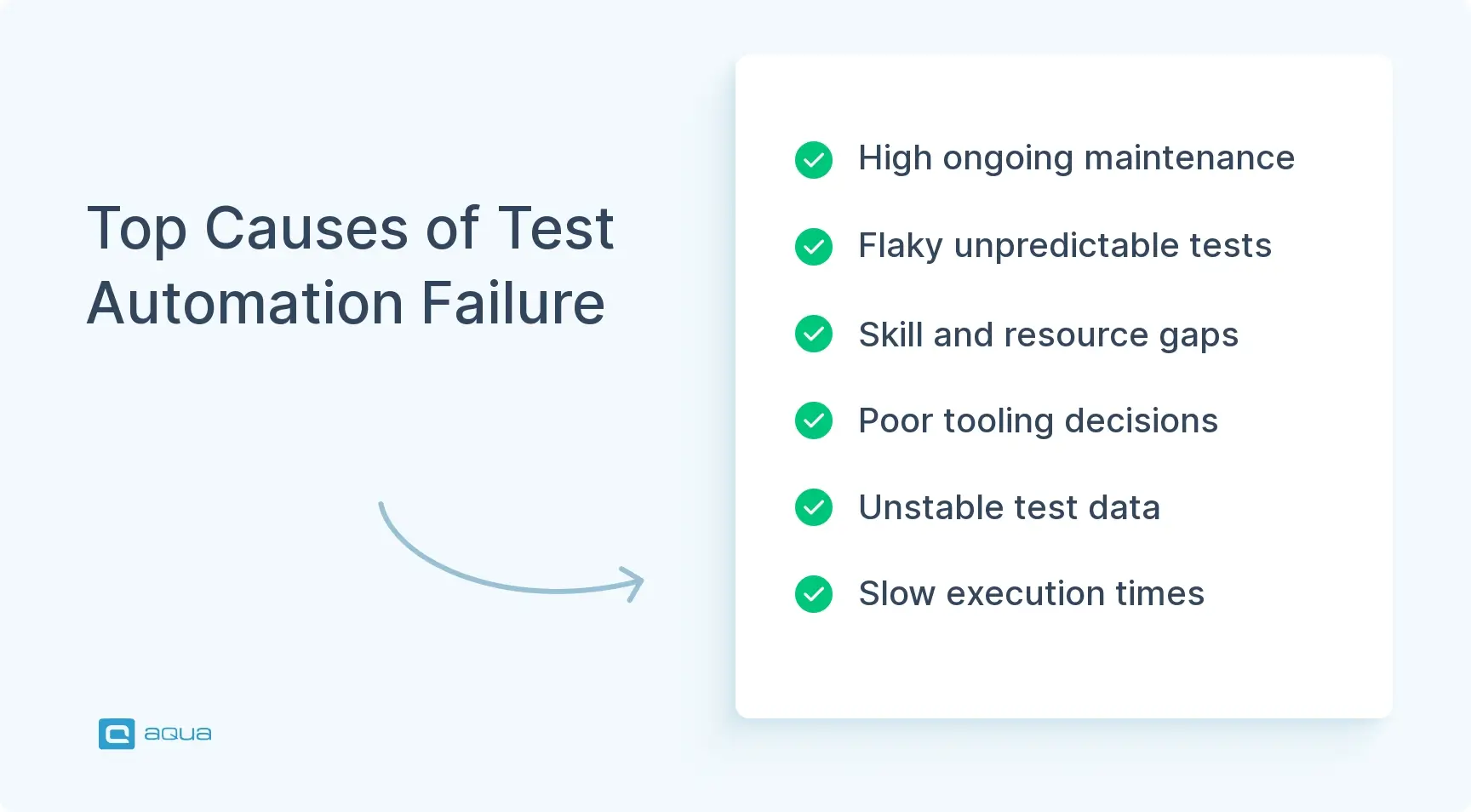
Even with advanced tools and frameworks, test automation still presents maintenance, flakiness, and skills gaps challenges. See how to solve these problems and build sustainable automation practices below 👇
1. Understanding the High Initial Investment
It happens sometimes that automation costs more up front than most teams expect. The initial investment includes several components:
Tool licenses and platform fees
Framework setup and configuration
Infrastructure costs for test environments
Training for team members
Time spent building the test harness instead of shipping features
Modern Total Cost of Ownership models reveal that setup costs are just a fraction of five-year expenses. Maintenance, infrastructure scaling, and dealing with flaky tests dominate long-term costs.
Solution:
You don’t need to drop six figures on day one. Start with a pilot project targeting high-value regression flows like login, checkout, or whatever workflow breaks your app most often. Prove ROI on a small scale, then expand. Here’s how to approach phased implementation:
Begin with a core team of five users instead of licensing an enterprise platform for 50
Use open-source frameworks to minimize licensing costs early
Layer in commercial tools only where they solve specific pain points
Calculate your break-even point by estimating the manual regression hours saved per release
Track whether you’re hitting those targets before scaling up
Course-correct before the budget conversation gets awkward if you’re not seeing returns.
2. Selecting the Right Testing Tools
Walk into any QA meetup and ask about test automation tools. You’ll trigger arguments. The market floods you with options, each claiming to solve all your problems.
Pick the wrong tool, and you face several problems:
Brittle tests that break with minor changes
Vendor lock-in limiting your flexibility
A team that resents the framework they’re forced to use
Before you sign contracts, get clear on your criteria:
Does the tool support your tech stack, such as web, mobile native, APIs, or desktop?
Can it plug into your CI/CD pipeline like Jenkins, GitLab, or GitHub Actions?
What’s the learning curve, and does it match your team’s skill level?
What’s the total cost of ownership across user-based versus execution-based pricing models?
Solution:
Run a structured evaluation before committing when you choose automation tools. Here’s the process:
Shortlist three to five candidates, including at least one open-source option and one or two commercial platforms
Build a reference suite of 10-20 tests in each: a complex UI flow, an API test, and a cross-browser run
Integrate each tool into a CI pipeline and score them on stack fit, stability, reporting, and cost
The winner should handle your real-world scenarios without constant fights
If your SDETs write code in their sleep, a script-heavy framework works fine. Manual testers who need to contribute might need low-code platforms instead. Once you decide, lock in coding standards and folder structure before everyone starts writing tests their own way.
These software test automation challenges demand more than scattered tools. You need a unified platform that connects your entire testing ecosystem. aqua cloud, an AI-driven test and requirement management solution, delivers exactly that with a centralized repository for both manual and automated tests. The platform enables unified reporting, complete traceability, and seamless team collaboration across your organization. What sets aqua apart is its domain-trained AI assistance. The system learns from your project’s specific documentation to deliver context-aware suggestions that generic AI tools can’t match. This means faster test creation, smarter maintenance recommendations, and fewer false positives. The nested test case functionality slashes maintenance overhead. Update shared steps once and propagate changes everywhere automatically. aqua integrates seamlessly with popular automation frameworks like Selenium, Cypress, and Playwright, plus CI/CD tools including Jenkins, GitLab, and Azure DevOps.
Save up to 97% of your testing time with AI that truly understands your project's context
Test data management has gone from nice-to-have to critical blocker as CI/CD pushes you to provision realistic, compliant data at development pace. You need:
Realistic data that mirrors production scenarios
Compliance with data privacy regulations
Fast provisioning that keeps up with development pace
Tests fail randomly when they share user accounts or database records. Production dumps contain real customer emails that violate GDPR. You’re either running tests against stale data that misses real-world edge cases or exposing sensitive information in non-production environments.
Solution:
The foundation of modern test data management is privacy and compliance. Here are the core techniques:
Data masking scrambles personal information while preserving referential integrity
Subsetting extracts slices of production data, like one region or one product line, to reduce dataset size and speed up provisioning
Synthetic data generation uses rule-based or ML-driven engines to create realistic test data from scratch, especially useful when regulations prevent using production data
Some teams integrate on-demand data APIs or self-service portals into their CI pipelines. Each test stage automatically requests and cleans up datasets by scenario like ten users with overdue invoices or five with multi-currency wallets.
Parallel execution introduces another wrinkle: if tests share state or accounts, they collide and fail. Design your strategy to isolate test runs, either by generating unique datasets per pipeline or by versioning datasets alongside your code. Enforce least-privilege access to test databases, use tokenization for sensitive fields, and maintain audit logs of who accessed what.
4. Addressing Continuous Integration and Deployment (CI/CD) Challenges
Picture this: You’ve wired tests into your pipeline. Builds start failing randomly because of flaky tests. The suite takes so long that developers bypass it altogether. When teams don’t trust the test results, they ignore failures. Real bugs slip through.
Flakiness and unstable pipelines kill both trust and speed in automated testing. A test that passes one run and fails the next without code changes teaches your team to dismiss all failures. The entire investment becomes worthless.
Solution:
The fix starts with smart test layering. Here’s what successful teams run at each stage:
Every commit: Fast checks like linting, unit tests, and core API smoke tests
Merges to main branch: Medium tests including component or integration-level checks
Nightly or pre-release: Heavy end-to-end and cross-platform suites
This keeps your feedback loop tight without drowning in execution time. Use containers and infrastructure-as-code to eliminate environment drift. Dockerize your test runtimes and define infrastructure with IaC tools so CI and local environments stay aligned. Parallelization and sharding split test suites across multiple runners to cut execution time. Make sure tests are independent of each other and of run order.
Flaky tests deserve special treatment:
Automatically detect tests that flip between pass and fail using log analysis or ML classifiers
Quarantine them into a separate, non-blocking suite
Create backlog items to fix or refactor flaky tests instead of letting them rot
Fail fast with clear, actionable logs and screenshots, or videos from UI tests
Send targeted notifications and tag owners of failed test components instead of spamming the whole team
Tight feedback loops and ruthless flakiness management turn your CI/CD pipeline from a bottleneck into a competitive advantage.
5. Maintaining Automated Test Scripts
Maintaining automated test scripts is where most automation efforts go to die. The World Quality Report 2022-2023 indicates that maintenance costs can consume up to 50% of the overall test automation budget, with organizations dedicating 30% to 50% of their testing resources to maintaining and updating test scripts. Of teams using open-source testing frameworks like Selenium, Cypress, and Playwright, 55% spend at least 20 hours per week creating and maintaining automated tests.
Button labels change. Login flows get refactored. New modals break brittle XPath selectors. Half the tests turn red for reasons unrelated to actual bugs. When you spend more time babysitting scripts than writing new tests, your architecture needs an overhaul.
Solution:
The antidote is clean architecture and modular design. Here’s how to build maintainable test suites:
Use patterns like Page Object, Screenplay, or component objects to isolate locators and low-level UI logic from actual test scenarios
When your login flow changes, update one method in one place instead of hunting through 50 test files
Create shared helpers for login, navigation, setup, and teardown to keep your tests DRY
Prefer stable, semantic locators like data-test-id attributes or ARIA labels over fragile XPaths that break when someone adds a div
Collaborate with developers to introduce test-friendly attributes into the UI
Self-healing tools and AI-assisted frameworks promise to adjust locators automatically when the UI changes. This reduces manual refactoring. Some teams swear by them while others find the healing introduces new bugs. Either way, treat test code as first-class:
Enforce code reviews and run linters
Establish a definition of done that includes automated tests for new features
Budget recurring refactoring time every sprint or month to remove obsolete tests
Define an automation architect or a small core team responsible for framework evolution
Cross-train several engineers so you’re not dependent on one person
Make maintenance visible in planning through story points or separate epics instead of treating it as invisible work.
6. Scaling Up Test Automation Efficiently
Imagine a scenario: Your initial test suite covers the happy path and a few edge cases. Six months later, you’ve got 2,000 tests, and execution time has ballooned from 10 minutes to three hours. Parallelization helps, but now you’re hitting resource limits or cloud budget caps. Scaling means maintaining speed, reliability, and coverage without breaking the bank or your sanity.
Solution:
Start with the test pyramid as your north star. As coverage grows, aim for this distribution:
Thousands of unit tests at the base
Hundreds of API or component tests in the middle
Dozens of end-to-end scenarios at the top
Heavy UI tests are expensive and brittle. Lean on cheaper, more stable layers wherever possible. Use production analytics and incident history to focus automation where failures hurt most like checkout flows, payment processing, or authentication. Tag tests by layer such as smoke, regression, performance, security, feature, and risk level. Then compose different suites for different pipelines. Not every test needs to run on every commit.
Infrastructure scaling strategies include:
Cloud device and browser farms for large-scale cross-browser and device execution
Ephemeral test environments per branch or pull request using IaC
Destroy environments after tests to avoid resource sprawl
Observability dashboards tracking durations, flakiness, and failures by component
In microservices environments, use contract testing and service virtualization. This avoids fragile end-to-end chains where every service must be up and running.
7. Ensuring Cross-Platform Consistency
Cross-platform testing is a minefield of browser inconsistencies, OS quirks, and device fragmentation. The checkout button might be invisible in Safari on iPhone 12. Form validation breaks in Firefox on Windows. You can’t physically own every device your users do, yet they expect a consistent experience across all platforms.
Solution:
Define a realistic test matrix before you try to test everything. Identify priority configurations:
Browsers: Latest Chrome, Edge, Safari, Firefox
Mobile OS versions: Recent iOS and Android releases
Aim for representative coverage, not every possible combination. Testing on 100 device-browser pairs might sound thorough, but it’s overkill and unsustainable. Write platform-agnostic tests by abstracting platform differences. The same logical test runs with different configuration. It’s also advisable to use capabilities files or profiles for each environment. Avoid hardcoding assumptions like screen size or touch versus click into your test logic.
Cloud platforms let you run the same tests across many configurations without owning all the hardware. Visual regression testing through snapshot-based diffing catches CSS and layout issues that functional assertions miss. Manage test data and state per platform to avoid interference. Regularly revisit your matrix based on analytics and traffic reports.
Consistency, keeping names and usage consistent throughout the project, and constant refactoring and tweaking of flaky tests. Finding bugs with the automation and seeing the bug sit there for weeks and having to remind them that the testing caught it, and that they should fix it.
Imagine your test automation framework was cutting-edge two years ago. Today, your dev team has migrated to a cloud-native microservices architecture and adopted a new front-end framework. Meanwhile, you’re stuck on an outdated test runner that doesn’t play nice with containers. Half your tests probably would be broken because the API contracts changed. Keeping pace with tech evolution is exhausting and threatens automation ROI.
Solution:
Design for flexibility from the start:
Build modular frameworks with pluggable drivers so swapping test tools shouldn’t require a rewrite
Use config-driven architecture for URLs, environments, credentials, and feature flags so you can adapt to changes without touching test code
Use containers to spin up real dependencies like databases, queues, or services in controlled environments for integration tests
Implement feature flags to coordinate testing with product engineering, letting you target specific flag states
AI-assisted testing tools are growing fast. Teams use AI to generate initial test cases from user stories, suggest assertions, auto-heal locators, and prioritize tests based on past failures and code changes.
Beyond tools, build a culture of continuous learning:
Run internal communities of practice where team members share automation patterns and new tools
Allocate 5-10% of capacity for training and experimentation
Rotate people through automation tasks to spread skills
Encourage participation in conferences, online courses, and communities
Create clear career paths in QA, like Automation Architect, Performance Engineer, or QA Lead
Tech will keep changing. The teams that thrive treat learning as part of the job.
9. Measuring the Success of Automation Efforts
Vague statements like “tests run faster” won’t cut it when leadership asks for ROI. Without clear metrics, you can’t prove value or justify continued investment. Measurable ROI is central to strategic decisions. Without quantifiable success metrics, you can make data-driven decisions.
Solution:
Think in three layers of metrics. Business metrics include escaped defect rate, which measures critical issues found in production per release. Also track customer-reported issues, incident cost and downtime, and customer satisfaction scores like NPS or app store ratings.
Delivery metrics align with DORA:
Lead time for changes from code commit to production
Deployment frequency
Change failure rate
Mean time to recovery
Testing-specific metrics get into the weeds:
Automation coverage as a percentage of regression cases automated
Execution time and pipeline health
Flakiness rate
Maintenance effort measured as hours per sprint spent on test upkeep versus creation
Defect detection effectiveness as a ratio of bugs found in testing versus production
Economic metrics like saved manual testing hours and TCO versus business value delivered
Build a small automation scorecard with six to ten KPIs aligned with your goals. Maybe you want to reduce the regression cycle from five days to one day or cut production incidents by 30%. Track trends over time rather than obsessing over absolute numbers. Use metrics to guide decisions. If flakiness spikes, invest in stabilizing the framework. If execution time balloons, optimize the pyramid, parallelization, or test selection.
10. Balancing Speed and Quality
Picture this: Product wants features yesterday. Stakeholders want demos tomorrow. Your CI/CD pipeline is supposed to keep pace. But rushing tests leads to sloppy coverage, flaky scripts, and bugs that slip into production. Obsessing over perfect coverage slows releases to a crawl and frustrates everyone. Balancing speed and quality is an ongoing tightrope walk for most teams.
Solution:
The trick is prioritization and smart risk management. Not every test deserves equal weight:
Prioritize tests based on recent code changes, so if a developer touched the checkout flow, run checkout tests immediately
Use risk-based testing to focus resources on critical areas: payment processing, user authentication, and data integrity
Smoke tests catch obvious breakage fast, while deeper regression suites run later in the pipeline or nightly
Time-box test creation and maintenance so you’re not endlessly polishing tests that deliver marginal value
Build guardrails into your process. Define test coverage thresholds for different release types: hotfixes might need minimal smoke coverage while major releases demand full regression. Use feature flags to decouple deployment from release. This lets you ship code without exposing unfinished features to users and buys time to test thoroughly without blocking deploys. Communicate trade-offs openly with stakeholders. If they want a feature shipped in two days, explain what testing coverage you can realistically deliver and what risks they’re accepting.
11. Dealing with Test Environment Instability
Test environment instability makes automation unpredictable. Tests pass locally, fail in CI, and mysteriously work again in staging. Flaky networks, misconfigured databases, missing dependencies, and version drift create chaos. When tests fail for reasons unrelated to the code under test, teams stop trusting automation. They start ignoring failures altogether.
Solution:
The root cause is usually inconsistency. Dev, CI, and staging environments drift apart because someone manually tweaked a config, installed a different library version, or forgot to update environment variables. Here’s how to fix it:
Define your test environments with infrastructure-as-code tools so every environment is provisioned identically
Dockerize your application and test dependencies like databases, message queues, or external services
Spin up isolated, reproducible environments on demand
Use containerized testing frameworks that let integration tests launch real databases or services in containers, run tests, and tear everything down automatically
Additional stability measures include service virtualization or mocking for flaky external dependencies. If your tests depend on a third-party API that’s slow or unreliable, stub it out with predictable responses. Monitor environmental health proactively by tracking API response times, database connection pools, and resource usage. Version-lock your dependencies and infrastructure definitions in source control. Treat environment config as code that goes through the same review and testing process as your application code.
12. Handling Test Flakiness and False Positives
Flaky tests are the bane of automation. A test passes one run, fails the next, then passes again without any code changes. Developers start ignoring test failures because “it’s probably just flaky,” and then real bugs sneak through. Research shows that 59% of developers encounter flaky tests at least monthly. Flakiness explicitly shows up as a financial drain through wasted debugging time, blocked deployments, and eroded trust in automation.
Start by identifying the issues: automatically flag tests that flip between pass and fail over multiple runs using log analysis or ML-based classifiers. Quarantine flaky tests into a separate, non-blocking suite and create backlog items to fix them. Don’t let them pollute your main pipeline.
Fix common root causes systematically:
Replace hardcoded sleeps with smart waits that wait for an element to appear, an API call to complete, or a condition to be true
Eliminate shared state by making tests independent so each test sets up its own data and cleans up afterward
Use retries cautiously: a single retry can smooth over transient network issues, but multiple retries mask deeper problems and slow down pipelines
Invest in better test design through modular, isolated tests that don’t depend on execution order
Some tools offer self-healing capabilities that adjust to minor UI changes. Don’t lean on them as a crutch. Attack flakiness as a cost problem. Prioritize fixing it before it destroys confidence in your automation.
13. Integrating Manual and Automated Testing Effectively
Automation doesn’t replace manual testing, but rather complements it. Some scenarios like exploratory testing, usability checks, and edge cases that emerge from real-world use are better suited to human testers. The challenge is figuring out where to draw the line and how to integrate manual and automated efforts without duplication or gaps.
Solution:
Start by defining clear swim lanes. Automate deterministic, high-frequency, and business-critical scenarios. This includes regression suites, smoke tests, and API validation.
Leave exploratory testing, ad-hoc usability checks, and complex edge-case investigations to manual testers. They bring intuition that automation can’t replicate.
Use automation to handle the grunt work, such as checking that buttons still click or APIs still return 200s. This frees manual testers to focus on higher-value activities like user experience and edge-case hunting. Collaborate closely:
Manual testers should feed findings into automation, so if a tester finds a bug, write an automated test to catch regressions
Automation results should guide manual exploratory sessions, so if automated tests flag a risky area, dig deeper manually
Track both efforts in a unified test management system. This way, you have visibility into overall coverage and can spot gaps or overlaps. Encourage a mindset shift: automation and manual testing aren’t competing. They’re teammates. Celebrate wins from both sides and make sure neither group feels like second-class citizens.
Your goal should not be a size. Only automate those tests that should be automated. Remember to audit the suite and delete existing automation that is no longer useful. Keep your automation suite concise and rock-solid ,which is much better than a flaky suite that is growing beyond the team's ability to maintain it.
14. Addressing Skill Gaps and Resource Constraints
Imagine a scenario: Automation requires technical skills. You need coding ability, understanding of test frameworks, debugging skills for flaky tests, and CI/CD integration knowledge. Many QA teams come from manual testing backgrounds and lack programming chops. Hiring experienced SDETs is expensive and competitive. Meanwhile, resource constraints mean you’re asked to do more with less: automate faster, cover more scenarios, support more platforms, all with the same headcount.
Solution:
Bridge the skills gap with a multi-pronged approach:
Invest in training: Online courses, internal workshops, pairing sessions where experienced engineers mentor less technical testers
Use appropriate tools: Low-code or codeless automation tools can help less technical team members contribute, but don’t rely on them exclusively because they hit limits fast and can create vendor lock-in
Encourage learning culture: Team members spend a few hours each week experimenting with new tools, refactoring tests, or working through tutorials
Rotate responsibilities: Move people through automation tasks to spread knowledge and avoid single points of failure
Hire strategically. If budget allows, bring in one or two senior automation engineers to build the framework, establish best practices, and mentor the team. Pair them with manual testers eager to learn. Don’t expect everyone to become a coding wizard overnight, but aim for automation-literate testers who can write basic scripts, review code, and understand test architecture.
Manage resource constraints by prioritizing ruthlessly. Automate high-value scenarios first, defer nice-to-haves, and don’t automate just because you can. Communicate trade-offs to stakeholders: if they want more coverage, they need to invest in training, tooling, or headcount.
15. Navigating Regulatory and Compliance Requirements
In healthcare, finance, or any heavily regulated industry, compliance is the law. Test data must comply with GDPR, HIPAA, PCI-DSS, and a host of other regulations. Automated tests need audit trails, access controls, and data masking to protect sensitive information. Fail to comply and you’re looking at fines, lawsuits, and reputational damage that far outweigh the cost of doing it right.
Solution:
Start with test data management. Mask or anonymize PII. Use synthetic data where possible. Enforce least-privilege access to test databases. Maintain audit logs of who accessed what data and when. Version your test data alongside your code.
Integrate compliance checks into your CI/CD pipeline:
Automated scans for hardcoded secrets
PII leakage detection
Unauthorized data access monitoring
Tokenization for sensitive fields
Encryption for data at rest and in transit
Document your testing process comprehensively. Track which tests ran, what data they used, who approved the test plan, and what the results were. This creates the audit trail regulators expect. Work closely with your legal and compliance teams to understand requirements and build them into your automation strategy from day one, not as an afterthought. Some industries require validated test environments and change control processes. Factor those into your pipeline design.
Compliance can feel like a drag on velocity, but it’s also a forcing function for better practices: cleaner data management, stronger access controls, and more rigorous documentation.
The 15 challenges in test automation we’ve covered require a solution that addresses your entire testing ecosystem. aqua cloud, a dedicated AI test and requirement management platform, stands out as the comprehensive answer. The platform transforms how you manage both manual and automated testing with AI-powered test case generation that creates and maintains test suites in seconds rather than days. aqua’s custom dashboards and real-time reporting provide immediate visibility into flaky tests, environment issues, and execution metrics. Spot problems before they impact release quality. The platform centralizes all test assets, including requirements, test cases, automation scripts, and results. This delivers the complete traceability needed for compliance while making maintenance significantly more efficient through reusable components. aqua connects with tools in your tech stack, from test automation frameworks like TestComplete and Ranorex to project management platforms like Jira and collaboration tools like Slack.
Tackle all 15 test automation challenges with one unified, AI-powered platform
Test automation challenges are real and persistent. From managing costs to keeping pace with tech changes, every team hits roadblocks. The difference between thriving automation and dying automation is how you respond: with clear strategy and prioritization, as well as continuous learning, and treating test code as first-class engineering work. Track metrics that matter. Balance speed with quality. Integrate manual and automated testing to use both strengths. Build maintainable, scalable, flexible frameworks. Automation becomes the foundation for faster releases, better software, and a competitive advantage that compounds over time.
What are the major challenges you have faced during test automation?
The most common challenges include high maintenance costs for test scripts, flaky tests that produce inconsistent results, inadequate skills and training within teams, difficulty selecting the right tools for your tech stack, and managing test data across environments. Many teams also struggle with integrating automation into CI/CD pipelines and balancing the initial investment against long-term ROI. Environmental instability and keeping pace with rapid technological changes round out the top challenges.
What types of tasks in software testing are difficult to automate?
Exploratory testing is inherently difficult to automate because it relies on human intuition and creativity to discover unexpected issues. Usability and user experience testing require subjective human judgment about aesthetics, intuitiveness, and accessibility. Complex scenarios involving captchas, OTPs, and real-time human interactions are challenging. Visual validation beyond simple layout checks, testing of physical hardware interactions, and scenarios requiring emotional or contextual understanding also remains difficult. Edge cases that emerge from real-world usage patterns and workflows that frequently change are typically better suited for manual testing.
What strategies can be used to overcome common test automation pitfalls?
Start with the test pyramid approach: build thousands of fast unit tests, hundreds of integration tests, and only dozens of slow end-to-end tests. Implement proper wait strategies instead of hardcoded sleeps to eliminate timing issues. Use design patterns like Page Object Model to make tests maintainable. Isolate test data and ensure each test is independent. Invest in training and cross-skilling your team. Quarantine flaky tests and fix them systematically. Integrate tests early into CI/CD pipelines with clear failure notifications. Focus on high-value automation first and measure success with concrete metrics like defect escape rate and deployment frequency.
How can I measure the ROI of test automation?
Measure ROI across three dimensions: business metrics like escaped defect rate, customer satisfaction, and downtime costs; delivery metrics such as lead time, deployment frequency, and change failure rate; and testing metrics including automation coverage, execution time, maintenance effort, and defect detection effectiveness. Calculate saved manual testing hours and compare against your total cost of ownership, including tools, infrastructure, and maintenance. Track trends over time rather than absolute numbers. A successful automation initiative typically shows reduced regression testing time, fewer production incidents, faster deployment cycles, and improved team productivity within 6-12 months.
Should I aim for 100% test automation coverage?
No. Aiming for 100% automation coverage is unrealistic and often counterproductive. Some scenarios like exploratory testing, usability checks, and certain edge case,s are better handled manually. Focus automation on deterministic, high-frequency, business-critical scenarios while leaving creative, intuitive, and rapidly changing tests to human testers. The goal is optimal automation that maximizes ROI by automating what delivers the most value while acknowledging that manual and automated testing should work together as complementary approaches.
Home » Test Automation » 15 Test Automation Challenges: Insights and Solutions
Do you love testing as we do?
Join our community of enthusiastic experts! Get new posts from the aqua blog directly in your inbox. QA trends, community discussion overviews, insightful tips — you’ll love it!
We're committed to your privacy. Aqua uses the information you provide to us to contact you about our relevant content, products, and services. You may unsubscribe from these communications at any time. For more information, check out our Privacy policy.
X
🤖 Exciting new updates to aqua AI Assistant are now available! 🎉
We use cookies and third-party services that store or retrieve information on the end device of our visitors. This data is processed and used to optimize our website and continuously improve it. We require your consent fro the storage, retrieval, and processing of this data. You can revoke your consent at any time by clicking on a link in the bottom section of our website.
For more information, please see our Privacy Policy.
This website uses cookies to improve your experience while you navigate through the website. Out of these, the cookies that are categorized as necessary are stored on your browser as they are essential for the working of basic functionalities of the website. We also use third-party cookies that help us analyze and understand how you use this website. These cookies will be stored in your browser only with your consent. You also have the option to opt-out of these cookies. But opting out of some of these cookies may affect your browsing experience.
Necessary cookies are absolutely essential for the website to function properly. These cookies ensure basic functionalities and security features of the website, anonymously.
Cookie
Duration
Description
cookielawinfo-checkbox-analytics
11 months
This cookie is set by GDPR Cookie Consent plugin. The cookie is used to store the user consent for the cookies in the category "Analytics".
cookielawinfo-checkbox-functional
11 months
The cookie is set by GDPR cookie consent to record the user consent for the cookies in the category "Functional".
cookielawinfo-checkbox-necessary
11 months
This cookie is set by GDPR Cookie Consent plugin. The cookies is used to store the user consent for the cookies in the category "Necessary".
cookielawinfo-checkbox-others
11 months
This cookie is set by GDPR Cookie Consent plugin. The cookie is used to store the user consent for the cookies in the category "Other.
cookielawinfo-checkbox-performance
11 months
This cookie is set by GDPR Cookie Consent plugin. The cookie is used to store the user consent for the cookies in the category "Performance".
viewed_cookie_policy
11 months
The cookie is set by the GDPR Cookie Consent plugin and is used to store whether or not user has consented to the use of cookies. It does not store any personal data.
Functional cookies help to perform certain functionalities like sharing the content of the website on social media platforms, collect feedbacks, and other third-party features.
Performance cookies are used to understand and analyze the key performance indexes of the website which helps in delivering a better user experience for the visitors.
Analytical cookies are used to understand how visitors interact with the website. These cookies help provide information on metrics the number of visitors, bounce rate, traffic source, etc.
Advertisement cookies are used to provide visitors with relevant ads and marketing campaigns. These cookies track visitors across websites and collect information to provide customized ads.