Best Prompts for Exploratory Testing: How to Automate Exploratory Testing Process
You're clicking through your app when you spot something odd. Not a bug from your test cases. Just something that feels wrong. That's exploratory testing, and it's where you find issues that scripted tests miss. Most teams struggle to systematize exploratory testing because it feels like an art you can't structure. But you can organize exploration without killing the creativity that uncovers hidden bugs. Exploratory testing prompts give you frameworks to guide your testing while leaving room for discovery. This guide shows you the best prompts for exploratory testing and how to use them without losing what makes exploration valuable.
Exploratory testing combines learning, test design, and execution simultaneously, allowing testers to investigate applications based on discoveries rather than following predetermined scripts.
Effective prompts for exploratory testing provide structure without rigidity, guiding where to look and how to think without dictating what to find.
The article categorizes exploratory testing prompts into five areas: test idea discovery, session planning, risk identification, bug exploration, and test documentation.
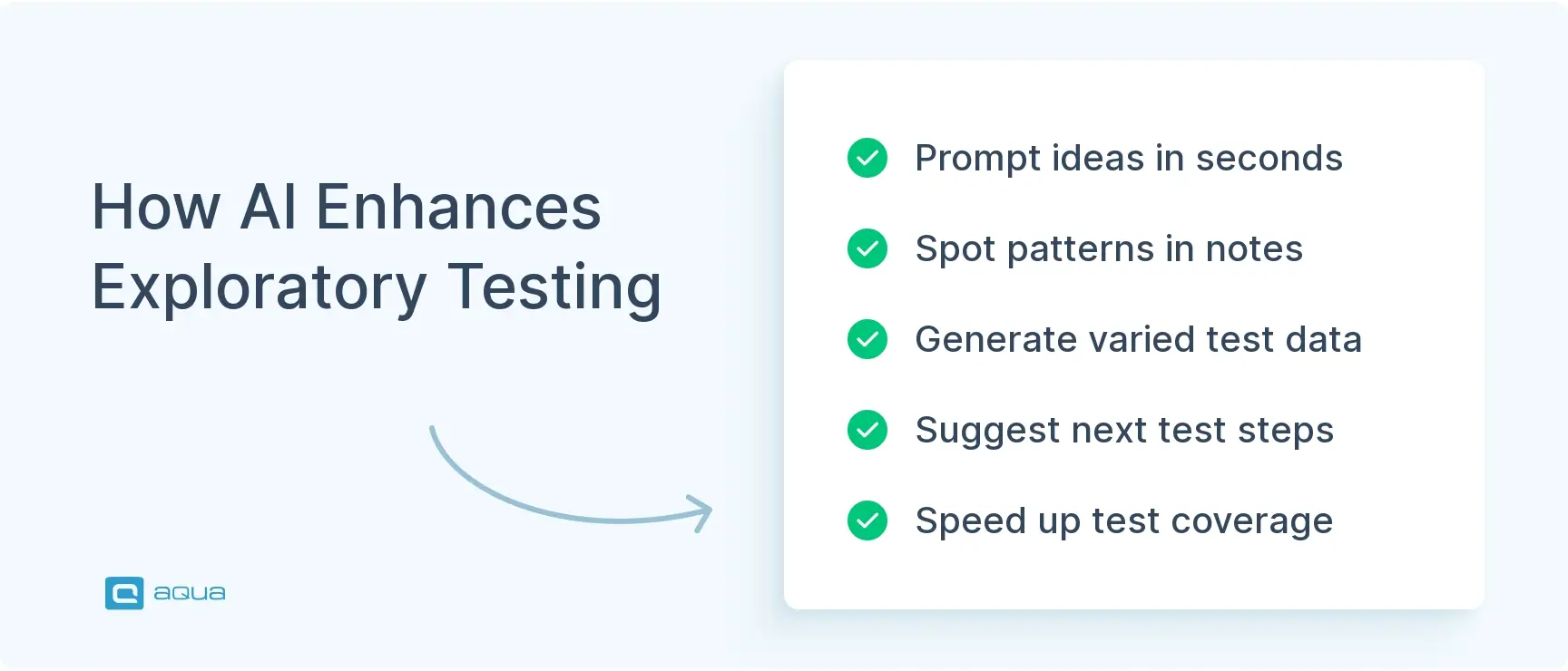
AI can enhance exploratory testing by generating contextual prompts, analyzing test session notes for follow-up investigations, and creating test data variations without replacing human judgment.
Automation doesn’t diminish creativity in exploratory testing but amplifies it by handling grunt work like generating test ideas and documentation, freeing testers to focus on actual exploration.
Wondering how to move beyond vague “just test it” instructions to find those critical bugs users discover in production? Learn how to structure your exploratory testing without losing creative insights 👇
What is Exploratory Testing?
Exploratory testing is simultaneous learning, test design, and execution. Unlike scripted testing where you follow predetermined steps, exploratory testing lets you investigate the application based on what you discover as you go. Scripted testing follows a map with every turn marked. Exploratory testing wanders through territory with a loose plan, finding issues you wouldn’t have discovered otherwise.
The core difference is freedom and responsibility. With scripted tests, someone already decided what’s important and has written it down. You execute, check boxes, and move on. With exploratory testing in software testing, you decide where to look next based on what you just learned. This approach works best when testing new features, investigating reported issues, or when you need a fresh perspective on something that’s been tested thoroughly but still has problems.
Software behaves differently than we expect. No matter how many test cases you write, users find ways to break things you never imagined. Exploratory testing embraces that reality. It acknowledges that the best testers think, adapt, and follow their instincts. You’re not just validating requirements. You’re asking “what if?” constantly. What if someone clicks here twice? What if they leave this field blank? What if they’re on a slow connection? These questions don’t fit neatly into test scripts, but they find the interesting failures.
The Importance of Exploratory Testing Automation
Automating parts of your exploratory testing process doesn’t kill creativity. It amplifies it. When you automate the grunt work like generating test ideas, documenting findings, and analyzing patterns, you free up mental space for actual exploration. You focus on asking better questions instead of taking notes.
The traditional view sees exploratory testing as purely manual. That’s outdated. You can’t automate curiosity or intuition. But you can automate prompt generation, session planning, and documentation. How much time do you waste staring at a blank screen trying to figure out where to start testing? AI suggests different testing angles based on the feature you’re working on. Suddenly you’re choosing between options instead of being stuck.
Smart teams use automation to scale their exploratory efforts. One tester can only explore so much in a day. When AI generates test scenarios, identifies edge cases you haven’t considered, and suggests risk areas based on code changes, that same tester becomes more effective. You’re not replacing human judgment. You’re augmenting it. The AI doesn’t get tired, doesn’t forget to check something, and processes more information than you can at 4 PM on a Friday. Learning to manage exploratory testing effectively with these tools makes the difference.
As exploratory testing finds those unexpected bugs and critical findings, having the right tools to capture and manage your discoveries makes all the difference. This is where aqua cloud shines as a complete solution for exploratory testing workflows. With its Capture Chrome extension, aqua automatically records all your testing interactions, screenshots, and notes while you explore your application. No more struggling to remember exactly what steps triggered that interesting bug. Everything gets seamlessly documented and linked to your test management system, eliminating the post-session documentation headache that often plagues exploratory testing. Now, with aqua’s domain-trained AI Copilot, you can even generate relevant test ideas and prompts based on your specific project documentation, turning every exploratory session into a guided, yet flexible investigation that’s grounded in your product’s context. The result? Your exploratory testing becomes systematic without sacrificing the creative discovery that makes it so valuable.
Transform your exploratory testing from improvisation to precision with aqua cloud
Prompts bridge your testing instincts and systematic exploration. They’re questions or statements that guide your thinking without boxing it in. A good prompt doesn’t tell you what to find. It tells you where to look and how to think about it. The difference between “test the login feature” and “what happens when a user tries to login while their session is expiring?”
Prompts create structure without rigidity. You’re still exploring, still following your instincts, but you have a framework keeping you on track. Prompts work like writing prompts that help overcome writer’s block. They give you a starting point. Where you go from there is up to you. A prompt might suggest investigating error handling. How do you stress-test those errors? Your call.
Prompts make exploratory testing teachable and scalable. New testers struggle with exploratory testing because “just explore” isn’t actionable. Give them a solid prompt like “identify three ways this feature could fail under heavy load” and they have direction. Experienced testers use prompts differently. As creativity boosters when stuck or as checklists ensuring they haven’t missed obvious angles.
When you combine prompts with AI tools, you get contextual prompts based on the specific feature you’re testing, recent bug patterns, or code complexity metrics. Features like this usually break in these three ways. Maybe check those. You still do the actual testing. You’re just starting from a smarter place. This connects naturally with risk-based testing approaches where you focus effort on high-risk areas.
Best Prompts for Exploratory Testing
The right prompt at the right time transforms vague “just test it” sessions into focused, productive exploration. Below, you’ll find battle-tested prompts organized by testing phase. Mix and match based on what you’re working on, and don’t be afraid to tweak them, since the best prompt is always the one that fits your specific context.
Prompts for Test Idea Discovery
“What are three unexpected ways a user might interact with this feature based on their workflow?”
“If I were trying to break this feature in 10 minutes, where would I focus first?”
“What assumptions did the developers make that could be wrong in production?”
“Which user personas would struggle most with this feature, and why?”
“What happens if this feature receives input it’s never been designed to handle?”
“How does this feature behave differently across browsers, devices, or network conditions?”
These prompts for exploratory testing push you beyond happy-path thinking. They force you to consider real-world messiness: users who don’t read instructions, systems under stress, environments you didn’t anticipate. Use them when planning a new testing session or when you feel like you’re just going through the motions. The goal is to pick one or two that resonate with your current testing context.
Prompts for Session Planning
“What’s the single riskiest aspect of this feature that deserves 80% of my attention?”
“If I only had 30 minutes to test this, what would give me the most confidence or concern?”
“What recent code changes or dependencies could impact this feature’s behavior?”
“Which integration points or third-party services should I focus on?”
“What environmental factors (database state, user permissions, time zones) should I vary?”
“How can I chunk this testing session so each 15-minute block has a clear focus?”
Good session planning keeps you from wandering aimlessly. These prompts help you timebox your exploration while staying flexible. Most experienced testers spend 5-10 minutes with these prompts before starting, jotting down quick notes that guide without constraining. That prep work pays off when you’re an hour deep and need to remember what you were supposed to be investigating.
Prompts for Risk and Edge Case Identification
“What boundary conditions or limits could this feature exceed?”
“How does this feature handle race conditions or timing issues?”
“What happens when resources (memory, bandwidth, API calls) are constrained or exhausted?”
“Which error states have no obvious recovery path for users?”
“What combinations of feature toggles, user states, or data conditions haven’t been tested?”
“If this feature fails, what’s the blast radius and what else breaks?”
Edge cases are where your reputation as a tester is made. Anyone can test the happy path. Finding that weird combo of conditions that crashes the system, that’s the good stuff. Use these prompts when you’ve covered the basics and want to go deeper, or when you’re testing something mission-critical where failure isn’t an option. The best edge cases usually involve two or three factors interacting in unexpected ways, and these prompts help you identify those intersections. Additionally, integrating risk-based testing into your strategy can further refine your focus on critical areas.
Prompts for Bug Exploration
“Can I reproduce this issue consistently, or is it intermittent? What’s the pattern?”
“What’s the minimum set of steps to trigger this behavior?”
“How does this issue manifest across different user roles, data sets, or environments?”
“What was the user trying to accomplish when this issue appeared?”
“Are there similar features or code paths that might have the same issue?”
“What information would developers need to fix this quickly? Logs, screenshots, network traces?”
Nothing’s more frustrating than a bug report that says “doesn’t work.” These prompts ensure you dig deep enough to provide actionable information. They also help you determine if what you found is actually a bug, a misunderstanding, or an edge case the team consciously decided to ignore. Spend time here, as well-explored bug with clear reproduction steps get fixed fast. A vague report gets ignored or bounced back for more info.
Prompts for Test Documentation
“What were my key findings this session, and what questions remain unanswered?”
“Which areas have high confidence, and which need more investigation?”
“What patterns or themes emerged across multiple test scenarios?”
“What would another tester need to know to continue this exploration effectively?”
“Which bugs or risks should I escalate immediately versus track for later?”
“What testing approaches worked well, and what should I adjust next time?”
Documentation in exploratory testing is all about capturing enough context that future-you or another teammate can pick up where you left off. These prompts help you synthesize your session without getting bogged down in unnecessary detail. Aim for clarity and brevity; bullet points trump paragraphs. Many testers spend the last 10 minutes of each session with these prompts, documenting while everything’s fresh. For more on how to keep your documentation efficient and valuable, explore effective test documentation strategies. With these prompts in hand, let’s look at how AI takes them to the next level.
How to Automate Exploratory Testing with AI Prompts
Start with AI-assisted prompt generation. Instead of manually brainstorming test scenarios, feed your feature description into an AI tool. Ask it to generate exploratory testing prompts. Something like: “Given a user authentication feature with OAuth integration, generate 10 exploratory testing prompts focusing on security and edge cases.” The AI produces specific, contextual prompts in seconds. You review them, pick the ones that make sense, and start testing. This works when you’re unfamiliar with a domain or need fresh perspectives on something you’ve tested repeatedly.
Use AI to analyze your test session notes. After a testing session, paste your notes into an AI tool. Ask: “Based on these findings, what additional test scenarios should I explore?” The AI spots patterns you might’ve missed and suggests logical next steps. You get instant feedback without waiting for a senior tester’s review.
Generate test data variations. When testing input validation, a prompt like “generate 20 boundary test cases for a date field that accepts birth dates” instantly gives you a comprehensive list. Leap years, dates in the distant past or future, invalid formats. You pick which ones are relevant and start testing. No more staring at the screen trying to remember every possible date format.
A workflow that works: Before your session, use AI to generate 5-10 prompts based on your feature. During testing, follow those prompts but stay flexible. If you notice something weird, chase it. After the session, document findings and use AI to suggest follow-up areas or identify patterns across multiple sessions. Using a test management solution helps track these sessions effectively. This hybrid approach keeps you in control while leveraging AI’s pattern recognition.
Don’t let AI prompts become another script you blindly follow. The whole point of exploratory testing is adaptive thinking. If an AI-generated prompt doesn’t make sense for your context, skip it. If you discover something more interesting mid-session, pivot. AI provides the skeleton. Your testing judgment provides the intelligence. The best testers use AI as a thinking partner. With practice, you develop intuition for when to lean on AI suggestions and when to trust your gut. Maintaining effective test documentation of your AI-assisted sessions helps refine this process.
aqua cloud offers the perfect solution to automate and enhance your exploratory testing process without sacrificing the flexibility that makes it effective. With aqua’s Capture extension, every click, keystroke, and observation during your exploratory sessions is automatically recorded and documented, eliminating hours of manual reporting while preserving the valuable context of your findings. Going beyond basic documentation, aqua’s domain-trained AI Copilot supercharges your testing by generating customized exploratory prompts and test scenarios based on your actual project documentation, creating test ideas that are deeply relevant to your specific application. Teams using aqua’s AI-powered features save an average of 12.8 hours per tester weekly and generate test cases up to 98% faster, with 42% requiring no edits at all. Unlike generic AI tools, aqua’s Copilot uses RAG grounding technology to ensure all suggestions are firmly rooted in your project’s reality, not generalized guesses. Why settle for disorganized exploratory testing when you can have both creative freedom and systematic documentation in one seamless workflow?
Save 12.8 hours weekly with AI-powered exploratory testing that actually understands your project
Exploratory testing finds the bugs that scripted tests miss. It’s how you build real confidence in your product. You don’t have to wing it every time anymore. Solid prompts guide your sessions. AI handles the heavy lifting of idea generation and pattern analysis. You explore smarter, faster, and more thoroughly. Start small. Pick three prompts from this article for your next testing session and see what you discover. The goal is better questions, deeper investigation, and bugs found before your users do. Now go break something interesting.
You’re testing a checkout flow. Your test cases cover the happy path. Add item to cart, enter payment details, confirm order. But during exploratory testing, you notice the loading spinner behaves strangely when you rapidly click between payment methods. You investigate. The app sends duplicate API calls. Sometimes the order processes twice. This bug wasn’t in any test case because nobody thought to test rapid switching between payment methods. That’s exploratory testing. Following your instincts when something feels off and investigating until you understand what’s happening.
What is the best approach to exploratory testing?
Start with a clear charter that defines what you’re testing and why. Something like “explore the user profile feature focusing on data validation and edge cases.” Use prompts for exploratory testing to guide your investigation without restricting it. Document as you go so you can track what you’ve covered and what you’ve found. Time-box your sessions to maintain focus. Usually 60-90 minutes works well. After each session, review your findings and decide what to explore next. The best approach balances structure with flexibility. You have direction but you’re free to chase interesting problems when you spot them.
What are the key principles of exploratory testing?
Learning, test design, and execution happen simultaneously. You don’t plan everything upfront. You adapt based on what you discover. Test with purpose. Every action should teach you something about the application. Follow your instincts. If something feels wrong, investigate it. Document your findings. Notes help you remember what you tested and share insights with your team. Stay curious. Ask “what if?” constantly. Exploratory testing works best when combined with other testing approaches. Use it alongside scripted tests, not instead of them. Understanding how to [manage exploratory testing helps you balance structure with the freedom to discover unexpected issues.
Enhancement of the aqua product is Martin’s main responsibility and biggest mission. His expertise covers ITIL Process Consulting, Change Management, Quality Assurance, Quality Management, and Requirements Management. Martin works in QA services for regulated industries for more than 18 years being an irreplaceable leader at…
Nurlan, a QA Coordinator & Quality Standards Officer, takes pride in orchestrating seamless QA operations. His expertise in coordinating QA-focused projects and integrating QA solutions has consistently yielded top-tier client satisfaction. Aside from a full-time QA coordinator, Nurlan's role involves creating compelling content that educates…
Home » Testing with AI » Best Prompts for Exploratory Testing: How to Automate Exploratory Testing Process
Do you love testing as we do?
Join our community of enthusiastic experts! Get new posts from the aqua blog directly in your inbox. QA trends, community discussion overviews, insightful tips — you’ll love it!
We're committed to your privacy. Aqua uses the information you provide to us to contact you about our relevant content, products, and services. You may unsubscribe from these communications at any time. For more information, check out our Privacy policy.
X
🤖 Exciting new updates to aqua Intelligence are now available! 🎉