Ever wish your test automation could think for itself? That's no longer science fiction. AI unit testing is flipping the script on how QA teams get things done. Usually, it’s the same scenario: you write test after test for every function, then watch them all break when someone refactors the code. Or you spend hours trying to figure out edge cases you missed, only to find them in production later. What about those moments when you're staring at a complex function, wondering how the hell to test all its possible scenarios? Test maintenance or coverage gaps will no longer be your nightmares, because AI tools are here to change the whole scenery.
In unit testing, your goal isn’t just finding bugs early; you also need to do it fast, smart, and with as little repetitive effort as possible. That’s where you need AI to quietly step in and start pulling its weight. No worries, it won’t replace your team; it will work alongside them to make testing smoother, more accurate, and far less tedious.
Here’s how AI actually helps in day-to-day unit testing:
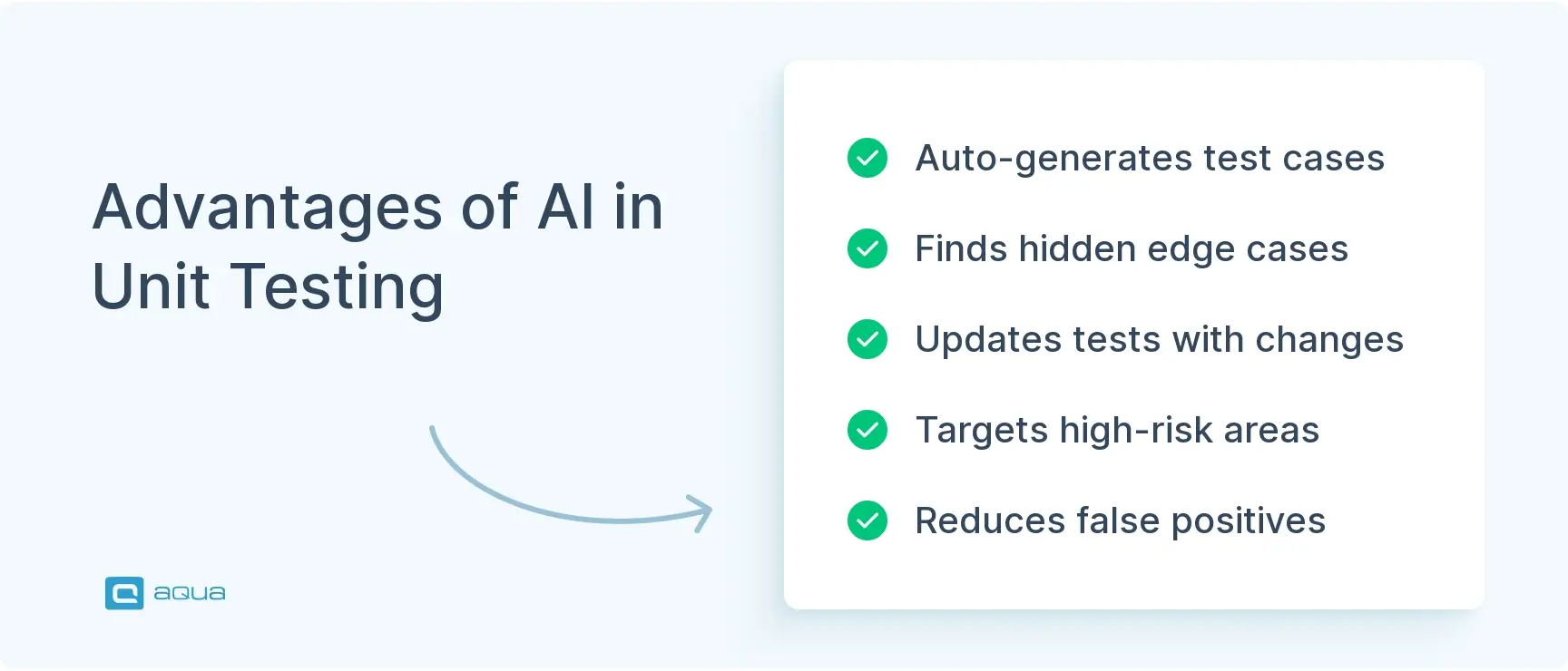
Tackles the basics: AI will look at your code and automatically generate unit tests that make sense. No more starting from scratch every time.
It spots what you might miss: Those weird edge cases or obscure conditions that slip through human reviews? AIs are trained to catch them.
Knows where bugs like to hide – Based on past patterns and common slip-ups, AI can predict high-risk areas so you can test smarter, not harder.
Less noise, more signal – Instead of getting buried in false positives, AI learns to flag what really matters, so you spend less time triaging and more time building.
The difference shows up quickly. You won’t see fireworks, but you will notice things moving smoothly. Test cycles get a bit shorter. Fewer bugs slip through. You spend less time rewriting broken tests. So it’s about giving your team a bit of breathing room to focus on what really matters.
If you’re looking to supercharge your unit testing with AI, the approach you choose matters. While many teams experiment with fragmented AI solutions, an integrated test management platform can transform your entire testing workflow, not just unit tests.
aqua cloud offers AI capabilities that generate comprehensive test cases from requirements in seconds, saving up to 98% of time compared to manual processes. The platform’s AI Copilot helps you identify edge cases that humans often miss, while automatically maintaining test dependencies when your code changes. With aqua, you’ll achieve 100% traceability between requirements and tests, providing complete visibility into your testing coverage. Teams using aqua report saving an average of 10-12 hours per week through AI-powered test creation and maintenance, as it allows developers to focus on strategic quality improvements rather than repetitive testing tasks. If you want to embed your test management efforts into your existing toolset, aqua offers you perfection: integrations with Jira, Confluence, Azure DevOps, Selenium, Ranorex, Jenkins, and many more allow you to empower your whole ecosystem.
Achieve 100% test coverage with AI-generated tests in seconds
Best Strategies for Effective Unit Testing with AI
If you want AI to actually improve your testing, and not just look impressive in a demo, you need to be intentional about how you bring it in. Here’s how you should make it work in real-world setups.
Think Like a TDD Team (Even If You’re Not One)
AI doesn’t create discipline, it amplifies what’s already there. So if your team writes tests as an afterthought, AI won’t magically fix that. But if you already follow a “test-first” mindset, AI becomes a helpful assistant. Start with your core test logic, then let the AI help you branch out into additional conditions and variations.
Pair AI with Human Judgment
The sweet spot isn’t AI alone; it’s AI plus human insight. Let your team define the must-have scenarios based on how users actually behave. Then, use AI to handle the grunt work: edge cases, uncommon inputs, or coverage gaps. Just don’t skip the review. A quick check by a dev can catch anything odd before it slips into your pipeline.
Build Feedback into the Process
Don’t treat AI like a one-time setup. The more feedback it gets, the better it performs. Keep an eye on which tests actually catch bugs and which ones waste time. Feed those patterns back into your tools. Do this consistently and see your AI models getting sharper every few sprints. Not because the AI got smarter, but because they taught it better.
Don’t Chase Numbers, Chase Impact
It’s tempting to brag about 95% test coverage. But what really matters is whether your tests catch bugs that matter. Use AI to focus on risky areas: complex logic, frequently changing modules, or past pain points. And if some AI-generated tests feel like noise? Cut them. The goal is useful coverage, not bloated reports.
Fit It Into Your CI/CD Flow
If AI testing sits off to the side, it’ll get ignored. Set it up so that test generation happens on every commit. Let AI suggest regression tests based on what changed. And when code updates break tests, use AI to patch them. When this flow works, AI becomes part of the rhythm, not an extra step people avoid.
Done right, AI doesn’t just save time, it shifts your testing into a smarter gear. But it’s only as effective as the way you set it up. Use it to fill gaps, not replace thinking.
Best Practices for Implementing AI Unit Testing
If you’re serious about using AI in unit testing, a good setup makes all the difference. These are lessons from teams who’ve done it well (and a few who learned the hard way).
Start with Clean, Usable Data
AI testing tools are only as good as the data they’re built on. If your codebase is full of undocumented logic or half-written tests, the AI won’t know where to begin. Take the time to review what you already have. Fill in the gaps. Add context around how things are supposed to behave. It doesn’t have to be perfect, just enough for the AI to follow the thread.
Know What You’re Trying to Improve
Don’t just “try AI” for the sake of it. Are you trying to improve test coverage? Find regressions faster? Reduce manual maintenance? Set those goals upfront. That way, you’ll know if the AI is helping or just creating extra noise. And don’t roll it out everywhere. Start where it’ll have the biggest impact, like high-risk code or fast-changing modules.
Keep Humans in the Loop
AI can help, but it’s not here to take over. You still need people reviewing the tests it writes, checking for relevance, and flagging anything weird. And developers need to understand what the AI is doing, not just trust it blindly. A little oversight goes a long way toward keeping quality high and surprises low.
Don’t Let It Go Stale
AI models drift. Codebases evolve. Tests pile up. That’s just how it goes. Make regular cleanup part of your routine: review the AI-generated tests, remove the ones that no longer make sense, and retrain the models when your app changes significantly. If you treat it like a set-it-and-forget-it tool, you’ll get exactly what you put in.
Make It a Team Effort
This isn’t just a QA thing. Get your developers involved too. Train them on how the AI works. Encourage shared ownership over test quality. When everyone speaks the same language about what the AI is doing and what it’s not, you’ll avoid confusion and see better results. Teams that approach AI testing as a joint effort always get more out of it.
These best practices aren’t complicated, but they do take discipline. The goal isn’t just to have AI in your stack—it’s to actually make testing better, faster, and more useful.
AI Unit Testing Challenges
AI can do magical things, but let’s not pretend it’s plug-and-play. Like any tool, it comes with its own set of growing pains. These are the challenges you’ll often run into when bringing AI into your unit testing setup, and why a bit of planning upfront goes a long way.
The Training Data Problem
AI doesn’t do well when it’s flying blind. If your project lacks a solid base of historical tests or clean code, you’ll likely get lacklustre results. Teams often hit a wall here, especially when they’re working with legacy systems full of inconsistencies or patchy documentation. Without clear patterns to learn from, the AI just can’t produce meaningful tests.
Handling Non-Deterministic Behaviour
Unit tests are supposed to be predictable: same input, same output. But AI doesn’t always play by those rules. One day it prioritises one test path, the next day it shifts gears based on what it “learned.” That unpredictability can frustrate teams that rely on test consistency to debug issues quickly. And if your tests aren’t reproducible, you’re adding more work instead of saving time.
Integration with Development Workflows
Even if the AI works well, that doesn’t mean your team is ready to embrace it. Developers are used to their tools and workflows, and introducing something new, especially something opaque, can cause pushback. Plus, it’s not just about habits. Your CI/CD pipelines may need tweaking, and you’ll need to figure out how to track or version AI-generated tests without creating chaos.
Explainability Issues
One of the biggest trust blockers is not knowing why the AI did what it did. If a tool generates a test and it fails, but no one understands the logic behind it, you’re left scratching your head. It’s hard to troubleshoot and even harder to explain to stakeholders who just want to know what went wrong. When AI decisions feel like a black box, confidence drops fast.
Resource Intensity
Behind the scenes, AI can be surprisingly resource-hungry. Training models or running complex analyses can eat up compute power, and that means either slower pipelines or extra cloud costs. For smaller teams or companies, these demands can turn into blockers unless planned for early.
These challenges don’t mean you should avoid AI for unit testing. But they do mean you need a thoughtful rollout, especially if you’re working with legacy systems or tight budgets. When the tech fits the context, the payoff is real. But it won’t happen overnight.
AI Unit Testing in the Real World
AI is already beyond theory and makes a real difference. But if you’re wondering how this actually plays out, here are some realistic scenarios that mirror what teams are doing today.
Spotting Bugs Early in Critical Code
Imagine you’re working on a payment platform that handles thousands of transactions every second. Security is everything. But manually reviewing every code change? Not scalable. So your team brings in AI to help generate unit tests that zero in on the riskiest logic, things like fraud checks, user authentication, and transaction validation. Within weeks, the number of critical bugs found in production will drop sharply, and you will be spending far less time digging through false positives.
Catching Performance Bottlenecks Before Users Do
Let’s say you’re part of an e-commerce team heading into a major sales season. Speed matters, and slow pages mean lost revenue. You set up AI to simulate heavy traffic and watch how code changes impact performance under load. Over time, the AI starts flagging patterns in how certain functions slow things down. Better yet, it suggests fixes. You’re no longer reacting to issues after launch; you’re catching them before they reach customers.
Smarter Regression Testing Without the Bloat
Picture this: you’re working on a healthcare app, and every minor update triggers hundreds of regression tests. Running all of them takes too long. So your team uses AI to scan the latest code changes and decide which tests are actually relevant. It even fills in gaps by creating new tests for previously untested code. The result? Faster releases, fewer bugs slipping through, and a leaner, smarter test suite.
Scaling Mobile Testing Without Scaling the Team
Suppose your team builds a mobile app used by millions across iOS and Android. Supporting every device and OS version is a headache, and your test scripts keep breaking with each update. You bring in AI to generate UI tests that adapt across screen sizes and platforms. It also uses visual recognition to catch layout bugs and odd interactions that break the user flow. Suddenly, you’re running tests across dozens of devices without doubling your QA team.
These examples aren’t science fiction. They reflect what’s possible right now. When AI supports your testing efforts, you test faster, smarter, with less guesswork and more confidence.
You need to do a very good job defining the parameters ahead of time. Have a very clear specification for the application and build tests against the specification. Have a clear conversation about what's acceptable to mock and what's not. I've had a good experience but it requires a lot of hand holding to get it off the ground. Once you have enough tasks, it's able to replicate the patterns
There’s no shortage of tools promising “AI-powered testing,” but some of them actually deliver, especially when it comes to unit testing. The right one for your team depends on your stack, your workflow, and how much control you want over the process. Here are some worth checking out:
Diffblue Cover: If you work with Java, this one’s a standout. It generates readable unit tests automatically and is especially helpful when refactoring legacy code. Think of it as a fast way to build a safety net around your changes.
UnitAI: Focused on Python, UnitAI looks at your functions and figures out what they should be returning, then builds test cases around that logic. It’s a solid pick if you’re dealing with data-heavy code and want quick coverage.
Testsigma: This one’s a broader test automation platform, but it includes AI-driven test generation for unit, UI, and API testing. Good if you want a single tool to handle multiple layers of testing.
Mabl: More useful on the UI and regression testing side, but it shines with its self-healing tests, great if your front end changes frequently and you don’t want to babysit broken tests all the time.
Applitools Eyes: Less about logic, more about what users see. It’s ideal for spotting visual regressions that sneak past traditional unit tests, especially across different screen sizes or browsers.
Parasoft: A heavyweight platform with AI woven into everything from unit to API testing. If you’re working in regulated environments or need enterprise-grade tools, this one’s worth exploring.
TestCraft: For teams using Selenium but tired of maintaining brittle scripts, TestCraft adds an AI layer that helps keep tests stable over time. No coding required.
Functionize: Uses machine learning to generate and maintain tests based on real user behaviour. It’s great for teams that want less scripting and more automation tied to how people actually use the product.
Eggplant: This one goes deep, using “digital twins” and AI to model how users move through an app. If you’re testing across a mix of devices or interfaces, it helps simulate real-world conditions better than most.
Testim: Helps you build tests fast and keeps them resilient by learning from your app’s behaviour. It’s aimed at teams that want speed without sacrificing long-term stability.
Although not a dedicated unit testing solution, aqua cloud offers the capabilities to transform your unit testing inside your whole test management efforts too. Unlike basic AI coding assistants, aqua’s specialised AI Copilot automatically generates complete test scenarios and data, reducing test creation time by up to 98% while ensuring comprehensive coverage. The platform seamlessly integrates with your development workflow, providing real-time traceability between requirements and tests. With aqua, you’ll experience significant reductions in test maintenance effort through AI-assisted updates and test cases that adapt as your code evolves. Most importantly, 72% of companies using aqua report cost reductions within the first year, proving that AI-powered testing isn’t only about technical advantages, it delivers measurable business value. Integrations like Jira, Confluence, Selenium, Azure DevOps, and many more will allow you to turn aqua’s test management capabilities into superpowers.
Transform your testing processes with AI and save 10+ hours per week per tester
No tool fits every team, but these options cover a wide range of needs from quick-start unit test generation to full-scale AI-driven testing platforms. If you’re just getting started, pick one that fits your language and integrates easily with your current stack. Then grow from there.
The Future of AI in Unit Testing
So, where is all this heading? AI in software testing is still evolving fast, but a few clear trends are already taking shape. Here’s what to keep an eye on, because chances are, they’ll impact how your team works sooner than you think.
Generative AI Will Handle More of the Heavy Lifting
We’re already seeing tools that can write entire test cases based on a requirement doc or user story. Imagine telling an AI, “Write unit tests for our login feature,” and getting a complete, working test suite in return. As language models get better at understanding both code and intent, this kind of natural-language-driven testing will become the norm, especially for teams that don’t have time to write every test from scratch.
Tests Will Start Fixing Themselves
One of the biggest pain points in testing today? Maintenance. But that’s changing. AI is starting to detect when a test breaks because of a UI change or refactored code, and then fix it on the spot. These “self-healing” tests aren’t perfect yet, but they’re improving fast. In a few years, your suite might update itself when the app changes, without you needing to touch a thing.
Testing Will Become Predictive, Not Just Reactive
Right now, most testing happens after the code is written. But AI is flipping that. Based on patterns in your codebase and historical bugs, it’ll start pointing out risky areas before you even hit “commit.” It might suggest which functions need more testing or flag that a small UI tweak could break a critical flow. This kind of proactive testing will shift quality left, saving time and headaches down the line.
AI Will Start Explaining Itself
One of the biggest trust blockers with AI testing today is the “why.” Why was this test created? Why did it fail? Why is it a priority? Expect big improvements here. Future tools will do a much better job of explaining their reasoning, showing you exactly what the AI saw and why it made a decision. That kind of transparency will go a long way toward building confidence, especially for developers who want to stay in control.
Low-Code and No-Code Platforms Will Get Serious AI Testing Too
As more teams build apps with drag-and-drop tools or visual builders, the testing side needs to catch up. AI is stepping in to automatically generate tests for these environments—whether it’s a business app built in a low-code tool or a workflow set up by a non-developer. This opens the door for “citizen testers” to get involved in quality assurance without writing a single line of code.
You have to see the big picture: AI is reshaping what testing is. From writing tests to predicting bugs to keeping everything up to date, it’s turning quality into something continuous, intelligent, and way less painful to manage.
Conclusion
So, as we see, AI does not stop. It is quietly transforming how you approach unit testing. From generating meaningful test cases to predicting where bugs are most likely to appear, AI tools are taking on the repetitive work so you can focus on what really matters: building quality into the product from the start. The key isn’t to hand everything over to automation, it’s to use AI as an extension of your team’s expertise. When done right, it turns testing from a time sink into a strategic advantage.
Unit testing in AI refers to two related concepts:
Using AI technologies to enhance traditional unit testing practices by automatically generating unit tests, prioritising test execution, and maintaining test suites; and
Testing individual components of AI systems themselves to ensure they function as expected. For most development teams, the first definition is most relevant – using artificial intelligence to make your existing unit testing practices more efficient and effective
Is AI good for unit tests?
Yes, AI excels at certain aspects of unit testing. It’s particularly valuable for generating test cases that cover edge conditions humans might miss, maintaining tests when code changes, and predicting which parts of your codebase need the most testing. However, AI isn’t a complete replacement for human testing expertise – it works best as an augmentation that handles repetitive tasks and provides insights while developers focus on higher-level testing strategy and complex test scenarios that require business domain knowledge.
Can AI automatically generate unit tests?
Yes, AI can automatically generate unit tests by analysing your codebase and determining appropriate test cases. Modern AI tools for unit testing can understand code structure, identify input parameters, and create assertions based on expected outputs. This automated unit testing approach saves developers significant time compared to writing all tests manually, while often discovering edge cases that might otherwise be overlooked.
Join our community of enthusiastic experts! Get new posts from the aqua blog directly in your inbox. QA trends, community discussion overviews, insightful tips — you’ll love it!
We're committed to your privacy. Aqua uses the information you provide to us to contact you about our relevant content, products, and services. You may unsubscribe from these communications at any time. For more information, check out our Privacy policy.
X
🤖 Exciting new updates to aqua AI Assistant are now available! 🎉
We use cookies and third-party services that store or retrieve information on the end device of our visitors. This data is processed and used to optimize our website and continuously improve it. We require your consent fro the storage, retrieval, and processing of this data. You can revoke your consent at any time by clicking on a link in the bottom section of our website.
For more information, please see our Privacy Policy.
This website uses cookies to improve your experience while you navigate through the website. Out of these, the cookies that are categorized as necessary are stored on your browser as they are essential for the working of basic functionalities of the website. We also use third-party cookies that help us analyze and understand how you use this website. These cookies will be stored in your browser only with your consent. You also have the option to opt-out of these cookies. But opting out of some of these cookies may affect your browsing experience.
Necessary cookies are absolutely essential for the website to function properly. These cookies ensure basic functionalities and security features of the website, anonymously.
Cookie
Duration
Description
cookielawinfo-checkbox-analytics
11 months
This cookie is set by GDPR Cookie Consent plugin. The cookie is used to store the user consent for the cookies in the category "Analytics".
cookielawinfo-checkbox-functional
11 months
The cookie is set by GDPR cookie consent to record the user consent for the cookies in the category "Functional".
cookielawinfo-checkbox-necessary
11 months
This cookie is set by GDPR Cookie Consent plugin. The cookies is used to store the user consent for the cookies in the category "Necessary".
cookielawinfo-checkbox-others
11 months
This cookie is set by GDPR Cookie Consent plugin. The cookie is used to store the user consent for the cookies in the category "Other.
cookielawinfo-checkbox-performance
11 months
This cookie is set by GDPR Cookie Consent plugin. The cookie is used to store the user consent for the cookies in the category "Performance".
viewed_cookie_policy
11 months
The cookie is set by the GDPR Cookie Consent plugin and is used to store whether or not user has consented to the use of cookies. It does not store any personal data.
Functional cookies help to perform certain functionalities like sharing the content of the website on social media platforms, collect feedbacks, and other third-party features.
Performance cookies are used to understand and analyze the key performance indexes of the website which helps in delivering a better user experience for the visitors.
Analytical cookies are used to understand how visitors interact with the website. These cookies help provide information on metrics the number of visitors, bounce rate, traffic source, etc.
Advertisement cookies are used to provide visitors with relevant ads and marketing campaigns. These cookies track visitors across websites and collect information to provide customized ads.






 Bankingaqua ALM helps banks increase testing productivity by over 50%