Compliance Software Testing: Importance, Types & How to Perform
Your software is brilliant, until it meets its first regulation. That moment when you discover your months of perfect code can't actually launch because it doesn't play by the rules that govern your industry. It's the developer equivalent of building a Ferrari that can't pass a simple emissions test. While compliance testing might sound about as exciting as watching paint dry, it's actually the difference between shipping your product and watching it gather digital dust. Compliance is the key that unlocks markets, builds user trust, and keeps your company out of headline-making legal trouble. This guide will show you how to master compliance testing without sacrificing your sanity, timeline, or that brilliant software you've worked so hard to create.
Compliance testing is your quality assurance team’s way of making sure your software plays by the rules. Specifically, the rules are set by government regulations, industry standards, and sometimes your own company policies.
It’s essentially a verification process that confirms your product doesn’t just work well, but works legally. Think of it as the bouncer checking IDs at the door before your software is allowed into the market.
Compliance testing in software testing, on the other hand, is a systematic approach to verify that your application adheres to all regulatory requirements, industry standards, and legal obligations applicable to your product and industry. Compliance software testing ensures that organisations can confidently release products that meet all necessary legal and regulatory standards.
Key elements of compliance testing include:
Checking that the software meets specific regulatory requirements
Verifying adherence to industry standards and best practices
Ensuring alignment with internal policies and guidelines
Documenting evidence of compliance for auditors and stakeholders
Testing for security, privacy, and accessibility requirements
Now let’s go deeper. Who should do this uncomfortable, high-risk, and potentially high-cost testing?
Who Needs Compliance Testing?
Here’s some uncomfortable truth: if you’re building software that real people will use, you probably need compliance testing. The days of “build first, worry about regulations later” are long gone. But some industries live under a regulatory magnifying glass where one misstep can shut down operations entirely:
Healthcare organisations: Meeting HIPAA requirements for patient data protection
Financial institutions: Following SOX, PCI DSS, and banking regulations
Government contractors: Adhering to FISMA, FedRAMP, and other federal requirements
E-commerce businesses: Ensuring PCI DSS compliance for payment processing
Organizations handling EU citizen data: Following GDPR privacy guidelines
Educational technology providers: Complying with FERPA and COPPA
Automotive software developers: Meeting ISO 26262 safety standards
Medical device manufacturers: Satisfying FDA requirements and IEC 62304
Airlines and aviation software: Following DO-178C safety standards
Telecommunications companies: Adhering to FCC regulations
Any company with a public-facing website: Meeting accessibility requirements (ADA, Section 508, WCAG)
The reality is that even if your industry isn’t listed above, you’re not off the hook. Privacy laws, accessibility requirements, and data protection regulations cast a wide net. The question isn’t whether you need compliance testing; it’s which regulations apply to your specific situation and how quickly you can get ahead of them.
The Importance of Compliance Testing
Think compliance testing is just bureaucratic busy work? Tell that to the executives who’ve watched multimillion-dollar fines destroy their quarterly earnings—or worse, their entire companies. The financial reality is brutal and unforgiving. When British Airways got hit with a $230 million GDPR fine in 2019, it wasn’t because they were malicious; they just weren’t careful enough. Facebook’s $5 billion privacy settlement with the FTC? Same story. These aren’t rare horror stories designed to scare you; they’re weekly reminders of what happens when compliance becomes an afterthought. So it happens more often than you think.
Beyond avoiding fines, compliance testing offers substantial benefits. When done strategically, it actually strengthens your entire operation:
Risk reduction: Identifies vulnerabilities before they become expensive problems
Brand protection: Preserves customer trust and company reputation
Competitive advantage: Demonstrates credibility to security-conscious clients
Smoother audits: Creates documentation that makes formal audits less painful
Legal protection: Provides evidence of due diligence if issues arise
The companies that treat compliance as a strategic advantage rather than a necessary evil always win. They’re the ones closing deals while their competitors are explaining to prospects why their security standards aren’t quite ready for enterprise use. In today’s market, compliance isn’t just protection—it’s your ticket to playing in the big leagues.
Types of Compliance Testing
Now that you understand why compliance testing matters, let’s break down what you’re actually testing for. The bad news? There’s no universal compliance checklist that works for everyone. The good news? Once you know which category your software falls into, the path becomes much clearer. Different industries face different regulatory worlds, which means your compliance testing strategy needs to match your specific reality. Here’s how the major types break down:
Type
Description
Key Regulations/Standards
Industries Most Affected
Regulatory Compliance
Ensures adherence to government-mandated rules
GDPR, HIPAA, SOX, FISMA
Healthcare, Finance, Government
Security Compliance
Verifies that security controls meet required standards
ISO 27001, NIST, SOC 2
All industries, especially those with sensitive data
Accessibility Compliance
Tests that the software is usable by people with disabilities
WCAG, Section 508, ADA
Public sector, Education, E-commerce
Industry-Specific
Focuses on standards unique to particular fields
PCI DSS (payments), FDA regulations (medical)
Retail, Healthcare, Aviation
Internal Policy
Ensures alignment with the company’s own standards
Varies by organisation
All companies with formal policies
But understanding the categories is just the beginning. Each type of compliance testing digs into specific areas that could make or break your launch:
Key areas tested under each type:
Regulatory: Data handling procedures, privacy controls, reporting mechanisms
Security: Authentication, encryption, vulnerability management, and incident response
Industry-specific: Specialised requirements like payment processing security or medical device safety
Internal: Code quality, documentation standards, development practices
The trick is identifying which combination of these applies to your software, because chances are, you’ll need more than one. This is where many teams hit their first major roadblock: dealing with multiple compliance requirements means managing multiple testing approaches, often with different tools, timelines, and documentation requirements. You should recognise early that trying to piece together compliance testing with scattered tools and manual processes quickly becomes unmanageable. Instead of fighting this complexity, you should look for platforms that can handle multiple compliance domains from a single dashboard, streamlining everything from test execution to audit documentation.
That is where a Test management system (TMS) like aqua cloud saves your day. It’s built from the ground up with enterprise-grade security and compliance at its core, including ISO 27001 compliance certification and GDPR compliance that your auditors will actually recognise. With AI-powered test case generation and 100% traceability from requirements to results, you can create comprehensive compliance documentation in seconds rather than weeks. The platform integrates seamlessly with your existing tools like Selenium, Jenkins, and Jira, while its centralised dashboard gives you complete visibility across all compliance domains; no more switching between different tools to track HIPAA, PCI DSS, and accessibility testing. Instead of fighting compliance testing, you can finally make it work for you.
Increase your testing productivity by over 50% while maintaining the compliance standards
Here’s where things get specific and where many teams realise they’re in deeper regulatory waters than they thought. While compliance testing might seem abstract, the standards that govern it are very real, very detailed, and very unforgiving when you get them wrong. The challenge here is figuring out which ones actually apply to your software and how strictly they’ll be enforced. Let’s break down the major players:
Finance & Banking
PCI DSS (Payment Card Industry Data Security Standard): Essential for anyone processing credit card payments
Basel III: International banking standard for capital adequacy
Healthcare
HIPAA (Health Insurance Portability and Accountability Act): The gold standard for protecting patient information
FDA Title 21 CFR Part 11: For electronic records in clinical trials
HITECH Act: Expansion of HIPAA with stricter penalties
General Data Protection
GDPR (General Data Protection Regulation): Europe’s comprehensive privacy law
CCPA/CPRA (California Consumer Privacy Act): Similar to GDPR but for California residents
LGPD (Brazil’s General Data Protection Law): Brazil’s version of GDPR
Accessibility
WCAG 2.1 (Web Content Accessibility Guidelines): The international standard for web accessibility
Section 508: US federal requirement for government systems
EN 301 549: European accessibility requirements
IT Security
ISO 27001: Information security management standard
NIST 800-53: Security controls for federal information systems
SOC 2: Service organisation controls for service providers
Most software doesn’t fall neatly into just one category. A healthcare payment app might need to juggle HIPAA, PCI DSS, and GDPR all at once. Your job is mapping out exactly which standards apply to your specific use case, because missing even one can derail your entire launch strategy.
When to perform Compliance Testing
Here’s the compliance testing mistake that costs companies millions: treating it like a final exam you can cram for at the last minute. By the time you’re scrambling to make your software compliant right before launch, you’ve already lost both time and money. Smart teams know that compliance testing is a process woven throughout the entire development lifecycle. The earlier you start, the less painful (and expensive) it becomes. Let’s look at different phases:
Early Development Phase
Review requirements and regulations that apply to your product
Build compliance considerations into architecture decisions
Create test plans that include compliance testing scenarios
During Development
Run regular compliance checks against work-in-progress code
Implement static code analysis tools that flag compliance issues
Hold compliance-focused code reviews
Pre-release Testing
Conduct comprehensive compliance test suites
Perform automated and manual accessibility testing
Schedule regular compliance audits (quarterly or annually)
Test after significant updates or changes to the system
Stay updated on regulatory changes that might affect compliance
Special Triggers for Compliance Testing
When entering new markets with different regulations
Following merger or acquisition activities
After security incidents or data breaches
When regulations change
Remember: compliance isn’t a one-and-done deal. Successful teams build continuous compliance monitoring into their development lifecycle.
Key Steps in Conducting Compliance Testing
The reality is that effective compliance testing requires a methodical approach. Skip steps, and you’ll find yourself backtracking through weeks of work. Follow the process, and compliance becomes manageable and even predictable:
Identify applicable regulations and standards
Research industry-specific requirements
Consult legal and compliance teams
Consider geographical scope (different countries have different rules)
Create a compliance requirements document
Break down regulations into testable requirements
Map requirements to specific features or components
Establish clear pass/fail criteria
Develop a compliance test plan
Define test scenarios covering all requirements
Specify testing methods (manual, automated, or combined)
Allocate resources and establish timelines
Prepare the test environment
Configure systems to match production environment
Set up required testing tools
Ensure test data complies with privacy regulations
Execute compliance tests
Perform tests according to the plan
Document all test evidence meticulously
Flag and categorize any compliance issues
Document findings and remediation plans
Create detailed reports of compliance status
Prioritize issues based on risk and impact
Develop action plans for addressing gaps
Remediate identified issues
Fix non-compliant elements
Retest to confirm resolution
Update documentation to reflect changes
Maintain compliance documentation
Store evidence in a secure, accessible repository
Create audit trails showing testing history
Keep records for the required retention period
Remember this golden rule: if you can’t prove you tested something, auditors will assume you didn’t. The difference between passing and failing a compliance audit often comes down to having the right documentation at the right time, organised in a way that tells a clear story of your testing efforts.
Challenges in Compliance Testing
Nobody said compliance testing would be easy, but the reality is often more frustrating than teams expect. Just when you think you’ve got everything figured out, regulations change, interpretations shift, or you discover that your “compliant” system suddenly isn’t anymore. The good news? Most compliance challenges are predictable, which means you can prepare for them instead of getting blindsided:
Keeping up with changing regulations: Regulations change faster than most companies can update their documentation, making compliance a moving target. The GDPR replaced the Data Protection Directive, CCPA evolved into CPRA, and healthcare regulations constantly shift.
Interpreting vague regulatory language: Many regulations are purposely written in broad, non-technical language, leaving QA teams scratching their heads about exact implementation requirements. What exactly makes something “reasonably accessible” or “adequately secured”?
Resource constraints: Compliance testing often competes with feature development for resources, and organizations may not allocate sufficient time or personnel.
Cross-border compliance complexity: Products deployed globally face a patchwork of different (sometimes conflicting) regulations across jurisdictions.
Balancing automation and manual testing: While automation helps with efficiency, many compliance checks still require human judgment.
Breaking through silos: Compliance often spans multiple departments (legal, security, development, QA), creating communication challenges.
Strategies to overcome these challenges:
Subscribe to regulatory update services to stay informed
Develop relationships with compliance experts and consultants
Create a compliance calendar with key regulatory deadlines
Implement continuous compliance monitoring tools
Document interpretation decisions for consistent application
Build a cross-functional compliance team
The teams that handle these challenges best treat them as part of the development process rather than obstacles to overcome. They build flexibility into their systems, create strong communication channels between departments, and accept that compliance is an ongoing conversation with regulators rather than a one-time achievement.
Best Practices for Successful Compliance Testing
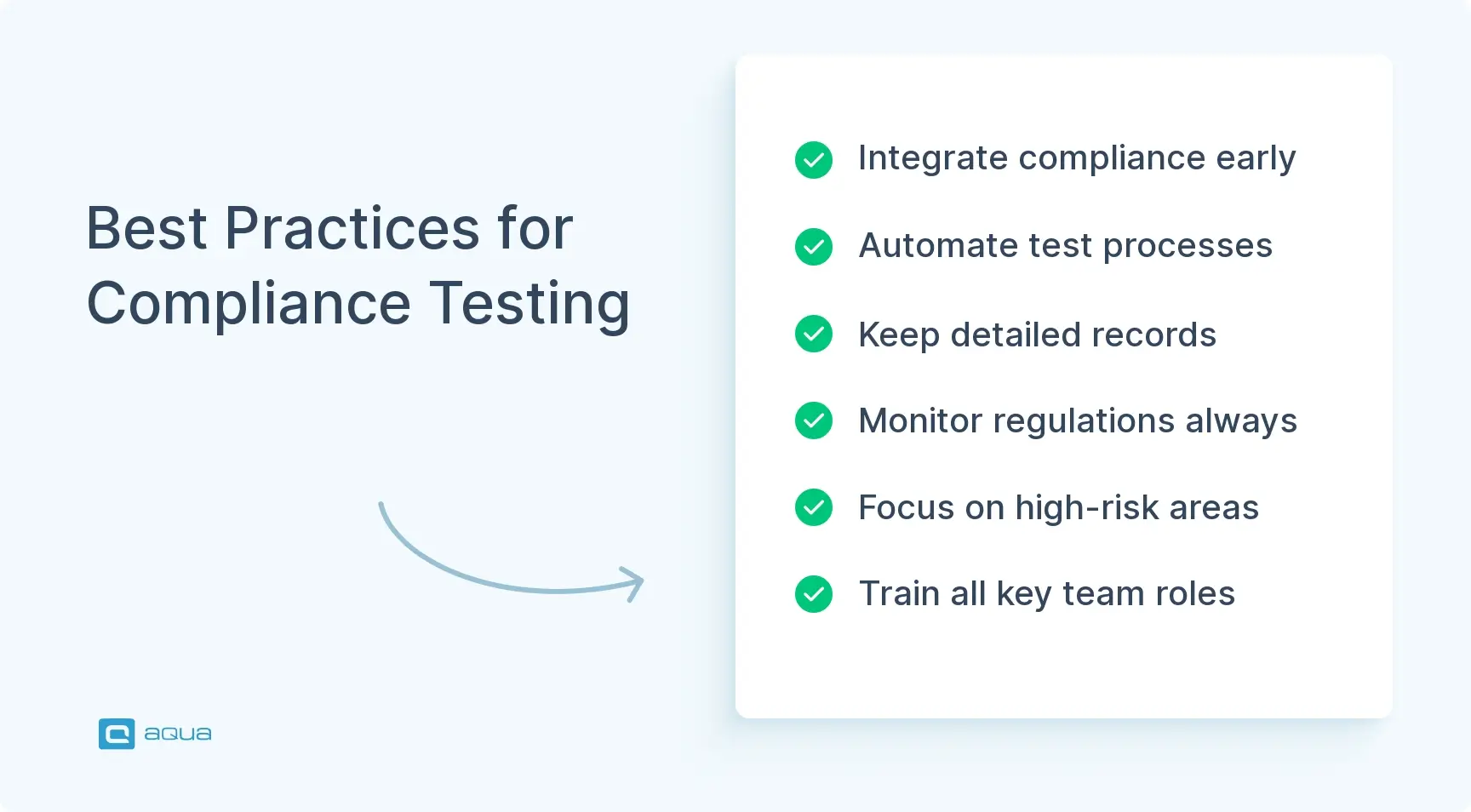
The difference between teams that struggle with compliance and those that make it look effortless comes down to approach. While struggling teams treat compliance as a series of hurdles to clear, successful teams build it into their foundation so deeply that it becomes second nature. Here’s how the best teams handle compliance testing:
Start with a compliance-by-design approach: Make compliance a foundational element in your development process, not an afterthought.
Create comprehensive compliance matrices: Document each requirement, its source, and how it maps to test cases and evidence.
Automate wherever possible: Use specialised tools to automate repetitive compliance checks, especially for security and accessibility.
Adopt continuous compliance monitoring: Don’t wait for annual audits—integrate compliance checks into your CI/CD pipeline.
Maintain a dedicated compliance testing environment: Create a stable, controlled environment that mirrors production for consistent testing.
Implement risk-based testing: Focus your most rigorous testing efforts on high-risk areas where non-compliance would be most damaging.
Document everything: Maintain detailed records of all testing activities, findings, and remediation actions.
Stay current with regulatory changes: Assign responsibility for tracking regulatory updates that affect your products.
Train your team: Ensure everyone understands compliance requirements relevant to their role.
Perform regular mock audits: Practice makes perfect—conduct internal audits before the real thing.
Establish clear remediation protocols: Create standardised processes for addressing compliance issues when found.
Engage with regulatory bodies proactively: When in doubt about interpretations, seek guidance directly from regulatory authorities.
Compliance testing becomes dramatically easier when it’s woven into your development culture rather than bolted on at the end. Teams that follow these practices don’t just pass audits; they also use compliance as a competitive advantage that helps them win enterprise deals and enter new markets with confidence.
The Role of QA in Compliance Testing
Quality Assurance teams play a pivotal role in ensuring compliance success. Their deep understanding of both testing methodologies and product functionality puts them in a unique position to bridge the gap between abstract regulatory requirements and concrete implementation.
Key responsibilities of QA in compliance testing:
Translating compliance requirements into testable scenarios
Creating comprehensive test plans covering all compliance aspects
Executing tests and documenting evidence
Identifying compliance gaps and prioritising them
Validating remediation efforts
Building automated compliance checks into CI/CD pipelines
Maintaining compliance documentation
Training development teams on compliance requirements
Preparing for and supporting formal audits
QA involvement throughout the compliance lifecycle:
Requirements phase: Help interpret how regulations apply to specific features
Design phase: Review designs for compliance issues before implementation
Development phase: Implement compliance checks in the CI pipeline
Maintenance phase: Perform ongoing compliance monitoring and testing
As a QA professional, you should develop specialised knowledge in relevant regulatory frameworks. For instance, a QA tester working on healthcare applications should understand HIPAA’s technical safeguards in depth, while those working on financial software should be familiar with PCI DSS requirements.
The most effective compliance testing happens when QA works closely with legal, security, and development teams in a collaborative environment.
Compliance Testing Examples
Theory is great, but compliance testing makes a lot more sense when you see it in action. Let’s walk through some real-world scenarios that show exactly how different industries tackle their specific compliance challenges. These examples illustrate how the same basic principles of compliance testing are applied in very different ways depending on your regulatory journey:
Banking Application GDPR Compliance Test: A banking app development team tests their user registration flow for GDPR compliance by:
Verifying explicit consent is obtained before collecting personal data
Testing the “right to be forgotten” functionality by requesting account deletion
Confirming data export capabilities work correctly
Checking that all stored data is properly encrypted
Healthcare Portal HIPAA Compliance Test: For a patient portal, testers might:
Verify that all PHI (Protected Health Information) is encrypted at rest and in transit
Test automatic session timeouts after periods of inactivity
Confirm audit logging captures all access to patient records
Validate that backup procedures maintain data confidentiality
E-commerce Website ADA Compliance Test: For an online store, accessibility testers would:
Check that all images have appropriate alt text
Verify the site can be navigated using only a keyboard
Test with screen readers to ensure all content is accessible
Confirm that color contrast meets WCAG standards
Validate form inputs have proper labels and error messages
Government System Section 508 Compliance Test: A government contractor might test:
Keyboard navigation throughout the entire application
Compatibility with assistive technologies
Proper heading structure for screen reader navigation
Captions for all video content
Text alternatives for non-text content
Notice the pattern here? While the specific tests vary dramatically between industries, the approach remains consistent: identify your requirements, create specific test scenarios, execute methodically, and document everything. The key is adapting this framework to your particular regulatory environment rather than trying to copy someone else’s checklist.
Section 508 Compliance Testing
Section 508 compliance testing ensures that software and websites work for people with disabilities, but the ripple effects go far beyond legal protection. Companies that nail accessibility often discover they’ve improved usability for everyone.
If you think Section 508 compliance only matters for government contractors, think again. While it started as a federal requirement, the accessibility standards it enforces have become the baseline expectation for any organisation that wants to avoid discrimination lawsuits, and those have skyrocketed 400% since 2013. Let’s look at its specifications together.
Core requirements for Section 508 testing:
Text alternatives: All non-text content needs text alternatives
Time-based media: Audio and video content require captions and descriptions
Adaptability: Content must be presentable in different ways without losing information
Distinguishable content: Text must be readable and distinguishable from the background
Keyboard accessibility: All functionality must be available via keyboard
Timing flexibility: Users must have sufficient time to read and use content
Seizure prevention: No content that flashes more than three times per second
Navigability: Multiple ways to find content within a set of pages
Input assistance: Help users avoid and correct mistakes
Compatibility: Maximise compatibility with current/future assistive technologies
Testing approaches for Section 508:
Automated pre-screening: Use tools like Axe, WAVE, or Lighthouse to identify obvious issues
Manual keyboard testing: Navigate the entire interface using only keyboard controls
Assistive technology testing: Use screen readers (JAWS, NVDA, VoiceOver) to navigate content
Form validation testing: Confirm form errors are properly communicated to all users
Documentation requirements: For federal systems, maintain a VPAT (Voluntary Product Accessibility Template) that documents compliance status for each requirement, noting any exceptions or alternate approaches.
Here’s what you should not miss: Section 508 compliance aligns closely with WCAG 2.0 Level AA standards, which means getting it right opens doors beyond government contracts. Many enterprise clients now expect this level of accessibility as standard, making Section 508 compliance a competitive advantage rather than just a regulatory procedure.
Compliance Testing vs Conformance Testing
Here’s a confusion that trips up even experienced QA teams: compliance testing and conformance testing sound similar, get used interchangeably in meetings, but they’re actually solving completely different QA management problems. Mix them up, and you might find yourself perfectly conformant to technical standards but facing regulatory fines, or legally compliant but unable to integrate with other systems. Let’s break down the differences:
Aspect
Compliance Testing
Conformance Testing
Definition
Testing software against regulatory requirements and industry standards
Testing software against technical specifications and standards
Legal Status
Typically involves legally binding requirements
Often involves voluntary technical standards
Focus
Legal and regulatory adherence
Technical specification adherence
Mandatory Nature
Usually mandatory for market entry or operation
Often optional but beneficial for interoperability
Consequences
Non-compliance may result in legal penalties, fines
Non-conformance may result in technical issues, compatibility problems
Examples
GDPR, HIPAA, SOX, PCI DSS
HTTP protocols, XML standards, USB specifications
Testing Approach
Often requires a mix of technical and procedural verification
Primarily technical verification against specifications
Documentation
Formal evidence collection for potential audits
Technical reports on compatibility and interoperability
Stakeholders
Legal, compliance, and technical teams
Primarily technical and development teams
When to use each approach:
Use compliance testing when regulations or laws require certain behaviors from your software, particularly regarding security, privacy, accessibility, or industry-specific requirements.
Use conformance testing when you need to ensure your product works correctly with other systems, follows established technical protocols, or meets voluntary industry standards.
Many software projects require both types of testing. For instance, a healthcare application might need compliance testing for HIPAA regulations and conformance testing for HL7 messaging standards.
Tools for Compliance Testing Software
The right compliance testing tools can turn a nightmare process into something manageable—maybe even efficient. But with hundreds of options promising to solve all your compliance problems, choosing the wrong tool can waste months of time and thousands of dollars on software that doesn’t actually address your specific regulatory challenges. The key is matching tools to your compliance domain rather than trying to find a one-size-fits-all solution:
Security Compliance
OWASP ZAP: Open-source security scanner for web applications
Veracode: Comprehensive static and dynamic application security testing
Qualys: Vulnerability management and compliance reporting
Nessus: Network vulnerability scanner with compliance reporting capabilities
Data Privacy Compliance
OneTrust: Privacy management and GDPR/CCPA compliance platform
TrustArc: Privacy compliance and risk assessment tools
BigID: Data discovery and privacy compliance automation
Accessibility Compliance
axe by Deque: Automated web accessibility testing tools
WAVE: Web accessibility evaluation tool
Siteimprove: Accessibility checking and monitoring platform
General Compliance Testing
MetricStream: Governance, risk, and compliance (GRC) platform
IBM OpenPages: Enterprise GRC solution
Compliance 360: Comprehensive compliance management system
Before you get seduced by feature lists and demo presentations, focus on three critical factors: how well the tool integrates with your existing development workflow, whether its reporting actually satisfies your auditors, and how specifically it addresses the regulations that matter to your business.
This is exactly why many compliance-focused teams choose comprehensive platforms like aqua cloud over piecing together multiple single-purpose tools. aqua cloud consolidates security testing, accessibility checks, and regulatory compliance into one unified platform with native integrations for Selenium, Jenkins, and Jira, eliminating the tool sprawl that makes compliance documentation a nightmare. With AI-powered test generation and complete traceability, you can generate audit-ready reports across multiple compliance domains from a single dashboard. The platform already supports teams working with ISO standards, FDA regulations, GDPR, and dozens of other compliance frameworks, making it the go-to choice for organisations that need to juggle multiple regulatory requirements without losing their sanity.
Tackle 100% of your compliance concerns with 100% AI-powered TMS
So, compliance testing has evolved from a nice-to-have checkbox into a make-or-break factor for software launches. The teams that succeed treat compliance as part of their development DNA, building it into every stage of their process rather than scrambling to retrofit it at the end. Whether you’re navigating GDPR, HIPAA, accessibility standards, or industry-specific regulations, the winning formula remains consistent: start early, test systematically, document everything, and remember that compliance is an ongoing commitment that evolves with both regulations and your product. Get this right, and compliance becomes your competitive advantage. Get it wrong, and even the most brilliant software can end up legally unusable.
Compliance testing is the process of verifying that software meets all applicable legal regulations, industry standards, and organisational policies. It ensures your product isn’t just technically sound but legally compliant with requirements like data privacy laws, security standards, and accessibility guidelines.
What is an example of a compliance test?
A common example is GDPR compliance testing for a user registration system, which would check that: consent for data collection is explicitly obtained; users can export their personal data; data is properly encrypted; and deletion requests (“right to be forgotten”) are properly handled. Other examples include testing software against PCI DSS requirements for payment processing or WCAG standards for web accessibility.
How to do a compliance test?
Start by identifying which regulations apply to your software. Create a compliance matrix that maps regulatory requirements to specific test scenarios. Develop detailed test cases for each requirement, then execute those tests using a combination of automated tools and manual testing. Document all testing activities and results thoroughly, addressing any non-compliant findings. Finally, maintain regular compliance testing as part of your ongoing QA process, especially when regulations change or your software is updated.
Home » Best practices » Compliance Software Testing: Importance, Types & How to Perform
Do you love testing as we do?
Join our community of enthusiastic experts! Get new posts from the aqua blog directly in your inbox. QA trends, community discussion overviews, insightful tips — you’ll love it!
We're committed to your privacy. Aqua uses the information you provide to us to contact you about our relevant content, products, and services. You may unsubscribe from these communications at any time. For more information, check out our Privacy policy.
X
🤖 Exciting new updates to aqua AI Assistant are now available! 🎉
We use cookies and third-party services that store or retrieve information on the end device of our visitors. This data is processed and used to optimize our website and continuously improve it. We require your consent fro the storage, retrieval, and processing of this data. You can revoke your consent at any time by clicking on a link in the bottom section of our website.
For more information, please see our Privacy Policy.
This website uses cookies to improve your experience while you navigate through the website. Out of these, the cookies that are categorized as necessary are stored on your browser as they are essential for the working of basic functionalities of the website. We also use third-party cookies that help us analyze and understand how you use this website. These cookies will be stored in your browser only with your consent. You also have the option to opt-out of these cookies. But opting out of some of these cookies may affect your browsing experience.
Necessary cookies are absolutely essential for the website to function properly. These cookies ensure basic functionalities and security features of the website, anonymously.
Cookie
Duration
Description
cookielawinfo-checkbox-analytics
11 months
This cookie is set by GDPR Cookie Consent plugin. The cookie is used to store the user consent for the cookies in the category "Analytics".
cookielawinfo-checkbox-functional
11 months
The cookie is set by GDPR cookie consent to record the user consent for the cookies in the category "Functional".
cookielawinfo-checkbox-necessary
11 months
This cookie is set by GDPR Cookie Consent plugin. The cookies is used to store the user consent for the cookies in the category "Necessary".
cookielawinfo-checkbox-others
11 months
This cookie is set by GDPR Cookie Consent plugin. The cookie is used to store the user consent for the cookies in the category "Other.
cookielawinfo-checkbox-performance
11 months
This cookie is set by GDPR Cookie Consent plugin. The cookie is used to store the user consent for the cookies in the category "Performance".
viewed_cookie_policy
11 months
The cookie is set by the GDPR Cookie Consent plugin and is used to store whether or not user has consented to the use of cookies. It does not store any personal data.
Functional cookies help to perform certain functionalities like sharing the content of the website on social media platforms, collect feedbacks, and other third-party features.
Performance cookies are used to understand and analyze the key performance indexes of the website which helps in delivering a better user experience for the visitors.
Analytical cookies are used to understand how visitors interact with the website. These cookies help provide information on metrics the number of visitors, bounce rate, traffic source, etc.
Advertisement cookies are used to provide visitors with relevant ads and marketing campaigns. These cookies track visitors across websites and collect information to provide customized ads.