Feature Flags Best Practices & Tools for QA Specialists
You push code to production and immediately get that sinking feeling. Something's wrong, users are complaining, but you can't figure out if it's the new checkout flow or the updated dashboard that's causing chaos. Your only option? Roll back everything and start over, taking down working features along with the broken ones. Sounds horrifying, right? Feature flags solve this nightmare. How? Let’s break it down for you.
Feature flags are conditional statements in your code that determine whether a specific feature or code path is active. At their simplest, they’re just if/else statements checking a boolean value:
// Basic feature flag example
if (featureFlags.isEnabled("NEW_SEARCH_ALGORITHM")) {
    return newSearchResults();
} else {
    return currentSearchResults();
}
While this might look like a simple conditional, what makes a feature flag special is how it’s controlled. Instead of hard-coding the value, it’s managed externally through a dashboard, config file, or dedicated service, letting you change it without touching the code itself.
To define it simply: it’s a decision point in your code that enables or disables functionality based on external configuration rather than requiring code changes. This allows developers to control software behaviour without redeployment.
Feature Flags vs. Configuration Files
Feature flags and config files both control how your app behaves, but they serve completely different purposes and work in fundamentally different ways. While they might seem similar on the surface, understanding their distinctions is crucial for knowing when to use each approach:
Feature Flags
Configuration Files
Can be changed instantly at runtime
Often require an app restart to take effect
Typically managed through dedicated platforms
Usually managed through file edits or environment variables
Support targeted rollouts (10% of users, specific regions, etc.)
Generally, apply changes globally to all users
Designed for temporary use during feature rollouts
Often used for permanent application settings
Real-time control over feature availability
More static control over application parameters
The key difference is flexibility and speed. With feature flags, you “flip a switch”, and changes happen immediately, often through a central service or SDK. You don’t need to push a new config through your deployment pipeline.
Use cases and benefits of Feature flag
Let’s say you’ve just deployed a shiny new checkout flow, and within minutes, support tickets start flooding in. Users can’t complete purchases, revenue is dropping, and your only option is to roll back the entire deployment, taking down three other working features in the process. Feature flags eliminate this all-or-nothing nightmare by giving you precise control over individual features. Here’s where they become absolute lifesavers:
Gradual Rollouts: Instead of giving a new feature to everyone at once, you can start with 5% of users, monitor stability, then gradually increase to 25%, 50%, and finally 100%. If bugs appear, you simply toggle the flag off, affecting only that small test group.
A/B Testing: Want to know if users prefer the blue button or the red one? Show version A to half your users and version B to the other half, then measure which performs better. Feature flagging makes this experimentation trivial to set up.
Kill Switches for Emergencies: That moment when a new feature starts causing errors in production? With feature flags, disabling them takes seconds with no emergency deployments needed. This instant off-switch is a QA team’s best friend.
Targeted Testing: Need to test a feature with just your internal team first? Use feature flags to make it visible only to specific user groups or IP ranges while keeping it hidden from everyone else.
Real Benefits
Most teams think feature flags are just fancy on/off switches, but they can fundamentally change your relationship with deployments and risk. Instead of treating every release like a high-stakes gamble, feature flags turn software delivery into a controlled, reversible process where mistakes don’t become disasters. Let’s look at the key benefits:
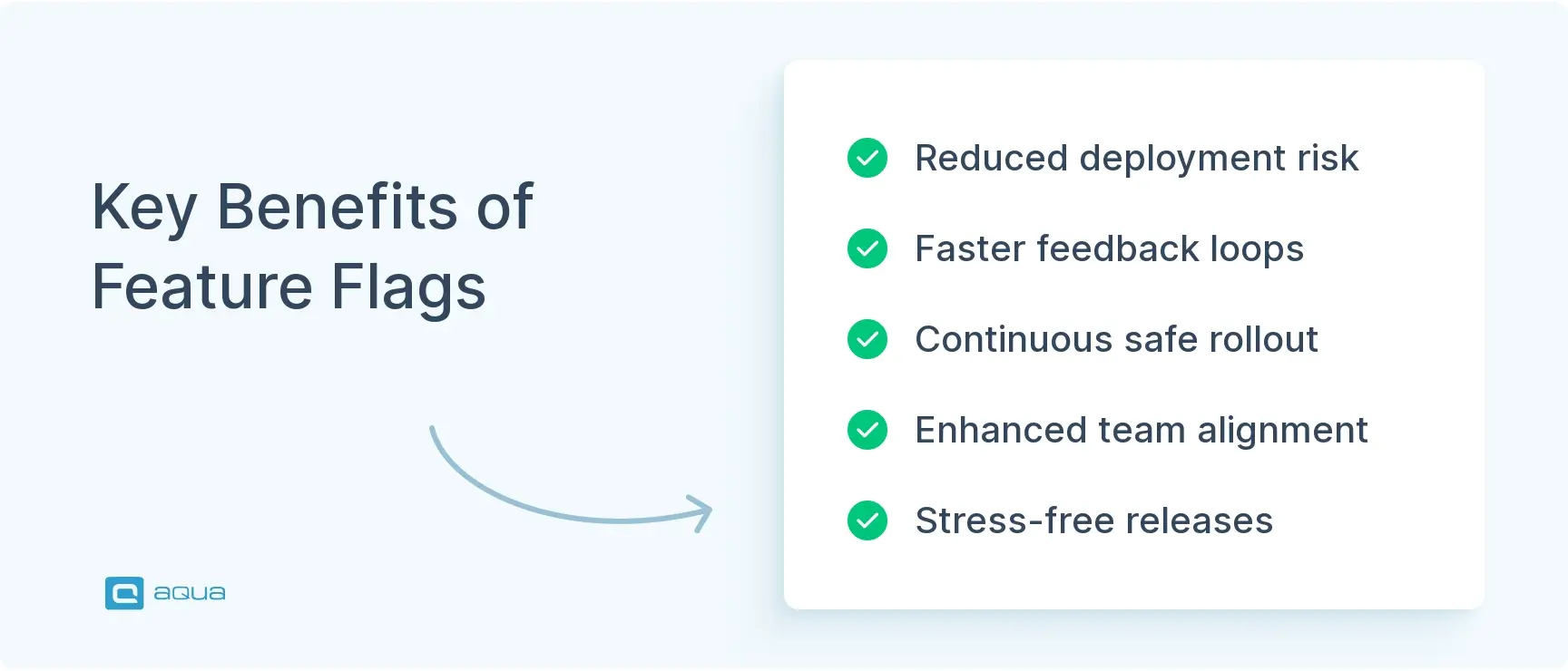
Reduced Risk: Feature flags make deployments safer by limiting the impact of new changes. If something goes wrong, you disable the feature, not roll back the entire deployment. This means fewer emergencies and faster recovery times.
Faster Feedback Loops: QA can enable features for testing in production environments before full release, catching issues in real-world conditions without affecting users.
Continuous Delivery with Guardrails: Deploying code continuously behind flags and only revealing features when they’re ready prevents half-finished features from blocking releases.
Better Collaboration: Feature flags create a shared language between QA, development, and product teams. Everyone can control feature visibility without needing code changes.
Stress-Free Releases: The ability to instantly disable problematic features means less pressure around deployments and less stress for testing teams.
For QA teams specifically, feature flags eliminate the traditional “big bang” release anxiety. You can validate changes incrementally, in real environments, with minimal user impact if issues arise.
When considering feature flag benefits in greater detail, it’s important to note they provide significant advantages for feature flag development processes, allowing teams to separate deployment from release and enabling more controlled testing environments.
How Feature Flags Work
Feature flags operate through a simple yet powerful mechanism that gives you runtime control over your application’s behavior. Here’s a breakdown of how do feature flags work:
Technical Implementation
At the code level, feature flags are implemented as conditional statements that check a flag’s value before executing specific code paths. Here’s how it looks in practice:
# Python example

if feature_flags.is_enabled("NEW_CHECKOUT"):
    # New checkout experience code
    process_order_with_new_flow()
else:
    # Original checkout experience code
    process_order_with_current_flow()
The real difference happens in that is_enabled() check. Rather than hardcoding a value, this method:
Checks the current state of the flag (from cache or service)
Evaluates any targeting rules (should this user see the feature?)
Returns a boolean decision
The Flag Creation Process
Setting up a new feature flag involves several steps. Creating your first feature flag might seem daunting, but it’s actually straightforward once you understand the basic workflow. Here’s the step-by-step process that gets you from “we need to control this feature” to “feature is live and toggleable”:
Define the flag in code: Add conditional logic around the new feature
Register the flag: Create the flag in your management system
Set default values: Usually “off” for new features in production
Configure targeting rules: Decide who sees the feature initially
First, don't let feature flags linger. They are for development purposes, and when a feature is first usable, it's time to eliminate the feature flag. Don't let them become customer options. Second, isolate your changes using abstraction so you're not making feature flag checks all over your codebase. Ideally, there's one place where the code checks the feature flag, and everything lives in an abstraction behind that point, nicely isolated.
When your application runs, it loads flag configurations at startup or periodically checks for updates. Modern feature flag systems use SDKs that maintain a local cache of flag values and update them in real-time when changes occur.
For example, when an end-user makes a request to your application:
The feature flag SDK checks if the user should see the feature based on rules
The appropriate code path executes based on this decision
This happens instantly, with minimal performance impact
Flag Management Systems
While you could build a basic feature flag system yourself using config files, most teams use dedicated platforms that offer:
Web dashboards for toggling flags
SDKs for multiple programming languages
Targeting capabilities (by user groups, percentages, etc.)
Analytics to track flag usage
Role-based access controls
Popular feature flag software options include LaunchDarkly for enterprise needs and open-source solutions like Unleash or Flagsmith for teams wanting self-hosted options. They provide comprehensive feature flag management capabilities for organisations of all sizes.
Managing feature flags well is only half the equation. To fully use their power, especially in complex releases, you need a testing setup that can keep up. This is where test management systems (TMS) become invaluable.
That’s where aqua cloud comes in. It instantly bridges the gap between feature toggles and structured validation, ensuring that both sides of every flag are properly tested, tracked, and reported on. With a centralised repository that combines manual and automated testing, aqua gives your QA team full visibility and control over every feature flag scenario. Whether you’re running smoke tests behind a toggle or validating phased rollouts, aqua ensures 100% traceability across the board. It integrates directly with tools like Selenium, Jenkins, Ranorex, and SoapUI, so your automation stays aligned with your release strategy. With aqua’s AI superpowers, you can generate test cases, test data and requirements within 3 clicks, making your test management effortless.
Get 100% visibility and traceability for your testing efforts
Here’s a more advanced example showing how feature flags can target specific users:
// JavaScript with targeting example

const userContext = {
    userId: "user-123",
    country: "Canada",
    userType: "premium"
};

// Check if flag is enabled for this specific user
if (featureFlags.isEnabled("NEW_REPORTING_DASHBOARD", userContext)) {
    showNewDashboard();
} else {
    showCurrentDashboard();
}
This targeting capability is what makes feature flags so powerful for testing, as you can enable features just for QA teams, beta testers, or specific user segments.
Feature flag lifecycle
Feature flags aren’t meant to live forever in your codebase. They follow a distinct lifecycle from creation to retirement. Understanding this cycle helps keep your codebase clean and manageable:
1. Planning & Creation
The flag journey begins when you identify the need for a controlled rollout of a feature:
Define the flag’s purpose: Is it for a staged release, an experiment, or an emergency kill switch?
Name the flag clearly: Use descriptive names like enable_new_checkout_flow rather than generic ones like flag1
Document ownership: Record who owns the flag and estimated lifetime
Implement in code: Add the conditional logic around the new feature
At this stage, you’re deploying code that includes the new feature, but it remains hidden behind the flag, which is set to “off” by default.
2. Initial Rollout
Once the code is in production, you can begin controlled exposure:
Enable for internal users: First, make the feature visible only to testing teams
Fix initial issues: Address any problems found during internal testing
Start limited rollout: Enable for a small percentage (5-10%) of users
Monitor closely: Watch error rates, performance metrics, and user feedback
The beauty of this stage is that issues affect only a small subset of users, minimising impact.
3. Progressive Expansion
If the limited rollout goes well, gradually increase exposure:
Expand to larger groups: Move from 10% to 25%, then 50%, then more
Continue monitoring: Keep an eye on metrics at each expansion stage
Collect feedback: Gather user reactions and usage patterns
Adjust as needed: You can always scale back if problems emerge
This controlled expansion provides multiple checkpoints to ensure the feature is performing as expected.
4. Full Release or Rollback
Eventually, you reach a decision point:
Success path: Enable the feature for 100% of users
Failure path: Turn off the feature completely if metrics show it’s problematic
Hybrid path: Keep the feature enabled for some segments but not others
The flag gives you options that weren’t possible with traditional all-or-nothing deployments.
5. Cleanup & Retirement
This critical final step is often overlooked:
Remove the flag: Once a feature is fully deployed and stable (usually after a few weeks), remove the flag logic
Delete from the management system: Clean up the flag from your feature flag service
Update documentation: Note that the flag has been retired
Neglecting this cleanup leads to “flag debt”. It is a codebase cluttered with outdated toggles that nobody remembers or understands.
Like anything, if the only tool you know is a hammer, then you treat every problem as if it's a nail, meaning that over time your wall gets full of holes. Not everything needs a feature flag, so only use them were they make sense, and you'll have a lot less you need to keep track of.
By following this lifecycle approach, you keep your feature flags meaningful and your codebase clean. Remember, most flags should be temporary—they’re tools for controlled deployment, not permanent configuration.
Best Practices for Implementing Feature Flags
Limit Feature Flag Lifespan
Feature flags should be treated like houseguests, welcome for a short stay but not forever. Set expiration dates when creating each flag and schedule monthly cleanup sprints to remove obsolete ones. The longer a flag stays in your codebase, the more technical debt it creates. Most release flags should live for weeks, not months.
Use Clear Naming and Documentation
A mysterious feature flag is a future problem waiting to happen. Follow consistent naming conventions like [feature]_[purpose] so checkout_redesign immediately tells you what it controls. Document each flag’s purpose, owner, and dependencies in a central registry. Good documentation prevents those frustrating “what does this flag even do?” conversations months later.
Test Both Flag States
Every feature flag creates two code paths, and both must work flawlessly. Test with flags both on and off in your CI/CD pipeline, and verify that toggling mid-session doesn’t break user experience. The “flag off” path will eventually become the only path after feature completion, so it needs to be bulletproof.
Limit Flag Quantity and Nesting
Feature flags multiply quickly and create exponential complexity if unchecked. Aim for no more than 5-10 active flags per service, avoid nested flags at all costs, and make removing old flags a prerequisite for adding new ones. The complexity cost increases exponentially when flags interact.
Default to Safe Values
When things go wrong, your feature flags should fail safely. New flags should default to disabled in production, and if your flag service becomes unavailable, the system should default to the safer option. A well-designed feature flag system degrades gracefully when problems occur.
Best Practices Checklist
Assign an owner to every feature flag
Document the purpose and expected lifespan
Test both enabled and disabled states
Default to “off” for new flags in production
Limit the number of concurrent active flag
Include flag cleanup in your regular workflow
Use clear, consistent naming conventions
Avoid nested feature flags when possible
Monitor flag usage and performance
Regularly review and retire obsolete flags
This way, you’ll gain the benefits of feature flags without drowning in toggle-related technical debt. Remember: feature flags are a means to an end, not a permanent part of your architecture.
Feature Flags in Various Programming Languages
Feature flags work across all programming languages, but implementation details vary. Here’s how they look in three popular languages, with examples tailored for QA and test automation engineers:
JavaScript
JavaScript’s dynamic nature makes it perfect for feature flags, especially in web applications and Node.js backends.
// Basic feature flag in JavaScript

function runSearchQuery(query) {
    if (featureFlags.isEnabled("ENHANCED_SEARCH_ALGORITHM")) {
        return enhancedSearch(query);  // New algorithm
    }
    return standardSearch(query);      // Current algorithm
}
JavaScript-specific advantages:
Instant updates in browser apps without page refresh
Easy integration with modern frameworks (React, Vue, Angular)
Can toggle UI components or behaviours on the fly
Considerations:
Client-side flags can be inspected by users in browser dev tools
For security-sensitive features, verify the flag state on the server as well
Consider using bundling tools to completely exclude flagged code from production builds
Testing tips:
Use Jest’s mocking capabilities to simulate different flag states in unit tests
Create Cypress custom commands for toggling feature flags during E2E tests
Consider browser extensions that let you override feature flags during manual testing
Python
Python’s readability makes feature flag logic particularly clear, ideal for backend services and data processing.
# Feature flag in Python with user targeting

def generate_report(user, data):
    if feature_flags.is_enabled("NEW_REPORT_FORMAT", user=user):
        return generate_new_format_report(data)
    else:
        return generate_standard_report(data)
Python-specific advantages:
Clean syntax makes flag logic easy to read
Great library support (Django-Waffle, Flagsmith, etc.)
Easy to implement custom flag logic for testing
Considerations:
Web servers may cache flag values at startup; consider using libraries with hot-reload
For microservices, ensure consistent flag states across services
Add logging around flag decisions to aid debugging
Testing tips:
Use pytest fixtures to test both flag states
Create test helpers that set predefined flag configurations
Consider environment-specific flag settings for different test environments
Java
Java’s strong typing and enterprise focus make it well-suited for robust feature flag implementations in large systems.
// Feature flag in Java using a feature flag service

public List getRecommendations(User user) {
    if (featureFlagService.isEnabled("PERSONALIZED_RECOMMENDATIONS", user)) {
        return recommendationEngine.getPersonalizedRecommendations(user);
    } else {
        return recommendationEngine.getStandardRecommendations();
    }
}
Java-specific advantages:
Strong typing provides compile-time safety around flags
Java applications often have longer startup times, so flag changes may not apply immediately
More verbose syntax compared to dynamic languages
Consider using dependency injection to provide flag services for better testability
Testing tips:
Use JUnit parametrised tests to verify both flag states
Create test-specific flag providers that override production settings
For integration tests, consider embedded flag services that don’t require external dependencies
Language-Agnostic Implementation Tips
Regardless of language, these practices apply across the board:
Abstract flag checking: Create helper methods/functions rather than raw conditional checks
Centralised flag definitions: Maintain a single source of truth for all feature flags
Add context to flag checks: Pass user/session info to enable targeted rollouts
Log flag decisions: Record which path was taken to aid debugging
Integration with Testing Tools
For QA and test automation engineers, feature flags can be integrated with testing workflows:
Selenium/WebDriver: Create custom commands to set specific flag states before tests
API testing: Add flag override headers in your test requests
Performance testing: Compare metrics with features on vs. off to measure impact
Exploratory testing: Use browser extensions or local overrides to control flags during manual testing
This way, you can better integrate them into your testing strategy and ensure all code paths are properly validated. Feature flag implementation varies across languages, but the core principles remain the same.
And when you’re dealing with multiple feature flags, staggered rollouts, and user-specific toggles, the testing complexity scales fast. aqua helps you stay ahead of it all. Its AI-powered approach to test case and data generation reduces manual effort while ensuring every variation of a feature (flag on or off) is accounted for. aqua gives your QA team complete oversight of every feature flag scenario through a centralised repository that unifies manual and automated testing. Whether you’re validating a phased rollout or running smoke tests behind a toggle, aqua keeps everything traceable and aligned. With out-of-the-box integrations for Selenium, Jenkins, Ranorex, and SoapUI, your automation efforts stay fully in sync with your release strategy. The result? Faster releases, fewer regressions, and the confidence that every flag behaves exactly as intended.
Achieve 200% efficiency in your QA test management efforts
As you implement feature flags in your own workflows, remember to keep them temporary, document them clearly, and test both states thoroughly. Your future self (and your entire development team) will thank you for it. Feature flags are a mindset shift that puts control back into the hands of QA and development teams. Start small with a single feature, build your confidence, and soon you’ll wonder how you ever released software without them. The feature flag’s meaning extends beyond just code – they represent a fundamental shift in how we approach software delivery.
A feature flag is a software development technique that lets you turn features on or off without deploying new code. It’s essentially a conditional statement in your code that checks whether a feature should be active, based on configurations that can be changed at runtime.
What are feature flags in DevOps?
In DevOps, feature flags enable continuous delivery by separating code deployment from feature release. They allow teams to deploy code to production behind flags that keep it hidden until ready, reducing risk and enabling faster, smaller deployments.
What are feature flags in agile?
In agile development, feature flags support iterative delivery by allowing teams to release partially completed features to specific users for feedback. This facilitates shorter sprints and more frequent deployments while gathering real user insights early in development.
When to use feature flags?
Use feature flags when:
1) Releasing complex features gradually
2) Testing in production with limited users
3) Conducting A/B tests
4) Needing the ability to quickly disable problematic features
5) Supporting different feature sets for different user tiers.
Who uses feature flags?
Feature flags are used by development teams, QA engineers, product managers, and operations teams across companies of all sizes. Companies like Facebook, Google, Netflix, and Amazon use feature flags extensively, but they’re valuable for any team practicing continuous delivery or wanting more controlled releases.
How do I get started with feature flag deployment?
To begin with feature flag deployment, start by identifying a small, non-critical feature to flag. Implement a simple feature flag system or integrate a third-party solution, then gradually expand to more complex feature flag scenarios as your team becomes comfortable with the approach.
Can you show me a feature flag example?
A simple feature flag example would be: if (featureFlags.isEnabled(“NEW_PAYMENT_PROCESS”)) { useNewPaymentFlow(); } else { useLegacyPaymentFlow(); }. This conditional statement checks whether the new payment process should be activated for the current user or request.
Home » Best practices » Feature Flags Best Practices & Tools for QA Specialists
Do you love testing as we do?
Join our community of enthusiastic experts! Get new posts from the aqua blog directly in your inbox. QA trends, community discussion overviews, insightful tips — you’ll love it!
We're committed to your privacy. Aqua uses the information you provide to us to contact you about our relevant content, products, and services. You may unsubscribe from these communications at any time. For more information, check out our Privacy policy.
X
🤖 Exciting new updates to aqua AI Assistant are now available! 🎉
We use cookies and third-party services that store or retrieve information on the end device of our visitors. This data is processed and used to optimize our website and continuously improve it. We require your consent fro the storage, retrieval, and processing of this data. You can revoke your consent at any time by clicking on a link in the bottom section of our website.
For more information, please see our Privacy Policy.
This website uses cookies to improve your experience while you navigate through the website. Out of these, the cookies that are categorized as necessary are stored on your browser as they are essential for the working of basic functionalities of the website. We also use third-party cookies that help us analyze and understand how you use this website. These cookies will be stored in your browser only with your consent. You also have the option to opt-out of these cookies. But opting out of some of these cookies may affect your browsing experience.
Necessary cookies are absolutely essential for the website to function properly. These cookies ensure basic functionalities and security features of the website, anonymously.
Cookie
Duration
Description
cookielawinfo-checkbox-analytics
11 months
This cookie is set by GDPR Cookie Consent plugin. The cookie is used to store the user consent for the cookies in the category "Analytics".
cookielawinfo-checkbox-functional
11 months
The cookie is set by GDPR cookie consent to record the user consent for the cookies in the category "Functional".
cookielawinfo-checkbox-necessary
11 months
This cookie is set by GDPR Cookie Consent plugin. The cookies is used to store the user consent for the cookies in the category "Necessary".
cookielawinfo-checkbox-others
11 months
This cookie is set by GDPR Cookie Consent plugin. The cookie is used to store the user consent for the cookies in the category "Other.
cookielawinfo-checkbox-performance
11 months
This cookie is set by GDPR Cookie Consent plugin. The cookie is used to store the user consent for the cookies in the category "Performance".
viewed_cookie_policy
11 months
The cookie is set by the GDPR Cookie Consent plugin and is used to store whether or not user has consented to the use of cookies. It does not store any personal data.
Functional cookies help to perform certain functionalities like sharing the content of the website on social media platforms, collect feedbacks, and other third-party features.
Performance cookies are used to understand and analyze the key performance indexes of the website which helps in delivering a better user experience for the visitors.
Analytical cookies are used to understand how visitors interact with the website. These cookies help provide information on metrics the number of visitors, bounce rate, traffic source, etc.
Advertisement cookies are used to provide visitors with relevant ads and marketing campaigns. These cookies track visitors across websites and collect information to provide customized ads.






 Bankingaqua ALM helps banks increase testing productivity by over 50%