User Acceptance Testing (UAT) Automation: Insights and Best Practices
How much time do your business experts waste running the same tests over and over? Login checks, form submissions, notification verifications, and other things that don't need human involvement but eat up hours anyway. UAT automation is centered around reducing repetitive tasks so business experts can focus on acceptance decisions. This article reveals which UAT aspects to automat and how to implement automation successfully. You'll discover a suite of practical tool stacks and a clear roadmap for building sustainable automation that saves time and boosts the value of human expertise.
UAT automation preserves human judgment for acceptance decisions while automating repetitive verification tasks, reducing testing effort significantly in many organizations.
Successful UAT automation typically covers 60-75% of testing, which mainly includes core business journeys and regressions.
Four main tool categories exist: code-first frameworks, BDD tools using business-readable language, low-code platforms, and execution clouds for cross-browser testing.
Effective UAT automation starts from acceptance criteria rather than tools, builds a testing pyramid, uses stable design patterns, and integrates with CI/CD without blocking deployments.
Your business analysts know exactly which workflows need validation. Yet, QA teams may struggle with UAT because business experts are spending hours clicking through test scenarios manually. Discover how to implement UAT automation that delivers value👇
Understanding User Acceptance Testing
User Acceptance Testing is that final checkpoint where future users validate software against real-world business requirements. According to the ISTQB definition, UAT in the software development lifecycle happens in a simulated operational environment. It focuses specifically on whether the system works for the business the way the business actually operates.
This differs from QA checking code quality or running security scans. Finance confirms the new invoice system calculates tax correctly. Customer Service verifies that the ticket routing makes sense for their workflow. The validation comes from people who understand the business context.
Primary goals of UAT:
Verify the software meets documented business requirements
Ensure user satisfaction before production release
Validate that workflows align with actual business operations
Identify gaps between expected and delivered functionality
Common UAT challenges include:
Unclear or untestable acceptance criteria
Limited availability of business subject matter experts
Time-consuming manual validation of repetitive workflows
Inconsistent testing approaches across releases
You face a UAT problem worth solving when your SMEs spend three hours validating login flows instead of evaluating approval workflows. That time crunch is where test automation UAT starts making sense. The goal is to handle the repeatable verification, so your team members can focus on judgment calls only they can make.
Why Automation in User Acceptance Testing Matters
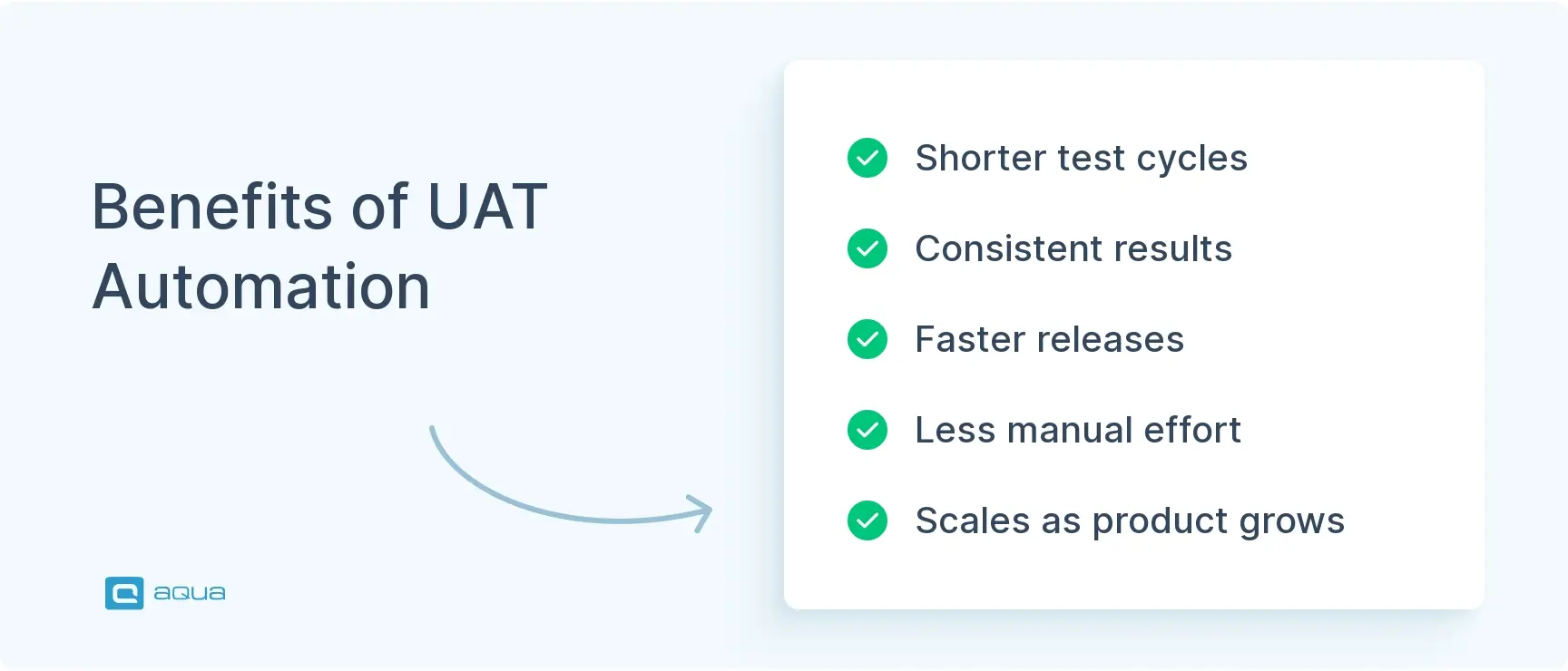
Automating parts of UAT delivers concrete benefits that change how organizations approach acceptance testing. Strategic implementation compresses testing cycles and frees up specialized knowledge workers. The results show up in faster releases and more reliable software.
Key benefits of UAT automation:
Speed and efficiency: Compress UAT cycles from weeks to days. Due to that, sprint cycles shorten while confidence in releases increases. This way, your team can validate changes faster without sacrificing quality.
Improved accuracy and consistency: Automated checks execute the same way every time without fatigue or distraction. Your pricing rules automation validates calculations identically across all runs. The consistency matters especially for compliance-heavy industries where audit trails must be complete.
Resource liberation: Your business analysts make acceptance decisions rather than clicking through test scenarios. Automation handles evidence gathering, like screenshots and execution reports. When Finance reviews the new billing module, they evaluate whether it fits their approval process rather than manually verifying test data.
Sustainable scaling: As your product grows, automation scales with it. Sustainable scaling means your team can cover more scenarios without proportionally increasing manual testing effort.
The pattern repeats across industries. Automate the repeatable business flows, then redeploy experts to judgment-heavy work that machines can’t handle. That shift from verification to validation pays dividends in both time savings and release quality.
Your UAT automation stack needs a control center that coordinates both automated workflows and manual validation activities. This is where aqua cloud, an AI-powered test and requirement management platform, makes a measurable difference. With aqua, you can automate those repeatable verification workflows while preserving the human judgment that makes UAT valuable. The platform’s intelligent test case management capabilities let you build that ideal UAT automation pyramid, combining end-to-end business journeys with API validations and data verification checks. What sets aqua apart is its domain-trained AI Copilot that accelerates test case creation based on your actual project documentation, text, or voice notes. AI makes sure that your automated UAT scenarios truly reflect your business processes. This means business stakeholders spend less time on repetitive tasks and more time making acceptance decisions. aqua integrates with Jira, Selenium, Jenkins, and many other QA tools from your tech stack.
The effective approach combines automation for verification with human expertise for validation. Many teams wonder about manual vs automated user acceptance testing, but the answer involves carefully balancing both approaches. The distinction comes down to whether a task requires judgment or can be verified against known criteria.
Automation excels when workflows are stable enough to encode. For that, scenarios need to be both impactful and repeatable. You need fast regression confidence each release, and you must run identical checks across multiple environments. After everything, the stability of the workflow matters more than its complexity.
1. Core Business Journeys (Automate)
These workflows form the backbone of your application. Start with the processes your business depends on daily:
Login and role-based access flows for different user types
Create-approve-fulfill workflows like orders or claims
Quote-to-checkout-to-payment sequences
Customer onboarding flows
Integration points such as CRM updates or email triggers
Automation runs while your team sleeps, providing a clear signal each morning about system health.
2. Data and Rules Validation (Automate)
Repetitive checks verify business logic operates correctly across scenarios:
Pricing and discount rule validation
Tax calculations and compliance checks
Permission matrices and access controls
Status transitions and workflow states
Report correctness verification, like row counts and totals
The calculations don’t change based on subjective assessment. Either the discount applies correctly, or it doesn’t.
3. UAT Regression Suites (Automate)
Previously validated acceptance scenarios must continue working with each release:
Stable workflows unchanged in recent sprints
High-value paths that multiple releases depend on
Cross-browser and cross-device compatibility checks
Environment-specific configuration validation
Each sprint adds new features, but the regression suite confirms you haven’t broken existing functionality.
One of the challenges we have is to automate, we are being pushed (relentlessly) to automate where we can. Finding an automation tool has been tricky.
Judgment-based evaluation requires human perception and context:
Visual design harmony and aesthetic appeal
Cognitive load and intuitiveness assessment
Workflow fit with actual business practices
Accessibility and inclusivity validation
Questions about usability or workflow fit need human answers. Keep your team members in charge here.
5. Exploratory and Edge Case Testing (Keep Manual)
Scenarios where creativity and domain knowledge shine benefit from manual approaches:
User-perspective testing that finds unexpected problems
One-off scenarios that won’t repeat across releases
Rapidly changing UI without stable components
Novel feature evaluation before workflows stabilize
Your team’s expertise in finding unexpected problems exceeds what scripted automation can discover.
6. Hybrid Approach (Semi-Automated)
Many successful teams adopt a middle ground. Automate the setup and evidence capture by running the scenario and grabbing screenshots with logs. Let automation execute the workflow steps. Your team reviews key outputs and business results for the final acceptance decision.
The workable split many high-performing teams achieve: automate 60-75% of testing. This covers core business journeys plus key regressions, often run daily. Keep 25-40% manual for sign-off validation sessions, exploratory acceptance, and policy alignment. That balance keeps automation from becoming brittle while eliminating the repetitive grind.
Tools for Automating UAT
UAT automation tools typically fall into four stacks. Understanding these categories helps you select the right tools for your organization’s needs and your team’s composition. The choice depends less on which tool is best and more on who will maintain the automation.
Stack A: Code-First E2E Frameworks
This is the engineering-led choice when you want speed, flexibility, and control. These frameworks work well when treating UAT automation testing as an acceptance regression layer integrated into CI/CD.
Popular tools:
Playwright:
Cypress:
Selenium:
Best for: QA engineers and developers who want programmatic control and CI/CD integration.
Stack B: BDD and Business-Readable Automation
Tools using Cucumber and Gherkin-style syntax let business stakeholders and QA collaborate on acceptance criteria written in plain language. Business defines Given/When/Then scenarios while automation engineers implement step definitions. The scenarios read like documentation that non-technical stakeholders can review.
Popular tools:
Cucumber:
SpecFlow:
Behave:
JBehave:
Best for: Teams where business analysts actively participate in defining acceptance criteria and want traceability between requirements and automated tests.
Stack C: Low-Code and Codeless Automation
These platforms reduce the bottleneck where only automation engineers can contribute. The visual interfaces and model-based approaches let domain experts encode their knowledge directly.
Popular tools:
Tricentis Tosca:*
Leapwork:
Worksoft:
Testim:
mabl:
Best for: Organizations wanting domain experts to encode knowledge into automated tests without becoming programmers.
Stack D: Execution Clouds and Device Farms
Platforms that scale your acceptance suites across browsers, devices, and environments. These pair with other tool categories to handle cross-environment validation without maintaining local infrastructure.
Popular tools:
BrowserStack:
Sauce Labs:
LambdaTest:
AWS Device Farm:
Best for: Teams needing to validate acceptance across the full spectrum of user environments without owning hundreds of device configurations locally.
Tool
Best For
Key Strength
Typical User
Playwright
Engineering-led web E2E
Multi-browser contexts, speed
QA/Dev Engineers
Cypress
Modern web apps
Developer experience, debugging
QA/Dev Engineers
Cucumber/BDD
Business-readable scenarios
Plain language, collaboration
BA + QA
Tosca
Enterprise/ERP codeless automation
Model-based, business-friendly
Business Analysts
Leapwork
Visual flows, cross-team involvement
No-code visual builder
BA + QA
Testim
UI-heavy apps with frequent changes
AI self-healing locators
QA Engineers
Worksoft
SAP/ERP business process automation
Enterprise process coverage
Business + QA
Modern E2E frameworks have become more CI-friendly with parallelization and reliable browser automation. Codeless tools matured from basic record-playback into genuine business-involved automation platforms. AI-assisted stability with self-healing locators moved from experimental to mainstream, tackling why UAT automation programs collapse: brittle tests that break on every UI tweak.
It’s true that the right UAT automation tool is one of the most important parts of your testing strategy. However, you still need a central platform to coordinate all your QA efforts. This is where aqua cloud, an AI-powered test and requirement management platform, becomes essential. With aqua, you can orchestrate your automated UAT workflows alongside manual testing activities in a single unified environment. The platform connects directly with your automation tools while providing intelligent test case management that helps your team build that automation coverage. aqua’s domain-trained AI Copilot accelerates test case creation based on your actual project documentation, ensuring your automated scenarios reflect real business processes. With this solution, your team spends less time on repetitive setup and more time on validation decisions that matter. aqua integrates with Jira, Selenium, Jenkins, and other tools in your existing QA ecosystem.
Cut 80% of documentation time with intelligent test management
Best Workflow and Practices for Implementing UAT Automation
Successfully implementing UAT automation requires more than selecting tools. It demands a structured approach that balances technical execution with business involvement. These practices separate thriving UAT automation programs from those that fizzle out.
1. Start from Acceptance Criteria
If your UAT entry and exit criteria aren’t testable and measurable, automation will fail regardless of your framework:
Define acceptance in complete business scenarios, not isolated test cases
Tag each scenario: automate now for stable high-value work, automate later when waiting for stability, and manual-only for judgment-heavy validation
Ensure acceptance criteria have clear pass/fail conditions that machines can evaluate
This upfront triage prevents wasting weeks automating the wrong things.
2. Build a UAT-Specific Test Automation Pyramid
A healthy pyramid structure optimizes cost, speed, and maintenance. Place a small number of UI end-to-end acceptance flows at the top. The middle layer contains API and service-level checks validating business outcomes. The bottom layer handles data verification, rules checks, and component-level validation.
Even when business stakeholders want UI proof, push logic validation lower in the stack. Your team will avoid hundreds of flaky UI scripts that consume hours to run.
UAT for my current organization is really a pre-production/integration environment. We push new releases to the UAT environment, publish some release notes (which when there's no external changes will just say it's internal bug fixes or what not), and let it soak for a few days before promoting to prod. Asking end users to do actual testing for us would be difficult I think (e.g. most likely our customers would wonder why they're having to test the product).
UAT for my current organization is really a pre-production/integration environment. We push new releases to the UAT environment, publish some release notes (which, when there's no external changes, will just say it's internal bug fixes or whatnot), and let it soak for a few days before promoting to prod.
ernie
on https://club.ministryoftesting.com/t/how-does-your-organization-carry-out-uat-what-tools-are-used/22394
3. Use Stable Test Design Patterns
Essential patterns include page objects or screen objects that encapsulate UI interactions. Work with your dev team to establish stable selectors, especially data-testid attributes. Build a solid test data strategy with seeded datasets and cleanup routines. Create idempotent tests that run repeatedly without manual environment reset.
Without these fundamentals, your team will spend more time fixing tests than writing new ones.
4. Integrate with CI/CD Without Blocking Releases
A practical sequence works like this: PR pipeline runs unit tests and small UI smoke tests for fast feedback. Post-deploy to the UAT environment triggers your automated acceptance regression suite. Manual UAT sessions handle targeted validation and exploratory testing for final sign-off.
Keep execution under 30 minutes for the core suite, or split into parallel runs that finish quickly.
5. Treat Automated UAT as a Product with Ownership
Define clear responsibilities and service levels. Then, establish who maintains tests and triages failures. After that, you will be able to decide how flaky tests get handled through quarantine policies. Finally, determine what percentage of the suite must pass for release confidence.
Product thinking means investing in your automation infrastructure. Your team needs time allocated for maintenance and improvement.
6. Implement Guided UAT for Human-in-the-Loop Validation
A hybrid approach cuts manual clicking while preserving acceptance judgment. Automation runs scenarios and captures evidence like screenshots and logs. Your team reviews key outputs and business results, then makes the final acceptance decision based on clear evidence.
7. Measure What Actually Matters
Use these track metrics that demonstrate value:
Business time saved per sprint through reduced SME testing hours
Release confidence shown by escaped defects after accepted releases
Lead time measured by UAT cycle duration
Maintenance cost comparing the time fixing tests versus writing new ones
8. Enable Gradual Business Participation
For BDD, implement review processes where the business writes scenarios and QA reviews before automation. For codeless tools, establish governance around who can create flows and how changes get validated. Run training on real acceptance scenarios from your domain.
9. Follow a Phased Adoption Roadmap
As such, this roadmap features these four phases which eventually lead to a complete UAT automation workflow:
Phase 1 stabilizes and selects 10-20 acceptance flows that must never break.
Phase 2 adds data and rules checks while expanding to 30-80 flows with cross-browser runs.
Phase 3 enables business contribution through BDD or codeless tooling with governance.
Phase 4 operationalizes everything with CI/CD gating strategy and evidence dashboards.
Each phase builds on lessons learned from the previous one.
Implementing successful UAT automation requires the right blend of tools, process, and strategy. aqua cloud, an AI-driven test and requirement management solution, delivers exactly this combination. In aqua, your automated and manual UAT activities coexist and complement each other. With this platform, you can have your UAT automated through external tools easily, while preserving human validation for judgment calls. aqua’s requirements management, test case organization, and defect tracking create complete traceability throughout your UAT cycles. More than that, aqua’s domain-trained AI Copilot generates UAT test cases from text, voice, or documentation that reflect your business processes. This means your automation targets the right scenarios from day one. As your UAT processes mature, aqua evolves with you, supporting gradual expansion from initial flows to comprehensive acceptance coverage. aqua integrates with Jira, Selenium, Jenkins, and 10+ other development tools.
Achieve 100% UAT coverage with aqua’s test management
UAT automation balances automated verification with human validation requiring judgment. Organizations seeing real returns eliminated repetitive tasks that buried subject matter experts. Start by identifying your top 10-20 business-important journeys and automate those as regression confidence. Gradually expand coverage while keeping your team firmly in charge of acceptance decisions. Success comes from clear ownership, stable test design, and treating user acceptance testing automation as an evolving product.
What is UAT automation refers to using software tools to automatically execute repetitive verification tasks during User Acceptance Testing. The practice handles grunt work like running regression suites so business stakeholders can focus on acceptance decisions requiring expertise. Successful implementations typically automate 60-75% of testing while keeping 25-40% manual.
What tools are used for UAT?
UAT automation tools fall into four categories. Code-first frameworks like Playwright suit engineering-led teams. BDD tools using Cucumber enable business-readable scenarios. Low-code platforms such as Tosca let business analysts participate without coding. Execution clouds scale tests across browsers and devices. Tool choice depends on your team composition.
How can UAT automation improve test coverage and reduce human errors?
UAT automation improves coverage by executing comprehensive regression suites that would be impractical manually. Automated tests validate pricing rules and business logic across hundreds of scenarios in hours. They reduce errors because automated checks execute consistently without fatigue.
What challenges should be considered when implementing UAT automation in Agile environments?
Agile environments present specific challenges. Rapidly changing requirements can make automated tests brittle without stable design patterns. Sprint velocity pressure may push teams to skip proper test design. The solution involves building a UAT-specific test pyramid, starting with 10-20 flows in Phase 1, and integrating with CI/CD post-deploy.
Home » Test Automation » User Acceptance Testing (UAT) Automation: Insights and Best Practices
Do you love testing as we do?
Join our community of enthusiastic experts! Get new posts from the aqua blog directly in your inbox. QA trends, community discussion overviews, insightful tips — you’ll love it!
We're committed to your privacy. Aqua uses the information you provide to us to contact you about our relevant content, products, and services. You may unsubscribe from these communications at any time. For more information, check out our Privacy policy.
X
🤖 Exciting new updates to aqua AI Assistant are now available! 🎉
We use cookies and third-party services that store or retrieve information on the end device of our visitors. This data is processed and used to optimize our website and continuously improve it. We require your consent fro the storage, retrieval, and processing of this data. You can revoke your consent at any time by clicking on a link in the bottom section of our website.
For more information, please see our Privacy Policy.
This website uses cookies to improve your experience while you navigate through the website. Out of these, the cookies that are categorized as necessary are stored on your browser as they are essential for the working of basic functionalities of the website. We also use third-party cookies that help us analyze and understand how you use this website. These cookies will be stored in your browser only with your consent. You also have the option to opt-out of these cookies. But opting out of some of these cookies may affect your browsing experience.
Necessary cookies are absolutely essential for the website to function properly. These cookies ensure basic functionalities and security features of the website, anonymously.
Cookie
Duration
Description
cookielawinfo-checkbox-analytics
11 months
This cookie is set by GDPR Cookie Consent plugin. The cookie is used to store the user consent for the cookies in the category "Analytics".
cookielawinfo-checkbox-functional
11 months
The cookie is set by GDPR cookie consent to record the user consent for the cookies in the category "Functional".
cookielawinfo-checkbox-necessary
11 months
This cookie is set by GDPR Cookie Consent plugin. The cookies is used to store the user consent for the cookies in the category "Necessary".
cookielawinfo-checkbox-others
11 months
This cookie is set by GDPR Cookie Consent plugin. The cookie is used to store the user consent for the cookies in the category "Other.
cookielawinfo-checkbox-performance
11 months
This cookie is set by GDPR Cookie Consent plugin. The cookie is used to store the user consent for the cookies in the category "Performance".
viewed_cookie_policy
11 months
The cookie is set by the GDPR Cookie Consent plugin and is used to store whether or not user has consented to the use of cookies. It does not store any personal data.
Functional cookies help to perform certain functionalities like sharing the content of the website on social media platforms, collect feedbacks, and other third-party features.
Performance cookies are used to understand and analyze the key performance indexes of the website which helps in delivering a better user experience for the visitors.
Analytical cookies are used to understand how visitors interact with the website. These cookies help provide information on metrics the number of visitors, bounce rate, traffic source, etc.
Advertisement cookies are used to provide visitors with relevant ads and marketing campaigns. These cookies track visitors across websites and collect information to provide customized ads.






 Bankingaqua ALM helps banks increase testing productivity by over 50%