









Key Takeaways
- User Acceptance Testing (UAT) validates business logic and real-world usability rather than just technical functionality, serving as the final check before releasing software to users.
- AI-powered prompts for UAT can reduce test preparation time by 70%, increase test coverage by 35%, and cut manual scripting time by 60% according to organizations implementing these methods.
- The article provides 19 specific UAT prompts covering comprehensive test case generation, edge case discovery, regression testing, bug analysis, and specialized scenarios like mobile and accessibility testing.
- Effective UAT requires structured feedback collection, proper test environments, and clear expectations for testers to avoid vague feedback and scope creep issues.
- Organizations achieve the best results using a hybrid approach where AI handles systematic test generation while humans provide judgment and exploratory validation of user experience.
Wondering why your UAT cycles feel chaotic despite passing technical tests? These AI-powered prompts can transform your testing workflow while cutting preparation time from weeks to days. See exactly how to implement them in your next release cycle 👇
This article breaks down 19 user acceptance testing prompts designed for UAT. You’ll learn what makes UAT different from other testing phases, why well-crafted prompts matter, and how to use AI tools to build comprehensive test suites faster. By the end, you’ll have a toolkit that makes your next UAT cycle smoother and less stressful.
Understanding User Acceptance Testing
User Acceptance Testing sits at the intersection of business requirements and real-world usage. It’s where theory meets practice. Where your carefully built features either shine or stumble. Unlike unit tests that check individual functions or integration tests that verify component handshakes, user acceptance testing asks a fundamentally different question: Does this actually work for the people who’ll use it every day?
Think of UAT as the dress rehearsal before opening night. Your developers have built the stage. QA has tested the props. UAT is when actual users walk through their workflows to see if everything flows naturally. A feature that passed every technical test might still fail because the button placement confuses people or the workflow assumes knowledge users don’t have.
UAT validates business logic, not just technical functionality. A login form might technically accept credentials and authenticate users perfectly. But if the password requirements aren’t clear or the error messages sound like assembly code, UAT testers will catch that disconnect. They’re not looking at your codebase. They’re looking at their job to be done.
Real users bring context that automated tests can’t replicate. They combine features in unexpected ways. They get interrupted mid-task and come back hours later. They misunderstand instructions in ways you never anticipated. One financial services company discovered during UAT that their “intuitive” mobile deposit feature completely broke down in poor lighting. Something that never came up in controlled QA testing. That’s the kind of insight that saves you from angry support tickets after launch. Learn more about the UAT in software development lifecycle.
The Importance of Effective Prompts in UAT
The quality of your UAT hinges on the questions you ask. Vague prompts like “test the new feature” generate vague feedback like “it seems fine” or “something feels off.” Structured, specific prompts generate actionable insights that actually move the needle. Whether you’re prompting human testers or AI tools.
Effective UAT prompts do three critical things. First, they provide clarity about what to test and how to evaluate it. Instead of “check if the checkout works,” a good prompt says “verify that the checkout calculates tax correctly for orders shipping to California with promotional codes applied.” Second, they establish measurable success criteria so everyone knows what “working correctly” means. Third, they capture the business context that technical tests miss. The why behind the what.
A SaaS company struggling to keep pace with rapid feature releases adopted GPT prompts for user acceptance testing to generate their UAT scenarios. They built a library of 50+ reusable prompts tailored to their codebase and user workflows. They saw a 35% increase in test coverage and cut manual scripting time by 60%. Developers started catching bugs earlier because the prompts surfaced edge cases that manual test planning had consistently missed. Explore UAT examples to see how different organizations structure their testing.
The shift toward AI-generated test prompts is accelerating. Organizations report 70% reductions in UAT preparation time when they systematically use well-crafted prompts. But the AI is only as good as the prompts you feed it. Generic inputs produce generic outputs. Detailed, context-rich prompts that specify your application type, user roles, and business rules generate comprehensive test scenarios that cover happy paths, edge cases, and all the weird stuff in between. Two minutes of detailed prompting can save an hour of back-and-forth refinement.
19 Perfect User Acceptance Testing Prompts for LLMs
The prompts below are battle-tested frameworks that turn AI tools into collaborative testing partners. Each one serves a specific purpose in your UAT workflow, from initial test planning to final bug analysis. Use them as starting points, then customize based on your application and team needs. These GPT prompts for user acceptance testing work best when you provide maximum context: application type, user roles, technical constraints, and business priorities.
Comprehensive Feature Test Case Generation
You’re kicking off UAT for a new feature or major update. Speed matters. Coverage matters more. This prompt transforms a feature description into a complete test suite covering happy paths, permissions, validations, and integration points.
The Prompt:
I need to create comprehensive user acceptance test cases for [FEATURE NAME] in our [TYPE OF APPLICATION].
Feature description: [BRIEF DESCRIPTION]
User roles who will test: [LIST ROLES]
Key workflows: [LIST 2-3 MAIN WORKFLOWS]
Generate 10-15 test cases that cover:
- Happy path scenarios
- Common user workflows
- Permission/role-based access
- Data validation
- Integration points
For each test case, provide:
- Test case ID
- Test scenario description
- Preconditions
- Test steps (numbered)
- Expected result
- Priority (High/Medium/Low)
The structure forces you to think through all testing dimensions before generating scenarios. You don’t get random test cases. You get targeted coverage based on actual user roles and workflows. One development team used this exact prompt and eliminated three hours of manual test case writing per sprint. The AI-generated cases were consistent, detailed, and caught integration issues their manual process had missed.
As you dive deeper into crafting effective UAT prompts and scenarios, it’s clear that the right tools can transform this often challenging process. While AI-powered prompts are revolutionizing test planning, you’ll need a robust platform to organize, execute, and track all those well-crafted test cases. This is where aqua cloud excels as a comprehensive test management solution. With aqua, you can centralize all your UAT assets – from test cases and scripts to results and defects – in one unified repository, establishing clear traceability between requirements and testing. What truly sets aqua apart is its domain-trained AI Copilot, which goes beyond generic AI by learning from your project’s own documentation to generate highly relevant, context-aware test scenarios. This means you can automatically create test cases directly from your requirements, reducing manual design time by up to 43% while ensuring they speak your project’s specific language.
Generate project-specific UAT test suites in seconds with aqua's domain-trained AI Copilot
Edge Case Scenario Discovery
After you’ve covered the basics, the real testing begins. Finding the stuff that breaks when users do unexpected things. This prompt surfaces boundary conditions, invalid inputs, and platform-specific issues that manual testers often overlook.
The Prompt:
I’m testing [FEATURE NAME] and need edge case scenarios that might break it.
Feature details: [DESCRIPTION]
Technical constraints: [LIST ANY LIMITS – e.g., max file size, character limits, rate limits]
Browser/platform support: [LIST SUPPORTED PLATFORMS]
Generate 8-10 edge cases covering:
- Boundary value testing
- Invalid input scenarios
- Performance limits
- Unusual user behavior
- Browser/device compatibility issues
Format each as: Scenario | What could break | Expected handling
An e-commerce company used this prompt before their Black Friday launch and discovered a critical race condition in checkout that only appeared when inventory dropped to zero during high-traffic periods. That scenario never showed up in their standard test plans. The AI-generated edge cases caught it in staging. That’s the difference between a smooth launch and millions in lost revenue.
Regression Test Suite Builder
Big releases touch multiple features. Regressions hide in the most unexpected places. This prompt creates a prioritized checklist that validates core functionality still works while testing integration points you might not have considered.
The Prompt:
I need a regression test suite for [APPLICATION/FEATURE AREA] after deploying [WHAT CHANGED].
Areas potentially affected: [LIST AREAS]
Critical user workflows: [LIST 3-5 MUST-WORK WORKFLOWS]
Previous bug history: [MENTION ANY RECURRING ISSUES]
Create a prioritized regression test checklist that:
- Verifies core functionality still works
- Tests integrations between affected and unaffected areas
- Validates no new bugs in previously stable features
Organize by priority: P0 (must work), P1 (should work), P2 (nice to verify)
The prioritization is key. You can’t test everything. Release timelines don’t care about your ideal testing schedule. This prompt surfaces the critical paths first. The stuff that absolutely has to work before you ship.
Complete UAT Plan Generation
Planning UAT from scratch is tedious. It’s easy to miss critical elements like environment requirements or exit criteria. This prompt builds a comprehensive plan that aligns business priorities with testing logistics.
The Prompt:
Create a comprehensive UAT plan for [PROJECT/RELEASE].
Release scope: [FEATURES INCLUDED]
Timeline: [START DATE] to [END DATE]
Testing team: [SIZE AND COMPOSITION]
Business priority: [PRIORITY LEVEL AND DEPENDENCIES]
Include:
- Testing objectives and success criteria
- Scope (in-scope and out-of-scope)
- Test environment requirements
- Test phases and timeline
- Resource allocation
- Entry and exit criteria
- Risks and mitigation strategies
- Test deliverables
This prompt saves hours of documentation work and ensures you don’t forget the unsexy-but-important stuff like environment setup or go/no-go criteria. One QA lead used this to standardize UAT planning across five product teams, reducing planning time from three days to four hours while improving consistency. Check out this UAT testing template for additional structure.
Acceptance Criteria Definition
Vague user stories create vague testing. This prompt converts woolly requirements into specific, measurable criteria using the Given-When-Then format that everyone from product managers to developers can understand.
The Prompt:
I need clear acceptance criteria for this user story:
[PASTE USER STORY]
Convert this into specific, measurable acceptance criteria following:
“Given [context], When [action], Then [expected outcome]”
Include:
- Functional requirements
- Non-functional requirements (performance, usability)
- Edge cases
- What would make this FAIL acceptance
The failure criteria piece is what sets this apart. Most acceptance criteria only define success. But knowing what constitutes failure prevents the classic “is this a bug or expected behavior?” debates that waste everyone’s time during UAT.
Usability Feedback Collection
Technical functionality is one thing. Actual usability is another. This prompt generates questions that surface UX friction points and accessibility issues that technical testing misses.
The Prompt:
Generate usability testing questions for UAT testers evaluating [FEATURE NAME].
Target users: [DESCRIBE USER PERSONAS]
Key workflows: [LIST MAIN TASKS]
Accessibility requirements: [LIST ANY STANDARDS OR NEEDS]
Create questions that assess:
- Task completion ease
- UI intuitiveness
- Error recovery
- Accessibility
- Overall satisfaction
Format as open-ended questions that encourage detailed feedback.
Real users will tell you things analytics never will. If you ask the right questions. This prompt ensures you’re not just collecting “it works” checkboxes but actual insights about the user experience.
UAT Results Analysis and Fix Prioritization
After UAT wraps, you’ve got a pile of test results and a bug list longer than you’d like. This prompt analyzes the data and helps you make defensible go/no-go decisions based on risk, not just vibes.
The Prompt:
Analyze these UAT results and help me prioritize fixes:
[PASTE: Number of test cases run, pass/fail rates, list of bugs found with severity]
Release date: [DATE]
Development capacity: [HOURS/RESOURCES AVAILABLE]
Provide:
- Overall UAT health assessment
- Prioritized bug fix list (must-fix vs. can-defer)
- Risk analysis for releasing with known issues
- Recommendation: Go/No-Go decision
This turns subjective gut feelings into data-driven decisions. When stakeholders ask “why aren’t we shipping?” or “why are we delaying?”, you’ve got quantitative justification instead of hand-waving.
Bug Pattern Identification
Sometimes what looks like ten separate bugs is actually one systemic issue. This prompt analyzes bug reports to surface common root causes and architectural problems that individual fixes won’t solve.
The Prompt:
I have these bug reports from UAT. Help me identify patterns or common root causes:
[PASTE: List of 5-10 bug descriptions]
Analyze for:
- Recurring themes
- Possible common root cause
- Areas of the application most affected
- Whether these indicate a deeper architectural issue
A mobile app team used this and discovered that seven seemingly unrelated bugs all traced back to inconsistent form validation. Instead of fixing seven bugs individually, they implemented one centralized validation library and knocked them all out at once.
Executive Summary Creation
Leadership doesn’t need to know about every test case. They need to understand risk, timeline, and business impact. This prompt translates technical UAT results into executive-friendly summaries.
The Prompt:
Create an executive summary of our UAT results for leadership:
Testing period: [DATES]
Features tested: [LIST]
Team size: [NUMBER] testers
Key metrics: [PASS RATE, BUGS FOUND, ETC.]
Release impact: [DESCRIBE]
Format as:
- One-sentence overall status
- 3-5 key findings (bullet points)
- Risk assessment
- Recommended next steps
- One-sentence timeline
Keep it non-technical and focused on business impact.
When your CTO or product VP can grasp the testing status in 60 seconds, decisions happen faster and you spend less time in meetings explaining what QA jargon means.
User Feedback to Bug Report Conversion
Non-technical testers give you feedback like “the thing doesn’t work” or “it’s broken when I click stuff.” This prompt transforms vague complaints into structured bug reports developers can actually work with.
The Prompt:
Convert this user feedback into a structured bug report:
[PASTE: Raw user feedback]
Generate a proper bug report with:
- Bug title (clear and specific)
- Steps to reproduce
- Expected behavior
- Actual behavior
- Severity classification
- Suggested workaround if any
This saves hours of back-and-forth asking users “what exactly did you do?” and prevents bugs from getting lost in translation between testers and developers.
Performance Testing Scenarios
Functional correctness doesn’t mean much if your feature grinds to a halt under realistic load. This prompt generates performance-focused test scenarios that validate responsiveness and scalability.
The Prompt:
Generate performance testing scenarios for [FEATURE NAME] during UAT.
Expected load: [NUMBER OF CONCURRENT USERS]
Performance requirements: [RESPONSE TIME GOALS, THROUGHPUT TARGETS]
Infrastructure: [HOSTING ENVIRONMENT, DATABASE TYPE]
Create scenarios testing:
- Response times under typical load
- Behavior under peak load
- Resource utilization (memory, CPU, database connections)
- Degradation patterns when limits are exceeded
Include specific metrics to measure and acceptable thresholds.
Performance issues found after launch are expensive to fix and embarrassing to explain. Finding them during UAT with realistic scenarios? That’s smart testing.
Security UAT Validation
Security isn’t just a checklist. It’s something real users interact with through authentication, permissions, and data handling. This prompt generates security-focused UAT scenarios that verify protection mechanisms actually work.
The Prompt:
Create security-focused UAT test cases for [FEATURE NAME].
Security requirements: [LIST AUTHENTICATION, AUTHORIZATION, DATA PROTECTION NEEDS]
User roles: [LIST ROLES WITH DIFFERENT PERMISSION LEVELS]
Sensitive data handled: [DESCRIBE DATA TYPES]
Generate test cases for:
- Authentication and session management
- Role-based access control
- Data encryption and protection
- Input validation and injection prevention
- Error handling (no sensitive data leakage)
Format each with clear expected security behavior.
Security testing is not only for security specialists. UAT testers can validate that permissions actually prevent unauthorized access and that sensitive data doesn’t leak in error messages. But only if you give them scenarios to test.
Mobile-Specific UAT Scenarios
Mobile testing isn’t just “shrink the desktop version.” Different devices, operating systems, network conditions, and interaction patterns all create unique failure modes. This prompt surfaces mobile-specific test cases.
The Prompt:
Generate mobile-specific UAT test cases for [FEATURE NAME].
Supported platforms: [iOS VERSION, Android VERSION]
Device types: [PHONES, TABLETS, SPECIFIC MODELS IF RELEVANT]
Key mobile features: [TOUCH GESTURES, CAMERA, GPS, OFFLINE MODE, ETC.]
Create test cases covering:
- Touch interactions and gestures
- Different screen sizes and orientations
- Offline functionality
- Network condition variations (WiFi, 4G, 3G, offline)
- Battery and performance impact
- Mobile-specific permissions (location, camera, notifications)
Include device-specific edge cases.
A fintech app used this prompt and discovered their bill payment feature completely broke on older Android devices with small screens. Something desktop and iPhone testing had never revealed.
Integration Point Validation
Features don’t live in isolation. APIs, third-party services, and internal systems all create integration points where things can fail in subtle ways. This prompt generates scenarios that test those handshakes.
The Prompt:
Create UAT test cases for integration points in [FEATURE NAME].
Integrations involved:
- [LIST EXTERNAL APIS, THIRD-PARTY SERVICES, INTERNAL SYSTEMS]
Data flows: [DESCRIBE WHAT DATA MOVES WHERE]
Generate test cases for:
- Successful data exchange (happy path)
- Failed integration handling (service down, timeout, invalid response)
- Data transformation accuracy
- Error recovery and retry logic
- Performance of integrated operations
Include validation of data accuracy across systems.
Integration bugs are sneaky. Everything works in isolation, but put it together and weird stuff happens. These scenarios catch the issues before users find them in production.
Realistic Test Data Generation
You can’t test with “test@test.com” and “User 1” and expect to find real issues. This prompt generates realistic but obviously non-production data that surfaces problems generic test data misses.
The Prompt:
Generate realistic test data for UAT:
Data type needed: [e.g., user profiles, products, transactions]
Quantity: [NUMBER] records
Must include: [SPECIFIC FIELDS]
Constraints: [ANY RULES – e.g., dates within last 6 months, prices $10-$500]
Make it realistic but obviously test data (use fake company names, test email domains, etc.)
Format as: [CSV/JSON/TABLE]
Realistic data catches edge cases that simple test data doesn’t. Date formatting, currency handling, special characters in names. All the stuff that breaks when real users with real data show up.
BDD Scenario Generation
Behavior-Driven Development scenarios in Gherkin format create executable specifications that business stakeholders can read and developers can automate. This prompt converts acceptance criteria into proper BDD scenarios.
The Prompt:
Generate Gherkin format test cases from user acceptance criteria:
Feature description: [DESCRIBE THE FEATURE]
User acceptance criteria:
- [CRITERION 1]
- [CRITERION 2]
- [CRITERION 3]
Generate scenarios using Gherkin syntax:
Feature: [Feature name]
Scenario: [Scenario description]
Given [Condition or context]
When [Action performed]
Then [Expected outcome]
Create 5-8 scenarios covering happy path, negative scenarios, and edge cases.
BDD scenarios serve as both documentation and automated tests. Write them once, execute them forever. This prompt ensures your Gherkin is clear, complete, and follows proper syntax.
Cross-Browser Compatibility Testing
“Works on my machine” doesn’t cut it when users access your app from every browser under the sun. This prompt generates browser-specific test scenarios that catch rendering and functionality issues.
The Prompt:
Create cross-browser UAT test cases for [FEATURE NAME].
Supported browsers: [LIST BROWSERS AND VERSIONS]
Key functionality: [DESCRIBE INTERACTIVE ELEMENTS, FORMS, MEDIA, ETC.]
Generate test cases covering:
- Layout and rendering consistency
- Interactive element behavior (forms, buttons, modals)
- JavaScript functionality
- CSS animations and transitions
- File upload/download
- Browser-specific features (notifications, storage, etc.)
Include specific issues to watch for in each browser.
Browser bugs are embarrassing. Users notice them immediately. Testing across browsers during UAT instead of after launch saves you from support tickets and reputation damage.
Accessibility Compliance Scenarios
Accessible design isn’t optional, and you can’t just run an automated checker and call it done. This prompt generates UAT scenarios that validate real-world accessibility for users with different needs.
The Prompt:
Generate accessibility UAT test cases for [FEATURE NAME].
Accessibility standards: [WCAG 2.1 LEVEL A/AA/AAA, SECTION 508, ETC.]
User needs to consider: [SCREEN READERS, KEYBOARD NAVIGATION, COLOR BLINDNESS, ETC.]
Create test cases for:
- Keyboard navigation (tab order, keyboard shortcuts)
- Screen reader compatibility
- Color contrast and visual clarity
- Form labels and error messaging
- Alternative text for images and media
- Focus indicators and interactive element visibility
Include assistive technology to test with if applicable.
Accessibility testing during UAT means catching issues before they block real users from doing their jobs. This prompt ensures you’re testing with actual user needs in mind, not just checking compliance boxes.
Weekly UAT Status Update
Keeping stakeholders informed without drowning them in details is an art. This prompt generates concise status updates that communicate progress, blockers, and next steps.
The Prompt:
Write a UAT status update for this week:
Week of: [DATE]
Completed this week: [WHAT WAS TESTED]
Progress metrics: [NUMBERS – test cases run, bugs found, etc.]
Blockers: [ANY ISSUES]
Next week plan: [WHAT’S NEXT]
Tone: Professional but concise. Format for Slack or email.
Regular updates prevent “where are we on UAT?” meetings and keep everyone aligned. This prompt ensures consistency in how you communicate progress across sprints and releases.
These prompts are about asking better questions and getting insights you wouldn’t have thought to look for manually.
Challenges in User Acceptance Testing and How to Overcome Them
UAT sounds straightforward. Get real users, test real scenarios, catch real issues. In practice? It’s messier than you’d think. The challenges are organizational, human, and sometimes downright frustrating. Learn more about common challenges in user acceptance testing teams face.
Getting the Right Testers Involved
You need people who actually understand the business workflows, have time to test thoroughly, and can articulate what’s wrong when something breaks. But those same people are usually buried in their day jobs. They treat UAT as an annoying distraction rather than a critical quality gate. Scheduling UAT sessions feels like herding cats. Users commit to testing windows, then ghost when test environments are ready.
The fix: Treat UAT testers as stakeholders from day one. Involve them in requirements discussions so they understand why features exist and feel ownership over quality. Build testing time into project schedules. Get management buy-in that UAT participation is part of their role. Some teams gamify testing with leaderboards and recognition for thorough bug reports. People respond to incentives.
Interpreting Vague Feedback
Users report issues in wildly inconsistent ways. “It’s slow.” “Something feels off.” “The button doesn’t work right.” Translating vague complaints into actionable bug reports burns time. Developers can’t reproduce issues without clear steps. This is where structured UAT prompts shine. They convert fuzzy feedback into detailed reports with reproduction steps, expected vs. actual behavior, and severity classifications.
Managing Expectations
Business users often expect UAT to be “trying out the new feature.” Not rigorous testing that follows specific scenarios. They click around randomly. They miss critical test cases. Then they sign off without catching obvious bugs.
The fix: Set clear expectations upfront. UAT validates against acceptance criteria. Provide detailed test scripts or checklists so testers know exactly what to verify and how to mark things as pass/fail. Use a UAT testing template to standardize the process.
Environment Instability
If the test environment is flaky, data gets corrupted, or integrations don’t work, testers waste time reporting infrastructure issues instead of validating features. Organizations that succeed with UAT treat test environments as production-like and stable. Dedicate resources to environment maintenance. Have a clear process for environment refreshes.
Data Privacy and Security Concerns
You can’t use production data for compliance reasons. But synthetic data often misses the edge cases real data would expose. The workaround? Invest time upfront generating comprehensive, realistic test datasets that mimic production without containing sensitive information. This pays dividends across multiple UAT cycles.
Scope Creep During Testing
Testers start suggesting new features or changes that weren’t part of the release scope. While feedback is valuable, mixing “this is broken” with “wouldn’t it be cool if…” derails testing and confuses priorities.
The fix: Create separate channels for bugs versus enhancement requests. UAT validates what was built against requirements. Feature ideas get logged for future consideration. Don’t mix them into the go/no-go decision.
AI-Powered Testing Challenges
AI brings its own challenges. Hallucinations where AI generates test cases for features that don’t exist. Context limitations where it misses business rules it wasn’t told about. Brittle test suites that create maintenance debt.
The mitigation: Always review AI-generated content before using it. Provide detailed context in your prompts. Treat AI as a collaborative partner that accelerates work rather than replaces human judgment.
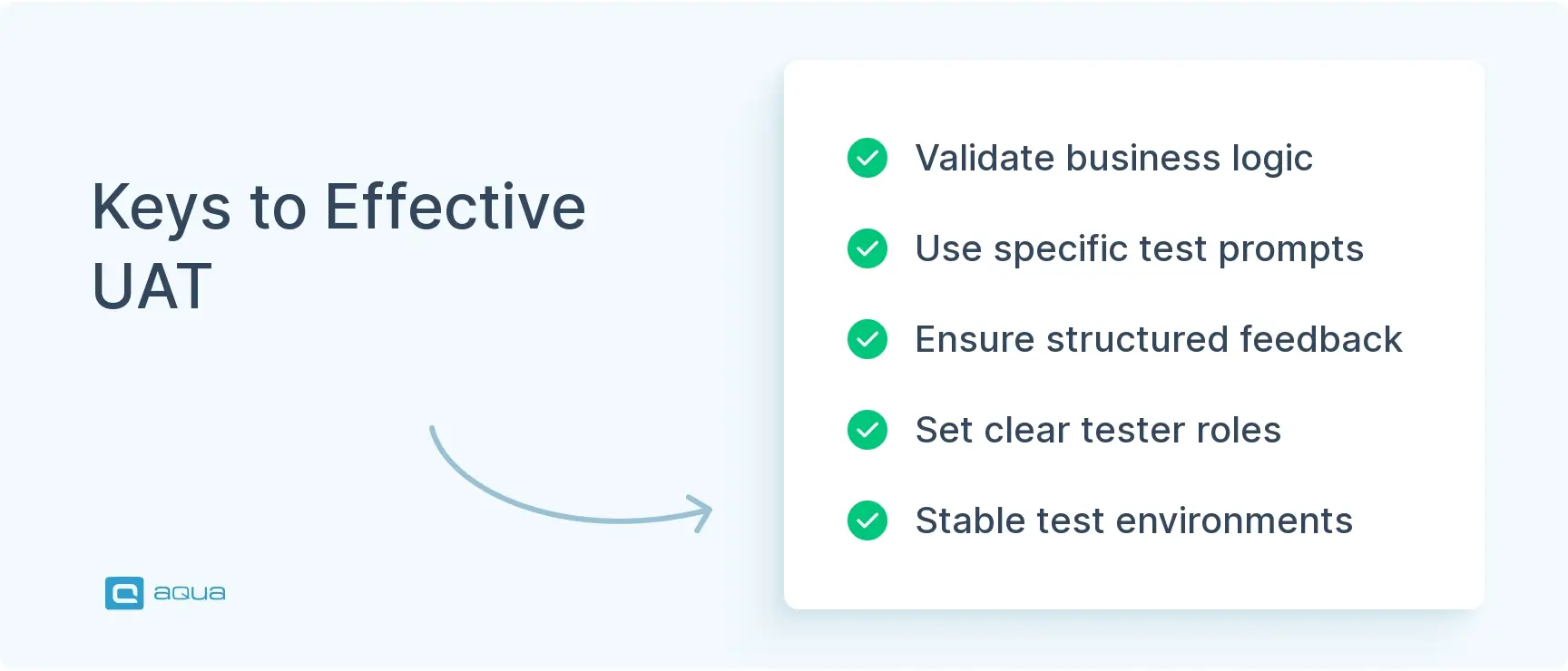
These challenges are solvable with the right approach. Systematize your UAT process so every cycle learns from the last. Involve the right people early. Set clear expectations. Maintain stable environments. Use structured prompts to gather actionable feedback. The teams that master these fundamentals turn UAT from a bottleneck into a quality accelerator.
Conclusion
User Acceptance Testing is becoming more critical as release cycles accelerate and user expectations for quality keep climbing. But the way we approach UAT is transforming. Manual test planning and generic scenarios won’t cut it when you’re shipping weekly (or daily) and your users expect production-level stability from day one. AI-powered prompts have shifted the equation from “how do we find time for thorough UAT?” to “how do we make UAT so efficient we can do it better and faster than before?” That balance is where the real productivity gains live.
As you implement these 19 powerful UAT prompts, consider how much more effective they could be within a system designed specifically for test management. aqua cloud seamlessly transforms the UAT challenges outlined in this article into streamlined solutions. Its unified platform brings together all your testing assets – requirements, test cases, executions, and defects – with complete traceability that keeps everyone aligned. The real game-changer is aqua’s domain-trained AI Copilot that learns from your project’s documentation to deliver contextually intelligent test scenarios, not just generic templates. This means you’ll generate relevant test cases 10X faster while achieving up to 95% test coverage across your applications. The integrated dashboards and reporting provide real-time visibility to stakeholders, eliminating those constant “where are we on UAT?” questions. For teams struggling with the UAT challenges of tester availability, feedback interpretation, and environment stability, aqua’s collaborative workflows, structured reporting, and seamless integrations with tools like Jira create a testing ecosystem that turns UAT from a bottleneck into a competitive advantage.
Transform your UAT from chaotic to streamlined with 95% coverage and 10X faster test creation



