Automating Business-Critical Scenarios for UAT: Ultimate Guide
Did you know that the majority of software failures happen because of inadequate user acceptance testing? Manual UAT of business-critical workflows is time-consuming and can't keep up with modern release cycles. The result? Either rushed testing that misses crucial defects, or prolonged UAT phases that delay releases. Automation of business-critical scenarios for UAT gives your acceptance process continuous, repeatable validation of the workflows that matter most. In this guide, you’ll find out why and how to automate business-critical UAT scenarios. Besides, you’ll explore best practices and the tech stack necessary for automated UAT in 2026 and beyond.
Business-critical UAT scenarios are workflows where failure creates outsized damage like revenue loss, compliance exposure, operational shutdown, or reputational harm.
Automating UAT transforms it from a bottleneck into a continuous validation engine that provides timestamped, repeatable proof of workflow functionality.
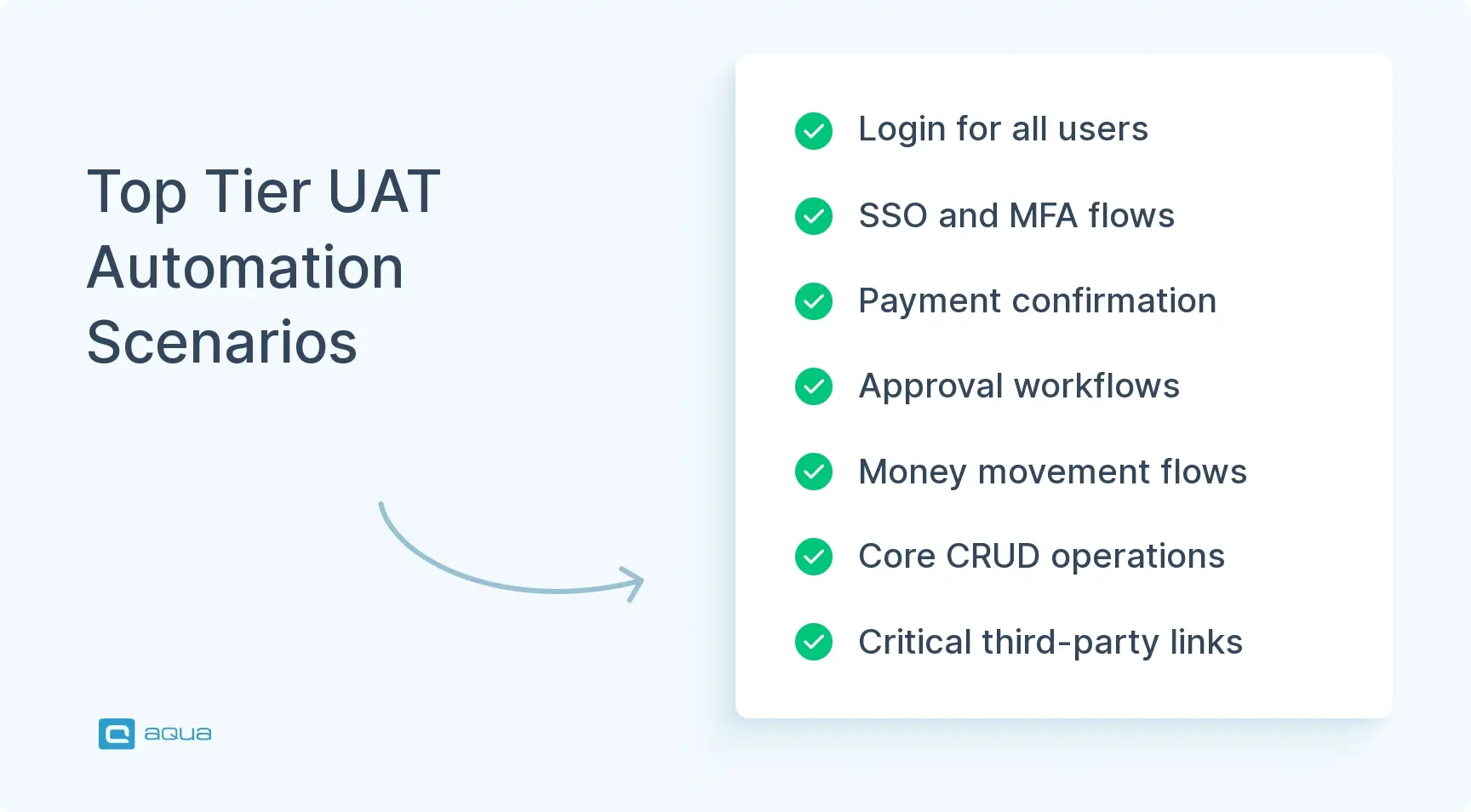
The best automation candidates include authentication flows, revenue paths, approval workflows, money movement, core CRUD operations, and critical third-party integrations.
Success metrics for UAT automation include test coverage of Tier-1 scenarios, pass rates by build, flake rate, defects caught pre-UAT, time saved, and post-release incidents.
If your platform’s checkout flow broke last Friday at 3 PM, by the time your team caught it on Monday morning, you’d lost 200 transactions. You can reduce the probability of this happening with UAT. Meanwhile, Learn how to automate business critical scenarios for UAT to catch software failures before they reach production 👇
What Are Business-Critical Scenarios in UAT?
Not all test scenarios carry the same weight. Business critical scenarios for user acceptance testing are the workflows where failure creates outsized damage. Revenue loss, compliance exposure, operational shutdown, or serious reputational harm all stem from these failures. These are your most important paths. The login-to-payment journey for an e-commerce platform qualifies. So does the approval workflow for financial transactions. Patient data handoff in healthcare systems belongs here as well.
In User Acceptance Testing terms, these scenarios represent your Critical User Journeys. They differ from standard test scenarios in two key ways: impact and traceability. A broken search filter might frustrate users, whereas a failed payment confirmation stops revenue dead. Similarly, a typo in help text causes annoyance, but a missing audit trail for a regulatory transaction can trigger fines or legal exposure. Business critical scenarios for UAT touch the most sensitive areas of your operations.
Examples of business-critical scenarios:
SaaS platforms: free trial to paid conversion to first invoice flow
Supply chain systems: purchase order to inventory update to shipment trigger
Banking applications: account opening to identity verification, to first deposit
Healthcare systems: patient intake to treatment approval to billing confirmation
E-commerce platforms: product selection to checkout to payment to order confirmation
Each journey involves multiple systems, data handoffs, state changes, and audit requirements. If any link breaks, the business feels it immediately.
Why Automate Business-Critical UAT Scenarios?
Manual testing of these workflows is slow, error-prone, and unsustainable at scale. Automation brings speed, consistency, and repeatability to scenarios that must work every single time. The benefits extend beyond simple time savings and create lasting operational improvements.
1. Eliminate Human Error in Repetitive Validation
Automated checks execute the same way every time without fatigue or distraction. Your pricing rules automation validates calculations identically across all runs. No more wondering whether someone actually tested that specific flow. The consistency matters especially for compliance-heavy industries where audit trails must be complete and defensible.
2. Shrink Test Cycles from Days to Hours
Your team can revalidate whenever code changes, which, in continuous delivery pipelines, means constant validation. Sprint cycles shorten while confidence in releases increases. You catch business-breaking defects before UAT entry and exit criteria calendars and stakeholder signoff meetings even begin.
3. Provide Timestamped Release Evidence
Automation delivers repeatable proof: this workflow passed, under these conditions, with this data, at this timestamp. When your payment provider updates an API or your compliance team changes an approval rule, automation tells you within minutes whether your journeys survived. That’s operational confidence you can trace and defend during audits.
4. Enable Continuous Acceptance Validation
Automated acceptance tests act as a release gate for your most important workflows. Run them on every build, and you catch defects before stakeholders ever see them. This shift-left approach has become standard for teams maintaining a rapid release cadence while protecting quality.
5. Free Subject Matter Experts for Strategic Work
Business analysts make acceptance decisions rather than clicking through test scenarios. Automation handles evidence gathering like screenshots and execution reports. Consequently, when Finance reviews the new billing module, they evaluate whether it fits their approval process rather than manually verifying test data.
The right platform makes the difference between scattered automation efforts and a coordinated validation strategy. aqua cloud, an AI-powered test and requirement management platform, is specifically designed for high-stakes test automation. It combines test scenario management with powerful traceability features. With aqua, your business-critical workflows are referenced across scenarios, ensuring consistent validation of your revenue paths and compliance checks. The platform’s domain-trained AI Copilot generates test cases directly from your project’s requirements, reducing manual effort while maintaining context-awareness. aqua’s deep integration with Jira, Azure DevOps, and CI/CD pipelines ensures your automation becomes part of a validation engine that builds confidence with every build. aqua connects seamlessly with Selenium, Playwright, Jenkins, and 10+ other automation tools in your existing QA ecosystem.
Manual and automated UAT solve different problems, and most teams need both. Automated business process testing works best for the stable, high-frequency workflows described in Tier 1, while manual UAT still has a role in judgment-heavy or fast-changing scenarios.
Most mature QA teams do not choose one approach over the other. They map each business-critical scenario to the column where it delivers the most value, then revisit the split every few releases as the product and release cadence change. A scenario that starts as manual exploration often graduates to automated business process testing once it stabilizes and repeats every sprint.
Use this quick check before committing to either column:
If the scenario repeats every release and rarely changes, automate it.
If the scenario needs human judgment about look, feel, or unusual edge cases, keep it manual.
If you are unsure, run it manually twice, then automate once the steps stop changing.
Types of UAT Scenarios Suitable for Automation
Some UAT scenarios practically demand automation while others resist it stubbornly. Understanding which scenarios belong in each tier helps you focus automation efforts where they deliver maximum value. The sweet spot includes workflows that are repeatable, high-impact, and stable enough that automation won’t constantly break.
Tier 1: Always Automate These Scenarios
These represent your non-negotiables. Authentication and access control for key roles form the foundation, which includes:
Login flows across different user types
SSO handoff sequences
Multi-factor authentication paths
Primary revenue or transaction paths come next. Quote to checkout to payment to confirmation must work flawlessly. Approval workflows where state changes must happen correctly require automation. Submit to approve or reject to downstream triggers involves too many steps for manual validation. Any scenario where money moves or ledger operations occur demands automated verification.
Core CRUD operations on the business object driving your operations need coverage. Critical integrations with third-party systems like ERPs or payment gateways belong in Tier 1. Basic audit trail checks for regulated actions round out this category, ensuring event creation, correct timestamps, and proper user ID logging all function as expected.
Move from manual UAT to automated business process testing without losing test history
These scenarios often get automated at the API or service level rather than the full UI. Pricing and tax rules, discount logic, and invoicing calculations fit here. The logic is complex, but the interface may change frequently, so service-level validation provides better stability.
Entitlements, permissions, and feature flags in critical paths deserve attention. Your team needs confidence that access controls work correctly. Data export or import jobs that downstream teams depend on qualify as well. Nightly reporting feeds or partner data syncs must complete successfully without manual intervention.
Tier 3: Keep These Manual or Semi-Automated
Visual and UX acceptance don’t automate well. Questions about whether something feels right or whether the layout makes sense require human judgment. Exploratory testing, where you’re examining unusual sequences and edge cases, belongs here, as these scenarios often surface through manual exploration.
Rare, high-variance scenarios aren’t worth automating unless regulation absolutely mandates it. The maintenance burden exceeds the value in most cases. Your team should manually validate these during sign-off sessions.
The pattern across tiers is clear: automate stable, repeatable, high-impact workflows while reserving manual testing for fast-changing areas, judgment calls, and exploratory discovery. That balance keeps your automation suite lean, trustworthy, and maintainable over time.
If your team has written user stories, then you can create your UAT tests… If no user stories are available, then you’ll have to ask what the scenarios are.
How to Identify the Right Scenarios for Automation
Not every business-critical scenario makes a good automation candidate. Forcing automation where it doesn’t fit burns time and trust. You need a filter to score what should make the cut, starting with a simple risk-and-value model.
1. Evaluate Impact on a 1-5 Scale
Rate based on revenue, compliance, operations, or reputation. A broken login for your entire user base scores 5, while a rarely used admin report scores 2. Focus automation on scenarios rated 4 or 5 first to maximize your return on investment.
2. Assess Change Frequency and Defect History
Track how often this scenario changes and whether defects have appeared here historically. Areas with frequent changes or repeated defects need continuous validation through automation. Scenarios that break repeatedly demand automated safety nets, whereas stable scenarios with a clean history can wait for later phases.
3. Consider Detectability in Production
Evaluate whether monitoring will catch failures quickly or whether issues will silently corrupt data for days. Low-detectability scenarios need automation more urgently because silent failures cause the most damage. Your automation should catch these before deployment to prevent expensive production incidents.
4. Check for Repeatable Preconditions
Determine whether you can set up the same user, data, and state reliably. Scenarios requiring complex manual setup resist automation effectively. Look for workflows where preconditions can be scripted or seeded through database fixtures and API helpers that enable repeatability.
5. Verify UI Stability
Assess whether the interface is stable enough that selectors won’t break every sprint. Rapidly evolving UIs create maintenance nightmares that consume more time than they save. Wait until the design stabilizes before investing in UI automation, or consider API-level validation as an alternative approach.
6. Confirm Data and Environment Availability
Check whether you have the data and environments to run this repeatedly without side effects. Scenarios depending on production-only data or limited sandbox access aren’t practical candidates. Your automation needs clean, resettable environments to function reliably.
7. Measure Complexity Versus Manual Execution Risk
Evaluate whether this involves enough complexity that manual execution is error-prone or slow. Multi-step workflows with integrations and state transitions benefit most from automation, whereas simple two-step flows may not justify the investment.
Good candidates include anything involving money, permissions, integrations, or compliance. Anything your business users test manually every single release qualifies for consideration. When in doubt, prototype a single automated scenario and measure maintenance cost versus value delivered before scaling up.
Challenges in Automating UAT Scenarios
Even well-planned automation strategies hit friction. Knowing where the rough patches appear helps your team plan around them effectively and avoid common pitfalls that derail automation programs.
Dynamic User Interfaces
Modern web apps shuffle DOM elements, lazy-load content, and update styles mid-flow. Your automation script clicks a button that has suddenly moved, causing the test to fail spuriously. Use stable selectors like data-test-id attributes and work with your developers to make the UI testable by design. Build waits and retries into your framework while implementing page object patterns that isolate UI changes.
Rapidly Changing Requirements
UAT scenarios shift as business rules evolve, especially in UAT in agile development environments. One sprint tests a three-step approval, while the next sprint requires two steps with a notification. Write tests in a modular, business-readable format using BDD-style Given-When-Then steps. Separate test data from test logic completely and maintain a living spec that ties automation back to acceptance criteria.
Limited Test Data Availability
Business critical scenarios for UAT need realistic data, including accounts with correct permissions, orders with valid SKUs, and transactions with specific statuses. Without a reliable data reset, your tests become order-dependent and flaky. Build fixtures and data management into your framework from day one, creating seeded test accounts with known states and implementing clear reset flows between runs.
Tooling Integration Complexity
Stitching together UI automation, API checks, database validations, and CI/CD pipelines creates integration challenges. Each layer speaks a different language, making cohesion difficult. Invest in modular libraries and shared reporting while maintaining consistent artifact capture across all test types. Design your framework as a system rather than a collection of scripts.
Environment Instability
UAT environments are production-like but not production-hardened. Network hiccups, third-party timeouts, and database locks happen frequently. Implement comprehensive observability by capturing screenshots, logs, and network traces on failures. Ruthlessly quarantine flaky tests until they’re fixed or deleted, and build retry logic for known transient issues.
Best Practices for Automating Business-Critical UAT
Building trustworthy automation for business critical scenarios for user acceptance testing requires discipline and structure. These practices separate successful programs from those that collapse under maintenance burden.
Start by understanding that UAT automation serves business acceptance decisions. Your framework provides evidence rather than a replacement for judgment. Involving stakeholders early and maintaining code quality ensures your automation delivers lasting value.
1. Align with Business Stakeholders Early
Involve product owners, SMEs, and compliance stakeholders in defining which scenarios matter most. Establish what passing actually means for each workflow to keep your automation relevant to real business outcomes. This builds trust that automation validates business value rather than just technical checkboxes.
2. Write Maintainable Scripts from Day One
Use modular design, reusable functions, and clear naming conventions. Separate test logic from test data completely. Implement page object models, shared libraries, and config files to keep your code DRY and sustainable over time.
3. Cover Real User Workflows Including Exceptions
Business critical scenarios often involve exceptions like partial data, timeout retries, and fallback flows. Your automation should cover submit-order-to-payment-retry-to-eventual-success to mirror what actual users experience and catch edge cases.
4. Validate Outputs Across All System Layers
Assert the backend state changed correctly, verify the database updated as expected, and confirm the integration fired properly. Layer your assertions to include:
UI confirmation messages
API response validation
Data persistence checks
Third-party handoff verification
5. Integrate with CI/CD for Continuous Validation
Run your scenarios automatically on every build or pre-release. Execute a smoke subset on pull requests, run your full Tier-1 suite pre-release, and schedule broader cross-browser checks nightly. Build your UAT test plan around these automated gates for consistent quality.
6. Treat Flaky Tests as System Defects
If a test fails randomly, teams stop believing it, and your entire automation investment erodes. Quarantine flaky tests immediately, fix the root cause, such as waits or selectors, and delete tests you can’t stabilize. A suite with 20 reliable tests beats 100 tests where 10% fail spuriously.
These practices compound over time. Your automation becomes more maintainable, more trusted, and more valuable with each sprint. The investment in structure pays dividends when requirements change or your team grows.
Tools and Technologies for UAT Automation
The tooling landscape for automation business-critical scenarios for UAT in 2025 is mature. Choosing the right stack matters because you’re optimizing for maintainability, cross-browser coverage, and integration with your existing ecosystem.
UI End-to-End Automation Tools
These tools handle full browser automation for validating complete user journeys. They interact with your application the way real users do while providing strong cross-browser support and parallel execution capabilities. Modern options include Playwright, Selenium WebDriver, and Cypress.
BDD and Business-Readable Automation Tools
These frameworks let you express acceptance tests in plain language that business stakeholders can read and validate without understanding code. They bridge the gap between technical and business teams effectively. Options include Cucumber, SpecFlow, Behave, and JBehave.
Make sure tests are done in such a way that they also represent the way the data is coming in production when incoming data is supposed to trigger some kind of automation.
Cloud platforms provide access to hundreds of browser and device combinations without maintaining your own lab. This validates business-critical scenarios across actual user environments through services like BrowserStack, Sauce Labs, LambdaTest, and AWS Device Farm.
API and Service-Level Testing Tools
These validate business rules at the service layer with faster execution and better stability than full UI tests. They complement your UI coverage for comprehensive validation using REST-assured, Postman/Newman, Playwright API testing, and Karate.
Test Management and Traceability Platforms
These tools map automated scenarios to requirements while tracking pass/fail history and generating signoff-ready reports. Integration with project management tools provides end-to-end visibility through platforms like TestRail, Xray, Zephyr, and aqua cloud.
Choose based on three factors: scalability for CI/CD pipelines, maintainability when workflows change, and ecosystem compatibility with your existing tools. The best tool is the one your team can actually maintain and trust over the long term.
Implementing an Automation Framework for UAT
Building an automation framework for business-critical scenarios for UAT requires treating it as infrastructure. You’re engineering a repeatable validation engine rather than just writing tests. Your framework needs several core components working together seamlessly.
1. Establish Test Data Management
Build fixtures for pre-seeded data sets and implement reset mechanisms that clean up after each run. Create isolation strategies, like separate test tenants, so tests don’t interfere with each other. Data independence enables parallel execution and reliable results across your test suite.
2. Create Reusable Libraries
Common actions should live in shared modules for login, navigation, form submission, and notification verification. Use patterns like Page Object Models where UI interactions live in one place. When a login flow changes, you update one file instead of 50 tests, dramatically reducing maintenance overhead.
3. Design Comprehensive Reporting
Your framework should produce reports that map scenarios to business requirements and show pass/fail history with trends over time. Capture artifacts like screenshots and network traces while highlighting known exceptions clearly. Stakeholders need to understand that payment transaction flow is validated successfully rather than seeing cryptic test names.
4. Build Integration Layers
Your framework plugs into CI/CD tools like Jenkins or GitHub Actions and triggers on relevant events. Results are published to dashboards or test management platforms automatically. Environment configuration for dev, staging, and UAT happens without hardcoded values, making your framework portable and maintainable.
5. Enable Modular Collaboration
Structure your framework so QA, developers, and business analysts can contribute scenarios without conflicts. Use version control and code reviews to maintain quality. Avoid single points of failure where one automation expert becomes a bottleneck that slows your entire team.
6. Implement Observability and Debugging
Build in detailed logging and artifact capture from the start. When tests fail, your team needs context through screenshots, console logs, network traces, and timing information. Good observability separates product bugs from test infrastructure problems, accelerating resolution.
7. Maintain Living Documentation
Keep architecture diagrams current and document example scenarios plus common patterns. Write clear README files for new team members and maintain updated guidance. As shown in acceptance testing examples, good documentation shows how pieces fit together and helps your framework become a business capability that evolves with your needs.
A well-implemented framework feels less like a test suite and more like operational infrastructure. It runs continuously, provides clear signals, and requires minimal maintenance relative to the value delivered.
Measuring the Success of UAT Automation
Automation without measurement is expensive scripting. You need metrics that prove your investment reduces risk and accelerates delivery across your organization.
1. Test Coverage for Tier-1 Scenarios
Track what percentage of your business-critical workflows have automated acceptance checks. Aim for 80-100% coverage of your top-priority journeys. If your payment flow lacks automation, you’re operating without a safety net during releases.
2. Tier-1 Scenario Pass Rate by Build
Monitor how often your workflows pass on each release candidate. A downward trend signals either increasing instability or poor test design. Consistent green builds provide confidence you can deploy safely to production.
3. Flake Rate
Measure how often tests fail, then pass on rerun without code changes. This noise metric destroys trust when too high. If more than 5% of runs are flaky, quarantine and fix immediately to maintain team confidence.
4. Defects Caught Pre-UAT
Count business-breaking bugs your automation surfaces before stakeholders see them. This shift-left indicator shows automation value directly. The higher this number climbs, the more your investment pays off through earlier defect detection.
5. Time Saved for Business Testers
Track manual hours reduced per sprint. If automation handles 15 scenarios that used to take two days every release, that’s tangible ROI that frees business users to focus on exploratory validation instead of repetitive clicks.
6. Post-Release Incidents in Tier-1 Flows
Monitor whether your workflows still break in production. This number should trend toward zero over time. If you’re automating the right scenarios and tests are reliable, production fires in those areas become increasingly rare events.
Together, these metrics tell a story about whether you’re automating the right things, whether tests are trustworthy, and whether you’re shipping higher-quality software faster. The answers point toward what needs attention, such as coverage gaps or flaky tests that require remediation.
Automating your business-critical scenarios for UAT maintains quality while keeping pace with accelerated release cycles. aqua cloud, an AI-powered test and requirement management platform, provides the framework for this shift. It’s a unified platform that centralizes your manual, automated, and exploratory tests with complete traceability. With aqua’s AI Copilot, you can generate test cases for your most important user journeys, creating comprehensive coverage in seconds rather than days. The platform’s flexible test scenario management ensures your workflows remain consistently validated across environments, while detailed reporting provides stakeholders with clear visibility into test progress and results. What sets aqua apart is how its domain-trained AI learns from your project’s documentation, text, and even voice notes. From reusable test components to customizable workflows, aqua gives you everything needed to automate with confidence. aqua integrates with Jira, Jenkins, Azure DevOps, Selenium, Playwright, and other dev tools for complete ecosystem compatibility.
Cut 70% of documentation time with aqua’s QA capabilities
Automation business critical scenarios for UAT keep pace with release velocity without sacrificing the workflows that run your business. When you automate revenue paths and operational backbones, your UAT becomes a valuable continuous validation process. For more context on addressing common UAT challenges, remember that automation provides the foundation that lets business stakeholders focus their time on what truly matters. Combine strategic automation with thoughtful oversight, and you get both speed and assurance that your journeys work every single time.
Which types of UAT scenarios should be prioritized for automation?
Prioritize Tier 1 scenarios first: authentication and access control flows, primary revenue or transaction paths, approval workflows with state changes, any scenario where money moves, and critical third-party integrations. These workflows, where failure creates revenue loss, compliance exposure, or operational shutdown, need automated coverage. Focus on stable, repeatable workflows that run every release. Reserve manual testing for rapidly changing UI, exploratory testing, and judgment-based validation, like visual design assessment.
How does automating business-critical scenarios reduce project risks during UAT?
Automating business critical scenarios for UAT provides continuous validation that catches defects before stakeholders see them. You get timestamped, repeatable proof that workflows passed under specific conditions. Automation enables shift-left testing where critical journeys get validated earlier in the pipeline. Payment flows, compliance checks, and operational backbones get verified on every build, catching integration breaks immediately. The result is faster releases with higher confidence and fewer production incidents.
What tools are most effective for automating complex end-to-end UAT workflows?
For UI end-to-end automation, Playwright and Selenium WebDriver handle complex browser automation across multiple environments. BDD tools like Cucumber let you express tests in business-readable language. Cross-browser platforms like BrowserStack or Sauce Labs provide access to hundreds of device combinations. Combine these with API testing tools like REST-assured for service-level validation and test management platforms like aqua cloud for traceability. The most effective approach layers UI, API, and data validation together.
How do you measure ROI and success of UAT automation efforts?
Track six key metrics: test coverage percentage for Tier-1 scenarios (aim for 80-100%), pass rate by build for consistency, flake rate to maintain trust (keep under 5%), defects caught pre-UAT showing shift-left value, time saved for business testers per sprint, and post-release incidents in automated flows (should trend toward zero). These metrics prove whether automation reduces risk and accelerates delivery. If post-release incidents drop while business tester time saved increases, your automation investment is paying off.
What are the biggest challenges when implementing UAT automation for business-critical scenarios?
The biggest challenges include dynamic user interfaces that break selectors frequently, rapidly changing requirements in agile environments, limited test data availability, tooling integration complexity across layers, and environment instability. Address these by using stable selectors like data-test-id attributes, writing tests in modular BDD format, building fixtures and data management from day one, and implementing comprehensive observability with screenshot capture. Treating flaky tests as urgent defects maintains team trust in your automation suite.
What are the biggest challenges when implementing UAT automation for business-critical scenarios?
What’s the difference between automating UAT scenarios and automating regression tests?
UAT automation validates that a workflow meets business acceptance criteria from a user’s perspective, tied to specific requirements. Regression automation checks that existing functionality still works after a change, run broadly across the codebase. The two often share tooling but serve different audiences and goals.
Robert has several years of experience in process optimisation and test management. He is an expert in defining and implementing workflows by adapting aqua to the clients’ processes.
Pavel, a Quality Assurance Consultant and Author, brings deep expertise to solving complex testing challenges. His background in software development has helped organizations transform their QA practices from reactive to proactive. Beyond consulting, Pavel develops best practice guides and case studies for aqua cloud that…
Home » Test Automation » Automating Business-Critical Scenarios for UAT: Ultimate Guide
Do you love testing as we do?
Join our community of enthusiastic experts! Get new posts from the aqua blog directly in your inbox. QA trends, community discussion overviews, insightful tips — you’ll love it!
We're committed to your privacy. Aqua uses the information you provide to us to contact you about our relevant content, products, and services. You may unsubscribe from these communications at any time. For more information, check out our Privacy policy.
X
🤖 Exciting new updates to aqua Intelligence are now available! 🎉