21 Best Accessibility Testing Tools: Complete Comparison List
Did you know that your website can pass all internal tests, but you can still get hit with an accessibility lawsuit? The reason is, for example, a WCAG 2.2 (the latest Web Content Accessibility Guidelines standard) violation. Accessibility testing tools help you spot and fix barriers before they become problems. Without them, you're testing blind and shipping risk. This guide covers 21 tools that teams actually use and breaks down what each does best and where they fall short. You'll find options for automated scans, guided checks, manual workflows, and real-device testing across web, mobile, and PDF.
Accessibility testing tools help identify barriers that prevent people with disabilities from using websites and apps, serving as a defense against lawsuits and reputation damage.
Automated accessibility tools can detect technical violations, but cannot verify if alt text is meaningful or if error messages are understandable, making human judgment essential
WCAG 2.1 AA is the baseline standard for most legal contexts, while WCAG 2.2 AA is gaining traction in forward-looking accessibility policies.
The most effective accessibility programs combine automated scanning with guided checks and manual testing integrated throughout the software development lifecycle.
Legal requirements continue to expand across industries and jurisdictions. That’s exactly why accessibility testing, which was the best practice once, is a compliance mandate now. Find the right tools to make your digital products work for everyone? 👇
What is Accessibility Testing?
Accessibility testing verifies that your digital products work for everyone, including people with disabilities. Screen reader users navigate differently from sighted users. People with low vision zoom to 400%. Others rely on captions or voice control. Testing checks against technical standards like WCAG (Web Content Accessibility Guidelines) and ensures compliance with legal frameworks like the ADA in the U.S. or the European Accessibility Act across the EU.
WCAG conformance is a claim backed by evidence, not a score. You test across representative pages, states, and user flows to prove that critical functionality actually works. Forms need to be submitted correctly. Checkout processes need to be completed. Login flows need to authenticate. Search functions need to return results.
The process blends three approaches:
Automated scans run fast but catch only technical violations.
Guided checks add human validation at key decision points.
Manual assistive technology testing with screen readers like NVDA or VoiceOver reveals how real users experience your interface.
Automated tools catch obvious problems like missing labels or broken ARIA. They flag color contrast failures immediately. However, they can’t tell you if your alt text describes the image accurately. They don’t know if your focus order makes logical sense. They can’t evaluate whether your error messages actually help users fix problems. This gap between automated detection and actual usability requires human judgment.
Selecting the right tools is only half the battle. You also need a central platform to manage your entire accessibility testing strategy. aqua cloud, an AI-driven test and requirement management solution, creates a single source of truth for all accessibility test cases, requirements, and results. The domain-trained AI Copilot generates WCAG-compliant test cases from your requirements in seconds, which eliminates manual documentation work. Customizable workflows let you track WCAG 2.2 or ADA requirements with complete traceability from initial requirement through final verification. Detailed audit trails document every test execution for compliance reporting. Real-time dashboards show accessibility coverage across your product portfolio, while role-based access controls provide visibility for different stakeholders. aqua connects with your existing toolchain through REST APIs, Jira synchronization, Jenkins integration, Azure DevOps, Selenium, and custom automation agents.
Boost the efficiency of your accessibility testing by 80% with aqua's AI
How to Choose the Right Accessibility Testing Tool
Select the right accessibility testing tool by matching capabilities to your specific needs.
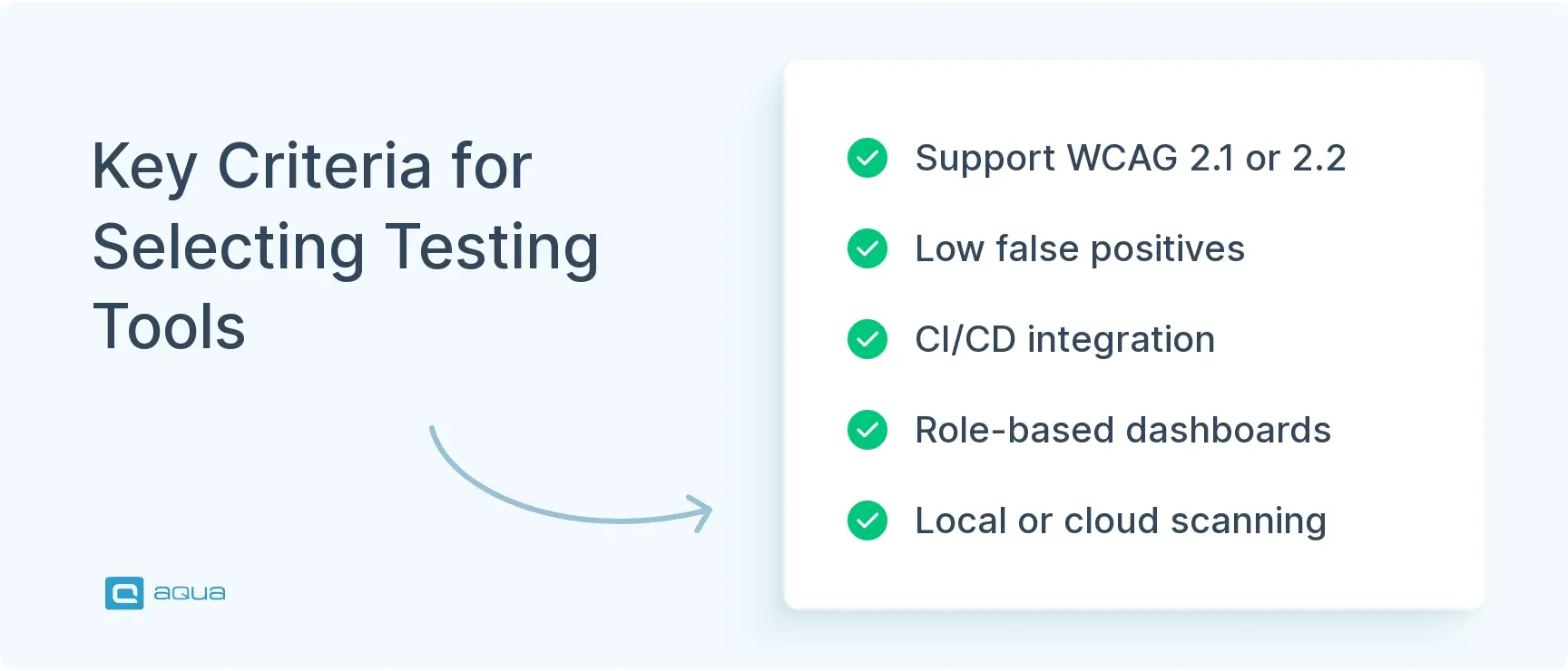
1. Identify your target standards. WCAG 2.1 AA serves as the baseline for most legal contexts, including the DOJ’s Title II rule. WCAG 2.2 AA is gaining traction in forward-looking policies. Your tool should explicitly support the version and level you’re targeting. If your product spans web, mobile, and documents, coverage across those formats matters.
2. Evaluate accuracy and triage efficiency. Tools that flood your team with false positives slow everyone down. Vague “fix this” messages without context erode trust in the tooling. Look for remediation guidance that maps issues to specific WCAG success criteria. Code snippets and examples accelerate fixes.
3. Check workflow compatibility. Browser extensions provide instant feedback while you build components. CLI integration allows you to block builds on regressions. Push issues directly into Jira or GitHub to keep everything in one place. Can the tool scan authenticated flows without breaking? Does it handle single-page apps built with React or Vue?
4. Consider privacy and security. Some tools scan locally in-browser so page data never leaves your machine. This matters when you test behind login walls or work in regulated industries like healthcare or finance.
5. Assess compliance testing features. Audit trails become critical once you move past one-off fixes. Dashboards show trends over time. Role-based access controls have different visibility levels. Exportable reports support legal documentation. These features matter for teams that manage accessibility across multiple products.
The right tool grows with your maturity, from early baselining through enterprise-scale monitoring.
I always recommend devs and accessibility professionals to install different tools so they can get a second opinion when they run into oddities. For automated tools, I'd recommend looking at the underlying rule engine. A lot of them are running Axe under the hood. If you want a broader range of coverage or a true "second opinion" use tools with different rules.
These tools span from free browser extensions to enterprise platforms. They cover automated scans, guided checks, manual workflows, and real-device testing.
1. axe DevTools
Deque’s axe DevTools has been adopted by developers who need accessibility feedback integrated into their daily workflow. Built on the axe-core engine, it’s cited in legal contexts and used across industries where accuracy matters. The tool bridges the gap between automated scans and the judgment calls that only humans can make.
Browser extension for Chrome, Edge, and Firefox
Free version covers automated issue detection
Pro tier includes Intelligent Guided Tests for keyboard navigation and focus management
Integrates into CI/CD pipelines via axe-core
Maps findings to specific WCAG success criteria
Blocks merge on accessibility regressions
2. WAVE (Web Accessibility Evaluation Tool)
WebAIM created WAVE as an educational tool first and a testing tool second. This philosophy shows in how it presents information. Rather than abstract reports, WAVE injects visual markers directly onto the page you’re testing. The approach has value when you teach designers or stakeholders why accessibility matters.
Browser extension with complete in-browser operation
No external data transmission, safe for authenticated testing
Visual overlay highlights errors in context
Free with no licensing costs
Explicitly states that automation cannot replace human judgment
Microsoft built Accessibility Insights for teams that need structured evaluation processes, not just quick scans. The tool serves teams that need to produce formal conformance claims or audit documentation. Its step-by-step Assessment workflow walks through every WCAG 2.1 AA success criterion and makes it accessible to QA professionals without deep accessibility expertise.
Comprehensive suite covers web, Windows, and Android
Assessment workflow with built-in WCAG guidance
FastPass for quick triage of common issues
Built on axe-core engine
Open source with active maintenance
Native integration with Azure DevOps
4. Lighthouse
Google positioned Lighthouse as a general web quality tool rather than an accessibility specialist. It scores performance, SEO, and best practices alongside accessibility. This makes it approachable for teams just starting their accessibility journey. However, the scoring system can create a false sense of completion that accessibility experts consistently warn against.
Pre-installed in Chrome DevTools
Runs from browser, CLI, or CI pipelines
Uses axe-core for WCAG checks
Completely free and open source
Limited to automated detection only
High scores don’t indicate WCAG conformance
5. AInspector WCAG
AInspector WCAG targets accessibility auditors who need granular control over their evaluation process. The Firefox-only extension provides technical details about why elements pass or fail specific WCAG criteria. Its detailed rule-based approach suits formal audits more than rapid development cycles. Development has slowed in recent years.
Firefox extension with detailed WCAG evaluation
Sidebar displays rule-based guidance for each criterion
Designed for accessibility specialists and auditors
Strong technical documentation
Firefox-only, no Chrome or Edge support
Less polished than modern alternatives
6. Pa11y
Pa11y fits teams that have custom workflows or need accessibility checks in places where browser extensions don’t reach. The Node.js foundation makes it scriptable and flexible. Government agencies and open-source projects favor it because the code is transparent and there’s no vendor lock-in. However, you need JavaScript comfort to use it effectively.
Command-line tool and Node.js library
Headless scans via Puppeteer or Playwright
Choose between HTML_CodeSniffer or axe-core engines
Optional dashboard for visual tracking
Completely open source and free
Requires technical setup and maintenance
7. Tenon.io
Level Access acquired Tenon.io for its API-first architecture, which made it straightforward to embed accessibility checks anywhere. The service was built specifically for content management systems and custom toolchains. Recent shifts toward enterprise consulting at Level Access have raised questions about standalone product development, though the API remains functional for existing users.
API-first service for custom integrations
Returns detailed JSON reports with remediation steps
CMS plugins for WordPress and Drupal
Known for low false-positive rates
Paid service with a subscription model
Product development focus has shifted
The right accessibility testing tools make the difference between confident launches and post-release scrambles. However, your team needs a central system to orchestrate testing strategy across the entire product lifecycle. aqua cloud, an AI-powered test and requirement management platform, provides that orchestration layer with AI-powered test case generation and end-to-end traceability. The domain-trained AI Copilot analyzes your product requirements and creates project-specific test cases that address exact accessibility concerns, not generic templates. You get immutable audit trails for compliance documentation, customizable dashboards that show stakeholders real-time accessibility status, and defect tracking that links failures directly to requirements. From WCAG 2.2 conformance claims to ADA risk mitigation, aqua cloud centralizes your accessibility testing program notable time savings compared to spreadsheet-based approaches. The platform integrates with external tools through REST APIs and custom webhooks for complete workflow management.
Save up to 97% of time on test management with aqua
Siteimprove positioned itself as the enterprise governance platform for digital quality. Accessibility is one module among several that cover SEO, content quality, and analytics. The platform serves organizations where multiple teams own different parts of the web presence and executives need consolidated reports. Higher education and government agencies form its core user base.
Enterprise platform with accessibility as one module
Scheduled site-wide scans with trend tracking
Role-based dashboards for different stakeholder levels
Integration with major CMS platforms
Continuous monitoring and compliance documentation
Premium pricing targets large organizations
9. Deque WorldSpace Assure
WorldSpace Assure represents Deque’s enterprise offering for organizations that manage accessibility programs at scale. While axe DevTools serves individual developers, WorldSpace Assure targets program managers who need audit trails and executive reports. It handles web, mobile, and PDF testing in a unified platform with governance features that support legal and procurement requirements.
Enterprise accessibility program management
Automated and guided testing across multiple platforms
Built-in compliance tracking for WCAG and Section 508
Integration with Jira, ServiceNow, and CI/CD systems
Remediation tracking with before/after comparison
Premium pricing for enterprise deployments
10. Lighthouse CI
Lighthouse CI extends Google’s browser tool into continuous integration workflows. It’s designed for teams that want to catch regressions automatically without manual intervention. The historical tracking helps identify when scores drop. However, the same limitations that apply to browser Lighthouse apply here. Automated checks cover only a fraction of WCAG requirements.
Lighthouse automation for CI/CD pipelines
Integrates with GitHub Actions, Jenkins, Travis, CircleCI
Historical trend tracking and visualization
Score comparison across branches and deploys
Completely free and open source
Inherits browser Lighthouse’s scope limitations
11. Axe Monitor
Deque created Axe Monitor for organizations that need production site monitoring rather than just pre-release testing. Content sites face constant changes from editorial teams and third-party widgets. Axe Monitor catches issues that slip through despite development-phase testing. The service fits mature accessibility programs that need ongoing assurance for stakeholders.
Cloud-based production monitoring service
Scheduled crawls with automated alerts
Built on axe-core engine for consistency
Direct integration with issue trackers
Tracks accessibility trends over time
Paid service with subscription pricing
12. SortSite
PowerMapper built SortSite as a desktop application that runs completely offline. This matters for teams that test staging environments or handle sensitive data. The all-in-one approach checks accessibility alongside broken links, spelling, and SEO. It fits consultants and small agencies that need comprehensive audits without cloud dependencies. The interface hasn’t kept pace with modern web tools.
Desktop application for Windows and Mac
Local scans with no cloud transmission
Covers WCAG 2.1 (A/AA/AAA) and Section 508
One-time license, no subscriptions
All-in-one checks for multiple quality factors
Interface feels dated compared to browser-based tools
13. Google Accessibility Scanner
Google built the Accessibility Scanner specifically for Android app developers who need quick mobile testing. It fills the gap between building an app and conducting formal accessibility audits. The tool operates alongside your app during manual testing sessions. While it catches obvious violations, it doesn’t replace testing with actual assistive technologies like TalkBack.
Equally, AI entered the market with a focus on organizations that need to communicate accessibility status to non-technical stakeholders. The platform translates technical WCAG violations into business language that legal and compliance teams understand. Still building its market presence, it competes with more established platforms but offers modern SaaS delivery and stakeholder-focused reports.
Cloud-based monitoring and compliance management
Plain-language reports for non-technical audiences
Scheduled scans with WCAG 2.1 tracking
Dashboard with prioritization and team assignment
Designed for legal and compliance stakeholders
Newer platform with a growing user base
15. AChecker
OCAD University’s Inclusive Design Research Centre maintains AChecker as a free educational resource. The web-based tool requires no installation or registration, which makes it accessible for students and educators. It categorizes findings into known, likely, and potential problems. This honest approach acknowledges the limits of automation. Limited features reflect its educational rather than enterprise focus.
Free web-based checker from an academic institution
No registration or installation required
Single-page checks of URLs or uploaded HTML
Categorizes findings by certainty level
No site crawling or CI integration
Basic interface suited to education
Accessibility tools should, in almost all circumstances, not be a thing. It should be COMPATIBLE with assistive tech, sure, but third-party tools for a website are a strange as,k and I'd be curious to know the motivation behind this ask.
IBM open-sourced its internal accessibility testing engine and released it as a browser extension. The element relationships view provides insights into how ARIA attributes connect, which helps when you debug complex JavaScript components. IBM’s accessibility expertise lends credibility in enterprise contexts, though the extension lacks the polish of commercial alternatives.
Browser extension backed by IBM accessibility research
Element relationships visualization for ARIA debugging
Guided assessment mode for manual testing
Open source with transparent rule definitions
Strong for enterprise web applications
Less refined user experience than commercial tools
17. BrowserStack Accessibility Testing
BrowserStack added accessibility testing to its existing cross-browser testing platform. The integration angle is the main value. Teams already using BrowserStack for compatibility testing can add accessibility checks without introducing another tool. Real device testing combined with accessibility scans appeals to organizations with existing BrowserStack investments. The accessibility features use the axe-core engine.
Integrates with BrowserStack’s device testing platform
Automated scans via axe-core engine
Scheduled scans with CI/CD integration
Direct push to Jira and GitHub
Unified dashboard for multiple quality metrics
Requires BrowserStack subscription
18. Color Contrast Analyzer (CCA)
TPGi released the Color Contrast Analyzer as a focused utility for a specific problem. Unlike comprehensive testing platforms, CCA does one thing well: it verifies that color combinations meet WCAG requirements. The eyedropper works across any application, not just web browsers. Designers use it during visual design before any code exists.
Free desktop application for Windows and Mac
Eyedropper samples colors from any application
Calculates ratios against WCAG AA and AAA thresholds
Color blindness simulation included
Works during design phase before coding
Focused utility rather than comprehensive platform
19. Funkify
Funkify takes a different approach than technical testing tools. Rather than detect violations, it helps people experience disabilities firsthand through simulation. Designers and stakeholders who’ve never used assistive technologies gain perspective on why accessibility matters. The tool builds empathy and understanding, which often proves more valuable than technical documentation when you need organizational buy-in.
Chrome extension for disability simulation
Multiple simulation modes include dyslexia, tremor, and color blindness
Educational tool rather than testing platform
Used in workshops and stakeholder education
Free tier with paid options for additional simulations
Doesn’t detect or report technical issues
20. Accessibility Checker (PDF)
Adobe built PDF accessibility checks directly into Acrobat Pro, which makes it the standard for document remediation. PDF accessibility often gets overlooked despite being covered by WCAG and frequently targeted in lawsuits. The checker scans for structural issues while the Make Accessible wizard guides remediation. Organizations that publish reports, forms, or documentation need PDF accessibility capabilities.
Built into Adobe Acrobat Pro
Scans for tags, alt text, reading order, and contrast
Make Accessible wizard for guided remediation
Industry standard for PDF accessibility
Requires manual verification for complete assessment
Works alongside CommonLook PDF or PAC for validation
21. Stark
Stark brings accessibility testing into design tools where problems should be caught first. The plugin works inside Figma, Sketch, and Adobe XD and allows designers to check contrast and simulate vision deficiencies before handoff. Design system teams use Stark to document accessibility requirements directly in component libraries. This shifts accessibility left in the development process.
Plugin for Figma, Sketch, and Adobe XD
Contrast checks and color blindness simulation
Focus on order visualization and annotation
Accessible component pattern suggestions
Free tier for basic features, paid for advanced capabilities
Targets the design phase before development
How to Build an Accessibility Testing Workflow Beyond Tools
Accessibility testing does not end with running automated scans.
Accessibility testing software can quickly identify missing labels, contrast issues, and structural problems, but it cannot fully evaluate how users interact with the interface. This is why manual testing is required alongside automation.
Start by using web accessibility testing tools during development to catch common issues early. Then validate user flows using keyboard-only navigation to ensure all elements are reachable and usable without a mouse.
Screen reader testing is another critical step. Tools like NVDA or VoiceOver help teams understand how content is interpreted by assistive technologies and whether navigation makes sense.
Accessibility testing should also be part of regular QA cycles. Instead of checking it only before release, include it in regression testing so issues do not reappear over time.
A structured workflow ensures accessibility is maintained as the product evolves.
Conclusion
Accessibility testing tools help you build products that work for everyone. Legal pressure continues to increase. User expectations keep rising. The tools covered here give you options for every stage of development, from design through production monitoring. No single tool handles everything, which is why mature accessibility programs combine automated scans with guided checks and manual testing. Start with one or two tools that fit your workflow and technical stack. Fix high-impact issues first. Build momentum across your team. The combination of smart tooling and human judgment creates products that serve all users while meeting compliance requirements.
No single tool covers all accessibility testing needs. axe DevTools provides strong automated scans with guided manual checks. WAVE offers visual feedback that helps during development. Accessibility Insights excels at structured assessments. The best approach combines automated tools for speed with manual testing for accuracy. Your team’s workflow and budget determine which combination works best.
What are accessibility testing tools?
Accessibility testing tools help identify barriers that prevent people with disabilities from using websites and apps. These tools check against standards like WCAG 2.1 and detect issues like missing labels or insufficient color contrast. Some run automated scans while others guide manual testing. They range from free browser extensions to enterprise platforms with monitoring and reporting capabilities.
What are the three types of accessibility testing?
The three types are automated testing, guided testing, and manual testing. Automated testing uses software to scan for technical violations like missing alt text. Guided testing combines automation with human validation at key decision points. Manual testing involves using assistive technologies like screen readers to experience the interface as users with disabilities would. All three types work together for comprehensive coverage.
How can automated accessibility testing tools be integrated into CI/CD pipelines?
Most automated accessibility testing tools offer CLI versions or APIs for CI/CD integration. Tools like Pa11y, Lighthouse CI, and axe-core can run as build steps. They scan code changes and fail builds when new violations appear. Integration typically involves installing the tool, configuring scan parameters, setting threshold scores, and defining which pages to test. Results can push directly into issue-tracking systems.
What common accessibility issues do these testing tools typically detect?
Testing tools commonly detect missing alt text on images, insufficient color contrast between text and backgrounds, missing form labels, broken ARIA attributes, and improper heading hierarchy. They catch keyboard navigation problems and identify interactive elements without proper focus indicators. Missing page titles and language attributes get flagged. However, tools cannot verify if the alt text is meaningful or error messages are clear.
How do you combine automated and manual accessibility testing in one workflow?
Start with automated scans using accessibility testing software to catch common issues, then follow with manual testing to validate navigation, usability, and real user interaction.
Which accessibility testing tools are best for small teams with limited budgets?
Tools like Lighthouse, WAVE, and axe DevTools provide strong baseline coverage and are widely used as web accessibility testing tools without requiring large budgets.
How do you test accessibility with screen readers and keyboard-only navigation?
Use screen readers such as NVDA or VoiceOver to understand how content is presented, and navigate the interface using only the keyboard to ensure all elements are accessible without a mouse.
Enhancement of the aqua product is Martin’s main responsibility and biggest mission. His expertise covers ITIL Process Consulting, Change Management, Quality Assurance, Quality Management, and Requirements Management. Martin works in QA services for regulated industries for more than 18 years being an irreplaceable leader at…
Pavel, a Quality Assurance Consultant and Author, brings deep expertise to solving complex testing challenges. His background in software development has helped organizations transform their QA practices from reactive to proactive. Beyond consulting, Pavel develops best practice guides and case studies for aqua cloud that…
Home » Best practices » 21 Best Accessibility Testing Tools: Complete Comparison List
Do you love testing as we do?
Join our community of enthusiastic experts! Get new posts from the aqua blog directly in your inbox. QA trends, community discussion overviews, insightful tips — you’ll love it!
We're committed to your privacy. Aqua uses the information you provide to us to contact you about our relevant content, products, and services. You may unsubscribe from these communications at any time. For more information, check out our Privacy policy.
X
🤖 Exciting new updates to aqua Intelligence are now available! 🎉