aqua’s AI Project Requirements Generator: Get PRD in Seconds
You know what happens when the product manager says, "We need search functionality." You write a vague requirement. Developers interpret it in three different ways. QA tests something completely different. Two sprints later, everyone's confused, and the feature still doesn't work right. Proper requirements need structure. User stories. Acceptance criteria. Clear definitions of done. But writing all that from scratch takes forever, and half the time you still miss edge cases. This tool does the heavy lifting. You describe what you want to build. AI generates structured requirements with acceptance criteria, subrequirements, and all the details your team needs to build it right the first time.
Describe your feature idea below, and watch AI create structured requirements with acceptance criteria
💡 Tip: Describe what you want to build and any specific behaviors or constraints
👇 Or try one of these examples:
🔍
Product Search
Real-time search with filters, sorting, and instant results
💳
Payment Processing
Secure payment handling with multiple payment methods
📊
Analytics Dashboard
Data visualization with customizable metrics and exports
✨ AI is analyzing your feature idea and creating requirements...
Generated Requirements
0/3 generations used
🚀
You've Used All 3 Free Generations!
This free tool gets you started, but it has limits. No version control. No team collaboration. No traceability to test cases. aqua cloud's AI Copilot gives you unlimited generation, full requirements management, and automatic test case creation from your requirements.
Let’s be real about what you just used. Three free generations, but no way to store requirements. No version history when things change. No team collaboration. You’re copying text into Jira or Confluence like it’s 2010. When requirements change (and they always do), you’re starting from scratch. When developers have questions, there’s no single source of truth. When QA needs to write test cases, they’re guessing at what the acceptance criteria really mean.
aqua cloud’s AI Copilot turns requirements into a living system. You generate unlimited requirements. Store them in proper requirements management. Link requirements directly to test cases so coverage is automatic. When you update a requirement, aqua shows exactly which test cases need to change. Your requirements live in one place. Team members see the same version. Changes are tracked. Test coverage is calculated automatically. When a test fails, you know exactly which requirement broke. Plus, the AI learns your patterns. After a few requirements, it starts generating acceptance criteria that match your team’s standards. It suggests test scenarios you might have missed. It catches conflicts between related requirements. This tool gives you a starting point. aqua cloud gives you requirements management with up to 97% time savings with AI that understands your specific testing ecosystem.
Generate project-specific requirements and test cases in seconds with aqua's AI Copilot
Project requirements are your blueprint. They’re the contract between what stakeholders want and what developers build. Without them, you’re asking people to read minds. That never works.
These documents capture business goals and technical specs. A solid requirements document answers the “what” and “why” before anyone touches the “how.” It’s your defense against scope creep and those meetings where someone says “but I thought we agreed on…” When everyone references the same source of truth, projects ship on time.
For QA professionals, requirements are critical. You can’t test what you don’t understand. Test cases, automation scripts, and quality gates stem from these docs. Miss a requirement or misinterpret it? You’re building tests for the wrong thing.
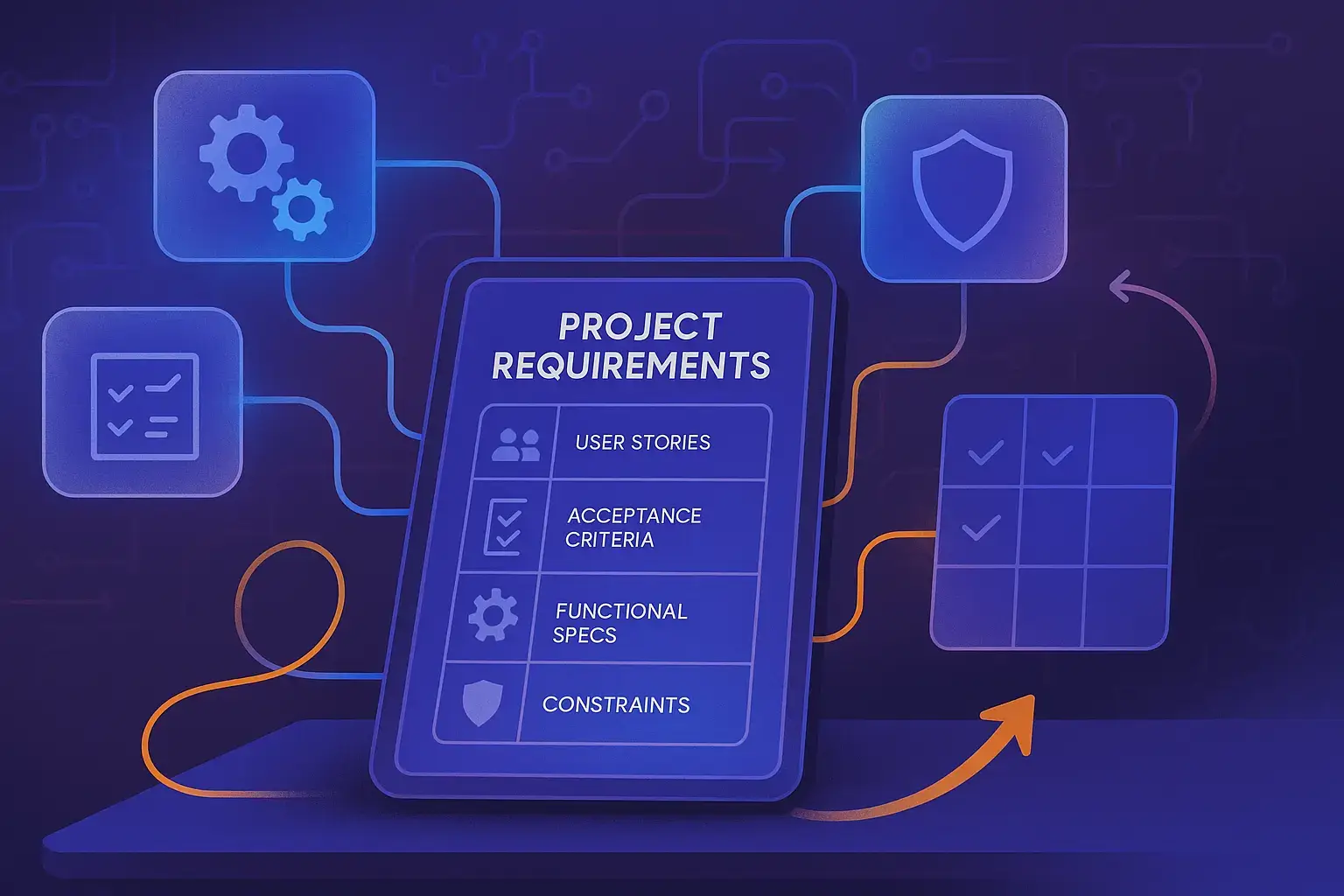
Core components include:
Business objectives – Define success metrics and goals
User stories – Describe real user interactions and workflows
Functional specs – Outline system behavior and features
Non-functional requirements – Cover performance, security, and scalability
Acceptance criteria – Define what “done” means
Constraints – Document technical limitations and dependencies
These elements create clarity. Clarity separates projects that deliver from cautionary tales in retrospectives.
Benefits of Using an AI Project Requirements Generator
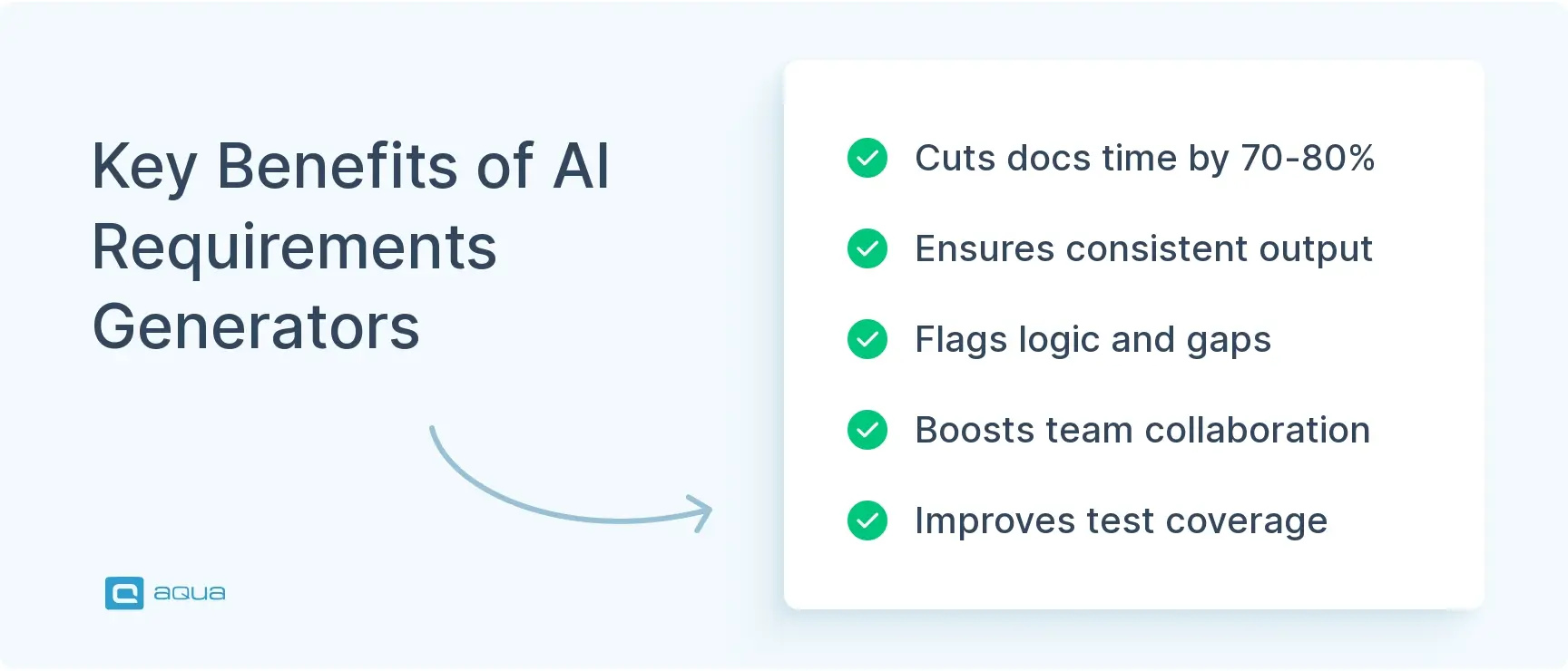
AI tools for requirements gathering amplify your thinking. These generators handle grunt work so you focus on strategy. Teams report 70-80% time savings on initial drafts.
Speed matters, but consistency matters more. Requirements written by different people often feel like different projects. AI generators maintain a unified voice and structure. They follow your template religiously. Every section gets attention. No more docs that skip security or forget error handling.
An AI PRD tool catches logical gaps humans miss while juggling tasks. It flags when acceptance criteria don’t align with goals. It notices when you’ve described features without defining success metrics. These catches prevent “wait, what were we building?” moments three sprints later.
Collaboration improves when everyone works from AI foundations. Your generator creates an 80% complete starting point. Product managers tweak business logic. Developers add technical constraints. QA teams refine acceptance criteria. You iterate on substance instead of building from scratch. The conversation shifts from “what should this say?” to “how do we optimize this?” Learn more about the creation of requirements with AI workflows.
How to Use an AI Project Requirements Generator
Getting started is straightforward. Most PRD AI platforms feel like a guided conversation, not a complex configuration.
Start with Context
Feed the generator basic project info. What you’re building. Who it’s for. What problem it solves. “We’re building a test automation dashboard for QA teams with scattered metrics” works better than a novel. The AI needs direction, not your vision deck.
Define Your Scope
Specify features or modules you want documented. Break larger projects into chunks. Focus on one workflow or feature set. “User authentication and role management” gives clearer boundaries than “the whole platform.”
Select Your Output Format
Some teams want traditional PRD files with formal sections. Others prefer agile user stories with acceptance criteria. Pick what matches your workflow. Switching formats mid-project creates confusion.
Refine Through Iteration
Your first output won’t be perfect. Think of it like pair programming with someone who types fast but needs feedback. Review what the AI generates, then use PRD prompts to adjust. “Make security requirements more specific” or “add error handling scenarios” guides the AI toward what you need.
Validate and Customize
Bring in your team. Developers spot technical gaps. QA folks ensure testability. Product owners verify business alignment. The AI gets you 80% there. Your expertise polishes the final 20%.
Export and Integrate
Most tools push directly into project management systems or documentation platforms. Whether you use Jira, Confluence, or another PRD tool, integration should be seamless. Nobody wants manual copy-paste between systems.
The process takes 30-60 minutes for standard feature sets versus day-plus timelines with traditional approaches. Requirements evolve, and AI requirements management tools make updates less painful than maintaining sprawling docs manually.
Common Features of AI Project Requirements Generators
Modern PRD AI platforms pack functionality beyond basic text generation. Understanding what’s available helps you evaluate options and maximize value.
Intelligent User Story Generation
These systems understand user personas and behaviors. Tell the AI “admin needs to manage user permissions” and it generates complete stories with context, acceptance criteria, and edge cases. It considers different user roles automatically, suggesting scenarios you might overlook.
Dynamic Acceptance Criteria Creation
Good AI generators produce criteria that are specific, measurable, and verifiable. They structure them in Given-When-Then format when appropriate. They’re testing-ready without translation.
Contextual Refinement
Conversational interfaces let you iterate naturally. Instead of configuration menus, you chat with the tool. “Add more detail about API rate limiting” or “what about offline scenarios?” The AI understands context from previous exchanges, building on existing content rather than starting fresh.
Template Customization
The tool learns your needs. Feed it existing requirements docs and it learns your team’s style, terminology, and structure. That product PRD you spent three months perfecting? Your AI now generates new ones following the same patterns.
Multi-Format Export
Generate once, export to Markdown for GitHub, HTML for Confluence, JSON for API documentation, or formatted files for stakeholder review. No manual reformatting or parallel documentation.
Integration with Development Tools
Link to issue tracking. Pull requirements into sprint planning. Maintain traceability from requirement through test case to deployment. When something changes, the impact ripples through connected artifacts automatically.
Version Control and Change Tracking
See how requirements evolved. Who requested changes. Why decisions were made. For QA teams, this audit trail is valuable during compliance reviews or post-mortems. Explore more AI tools for requirements management and how they integrate into modern workflows.
Real-World Applications and Case Studies
Actual teams shipping software with AI project requirements generator tools in their stack.
Healthcare Tech Startup
A healthcare tech startup building HIPAA-compliant patient portals faced shifting requirements based on regulatory feedback. Their manual documentation couldn’t keep pace. They adopted an AI PRD workflow and saw immediate impact. When compliance requirements changed, they fed updated constraints into their AI tool, regenerated affected sections, and had updated docs within hours instead of weeks. Their QA team benefited most. Acceptance criteria automatically reflected new security requirements, preventing the scramble to update test cases before release.
Financial Services Payment Processing
A payment processing company documented complex requirements across multiple regulatory frameworks: PCI-DSS, regional banking laws, and internal security standards. Their requirements team spent more time cross-referencing compliance docs than writing. They configured their generator with compliance frameworks as guardrails. When documenting new payment flows, the AI automatically includes relevant security controls, audit requirements, and data handling specifications. What took business analysts 60 hours per feature now takes 15, with fewer compliance gaps.
E-Commerce Retail Platform
A retail platform generating hundreds of user stories per quarter found their product team bottlenecked on documentation. They couldn’t match engineering velocity. Their solution? An AI software requirements generator that drafts initial stories from brief product ideas. Product managers review and refine instead of creating from scratch. Engineering gets clearer acceptance criteria faster. QA teams get testable specs without three clarification meetings. Sprint planning focuses on refinement instead of basic story creation.
Open-Source Testing Framework
One testing framework with hundreds of contributors struggled with inconsistent feature proposals. They created a PRD GPT workflow where contributors generate structured proposals using AI, then the core team reviews. Results? Higher-quality proposals, fewer clarifications, and features that align with project direction.
The pattern across industries? Teams reclaim time from documentation grunt work and redirect it toward value-added thinking. They catch gaps earlier. Stakeholder alignment improves because everyone works from consistent, comprehensive specs. QA teams get what they’ve always needed: clear, testable requirements. Understanding effective requirements management principles helps teams maximize these tools.
Best Practices for Crafting Requirements with AI Tools
Using AI tools for requirements gathering effectively is about workflow, team dynamics, and knowing when to let AI run versus when to step in.
Front-Load Your Context
The more your AI understands your project ecosystem upfront, the better its outputs. Don’t just describe features. Explain your tech stack, team structure, and quality standards. If you’re a QA team running Playwright for automation, mention that. The AI generates acceptance criteria that align with your testing approach.
Write Clear Prompts
Write prompts like you’re explaining to a smart colleague who’s new to the project. Instead of “generate PRD for auth module,” try “create requirements for user authentication including login, password reset, and session management. We need functional specs and security requirements suitable for QA test planning.”
Validate Against Testability
Can you write automated tests from these acceptance criteria? Are edge cases covered? If the AI generates “user should receive confirmation email,” push back with prompts like “specify timing constraints and error scenarios for email delivery.” Make requirements test-ready from the start. Check out this requirements analysis ultimate guide for deeper insights.
Iterate in Focused Sessions
Generate a section, review it with stakeholders, refine based on feedback, then move forward. Break it down. Authentication today, reporting tomorrow, integrations next week. Your requirements stay fresh and your brain stays functional.
Maintain the Human Touch
AI excels at structure, consistency, and catching gaps. It’s less stellar at nuanced business decisions or UX philosophy. Let AI draft technical requirements and data flows. Keep human input for prioritization rationale, user experience principles, and strategic trade-offs. Apply requirements prioritization techniques to ensure critical elements get proper attention.
Create Feedback Loops
When developers find requirements unclear or incomplete, feed that back into your AI workflow. “The data validation section needs specific regex patterns for our use case” becomes context for future generations. Your tool learns from each project, getting sharper over time.
Version Everything
When you override AI-generated content, document why. “Changed timeout from 30s to 60s based on load testing results” gives context for future you or teammates. Requirements are living documents. Make their evolution traceable and understandable.
Balance Specificity with Flexibility
Over-constraining AI prompts generates rigid requirements that break when reality shifts. Under-constraining produces generic fluff. Find the middle ground where you provide enough direction for useful output but leave room for the AI to surface considerations you might miss. Following agile requirements management best practices helps maintain this balance.
These practices compound. Each project refines your approach, builds better templates, and creates institutional knowledge that makes your AI requirements management more powerful.
The Future of Requirements Generation
Technology keeps evolving how teams approach requirements. The AI research project generator concept expands beyond traditional product development into academic and scientific domains where structured documentation is equally crucial. Teams using these advanced tools report time savings and more comprehensive coverage of edge cases and technical considerations.
For those looking to write a PRD in today’s environment, the process has changed fundamentally. Rather than starting with blank documents, modern teams begin with intelligent templates and AI suggestions that guide structured thinking. This shift represents a fundamental change in how we approach documentation from burden to collaborative process with AI handling heavy lifting.
Whether you’re managing a small project requirements generator implementation or rolling out enterprise-level solutions, the key is viewing these tools as augmentation rather than replacement. The PRD prompt becomes your interface to shape requirements that truly reflect your project’s needs while maintaining consistency across documentation.
As we’ve seen throughout this guide, AI is changing how you handle requirements. But the real power comes when AI extends beyond documentation into your entire testing workflow. aqua cloud represents the next evolution, offering not just AI-powered requirements generation but a complete test management ecosystem where those requirements automatically connect to test cases, execution, and results. With aqua’s domain-trained AI Copilot, you can generate comprehensive test coverage from even minimal requirements, with context-aware intelligence that understands your project’s specific terminology and needs. Unlike generic AI tools, aqua ensures complete traceability throughout your testing lifecycle while maintaining data privacy and compliance. Teams using aqua report saving up to 12.8 hours per tester weekly by eliminating documentation drudgery. The platform’s integrations with Jira, Azure DevOps, and other tools ensure your AI-generated assets fit seamlessly into your existing workflows. Why just generate requirements when you can transform your entire testing approach?
Save 70-80% of documentation time with an AI that truly understands your testing context
The shift toward AI project requirements generator tools is QA teams and product folks reclaiming time from documentation drudgery and putting it toward actual quality work. These platforms handle the heavy lifting of drafting, structuring, and maintaining requirements while you focus on strategic thinking that moves projects forward. Your test cases get clearer acceptance criteria. Your developers get specs they can build from. Your stakeholders get transparency into what’s being built and why. Start small if you’re skeptical. Pick one feature, one sprint, one small project as proof of concept. Generate requirements, compare them against your traditional approach, and measure the time differential. Most teams find the AI-generated foundation already better than manual first drafts. Your project requirements become enablers rather than bottlenecks, and everyone ships better software faster.
An AI project requirements generator is a tool that converts feature ideas and project descriptions into structured requirements documentation automatically. You describe what you’re building, the tool generates user stories, acceptance criteria, functional specifications, and technical requirements. Instead of starting with blank documents, you get AI-generated drafts that you refine with your team. These tools understand software development concepts like acceptance criteria, edge cases, and non-functional requirements. They maintain consistent formatting and structure across all documentation. The goal is reducing documentation time from days to hours while improving quality and completeness. Teams use these generators for product requirements documents (PRDs), user stories, technical specifications, and test planning documentation.
How does an AI PRD tool improve requirements quality?
An AI PRD tool improves quality through consistency, completeness, and gap detection. It maintains unified voice and structure across all sections, preventing the fragmented feel that comes from multiple authors. It ensures every section gets attention including often-overlooked areas like security, error handling, and non-functional requirements. The AI flags logical gaps that humans miss while multitasking. When acceptance criteria don’t align with stated goals, it notices. When you’ve described features without defining success metrics, it catches that. These tools also surface edge cases and scenarios you might overlook based on patterns learned from thousands of requirements documents. For QA teams, this means more testable requirements from day one. You get specific, measurable acceptance criteria that translate directly into test cases without clarification meetings.
Can I customize AI-generated requirements for my team's specific needs?
Yes, modern AI requirements management tools offer extensive customization. You can train the AI on your existing requirements documents so it learns your team’s style, terminology, and structure. It picks up your naming conventions, section organization, and level of detail preferences. Most tools let you create custom templates that define exactly which sections to include and how they should be formatted. You can set guardrails like compliance frameworks or security standards that automatically get incorporated into generated requirements. The AI also learns from your edits over time. When you consistently adjust certain aspects of its output, it adapts future generations accordingly. Teams often create organization-specific prompt libraries that encode best practices and domain knowledge, making the tool more effective with each use.
What's the difference between AI requirements generation and traditional documentation?
Traditional documentation starts with blank pages and manual writing. You spend hours drafting, formatting, and structuring requirements from scratch. Different team members write in different styles, creating inconsistent documentation. Updates require manually tracking down affected sections and ensuring consistency. AI requirements generation starts with structured, 80% complete drafts based on your input. You refine and customize rather than create from nothing. The AI maintains consistency automatically across all sections and handles formatting, structure, and completeness checks. When requirements change, you regenerate affected sections in minutes instead of manually updating multiple documents. Traditional approaches take days to weeks for initial drafts with multiple revision cycles. AI approaches take hours with fewer revisions. The workflow shifts from creation to curation, from writing to reviewing and refining. This frees teams to focus on strategic thinking about what to build rather than how to document it.
How do I write effective PRD prompts for AI tools?
Write effective PRD prompts like you’re explaining to a smart colleague who’s new to your project. Provide context about what you’re building, who it’s for, and what problem it solves. Be specific about scope and boundaries. Instead of “generate PRD for authentication,” try “create requirements for user authentication including login, password reset, two-factor authentication, and session management for a B2B SaaS application. Include security requirements, error handling, and acceptance criteria suitable for automated testing.” Mention your tech stack if relevant. If you’re using specific frameworks or tools, the AI can generate requirements that align with those constraints. Iterate through conversation. Start with a basic prompt, review the output, then refine with follow-up prompts like “add more detail about rate limiting” or “what about offline scenarios?” The AI understands context from previous exchanges. Include any compliance requirements, performance expectations, or integration points upfront. The more direction you provide, the more targeted and useful the output becomes.
Home » Testing with AI » aqua’s AI Project Requirements Generator: Get PRD in Seconds
Do you love testing as we do?
Join our community of enthusiastic experts! Get new posts from the aqua blog directly in your inbox. QA trends, community discussion overviews, insightful tips — you’ll love it!
We're committed to your privacy. Aqua uses the information you provide to us to contact you about our relevant content, products, and services. You may unsubscribe from these communications at any time. For more information, check out our Privacy policy.
X
🤖 Exciting new updates to aqua AI Assistant are now available! 🎉