Free QA ROI Calculator: Maximizing Your Investment Returns
Sometimes it's difficult to estimate the return on investment in a new software solution. It's exactly the case, especially when a product is as complex as a test and requirement management platform. With aqua's ROI calculator, you can estimate the potential effect of getting started with this platform in your QA workflow. Average time savings are estimated based on our clients' experience with aqua. All you need is to input the number of your prospective aqua users and their average hourly cost per user, and our calculator will show you all expected financial benefits and ROI at once.
Hours Saved per Month Number of Users × 16 hours (avg time saving)160
Aqua Cost per User Fixed at €99/user/month (suite license)€99.00
Total Monthly Aqua Cost Number of Users × €99€990.00
Value of Saved Hours Hours Saved × Hourly Cost€2,400.00
Yearly Cost of Aqua Total Monthly Cost × 12€11,880.00
Yearly Savings Value of Saved Hours × 12 − Total Monthly Aqua Cost × 12€17,220.00
Yearly ROI (%) (Yearly Savings ÷ Yearly Cost) × 100144.95%
If you’re using calculators to evaluate testing ROI, imagine having those and many other insights built directly into your workflow. This is where aqua cloud transforms your approach to quality management. With its comprehensive analytics dashboards and real-time reporting, aqua provides the visibility needed to quantify your testing ROI with precision. Tracking everything from man-hours saved to faster time-to-market. What’s more, aqua’s domain-trained AI Copilot with RAG grounding automates test case creation and documentation, reducing manual design time by up to 43% while ensuring all generated content is deeply relevant to your specific project context. aqua also integrates seamlessly with your existing tools like Jira, Azure DevOps, and Jenkins, so you don’t need to overhaul your workflow. Thousands of QA teams already rely on aqua to maximize their testing returns with built-in AI.
Uncover the financial impact of using aqua cloud for test management
Return on Investment measures profit against cost. The beauty of this metric is its versatility. Whether you’re getting started, for example, with a new SaaS solution or another software investment. ROI gives you a simple method to evaluate success. A tech startup and a property investor can both use percentages to compare results.
However, you should be aware that ROI ignores risk, taxes, and fees, which are the silent profit killers that compound over time. A simple ROI calculator is your starting point, but the real magic happens when you add time and context to the mix. Many professionals use ROI calculators that are tailored to factor in these additional considerations.
The ROI Calculation Method
ROI calculation requires two inputs: what you gained and what you paid. The basic formula is:
ROI = [(Gain from Investment – Cost of Investment) / Cost of Investment] × 100
Here’s how to calculate it step by step:
Step 1: Identify your gain from investment
Include all cash inflows: dividends, rent, sales proceeds, campaign revenue, time savings, or efficiency gains. For test management solutions, this includes reduced manual effort hours, faster delivery cycles, and decreased defect costs.
Step 2: Calculate your total cost of investment
Add your initial outlay plus all ongoing expenses: subscription fees, implementation costs, training time, maintenance, and any additional tools or integrations needed.
Step 3: Apply the formula
Subtract total cost from total gain, divide by total cost, then multiply by 100 to get your ROI percentage.
Step 4: Verify your inputs
To calculate rate of return on investment accurately, you need to be meticulous about including all relevant costs and gains. Did you count opportunity cost? Are you including transaction fees or hidden fees? Miss one line item, and your ROI calculation becomes unreliable.
Example calculation:
If you invest $75,480 in a test management platform like aqua and save $844,800 over 24 months:
ROI calculators help evaluate investments across different scenarios. Individuals compare savings accounts against dividend ETFs or mortgage prepayment versus equity investments. Businesses use them for capital budgeting, marketing optimization, and training program justification.
SaaS Product Implementation
Consider a company that evaluates a customer onboarding automation project. Upfront development and tool costs hit €50,000. The team estimates the new flow will reduce support tickets by 30%, saving €20,000 per year, and lift conversion by 5%, adding €15,000 annual recurring revenue. Plug those into an ROI calculator online with a three-year horizon, and you get an annualized return of roughly 23%. But what if adoption takes twice as long or churn offsets the gains? Adjust the inputs, rerun the numbers, and you face a 9% return. That delta of 14 percentage points represents the value of scenario modeling.
Marketing Budget Allocation
You allocate €100,000 across three channels: search, social, and events. A robust calculator factors in direct revenue attribution, carryover effects (brand lift that converts later), and incremental reach (new audiences you wouldn’t have reached otherwise). Nielsen’s 2024 research shows marketers who rely on single-channel ROI often over-concentrate spend and miss full-funnel gains. A good ROI tool surfaces those blind spots by modeling contribution across the customer journey rather than just the last click. The result? Smarter budget allocation and fewer dollars wasted on diminishing returns.
Common Challenges in Using ROI Calculations
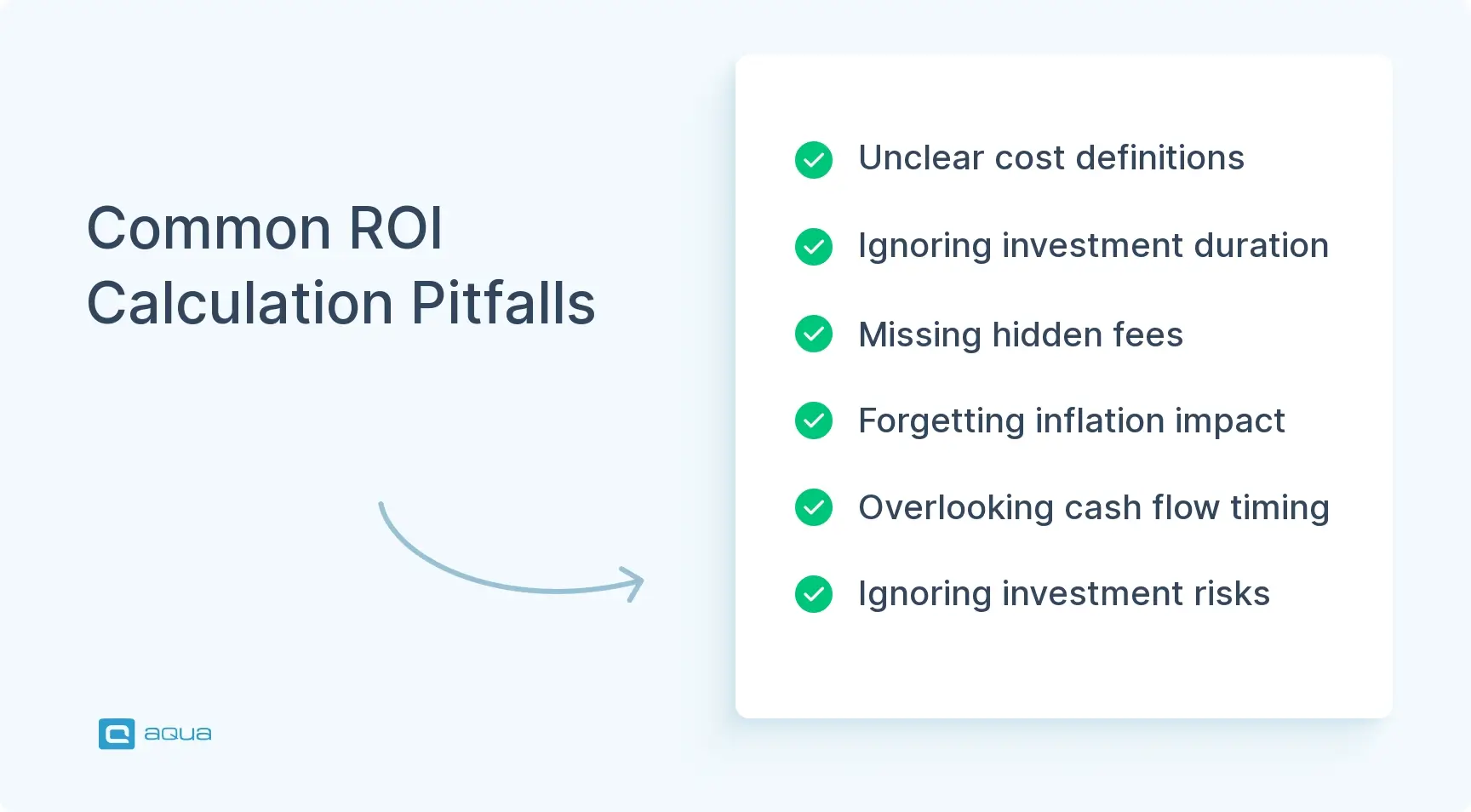
ROI calculations may confuse even seasoned professionals when assumptions go unquestioned. Here are several common pitfalls that can distort your results and lead to poor investment decisions:
Inconsistent definitions: Different teams define “cost” and “gain” differently. One calculation might include all expenses, while another conveniently ignores platform fees, making a 12% ROI seem worse than a 15% figure that’s actually less comprehensive.
Ignoring time: Basic ROI treats a 30% return over five years the same as 30% in one year. Without annualization, you miss that an 8% annual index fund return would compound to 47% over the same period.
Hidden fees and taxes: A 10% gross return becomes 7% after a 1.5% annual fee and 25% capital gains tax. These frictions compound over time and can cut your actual returns in half.
Inflation blindness: A 6% nominal ROI in a 3% inflation environment delivers only 3% in real purchasing power. Always calculate both nominal and real returns.
Cash-flow timing: Deposits and withdrawals skew results. Use time-weighted returns for asset evaluation and money-weighted returns (IRR) for personal outcomes.
Risk blindness: Two investments with identical ROIs but different volatility are not equal. Layer in Sharpe ratios or risk scores to account for this.
Real-World ROI: What Teams Actually Save
Software testing ROI is backed by hard numbers. Underinvesting in quality consistently costs far more than the testing itself.
A defect costs roughly $100 to fix in requirements but escalates to $10,000 in production. The IBM Systems Sciences Institute calls this the Rule of 100.
Poor software quality costs the US economy at least $2.41 trillion per year, according to the CISQ 2022 report, most of it preventable with structured testing.
68% of users abandon an application after just two bugs, making each escaped defect a direct churn event.
Enterprise application downtime costs over $300,000 per hour on average, according to Gartner, often erasing months of QA savings in a single incident.
Software testing ROI vs. aqua implementation ROI
Software testing ROI covers the full return from all QA activities: bugs caught early, production incidents avoided, and developer hours reclaimed across your entire SDLC.
Aqua implementation ROI is a specific subset: the measurable financial return from using aqua as your test and requirements management platform, calculated from team size and hourly cost.
Your aqua implementation ROI directly feeds your software testing ROI. Here is how they connect:
Strong software testing ROI gets compounded further through faster test case creation, better traceability, and tighter CI/CD integration.
Low or hard-to-measure software testing ROI becomes diagnosable: aqua’s dashboards and structured workflows surface coverage gaps, poor defect detection rates, and broken requirements traceability.
The 16 hours saved per user per month in the calculator is based on client data. For a team of 10, that is roughly one full-time engineer’s monthly output redirected from admin to actual testing.
A high aqua implementation ROI (larger than your average software testing ROI) number signals that your team is recapturing significant time from administrative overhead, and your software testing ROI is maximized.
A low aqua implementation ROI (lower than your average software testing ROI) does not mean the platform fails at boosting software testing ROI. The value surfaces in quality outcomes. Besides, you might have your time size optimized already.
Use the calculator as a starting point, then layer in avoided incident costs, reduced time-to-market, and defect detection improvements for the full picture.
The same testing investment can yield vastly different returns depending on how your team operates. These are the factors that move the needle most.
Release frequency. More frequent deploys mean more reuse of automated tests. A weekly-shipping team gets 52 regression runs per year from the same investment a quarterly team runs just 4 times.
Defect detection timing. Finding bugs earlier in the SDLC is the single biggest lever on software testing ROI. The cost difference between a design-phase and production-phase fix can be 100x.
Test automation maturity. Automation compounds returns, but only on a stable foundation. High test flakiness (industry average: 15–30% of runs) means most investment goes to maintenance, not returns.
Manual vs. automated balance. Automating everything inflates costs without proportional gains. Exploratory, usability, and one-off tests often deliver better ROI when kept manual.
Team expertise and ownership. Without clear ownership and strong coding practices, automation frameworks degrade fast. A poorly maintained suite can turn ROI positive in year one and negative by year three.
Tool integration depth. Test tools disconnected from your CI/CD pipeline, issue tracker, or requirements system create hidden manual overhead that quietly erodes returns.
Requirements traceability. Without direct mapping between tests and business requirements, coverage gaps go undetected until production. Structured traceability is one of the most underrated software testing ROI factors in enterprise QA.
Best Practices to Improve Software Testing ROI
High-performing QA teams focus on precision and process, which is what separates them from teams stuck firefighting production defects.
1. Shift testing left
Start testing at the requirements phase. Involve QA in sprint planning, review user stories for testability before development begins, and run automated smoke tests on every commit. Earlier defect detection is the fastest way to improve software testing ROI.
2. Prioritize automation for high-repetition, high-risk cases
Automate regression suites, smoke tests, and any test case that runs repeatedly. Skip automation for tests likely to change soon, as rewrite costs will outpace savings.
Regression suites on stable functionality
API-level tests (faster and more stable than UI automation)
Data validation and boundary condition tests
3. Track the right KPIs
Pass/fail rates measure execution, not business value. The metrics that actually reflect software testing ROI are:
Defect detection rate (bugs caught in QA vs. production)
Cost per defect by SDLC phase
Test execution time per release cycle
Escaped defect rate (bugs found by users, not your team)
4. Treat test maintenance as a first-class engineering task
Unmaintained test suites destroy testing ROI faster than almost anything else. Regularly remove redundant cases, refactor brittle scripts, and retire tests for deprecated functionality. Apply the same standards as production code: version control, code review, and clear ownership.
5. Use a centralized test management platform
Scattered test cases across spreadsheets and wikis create duplicated effort, zero traceability, and invisible coverage gaps. A dedicated test management platform consolidates design, execution, reporting, and requirements linkage in one place, removing the administrative overhead that suppresses returns.
6. Run retrospectives on escaped defects
Every production bug is a data point. A systematic post-mortem identifying at which SDLC phase a defect could have been caught gives you a direct, evidence-based roadmap for improving software testing ROI over successive release cycles.
Just as an ROI calculator transforms raw data into actionable insights, aqua cloud test management platform can do the same for your QA processes. This AI-driven solution gives you the metrics and visibility to uncover the true value of your testing investment. Customizable dashboards that visualize time savings and defect resolution rates in real-time are included. Instead of spending hours manually creating test cases and documentation, you can use aqua’s AI Copilot that leverages Retrieval-Augmented Generation to instantly generate project-specific testing assets from text, documentation, or even voice notes. Aside from workflow automation, aqua can offer native integrations with tools like Jira and Azure DevOps, The platform also supports enterprise-grade security compliance. aqua cloud changes the way you measure and demonstrate the value of quality in your organization.
Make testing a powerful value driver with aqua's AI-powered analytics
ROI calculators transform vague financial hunches into quantifiable insights. They give you the clarity to back winners and avoid poor investments before they drain your resources. The key is choosing the right calculation method for your question: time-weighted for manager evaluation, IRR for project outcomes, and risk-adjusted metrics when volatility matters. Ready to evaluate your testing investment? Use aqua’s ROI calculator to assess the potential returns from using our test management solution. Input your team parameters and see concrete projections for time savings, cost reductions, and efficiency gains. Make your data-backed decision today.
Subtract your initial investment from the total return, divide by the initial investment, then multiply by 100 to get a percentage. For example, if you invest $1,000 and get back $1,500, your ROI is 50%. It shows profitability relative to cost.
What is the general formula for ROI?
ROI = (Net Profit / Cost of Investment) × 100. Net profit equals total returns minus total costs. The result is expressed as a percentage. This basic formula works across industries but can be customized to include specific costs or benefits relevant to your situation.
What does a 500% ROI mean?
A 500% ROI means you earned five times your initial investment back, plus your original amount. If you invested $100, you’d have $600 total ($500 profit plus $100 original investment). This represents exceptional returns, though sustainability and risk factors should always be evaluated carefully.
What factors should be included when calculating ROI for software investments?
Include licensing costs, implementation expenses, training, maintenance, support fees, and integration costs. On the return side, factor in productivity gains, time savings, error reduction, employee retention, and revenue increases. Consider both tangible costs and intangible benefits over the software’s expected lifespan.
Home » Testing with AI » Free QA ROI Calculator: Maximizing Your Investment Returns
Do you love testing as we do?
Join our community of enthusiastic experts! Get new posts from the aqua blog directly in your inbox. QA trends, community discussion overviews, insightful tips — you’ll love it!
We're committed to your privacy. Aqua uses the information you provide to us to contact you about our relevant content, products, and services. You may unsubscribe from these communications at any time. For more information, check out our Privacy policy.
X
🤖 Exciting new updates to aqua AI Assistant are now available! 🎉
We use cookies and third-party services that store or retrieve information on the end device of our visitors. This data is processed and used to optimize our website and continuously improve it. We require your consent fro the storage, retrieval, and processing of this data. You can revoke your consent at any time by clicking on a link in the bottom section of our website.
For more information, please see our Privacy Policy.
This website uses cookies to improve your experience while you navigate through the website. Out of these, the cookies that are categorized as necessary are stored on your browser as they are essential for the working of basic functionalities of the website. We also use third-party cookies that help us analyze and understand how you use this website. These cookies will be stored in your browser only with your consent. You also have the option to opt-out of these cookies. But opting out of some of these cookies may affect your browsing experience.
Necessary cookies are absolutely essential for the website to function properly. These cookies ensure basic functionalities and security features of the website, anonymously.
Cookie
Duration
Description
cookielawinfo-checkbox-analytics
11 months
This cookie is set by GDPR Cookie Consent plugin. The cookie is used to store the user consent for the cookies in the category "Analytics".
cookielawinfo-checkbox-functional
11 months
The cookie is set by GDPR cookie consent to record the user consent for the cookies in the category "Functional".
cookielawinfo-checkbox-necessary
11 months
This cookie is set by GDPR Cookie Consent plugin. The cookies is used to store the user consent for the cookies in the category "Necessary".
cookielawinfo-checkbox-others
11 months
This cookie is set by GDPR Cookie Consent plugin. The cookie is used to store the user consent for the cookies in the category "Other.
cookielawinfo-checkbox-performance
11 months
This cookie is set by GDPR Cookie Consent plugin. The cookie is used to store the user consent for the cookies in the category "Performance".
viewed_cookie_policy
11 months
The cookie is set by the GDPR Cookie Consent plugin and is used to store whether or not user has consented to the use of cookies. It does not store any personal data.
Functional cookies help to perform certain functionalities like sharing the content of the website on social media platforms, collect feedbacks, and other third-party features.
Performance cookies are used to understand and analyze the key performance indexes of the website which helps in delivering a better user experience for the visitors.
Analytical cookies are used to understand how visitors interact with the website. These cookies help provide information on metrics the number of visitors, bounce rate, traffic source, etc.
Advertisement cookies are used to provide visitors with relevant ads and marketing campaigns. These cookies track visitors across websites and collect information to provide customized ads.






 Bankingaqua ALM helps banks increase testing productivity by over 50%