Automated Testing for Medical Devices: Ultimate Guide
Software bugs carry different weight depending on what they touch. In a food delivery app, a bug means a bad review. In an insulin pump, it can put a patient's life at risk. This difference is why automated testing for medical devices matters so much in MedTech. Manual testing can't keep up with faster development cycles and stricter regulations. This guide covers what automated testing for medical devices actually involves, from the rules you have to follow to the frameworks that hold up under review.
Automated testing for medical devices generates audit trails, timestamped results, and traceability matrices that map every test case back to requirements, which is critical for FDA submissions and CE marking.
IEC 62304 and FDA 21 CFR Part 820 require documented verification and validation at each software development phase, meaning test automation must support version control and configuration management from day one.
Medical device software spans SaMD (pure software like diagnostic apps), embedded firmware (pacemakers, ventilators), and hybrid systems (glucose monitors with cloud sync), each demanding different automation approaches.
Automated regression suites run overnight instead of taking weeks, catching bugs earlier and reducing the cost per test execution once the initial framework investment is made.
Tools like Cantata and VectorCAST add code coverage and requirements traceability for embedded systems, while Selenium and Cypress handle web-based device interfaces, but the right mix depends on your tech stack and risk profile.
Automation is all about proving your device works every time without cutting corners on compliance. See how to build a framework that regulators actually respect 👇
What Is Automated Testing in the Medical Device Industry?
Automated testing in the medical device industry means using scripts and software to run test cases, instead of a person clicking through each screen by hand. The same checks run every time, and the results get logged automatically.
Picture testing an infusion pump’s dosage calculation algorithm. Doing it manually means entering hundreds of parameter combinations yourself and writing down every result. Automated software testing for medical devices scripts that scenario once and reruns it across every build.
What changes once you automate it:
The same test runs identically on every build, no manual re-entry needed
Results get logged and compared against expected outcomes on their own
Everything plugs into your CI/CD pipeline, so tests fire the moment code changes
None of this replaces your judgment. It just frees up time for exploratory testing, the kind that still needs a human.
Automated testing also gives you proof for auditors. Regulators want evidence that you tested your device the same way every time. Automated tests log that evidence on their own. Every run gets a timestamp and a result. That log matters during an FDA inspection or a CE marking review.
What Does the Medical Device Software Industry Look Like?
Medical device software falls into three types: standalone (SaMD), embedded, and hybrid systems. Each one gets tested differently.
SaMD, or Software as a Medical Device, works on its own to diagnose, treat, or monitor patients. A mobile app that screens for diabetic retinopathy is one example. A cloud platform that reads ECG data is another. These products are pure software, classified by their intended use and risk level. Testing SaMD means checking the algorithm and the interface, then confirming it connects properly to systems like electronic health records.
Embedded software runs inside the hardware itself. Pacemakers, ventilators, and MRI machines all depend on firmware and real-time operating systems. Testing this kind of software means dealing with timing constraints and hardware interactions that don’t exist in pure software. Teams often use physical prototypes or hardware-in-the-loop setups to confirm the code works under real conditions.
Hybrid systems connect a device to something else. A glucose monitor might send readings to a phone app, which then syncs to a doctor’s dashboard. Testing this kind of system means checking every layer, not just the device. Data transmission needs its own tests. So does the app on each platform people actually use.
Every category follows the same rule. Every line of code gets tested against what it’s supposed to do, and against the regulation that applies to it.
What Regulatory Standards Govern Medical Device Testing?
Two standards anchor everything. The FDA’s 21 CFR Part 820 sets Quality System Regulations for design controls and verification. IEC 62304 defines software lifecycle requirements, including testing at each phase.
Both demand traceability. Every requirement has to be traceable from design through testing, with evidence that it was checked at each step.
ISO 13485 applies the same ideas worldwide, with a focus on risk. A Class III device, like a ventricular assist device, needs far more rigorous testing than a Class I device with minimal firmware. Your test plan should reflect that difference.
Region matters too. The EU’s Medical Device Regulation added stricter post-market surveillance rules, so you maintain your test suites longer and more thoroughly. In the US, FDA guidance favors risk-based approaches and encourages automation wherever it improves consistency.
Automated testing for medical devices does more than save time. It builds a process regulators can defend in every jurisdiction you sell in. Treat your scripts and results like legal documents. Set up traceability and version control from day one.
Building a robust automated testing framework for medical devices requires more than just tools. You need a centralized system that manages compliance, traceability, and audit-readiness from day one. That’s exactly where aqua cloud shines. aqua brings medical device testing into a unified platform that supports FDA 21 CFR Part 11, IEC 62304, and ISO 13485 compliance out of the box. With automatic traceability linking requirements to test cases to defects, you get the audit trails regulators demand without drowning in documentation. And with aqua’s domain-trained aqua Intelligence powered by RAG technology, you can generate comprehensive test cases directly from your project’s own requirements and documentation, ensuring every output is contextually relevant to your specific device, not generic suggestions from a standard AI tool. Whether you’re managing embedded firmware tests or SaMD validation, aqua integrates seamlessly with your CI/CD pipeline via REST API, Jenkins, GitLab CI, or Azure DevOps, capturing automated test results and maintaining traceability across your entire testing lifecycle.
Build audit-ready, compliant test automation with 100% traceability
Why Does Automated Testing Matter for Medical Devices?
The stakes in medical device software are higher than in most other industries, since a defect can affect patient safety directly. That’s the reason automation carries more weight here than in a typical app.
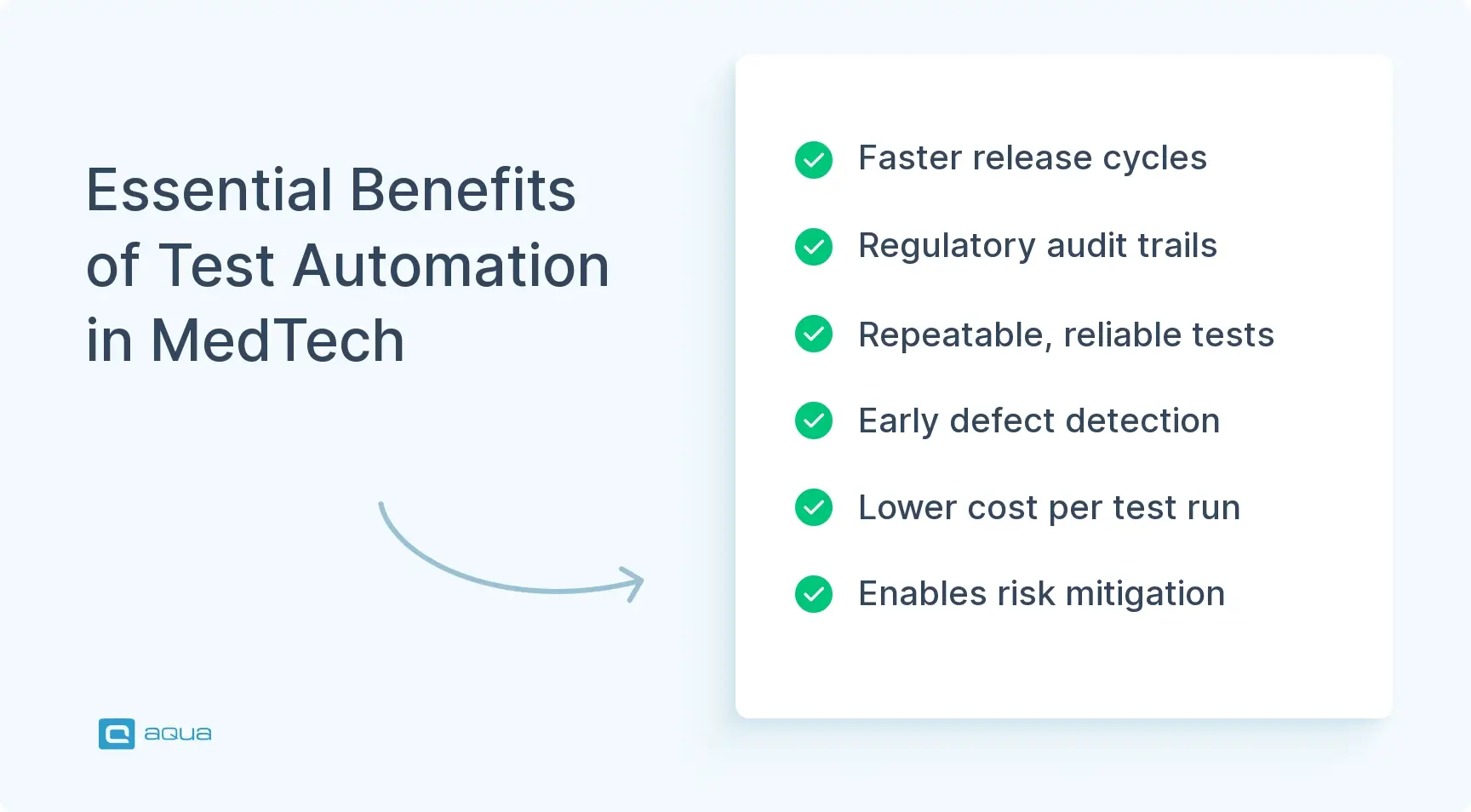
Consistency and repeatability: Automated tests run the same steps every time. That matters for safety-critical checks like alarm thresholds and dosage calculations, where you can’t afford variation.
Faster testing cycles: Manual regression testing can take a week. Automated suites finish overnight, so you catch problems sooner and ship safer builds on time.
Regulatory compliance and traceability: Automated tests create timestamped logs and audit trails. These tie every test case back to a requirement. That’s what FDA submissions and CE marking audits need.
Risk mitigation: Automated tests can run thousands of input combinations and edge cases, far more than a person could test by hand. This surfaces failure modes before a patient ever runs into them.
Cost efficiency over time: Setting up automation costs more at first, in tools and training. Once the suite exists, each test run costs less, and your QA team gets time back for exploratory work.
Together, these benefits make automated testing in medical device manufacturing a real advantage. You get better quality, faster releases, and fewer surprises after launch.
What Types of Automated Testing Are Used for Medical Devices?
Medical device software gets tested in layers, six of them, and automation shows up in every one.
Unit testing: This is where automation starts. It tests individual functions and modules on their own. For a blood glucose meter’s calculation engine, unit tests confirm each formula gives the right output for known inputs. JUnit, NUnit, and Google Test are common tools here. These tests run fast and catch regressions early.
Integration testing: This checks how components work once they’re connected. It covers data flow and API calls, plus how hardware and software communicate. A typical example is testing how a sensor module talks to a data processing unit. This layer catches mismatched data formats that unit tests miss.
Functional testing: This checks full workflows from start to finish, such as whether a nurse can set alarm thresholds correctly or whether the device delivers the right infusion rate. Selenium and specialized device simulators handle this kind of testing.
Regression testing: Every code change risks breaking something that already worked. Automated regression suites rerun old test cases. A job that used to take days now takes a few hours.
Performance and load testing: Medical devices need to work under stress: heavy data loads, long runtimes, extreme conditions. Tools like JMeter simulate these situations and find bottlenecks before they become real problems.
Security testing: Connected devices need protection too. Automated scans check for vulnerabilities and test encryption and authentication, usually through static analysis or penetration testing tools.
No framework needs to automate everything. Automate what’s repeatable and high-value, and leave the rest to human judgment.
What Are the Key Components of an Automated Testing Framework?
A working framework needs six pieces working together.
Test management system: This is where you organize test cases, track execution, and link tests to requirements. Tools like TestRail, Jira with Zephyr, and qTest generate the compliance reports auditors ask for. For medical devices, this traceability matters as much as the tests themselves.
Test automation tool or framework: Match the tool to your tech stack. Use Cantata or VectorCAST for embedded systems. Use Selenium or Cypress for SaMD with a web interface. Use Postman or REST Assured for APIs and backend services.
Version control and configuration management: Your test scripts are code, so treat them that way. Git tracks changes and manages branches. Configuration management confirms you’re testing the right build against the right suite version, which auditors check closely.
CI/CD pipeline: Automated tests are most useful when they run on every commit. Jenkins, GitLab CI, and Azure DevOps trigger execution and capture results, then flag the team the moment something breaks.
Test data management: Medical device testing needs specific datasets: patient profiles, sensor readings, boundary conditions. Mock data generators and data-driven testing cover these scenarios without touching real patient data.
Reporting and analytics: Automated tests generate more data than anyone can read by hand. Dashboards from Allure or Extent Reports turn pass and fail rates into something you can act on.
Get the architecture right early. This framework keeps paying off long after the setup work is done.
What Does the Automated Testing Process for Medical Devices Look Like?
Seven steps, start to finish, and the process mirrors your device’s own development lifecycle.
Step 1: Requirements analysis and test planning. Start by understanding what you’re testing and why. Work from your software requirements and risk assessments, and check them against the regulatory standards that apply. Define what gets automated and what stays manual. Document the rest as out of scope in a test plan that matches your design control documentation.
Step 2: Test case design and scripting. Translate requirements into detailed test cases. Each one needs clear inputs, expected outputs, and any preconditions that must be true first. Write the automated scripts so each case maps back to a specific requirement or risk control. This is what keeps the whole thing auditable.
Step 3: Test environment setup. Set up your environment to mirror production. This includes hardware, simulators, and network configuration. Environmental variability can invalidate results, so stability here matters as much as the scripts themselves.
Step 4: Test execution and monitoring. Run the suite, either on demand or triggered by CI/CD events, and watch for failures or unexpected behavior in real time. Capture logs and screenshots. Record who ran the tests and under what configuration, since this record needs to hold up under review.
Step 5: Defect reporting and triage. Log failures with reproduction steps and severity ratings, then prioritize by risk and impact. Your test management system tracks each defect through resolution and retest, and that trail becomes part of your quality system.
Step 6: Regression and validation testing. Re-run failed tests after fixes, then run the full regression suite to confirm nothing else broke. Major releases call for full validation testing, and those results feed directly into your regulatory submission package.
Step 7: Continuous improvement and maintenance. Review results regularly, update scripts as the product changes, and refine the framework based on what you’ve learned. Testing isn’t a one-time build, it evolves alongside the device.
Each step builds on the last, and together they form a testing foundation you can actually defend.
What's the Difference Between Validation and Verification in Automated Medical Device Testing?
Verification checks whether you built the product right, by comparing it against the spec. Validation checks whether you built the right product, the one users actually need.
Verification happens through unit tests, integration tests, and code reviews. It confirms the code does what the design documents say it should. Automated verification tests are useful here because they check the same requirement across every build and release.
Validation usually means clinical testing and usability studies. Automation still helps, by running functional test suites or simulating patient scenarios. But validation leans more on human judgment and exploratory testing. An automated test can confirm an insulin pump calculates the right dose. Only a person can confirm a nurse can operate it safely in a busy ICU.
Automated medical device testing supports both sides. It handles the repetitive verification work, which frees QA engineers to focus on validation tasks like usability testing. IEC 62304 requires documented evidence for both, and automation makes that evidence traceable. A safe, compliant device needs both.
What Tools Are Used for Medical Device Test Automation?
The stack depends on your device type, but most teams end up pulling from the same handful of categories.
Unit testing frameworks: JUnit, NUnit, Google Test, and pytest cover the major languages. They run fast and fit cleanly into CI/CD. Cantata and VectorCAST add code coverage analysis and traceability for embedded systems.
Integration and functional testing tools: Selenium and Cypress handle web-based interfaces and GUI workflows. TestComplete and Ranorex cover desktop applications, and Postman or REST Assured take care of APIs and backend services.
Static analysis and code quality tools: SonarQube, Coverity, and LDRA scan code for defects and check compliance with standards like MISRA C. They catch problems before the code ever runs.
Performance and load testing tools: JMeter and LoadRunner simulate heavy loads and measure how a system holds up. This might mean a monitoring platform handling hundreds of connections, or a diagnostic algorithm processing a large dataset.
Test management platforms: TestRail, qTest, and Jira with Zephyr organize test cases and hold onto the traceability auditors want to see.
CI/CD and DevOps tools: Jenkins, GitLab CI, Azure DevOps, and CircleCI automate execution and manage the whole workflow. They support controlled environments and versioned test suites.
Specialized MedTech tools: Some teams build proprietary simulators or niche frameworks around specific regulatory requirements, filling gaps general-purpose tools can’t reach.
Pick tools that fit your compliance needs and your team’s actual skill set, not whatever’s trending this year. A strong framework with average tools works better than a weak framework running great ones.
What Are the Best Practices for Automated Testing in Medical Devices?
Teams that get this right share one habit: they let risk decide where automation effort goes.
Start with a risk-based approach: Put automation effort where failures matter most, like alarm algorithms and dosage calculations. Low-risk screens can wait.
Maintain clear requirements traceability: Every test case should link back to a requirement, and every requirement should have a test. Auditors will ask for this matrix. Build it as you go, instead of scrambling later.
Design tests for maintainability: Write modular scripts with reusable functions, and skip hardcoded values in favor of configuration files. When the product changes, you want to update tests quickly, not rewrite them from scratch.
Implement version control and change management: Treat test scripts like production code, tracked through Git or SVN. Keep suite versions aligned with product versions, since that alignment gets checked closely during investigations.
Run tests early and often: Wire automated tests into CI/CD so they run on every commit, or nightly at the very least. Defects caught early cost a fraction of what they cost once they surface downstream.
Balance automation with manual testing: Automation handles the repetitive and predictable well. Exploratory testing and usability checks still need a human, so protect that space instead of automating it away.
Document everything: Regulators want proof your process is controlled and repeatable. Keep test plans, cases, and results organized and ready for review at any time.
Review and improve continuously: Schedule regular checks on your suite, watching for coverage gaps and flaky tests. Treat your test suite as ongoing work, not something you build once and forget.
Invest in training and collaboration: Train your team on the tools and the standards, and keep developers talking to QA and to regulatory experts. Shared understanding beats everyone working alone.
These practices won’t remove every challenge, but they’ll keep your strategy compliant and steady.
How Does Automated Testing Fit Into Agile and DevOps for MedTech?
In Agile, teams work in short sprints. They deliver small pieces and gather feedback constantly. Automated testing keeps pace by giving fast feedback on each piece, instead of waiting until the end. QA engineers write tests alongside development. This catches defects early and keeps the product ready to release at the end of every sprint. For medical devices, compliance still happens, just inside the sprint itself, with traceability updated in real time.
In DevOps, tests run automatically on every commit. CI/CD pipelines handle the build, test, deploy, and monitor cycle, with far fewer manual handoffs. Regulatory submissions and design controls don’t fit naturally into continuous delivery, but a solid automated testing framework closes that gap. Version-controlled test suites and automated traceability reports keep every release both fast and auditable. aqua cloud is built for exactly this kind of setup. It helps teams manage compliance without slowing delivery down.
Culturally, this change matters as much as the technical one. Developers write unit tests. QA engineers build automation frameworks. Regulatory experts review test plans as they happen instead of after the fact. This kind of agile software testing becomes the shared language that keeps everyone looking at the same picture of quality. For MedTech companies willing to make the change, the payoff is real: faster innovation and devices that better fit what patients need. A Testing Tool for Medical Companies built for this environment makes the change easier.
Now it’s time to implement it with a platform built specifically for the challenges you face. aqua cloud delivers everything your MedTech team needs: end-to-end requirements traceability, automated documentation generation, validation support with IQ/OQ/PQ templates, and integration with Jira, Azure DevOps, and your existing CI/CD workflows. aqua’s domain-trained AI with RAG grounding learns from your project’s actual documentation, generating test cases that reflect your device’s terminology, regulatory context, and risk controls. Teams using aqua save an average of 12.8 hours per tester per week, with 42% of AI-generated test cases requiring zero edits. That’s time you can redirect to exploratory testing, edge case validation, and the human judgment that automation can’t replace. With aqua’s automated traceability matrices, you’re always audit-ready, proving to FDA inspectors and notified bodies that every requirement has been verified and validated. Whether you’re in Agile sprints or traditional waterfall cycles, aqua adapts to your workflow while keeping you compliant, efficient, and competitive. Stop using disconnected tools and manual documentation and consolidate your entire QA process in one intelligent platform.
Achieve FDA/IEC compliance with AI-powered automation that saves 12+ hours per week
Quality, compliance, and speed all come down to one thing: how well your team handles automated testing for medical devices. Focus on risk first. Keep traceability tight. Invest in your team’s skills as much as your tools. Every automated test you write is one more reason patients and clinicians can trust what you ship.
What is the difference between component testing and unit testing?
Unit testing checks the smallest piece of code, like a single function, on its own. Component testing checks a larger module made up of several units working together. A unit test might validate one calculation function. A component test checks how that function works with other parts, like data retrieval or error handling. Both matter in medical device testing. Component testing just gives you a more realistic picture of how the code behaves.
Who is responsible for performing component testing: developers or QA engineers?
Both, typically. Developers often write component tests as part of the development process, especially in Agile teams where testing shifts left and they’re closest to the code. QA engineers build more complete component test suites tied to requirements and regulatory standards. They focus on edge cases and traceability. In mature MedTech teams, it’s a shared effort: developers handle the first tests, QA covers compliance and integration with the wider strategy.
Why are stubs and drivers used in component testing, and when are they necessary?
Stubs and drivers stand in for components that aren’t available or practical to use during testing. A stub simulates a component being called, and returns a predefined response. A driver simulates the calling component, feeding specific inputs into the component under test. You need them when a dependency is still being built, or hard to configure reliably. In medical device testing, this comes up often with embedded firmware. Stubbing sensor inputs lets you test the software logic without needing a physical device.
Can component testing be fully automated, or does it still require manual effort?
Most of it can be automated, especially the repeatable scenarios that check functional correctness and data flow. Some parts still need a human, like exploratory testing for unexpected interactions, or usability checks on user-facing components. The practical split: automate the regression and requirements work, and keep manual effort for risk-based scenarios and edge cases that need real judgment.
Nurlan, a QA Coordinator & Quality Standards Officer, takes pride in orchestrating seamless QA operations. His expertise in coordinating QA-focused projects and integrating QA solutions has consistently yielded top-tier client satisfaction. Aside from a full-time QA coordinator, Nurlan's role involves creating compelling content that educates…
Justina's expertise in QA reporting and automation makes her a vital force behind data-driven quality assurance at aqua. As a specialist, Justyna has played a key role in designing scalable automation frameworks and insightful reporting systems that empower aqua's Customers to track, measure, and optimize…
Robert has several years of experience in process optimisation and test management. He is an expert in defining and implementing workflows by adapting aqua to the clients’ processes.
Home » Test Automation » Automated Testing for Medical Devices: Ultimate Guide
Do you love testing as we do?
Join our community of enthusiastic experts! Get new posts from the aqua blog directly in your inbox. QA trends, community discussion overviews, insightful tips — you’ll love it!
We're committed to your privacy. Aqua uses the information you provide to us to contact you about our relevant content, products, and services. You may unsubscribe from these communications at any time. For more information, check out our Privacy policy.
X
🤖 Exciting new updates to aqua Intelligence are now available! 🎉