Integration Testing in SAP: Ensuring a Seamless Digital Transformation
You're in the middle of a digital transformation. S/4HANA handles your finance. Ariba manages procurement. SuccessFactors runs HR. Everything looks good on paper. Then you flip the switch. Invoices don't match purchase orders. Employee data's stuck in limbo. Your finance team's sending messages that could melt steel. When SAP modules talk to each other or to external systems, they need to speak the same language. That's where SAP integration testing comes in. This guide covers what integration testing in SAP actually means and key considerations for getting it right.
SAP integration testing verifies that different SAP modules and external applications work together correctly throughout entire business processes, not just as individual components.
Effective integration testing requires comprehensive test planning, realistic test environments that mirror production, and cross-functional collaboration between technical teams and business users.
Common integration scenarios include Procure-to-Pay (Ariba + S/4HANA), Employee Onboarding (SuccessFactors + S/4HANA + Concur), and Order-to-Cash (CRM + S/4HANA) workflows.
Test automation is essential for SAP integration testing at scale, focusing on API testing frameworks, SAP-specific automation tools, and data validation scripts for repeatable scenarios.
Master data synchronization between systems is a critical but often overlooked integration testing scenario that can prevent downstream chaos in reporting and analytics.
Without proper integration testing, your digital transformation can quickly turn into an expensive disaster when systems fail to communicate properly. Discover how to build an effective SAP integration testing strategy that protects your business processes from breaking at the seams 👇
Understanding SAP Integration Testing
Starting from the SAP integration testing definition, it verifies that different SAP modules and external applications work together. You’re testing the handoffs. How data moves from SAP Ariba to S/4HANA. Whether SuccessFactors syncs employee records with payroll correctly. And, whether your CRM system talks to your billing module properly.
The scope goes beyond functional testing, which checks if individual features work. Integration testing in SAP examines entire business processes spanning multiple systems. When a purchase order gets created in Ariba, does it trigger a goods receipt in S/4HANA? Does that receipt update inventory levels and generate the right accounting entries? You’re validating these end-to-end workflows. You’re ensuring data accuracy at every handoff. You’re confirming that business logic holds up across system boundaries.
System integration testing in SAP gets tricky because of how interconnected everything is. S/4HANA connects to dozens of other modules. Each has its own data structures, APIs, and business rules. Add cloud solutions like SAP Cloud Platform and third-party applications. You’ve got a web of dependencies. You need to understand how systems connect and how they should behave when things break. When an API call times out. When data formats don’t match. This becomes critical during ERP migrations where you’re validating legacy integrations alongside new SAP implementations.
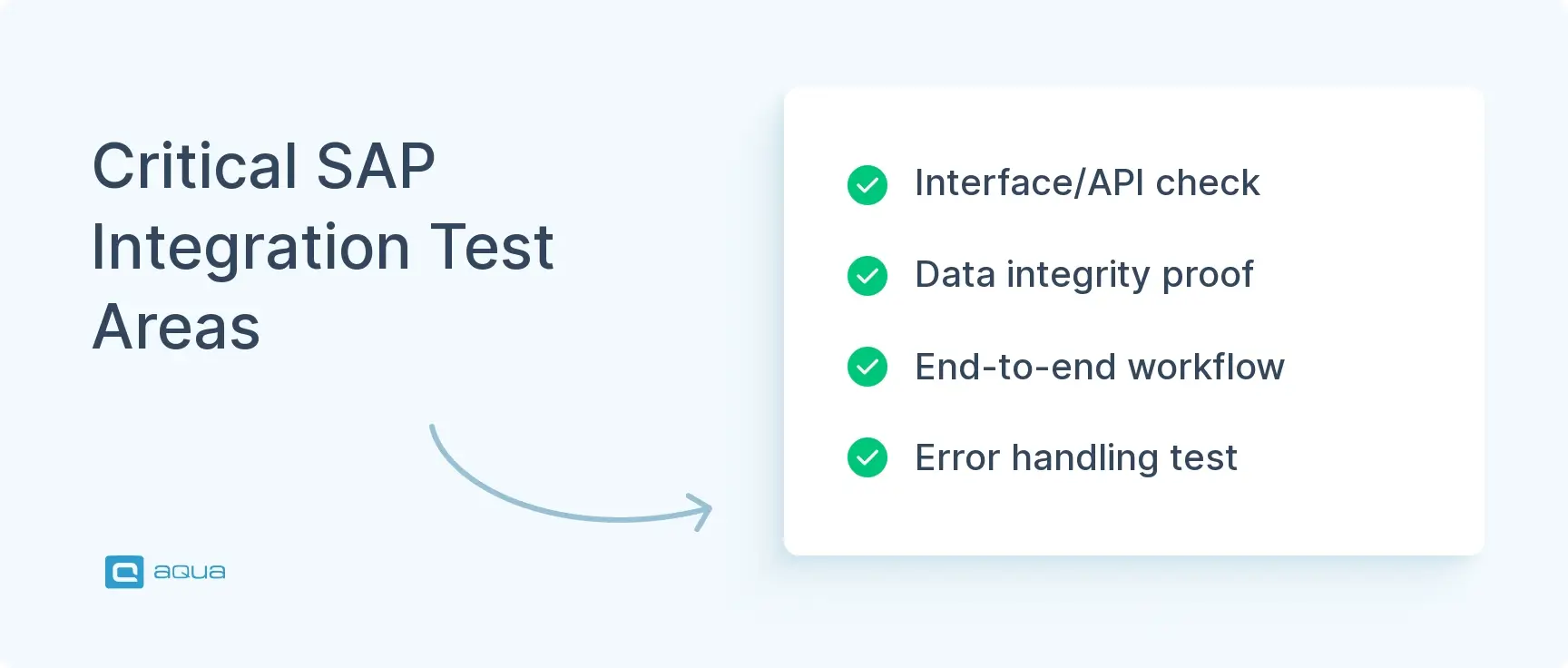
You’re testing several critical areas:
Interface testing – Are your API calls and data exchanges working?
Data integrity validation – Is your information getting corrupted in transit?
Business process verification – Are your multi-system workflows producing what you expect?
Error handling – When something breaks, does your system fail gracefully or cascade into chaos?
These areas become your foundation when you plan your integration strategy. Next, let’s look at what you need to focus on to make your integration testing actually work.
SAP integration points can break your digital transformation, especially when you’re connecting critical systems like S/4HANA, Ariba, and SuccessFactors. This is precisely where robust test management becomes essential. With aqua cloud, you can map and organize these complex integration scenarios into structured, traceable test cases that ensure nothing falls through the cracks. aqua’s unified platform allows you to manage both manual and automated integration tests in one place, with complete traceability from requirements to execution results. What makes aqua particularly powerful for SAP testing is its domain-trained AI Copilot that can generate comprehensive integration test cases directly from your business process documentation. This is more than generic AI; its intelligence is grounded in your actual SAP configuration and business rules, helping you achieve faster, more reliable testing across your entire SAP ecosystem.
Cut SAP integration testing time by 70% with project-specific AI that understands your business processes
Key Considerations for Effective SAP Integration Testing
Getting SAP integration testing right requires more than running a few test scripts. You need a solid strategy that accounts for your system’s complexity, your business workflows, and the reality that things will change. Let’s look at some SAP integration testing best practices together.
Start with Comprehensive Test Planning
Map out your integration points before you write a single test case. Which systems talk to each other? What data flows between them? What business processes depend on these integrations? Without this blueprint, you’re testing blindly. You’ll miss critical scenarios until they blow up in production. Document your interfaces. Understand your data models. Identify the business-critical paths that cannot fail.
Manage Your Test Environment
Your test environment should mirror production as closely as possible. Same configurations. Same data volumes. Same integration patterns. Testing in a sanitized sandbox that doesn’t reflect real-world conditions sets you up for failure. Pay special attention to data quality. Garbage data in your test environment produces garbage results. Use realistic test data that covers edge cases, boundary conditions, and the weird scenarios that always happen in production.
Enable Cross-Functional Collaboration
SAP system integration testing touches multiple teams. Functional experts who understand business processes. Technical folks who know the system architecture. Business users who can validate that outputs make sense. These groups need to communicate. Schedule regular syncs. Document decisions. Make sure everyone understands not just what’s being tested, but why it matters. When finance, procurement, and IT don’t talk to each other, you end up with integration tests that check technical boxes but miss business requirements. Learn more about integration testing approaches that work.
Run Impact Analysis for Changes
SAP systems don’t stand still. You’ll get updates, patches, new integrations, configuration changes. Each one could break existing integrations. Before implementing changes, run impact assessments to identify which integration points might be affected. Test those connections explicitly. It’s easier to catch a broken interface in test than to explain to the CFO why month-end close just failed. This becomes especially critical during SAP migrations where you’re validating both legacy and new system integrations.
Version compatibility checks – Ensure all integrated systems support each other’s current versions
Performance testing under load – Integration points that work fine with ten users might crumble under realistic volumes
Security validation – Confirm that authentication and authorization work correctly across system boundaries
Error logging and monitoring – Set up robust logging so you can diagnose issues when they occur
Regression testing strategy – Build a core suite of integration tests you run after every change
The goal is confidence that your integrations won’t crash when it counts. That confidence comes from thorough preparation, realistic testing, and knowing you can’t predict everything but can prepare for most things.
Your integration testing strategy sets the stage. Now let’s look at what you’re actually testing.
Common SAP Integration Testing Scenarios
Let’s look at real scenarios, not theoretical fluff.
Procure-to-Pay Integration (Ariba + S/4HANA)
A user creates a purchase requisition in SAP Ariba. That requisition flows into S/4HANA. Gets converted to a purchase order. Triggers goods receipt when items arrive. Eventually generates payment when the invoice comes through. You’re testing the entire chain. Does the PR data transfer correctly? Do approvals in Ariba trigger the right actions in S/4HANA? When the goods receipt happens, does it match the PO and update inventory levels accurately? Does the three-way match (PO, goods receipt, invoice) work without manual intervention?
A single broken link anywhere delays payments. Messes up vendor relationships. Creates accounting discrepancies that haunt you during audits.
HR hires someone in SuccessFactors. That employee record needs to sync with S/4HANA for payroll processing and with Concur for expense management. Your integration test validates whether the employee data transfers correctly to all systems. Name, position, salary, cost center. Does the employee ID remain consistent? Are permissions set up properly? Can the new hire submit expense reports on day one?
This scenario gets messy fast. It involves personal data, compliance requirements, and multiple HR processes that can’t afford errors.
Order-to-Cash Integration (CRM + S/4HANA)
A sales rep closes a deal in your CRM system. That sales order flows into S/4HANA. Triggers delivery processing, billing, and revenue recognition. You’re testing whether customer data syncs correctly. Whether pricing and discounts apply properly. If inventory gets allocated and delivery documents generate as expected. When the customer pays, does the payment clear the receivable and update cash flow forecasts?
These integrations directly impact revenue recognition and customer satisfaction. Get them wrong and you’re either leaving money on the table or accidentally overcharging customers.
Master Data Synchronization
This doesn’t get enough attention. When you update a customer’s address in S/4HANA, does it propagate to your CRM, billing system, and logistics platform? When a new cost center gets created, do all relevant systems recognize it? Master data inconsistencies create downstream chaos. Reports don’t match. Analytics are garbage. Nobody trusts the data.
Testing these synchronization processes means validating not just the happy path, but what happens when updates conflict or systems are temporarily unavailable.
Each scenario presents unique challenges. Procure-to-Pay involves complex approval hierarchies. Employee onboarding deals with sensitive data and strict timelines. Order-to-Cash must handle high transaction volumes. Master data synchronization requires conflict resolution logic. Your test cases need to cover not just standard workflows, but the exceptions. Partial deliveries. Approval rejections. System timeouts. Data validation failures. That’s where the real testing value lives.
These real-world scenarios show why thorough integration testing matters for your operations. Automation makes testing these scenarios manageable at scale.
Automation in SAP Integration Testing
Manual integration testing works until it doesn’t. When you’re dealing with dozens of integration points, frequent releases, and complex multi-system workflows, clicking through test cases by hand becomes a bottleneck. You miss bugs. Your QA team burns out. SAP test automation changes this.
Why Automate?
Automated tests run the same way every time. No more “it worked when I tested it” scenarios caused by human error. You execute hundreds of integration test cases overnight. You get feedback before your morning coffee instead of waiting days for manual test cycles. You build regression suites that run after every change. You catch integration breaks immediately rather than discovering them when a critical business process fails in production.
SAP-Specific Automation Challenges
SAP systems are complex. Thick clients, web interfaces, APIs, batch processes. Your automation strategy needs to account for this diversity. Some integration points are API-based. Perfect for lightweight automated checks that validate data exchanges directly. Others involve GUI interactions requiring more sophisticated automation tools capable of handling SAP’s interface quirks. Batch integrations run on schedules. Your automation framework needs to trigger processes and verify results asynchronously.
Modern SAP integration testing goes beyond simple record-and-playback. You need frameworks that handle end-to-end business processes spanning multiple systems. They validate data across different databases. They integrate with your CI/CD pipeline. The goal is continuous testing. Automatically verifying integrations with every code change, configuration update, or system patch. This shifts integration testing left. You catch issues early when they’re cheap and easy to fix. Learn more about SAP test management approaches that enable continuous testing.
What to Automate (and What Not To)
Smart automation means knowing what not to automate. Some integration scenarios change frequently. Automated tests become maintenance nightmares. Others are so complex that the effort to automate exceeds the value. Focus your automation efforts on stable, high-value, frequently executed tests. Your core business processes. Critical data flows. Regression scenarios that need to run repeatedly. Leave the exploratory testing, one-off scenarios, and rapidly changing workflows for manual testing where human insight adds value.
What actually works:
API testing frameworks – Validate web services and RFC calls between SAP systems
Data validation scripts – Query multiple databases and compare results programmatically
Test data management automation – Set up and tear down test scenarios consistently
Integration with DevOps tools – Tests trigger automatically on deployments or configuration changes
The payoff is better quality, not just faster testing. When your team isn’t drowning in repetitive manual tests, they focus on exploratory testing, edge cases, and creative problem-solving that finds the gnarly bugs. Automation handles the heavy lifting. Humans provide the intelligence.
Conclusion
SAP integration testing is the difference between a system that delivers value and one that delivers excuses. You’ve invested serious money in S/4HANA, cloud solutions, and integrated applications. That investment pays off when these systems actually work together and when data flows correctly. Integration testing catches problems before they cascade into operational chaos or financial discrepancies. Approach it thoughtfully. Automate what makes sense. Test the scenarios that actually matter. Give your transformation the solid foundation it deserves.
As your SAP grows more interconnected, the stakes for integration testing have never been higher. Missed handoffs between systems break critical business processes like Procure-to-Pay and Order-to-Cash that directly impact your bottom line. aqua cloud offers a comprehensive solution that addresses these challenges head-on. By centralizing your test management and leveraging powerful automation capabilities, aqua helps ensure your SAP integrations work flawlessly across environments and updates. The platform’s visual traceability shows exactly how your integration points connect, while its deep API support enables seamless incorporation into your CI/CD pipeline. Most impressively, aqua’s domain-trained AI Copilot can rapidly generate integration test cases specific to your SAP environment, leveraging your actual documentation to create highly relevant scenarios in seconds instead of days. It’s faster and smarter testing that reduces business risk while accelerating your digital transformation initiatives.
Achieve 100% confidence in your SAP integrations with aqua's AI-powered test management platform
It’s different from asking, “What is integration testing in SAP”? SAP integration testing verifies that different SAP modules and external applications work together correctly. You’re not just checking if individual features work. You’re validating how data moves between systems, how business processes span multiple modules, and whether integrations handle failures gracefully. When a purchase order gets created in Ariba, does it trigger the right actions in S/4HANA? When employee data changes in SuccessFactors, does it sync correctly with payroll? That’s what integration testing in SAP validates. You’re testing the handoffs between systems to ensure your digital transformation doesn’t break when modules actually need to communicate.
What are the four types of integration testing?
The four main types of integration testing are Big Bang, Top-Down, Bottom-Up, and Sandwich (Hybrid). Big Bang testing integrates all modules at once and tests them together. Fast but makes debugging difficult. Top-Down testing starts with high-level modules and progressively integrates lower-level ones using stubs for missing components. Bottom-Up does the opposite, starting with low-level modules and using drivers to simulate higher-level calls. Sandwich combines both approaches, testing top and bottom layers simultaneously and meeting in the middle. In SAP environments, you typically use a hybrid approach that fits your specific integration points and business priorities rather than sticking rigidly to one method.
What are the common challenges faced during SAP integration testing?
You’ll hit several challenges. Environment management is brutal. Your test environment needs to mirror production closely, but maintaining that consistency across frequent changes is tough. Data quality issues plague testing. Garbage test data produces unreliable results. Cross-system dependencies create scheduling nightmares. You need multiple systems available simultaneously, but they’re often in different states or undergoing separate maintenance. Communication gaps between teams cause missed requirements. Finance doesn’t talk to IT. Procurement doesn’t understand technical constraints. Version compatibility issues surface when integrated systems run different patch levels. Performance problems that don’t show up with ten users crush you under realistic load. The fix? Comprehensive planning, realistic test environments, cross-functional collaboration, and automation for repetitive scenarios. Check out common challenges in integration testing for detailed solutions.
How can automated testing tools improve SAP integration testing?
Automated testing tools dramatically improve SAP integration testing through consistency, speed, and repeatability. You run the same tests the same way every time, eliminating human error. You execute hundreds of test cases overnight instead of waiting days for manual cycles. You build regression suites that catch integration breaks immediately after changes. Automation handles API validation, data integrity checks across databases, and end-to-end business process verification spanning multiple systems. Modern tools integrate with CI/CD pipelines for continuous testing, shifting integration validation left to catch issues early. The real payoff is freeing your team from repetitive manual work so they focus on exploratory testing and complex scenarios that require human judgment. Learn more about SAP test automation approaches that scale.
Home » Test Automation » Integration Testing in SAP: Ensuring a Seamless Digital Transformation
Do you love testing as we do?
Join our community of enthusiastic experts! Get new posts from the aqua blog directly in your inbox. QA trends, community discussion overviews, insightful tips — you’ll love it!
We're committed to your privacy. Aqua uses the information you provide to us to contact you about our relevant content, products, and services. You may unsubscribe from these communications at any time. For more information, check out our Privacy policy.
X
🤖 Exciting new updates to aqua AI Assistant are now available! 🎉
We use cookies and third-party services that store or retrieve information on the end device of our visitors. This data is processed and used to optimize our website and continuously improve it. We require your consent fro the storage, retrieval, and processing of this data. You can revoke your consent at any time by clicking on a link in the bottom section of our website.
For more information, please see our Privacy Policy.
This website uses cookies to improve your experience while you navigate through the website. Out of these, the cookies that are categorized as necessary are stored on your browser as they are essential for the working of basic functionalities of the website. We also use third-party cookies that help us analyze and understand how you use this website. These cookies will be stored in your browser only with your consent. You also have the option to opt-out of these cookies. But opting out of some of these cookies may affect your browsing experience.
Necessary cookies are absolutely essential for the website to function properly. These cookies ensure basic functionalities and security features of the website, anonymously.
Cookie
Duration
Description
cookielawinfo-checkbox-analytics
11 months
This cookie is set by GDPR Cookie Consent plugin. The cookie is used to store the user consent for the cookies in the category "Analytics".
cookielawinfo-checkbox-functional
11 months
The cookie is set by GDPR cookie consent to record the user consent for the cookies in the category "Functional".
cookielawinfo-checkbox-necessary
11 months
This cookie is set by GDPR Cookie Consent plugin. The cookies is used to store the user consent for the cookies in the category "Necessary".
cookielawinfo-checkbox-others
11 months
This cookie is set by GDPR Cookie Consent plugin. The cookie is used to store the user consent for the cookies in the category "Other.
cookielawinfo-checkbox-performance
11 months
This cookie is set by GDPR Cookie Consent plugin. The cookie is used to store the user consent for the cookies in the category "Performance".
viewed_cookie_policy
11 months
The cookie is set by the GDPR Cookie Consent plugin and is used to store whether or not user has consented to the use of cookies. It does not store any personal data.
Functional cookies help to perform certain functionalities like sharing the content of the website on social media platforms, collect feedbacks, and other third-party features.
Performance cookies are used to understand and analyze the key performance indexes of the website which helps in delivering a better user experience for the visitors.
Analytical cookies are used to understand how visitors interact with the website. These cookies help provide information on metrics the number of visitors, bounce rate, traffic source, etc.
Advertisement cookies are used to provide visitors with relevant ads and marketing campaigns. These cookies track visitors across websites and collect information to provide customized ads.






 Bankingaqua ALM helps banks increase testing productivity by over 50%