Product Update 25.10 – 25.123: AI Copilot, Jira Sync, Test Execution & More
We're excited to share everything that has been shipped across 2025. This update covers a wide range of improvements, from a significantly expanded AI Copilot and smarter defect creation to reworked Jira sync, redesigned project templates, and a number of workflow improvements that have been on your wishlist for a while. Here's the full picture.
You can now enable and manage AI Copilot options directly in settings, giving you full control over how and where the AI assists you, from content updates to test case generation. Enabling or disabling AI Copilot now affects the entire AI experience through a single, consistent switch.
File uploads in AI chat are now supported. Companies using aqua can upload PDFs, DOCX, XLSX, PNG, and JSON files directly into the chat, and the AI will analyze the content to answer questions, produce summaries, or generate structured outputs. JSON uploads are particularly useful for generating test data, requirements, or test cases from structured input.
Multi-page PDF support is also here. Larger, multi-page PDF files can now be used as input context when generating test cases or requirements via AI Copilot.
Multiple test cases at once can be generated using a chosen test design technique:
Boundary Value Analysis
Equivalence Partitioning
Decision Table Testing
Select a technique, provide a short description, and AI Copilot creates a structured set of relevant test cases in one action.
BDD format test case generation is now available, following the Given-When-Then structure. You can also regenerate test cases with additional instructions when the first result needs adjustment, without starting from scratch.
File to test data: upload any file and AI Copilot will automatically generate data sets from it, saving time and reducing manual effort.
AI-Powered Defect Creation
When you mark a test step as Failed or Blocked during a test execution, a new “Create with AI” button appears. Click it, and the AI instantly generates a complete defect report with:
Background information
Reproduction steps
Actual results
Expected results
The defect is automatically linked to your test case and execution.
You can also create AI-powered defects from the navigation page or defect page, outside of a test run. Describe the issue by typing, using voice narration, or uploading a file (screenshots, PDFs, Excel files, and more). The AI creates a structured defect report that you can refine with additional instructions before saving.
Defect creation from Failed or Blocked test executions has also been improved with a structure that allows easier modification of defect details even after creation, and ensures a more seamless sync with Jira.
Multilingual AI Copilot
System administrators can now configure a default output language in settings. Supported languages:
Once set, all AI-generated content, including chat responses, requirements, test cases, and test data, will be produced in the selected language, regardless of what language you use for input.
RAG: Ground AI in Your Own Project Documents
Retrieval-Augmented Generation (RAG) is now live in aqua. With RAG, AI Copilot draws on your own project documents when generating responses, making answers more relevant, accurate, and tailored to your actual work.
To enable RAG, reach out to support@aqua-cloud.io or fill in the in-app survey. PDF grounding support is coming soon.
Jira Sync: More Control, Fewer Timing Problems
Sync direction options have been expanded. You can now choose from five modes:
Bi-directional
From Jira to aqua only
From aqua to Jira only
Bi-directional, but only for tickets created in aqua
Bi-directional, but only for tickets created in Jira
Note: if you want to use the last two options, you will need to update your existing Jira sync setup.
1. Timing issues are resolved. With “Automatically create all new values from Jira” enabled, field values such as priorities or fix versions are now updated immediately during each sync, not after a delay of up to 5 minutes. This eliminates errors that occurred when users created or updated items immediately after adding new Jira values.
2. Formatting is now preserved in both directions. Requirements and defects keep their structure and formatting when moving between aqua and Jira.
3. PAT authentication is now available for teams on Jira Data Center. You can set up sync using a Personal Access Token instead of basic authentication. Note: switching from basic auth to PAT requires recreating your syncs.
4. Enclosure settings: a new option to hide adding multiple enclosures at the project level has been introduced. Jira currently supports only one enclosure (the description field) for sync, so this keeps things clean and avoids confusion.
5. Direct links between Jira and aqua are now visible on both sides. When syncing tickets, a direct link to the corresponding aqua item appears inside Jira, and a link to the Jira item appears in aqua.
6. Test case links via aqua4Jira plugin: when using the plugin and syncing with Jira, linked test cases and test scenarios in aqua are automatically displayed in Jira. Unlinking in aqua removes the link in Jira during the next sync. New dependency types provide clearer traceability:
Synced with: between synced aqua and Jira items
Covers / Covered by: between test cases and synced requirements or defects
Linked to: when a Jira issue is connected via the ribbon
7. Video attachments can now be synced between aqua and Jira. When a video is added to a Jira ticket or comment, the URL automatically appears in the linked aqua item. Users can preview videos directly in aqua for supported formats:
8. aqua4Jira plugin is now fully compatible with Jira Data Center version 10+. To start using it, re-install the plugin.
Comment Sync and Mentions Between aqua and Jira
Comments now sync as proper posts. A comment added in Jira becomes a post in aqua, and a post left in aqua shows up as a comment in Jira. Previously, comments were synced using enclosures, which caused confusion.
Mentions have been made consistent and predictable. Previously, syncing comments with mentions gave inconsistent results depending on whether the mentioned person existed in both systems and from which system the mention was made. Now:
Mentions are always synced as text to both aqua and Jira, even if the mentioned user does not exist in the target system, and it does not break the sync
Mentions made in aqua are now displayed in the Jira comment too
The synced comment in aqua shows the Jira display name; if a user is mentioned in aqua, Jira shows @[First name] [Last name] (aqua username)
Users receive an email notification only if it is enabled in the system where they were mentioned, avoiding duplicate emails.
Azure DevOps: Bidirectional Navigation Links
When items are synced between aqua and Azure DevOps, a link to the Azure DevOps item now appears in aqua, and a link back to aqua appears in the Azure DevOps issue.
Confluence Integration
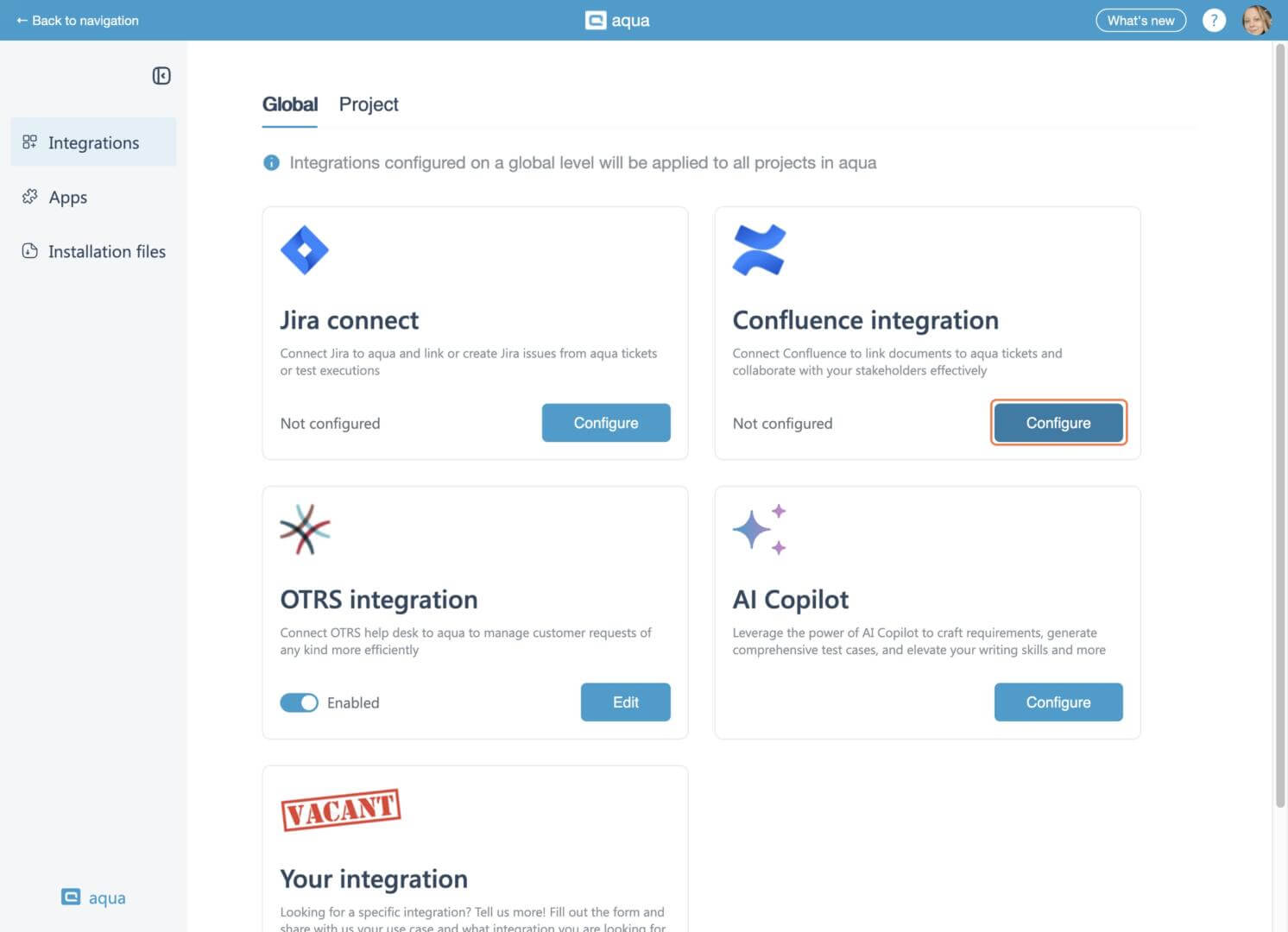
You can now link Confluence pages directly to aqua items by inserting a page URL, connecting specifications, documentation, and test artifacts without switching tools. Confluence Data Center is also now fully supported, covering large-scale, self-managed deployments alongside cloud.
Test Execution Improvements
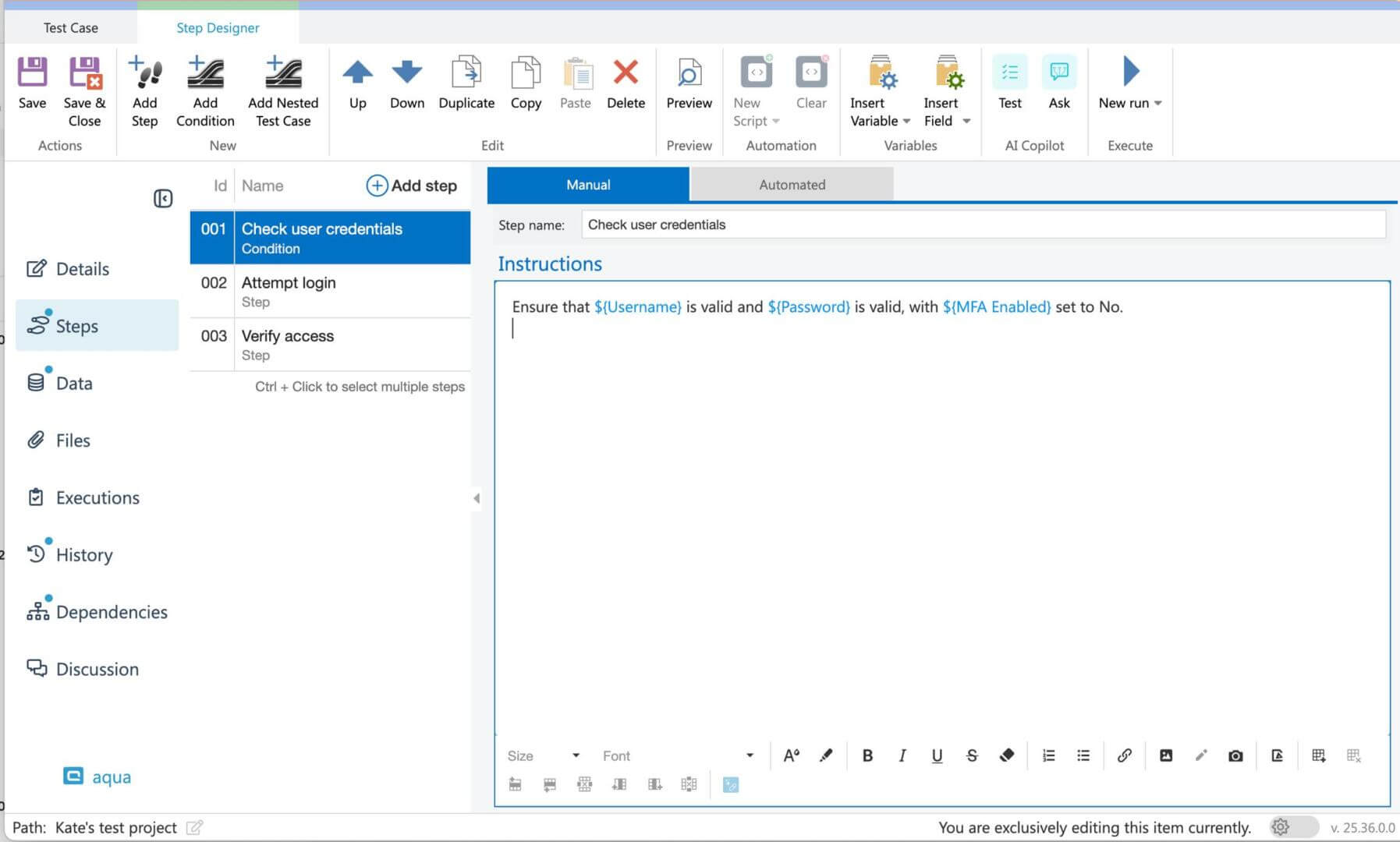
Autosave is now available for test executions. Progress is saved automatically, so unexpected interruptions or system issues do not result in lost work.
Auto-advance: a new project setting lets you enable automatic advance to the next step when marking a step as Failed or Blocked, eliminating extra clicks during test runs.
API: set execution status without touching individual steps. You can now set or update the overall status of a test execution, whether it is a standalone test or part of a larger scenario, through the API, without updating each step individually. When the overall status is set, all steps inherit it automatically.
Supported statuses via API: Passed, Failed, Blocked, Not applicable, Not run.
Note: statuses like Aborted, Queued, Waiting, or In Progress cannot be set on manual executions via the API; you will receive a clear error message. Finalized executions cannot be updated and will return an InvalidArgument error.
Essential license fix. An issue where Essential license users could not manually execute automated test cases has been resolved. They now have full access to manual execution options.
Bulk adding of multiple nested test cases is now supported, speeding up setup for complex test scenarios.
Mandatory Descriptions for Quality Control
Project administrators can now make the description field mandatory for any item type at the project level. When enabled, the system shows clear indicators that a description is required and will not allow saving items without one. This is particularly useful for teams syncing with Jira or Azure DevOps, where missing descriptions can cause sync errors.
Requirement and BDD Management
Requirements are now more flexible to work with. You can:
Split requirements into separate user stories
Convert requirements into an epic to extend with additional user stories
Break down long BDD scenarios into smaller, manageable steps
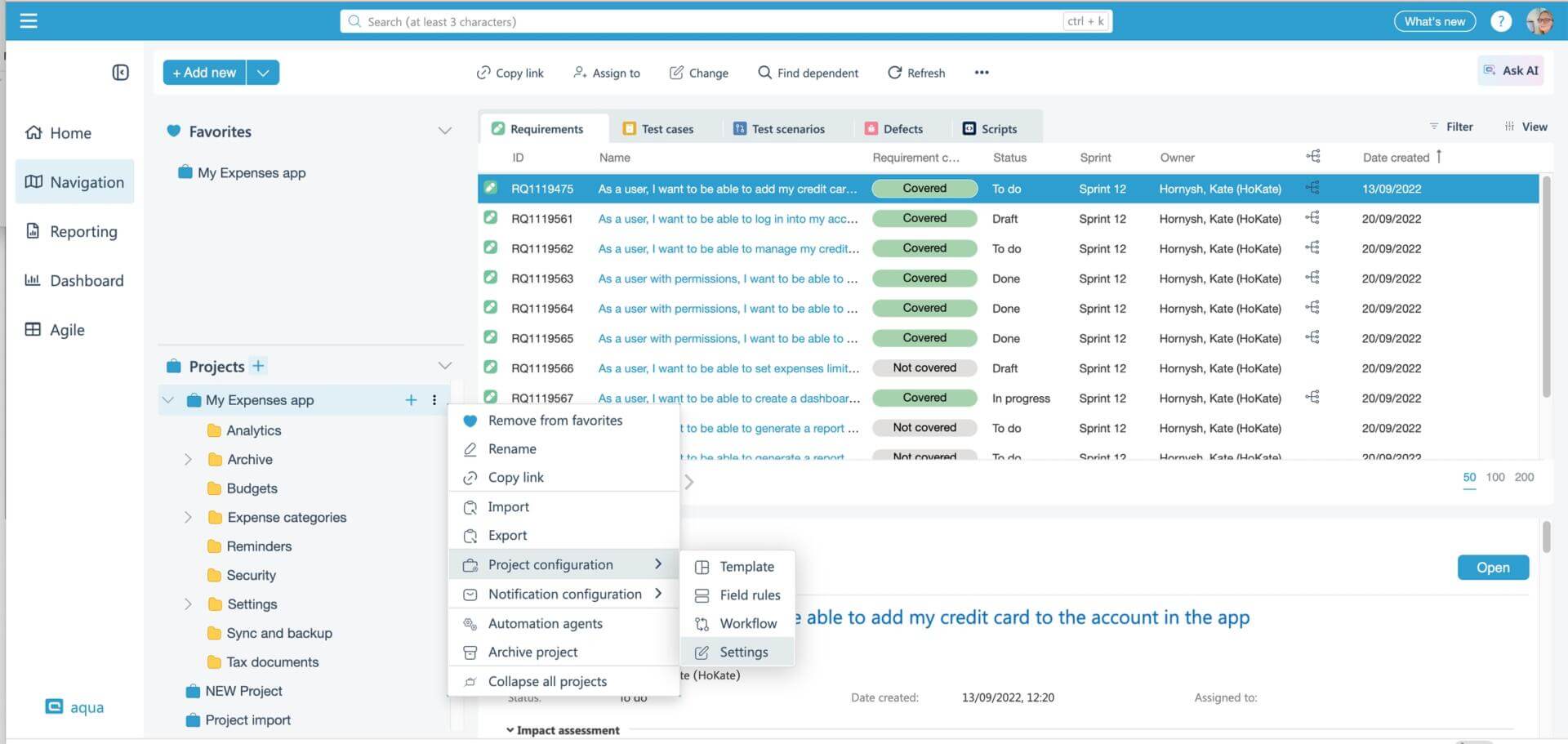
Project Templates and Workflows: Full Redesign
The Project Template Configuration page has been completely redesigned for clarity, flexibility, and a better user experience. You can now:
Manage fields more intuitively
Adjust field structure without switching to the preview
Reuse values across multiple fields using shared value sets in a more streamlined way
The workflow editor has also been rebuilt. The new version gives you:
A clear, modern interface to manage statuses and transitions
Refreshed Global Rules that apply logic across all workflows
Easy setup for status transitions with visual feedback
Projects can now also be detached from their parent shared template. Once detached, the project becomes fully independent and its template, workflow, and field rules can be edited without affecting the parent or other projects sharing it.
User Administration: Bulk Operations and License Visibility
The user administration page now supports bulk operations. You can:
Assign or unassign multiple users to projects simultaneously
Activate or deactivate user accounts in bulk
License usage statistics are now available, with the option to export data to Excel, giving administrators clear visibility into license allocation and usage.
Reporting and Content Formatting
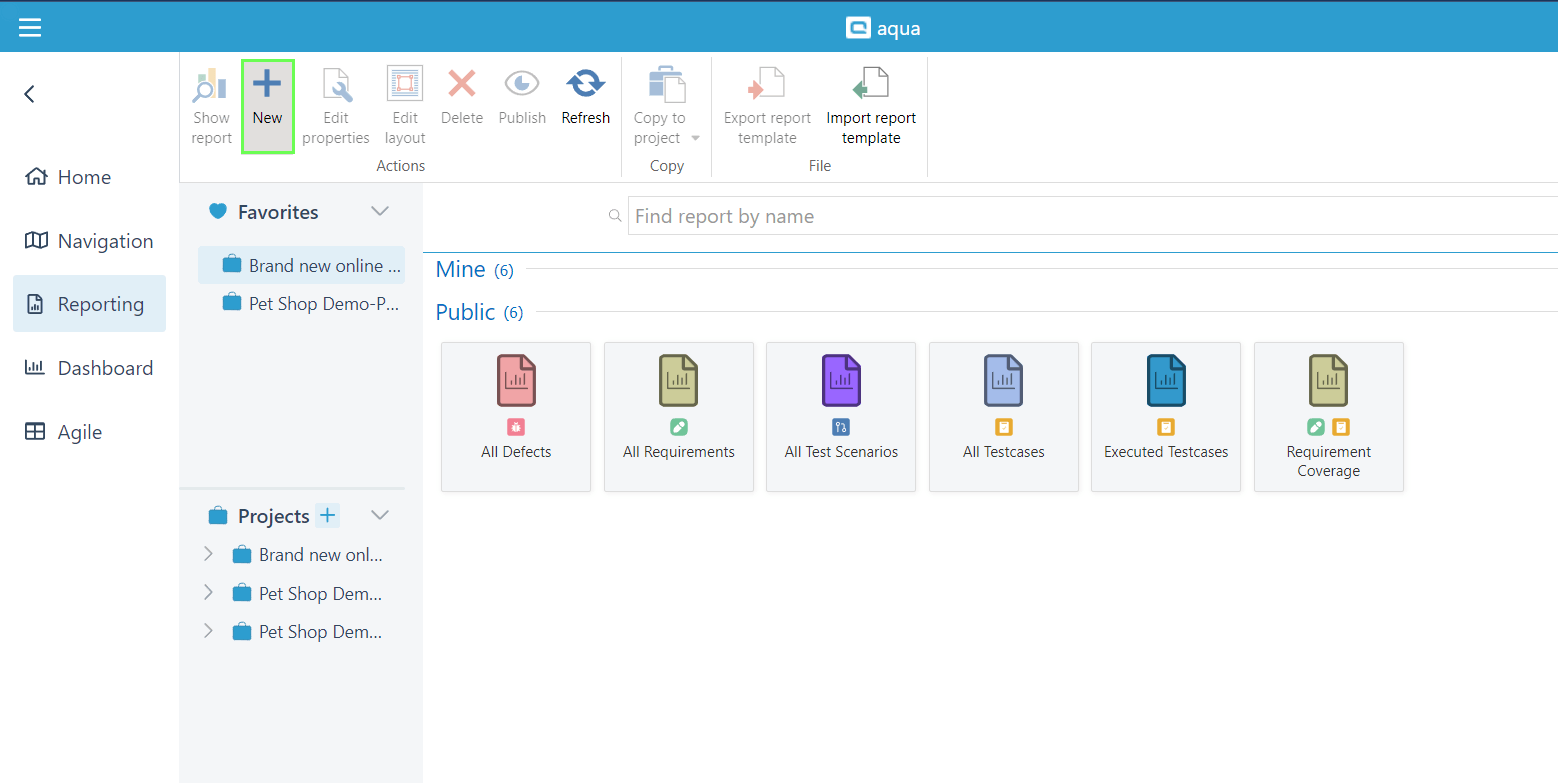
Reports now automatically resize large images and wide tables in rich-text fields. Previously, oversized content broke report layouts in the web client, and the only workaround was a dedicated desktop client report. Reports now handle this automatically, keeping layouts clean regardless of what is embedded.
List formatting in the editor has been refined for consistency, ensuring clean and predictable output when generating reports or printing.
TestRail Migration Support
In addition to importing whole projects, you can now import individual test suites from TestRail, making it easier to migrate incrementally without losing structure.
BDD test case types from TestRail are now fully supported. Scenarios, preconditions, and attachments are all mapped and preserved during import. No special steps are needed; the aqua import tool handles it automatically.
Import Folder Structure from Excel
When importing from Excel, aqua now reads folder paths from your file and automatically creates the corresponding folder structure. Items are placed into the correct folders, and you can also export templates that include just the folders.
Agile Board Improvements
The Agile page now includes a dedicated Story Points column, making it easier to understand ticket size at a glance and sort more efficiently. You can also delete and archive tickets directly from the Agile page and Scrum board, saving extra clicks and keeping boards clean.
Email Notifications: More Control, Less Noise
Email notifications for item changes are now disabled by default for new projects. Previously, many users received large volumes of notifications from automated sync accounts or technical processes. Starting with notifications off lets you opt in to only the updates that matter to you.
Existing notification settings are unaffected. For new projects, configure item change notifications in your project’s default notification settings.
A separate bug where the “Do not notify me if I made the change” setting did not always work correctly has also been fixed.
Project assignment notifications are now sent automatically whenever projects are assigned to users, keeping teams informed.
Security Updates
Captcha has been introduced to help protect against unauthorized access
Rate limits have been introduced for public cloud users to keep aqua stable and performant for everyone, supporting regular usage and integrations
Home » Product updates » Product Update 25.10 – 25.123: AI Copilot, Jira Sync, Test Execution & More
Do you love testing as we do?
Join our community of enthusiastic experts! Get new posts from the aqua blog directly in your inbox. QA trends, community discussion overviews, insightful tips — you’ll love it!
We're committed to your privacy. Aqua uses the information you provide to us to contact you about our relevant content, products, and services. You may unsubscribe from these communications at any time. For more information, check out our Privacy policy.
X
🤖 Exciting new updates to aqua AI Assistant are now available! 🎉
We use cookies and third-party services that store or retrieve information on the end device of our visitors. This data is processed and used to optimize our website and continuously improve it. We require your consent fro the storage, retrieval, and processing of this data. You can revoke your consent at any time by clicking on a link in the bottom section of our website.
For more information, please see our Privacy Policy.
This website uses cookies to improve your experience while you navigate through the website. Out of these, the cookies that are categorized as necessary are stored on your browser as they are essential for the working of basic functionalities of the website. We also use third-party cookies that help us analyze and understand how you use this website. These cookies will be stored in your browser only with your consent. You also have the option to opt-out of these cookies. But opting out of some of these cookies may affect your browsing experience.
Necessary cookies are absolutely essential for the website to function properly. These cookies ensure basic functionalities and security features of the website, anonymously.
Cookie
Duration
Description
cookielawinfo-checkbox-analytics
11 months
This cookie is set by GDPR Cookie Consent plugin. The cookie is used to store the user consent for the cookies in the category "Analytics".
cookielawinfo-checkbox-functional
11 months
The cookie is set by GDPR cookie consent to record the user consent for the cookies in the category "Functional".
cookielawinfo-checkbox-necessary
11 months
This cookie is set by GDPR Cookie Consent plugin. The cookies is used to store the user consent for the cookies in the category "Necessary".
cookielawinfo-checkbox-others
11 months
This cookie is set by GDPR Cookie Consent plugin. The cookie is used to store the user consent for the cookies in the category "Other.
cookielawinfo-checkbox-performance
11 months
This cookie is set by GDPR Cookie Consent plugin. The cookie is used to store the user consent for the cookies in the category "Performance".
viewed_cookie_policy
11 months
The cookie is set by the GDPR Cookie Consent plugin and is used to store whether or not user has consented to the use of cookies. It does not store any personal data.
Functional cookies help to perform certain functionalities like sharing the content of the website on social media platforms, collect feedbacks, and other third-party features.
Performance cookies are used to understand and analyze the key performance indexes of the website which helps in delivering a better user experience for the visitors.
Analytical cookies are used to understand how visitors interact with the website. These cookies help provide information on metrics the number of visitors, bounce rate, traffic source, etc.
Advertisement cookies are used to provide visitors with relevant ads and marketing campaigns. These cookies track visitors across websites and collect information to provide customized ads.