This XML Validator & Formatter is a free, standalone browser tool built by the aqua cloud team. It solves a specific, immediate problem: checking whether your XML is valid and making it readable. For anyone who needs to format XML online or works with XML regularly, it removes a manual step that would otherwise mean wrestling with an IDE plugin or squinting at a single-line blob from an API response. If XML is part of a broader testing workflow, aqua cloud, an AI-powered test and requirement management platform, addresses the larger picture. aqua centralizes test cases, requirements, defect tracking, and test execution in one place, with full traceability across the entire testing lifecycle. The actana AI generates test cases from requirements automatically, reducing the time needed to reach comprehensive coverage. It is the operational layer that keeps testing consistent and connected, well beyond any single file format.
Achieve comprehensive test coverage in seconds with aqua's AI
What Is XML?
Before diving into how to use the tool, it helps to understand what XML actually is and why its strict syntax rules make validation a necessary step.
XML (eXtensible Markup Language) structures data in a hierarchical format that is both human-readable and machine-parseable. Unlike HTML, it carries no fixed vocabulary, so you define tags based on your data. A <testSuite> wraps <testCase> elements; a <pipeline> contains <stages>. Relationships are expressed through nesting.
XML is platform-independent by design. A Windows app can write an XML config that a Linux system reads without modification. This interoperability made XML the foundation of SOAP web services, CI/CD configuration files such as Maven’s pom.xml, RSS feeds, and document formats like SVG and DOCX.
The syntax rules are strict: every opening tag needs a closing tag, elements must nest correctly without overlapping, and tags are case-sensitive. When a parser encounters malformed XML, it fails immediately and tells you exactly what went wrong. That strictness makes XML reliable for automated processing, but it also means a single typo can break an entire integration. That is precisely what this free XML formatter and validator is designed to prevent
How to Use aqua's Free XML Validator & Formatter
With that context in mind, here is exactly how to use the tool. It supports two core actions: Validate (checks well-formedness) and Format (prettifies with proper indentation). The workflow is straightforward:
- Paste your XML into the Input panel, or click Sample to load one of three built-in examples: a regression test suite, a CI/CD pipeline config, or a bug report.
- Click Validate to check for syntax errors. The status bar will confirm whether your XML is well-formed or show the exact error detail if it is not.
- Click Format to generate a cleanly indented version in the Output panel. Choose your preferred indent style (2 spaces, 4 spaces, or tab) from the dropdown before formatting.
- Use the Copy buttons on either panel to grab the input or formatted output to your clipboard.
- Click Clear to reset both panels and start fresh.
Note on sensitive data: The tool runs entirely client-side in your browser, and nothing is sent to a server. For XML containing production credentials or proprietary schemas, a local offline validator is the safer option.
Why Use an XML Validator?
Knowing how the tool works is one thing. Understanding why validation belongs in your regular workflow is another, and the consequences of skipping it show up across every layer of a software project.
The business case for validation
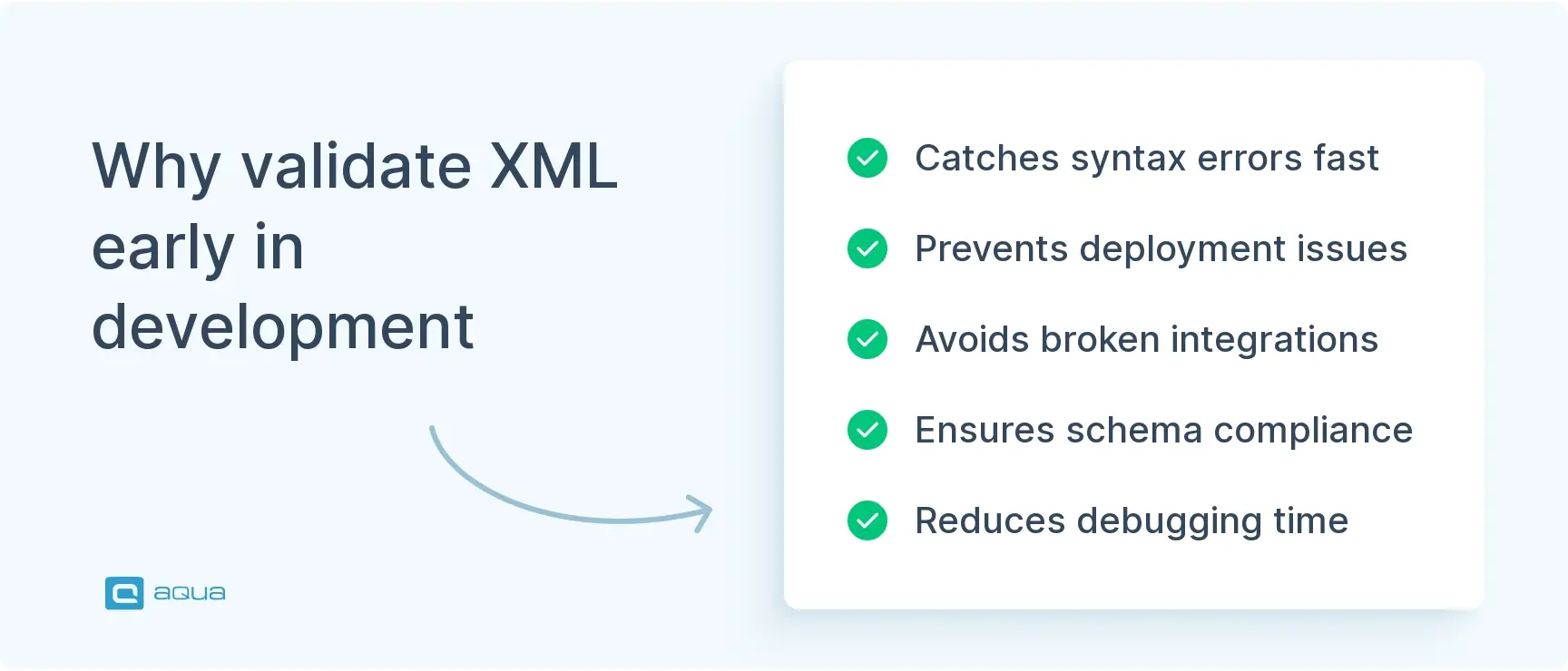
Validation is not just a syntax check. It is the difference between catching a structural problem at your desk and discovering it mid-deployment when three other systems are already failing downstream. Here is where skipping it causes the most damage:
- API integrations. Invalid XML in a SOAP request or REST payload breaks message parsing entirely, often producing cryptic error codes instead of clear failure messages.
- CI/CD pipelines. Malformed configuration files deploy broken environments, stalling your releases and blocking everyone downstream.
- Automated test suites. Unvalidated test data causes false failures that waste your execution time and obscure real bugs.
- Data contracts. Schema validation confirms that required fields exist, data types are correct, and element structure matches what your consuming systems expect before anything is sent.
- Configuration management. A typo like
</datbase> instead of </database> crashes application startup; a validator catches it in seconds.
Any XML validation tool is a good start
Who should use an XML validator and formatter
The tool is useful any time XML is part of your workflow, but these roles and teams benefit most directly:
- QA engineers and testers on your team validating test data files, expected API responses, and environment configs
- Your backend developers working with SOAP services, XML-based REST APIs, or configuration-heavy frameworks
- DevOps and platform engineers managing CI/CD pipeline configs or Maven/Ant build files
- Technical writers and documentation teams preparing API examples, data schemas, or integration guides
- Your agile team doing sprint-level config reviews or debugging data contract failures between microservices
Advantages of Using an XML Formatter
Validation tells you whether your XML is correct. Formatting makes it readable enough to work with confidently, and that distinction matters more than it might seem when you are debugging under pressure or reviewing someone else’s config file.
Compared to manual formatting, paid tools, or general-purpose editors
- No setup required. General-purpose editors like VS Code require plugins, schema associations, and configuration to get XML formatting right. The aqua tool works instantly in any browser with no setup.
- Free to use. Commercial XML IDEs such as Oxygen XML or XMLSpy cost hundreds per license. For quick formatting and validation tasks, a free XML formatter covers the same ground at zero cost.
- Visual hierarchy over raw text. Unformatted XML from APIs often arrives as a single continuous line. Formatted output with consistent indentation makes parent-child relationships immediately visible, which cuts debug time significantly.
- Consistent output across a team. When everyone uses the same formatter with the same indent settings, your code reviews are cleaner and merge conflicts in XML config files drop.
- Faster defect isolation. When every element aligns predictably, a misplaced closing tag or unexpected nesting level stands out visually instead of hiding in dense, unbroken text.
- Readable documentation. API examples and test data files formatted consistently communicate structure to your teammates and consumers without extra clarification.
To make that concrete: unformatted input like <config><server><host>localhost</host><port>8080</port></server><database><user>admin</user></database></config> becomes a clean structure where <config> clearly wraps <server> and <database> as siblings, each with their child elements properly indented underneath. Same data, immediately maintainable.
Validating individual XML files is one part of maintaining software quality, while a dedicated QA platform covers the rest. aqua cloud, an AI-driven test and requirement management solution, brings test cases, requirements, and results into one unified system. This gives you and your team the structure and visibility that other tools and manual processes cannot provide. AI-powered test case generation cuts design time significantly, while customizable dashboards surface real-time progress and defect data without manual reporting. The platform connects with the tools your team already uses: Jira for issue tracking, Jenkins and GitLab for CI/CD pipelines, Confluence for documentation, and Selenium and JMeter for automation, with 12 out-of-the-box integrations and a REST API for everything else.
Boost testing efficiency by 80% and achieve 100% test coverage
Conclusion
XML validation and formatting are basic quality gates that prevent avoidable production failures. Catching a tag mismatch before deployment takes seconds; debugging the same error in a live integration can take hours. Use aqua’s free tool to validate and format XML online as a routine step in your development and testing workflow, before committing configs, sending API payloads, or handing off your test data to automated suites.