Regression Testing: Examples & Best Tools for 2026
Are your software updates accidentally breaking existing features? You're not alone. That's exactly why regression testing exists—and why it's become an absolute must-have in modern software development. In this guide, we'll break down what regression testing is, why it matters to your QA team, and how to implement it effectively. No fluff, just practical insights you can apply right away.
Regression testing is a software testing type that checks whether code changes have negatively affected existing functionality. Put simply, it makes sure that stuff that used to work still works after the changes made to code.
When a developer adds new code or modifies existing code, regression tests verify that:
Previously developed features still work correctly
Bug fixes haven’t introduced new problems
System integrations continue functioning properly
Overall application stability is maintained
Regression testing is your safety net, catching unexpected issues that might arise when you modify your codebase. When something that previously worked correctly breaks after a code change, we call that specific issue a “regression”.
Regression testing is a kind of testing where you re-test portions (or even all) of a piece of software, typically after a change like the addition of a new feature or a bug fix, to ensure that the rest of the software still functions as you'd expect (i.e., hasn't broken in some way).
Not all regression testing is created equal. Depending on your project needs, timeline, and resources, you might use different approaches:
Unit Regression Testing
This targets individual code components at their most granular level. It’s perfect for catching issues early in the development process and works great for validating that small code units function correctly before they interact with other components.
Unit regression tests are your first line of defense. It helps developers understand how specific code segments perform and fix bugs before they cascade into bigger problems.
Partial and Regional Regression Testing
When time or resources are tight (and when aren’t they?), partial regression testing focuses on the most critical features likely to be affected by code updates. Instead of testing everything, you strategically target high-risk areas.
Similarly, regional regression focuses on specific product functionalities or regions. So, it is perfect for apps with regional variations that need localised testing.
Full Regression Testing
This is the comprehensive approach—testing all functionality after code changes. While it’s time and resource-intensive, full regression testing is often necessary after significant code changes to critical applications or when compliance requires thorough validation.
Think of it as your gold standard for ensuring flawless product performance after major updates.
Selective and Progressive Regression Testing
Selective testing strategically prioritises test cases based on impact analysis and code changes. As you can see from the name, it focuses on high-risk features affected by recent updates.
Progressive testing takes an iterative approach, carefully testing as new code is introduced. This aligns perfectly with agile development and allows continuous testing throughout each sprint.
Corrective Regression Testing
When fixing critical issues (like security vulnerabilities), corrective regression testing ensures your fix doesn’t create new problems elsewhere. It’s a focused approach that validates that your remediation efforts won’t cause cascading issues.
Importance of Regression Testing
Maintaining Software Stability
The primary purpose of regression testing is to keep your software stable as it evolves. Without it, you’re essentially flying blind with each code change.
Every time developers modify code—whether adding features, fixing bugs, or optimising performance—there’s a risk of unexpected side effects. Regression testing is your insurance policy against these surprises.
For QA teams, regression testing provides confidence that the application remains reliable despite ongoing changes. This stability directly impacts:
In Agile and DevOps environments, regression testing is crucial.
As development cycles get shorter and releases more frequently, regression testing ensures quality doesn’t suffer for the sake of speed. It’s the critical balance that makes continuous delivery possible without continuous disasters.
Digital companies using DevOps aim to deliver products to customers more quickly while maintaining quality through frequent releases. Within this accelerated environment, regression testing confirms that continuous code modifications don’t compromise existing functionality.
Regression testing helps catch these issues before they reach production, preventing:
Emergency hotfixes and patches
Customer-reported issues (always embarrassing)
Potential revenue loss from broken features
Damage to brand reputation
A robust regression testing strategy isn’t just a technical best practice—it’s a business imperative with a direct impact on your bottom line.
Do you know what else can prevent costly production failures and even costly testing? A proper QA process and a proper test management system, such as aqua cloud, are essential on your path.
With aqua cloud, you can speed up test creation using AI-assisted suggestions, generate requirements and test data in just a couple of clicks, and automate repetitive regression tests through native integrations with tools like Selenium, Cypress, and Ranorex. You also get full traceability and reporting across every requirement, plus built-in bug tracking with Capture that helps you identify issues up to 200% faster. Whether you’re re-checking a small fix or validating an entire release, aqua takes the heavy lifting out of regression testing—so you can focus on what really matters: shipping quality software.
Elevate your regression testing efforts with just 1 click
Regression testing does not involve coding... however coding knowledge is helpful but (not required) when identifying problems and explaining them to software developers.
Before diving deeper into regression testing strategies, test your current understanding with our quick quiz below. We provide you with 10 questions that reveal whether you’re over-testing, under-testing, or getting it just right.
📝Regression Testing Quiz: Test Your Knowledge (Click to open)
▼
Test your regression testing knowledge!
10 multiple-choice questions covering best practices, strategies, and real-world scenarios.
Question 1 of 10Score: 0/10
Examples of Regression Testing in Practice
E-Commerce Platform Scenario
Imagine an e-commerce site implementing a new payment gateway. Regression testing would verify that:
The checkout process still works end-to-end
Product search and filtering continue functioning
User accounts can still be created and accessed
Shopping cart operations work correctly
Order history remains accessible and accurate
Without regression testing, the site might successfully implement the new payment method but break the checkout process for existing payment options—costing sales and frustrating customers.
The QA team would create test cases specifically targeting these critical paths, often automating them to run after every code change affecting the checkout system.
Video Conferencing Application Case Study
For a video conferencing application, regression testing becomes particularly critical due to the complex real-time nature of the software.
When adding a new feature like screen sharing with annotation, regression tests would verify:
Basic video and audio calls still work flawlessly
Meeting recording functions correctly
Chat features continue working during calls
User permissions and admin controls remain effective
Integration with calendar systems stays functional
Since video conferencing involves real-time communication dependent on multiple interconnected features, thorough regression testing is essential to prevent embarrassing failures during actual meetings.
Regression Testing Tools and Frameworks
Popular Automation Tools Comparison
Tool
Best For
Key Features
Learning Curve
Cost
Selenium
Web applications
Cross-browser testing, large community support
Moderate to steep
Free (open-source)
Cypress
Modern web apps
Fast execution, real-time reloading, easy debugging
Gentle
Free core, paid plans for teams
Aqua cloud
Desktop, web
AI-powered test management, automation integrations
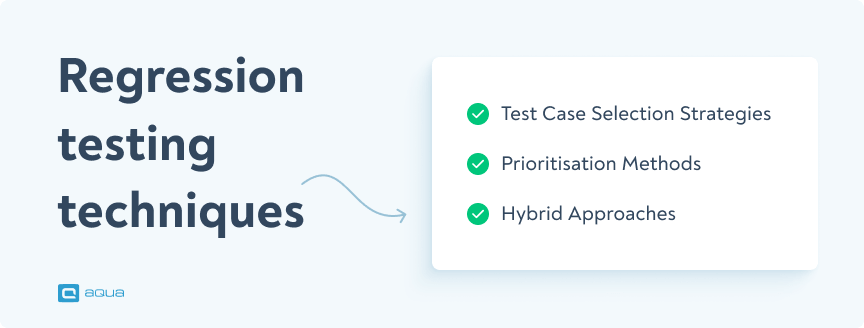
Not all test cases need to be run for every code change. Smart selection strategies include:
Risk-based selection: Prioritize tests for features with high business impact or technical complexity.
Change-based selection: Focus on areas directly and indirectly affected by recent code changes.
History-based selection: Prioritise tests that previously caught issues, as they’re likely to find problems again.
Usage-based selection: Focus on testing the most frequently used features first.
For QA teams with limited resources, these selection strategies help maximize testing effectiveness by ensuring that the most critical tests run first.
Prioritisation Methods
Once you’ve selected which tests to run, prioritising them correctly can further optimize your testing process:
Business value: Tests that validate core business functionality come first
Risk level: High-risk features receive priority testing
Failure probability: Areas with a history of issues get tested early
Test execution time: Quick tests might run first to provide rapid feedback
A practical approach is creating a priority matrix, scoring each test case on these factors, then ordering your regression suite accordingly.
Hybrid Approaches
Most effective regression testing strategies combine multiple techniques:
Run a small, critical smoke test suite after every code change
Conduct partial regression testing focused on affected areas for minor releases
Perform full regression testing before major releases
Supplement automated testing with targeted manual testing for user experience aspects
This balanced approach provides confidence in your software quality while making efficient use of testing resources.
Challenges in Regression Testing
Time and Resource Constraints
One of the biggest challenges QA teams face is completing regression testing within tight timeframes. Full regression testing can be time-consuming, particularly for large applications with extensive test suites.
Project deadlines and last-minute code changes often compress testing windows, increasing pressure on QA teams and risking incomplete test coverage. According to a 2021 study by Tricentis, the average test suite for enterprise applications can include over 100,000 test cases, with a median execution time of 18 hours per cycle.
To address these constraints:
Automate repeatable test cases to reduce execution time
Use risk-based testing to prioritise critical functionality
Consider cloud-based testing platforms for scalable resources
Test Suite Maintenance Issues
As applications evolve, regression test suites require continuous updates to remain effective. Tests must reflect changes in the codebase, which can be labor-intensive without proper management.
Common maintenance challenges include:
Tests breaking due to UI changes
Outdated test data no longer matching application requirements
Test cases that no longer apply to current functionality
Growing test suites becoming unwieldy and inefficient
Implementing a regular test suite review process helps keep your regression tests relevant and manageable. Consider removing redundant or obsolete tests while ensuring adequate coverage for critical features.
Test flakiness—when tests produce inconsistent results under identical conditions—can undermine confidence in your regression testing. According to research, up to 30% of test failures in large applications may be due to flaky tests rather than actual defects.
Flaky tests waste time with false positives and, more dangerously, can lead teams to ignore actual issues mistakenly attributed to test instability.
Strategies for managing flaky tests include:
Isolating test environments to prevent interference
Adding appropriate wait conditions and timeouts
Implementing retry mechanisms for intermittent failures
Quarantining known flaky tests for separate investigation
By identifying and addressing test flakiness, you maintain the reliability of your regression testing process and preserve team confidence in test results.
Best Practices for Effective Regression Testing
Automation Strategies
For successful regression testing automation:
Start small and expand gradually: Automate your most stable, high-value test cases first.
Maintain good test design: Create modular, independent test cases that are easier to maintain.
Use appropriate frameworks: Choose frameworks that match your application type and team skills.
Implement reliable test data management: Ensure tests have consistent, controlled test data.
Balance automation coverage: You don’t need to automate everything—focus on repetitive, high-value scenarios.
Remember that successful automation isn’t about the quantity of automated tests but their quality and reliability.
Test Suite Optimisation
Keep your regression suite efficient with these practices:
Regular cleanup: Remove redundant or obsolete tests quarterly.
Coverage analysis: Use tools like SonarQube to identify coverage gaps.
Test atomicity: Ensure each test focuses on a specific functionality.
Execution time optimization: Refactor slow tests or consider breaking them into smaller units.
Parallel execution setup: Configure your tests to run simultaneously when possible.
An optimized test suite runs faster, requires less maintenance, and provides more reliable results—all crucial for effective regression testing.
Integration with CI/CD Pipelines
Integrating regression testing into your CI/CD pipeline creates a continuous feedback loop that catches issues early:
Trigger automated regression tests after each successful build.
Configure failure thresholds that prevent problematic code from progressing.
Implement an intelligent test selection to run only relevant tests for each change.
Set up detailed reporting that shows exactly what failed and why.
Create separate pipeline stages for different testing levels (unit, integration, full regression).
Regression testing is crucial for ensuring that new code changes don’t disrupt existing functionalities. To keep up with these changes at scale, you need a test management solution that will speed-up your process, not keep you from optimisation.
With aqua cloud, you can automate repetitive regression tests using native integrations with tools like Selenium, Cypress, and Ranorex. This not only accelerates your testing cycles but also enhances accuracy. aqua’s AI capabilities allow you to generate test cases, requirements, and test data within seconds, reducing setup time by up to 98%. By centralising both manual and automated tests in one platform, aqua ensures 100% traceability and comprehensive coverage. Detailed reporting provides actionable insights, helping you identify and address issues promptly. Ready for a full-scale change in your regression testing efforts?
Speed up your releases 2x, no matter how scaling your test suite is
Large enterprise applications often comprise numerous interconnected modules, creating complex dependency networks where changes in one area can unexpectedly impact others. According to a 2023 survey by GitLab, 42% of large enterprises find it challenging to manage dependencies between microservices during regression testing.
As applications grow, regression test suites expand accordingly, potentially creating execution bottlenecks. To scale your testing:
Implement parallel execution: Run multiple tests simultaneously across distributed environments.
Leverage cloud testing platforms: Services like Sauce Labs or BrowserStack enable testing across multiple devices without maintaining physical infrastructure.
Use containerisation: Docker containers create consistent, isolated test environments that can be easily replicated and scaled.
Consider microservice-based testing: Test services independently to identify issues earlier.
These scaling strategies help maintain reasonable execution times even as your application and test suite grow.
Monitoring and Measuring Success
Effective regression testing requires ongoing monitoring and measurement:
Track key metrics: Monitor test execution time, defect detection rate, and coverage percentage.
Analyse escape defects: Examine bugs that reached production despite regression testing.
Assess business impact: Measure how regression testing contributes to overall product quality and stability.
Review automation ROI: Calculate time saved through automation versus maintenance costs.
These measurements help continuously refine your regression testing strategy, ensuring it remains effective as your application evolves.
Conclusion
Regression testing is the guardian that keeps your software reliable as it evolves. In today’s fast-paced development world, where code changes happen continuously, effective regression testing has become more critical than ever.
The key takeaways:
Regression testing ensures existing functionality remains intact after code changes
Various approaches (unit, partial, full, selective) can be applied based on your specific needs
Automation is essential but requires thoughtful implementation and maintenance
Strategic test selection and prioritisation maximize efficiency without sacrificing coverage
Integration with CI/CD creates continuous feedback loops that catch issues early
Remember: in software development, what worked yesterday needs to work tomorrow—and regression testing is how you make that happen.
Regression testing is checking that previously working features still function correctly after code changes. It’s like making sure your car’s headlights still work after you’ve fixed the brakes.
What is an example of a regression test?
A classic example is verifying that a login form still works after adding a “forgot password” feature. You’d test that users can still log in successfully using valid credentials, ensuring the new feature didn’t break existing functionality.
What is regression testing vs UAT?
Regression testing verifies that existing features still work after changes, while UAT (User Acceptance Testing) confirms the application meets business requirements from the user’s perspective. Regression testing is more technical and focuses on finding bugs, while UAT validates usability and business processes.
What is QA regression testing?
QA regression testing is when quality assurance teams systematically verify that recent code changes haven’t broken existing functionality. It’s a critical quality control step performed throughout development to maintain software stability.
Why would you use a regression test?
You’d use regression testing to:
Ensure new code changes don’t break existing features
Verify bug fixes don’t create new problems
Maintain overall software quality during ongoing development
Reduce the risk of releasing broken functionality to users
Which tool is used for regression testing?
Popular tools include Selenium, Cypress, and aqua cloud. The best choice depends on your application type, team skills, and specific requirements. Many QA teams use multiple tools in combination. If you opt for AI-powered optimisation, overall test management capabilities and automation integrations, aqua cloud should be your first choice.
What is a good example of regression?
A real-world example is when an e-commerce site adds a new payment method and then tests that the entire checkout process still works for all payment types, including cart calculations, order confirmation, and inventory updates.
Who performs regression testing?
QA engineers typically perform regression testing, though the responsibility may sometimes be shared with developers, especially for unit-level regression tests. In some organizations, dedicated test automation engineers focus specifically on building and maintaining regression test suites.
What skills are needed for regression testing?
Key skills include:
Strong analytical thinking to identify potential impact areas
Knowledge of testing methodologies and techniques
Familiarity with test automation tools and frameworks
Understanding of the application’s architecture and dependencies
Attention to detail for spotting subtle regressions
Home » Best practices » Regression Testing: Examples & Best Tools for 2026
Do you love testing as we do?
Join our community of enthusiastic experts! Get new posts from the aqua blog directly in your inbox. QA trends, community discussion overviews, insightful tips — you’ll love it!
We're committed to your privacy. Aqua uses the information you provide to us to contact you about our relevant content, products, and services. You may unsubscribe from these communications at any time. For more information, check out our Privacy policy.
X
🤖 Exciting new updates to aqua AI Assistant are now available! 🎉