Regression Testing in DevOps: A Practical Guide for QA and Engineering Teams
You are pushing code faster than ever. Your CI/CD pipeline is humming, and deployments happen multiple times a day. But here is the question keeping QA leads up at night: how do you know that last sprint's bug fix did not just break something that worked perfectly yesterday? That is the problem regression testing in DevOps exists to solve. It’s not a checkbox at the end of the cycle, but as a continuous safety net for every stage of your pipeline. How? Let’s get down to it in this article.
Regression testing in DevOps verifies that new code changes don’t break existing functionality, running tests throughout the pipeline on every commit, merge, and build.
DevOps regression testing requires a tiered approach with smoke tests running in 5-10 minutes, broader tests in 15-30 minutes, and longer tests post-deployment.
Effective test automation strategies prioritize tests based on business risk, design for parallel execution, and maintain tests with the same rigor as production code.
Common mistakes include treating automation as a one-time project, ignoring execution time until it becomes a bottleneck, and normalizing test failures instead of addressing them.
In mature regression suites, maintenance can consume up to 70% of testing efforts, making test stability and sustainability critical success factors.
While automated tests sound great in theory, execution time becomes a pipeline bottleneck as suites grow from 100 tests taking minutes to 2,000 tests taking hours. See how to implement a sustainable regression testing strategy that scales with your DevOps velocity 👇
What Is Regression Testing in DevOps
DevOps regression testing is the continuous verification process that confirms new code changes have not broken existing functionality. In traditional approaches, regression suites run at the end of development cycles. But DevOps pushes these tests into every stage of the pipeline. Every commit, every merge, every build triggers checks that validate both new features and existing behaviour.
What sets it apart in a DevOps context is that automation is not optional. You are running these tests dozens or hundreds of times per day across multiple environments. Manual regression testing cannot keep pace with continuous integration and deployment cycles. Tests need to execute fast, fail loudly when something breaks, and feed results back to developers before they have context-switched to their next task.
Your regression suite becomes living documentation of expected system behaviour, executed automatically with each pipeline run. It catches the subtle bugs that unit tests miss: the integration issues, the edge cases that only surface when multiple components interact. That constant validation is what allows DevOps teams to maintain both speed and stability.
How Regression Testing and DevOps Work Together
The relationship between regression testing and DevOps is not just about running existing tests faster. The entire philosophy shifts. In traditional environments, regression is a phase that happens after development is complete. In DevOps, it is a continuous activity that runs in parallel with development and deployment.
Aspect
Traditional
DevOps
Execution Frequency
Weekly or per-release
Multiple times daily
Automation Level
Partial, significant manual work
Fully automated
Feedback Speed
Days to weeks
Minutes to hours
Test Environment
Shared, dedicated QA env
Ephemeral, spun up per run
Ownership
Centralised QA team
Shared across dev, QA, DevOps
Test Maintenance
Updated during testing phases
Continuously updated
Scope Priority
Comprehensive coverage
Risk-based, fast feedback
Failure Impact
Delays release
Blocks merge immediately
That last row matters most. When a regression failure blocks a merge rather than delaying a release, the incentive to fix it is immediate. Developers still have context. The code diff is small. Root cause analysis takes minutes instead of hours.
When dealing with the challenges of regression testing in DevOps environments, having the right tools can mean the difference between confident deployments and crossing your fingers with each release. This is where aqua cloud works perfectly as a purpose-built solution for modern testing workflows. With aqua’s unified test repository, you can maintain both manual and automated regression tests in one central location, while its seamless CI/CD integration ensures tests run automatically with every code change. What truly sets aqua apart is its domain-trained Actana AI that can generate comprehensive regression test cases from your requirements in seconds, reducing test design time by up to 43% and overall manual workload by up to 98%. This AI is unique in style: it learns from your project documentation to deliver context-aware test scenarios that truly protect your critical functionality.
Generate regression test suites in minutes instead of days with aqua's AI-powered test management
How Regression Testing Fits into the CI/CD Pipeline
Regression testing in a CI/CD pipeline is not a single stage. It is a tiered system of quality gates that runs throughout the pipeline, with each tier trading off coverage against speed.
The first tier is smoke testing on every commit. Five to ten minutes of critical path verification: login flows, core API endpoints, database connectivity. If these fail, the pipeline stops immediately and the developer gets feedback before they move on. This is your go/no-go gate for deeper testing.
The second tier runs after smoke tests pass. This is your broader regression suite covering major features, common user workflows, and integration points between services. A well-optimised suite at this stage completes in 15 to 30 minutes, running in parallel across multiple test runners. Anything longer and developers start stacking commits without waiting for results. Understanding and addressing challenges in CI/CD pipelines at this stage, particularly around parallelisation and environment consistency, is what separates teams with sustainable pipelines from those constantly firefighting slow builds.
The third tier runs post-deployment to staging. End-to-end scenarios, performance regression checks, cross-browser validation. These take longer but they validate the deployment itself against infrastructure that mirrors production. Failures here are caught before production but after the developer’s immediate workflow.
Production monitoring acts as the final layer. Synthetic transactions and user journey monitoring continuously verify that real production behaviour matches expectations. This is not traditional regression testing in DevOps, but it serves the same purpose: detecting when new deployments break existing functionality.
Types of Regression Testing in DevOps
Smoke regression testing runs first and fast. Build verification tests that confirm the system is functional enough for deeper testing. Most teams keep these under ten minutes and run them on every commit.
Selective regression testing targets the blast radius of a change. When you have 10,000 test cases, a three-line config change does not need all of them. Test impact analysis maps code changes to relevant test cases and runs only the subset that covers affected components. This is one of the most impactful test prioritisation strategies available to high-velocity teams.
Complete regression testing still has its place. Full suite runs scheduled for nightly builds or before major releases. This is your safety net for unexpected interactions and edge cases that selective testing might miss.
Progressive regression testing validates gradual rollouts. In canary deployments or blue-green scenarios, tests run against both versions simultaneously, comparing outputs and behaviour to catch subtle regressions that only appear at scale.
API regression testing enforces contract stability. In microservices architectures, API contracts are the agreement between services. Schema validation, response time checks, and backward compatibility verification run on every API commit. A broken contract fails the build immediately because downstream services depend on that stability.
Building a Regression Testing Strategy for DevOps
A solid strategy is not about running more tests. It is about running the right tests at the right time with maintenance that does not consume your entire QA team.
Start with risk-based prioritisation. Not all features carry equal business risk. Payment processing flows need tight regression coverage on every commit. An internal admin panel that handles ten transactions per month can run in nightly builds. Map test cases to business impact and failure consequence, then assign execution frequency accordingly.
Design for parallel execution from the start. Sequential test execution is incompatible with DevOps velocity. Tests need to run independently with no shared state and no execution order dependencies. Containerisation helps here. Each test gets a clean environment, and you can run dozens simultaneously. What takes two hours sequentially might complete in 15 minutes across ten parallel streams.
Treat AI test maintenance as a first-class investment. Flaky tests, hard-coded credentials, and shared test accounts create race conditions when tests run in parallel. Tests should provision their own data, use it, and clean up afterward. AI-assisted maintenance tools can identify brittle selectors, suggest fixes for failing tests, and flag tests at risk of becoming flaky before they start undermining trust in your suite.
Maintain test code with the same rigour as production code. Tests that become neglected second-class citizens break, get commented out, and gradually lose value. Code reviews for test changes, refactoring when tests become brittle, and clear ownership when tests fail. A 10% false failure rate is enough to make developers start ignoring results entirely.
Make test results visible where developers actually look. Test results buried in Jenkins are test results ignored. Failures go to Slack. Smoke test failures block pull requests. Coverage trends appear in team dashboards. The moment test failures become invisible is the moment your strategy stops working.
The Typical Workflow for Regression Testing in DevOps
The typical workflow for regression testing in DevOps follows a consistent pattern regardless of stack or tooling.
A code commit triggers the workflow, starting with smoke tests against the new build. If smoke passes, the system selects the relevant regression tests based on what changed. Those tests execute in parallel across isolated environments provisioned for the run. Results feed back in real time through dashboards and notifications. When tests fail, detailed diagnostics are captured immediately: logs, screenshots, network traffic. As code moves through environments toward production, regression coverage widens, with the most comprehensive tests running in staging against infrastructure that mirrors production. After each run, metrics feed back into the testing strategy, informing decisions about test selection, parallelisation, and maintenance priorities.
This workflow turns regression testing from a discrete phase into a continuous feedback loop that runs alongside development rather than after it.
Regression Testing in Azure DevOps
Azure DevOps regression testing integrates regression practices directly into the platform’s CI/CD capabilities, making it a natural fit for teams already in the Microsoft ecosystem.
Test Plans and Test Suites let you organise regression tests into hierarchical structures with tagging by priority, area, or feature. This enables selective execution based on code changes without manual curation of each run. Azure Pipelines triggers test suites automatically on commit, pull request creation, or deployment initiation.
Parallel execution across multiple agents reduces suite execution time significantly. Failed tests surface in the pipeline with detailed logs and screenshots, and work items can be created automatically from failures with links to the relevant code changes. Framework support covers Selenium, Playwright, JUnit, NUnit, and custom frameworks, with results collected into a unified reporting interface.
For teams running regression testing in Azure DevOps, the integration between pipeline results, test reporting, and work item tracking creates the traceability needed to understand not just what failed but why and what needs to happen next.
Challenges of Regression Testing in DevOps
The theory is straightforward. The practice is harder. Teams consistently hit the same problems regardless of tooling or team size.
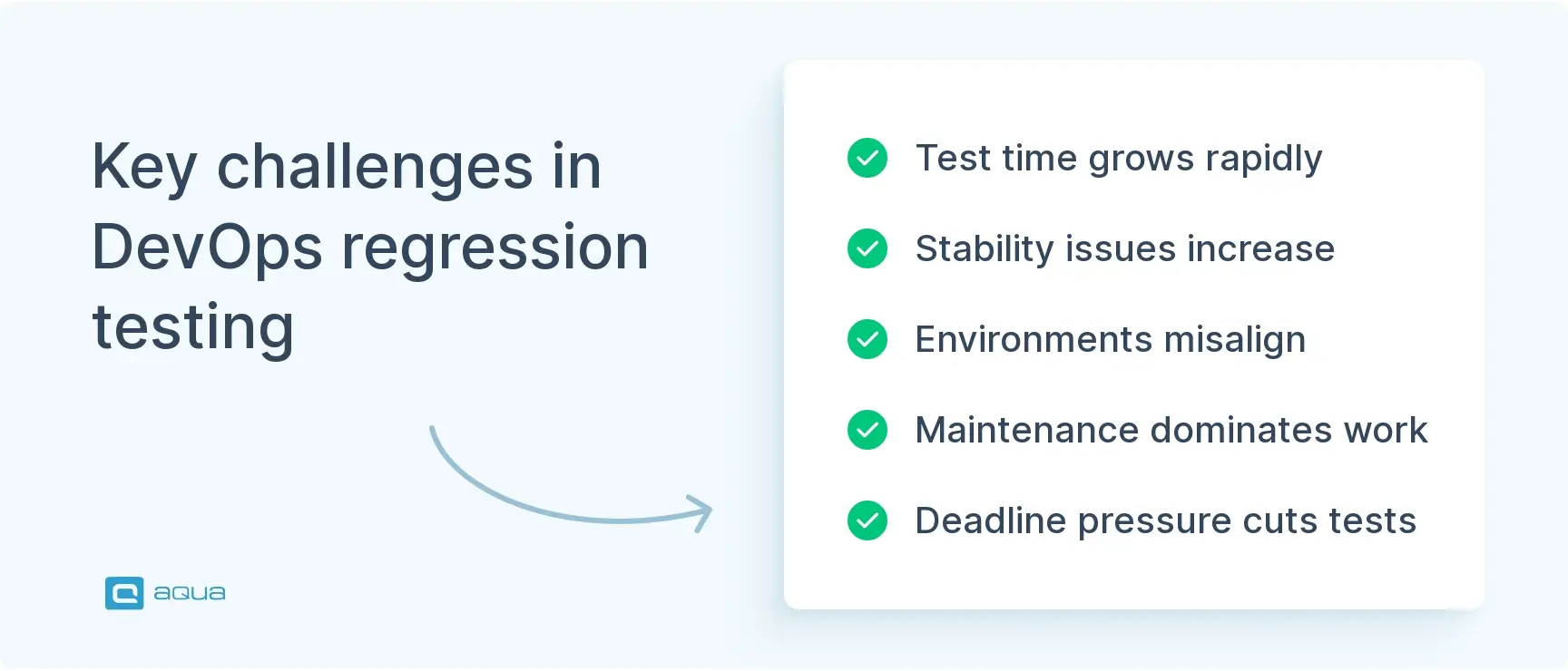
Test execution time grows faster than optimisation keeps pace. You start with 100 tests running in ten minutes. A year later, 2,000 tests take three hours. Developers start bypassing tests or merging before results arrive. Parallel execution, selective testing, and pruning of low-value tests require ongoing investment that teams consistently defer until the problem is already critical.
Test stability degrades under constant change. Selectors break. API contracts evolve. Test data goes stale. Without dedicated maintenance effort, suites degrade into noise generators that fail so often nobody investigates the failures. Mature suites can hit a ratio of 70% maintenance to 30% new test creation. Teams that do not plan for this get buried.
Environment consistency between test and production causes false positives. Tests pass in containerised environments and fail in production because of infrastructure differences: database versions, environment variables, network configuration. Creating environments that accurately mirror production at reasonable cost is an unsolved problem for many teams.
Cultural resistance undermines even well-designed strategies. Developers who resist tests blocking merges, QA teams worried about their role, product managers pushing to skip tests at deadlines. Without organisational alignment, regression testing in DevOps becomes the first thing cut when pressure increases.
Regression testing in Agile environments adds another layer: the expectation that every sprint produces shippable software means regression coverage needs to stay current with every feature added, not just at release time.
Metrics That Tell You If Your Strategy Is Working
Test execution time trends show whether your suite is scaling sustainably. A consistently climbing average pipeline duration is a problem in development, not yet a crisis. Address it before it becomes one.
Test pass rate separates signal from noise. Suites above 95% provide clear signal. Suites below 80% become background noise. Track this per build and watch for gradual decline, which indicates accumulating technical debt in your test infrastructure.
Mean time to detection measures how fast your feedback loops actually are. The gap between when a bug is introduced and when your tests catch it should be measured in minutes for high-priority paths, not hours.
Flaky test percentage predicts trust erosion. Above 5% and developers start ignoring results, rerunning builds, and treating the suite as unreliable. Fix or delete flaky tests aggressively. There is no middle ground.
Defect escape rate is your reality check. Production incidents in areas your tests cover mean your tests are not validating the right things. Root cause every escaped defect and ask whether a regression test could have caught it.
Test maintenance ratio tracks sustainability. Spending more than 40% of test engineering time on maintenance rather than new coverage is a warning sign that the suite is becoming a liability.
Common Mistakes That Undermine DevOps Regression Testing
Treating test automation as a one-time project is the most common failure mode. Teams build a suite, declare success, and stop investing. Six months later, half the tests are broken or irrelevant because the application kept moving and the tests did not.
Automating without evaluating ROI per test is a close second. Complex visual validations, exploratory scenarios, and rarely-used edge cases often cost more to automate than they return in caught defects. Automate what runs frequently and validates high-risk paths. Leave the rest to targeted manual testing.
Building test dependencies that prevent parallelisation trades short-term convenience for long-term bottlenecks. Tests that share state or depend on execution order cannot scale horizontally. The pipeline hit from parallel execution failures always costs more than the time saved by sharing test data.
Normalising test failures is the quiet killer. When a flaky test fails, the first instinct is to rerun the build. After the tenth rerun, it becomes background noise. Once developers stop treating failures as signals, your entire regression strategy stops functioning regardless of coverage or execution speed.
Skipping tests under deadline pressure establishes the wrong precedent. Every exception makes the next exception easier to justify. The whole point of automated regression is removing human discretion from the decision to test.
As we’ve seen, effective regression testing is crucial for successful DevOps implementation. But implementing the ideal regression testing workflow doesn’t have to be a months-long journey filled with the common mistakes we’ve discussed. aqua cloud provides a comprehensive platform that addresses the core challenges of DevOps regression testing right out of the box. With its Actana AI generating project-specific test cases grounded in your own documentation, you’ll achieve broader coverage while dramatically reducing test creation time. The platform’s real-time dashboards give you immediate visibility into test execution results and trends, while its seamless integration with tools like Azure DevOps and Jira keeps your entire pipeline connected. And unlike generic test management tools, aqua’s regression testing capabilities are specifically designed for the speed and scale of DevOps environments with parallel test execution, selective test running, and comprehensive traceability from requirements to tests to defects.
Transform your regression testing from a bottleneck into a competitive advantage with aqua cloud
Regression testing and DevOps work together when regression is treated as a continuous practice rather than a periodic event. Tiered pipelines, risk-based prioritisation, parallel execution, and visible metrics are what turn a regression suite from a bottleneck into an accelerator. The teams shipping with confidence at high velocity are not skipping validation. They have built regression into every stage of their pipeline so that each deployment arrives with evidence that nothing broke. Build that system once, and it pays back on every release that follows.
Regression testing in DevOps is the continuous verification process that confirms new code changes have not broken existing functionality. Unlike traditional approaches where regression runs as a dedicated phase at the end of a release cycle, DevOps regression testing is embedded throughout the pipeline, triggering on every commit, merge, and build. Automation is not optional here. When you are deploying multiple times daily, manual regression cannot keep pace. The suite needs to execute fast, fail loudly, and return results to developers before they have moved on to the next task. Done right, it becomes living documentation of expected system behaviour, catching integration issues and edge cases that unit tests miss.
What is the difference between CI/CD and regression testing?
CI/CD is the pipeline infrastructure that automates how code moves from commit to deployment. Regression testing is the quality practice that validates whether each code change broke something that was previously working. They are complementary, not competing. CI/CD without regression testing is an automated deployment with no quality gate. Regression testing without CI/CD is manual verification that cannot scale to modern release cadences. The two work together when regression suites are embedded as quality gates inside the pipeline, blocking merges on smoke test failures and running broader suites automatically on each build. The challenges in CI/CD pipelines that teams hit most often, slow feedback loops, flaky environments, inconsistent test data, are precisely the problems a well-designed regression strategy addresses.
How can regression testing be integrated into automated DevOps pipelines?
Integration follows a tiered model. Fast smoke tests run on every commit, covering critical paths in under ten minutes and blocking the pipeline immediately on failure. A broader automated regression suite runs after smoke passes, covering major features and integration points in 15 to 30 minutes through parallel execution. End-to-end and performance regression tests run post-deployment to staging, validating the build against infrastructure that mirrors production. Each tier uses test prioritisation strategies to ensure the highest-risk coverage runs earliest, keeping feedback loops tight where they matter most. Test environments are provisioned and torn down automatically per run. Results flow back through dashboards, pull request checks, and Slack notifications so failures are visible the moment they occur. AI test maintenance tools increasingly handle test selection, flaky test detection, and selector updates automatically, reducing the manual overhead that causes suites to degrade over time. For teams on the Microsoft stack, regression testing in Azure DevOps integrates all of this natively through Azure Pipelines, Test Plans, and work item creation on failure.
What are common challenges of regression testing in a DevOps environment and how can they be addressed?
The most common challenge is execution time growth outpacing optimisation. Suites that start at ten minutes can reach three hours within a year as features accumulate. The fix is parallel execution from the start, selective test runs based on code change impact, and regular pruning of low-value tests. Test stability is the second major challenge. UI selectors break, API contracts evolve, and test data goes stale under constant change. Addressing this requires tests that provision their own data, AI-assisted maintenance to catch brittle tests before they fail in the pipeline, and a firm policy of fixing or deleting flaky tests rather than rerunning builds. Environment consistency between test and production causes false positives that erode trust. Containerised ephemeral environments with configurations that mirror production reduce this significantly. Cultural resistance, developers bypassing tests under deadline pressure, is harder to solve with tooling. It requires organisational alignment that regression testing is non-negotiable, not an optional gate. Regression testing in Agile sprints adds a specific constraint: coverage needs to stay current with every feature shipped, not just at release boundaries, which means treating test updates as part of the definition of done rather than a separate task.
Home » Test Automation » Regression Testing in DevOps: A Practical Guide for QA and Engineering Teams
Do you love testing as we do?
Join our community of enthusiastic experts! Get new posts from the aqua blog directly in your inbox. QA trends, community discussion overviews, insightful tips — you’ll love it!
We're committed to your privacy. Aqua uses the information you provide to us to contact you about our relevant content, products, and services. You may unsubscribe from these communications at any time. For more information, check out our Privacy policy.
X
🤖 Exciting new updates to aqua AI Assistant are now available! 🎉
We use cookies and third-party services that store or retrieve information on the end device of our visitors. This data is processed and used to optimize our website and continuously improve it. We require your consent fro the storage, retrieval, and processing of this data. You can revoke your consent at any time by clicking on a link in the bottom section of our website.
For more information, please see our Privacy Policy.
This website uses cookies to improve your experience while you navigate through the website. Out of these, the cookies that are categorized as necessary are stored on your browser as they are essential for the working of basic functionalities of the website. We also use third-party cookies that help us analyze and understand how you use this website. These cookies will be stored in your browser only with your consent. You also have the option to opt-out of these cookies. But opting out of some of these cookies may affect your browsing experience.
Necessary cookies are absolutely essential for the website to function properly. These cookies ensure basic functionalities and security features of the website, anonymously.
Cookie
Duration
Description
cookielawinfo-checkbox-analytics
11 months
This cookie is set by GDPR Cookie Consent plugin. The cookie is used to store the user consent for the cookies in the category "Analytics".
cookielawinfo-checkbox-functional
11 months
The cookie is set by GDPR cookie consent to record the user consent for the cookies in the category "Functional".
cookielawinfo-checkbox-necessary
11 months
This cookie is set by GDPR Cookie Consent plugin. The cookies is used to store the user consent for the cookies in the category "Necessary".
cookielawinfo-checkbox-others
11 months
This cookie is set by GDPR Cookie Consent plugin. The cookie is used to store the user consent for the cookies in the category "Other.
cookielawinfo-checkbox-performance
11 months
This cookie is set by GDPR Cookie Consent plugin. The cookie is used to store the user consent for the cookies in the category "Performance".
viewed_cookie_policy
11 months
The cookie is set by the GDPR Cookie Consent plugin and is used to store whether or not user has consented to the use of cookies. It does not store any personal data.
Functional cookies help to perform certain functionalities like sharing the content of the website on social media platforms, collect feedbacks, and other third-party features.
Performance cookies are used to understand and analyze the key performance indexes of the website which helps in delivering a better user experience for the visitors.
Analytical cookies are used to understand how visitors interact with the website. These cookies help provide information on metrics the number of visitors, bounce rate, traffic source, etc.
Advertisement cookies are used to provide visitors with relevant ads and marketing campaigns. These cookies track visitors across websites and collect information to provide customized ads.