Scalable Test Automation: Strategies for Effective Design, Optimization, and Maintenance
Your test suite just became your release bottleneck. Again. Tests that ran in 20 minutes now take 3 hours. Half of them fail randomly. Your team spends more time fixing tests than writing new ones. This is what happens when automation doesn't scale.
Scalable test automation frameworks use modular design patterns like Page Object Model to separate test logic from implementation details, reducing maintenance overhead by 60-70% when UI changes occur.
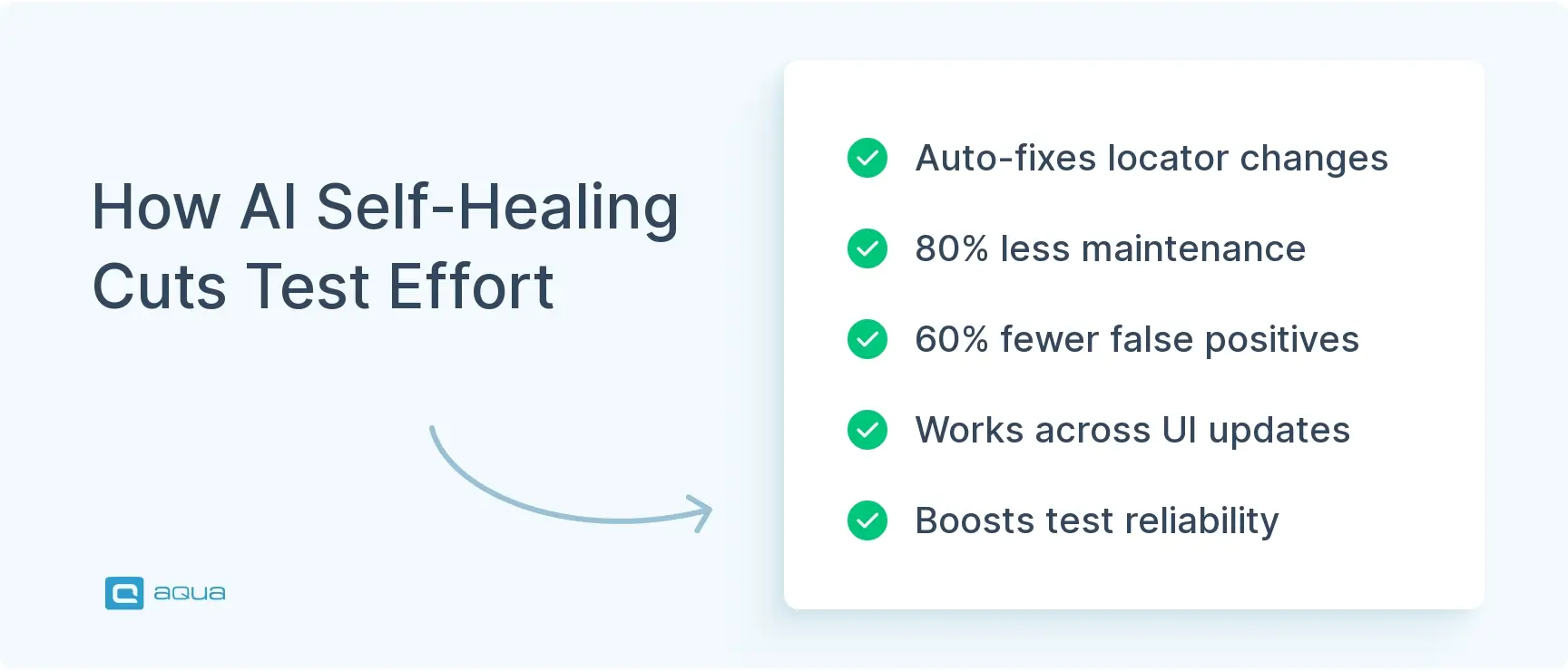
Self-healing AI automation tools can detect element location changes and automatically update locators, reducing maintenance effort by 80% and false-positive failures by 60%.
Organizations following the test automation pyramid (70% unit tests, 20% integration/API tests, 10% end-to-end tests) report 60% faster defect detection and 50% lower fix costs.
Test ownership distributed to feature development teams rather than centralized QA groups results in 40% reduction in flaky tests and 50% faster updates following UI changes.
Cloud-based execution platforms enable parallel testing across thousands of browser and device combinations, with one fintech startup reducing execution time from eight hours to ninety minutes.
The difference between scalable automation and technical debt often comes down to architectural decisions made early in the process. Is your team spending more time fixing flaky tests than building new ones? Find out how to escape the maintenance trap and create automation that grows with your application 👇
Scalable test automation means building frameworks that grow with your application without breaking. Your tests execute faster as your suite expands. Maintenance doesn’t consume your team’s bandwidth. Results stay reliable whether you’re running 10 tests or 10,000. This guide covers how to design scalable frameworks, optimize execution, and maintain test suites that actually work as you grow.
Understanding Scalable Test Automation
Scalable test automation expands your testing capacity without increasing maintenance effort, execution time, or resources proportionally. Adding new features doesn’t mean rewriting half your test library. CI/CD pipelines don’t crawl to a halt. That’s the difference between frameworks that handle 10,000 tests and those that collapse under 500.
What makes a framework scalable:
Modularity – Tests are independent, reusable components, not monolithic scripts. Change a login flow and you update one page object, not 73 test files.
Flexible data management – Tests adapt to different browsers, devices, and environments without custom rewrites for each permutation.
Parallel execution – Tests run simultaneously without interfering with each other’s data or state.
CI/CD integration – Automation triggers on code commits, reports results instantly, and provides actionable diagnostics when failures occur.
Non-scalable frameworks reveal themselves fast. Hardcoded values everywhere. Test logic tightly coupled to implementation details. Manual intervention required for every browser variation. One startup’s test suite took 48 hours to execute sequentially. After restructuring for parallel execution and proper isolation? 90 minutes.
Here’s the long-term reality. Scalable automation requires more thoughtful architecture upfront. But maintenance burden stays flat as test counts multiply. Non-scalable approaches feel faster initially. Just script it and move on. Then technical debt piles up. Teams spend entire sprints stabilizing flaky tests instead of expanding coverage.
The specific elements that make frameworks scalable from day one? Let’s break them down.
As we’ve explored the foundational elements of scalable test automation, it’s clear that the right architecture and tools can make or break your testing strategy. While modular design and proper test isolation are crucial, having a comprehensive platform that supports these practices is equally important. This is where aqua cloud shines as a complete test management solution that elegantly addresses the scalability challenges mentioned above. With aqua cloud, you can integrate your existing automation frameworks like Selenium, SoapUI, and Ranorex while centralizing all test management in one place. The platform supports distributed automation agents for parallel execution, significantly reducing those painfully slow test cycles that bottleneck your CI/CD pipeline. What truly sets aqua apart is its domain-trained AI Copilot that can generate test cases from requirements in seconds, saving up to 98% of manual creation time while ensuring your tests remain aligned with your project’s specific context and terminology
Transform your test automation from a maintenance burden into a scalable asset with aqua's unified platform
Building automation that scales starts with architecture, not tool selection. These core elements determine whether your framework handles growth or buckles under pressure.
Modular test design separates test logic from implementation details through patterns like Page Object Model. Each application page becomes an object encapsulating UI elements and interactions. Tests call high-level methods like loginPage.signIn(user, password) instead of repeating element locators. When developers redesign the login screen, you update one page object. Not dozens of test files. This abstraction layer reduces maintenance overhead by 60-70%. Your tests describe what to validate, not how to click buttons.
Configurable data management prevents the nightmare where half your tests fail because they all competed for the same user account. Scalable frameworks externalize test data into JSON files, databases, or data generation services. Tests pull fresh data on execution. They run isolated from each other. They clean up afterward without leaving debris. Data-driven testing takes this further: one test script executes against multiple datasets, expanding coverage without duplicating code.
CI/CD integration transforms automation from periodic batch jobs into continuous validation. Your framework hooks into Jenkins, GitLab CI, or GitHub Actions with minimal configuration. Tests trigger automatically when developers push code. They execute in parallel across containerized environments. Results report directly in pull requests. Fast feedback loops enable developers to fix issues while context remains fresh. One e-commerce platform reduced their feedback cycle from two days to 40 minutes by implementing parallel execution across cloud infrastructure.
Robust element identification combats the brittleness that kills test reliability. Scalable frameworks use multiple locator strategies with intelligent fallbacks:
ID and CSS selectors
XPath and accessibility attributes
AI-powered self-healing that detects when elements relocate and updates locators automatically
This reduces maintenance interruptions by 80%. Explicit waits replace hardcoded delays, adapting to varying page load times across environments.
Environment abstraction enables tests to run anywhere without code changes. Local machines, Docker containers, cloud-based device farms. Configuration files specify target environments, browser combinations, and execution parameters. The same test suite validates features across Chrome, Safari, and mobile browsers by switching configuration profiles.
These elements work together. Modular design without data management still creates interference. CI/CD integration without environment abstraction limits where tests execute. Mature frameworks invest upfront in architecture because they’re building infrastructure that supports years of growth.
Now let’s look at what happens when you skip these foundations.
Challenges of Non-Scalable Testing Frameworks
Non-scalable frameworks reveal their limitations gradually, then catastrophically. Early signs seem manageable. A few flaky tests. Slightly longer execution times. Six months later? You’re dedicating entire sprints to “test stabilization” while new features pile up untested.
Slow execution times appear first. Sequential test execution that worked fine with 200 tests becomes unbearable at 2,000. Your regression suite that took 2 hours now takes 8. It starts missing deployment windows. One financial services company watched their suite balloon from 6 hours to 48 as they added coverage without implementing parallel execution. Their CI/CD pipeline ground to a halt. Developers stopped trusting results that arrived two days after they committed code. The fix required months of refactoring. New feature development essentially paused.
Maintenance overhead consumes your team when frameworks lack modularity. Every UI update triggers cascading test failures. Element locators are hardcoded across hundreds of files. A developer renames a button class. You spend days updating test scripts. This creates a vicious cycle:
Teams stop maintaining automation because it’s too expensive
Flaky tests erode confidence
People ignore failures assuming they’re environmental noise
Real bugs slip through to production
Flaky tests plague non-scalable frameworks built on implicit waits and brittle locators. Tests pass locally but fail in CI due to network latency. They succeed on Chrome but timeout on Safari. Execution order matters because tests share data or don’t clean up properly. One e-commerce platform discovered their checkout tests failed 30% of the time on Fridays. Higher production load slowed test environments. Trust in automation feedback? Destroyed. Without self-healing capabilities or robust wait strategies, you spend debugging effort on test infrastructure instead of application issues.
Environment dependencies create “works on my machine” nightmares. Your tests hardcode database URLs. They rely on specific data states. They assume particular service versions. Running the suite requires elaborate setup documented in wikis nobody updates. New team members spend days configuring local environments before running their first test. Cloud migration projects stall because tests won’t execute outside the legacy data center. You can’t trigger tests on every commit if they require an hour of manual environment preparation.
CI/CD bottlenecks compound when your framework can’t distribute workload. Tests execute sequentially on a single agent. They become the slowest stage in otherwise rapid pipelines. Feature branches wait hours for test results. Developers batch changes or merge without validation. One SaaS startup doubled their deployment velocity simply by implementing parallel test execution. No new coverage. Just better infrastructure utilization.
You can avoid all of this. The next section shows you how to build workflows that scale from day one.
Building a Scalable Automation Workflow
Building automation that scales requires intentional workflow design. These strategies create frameworks that expand capacity without proportional resource increases.
Shift-left integration embeds testing directly into development workflows. Developers run unit tests before committing code. This catches defects when fixes cost pennies, before they propagate to integration layers. The test automation pyramid recommends 70% unit tests, 20% integration/API tests, and 10% end-to-end tests. Unit tests execute in seconds and provide pinpoint failure diagnostics. E2E tests take minutes, break for unrelated reasons, and require investigation. One fintech startup restructured from 80% E2E tests to pyramid-aligned distribution. They reduced suite execution from 6 hours to 40 minutes while increasing defect detection rates. Learn more about shift-left testing principles.
CI/CD pipeline integration transforms automation from batch jobs into continuous validation. Configure tests to trigger automatically on branch commits, pull requests, and main branch merges. Implement quality gates that block merges when critical tests fail. Structure execution in stages:
Fast smoke tests (under 10 minutes) run on every commit
Broader regression suites execute on pull requests
Comprehensive end-to-end scenarios run nightly or on release candidates
Containerize your execution. Package test frameworks and dependencies into Docker images that run identically on developer laptops, CI agents, and cloud infrastructure. One retail platform eliminated 70% of their “environmental” test failures by containerizing execution. Most “flaky” tests were actually sensitive to dependency version differences across agents.
Parallel execution distributes workload across multiple agents simultaneously. Segment your suite into independent batches that run concurrently without interference. Cloud-based infrastructure like Selenium Grid, Sauce Labs, or BrowserStack provides on-demand scaling. Spin up 50 parallel agents for regression runs. Scale back to 5 for routine validations.
Test isolation is critical. Shared data creates race conditions where parallel tests interfere with each other. Use data generation strategies that create unique test accounts per execution. Implement cleanup mechanisms that restore state after completion. Properly isolated tests scale linearly. Doubling agents halves execution time.
Test suite organization groups related scenarios for efficient management. Structure by feature area, user journey, or architectural layer. Tag tests with execution contexts: smoke, regression, critical_path, nightly. This enables selective execution based on risk. Pull request validation runs smoke and affected-area tests in 15 minutes. Nightly runs execute comprehensive regression. Release candidates trigger full cross-browser validation.
Smart test selection analyzes code changes to identify affected tests. If a developer modifies checkout logic, run checkout-related tests immediately. Not the entire suite. Tools like Launchable use machine learning to identify high-value tests based on code change patterns. This reduces execution time by 60-80% while maintaining defect detection rates. One SaaS company cut their average test execution from 90 minutes to 12 by implementing change-based test selection.
These workflow elements work together. Shift-left testing without CI/CD integration misses opportunities. Parallel execution without proper isolation creates chaos. Next, we’ll cover how to maintain your suite as it grows.
Maintaining Your Test Suite for Scalability
Maintenance determines whether your framework stays scalable or degrades into technical debt. These practices prevent automation from becoming a burden.
Test ownership establishes clear accountability for automation health. Assign specific test areas to development teams, not separate QA groups. When the checkout team owns checkout tests, they feel maintenance pain from brittle automation and fix it proactively. Automated code owners files in GitHub tag relevant teams when test files change. This distributed ownership prevents the pattern where nobody maintains shared test infrastructure until it breaks completely. Organizations implementing feature-team test ownership report 40% reduction in flaky tests and 50% faster test updates following UI changes.
Regular audits identify low-value tests consuming disproportionate maintenance effort. Analyze test execution history. Which tests fail frequently for environmental reasons? Which haven’t caught defects in 6 months? Which take minutes to execute but validate trivial logic? Archive or delete tests failing cost-benefit analysis. Mature teams maintain 20-30% smaller test suites than organizations that never prune, while achieving higher defect detection rates.
Implement audit triggers:
Quarterly reviews examining tests by execution time, failure rate, and defect detection history
Post-incident analyses identifying coverage gaps or redundant validations
Architecture changes prompting test relevance reassessment
One financial services company discovered 48 tests validating a deprecated payment flow replaced two years prior. Removing them cut nightly execution by 30 minutes and eliminated persistent environmental failures.
Flaky test management demands systematic discipline. When tests fail non-deterministically, investigate root causes. Don’t just re-run until they pass. Implement flaky test quarantine. Tests failing intermittently get tagged and excluded from blocking pipelines until fixed. This preserves CI/CD velocity while preventing the pattern where teams start ignoring all failures. Track quarantined test duration. Anything exceeding 2 weeks suggests deeper architectural issues.
Self-healing AI automation reduces flakiness by automatically detecting and correcting element locator changes. When a test fails, machine learning analyzes whether elements relocated rather than truly breaking. It updates locators dynamically. Organizations implementing self-healing frameworks report 80% reduction in maintenance effort related to UI changes. However, self-healing complements robust test design. Explicit waits, proper element identification, and isolated test data remain critical.
Modular component maintenance leverages your framework architecture for efficient updates. Page Object Model implementations isolate UI changes to single files. When developers redesign the login screen, update LoginPage.java once. All dependent tests inherit fixes automatically. Shared utility functions apply the same principle. Centralize common logic. Minimize duplication.
Metrics-driven improvement transforms maintenance from reactive firefighting into proactive optimization. Track these critical indicators:
Automation test coverage percentage
Defect detection rate
Test execution time trends
Flaky test ratio
Mean time to detect defects
Establish thresholds triggering investigation. Flaky test ratio exceeding 5%? Framework health degradation. Defect detection rates dropping below 90%? Coverage gaps requiring attention. Analyze trends, not snapshots. Gradually increasing execution times suggest tests coupling to performance-degrading application areas. One SaaS startup’s metrics revealed their API test defect detection dropped from 85% to 62% over 6 months. Investigation uncovered API contract changes that tests hadn’t incorporated.
Regular retrospectives review maintenance effort allocation. If your team spends 40% of automation time fixing flaky tests, you have an architectural problem. It requires systematic solutions like better isolation, self-healing capabilities, or execution environment stability. Not individual test patches. Mature organizations budget 20-30% of automation capacity for maintenance and proactive improvements.
Clear ownership improves test quality. Regular audits reduce maintenance burden. Modular design simplifies updates. Metrics reveal optimization opportunities. Next, let’s look at the tools that make all this possible.
Tools and Technologies for Scalable Test Automation
Tool selection impacts scalability potential, but no tool compensates for poor architecture. These technologies enable scalable automation when implemented within sound frameworks.
AI-powered platforms revolutionize maintenance through self-healing capabilities. Traditional frameworks break when developers rename button classes or restructure page hierarchies. Tests hardcoded to specific element IDs fail until engineers manually update locators. Self-healing automation detects element location changes and automatically corrects references using visual recognition and structural analysis. When a “Submit” button relocates from #submit-btn to .checkout-submit, AI algorithms identify the element by label, position, and context.
Tools like Testim and Mabl implement self-healing through machine learning models trained on application structure and test execution patterns. They reduce maintenance effort by 80% and cut false-positive failures by 60%. One retail platform reported their quarterly “test stabilization sprint” became unnecessary after implementing self-healing automation. UI redesigns that previously required weeks of test updates now propagated automatically.
Self-healing introduces risks though. Algorithms might incorrectly match elements, updating tests to validate wrong functionality. Mature implementations require validation workflows confirming AI-suggested changes before committing them. Treat self-healing as maintenance assistance, not replacement for robust element identification.
Low-code/no-code platforms democratize automation by enabling manual testers and business analysts to contribute without programming expertise. Tools for AI-based test automation provide visual interfaces for test creation using drag-and-drop actions and pre-built keywords. Users assemble tests from reusable components without touching code. These platforms accelerate initial automation by 10x compared to traditional scripting. Trade-offs include reduced customization flexibility and potential scalability limitations for complex enterprise scenarios.
Hybrid approaches work best. Non-technical team members build standard flows using visual editors. Automation engineers extend frameworks with custom code for complex scenarios. This leverages diverse skill sets efficiently.
Cloud-based execution platforms eliminate infrastructure constraints. Selenium Grid, Sauce Labs, BrowserStack, and Perfecto provide on-demand access to thousands of browser and device combinations. Spin up 50 parallel Chrome instances for regression runs. Validate Safari compatibility without Mac infrastructure. Test Android behaviors across device manufacturers and OS versions.
Cloud platforms support elastic scaling. Pay for capacity during release cycles. Scale down during quiet periods. One fintech startup reduced infrastructure costs by 60% migrating from on-premise device labs to cloud-based execution. They simultaneously expanded cross-browser coverage from 5 to 23 combinations. Execution time dropped from 8 hours to 90 minutes through parallel distribution.
Open-source frameworks provide flexibility and community support without licensing costs. Selenium remains the industry standard for web automation, supporting multiple languages and integrating with virtually every testing tool. Playwright emerged as a modern alternative offering improved reliability and native support for multiple browser engines. Appium dominates mobile automation with cross-platform capabilities.
Integrated test management platforms tie your automation ecosystem together. While execution frameworks handle running tests, you need visibility across your entire testing operation. Test management solutions like aqua cloud provide AI-powered test management that integrates with automation frameworks and CI/CD pipelines. aqua’s AI capabilities help identify coverage gaps, suggest test optimization opportunities, and automatically generate test cases from requirements. The platform integrates with popular automation frameworks like Selenium, Playwright, and Appium, pulling execution results into a centralized dashboard. This gives stakeholders visibility into quality metrics without requiring them to navigate multiple tools or dashboards. aqua provides the comprehensive infrastructure you need to build truly scalable test automation. Its centralized test management seamlessly integrates with your existing automation frameworks while providing powerful organization features for large test suites. The platform’s REST API enables smooth CI/CD pipeline integration, while distributed automation agents support parallel execution across environments. It turns those 48-hour test runs into 90-minute validations. What truly distinguishes aqua is its domain-trained AI Copilot that learns from your project’s documentation to generate contextually relevant test cases in seconds. Unlike generic AI tools, aqua’s Copilot grounds its suggestions in your specific project knowledge, ensuring test cases that “speak your project’s language” while saving up to 98% of manual creation time. This means your team can focus on strategic test design rather than maintenance overhead.
Save 97% of your testing time with a platform designed for truly scalable automation
Integration complexity; choose platforms supporting your automation stack
Selection criteria:
Does the tool support your preferred programming language?
Does it integrate with existing CI/CD infrastructure?
Can it scale to anticipated test volume?
Does it provide adequate reporting and diagnostics?
Does it align with team skill distribution?
Run proof-of-concept projects with finalist tools. Three weeks testing realistic scenarios reveals more than months analyzing vendor marketing.
The most scalable approach combines multiple tools strategically. Open-source Selenium for core framework flexibility. Cloud-based BrowserStack for cross-browser execution. AI-powered Testim for high-maintenance UI flows. API testing through Postman or RestAssured. A test management solution like aqua cloud to orchestrate everything and provide visibility across your entire testing operation. This best-of-breed strategy maximizes each tool’s strengths while avoiding monolithic dependencies.
Conclusion
Scalable test automation separates teams shipping confidently from those drowning in maintenance debt. Get the architecture right with modular design, proper data isolation, and intelligent execution strategies. Your test suites grow effortlessly alongside your application. Cut corners for quick wins and you’ll spend entire sprints stabilizing flaky tests instead of expanding coverage. Take an honest look at your current framework. Does it scale gracefully or is technical debt accumulating faster than coverage expands? The answer determines whether quality engineering becomes your competitive advantage or the constraint holding back every release.
Scalability in automation testing means your framework expands testing capacity without proportionally increasing maintenance effort, execution time, or resources. Scalable test automation solutions handle growing test suites through parallel execution and modular design. Tests run faster as your suite grows. Adding new features doesn’t require rewriting existing tests. Your framework adapts to different browsers, devices, and environments without custom code for each variation. Scalable automation handles 10,000 tests as gracefully as it handled 100.
What is an example of a scalability test?
A scalability test validates system performance under increasing load. For example, testing an e-commerce checkout flow by simulating 100, 1,000, then 10,000 concurrent users to measure response times, transaction success rates, and system stability at each level. You identify bottlenecks before they impact real users. Another example: load testing an API by increasing request rates from 10 to 1,000 requests per second, measuring latency and error rates to determine maximum sustainable throughput.
How do you ensure test automation scripts are maintainable and scalable?
Use modular design patterns like Page Object Model to separate test logic from implementation details. Externalize test data into configuration files or databases instead of hardcoding values. Implement proper test isolation so tests run independently without interfering with each other. Use explicit waits instead of hardcoded delays. Establish clear test ownership with development teams. Conduct regular audits to remove low-value tests. Track metrics like execution time, flaky test ratio, and maintenance effort. Leverage scalable test automation software with self-healing capabilities that automatically detect and correct element locator changes.
What are best practices for scaling test automation across multiple teams?
Establish standardized frameworks and coding guidelines all teams follow. Implement distributed test ownership where feature teams maintain their own automation. Create shared component libraries for common functionality like authentication and data setup. Integrate tests with CI/CD pipelines for continuous validation. Use containerized execution ensuring consistency across environments. Implement parallel execution distributing workload across multiple agents. Tag tests with execution contexts for selective running based on risk. Conduct regular guild meetings where teams share automation innovations and troubleshoot challenges collaboratively.
How can cloud-based testing solutions enhance the scalability of automation frameworks?
Cloud platforms provide on-demand access to thousands of browser and device combinations without maintaining physical infrastructure. You spin up 50 parallel agents for regression runs and scale back to 5 for routine validations. This elastic scaling eliminates capacity constraints and reduces infrastructure costs by 60% compared to on-premise labs. Cloud execution enables cross-browser testing across 20+ combinations that would be impossible with limited physical devices. Platforms like Selenium Grid, Sauce Labs, and BrowserStack support parallel distribution reducing execution time from hours to minutes.
Home » Test Automation » Scalable Test Automation: Strategies for Effective Design, Optimization, and Maintenance
Do you love testing as we do?
Join our community of enthusiastic experts! Get new posts from the aqua blog directly in your inbox. QA trends, community discussion overviews, insightful tips — you’ll love it!
We're committed to your privacy. Aqua uses the information you provide to us to contact you about our relevant content, products, and services. You may unsubscribe from these communications at any time. For more information, check out our Privacy policy.
X
🤖 Exciting new updates to aqua AI Assistant are now available! 🎉






 Bankingaqua ALM helps banks increase testing productivity by over 50%