Smoke Testing Vs Sanity Testing: Difference with Examples
In the realm of software testing, two terms often find themselves at the forefront: smoke testing and sanity testing. While these concepts might sound similar and even interchangeable to a non-tester, they represent distinct approaches that serve unique purposes in QA. To navigate the complex software testing world, you must understand the fundamental differences between both, and this article will provide everything you need on the topic.
The difference between smoke and sanity testing comes down to scope and timing: smoke testing verifies overall build stability after any new build, while sanity testing checks specific functionality after a targeted change.
Smoke testing runs first and is non-negotiable for CI/CD pipelines. Sanity testing follows when a specific bug fix or patch needs targeted verification.
Both test types are shallow by design. Neither replaces regression testing or full test suite execution.
Automating smoke tests is a standard practice. Sanity testing can be manual or automated depending on how frequently the affected area changes.
The difference between smoke and sanity testing is most visible in what triggers each: a new build triggers smoke, a specific code change triggers sanity.
aqua cloud manages both test types in one centralised platform, with AI-generated test cases, full traceability, and one-click bug reporting through Capture.
Here is the complete breakdown of both test types, how they differ, and how to execute each one correctly. 👇
Smoke testing and sanity testing contribute to the overall quality assurance efforts differently. In this article, we will delve into the depths of these two testing techniques, shedding light on their definitions, objectives, workflows, and, most importantly, their practical applications through real-world examples. So fasten your seatbelts and get ready to explore the intriguing nature of smoke testing and sanity testing, unlocking the secrets behind successful software validation.
What is sanity testing?
Before we compare it to the smoke test, we should answer this question: what is a sanity test? Sanity testing (or sanity check) is a quick, focused subset of regression testing. It evaluates whether the software application or system is stable enough. The primary objective of sanity testing is to ensure that the critical functionalities, major features, and crucial software components are not broken or impaired during development or modification.
Unlike comprehensive testing methods, sanity testing focuses on narrow areas or specific functionalities of the system’s core functionality. The best time to perform it is after major changes or additions to the software, like bug fixes, patches, or new feature implementations. The goal is to quickly determine if the system is ready to proceed with thorough testing.
For example, imagine a web application that allows users to sign up, log in, and perform basic account management tasks. After implementing a critical security patch, a sanity test would validate the core functionalities of user registration, login, and account management and their functionality. This test would not involve extensive testing of all features or scenarios but would focus solely on ensuring the system’s functionality remains intact after the recent changes.
Whether you’re running smoke tests to verify basic functionality or sanity tests to check for specific issues, the efficiency and accuracy of your testing are still at stake. To streamline these efforts, you need a powerful test management solution that can automate repetitive tasks, ensure full traceability, and provide comprehensive insights into your testing results.
aqua cloud delivers exactly that. With 100% traceability and AI-driven features, aqua empowers you to execute both smoke and sanity tests faster and more effectively. Its generative AI features can help you create test cases, requirements, and test data in just three clicks, saving you up to 97% of your time. Plus, with its central repository, you can manage all your manual and automated testing efforts in one place, ensuring smooth collaboration across your team. Whether you need to integrate with Selenium, Jenkins, or any other automation tool, aqua’s seamless integrations keep your testing pipeline efficient and reliable. Just when you think it is over, aqua’s native Capture integration will deliver the ultimate bug-reporting experience (with just 1 click!) with the most attractive visuals.
Optimise your smoke and sanity testing with AI-driven efficiency
Smoke testing? That's your "did we break everything" check. Run it first after any build to make sure the app won't crash and burn when you poke around the main features. Think of it as testing whether your car actually starts before taking it on the highway.
Sanity testing cuts deeper; you're hunting for whether that specific bug fix you just deployed actually works without messing up nearby functionality. Limit your sanity tests to just the affected area plus one connecting feature.
Start with smoke, then pivot to sanity. Your deployment confidence will thank you later.
EdisonCarterNet23
Posted in Software Testing Reddit thread, 3 years ago
What is smoke testing?
Smoke testing (or build verification testing) is initial testing to ensure the essential functionalities of a software application or system are working correctly and stable enough for further testing. A typical time to execute smoke testing is early in the software development lifecycle or after receiving a new build or release. Smoke testing’s meaning might sound similar to that of sanity testing, but there are subtle differences we will talk about in the following paragraphs.
The primary objective of smoke testing is to identify critical issues that could prevent the application from functioning properly. It is called “smoke testing”, as it derives its name from verifying whether the system will “smoke” or function at a basic level without catching fire.
In smoke testing, you must execute a limited and predefined set of test cases to cover the most crucial software features and functionalities. The goal is to provide a quick assessment of the build’s stability and identify major problems you must address before proceeding with more comprehensive testing.
For example, consider a software application for an e-commerce website. During smoke testing, the tester might verify if the basic operations, like launching the application, navigating through pages, adding items to the cart, and proceeding to checkout, are functioning correctly. The focus is to ensure the core functionality is intact and there are no glaring issues that would render the application unusable. It’s crucial to note that smoke testing does not aim to achieve extensive coverage or identify all possible defects. It is an initial checkpoint to validate the overall system stability and determine if it is worth spending time on more rigorous testing. A build that fails too early would likely need changes that will affect or break other things, so it’s better to apply QA effort elsewhere before evident showstoppers are fixed.
What are the differences between smoke and sanity testing?
There is no denying that smoke and sanity testing have some similarities, which is why people often get confused by them. These similarities include test focus (both focus on specific areas of software), providing quick feedback, early detection of bugs, or covering the most critical aspects of the software.
Both smoke testing and sanity testing are fundamental practices in the field of QA. While smoke and sanity testing serve different purposes, they are commonly considered essential techniques in software testing. In contrast, user acceptance testing (UAT) is a less frequent and more specific type of testing that focuses on evaluating software from an end-user perspective using acceptance testing tools.
"The best tester is one who can put themselves in the customer's shoes"
Greta James, Consulting systems engineer
What about the differences? How do we make the comparison – smoke vs sanity testing? Here are the main differences you should know about them:
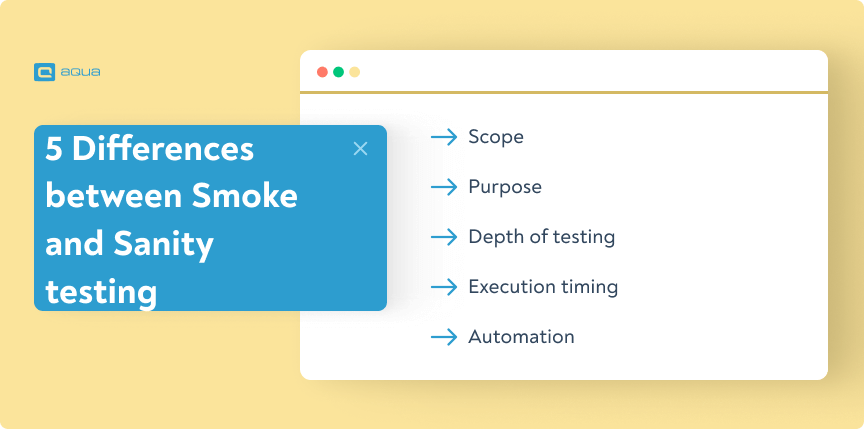
Scope: Smoke testing focuses on basic stability, covering essential functionalities, while sanity testing focuses on specific areas or functionalities after changes or additions.
Purpose: Smoke testing is a quick evaluation of build stability for further testing, while sanity testing ensures critical features are intact and the system is in a reasonable state.
Depth of Testing: Smoke testing is surface-level and covers the core functionalities without extensive coverage, while sanity testing goes deeper with targeted testing of specific areas or functionalities.
Execution Timing: Smoke testing is performed early in the software development lifecycle or after a new build, but sanity testing is conducted after major changes or additions to the software.
Automation: Get your smoke tests fully automated: this is non-negotiable for CI/CD success. Teams that automate these basic checks see deployment confidence nearly double. For sanity testing, you’ve got flexibility here. Keep it lean, though, whether manual or automated. A focused 15-minute sanity check right after your developer pushes that critical bug fix. A common mistake here is over-engineering sanity tests until they’re basically mini smoke suites.
Smoke testing vs sanity testing comparison does not end here. While there are some small differences between them, such as the level of documentation, test environments, or test execution time, the above-mentioned differences are more important to remember when implementing these testing methods.
In my mind, Sanity tests would be "Let's make sure we didn't break anything horribly, just in case" While smoke tests would be "Let's confirm that the core functionalities still work as expected". So, I'd say these are pretty much the same, with maybe intent being different and smoke tests being more structured.
Smoke vs Sanity vs Regression (and Re-testing) in the Testing Lifecycle
Understanding where smoke and sanity testing sit relative to regression testing and re-testing clarifies why each one exists and when to use it.
Smoke testing runs first, on every build. It answers whether the build is stable enough to test at all. It is broad, shallow, and fast. If smoke fails, nothing else runs.
Sanity testing runs after a specific change. It answers whether the targeted fix or addition works without disturbing adjacent functionality. It is narrow, focused, and equally fast. If sanity fails, the change goes back to the developer.
Regression testing runs after smoke passes and typically precedes a release. It answers whether any previously working functionality has broken as a result of recent changes. Regression is broad and deep, covering the full or prioritised subset of your test suite. It takes significantly longer than either smoke or sanity testing.
Re-testing is distinct from regression. It runs specifically on a test case that previously failed, after the associated defect has been fixed. Re-testing confirms the fix works. It does not check surrounding functionality. That is sanity testing’s job.
Here is how they sequence in a typical release cycle:
New build received → Smoke test → Pass → Development continues → Specific fix deployed → Sanity test → Pass → Pre-release → Regression test → Pass → Re-test any defects found → Release
Each type of testing is a gate. Skipping a gate creates the risk that failures appear later, where they cost more to fix and take longer to diagnose. The difference between smoke and sanity testing is not just definition, it is timing, trigger, and consequence.
aqua cloud integrates with Selenium, Jenkins, and Jira to keep your smoke and sanity testing pipeline running automatically
Step-by-Step: How to Perform Smoke and Sanity Tests
Knowing the difference between smoke and sanity testing matters less than knowing exactly how to run each one. Here is how each process works in practice.
How to perform a smoke test
Step 1: Receive the new build.
Smoke testing triggers the moment a new build arrives, before any other testing begins. Confirm the build version, environment, and deployment status before you run anything.
Step 2: Identify your smoke test suite.
A smoke test suite covers the minimum set of critical user flows: login, core navigation, primary transactions, and any functionality that renders the build unusable if broken. This suite should be predefined, version-controlled, and stable.
Step 3: Execute the suite.
Run the suite automatically if your pipeline supports it. The target is under ten minutes of total execution time. Anything longer means the suite has grown beyond its intended scope.
Step 4: Evaluate results with binary logic.
Smoke tests have two outcomes: pass or block. If a critical test fails, the build is blocked and returned to development. No further testing happens on a failing build. Document the failing test, attach logs, and file a defect report immediately.
Step 5: Clear the build for further testing.
When all smoke tests pass, the build moves to the next testing phase. Document the pass result, the build version, and the environment for traceability.
How to perform a sanity test
Step 1: Identify the change that triggered the sanity test.
Sanity testing runs after a specific bug fix, patch, or targeted code change. Your starting point is the change itself: what was modified and what behaviour was it supposed to restore or introduce?
Step 2: Define the test scope.
Limit your scope to the changed area and one layer of adjacent functionality. If a login bug was fixed, test login and the first screen a user reaches after logging in. Do not expand into unrelated areas.
Step 3: Identify or create targeted test cases.
Use existing test cases if they exist for the affected area. If the change is new functionality, create a small set of targeted test cases focused on the documented expected behaviour. aqua cloud generates these from requirements in seconds, keeping the process fast even when the change is not covered by existing cases.
Step 4: Execute and compare.
Run the targeted test cases against the build. Compare actual results to expected results for each case.
Step 5: Document and decide.
If the specific functionality now works as expected and adjacent functionality is intact, the sanity test passes and the change is cleared. If anything fails, file a defect with full reproduction steps and block the change from progressing.
Best Practices for Effective Smoke and Sanity Testing
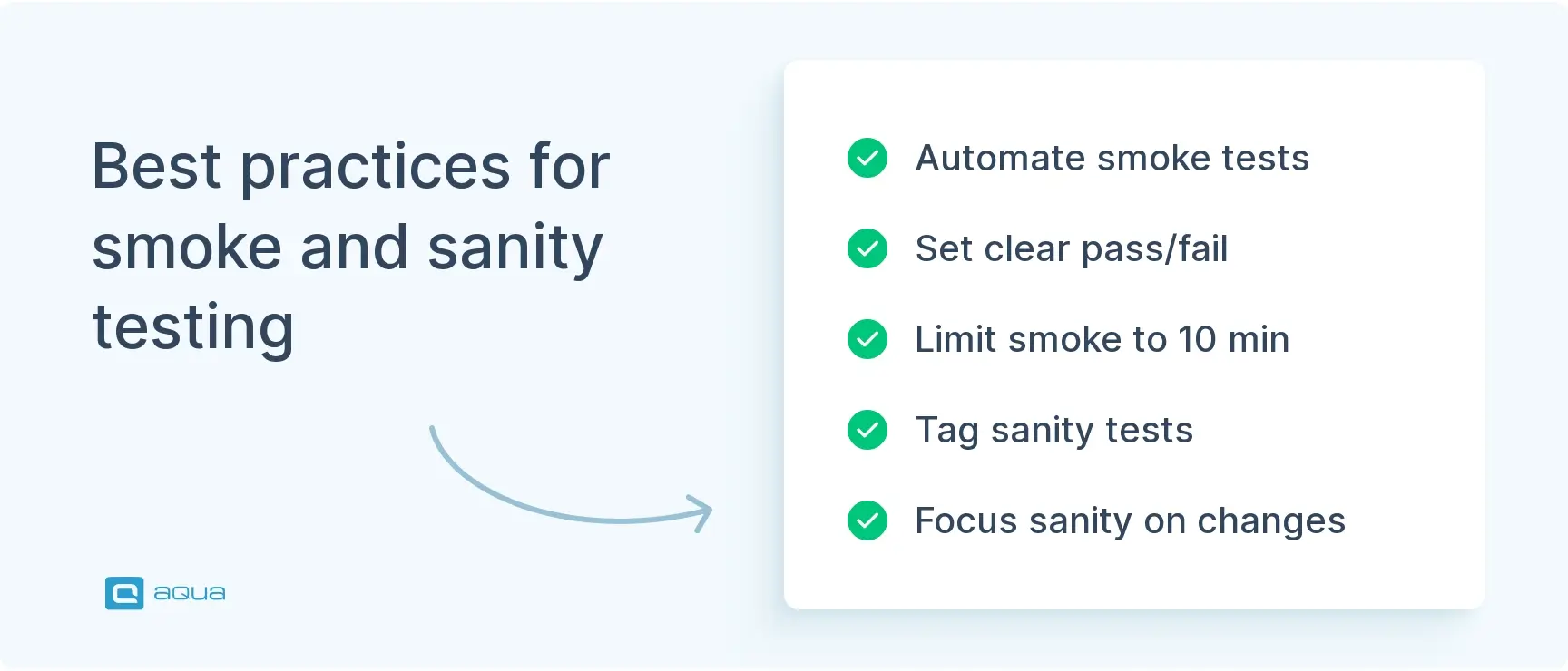
Want to squeeze the most value from your smoke and sanity testing? Start by keeping your smoke test suite tight; focus on the core user flows that matter most. Automate these bad boys and plug them straight into your CI/CD pipeline so they act as a quality gate for every build. Here’s the key: set crystal-clear pass/fail criteria, and if something breaks, stop everything. Don’t waste your QA team’s time chasing ghosts down broken pipelines. Your smoke tests will need regular tune-ups as your product grows, so schedule monthly reviews to keep them relevant. For sanity testing, be surgical about it. Pick test cases that directly target whatever changed, plus anything that might get rattled by those changes.
Tag your test cases in a management tool: it’ll save you nearly 40% of the time you’d spend hunting down the right scenarios. The real win here is that you’ll catch problems before they snowball into expensive fixes. Bottom line: your software ships more reliably, your team stays sane, and stakeholders actually trust your releases.
Common Challenges and How to Overcome Them
Three problems consistently undermine smoke and sanity testing in practice, and all three are preventable once you know what to look for. The biggest culprits are the flaky automated tests that pass today and fail tomorrow, environments that don’t quite match production, and test suites that slowly bloat into mini-regression runs.
Here’s your immediate action plan: Start by tracking which tests flip-flop results over a two-week period—anything with a failure rate above 20% needs fixing through better test data or more stable selectors. For environment mismatches, containerisation can nearly eliminate all those ‘works on my machine’ headaches.
Remember: your smoke tests should never take longer than 10 minutes to run. If they do, you’ve probably snuck in too many scenarios. Keep a simple rule—if the build breaks and this test wouldn’t catch it within the first user interaction, toss it out.
For sanity testing, resist the urge to go full detective mode when a quick health check will do. And definitely mock those unreliable third-party APIs that tank your tests every other Tuesday.
Conclusion
In software testing, the differences between smoke and sanity testing are crucial for ensuring effective quality assurance. With smoke testing, your focus is on basic stability, while in sanity testing, you dive deeper into specific functionalities; both play integral roles in identifying critical issues and validating the system. By incorporating these testing methodologies appropriately into your software development lifecycle, you can deliver a high-quality digital product that meets user requirements.
Choosing the right approach for smoke and sanity testing is essential for maintaining the quality and reliability of your software applications. By using these testing methods, you can deliver robust software that meets user expectations.
Smoke just checks if the basic bare minimum function of the product works. E.g. Netflix. Can you open the app and play a video? While sanity checks for, let's see if the core functions of the app work fine. E.g. Video playback from different places, search results, playback controls, and some most used customer UX flows.
pm-me-ur-uneven
Posted in Software Testing Reddit thread, 3 years ago
That’s where aqua cloud shines. With over 20 years of expertise and a commitment to ultimate quality, aqua is the first to introduce AI into the world of QA. It provides a comprehensive TMS that ensures 100% visibility and traceability throughout your testing process, including smoke and sanity testing efforts. Its generative AI features enable you to create test cases, requirements, and test data with 3 clicks, while the AI Copilot offers valuable insights to streamline your workflow. Also, you will experience seamless integration with popular automation and project management tools like Jira, Selenium, Jenkins, Ranorex, etc. Ready to take away the pain of testing?
Start streamlining both smoke and sanity testing with a few clicks
Sanity testing is a basic level of software testing to quickly evaluate whether the system functions properly after minor changes or fixes without delving into extensive testing.
What is a smoke test in QA?
A smoke test in QA is a preliminary test that focuses on quickly verifying the most critical functionalities of a software system, often performed before more extensive testing is conducted.
What are the differences between smoke and sanity testing?
The main differences between smoke and sanity testing include depth, timing, scope, execution, and purpose.
Which should be performed first, smoke testing or sanity testing?
Smoke testing always runs first. It validates overall build stability before anything else proceeds. Sanity testing only makes sense after smoke passes, since it targets a specific change within an already stable build.
Can smoke and sanity testing be automated?
Smoke testing should always be automated and plugged into your CI/CD pipeline as a quality gate. Sanity testing can go either way: automate stable, frequently tested areas; keep it manual for new or rarely touched functionality.
Robert has several years of experience in process optimisation and test management. He is an expert in defining and implementing workflows by adapting aqua to the clients’ processes.
Nurlan, a QA Coordinator & Quality Standards Officer, takes pride in orchestrating seamless QA operations. His expertise in coordinating QA-focused projects and integrating QA solutions has consistently yielded top-tier client satisfaction. Aside from a full-time QA coordinator, Nurlan's role involves creating compelling content that educates…
Home » Best practices » Smoke Testing Vs Sanity Testing: Difference with Examples
Do you love testing as we do?
Join our community of enthusiastic experts! Get new posts from the aqua blog directly in your inbox. QA trends, community discussion overviews, insightful tips — you’ll love it!
We're committed to your privacy. Aqua uses the information you provide to us to contact you about our relevant content, products, and services. You may unsubscribe from these communications at any time. For more information, check out our Privacy policy.
X
🤖 Exciting new updates to aqua Intelligence are now available! 🎉