10 Challenges of Common User Acceptance Testing (UAT) & How to Overcome Them
User Acceptance Testing should be straightforward. You hand over working software to business users, they validate it meets their needs, and everyone signs off for production. But anyone who's managed UAT knows it rarely goes that smoothly. Users struggle with test scenarios. Requirements get questioned at the last minute. Communication breaks down between technical teams and business stakeholders. These aren't bugs you can fix with code changes. They're process and people problems that can derail even technically perfect software. In this article, we’ll look at the key areas where UAT often runs into trouble and highlight the specific challenges that arise within each. Let’s start.
Poor collaboration between technical teams and business users derails more UAT projects than actual software bugs.
UAT schedules require at least 20% buffer time for unexpected issues, with critical functionality tested in prioritized waves.
Business users need user-friendly test scripts written in business language and focused testing sessions rather than ongoing participation.
Environment issues create false test results when UAT systems lack production-like data or have configuration mismatches.
Effective bug management requires clear severity definitions and daily triage meetings with representatives from development, QA, and business.
Most UAT failures aren’t technical problems you can fix with code changes, they’re process and people problems that turn technically perfect software into project disasters. Learn the specific strategies to overcome each challenge 👇
1. Collaboration with Testers
UAT lives or dies based on how well your team communicates. When developers, QA specialists, and end-users work in silos, testing becomes a frustrating game of telephone where critical information gets lost at every handoff.
UAT is where you discover the huge gulf between what the user asked for (and signed off on the specification of), versus what they actually wanted.
Poor collaboration derails more UAT projects than technical bugs. Here’s what typically breaks down:
Isolated testing where testers lack context about why features work the way they do
Inadequate briefings that leave end-users confused about what they’re supposed to validate
Feedback translation problems where issues get misunderstood between technical and business teams
Remote coordination struggles across different time zones and communication styles
Building Better Collaboration
Effective collaboration requires structured communication, not just good intentions. You need systems that keep everyone aligned throughout the testing process.
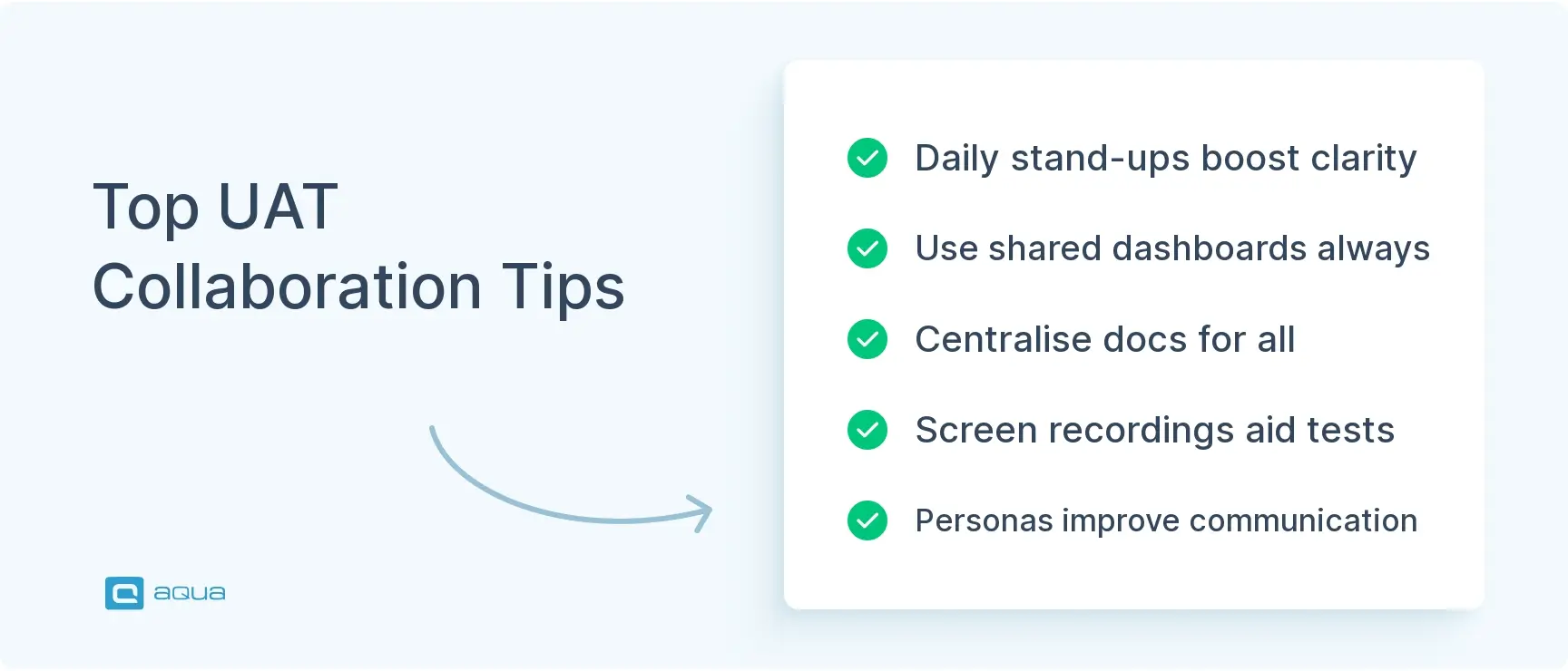
Shared visibility tools like aqua cloud (standalone or integrated with Jira via plugin) give everyone real-time access to test progress, results, and outstanding issues. No more hunting through email threads to find the latest status updates.
Regular check-ins prevent small problems from becoming project blockers. Even 15-minute daily stand-ups can catch miscommunications before they derail testing schedules.
Centralised documentation captures requirements, test scenarios, and expected outcomes in one accessible location. When questions arise, teams have a single source of truth instead of conflicting information from different conversations.
Visual communication works better than lengthy written instructions for complex scenarios. Screen recordings and annotated screenshots show exactly what needs testing and what success looks like.
Create simple user personas for your testers. This helps developers explain features in terms that business users understand and gives context for why certain workflows matter. Small step, big impact on communication quality.
2. Setting and Adhering to a Testing Schedule
UAT schedules have a way of starting optimistically and ending in panic. The problem isn’t just poor planning. It’s underestimating how unpredictable testing becomes when real users get involved with real software.
The Scheduling Problems
Your carefully crafted timeline faces multiple threats that can derail even well-planned UAT phases.
Unrealistic deadlines from stakeholders who don’t understand testing complexity create impossible expectations from day one. Business users have demanding day jobs that limit their testing availability. Critical bugs surface during UAT and need time for fixes and retesting. Competing priorities pull testers away just when you need them most.
These pressures compound quickly. What looks like a minor delay in week one becomes a major crisis by week three when your release date doesn’t move.
Strategies for Realistic Scheduling
Effective UAT scheduling requires planning for reality, not best-case scenarios. You need buffers, flexibility, and clear priorities that help you make smart decisions under pressure.
Work backwards from your non-negotiable release date and plan UAT activities accordingly. This forces realistic conversations about what’s actually possible within your constraints.
Use historical data from previous UAT cycles to estimate realistic timeframes. Your past projects reveal patterns about how long different types of testing actually take versus initial estimates.
Build in contingency time because unexpected issues are guaranteed, not possible. A 20% buffer for critical bug fixes and retesting cycles prevents schedule disasters.
Create tiered testing waves that prioritise critical functionality first. If time runs short, you can make informed decisions about what to defer rather than rushing everything poorly.
Phase
Duration
Key Activities
Deliverables
Preparation
1-2 weeks
Test environment setup, test data creation, test case preparation
Test plan, test cases, UAT environment
Execution
2-3 weeks
Test case execution, bug reporting, regression testing
Daily status reports, bug logs
Sign-off
1 week
Verification of fixes, documentation of results, formal approval
UAT sign-off document, known issues list
Send calendar invites for testing sessions well in advance, especially when working with busy business users. Treat these as non-negotiable meetings to ensure participation. Business users who pencil in UAT testing around other commitments often disappear when priorities shift.
The key is planning for the chaos instead of hoping it won’t happen. Realistic schedules account for human behaviour, not just technical tasks.
As we explore these UAT challenges, it’s clear that effective collaboration, proper test management, and clear requirement tracking are the foundation for success. These are exactly the areas where a dedicated test management platform can transform your approach.
aqua cloud addresses these challenges in UAT head-on by providing a 100% centralised platform where teams can collaborate seamlessly with real-time notifications and in-tool discussions. With aqua’s AI-powered capabilities, you can quickly convert requirements into actionable UAT scenarios, saving hours of manual setup while ensuring complete traceability between test cases and business requirements. Every requirement is linked directly to test cases, making it immediately clear what’s been tested and what remains. The platform also offers visual dashboards that showcase real-time progress and coverage, alerting your team to any gaps before they become problems. Integrations with frameworks like Jira, Confluence, Azure DevOps, and automation tools, Ranorex, Jenkins, and Selenium, will make sure your test management efforts are fit for the most modern practices.
Transform your UAT process from chaos to clarity with aqua cloud's comprehensive test management
Scope creep turns UAT from focused validation into endless testing that satisfies nobody. Without clear boundaries around what gets tested, teams waste time on minor features while critical functionality gets overlooked.
The Scope Challenge
Poorly defined scope creates predictable problems that derail testing efforts. Testing teams spend precious time on low-priority features that don’t matter for launch decisions. Critical functionality gets rushed attention because time ran out on less important items.
Last-minute feature requests disrupt established testing flows just when momentum builds. Worst of all, nobody can agree on when testing is actually finished because success criteria were never defined.
Mastering Scope Management
Effective scope management requires documentation and discipline, not just good intentions.
Create a detailed scope statement that documents exactly what this UAT cycle will validate. Include specific features, workflows, and business processes that need user validation.
Prioritise with a methodology to categorise features as Must-have, Should-have, Could-have, or Won’t-have. This framework helps teams make smart decisions when time pressures mount.
Define entry and exit criteria that specify conditions for starting UAT and completing it successfully. Clear criteria prevent arguments about readiness and completion.
Document out-of-scope items explicitly to manage stakeholder expectations. When someone asks about testing feature X, you have a reference document explaining why it’s excluded.
Focus your testing energy strategically:
Business-critical functionality that directly impacts core user workflows
High-visibility features that users interact with frequently
Complex workflows that span multiple system components
Significantly changed components since the last release
You can’t test everything effectively, and trying usually means testing nothing well. A focused UAT that thoroughly validates the 20% of features driving 80% of user value beats scattered testing that barely touches everything.
4. Requirement Tracking and Management
Testing without clear requirements is like navigating without a destination. You might be moving, but nobody knows if you’re going the right direction. Many UAT cycles fail because teams lack shared understanding of what “success” actually looks like.
The Requirement Challenge
Requirements chaos undermines even well-planned UAT efforts. Teams deal with requirements scattered across emails, documents, and ticketing systems with no single source of truth.
Common problems include:
Vague acceptance criteria that different people interpret differently
Missing traceability between requirements and actual test cases
Mid-flight changes to requirements during active UAT cycles
Conflicting information from different stakeholder conversations
This fragmentation leads to testers validating assumptions instead of documented expectations, creating confusion about whether failed tests indicate bugs or misunderstood requirements.
Building Better Requirement Management
Effective requirement tracking requires centralisation and clarity, not just good documentation habits.
Create a single source of truth for all requirements instead of hunting through multiple systems. When questions arise during testing, teams need one authoritative reference point.
Build requirement-to-test matrices that map each business requirement directly to specific test cases. This traceability helps identify gaps in test coverage and ensures nothing gets overlooked.
Implement change control processes for requirement modifications during UAT. Document changes with proper approvals so everyone understands what shifted and why.
Use visual documentation like screenshots, workflow diagrams, and mockups to clarify expectations that text descriptions leave ambiguous.
Choose tools that fit your workflow rather than forcing your team to adapt to rigid platforms. Options include Jira with Confluence for agile teams, Azure DevOps for Microsoft environments, or aqua cloud for dedicated, AI-powered test management that integrates requirements with test execution. Better yet, aqua connects effortlessly with the tools you already use: Jira, Confluence, and Azure DevOps.
The key is picking a system that your team will actually use consistently instead of the most feature-rich option that creates adoption barriers.
5. Communication of UAT Results
Even perfect testing is worthless if the results aren’t communicated effectively. Too often, critical findings get buried in complex reports that stakeholders never fully digest.
The Communication Challenge
Poor results communication causes several problems:
Decision-makers lack clarity on the actual state of the product
Developers receive vague bug reports that are difficult to reproduce
Stakeholders can’t assess the impact of identified issues
No shared understanding of what’s been tested vs. what remains
Effective Results of Communication
Transform your UAT reporting with these approaches:
Create visual dashboards: Use charts and graphs to show test coverage and pass/fail rates.
What’s the recommendation: proceed or fix and retest?
Consider implementing a “traffic light” system in your reports: red for critical issues blocking release, yellow for significant issues that need attention, and green for areas ready for sign-off.
6. Managing Test Environments and Data
Nothing derails UAT faster than environment problems. Your testers arrive ready to validate critical workflows, only to discover missing data, broken configurations, or systems that behave nothing like production.
The Environment Challenge
Environment issues create testing bottlenecks that waste everyone’s time and undermine confidence in UAT results.
Common headaches that plague UAT environments include:
Production mismatches where test environments don’t reflect real-world conditions
Insufficient test data that doesn’t cover realistic user scenarios
Shared environment conflicts where one tester’s actions interfere with others
Performance problems that mask actual functional issues and create false negatives
These problems compound quickly. Testers can’t validate realistic workflows, results become questionable, and teams lose confidence in UAT outcomes.
Creating Stable Test Environments
Reliable UAT environments require proactive planning and systematic setup, not last-minute scrambling.
Automate environment provisioning using infrastructure-as-code approaches that create consistent, reproducible environments. Manual setup introduces variables that cause unpredictable testing issues.
Create dedicated UAT environments separate from development and staging systems. Shared environments create conflicts and unexpected changes that disrupt testing flows.
Implement production-like data with appropriate masking to protect sensitive information while maintaining realistic data relationships and volumes.
Document environment specifics so testers understand known differences from production and can interpret results appropriately.
Test Data Strategy
Comprehensive test data packages should include multiple components that support realistic testing scenarios:
User accounts with various permission levels to test role-based functionality
Sample transactions covering typical business scenarios and edge cases
Boundary test values that validate system limits and error handling
Complex data relationships that mirror production interdependencies
Your test environment should mirror production as closely as possible while remaining isolated enough to prevent impacts on other systems. This balance requires careful planning but prevents the chaos that comes from poorly prepared testing infrastructure.
Environment stability might not be glamorous work, but it’s the foundation that makes meaningful UAT possible.
7. Engaging Business Users as Testers
Your business users are essential for UAT. They’re the ones who know how the system should work in real-world scenarios. But they’re also busy with their day jobs and may lack testing experience.
The Business User Challenge
Typical issues with business user engagement include:
Limited availability due to competing priorities
Lack of testing skills or understanding of the testing process
Inconsistent approaches to testing across different users
Reluctance to document findings thoroughly
Maximising Business User Contribution
Make the most of your business users’ limited time:
Create user-friendly test scripts: Write steps in business language, not technical terms.
Provide testing training: A brief session on “how to be a good tester” goes a long way.
Schedule focused testing sessions: Block specific times rather than expecting ongoing participation.
Pair business users with QA pros: Create teams where QA can guide business users through testing.
A practical approach is creating role-based test scenarios that align with users’ daily work. For example, instead of asking an accounting user to “test the invoice module,” ask them to “create and approve invoices like you would on a typical Monday morning.”
8. Managing Bug Triage and Resolution
As bugs start rolling in during UAT, chaos can quickly ensue without a clear process for handling them. Teams often struggle with prioritisation and can get bogged down in minor issues while critical problems remain unaddressed.
The Bug Management Challenge
Common bug management issues include:
No clear process for prioritising which bugs to fix first
Disagreements between teams about bug severity
Insufficient information in bug reports
Lack of visibility into bug status and resolution progress
Building an Effective Bug Resolution Process
Create a structured approach to bug management:
Implement a triage committee: Have representatives from development, QA, and business users meet daily to review new bugs.
Establish clear severity definitions: Document what makes a bug critical vs. minor.
Create bug templates: Ensure all necessary information is captured in each report.
Set resolution timeframes: Define expected response times based on severity.
For effective bug reporting, train your testers to include:
Exact steps to reproduce the issue
Expected vs. actual results
Environmental information (browser, OS, etc.)
Screenshots or screen recordings
Potential workarounds
Remember that not all bugs need to be fixed before release. Create a “known issues” list for minor problems that can be addressed in future updates.
While the challenges of UAT can seem overwhelming, they’re not insurmountable with the right approach and tools. aqua cloud offers a comprehensive solution that addresses all ten challenges we’ve discussed. Its centralised platform enables seamless collaboration between developers, QA specialists, and end-users with dedicated comment sections and real-time notifications for every test case. The AI Copilot helps your team generate test cases from requirements in seconds. With aqua’s requirement tracking features, you’ll maintain complete traceability from business needs to test execution, visualised through intuitive dashboards that keep stakeholders informed without endless meetings. The platform’s integration capabilities connect with tools like Jira and Confluence, ensuring your testing process fits seamlessly into your existing workflow. Native Capture integration streamlines bug reporting and user feedback collection, saving you significant time. Stop letting UAT be the bottleneck in your delivery pipeline.
Reduce UAT testing time by 40% while improving quality and stakeholder visibility
Stakeholders often have an idealistic view of UAT. They expect a perfect product with no issues. When reality strikes, disappointment and tension can follow.
The Stakeholder Challenge
Stakeholder expectations issues typically include:
Unrealistic expectations of zero defects
Lack of understanding about the purpose of UAT
Impatience with the testing process
Confusion about go/no-go decision criteria
Aligning Stakeholder Expectations
Set the stage for successful stakeholder engagement:
Educate on UAT purpose: Explain that finding issues is a success, not a failure.
Provide regular updates: Don’t wait until the end to share results.
Use visual progress tracking: Show test coverage and bug resolution trends.
Establish clear acceptance criteria: Document what constitutes “good enough” for release.
Before UAT begins, hold a stakeholder kickoff meeting to:
Review the scope and timeline
Explain how issues will be prioritised
Set expectations about potential outcomes
Define roles and responsibilities
This upfront investment pays dividends when difficult decisions need to be made later in the process.
10. Handling Last-Minute Changes
Just when you think you’re in the home stretch, a last-minute change request appears. Whether driven by business needs or competitive pressure, these changes can throw your UAT process into disarray.
The Change Management Challenge
Last-minute changes create several problems:
Regression risks as new code affects previously tested functionality
Schedule pressure as testing time shrinks
Scope confusion as the target keeps moving
Tester fatigue from repeated cycles
Managing Changes During UAT
Implement a change control process that balances flexibility with stability:
Create a change review board: Evaluate each change request against established criteria.
Document impact analysis: Assess how each change affects testing scope and timeline.
Implement version control: Clearly track which version contains which changes.
Use risk-based testing: Focus retesting efforts on areas most likely to be affected.
For each change request, ask:
Is this change absolutely necessary for this release?
What’s the risk of deferring to a future release?
How much additional testing will be required?
Is there enough time to properly test the change?
Sometimes the best response is “not in this release”; having the confidence to defer non-critical changes is a sign of a mature testing process.
Conclusion
So what are the common challenges faced during UAT? We mentioned 10, so you can avoid most of them with basic preparation. Focus on clear communication, realistic schedules, and stable test environments. Remember that finding bugs during UAT is good news, not bad news. Better to catch problems when your testers find them than when your users do. It’s the entire point of having real users validate your software before it goes live. Problems caught in UAT are problems that don’t frustrate your actual users in production.
The main challenges in UAT testing include poor collaboration between teams, unrealistic schedules, unclear scope definition, inadequate requirement tracking, ineffective communication of results, unstable test environments, difficulty engaging business users, inefficient bug management processes, misaligned stakeholder expectations, and handling last-minute changes. These user acceptance testing challenges often stem from organisational issues rather than technical problems. AI UAT might be the solution: fast, effective, and taking as much work off your shoulders as possible.
What are the risks of UAT?
The primary risks of UAT include missing critical defects that could impact business operations, schedule delays leading to missed market opportunities, scope creep that extends testing indefinitely, user dissatisfaction if the system doesn’t meet expectations, and burnout among testing teams due to compressed schedules. Perhaps the biggest risk is approving a system that looks good in testing but fails to perform under real-world conditions.
How to improve UAT process?
To improve your UAT process, start by establishing clear entry and exit criteria, implementing structured test case management, automating repetitive setup tasks, providing adequate training for business testers, creating standardised bug reporting templates, and holding regular status meetings. Focus on building a culture where finding issues is celebrated rather than seen as criticism. Understanding and addressing UAT challenges systematically can greatly improve outcomes. The most successful UAT processes balance rigour with practicality, ensuring thorough testing without creating unnecessary bureaucracy.
Home » Best practices » 10 Challenges of Common User Acceptance Testing (UAT) & How to Overcome Them
Do you love testing as we do?
Join our community of enthusiastic experts! Get new posts from the aqua blog directly in your inbox. QA trends, community discussion overviews, insightful tips — you’ll love it!
We're committed to your privacy. Aqua uses the information you provide to us to contact you about our relevant content, products, and services. You may unsubscribe from these communications at any time. For more information, check out our Privacy policy.
X
🤖 Exciting new updates to aqua AI Assistant are now available! 🎉
We use cookies and third-party services that store or retrieve information on the end device of our visitors. This data is processed and used to optimize our website and continuously improve it. We require your consent fro the storage, retrieval, and processing of this data. You can revoke your consent at any time by clicking on a link in the bottom section of our website.
For more information, please see our Privacy Policy.
This website uses cookies to improve your experience while you navigate through the website. Out of these, the cookies that are categorized as necessary are stored on your browser as they are essential for the working of basic functionalities of the website. We also use third-party cookies that help us analyze and understand how you use this website. These cookies will be stored in your browser only with your consent. You also have the option to opt-out of these cookies. But opting out of some of these cookies may affect your browsing experience.
Necessary cookies are absolutely essential for the website to function properly. These cookies ensure basic functionalities and security features of the website, anonymously.
Cookie
Duration
Description
cookielawinfo-checkbox-analytics
11 months
This cookie is set by GDPR Cookie Consent plugin. The cookie is used to store the user consent for the cookies in the category "Analytics".
cookielawinfo-checkbox-functional
11 months
The cookie is set by GDPR cookie consent to record the user consent for the cookies in the category "Functional".
cookielawinfo-checkbox-necessary
11 months
This cookie is set by GDPR Cookie Consent plugin. The cookies is used to store the user consent for the cookies in the category "Necessary".
cookielawinfo-checkbox-others
11 months
This cookie is set by GDPR Cookie Consent plugin. The cookie is used to store the user consent for the cookies in the category "Other.
cookielawinfo-checkbox-performance
11 months
This cookie is set by GDPR Cookie Consent plugin. The cookie is used to store the user consent for the cookies in the category "Performance".
viewed_cookie_policy
11 months
The cookie is set by the GDPR Cookie Consent plugin and is used to store whether or not user has consented to the use of cookies. It does not store any personal data.
Functional cookies help to perform certain functionalities like sharing the content of the website on social media platforms, collect feedbacks, and other third-party features.
Performance cookies are used to understand and analyze the key performance indexes of the website which helps in delivering a better user experience for the visitors.
Analytical cookies are used to understand how visitors interact with the website. These cookies help provide information on metrics the number of visitors, bounce rate, traffic source, etc.
Advertisement cookies are used to provide visitors with relevant ads and marketing campaigns. These cookies track visitors across websites and collect information to provide customized ads.