Key takeaways
- End-to-end testing plans validate complete user journeys across all system components.
- A well-crafted E2E test plan includes clear objectives, scope boundaries, test execution strategy, environment specifications, entry/exit criteria, and defect workflow.
- The template benefits multiple roles, from QA engineers who organize test scenarios to product managers who need clear ship/no-ship criteria based on documented quality standards.
- Risk-based coverage strategy focuses automation on high-revenue, high-failure-cost journeys while using manual testing for lower-risk flows.
- Effective E2E plans require detailed data strategies addressing test account management, seed data, cleanup processes, and third-party service limitations.
Without a structured E2E testing template, teams risk letting bugs into production, especially under pressing deadlines. Find out how to use a blueprint for end-to-end testing 👇
Imagine you’ve got a release deadline and your QA team’s drowning in test scenarios scattered across different docs. A solid end-to-end testing plan template is exactly what can help handle such challenges. This template for decision-making indicates what quality means for this release and what you’re testing, as well as when you can confidently ship. In this post, you’ll explore a practical framework covering everything from checkout flows and API integrations to performance gates and security checks.
What is End-to-End Testing Plan?
An end-to-end testing plan is your quality assurance roadmap that validates complete user journeys across the entire system. It covers everything from the UI your customers click through, all the way down to APIs and third-party services you rely on. Think of it as the blueprint ensuring your checkout process is actually:
- Processes payments correctly
- Updates inventory in real-time
- Sends confirmation emails
- Logs everything accurately in your analytics platform
The end-to-end test plan template differs from unit tests, which check individual code chunks, or integration tests, which verify connections between components. E2E testing answers the question: “Does this work the way a real user experiences it?”
We run our end-to-end test after every push to a merge request, together with all other tests. We bought an AMD Epyc server with very beefy CPUs to keep them below 5 minutes.
Here’s a concrete example for an e-commerce platform. Your e2e test plan template would cover the complete journey:
- Landing on your homepage and searching for sneakers
- Adding items to the cart and applying a discount code
- Checking out with saved payment details
- Receiving order confirmation
- Seeing that the purchase is reflected in the account history
UI interactions and payment gateway calls all get validated. Additionally, inventory updates, email service triggers, and database writes complete the picture. A well-crafted end-to-end testing plan template documents which flows you’ll test and how you’ll test them (automated scripts versus manual checks). Beyond that, it specifies what environments you’ll use and what “passing” means before you ship.
Having a template is most useful when you’re handling multiple teams, complex integrations, or tight release windows. Without it, bugs crop up in production because nobody validated the full chain. That document you’re about to create is your team’s shared understanding of what needs to be handled before customers get their hands on your latest features.
Planning your end-to-end testing process is valuable. However, execution often becomes chaotic without the right tools to organize and maintain that carefully crafted plan. This is where aqua cloud, an AI-powered test and requirement management platform, steps in. With aqua, your E2E testing plan becomes an actionable framework rather than a static document. The single repository keeps all your test assets centrally organized, from requirements to test cases and defects, eliminating those seventeen scattered docs plaguing your team. The platform’s nested test case structure and reusable components ensure consistency across your testing efforts, while dynamic dashboards provide real-time insights into coverage and risk areas. With aqua’s domain-trained AI Intelligence, you can generate complete test cases directly from your requirements documentation. Plus, aqua integrates seamlessly with your existing workflow through connections to Jira, Azure DevOps, GitHub, and 10+ other platforms.
Generate comprehensive E2E test plans with 97% less effort using aqua's AI
Key Components of an End-to-End Testing Plan
A useful end-to-end testing template should be a focused document answering five questions:
- What are we protecting?
- What could go wrong?
- How will we know it works?
- Who’s responsible?
- And when can we ship?
With those questions in mind, let’s proceed to the review of template components.
Essential template components to include:
- Document control and ownership. It covers your version history, approvers, and links to related specs and architecture docs.
- Executive summary. This provides you with a one-page view of release goals, key risks, and go/no-go decision owners.
- Quality objectives. It includes measurable targets for functionality, performance, and security. Vague objectives like testing the checkout flow won’t help in your project. So, instead, define concrete goals like “Checkout happy path passes on Chrome, Firefox, and Safari with p95 API response under 800ms.”
- Scope definition. This comprises in-scope journeys, platforms, and integrations. Equally important, it lists explicit out-of-scope items ranked by business impact and failure cost.
- Test approach. It outlines frameworks, coverage strategy, and automation priorities. This section also details your software testing strategy, including automation framework choices and data management.
- Environment architecture. This details staging setup and external dependencies. Furthermore, it covers feature flag management.
- Data strategy. It covers seeding methods and cleanup rules. This section also addresses synthetic data handling and third-party sandboxes. Most E2E test instability originates here, so defining how you’ll seed test data and prevent collisions matters significantly.
- Entry/exit criteria. This specifies when testing starts (build deployed, smoke passed) and when you can ship (P0 journeys pass, no defects blocking release).
- Defect workflow. It includes where bugs live and the required evidence fields. Additionally, it defines severity classifications and triage SLAs.
- Tooling and CI/CD execution. This comprises tools for test automation and CI triggers. Moreover, it outlines a parallelization strategy and artifact capture.
- Reporting and metrics. It covers the pass rate and mean time to diagnose. The section also tracks coverage by journey and test reliability rates.
- Risks and mitigations. This details known environmental issues and dependency failures. Beyond that, it addresses runtime concerns and how you’ll handle them.
Early conversations about these components happen when adjustments are cheap. Imagine you’re discovered mid-sprint that your payment sandbox has rate limits. Your plan should’ve flagged that risk and outlined whether you’re using contract tests as a backup or scheduling runs around those limits.
Who Will Benefit from E2E Testing Plan Template?
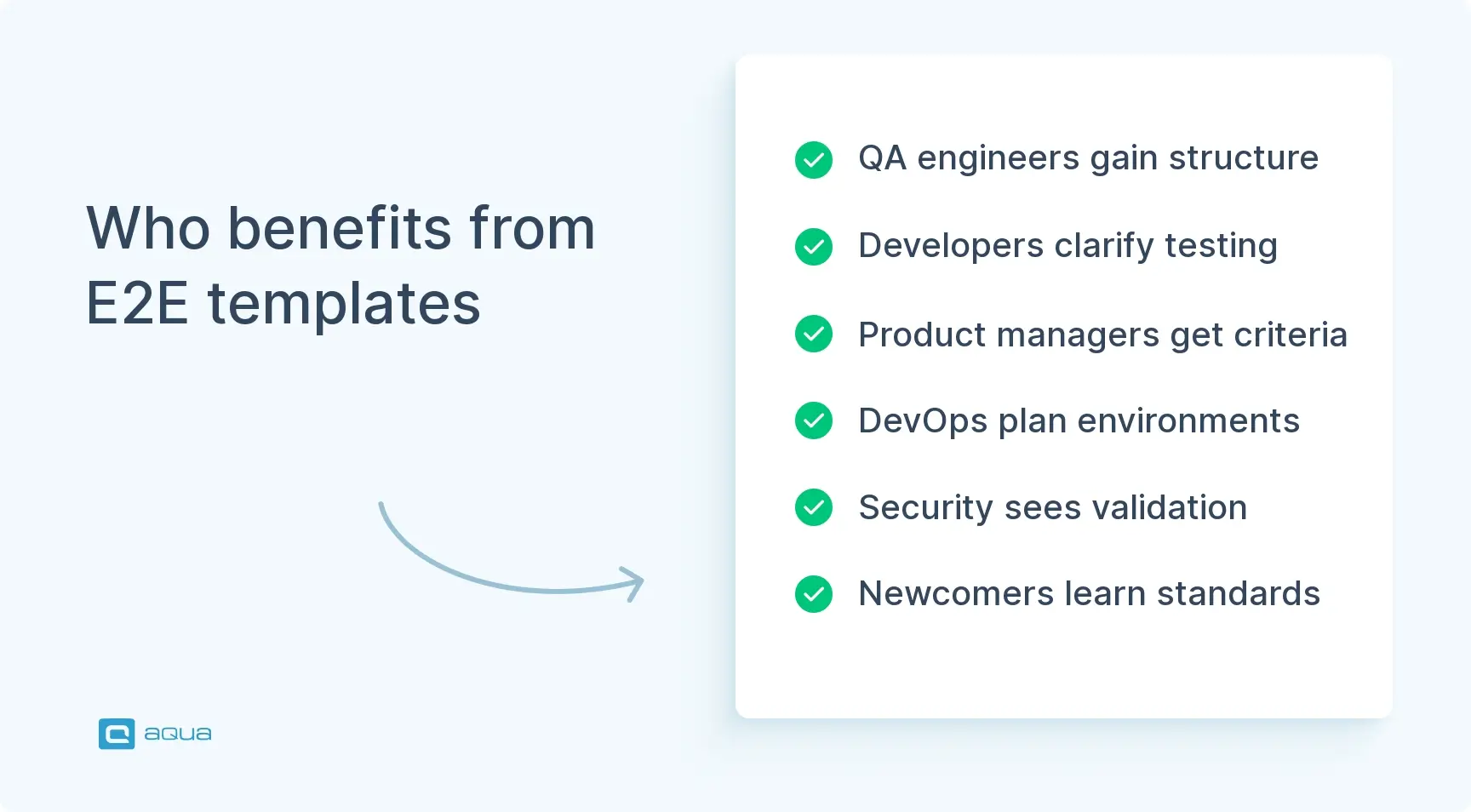
This end-to-end test plan template is not intended for QA leads alone. Different roles grab different value from a solid E2E plan, but everyone benefits when there’s a single source of truth for what quality means.
- QA engineers and test automation specialists. The template gives you a structured framework to organize test scenarios and track coverage against flows. As a result, you can justify automation priorities without rebuilding your methodology from scratch every sprint or defending why certain areas aren’t automated yet.
- Development teams. Developers gain clarity on what will be tested and when, so they can write testable code from the start. Furthermore, when E2E tests fail in CI, the plan’s artifact requirements speed up debugging instead of creating guessing games.
- Product managers and release coordinators. You finally get a straightforward answer to “can we ship?” The exit criteria translate technical test results into business risk language. If checkout is broken on Safari, the plan shows exactly how that impacts your iOS-heavy user base.
- DevOps and infrastructure teams. Environment requirements documented upfront mean fewer surprises about staging capacity and sandbox access. Consequently, the plan becomes the contract between QA and infrastructure teams.
- Security and compliance officers. When your E2E plan includes DAST scan gates and privacy checks, you’ve got documented evidence that security validation happens before every release.
- New team members. Whether you’re onboarding a junior tester or a contractor for a three-month push, the plan is their field guide. It shows testing philosophy and tool choices. Beyond that, it conveys quality standards without requiring weeks of tribal knowledge transfer.
The template works because it translates abstract quality goals into concrete, shareable actions. Everyone’s working from the same playbook, which means fewer meetings spent re-explaining what you’re testing and more time actually testing it.
We also carry out end to end testing when required, but again, that normally results in taking the 'most useful' cases and then rewriting them so they actually are useful for testing.
End-to-End Test Plan Template
Here’s the actual end-to-end test plan template you can copy, customize, and start using today. This structure balances completeness with practicality. Enough detail to be useful, but not so bloated that nobody reads it. Adapt sections based on your team size and release complexity, but don’t skip the fundamentals.
1. Document Control
Document Owner: [Name, Role]
Contributors / Approvers: [List team members]
Version History:
| Version |
Date |
Changes |
Author |
| 1.0 |
YYYY-MM-DD |
Initial draft |
[Name] |
| 1.1 |
YYYY-MM-DD |
Added security gates |
[Name] |
Related Documents:
- Product Requirements: [Link]
- System Architecture: [Link]
- Risk Register: [Link]
- Runbooks: [Link]
2. Executive Summary
Release Goal: [e.g., Launch subscription billing feature]
Target Date: [YYYY-MM-DD]
What Changed (High Level):
[2-3 sentences describing major features/changes]
Top Risks & E2E Mitigation:
- Risk: Payment processing failure under load → Mitigation: k6 load tests with 500 concurrent users, p95 latency threshold 800ms
- Risk: Auth bypass vulnerability → Mitigation: DAST scan on all authenticated endpoints, severity blocks release
Go/No-Go Decision Owners:
- QA Lead: [Name]
- Engineering Manager: [Name]
- Product Manager: [Name]
3. Objectives & Quality Goals
Define what “quality” means for this release with measurable targets:
- Functional: Subscription signup, upgrade, and cancellation flows pass on Chrome, Firefox, Safari (desktop + mobile viewports)
- Performance: Checkout API p95 response time under 800ms on staging with 200 concurrent users
- Security: No high-severity vulnerabilities from OWASP ZAP scan on authenticated flows
- Accessibility: Core subscription pages meet WCAG 2.1 AA standards (automated checks via axe-core)
- Data integrity: All subscription events correctly logged to analytics platform and reflected in billing dashboard
4. Scope
In Scope
Core User Journeys (Priority Order):
| Journey |
Business Impact |
Failure Cost |
Automation Priority |
| New subscription signup |
Revenue |
High impact |
P0 – Full E2E automation |
| Subscription upgrade/downgrade |
Revenue + retention |
High – impacts churn |
P0 – Full E2E automation |
| Payment method update |
Support burden |
Medium – fallback manual process exists |
P1 – Automated happy path |
| Subscription cancellation |
Compliance + retention |
High – legal + UX risk |
P0 – Full E2E automation |
| Invoice generation & email |
Trust + support |
Medium – manual backup |
P1 – Automated happy path |
Platforms/Browsers/Devices:
- Chrome (latest), Firefox (latest), Safari 16+ (desktop)
- Chrome mobile, Safari iOS 16+ (mobile viewports)
Integrations:
- Stripe payment gateway (sandbox)
- SendGrid email service (sandbox)
- Segment analytics (test project)
- Internal billing dashboard
Out of Scope (Explicit)
- Legacy annual billing flow (deprecated, <2% user base)
- Admin invoice adjustment screens (low risk, tested manually)
- Non-English localization (separate test cycle)
Known Gaps & Mitigations:
- Gap: Stripe sandbox has 100 req/min rate limit → Mitigation: Stagger parallel test runs, use contract tests for bulk validation
5. System Under Test (SUT) & Environment Architecture
Environments:
| Environment |
Purpose |
Data Strategy |
External Services |
| Local |
Dev debugging |
Mocked responses |
Mocks only |
| Preview (ephemeral) |
PR validation |
Seeded per deployment |
Sandboxes |
| Staging (shared) |
Pre-release validation |
Persistent + cleanup scripts |
Sandboxes |
| Pre-prod |
Final validation |
Production-like snapshot |
Sandboxes |
External Dependencies:
- Stripe: sandbox mode, test cards documented in [wiki link]
- SendGrid: test API key, emails captured in Mailtrap
- Segment: isolated test workspace
Feature Flags:
- Flags managed via LaunchDarkly
- Test environments have
subscription_v2 enabled by default
- Rollback flag
emergency_old_billing available
6. Test Approach
E2E Layers Included
- UI E2E: Browser automation via Playwright (cross-browser, headless CI execution)
- API E2E: Direct API calls for endpoints, validating response contracts
- Data validation: Database queries confirm subscription status, event logging
- Visual checks: Automated screenshot comparison for UI states (Applitools Eyes)
- Accessibility: Automated axe-core scans on signup/upgrade flows
Coverage Strategy (Risk-Based)
Focus automation on high-revenue, high-failure-cost journeys. Lower-risk flows get manual spot-checks or lighter automation.
7. Focus Areas
UI/UX Correctness:
- Form validation (error states, success messages)
- Multi-step flow navigation (signup wizard, upgrade path)
- Mobile responsive behavior (viewport breakpoints)
- Cross-browser rendering consistency
Integrations & Data Flow:
- Stripe charge creation + webhook handling
- SendGrid email triggers + template rendering
- Segment event publishing (subscription_created, subscription_upgraded)
- Billing dashboard data sync
Performance & Reliability:
- API response times under simulated load (k6 scripts)
- Page load performance (Lighthouse CI thresholds)
- Retry logic for transient payment failures
Security & Privacy:
- OWASP ZAP DAST scan on authenticated endpoints
- PII masking in logs and error messages
- HTTPS enforcement, secure headers validation
Observability & Diagnostics:
- Playwright traces captured for all failures
- Structured logging of test execution context
- Screenshots + videos on path failures
8. Test Design Standards
Naming Convention:
Feature_Journey_Outcome
Example: Subscription_Signup_SuccessfulCharge
Selector Strategy:
- Prefer
data-testid attributes or ARIA roles
- Avoid CSS selectors tied to styling (
.btn-primary)
- No XPath unless absolutely necessary
Test Independence:
-
- Each test starts from a known state (login, seed data)
- No shared state between tests
- Cleanup after execution (delete test users, cancel subscriptions)
Resilience:
- Use built-in Playwright waiting (
waitForSelector, waitForLoadState)
- No
sleep() or hard-coded timeouts
- Retry unstable assertions (network-dependent checks) with backoff
9. Test Data Strategy
Seed Data:
- User accounts: Generated via fixture scripts, stored in
tests/fixtures/users.json
- Payment methods: Stripe test cards (documented here)
- Subscriptions: Created via API before UI tests run
Idempotency:
- Test cleanup runs in
afterEach hooks
- Staging environment reset nightly (delete test users, cancel test subscriptions)
- Preview environments are ephemeral (destroyed after PR merge/close)
Data Masking:
- No production data in test environments
- Synthetic PII (generated emails, fake addresses)
Test Accounts & Permissions:
| Account Type |
Email Pattern |
Permissions |
Purpose |
| Basic user |
qa+basic_{timestamp}@example.com |
Standard |
Happy path testing |
| Premium user |
qa+premium_{timestamp}@example.com |
Upgraded subscription |
Upgrade/downgrade flows |
| Admin |
qa+admin@example.com |
Full access |
Admin-specific flows |
Third-Party Sandbox Handling:
- Stripe: 100 req/min limit → stagger parallel runs, use waits between charge creation
- SendGrid: 100 emails/day on test plan → batch email checks, reset daily
10. Entry Criteria
Testing begins when:
- Build deployed to staging environment
- Smoke tests passed (health checks, login, basic navigation)
- Integrations reachable (Stripe sandbox, SendGrid API, Segment)
- Test data seeded successfully
- Feature flags configured correctly
11. Exit Criteria
Release approved when:
- All P0 journeys pass on target browsers (Chrome, Firefox, Safari desktop + mobile)
- No open High severity defects without explicit product/engineering sign-off
- Performance thresholds met: checkout API p95 85
- Security gates passed: OWASP ZAP scan shows no high vulnerabilities
- Visual regression checks passed (no unexpected UI changes)
- Traceability complete: all test executions linked to requirements in Jira/Xray
12. Defect Workflow & Collaboration
Defect Tracking: Jira project QA-BUGS
Required Fields:
- Steps to reproduce
- Environment (staging URL, browser, OS)
- Evidence (screenshot, Playwright trace link, video)
- Logs (relevant backend error messages, network response)
Severity Definitions:
| Severity |
Definition |
Example |
SLA |
| Critical |
Blocks core revenue/compliance flow |
Payment processing fails |
4 hours |
| High |
Impacts key feature, workaround exists |
Upgrade button broken on mobile |
24 hours |
| Medium |
Degrades UX, doesn’t block flow |
Slow page load, minor visual glitch |
3 days |
| Low |
Cosmetic or edge case |
Typo, rare error message wording |
Next sprint |
Triage & Assignment:
- QA Lead triages daily at 10 AM
- Critical/High assigned immediately to on-call dev
- Blockers escalated to Engineering Manager + Product
Jira Test Management (Xray Integration):
- Test cases linked to user stories via “Tests” relationship
- Test executions tracked in Xray Test Plans
- Coverage reports generated weekly
13. Tooling & CI/CD Execution
Frameworks Used:
- UI E2E: Playwright (JavaScript, cross-browser)
- API Testing: Playwright’s built-in API testing capabilities
- Performance: k6 (load tests, thresholds)
- Security: OWASP ZAP (DAST scans)
- Visual: Applitools Eyes (optional)
CI Triggers:
- PR commits → Smoke suite (5 flows, ~5 min runtime)
- Main branch merges → Full regression (all P0/P1 tests, ~30 min runtime)
- Nightly (2 AM UTC) → Full regression + performance + security scans
- Pre-release tag → Complete suite + manual exploratory session
Parallelization:
- Playwright tests run across 4 parallel workers in CI
- Tests sharded by file to distribute load
- Isolated browser contexts per test
Artifacts Captured (on Failure):
- Playwright trace (full browser interaction timeline)
- Screenshots (final state + intermediate steps)
- Video recording (full test execution)
- Network logs (HAR files)
- Console errors
Artifact Storage:
- GitHub Actions artifacts (7-day retention)
- Long-term storage in S3 for release builds
14. Reporting & Metrics
Daily Dashboard (Allure Report):
- Overall pass rate
- Pass rate by priority (P0/P1/P2)
- Test reliability rate (tests that fail intermittently)
- Test duration trends
Weekly KPIs (ReportPortal Analytics):
- Mean time to diagnose (MTTD) – time from failure to root cause
- Escaped defects – bugs found in production that passed E2E
- Coverage by user journey (% of P0 flows automated)
- Automation ROI – time saved vs manual execution
Quality Gates:
- Pass rate drops below 95% → alert QA Lead + block releases
- Reliability rate falls below 95% → quarantine unstable tests, investigate root cause
- MTTD exceeds 2 hours → review artifact capture and logging
15. Risks & Mitigations
| Risk |
Likelihood |
Impact |
Mitigation |
| Staging environment instability |
Medium |
High |
Use ephemeral preview envs for PRs; maintain pre-prod fallback |
| Stripe sandbox rate limits |
High |
Medium |
Stagger parallel runs; use contract tests for bulk validation |
| Third-party service outages (SendGrid) |
Low |
Medium |
Mock email service for path tests; validate via API |
| Unstable network-dependent tests |
Medium |
Medium |
Implement retry logic with exponential backoff; improve waiting strategies |
| Data collisions in shared staging |
Medium |
High |
Unique test data per run; nightly cleanup scripts; prefer ephemeral envs |
| Excessive suite runtime blocking CI |
High |
High |
Split smoke (5 min) vs full regression (30 min); selective test runs based on changed files |
Now that you have a template for creating effective test plans, imagine implementing this structure within a dedicated platform. aqua cloud, an AI-driven test and requirement management solution, is specifically designed to support every aspect of your E2E testing process with features that directly address the challenges outlined above. The flexible project structures and folder organization keep your test cases meticulously arranged, while comprehensive traceability ensures every requirement links directly to relevant test cases and defects. The platform’s risk-based prioritization helps your team focus on what matters most, and customizable dashboards provide the exact metrics needed to make confident go/no-go decisions. Where aqua truly transforms your workflow is through its domain-trained AI Intelligence. This technology creates test cases with an understanding of your specific project context, requirements, and documentation. Unlike generic AI tools, aqua’s Intelligence AI delivers project-specific results that speak your product’s language. With native integrations to Jenkins, TestRail, Selenium, and a dozen other tools in your tech stack, aqua transforms your E2E testing from a documentation exercise into a streamlined, intelligent quality assurance process.
Reduce documentation time by 70% with aqua
Conclusion
Here’s what you’ve got now: a complete end-to-end testing plan template that actually gets used. With it, your team now has a shared understanding of what quality means, what you’re protecting, and when you’re ready to ship. The template covers everything from user journeys and integration points to performance gates and security scans. Whether you’re a QA engineer automating flows, a product manager answering “can we ship?”, or a developer understanding what gets tested, this plan is your single source of truth. Take this structure and customize it for your stack and team size.