What is AI Shift-Left Testing: Best Practices & Tools
Testing has always been a critical component of software development, but where and when it happens has evolved dramatically. If you're working in QA, you've probably noticed the industry moving away from the "test everything at the end" approach. That's because it just doesn't cut it anymore. Today, QA demands more efficient approaches, and that's where shift-left testing with AI enters the picture. In this guide, we’ll explain how this concept helps you detect bugs, improve code quality, and speed up release cycles much faster compared to the traditional shift-left testing approach.
Shift-left testing is pretty much exactly what it sounds like: moving testing earlier (“to the left”) in your development timeline. Instead of waiting until the end of development to start testing, you begin testing activities right from the requirements and design phases.
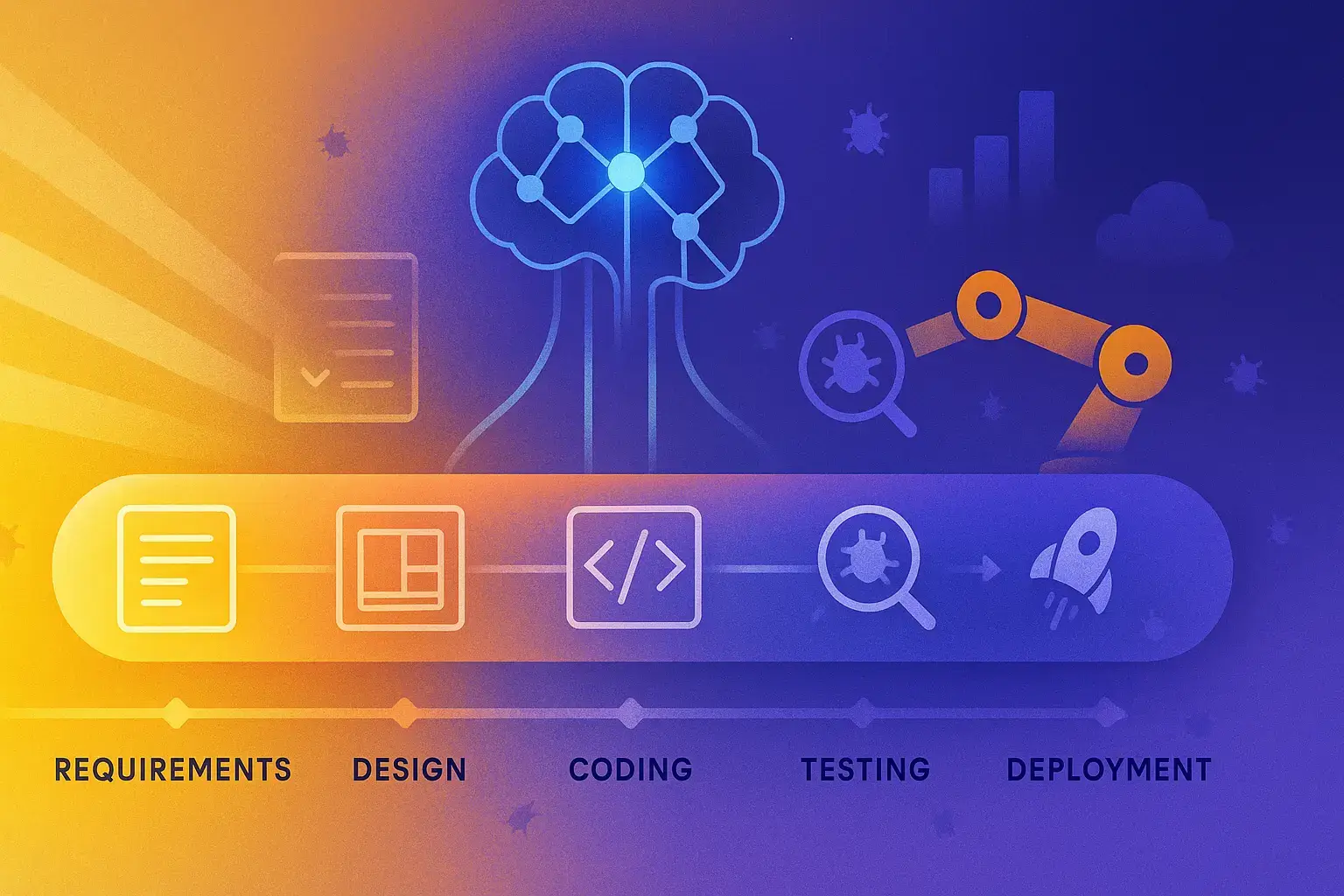
Traditional development followed a linear path: requirements → design → coding → testing → deployment. This meant QA teams often discovered issues when the code was already built, making fixes more expensive and time-consuming. With shift-left testing, QA sees more dedication and focus as it’s integrated throughout the entire process.
Here’s why it’s a game-changer for you:
You catch bugs when they’re cheaper to fix (like, way cheaper)
Developers get faster feedback on their code
QA becomes integrated with development rather than being the “bug police” at the end
Requirements get validated early, reducing rework
The entire team shares responsibility for quality
Shift-left testing also changes the relationship between development and QA teams. Instead of throwing code “over the wall” to testers, developers and testers work side by side. This means QA guys are involved in refinement sessions, sprint planning, and daily standups too, not just executing test cases after the fact.
The approach is quite popular, too. Companies like Microsoft and Amazon are already embracing shift-left testing to reduce development cycles and improve product quality.
The Impact of AI on Shift-Left Testing
Being deep into a development cycle and suddenly discovering a critical bug that should have been caught weeks ago… We know it’s frustrating, expensive, and entirely avoidable. This is exactly why shift-left testing exists and why combining it with AI creates something transformative for your development process.
You can think of AI as your testing partner that never sleeps, never misses patterns, and learns from every bug your team has ever encountered. This way, you’re moving testing earlier in your pipeline and you’re making it smarter, more predictive, and surprisingly intuitive.
How AI Transforms Your Early Testing Strategy
The Code Gets a Crystal Ball
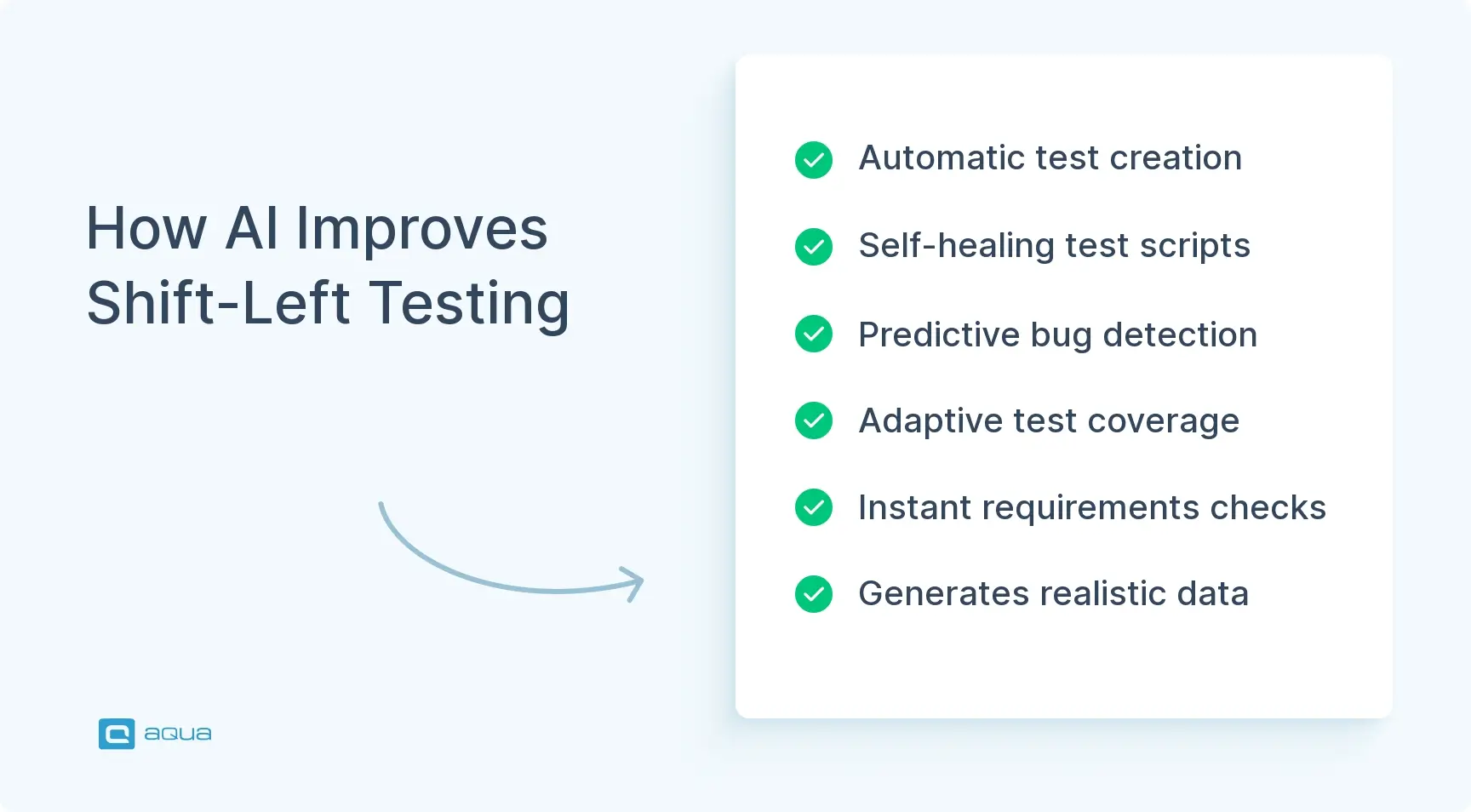
Instead of waiting for bugs to appear, AI analyses the codebase and predicts where problems are most likely to emerge. IBM’s AI-powered testing tools, for example, examine code patterns alongside historical defect data to spotlight the areas where your team should focus testing efforts. It’s like having an experienced tester who remembers every bug from the past five years and points out trouble spots before you even run your first test.
Test Creation Becomes Effortless
Remember spending hours writing test cases for new features? AI flips this entirely. As soon as you define requirements or commit code changes, intelligent systems can generate comprehensive test suites automatically. Your testing literally begins the moment your feature ideas take shape, which is about as “shift-left” as you can get. Solutions like aqua cloud carry the market with their generative features, helping you achieve 98% faster results.
Your Tests Adapt and Survive
Here’s where AI really shines: self-healing test scripts. You know how UI changes break your automated tests, leaving your team struggling to update scripts? AI-powered tools automatically adjust to interface modifications and keep your test suite running smoothly while your developers iterate on designs.
Smarter Test Data, Better Coverage
AI doesn’t just create more test data. It creates the right test data. These systems generate varied, realistic scenarios that cover edge cases your team might never think to test manually. Your early testing becomes more thorough without requiring more human hours. Aqua cloud shines in this too, giving you contextual, limitless test data in seconds.
Requirements Analysis That Actually Works
Before your developers write a single line of code, AI can comb through your requirements documents to identify ambiguities, contradictions, or gaps. It’s like having a requirements analyst who never gets tired and catches inconsistencies that could derail your project later.
Real-World Impact
Facebook’s engineering teams have built AI systems that automatically identify regression issues during code check-ins. Their tools analyse incoming changes and instantly run the most relevant tests, catching bugs within minutes instead of waiting for your next testing cycle. When you can fix issues minutes after they’re introduced rather than discovering them weeks later in production, you’re operating at a completely different level of efficiency.
The transformation in your metrics tells the story best. Traditional testing approaches typically catch only 25-50% of defects before release, while AI-enhanced shift-left testing can push that number above 85%. More importantly, you’re catching these issues when they cost $100 to fix instead of $10,000 in production. Your testing cycles shrink from days or weeks down to hours, and regression testing that once consumed entire afternoons now completes in minutes.
So the question isn’t whether AI will change how you test, it’s whether you’ll be among the first to use its potential or still catching up while your competitors ship faster, more reliable software.
If you’re ready to capitalise on the power of shift-left testing with AI, you need more than just a strategy. You need the right tools to make it happen.
This is where aqua cloud shines as an industry-leading solution. With aqua’s AI Copilot, your team can generate comprehensive test cases directly from requirements in seconds, slashing test creation time by up to 98%. Unlike generic AI tools that raise security concerns, aqua’s purpose-built AI testing capabilities integrate seamlessly into your development workflow from the earliest stages; automatically implementing best practices like boundary value analysis and equivalence partitioning without extra configuration. Teams using aqua report saving at least 12.8 hours per week through AI-assisted test management, allowing QA professionals to shift from tedious scripting to strategic quality advisors. CI/CD and automation integrations like Ranorex, Selenium, Jenkins, alongside Jira, Confluence and Azure DevOps makes aqua a superpower you can easily integrate into your existing toolkit. Why struggle with cobbling together multiple tools when aqua provides an integrated platform specifically designed for modern, AI-powered shift-left testing?
Transform your QA process with 98% faster test case generation using aqua cloud
Your QA team is under constant pressure to deliver higher quality faster. Traditional testing approaches leave you fighting fires in production while developers have already moved on to the next sprint. AI-powered shift-left testing flips this dynamic entirely. How? Let’s analyse from different perspectives.
The Real Financial Impact
Cost Reduction That Shows Up in Your Budget
When AI catches a database connection leak during your code review instead of after your app crashes in production, you’re not just saving theoretical dollars. You’re avoiding a lot of costs: emergency patches, customer support tickets, potential data recovery, and the engineering time to hotfix while your team scrambles to understand what went wrong. AI-enhanced shift-left testing routinely prevents these $50,000+ incidents by catching issues when they cost $200 in developer time to fix.
Quality Improvements You Can Measure
AI’s power is not limited to quantity. It also finds the bugs that matter. Your traditional testing might catch obvious functionality issues, but AI identifies subtle problems like memory leaks that only surface under specific load conditions, or race conditions that happen once every thousand user sessions. These are the defects that slip past manual testing and create mysterious production failures that take days to reproduce and diagnose.
Operational Advantages That Transform Your Workflow
Release Velocity Without Quality Compromises
Instead of your releases being held up by two-week testing cycles, AI enables continuous validation. Your developers commit code, and within minutes, AI has analyzed the changes, generated relevant test cases, and validated the build against regression scenarios. Your release cadence shifts from monthly to weekly, or even daily, because testing is no longer the bottleneck.
Resource Optimisation That Solves Real Problems
Your senior QA engineers stop spending 60% of their time maintaining brittle Selenium scripts that break every time the UI changes. Instead, AI handles the maintenance while your team focuses on exploratory testing, user experience validation, and complex integration scenarios that actually require human judgment. Your junior testers spend less time clicking through repetitive test cases and more time learning to design meaningful test strategies.
Strategic Benefits for Your Development Process
Security Integration That Actually Works
Rather than discovering security vulnerabilities during your penetration testing phase (when fixes require architectural changes), AI scanning during development catches issues like SQL injection vulnerabilities in new API endpoints or insecure data handling patterns before they become embedded in your codebase. Your security team becomes a partner in development rather than a last-minute blocker.
Feedback Loops That Prevent Knowledge Loss
When your AI identifies that a particular developer’s commits consistently introduce null pointer exceptions in error handling, it flags these patterns in real-time. Your code review process becomes proactive rather than reactive, and developers learn to avoid common problems before they become habits. This knowledge gets captured and applied automatically rather than being lost when experienced team members leave.
Adaptive Testing That Grows Smarter
Your AI testing system learns that API changes in your authentication service consistently create cascading failures in your mobile app. It automatically expands test coverage in these areas and alerts your team to potential issues before they impact users. This pattern recognition helps you build more robust systems over time rather than repeatedly fixing the same types of problems.
Implementing a Shift-Left Testing Strategy
Ready to bring shift-left testing with AI to your team? Here’s how to get started:
Start with a quality-first mindset: Before implementing tools or processes, work on building a culture where quality is everyone’s responsibility, not just the QA team’s job. This means getting buy-in from developers, product managers, and leadership.
Integrate testers early in the process: Involve QA professionals in requirement reviews, design sessions, and planning meetings. Their perspective is invaluable for identifying potential issues before coding begins.
Implement continuous integration/continuous delivery (CI/CD): CI/CD pipelines are the backbone of effective shift-left testing. Every code change should trigger automated tests to provide immediate feedback.
Choose the right AI testing tools: Select tools that match your tech stack and testing needs. Start with one area (like UI testing or API testing) before expanding to others.
Build a comprehensive test automation strategy: Define which tests should run at which stages of development. Some tests should run with every commit, while others might run nightly.
Create a feedback mechanism: Ensure that test results are immediately visible to developers. Integrate test reporting with your communication tools so issues are flagged instantly.
Train your team: Both developers and testers may need training on new tools and approaches. Invest in upskilling your team to maximise the benefits.
Measure and refine: Track metrics like defect detection rate, time to fix, and release quality to assess your shift-left testing strategy’s effectiveness. Use these insights to continuously improve.
Implementation challenges to prepare for:
Resistance from teams accustomed to traditional testing approaches
Initial investment in AI shift left testing tools
Learning curve for both developers and testers
Reconfiguring existing processes to support early testing
If you want to successfully implement AI-based shift-left testing, you should typically start small, with a pilot project or single team, then expand based on demonstrated success.
Best Practices for Generative AI Shift-Left Testing Automation
Generative AI is changing the testing game with its ability to create test cases, generate test data, and even write test code. Here’s how to make the most of it:
Use AI to create test cases from requirements: Tools like aqua cloud can analyse user stories and requirements to automatically generate test cases in seconds, helping you start testing at the earliest possible stage.
Use AI for generating diverse test data: Generative AI can create realistic, varied test data that covers edge cases and unusual scenarios. This is especially valuable for security, performance, and boundary testing.
Implement AI-driven exploratory testing: AI can simulate user behaviour to identify unexpected issues that wouldn’t be caught by scripted tests. This adds an additional layer of early testing.
Adopt intelligent test prioritisation: Not all tests need to run all the time. AI can identify which tests are most valuable based on code changes, historical issues, and risk analysis.
Use AI for requirements validation: Before coding begins, AI can analyse requirements for completeness, consistency, and testability, identifying potential issues at the earliest stage.
Integrate AI code analysis during development: Tools like DeepCode or Amazon CodeGuru can analyse code as it’s written, flagging potential bugs, security issues, or performance concerns.
Implement AI-powered test maintenance: Self-healing test automation reduces maintenance burden. When the application changes, AI can automatically update test scripts.
Balance AI and human testing: AI is powerful but not perfect. Pair AI-driven testing with human expertise for the best results. Let AI handle repetitive tasks while humans focus on creative testing challenges.
You can see a significant reduction in testing time and an increase in defect detection by adopting theseAI-powered shift-left practices. The key is integrating these practices into your development workflow rather than treating them as separate activities.
Best AI Tools for Shift-Left Testing Automation
Your shift-left testing strategy is only as strong as the tools that power it. With dozens of AI-enhanced testing platforms flooding the market, choosing the wrong one can set your team back months. The key is finding tools that don’t just promise AI magic but actually solve the specific testing bottlenecks that keep your releases delayed and your team working weekends. Let’s put them in a table for you, starting with the most comprehensive solutions and drilling down to specialised tools for specific challenges.
Tool
Type
Key Features
Best For
aqua cloud
Comprehensive Testing Platform
AI-powered requirements analysis, automated test case generation, intelligent test data creation, seamless CI/CD integration, end-to-end traceability
Teams seeking a complete shift-left transformation, requirements-driven testing, and integrated testing workflows
Testim
UI Testing
AI-based self-healing tests, codeless test creation
AI-generated Java unit tests, automatic maintenance
Improving code coverage, shift-left unit testing
Eggplant
Digital Automation
Model-based testing, AI analytics, performance
Cross-platform testing, complex workflows
Parasoft
Code Analysis & Testing
AI-driven test creation, compliance testing
Regulated industries, security testing
Kobiton
Mobile Testing
Real device testing, scriptless automation
Mobile apps, device fragmentation challenges
Launchable
Test Optimisation
ML-powered test selection, predictive test analytics
CI pipeline optimisation, large test suites
Copado Robotic Testing
Low-Code Testing
AI test generation for business apps, self-healing
Salesforce and business application testing
When selecting tools for your shift-left AI testing strategy, consider these factors:
Integration capabilities with your existing toolchain
Support for your application technology stack
Learning curve and required expertise
Reporting and analytics features
Scalability as your testing needs grow
Cost structure and ROI potential
Successfully implementing AI-powered shift-left testing doesn’t start with a complete toolchain overhaul. You need to identify your biggest pain point, whether it’s requirements ambiguity killing projects before they start, endless UI test maintenance, or inadequate test coverage and solve that first with the right specialised tool. Once you’ve proven the value and your team has adapted to AI-enhanced workflows, expanding your toolkit becomes a natural evolution rather than a disruptive change.
So, take advantage of the free trials that most of these platforms offer, but don’t just run through their demo scenarios. Test them against your actual codebase, with your real requirements, using your existing CI/CD pipeline. That’s where you’ll discover whether a tool truly fits your team’s workflow or just looks good in marketing videos.
Conclusion
Shift-left testing with AI isn’t a trend your manager picked up at a conference. It’s actually changing how you work as a QA professional. Instead of being the person who finds problems after everything’s built, you become the person who prevents them from happening in the first place. Your developers stop dreading your bug reports because you’re catching issues while the code is still fresh in their minds. Your releases stop getting delayed because testing isn’t this massive bottleneck at the end. And your job becomes way more interesting when you’re designing quality into products instead of just checking boxes on test cases. The AI tools are getting scary good, and if you’re not experimenting with them yet, you’re missing out on making your work life significantly easier.
Implementing this strategy requires the right test management platform, and aqua cloud stands out as the complete solution. Unlike generic testing tools, aqua was built from the ground up with AI at its core, offering immediate generation of comprehensive test cases from requirements, specifications, or even natural language instructions. With aqua, you’ll achieve 100% requirement coverage and traceability, while the AI Copilot automatically applies proven test design techniques that catch defects when they’re cheapest to fix. The platform’s built-in collaboration features bridge the gap between developers and testers, with 42% of AI-generated test cases requiring no human tweaking whatsoever. Over 72% of companies report reduced costs within their first year of adoption. Why delay your shift-left transformation when aqua cloud provides everything you need to start seeing results immediately?
Save over 12 hours per week while catching bugs earlier with aqua's AI-powered shift-left testing
A shift-left approach in testing moves testing activities earlier in the software development lifecycle, rather than leaving them until the end. Instead of the traditional model where testing happens after development is complete, shift-left integrates testing from the requirements and design phases onward. This means identifying potential issues when they’re less expensive to fix, improving collaboration between developers and testers, and treating quality as a continuous concern rather than a final checkpoint.
What is shift-left testing using AI?
Shift-left testing using AI combines early testing practices with artificial intelligence capabilities to enhance and automate the testing process. AI technologies like machine learning, natural language processing, and computer vision are applied to generate test cases from requirements, predict potential defect-prone areas, automatically maintain test scripts, and provide intelligent insights throughout the development process. This approach helps teams catch more bugs earlier, achieve higher test coverage, and reduce the manual effort required for comprehensive testing.
What are the benefits of AI shift-left testing?
The benefits of AI shift-left testing include significantly reduced cost of defect fixes by catching issues early, improved software quality through more comprehensive testing, faster time to market by eliminating lengthy end-stage testing cycles, more efficient resource utilisation as AI handles repetitive tasks, early security integration, better collaboration between teams, and continuous learning as AI systems improve over time. For QA professionals specifically, AI shift-left testing transforms their role from verification at the end to quality advisors throughout the development process, providing greater value and strategic input.
Home » Testing with AI » What is AI Shift-Left Testing: Best Practices & Tools
Do you love testing as we do?
Join our community of enthusiastic experts! Get new posts from the aqua blog directly in your inbox. QA trends, community discussion overviews, insightful tips — you’ll love it!
We're committed to your privacy. Aqua uses the information you provide to us to contact you about our relevant content, products, and services. You may unsubscribe from these communications at any time. For more information, check out our Privacy policy.
X
🤖 Exciting new updates to aqua AI Assistant are now available! 🎉
We use cookies and third-party services that store or retrieve information on the end device of our visitors. This data is processed and used to optimize our website and continuously improve it. We require your consent fro the storage, retrieval, and processing of this data. You can revoke your consent at any time by clicking on a link in the bottom section of our website.
For more information, please see our Privacy Policy.
This website uses cookies to improve your experience while you navigate through the website. Out of these, the cookies that are categorized as necessary are stored on your browser as they are essential for the working of basic functionalities of the website. We also use third-party cookies that help us analyze and understand how you use this website. These cookies will be stored in your browser only with your consent. You also have the option to opt-out of these cookies. But opting out of some of these cookies may affect your browsing experience.
Necessary cookies are absolutely essential for the website to function properly. These cookies ensure basic functionalities and security features of the website, anonymously.
Cookie
Duration
Description
cookielawinfo-checkbox-analytics
11 months
This cookie is set by GDPR Cookie Consent plugin. The cookie is used to store the user consent for the cookies in the category "Analytics".
cookielawinfo-checkbox-functional
11 months
The cookie is set by GDPR cookie consent to record the user consent for the cookies in the category "Functional".
cookielawinfo-checkbox-necessary
11 months
This cookie is set by GDPR Cookie Consent plugin. The cookies is used to store the user consent for the cookies in the category "Necessary".
cookielawinfo-checkbox-others
11 months
This cookie is set by GDPR Cookie Consent plugin. The cookie is used to store the user consent for the cookies in the category "Other.
cookielawinfo-checkbox-performance
11 months
This cookie is set by GDPR Cookie Consent plugin. The cookie is used to store the user consent for the cookies in the category "Performance".
viewed_cookie_policy
11 months
The cookie is set by the GDPR Cookie Consent plugin and is used to store whether or not user has consented to the use of cookies. It does not store any personal data.
Functional cookies help to perform certain functionalities like sharing the content of the website on social media platforms, collect feedbacks, and other third-party features.
Performance cookies are used to understand and analyze the key performance indexes of the website which helps in delivering a better user experience for the visitors.
Analytical cookies are used to understand how visitors interact with the website. These cookies help provide information on metrics the number of visitors, bounce rate, traffic source, etc.
Advertisement cookies are used to provide visitors with relevant ads and marketing campaigns. These cookies track visitors across websites and collect information to provide customized ads.