Functional and Non-Functional Testing Checklist for QA Professionals
More often than not, software ships with untested edge cases and performance limitations. You might have already experienced the cost of these first-day emergency fixes when defects reach production. Customer churn and unnecessary expenses are only a few of the consequences. A structured, functional, and non-functional testing checklist addresses this directly. It gives your team consistent coverage across what the software does and how well it does it, before release. This guide walks through both types of testing, what each stage involves, and what your team should be verifying at every step.
Shipping software without structured testing checklists leads to missed edge cases and production failures. Functional testing verifies features work as designed, while non-functional testing ensures performance, security, and reliability under real-world conditions.
Essential Testing Checklist Components
Requirement Analysis – Document scope, success criteria, and stakeholder alignment before testing begins.
Test Scenario Creation – Cover normal workflows, edge cases, and unexpected user behaviors.
Performance Testing – Measure load capacity, stress limits, and system stability over time.
Reliability Testing – Validate fault tolerance, data integrity, and graceful failure handling.
aqua cloud provides comprehensive checklist templates for both functional and non-functional testing with AI-powered test scenario generation. Teams using aqua achieve 90% requirement coverage while reducing test planning time by 60%.
Functional testing is the process of verifying that every feature in your software does what it was designed to do. Each function, button, form, and workflow gets evaluated against the original requirements to confirm actual behavior matches intended behavior.
If you are a business owner, this is where you find out whether the investment in building a feature translated into something that actually works for users. A missed defect at this stage means a user-facing failure later, which costs more to fix and more in lost trust.
A comprehensive functional testing checklist gives your team a consistent framework to work through, so critical areas do not get skipped under deadline pressure and every release meets the same quality bar.
Test planning is best done before the work is started. An entire feature should have a test strategy or maybe a checklist of things that should be done. But with agile, you can. It always plan it all or should plan it all.
Kinezu on
Test planning is best done before the work is started. An entire feature should have a test strategy or maybe a checklist of things that should be done. But with agile, you can. It always plan it all or should plan it all.
Requirement analysis is the foundation of effective functional testing. Before your team writes a single test case, everyone involved needs a shared, documented understanding of what each feature is supposed to do and what “working correctly” actually looks like.
This stage matters because vague requirements are where defects are born. When developers, designers, and business stakeholders interpret the same requirement differently, the product reflects those gaps. Requirement analysis closes that gap before any code gets tested.
What this involves for your team:
Documenting scope, expected behaviors, and explicit success criteria for each feature
Resolving ambiguous language in requirement documents. “Fast response time” needs a number. “User-friendly interface” needs a definition.
Aligning all stakeholders on what constitutes a pass or a fail before testing begins
Identifying user-focused scenarios early, covering how real people will interact with the feature
When requirement analysis is done well, your team spends less time in “but I thought it was supposed to…” conversations and more time finding real defects.
2. Test Scenario Creation
Test scenario creation is where your team maps out every meaningful way a user might interact with a feature, from the straightforward path to the unexpected ones. This stage determines the breadth of coverage before a single test runs.
Good scenario coverage protects against defects that only surface in specific conditions, such as a particular browser, an unusual input, or a workflow no one expected anyone to follow. These are often the issues that reach production undetected. A structured approach to creating test scenarios from user stories helps ensure coverage is grounded in real user intent.
What this involves for your team:
Covering normal use cases, edge cases, and inputs that real users will eventually try
Balancing automated tests for repetitive and regression scenarios with manual testing for nuanced UX behavior
Including browser compatibility, responsive design, and third-party integration scenarios for web applications
Designing scenarios around real user goals, not just technical specifications
3. Test Execution
Test execution is where planned scenarios meet the actual product. Your team runs both automated and manual tests across all relevant environments to verify behavior matches expectations.
Structured execution matters because gaps in coverage often come from skipped environments or assumptions that behavior will carry over. A feature that passes on Chrome and breaks on Safari is still broken.
What this involves for your team:
Running automated regression suites on every build to catch regressions early
Conducting manual exploratory testing on new and recently changed features
Verifying behavior across different screen sizes, browsers, and operating systems
Testing integration points with external services explicitly, including failure responses
4. Result Analysis and Debugging
Result analysis is how your team turns test outcomes into actionable information. Marking tests pass or fail is only the start. Understanding why something failed, and whether an unexpected pass signals incomplete coverage, is where the real value lives.
This stage also protects the quality of future releases. Well-documented failures make defects reproducible and faster to fix. Patterns in failures reveal systemic issues that individual bug reports do not surface on their own.
What this involves for your team:
Documenting failures with screenshots, logs, and reproduction steps that reliably recreate the issue
Classifying failures by type, such as front-end, back-end, or integration, to route fixes efficiently
Flagging unexpected passes as potential indicators of missing test coverage
Writing bug reports specific enough that developers can reproduce and fix the issue without back-and-forth
While we’ve covered the fundamentals of functional and non-functional testing checklists, implementing them systematically can be challenging without the right tools. This is where aqua cloud, an AI-powered test and requirement management platform, helps to modify your testing strategy. With aqua, you can create comprehensive test checklists for both functional and non-functional aspects in minutes instead of hours, thanks to its domain-trained actana AI. The system creates project-specific scenarios grounded in your own documentation and requirements, ensuring maximum relevance. Teams using aqua report saving up to 12.8 hours per week on test management while achieving better coverage across all testing dimensions. With centralized test repositories, you maintain complete traceability between requirements, test cases, and results. Another great thing about aqua is that it integrates with 14+ external solutions, including Jira, Jenkins, and Azure via REST API, so you can use your entire test stack with aqua easily.
Automated and manual tests run across environments
Result Analysis
Failures documented with logs and reproduction steps
Debugging and Reporting
Bug reports include clear steps, classification, and severity
Functional Testing Aspects
Some areas of an application carry more risk because they are where users interact most directly with your product. Defects here surface immediately and visibly. Here is what your team should pay close attention to across the most critical functional touchpoints. This applies whether you are working from a general software functional testing checklist or a more specific web application functional testing checklist.
Sign-up and login flows: These are the front door of your application. A broken login locks users out entirely. Your team should verify account creation end-to-end, including email validation, password security requirements, confirmation emails, duplicate registration handling, and behavior with special characters. Security checks here include confirming passwords are hashed and session management does not expose user data.
Password recovery: Reset flows have their own failure modes. Single-use tokens, link expiration, and enforcement of new password requirements all need explicit verification.
Search functionality: Poor search sends users elsewhere. Your team should cover single words, phrases, partial matches, special characters, and empty queries, as well as filter behavior and relevance ranking.
Form validation: Every input field is a place where users can fail or succeed. Clear, specific error messages, such as “Email must include @ symbol,” resolve confusion that generic messages like “Invalid input” create. Required field enforcement and format validation for emails, phone numbers, and dates all need coverage.
File uploads: Accepted formats, size limits, rejection of malicious file types, and behavior when uploads fail mid-transfer are all worth explicit test scenarios.
Error handling: Every error state your application can reach should surface a message that helps users understand what happened and what to do next.
Cross-browser behavior: Layout, functionality, and performance can differ meaningfully across Chrome, Firefox, Safari, and Edge. Assumptions based on one browser leave gaps. A thorough functional testing checklist for web application coverage should include all major browsers your users access.
Third-party integrations: OAuth flows, payment processors, and external APIs need testing for both success and failure responses. A payment integration that handles successful charges but not declined cards is a liability.
Checklist for Non-Functional Testing
Non-functional testing evaluates how well your software performs, not just whether it works. An application can pass every functional test and still frustrate users with slow load times, go down under traffic, or expose data through security gaps.
For business owners and product leaders, this is where performance investments get validated. The outcomes, such as response times, uptime, and user experience quality, directly affect retention, conversion, and reputation.
A non-functional testing checklist paired with a reliable test management solution gives your team structured coverage across these dimensions so quality is measured consistently.
1. Performance Testing
Performance testing measures how your application behaves under real-world conditions, including normal traffic, peak load, and sustained operation over time. The goal is to identify limits and bottlenecks before users encounter them.
What this involves for your team:
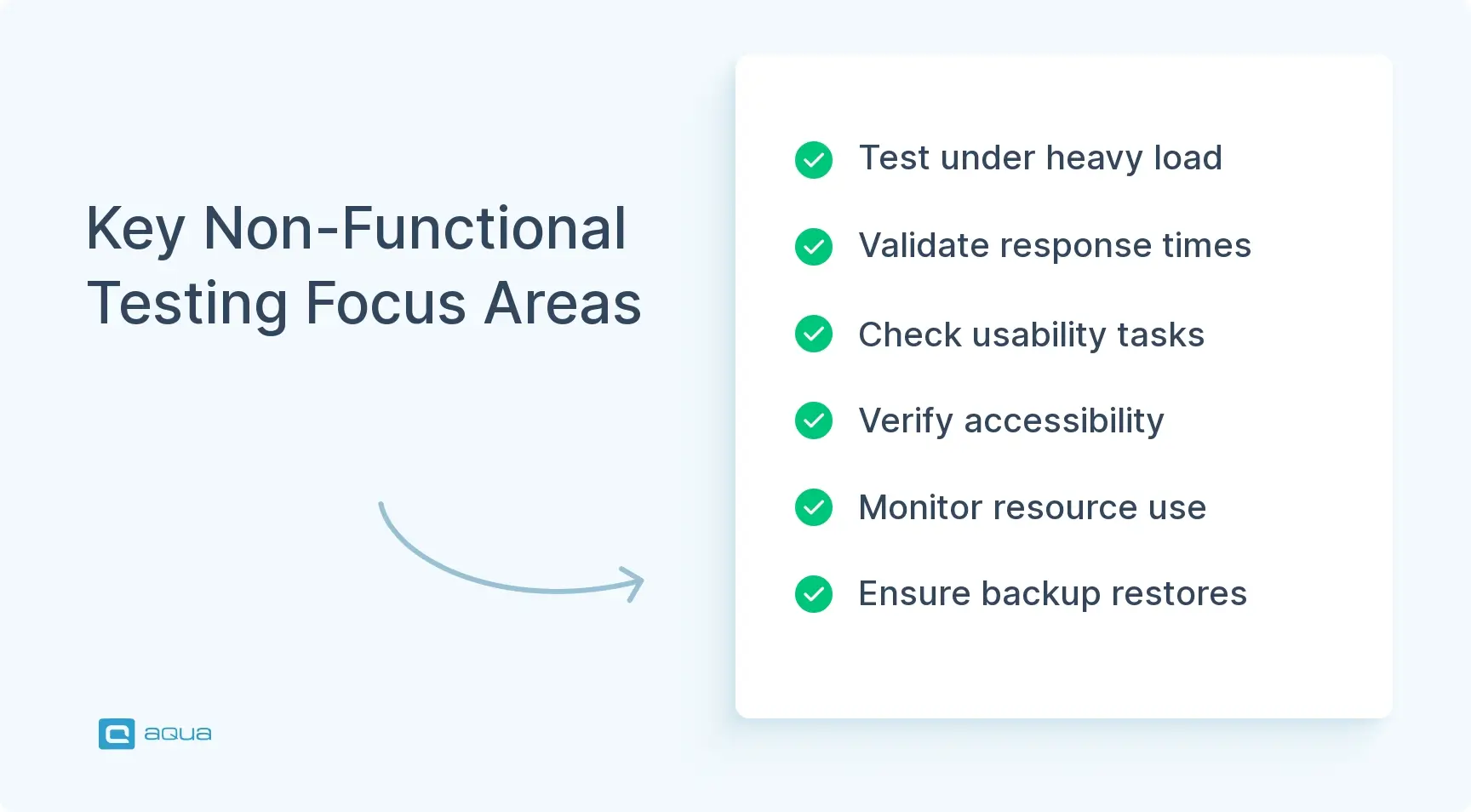
Load testing to confirm the system handles expected concurrent users without degradation
Stress testing to find the breaking point and verify that failure, when it happens, is graceful
Monitoring response times across page loads, API calls, and database queries under varying conditions
Endurance testing over hours or days to surface memory leaks and connection pool exhaustion that short test cycles miss
Real-time resource tracking during tests, covering CPU, memory, and database connections, to catch patterns that post-test analysis does not reveal
2. Usability Testing
Usability testing evaluates whether real users can accomplish their goals without confusion or frustration. A feature can work exactly as specified and still be difficult to use if the design assumptions do not match how users actually think and behave.
For product and business teams, usability findings are often the most actionable. They point directly to where users drop off, hesitate, or make errors, and they translate into improvements with measurable impact on completion rates and satisfaction.
What this involves for your team:
Measuring task completion time for common workflows against acceptable thresholds
Observing where users hesitate, misclick, or give up during testing sessions
Verifying that navigation is discoverable without instructions or prior training
Evaluating error messages for clarity, since messages that guide users toward a resolution reduce support volume
Validating loading states and interaction feedback so users know the application is responding
Accessibility checks covering keyboard navigation, screen reader compatibility, and color contrast
3. Reliability Testing
Reliability testing verifies that your application holds up over time and recovers predictably when something goes wrong. Every system fails eventually. What matters is whether those failures are handled gracefully or cause data loss and downtime.
What this involves for your team:
Testing behavior when database connections drop mid-transaction and verifying data integrity holds
Validating fault tolerance mechanisms, confirming backup systems activate when a component fails
Running continuous operation tests long enough to surface stability issues that short cycles miss
Verifying data persistence through failures and testing restoration procedures, not just assuming backups work
Confirming that partial failures degrade the application gracefully instead of taking down the entire system
Testing happens as part of the QA cycle. Could be unit tests written as part of the change, automated or manual functional tests, or integration tests.
System handles expected concurrent users without degradation
Performance – Stress
Breaking point identified; failure is graceful
Performance – Endurance
No memory leaks or resource exhaustion after sustained operation
Usability
Task completion time acceptable; error messages actionable
Accessibility
Keyboard navigation and screen readers function correctly
Reliability – Fault Tolerance
Backup systems activate on component failure
Reliability – Data Integrity
Data persists correctly through failures and recovery
Non-Functional Testing Aspects
These practices separate software people trust from software people tolerate. They are worth understanding whether your team is building the checklist or evaluating the quality of what gets shipped.
Profile before optimizing: Identifying actual bottlenecks first prevents wasted effort. Improving something that contributes 2% to total slowness while a 40% contributor goes unaddressed produces no meaningful result.
Batch API calls where possible: Combining multiple requests reduces latency and server load without requiring infrastructure changes.
Watch for memory creep over time: Memory leaks that appear insignificant in quick tests can become stability problems after hours of continuous operation. Endurance tests reveal what short cycles miss.
Verify backup restoration, not just backup creation: Backups that have never been tested for restoration are assumptions, not guarantees.
Model endurance tests on real usage patterns: Sustained tests should reflect how actual users interact with the system, not just simulated peak load spikes.
Write error messages for users: A status code tells your team what happened. A message saying “You don’t have permission, contact your admin” tells the user what to do next.
Micro-interactions affect perceived performance: Smooth button feedback and loading indicators change how fast an application feels, even when raw speed is unchanged.
Treat accessibility as a baseline: Keyboard-only navigation and screen reader support expand your potential user base and reduce legal exposure. They belong in every release cycle.
Monitor resources during tests: Real-time tracking reveals usage patterns that reviewing results after the fact does not capture.
Establish non-functional baselines and track against them: Acceptable thresholds for load time, uptime, and error rates make regressions visible across releases. Without baselines, quality drift goes unnoticed until users notice it first.
Balancing both functional and non-functional testing helps deliver software that users actually want to use. aqua cloud, an AI-driven test and requirement management solution, provides an all-in-one environment to centralize all your testing efforts. With aqua, your team can instantly generate detailed test scenarios covering both functional logic and non-functional aspects like performance and usability, all from simple requirements. The platform’s domain-trained actana AI with RAG grounding ensures that every generated test is contextually relevant to your specific project. Teams report 42% of AI-generated tests require no further adjustments, which accelerates testing cycles considerably. Whether you’re validating search functionality or stress-testing under load, aqua’s unified platform handles everything from test planning to execution tracking. Besides, aqua has native integrations for Jira, Azure DevOps, 12+ other tools, and your existing CI/CD pipelines.
Save up to 12.8 hours per week while achieving 100% test coverage
Software that genuinely serves users requires both functional testing and non-functional testing to be taken seriously. Functional testing confirms that features work as specified. Non-functional testing confirms they hold up under real conditions, including traffic, time, and the ways users interact with products. Comprehensive checklists covering both dimensions give your team the structure to catch defects early, maintain quality across releases, and ship software people want to use. In markets where users have alternatives a tap away, that consistency is what builds lasting trust.
What is functional and non-functional testing with examples?
Functional testing verifies that specific features work as intended. For example, confirming a login form accepts valid credentials and rejects invalid ones. Non-functional testing evaluates how well the system performs under real conditions, such as measuring whether that same login page loads in under two seconds with 5,000 concurrent users active.
How can a checklist improve the effectiveness of functional and non-functional testing?
A checklist enforces consistency across your team and across projects, so critical areas do not get skipped under deadline pressure. It creates a shared definition of what coverage looks like, makes gaps visible before release, and provides an audit trail that links test execution back to original requirements.
What are common challenges when creating a functional and non-functional testing checklist?
The most common challenges are vague requirements that make pass/fail criteria hard to define, underestimating non-functional coverage until late in the cycle, and keeping checklists current as the product evolves. Your team may also find it difficult to balance automation and manual testing coverage without a structured framework guiding those decisions.
Home » Best practices » Functional and Non-Functional Testing Checklist for QA Professionals
Do you love testing as we do?
Join our community of enthusiastic experts! Get new posts from the aqua blog directly in your inbox. QA trends, community discussion overviews, insightful tips — you’ll love it!
We're committed to your privacy. Aqua uses the information you provide to us to contact you about our relevant content, products, and services. You may unsubscribe from these communications at any time. For more information, check out our Privacy policy.
X
🤖 Exciting new updates to aqua AI Assistant are now available! 🎉
We use cookies and third-party services that store or retrieve information on the end device of our visitors. This data is processed and used to optimize our website and continuously improve it. We require your consent fro the storage, retrieval, and processing of this data. You can revoke your consent at any time by clicking on a link in the bottom section of our website.
For more information, please see our Privacy Policy.
This website uses cookies to improve your experience while you navigate through the website. Out of these, the cookies that are categorized as necessary are stored on your browser as they are essential for the working of basic functionalities of the website. We also use third-party cookies that help us analyze and understand how you use this website. These cookies will be stored in your browser only with your consent. You also have the option to opt-out of these cookies. But opting out of some of these cookies may affect your browsing experience.
Necessary cookies are absolutely essential for the website to function properly. These cookies ensure basic functionalities and security features of the website, anonymously.
Cookie
Duration
Description
cookielawinfo-checkbox-analytics
11 months
This cookie is set by GDPR Cookie Consent plugin. The cookie is used to store the user consent for the cookies in the category "Analytics".
cookielawinfo-checkbox-functional
11 months
The cookie is set by GDPR cookie consent to record the user consent for the cookies in the category "Functional".
cookielawinfo-checkbox-necessary
11 months
This cookie is set by GDPR Cookie Consent plugin. The cookies is used to store the user consent for the cookies in the category "Necessary".
cookielawinfo-checkbox-others
11 months
This cookie is set by GDPR Cookie Consent plugin. The cookie is used to store the user consent for the cookies in the category "Other.
cookielawinfo-checkbox-performance
11 months
This cookie is set by GDPR Cookie Consent plugin. The cookie is used to store the user consent for the cookies in the category "Performance".
viewed_cookie_policy
11 months
The cookie is set by the GDPR Cookie Consent plugin and is used to store whether or not user has consented to the use of cookies. It does not store any personal data.
Functional cookies help to perform certain functionalities like sharing the content of the website on social media platforms, collect feedbacks, and other third-party features.
Performance cookies are used to understand and analyze the key performance indexes of the website which helps in delivering a better user experience for the visitors.
Analytical cookies are used to understand how visitors interact with the website. These cookies help provide information on metrics the number of visitors, bounce rate, traffic source, etc.
Advertisement cookies are used to provide visitors with relevant ads and marketing campaigns. These cookies track visitors across websites and collect information to provide customized ads.






 Bankingaqua ALM helps banks increase testing productivity by over 50%