Functional Testing vs. Integration Testing: Understanding Key Differences
At some point, a CEO or their engineering leader has to decide how to split testing resources between validating features and validating the connections between them. Get that balance wrong, and you end up with software that works beautifully in isolation and breaks unpredictably in production. That balance is exactly what the functional vs integration testing debate is about. The guide breaks down both testing types, what they validate, when to use them, and how to avoid the blind spots that cause production failures even when every test passes.
Functional testing validates business requirements from the user's perspective while integration testing verifies component communication across service boundaries. Both testing types are essential: functional tests catch feature-level bugs, while integration tests expose interface failures that only appear when independently working components interact.
Core Testing Distinctions
Functional Testing Focus – Black-box approach validating inputs, outputs, and business logic against specified requirements without internal code knowledge.
Integration Testing Focus – Interface validation checking API contracts, data flow between services, and multi-component communication under realistic conditions.
Execution Timing – Integration tests run after unit tests to catch interface issues early; functional tests validate complete features once integrations are stable.
Maintenance Trade-offs – Functional tests break frequently with UI changes but provide clear pass/fail criteria; integration tests require architectural understanding but change less often.
Complementary Strategy – Modern software failures occur most often at service boundaries, making both testing layers necessary for production reliability.
aqua cloud unifies functional and integration testing with AI-generated test cases, full requirement traceability, and environment management. Teams using aqua achieve complete coverage across both testing types while cutting test creation time by 97%.
Functional testing validates whether software meets defined requirements. It answers one core question: does this feature do what it’s supposed to do?
Key characteristics of functional testing:
Black-box approach. Testers don’t need to know how the code works internally, only what it should produce.
Business-requirement driven. Every test maps directly to a specified behavior or user story.
Input/output focused. The goal is to confirm that given inputs produce the correct outputs.
User-perspective testing. The process simulates real user actions like form submission, navigation, and data entry.
Clear pass/fail criteria. The feature either meets the requirement or it doesn’t.
A QA engineer running functional tests simulates real user workflows such as adding items to a cart or uploading profile pictures. If the requirement says “users can filter products by price range,” the functional test confirms that selecting $50-$100 shows products in that range. No more, no less.
Common techniques your team might use include:
Boundary value analysis
Equivalence partitioning
Decision table testing
Tools like Selenium and Appium automate these scenarios. Manual exploratory testing still catches edge cases that scripts miss, such as pasting emojis into numeric fields.
Managing both functional and integration testing across a complex system requires a solid test management solution, and that’s exactly what aqua cloud, an AI-powered test and requirement management platform, provides. Your team can manage functional test cases alongside integration tests, with full traceability from requirement to result, all within one platform. aqua’s environment management capabilities let your team clearly separate testing contexts. Reusable test components through nested test cases reduce redundant work across both testing layers. aqua’s AI Copilot generates test cases based on your actual system architecture, not generic templates. The model can operate on chats, documents, or even voice notes. Your team also gets direct integrations with Jira, Azure DevOps, GitHub, GitLab, and Jenkins, so test management stays connected to your existing development and deployment workflow. No extra configuration needed.
Generate comprehensive test coverage across both functional and integration testing
Functional testing directly validates business requirements. When stakeholders ask whether the system works as specified, your functional test suite gives a clear, demonstrable answer your team can point to with confidence.
Stakeholder-ready validation. Functional tests map directly to requirements, making it straightforward to demonstrate feature completeness during sprint reviews or client demos.
Logic error detection. Incorrect calculations, broken validation rules, and missing error messages get caught before users file support tickets.
Living documentation. Well-written functional tests document how the system should behave, helping new team members understand expected workflows without reading through sprawling wikis.
Regression prevention. Automated functional test suites catch when a “small refactor” accidentally breaks the checkout process.
Interpretable results. Either the login works, or it doesn’t, making test outcomes easy to act on.
Challenges of Functional Testing
Functional testing’s power comes with real operational costs. Each challenge below includes a mitigation example so your team knows exactly what to do when these issues surface.
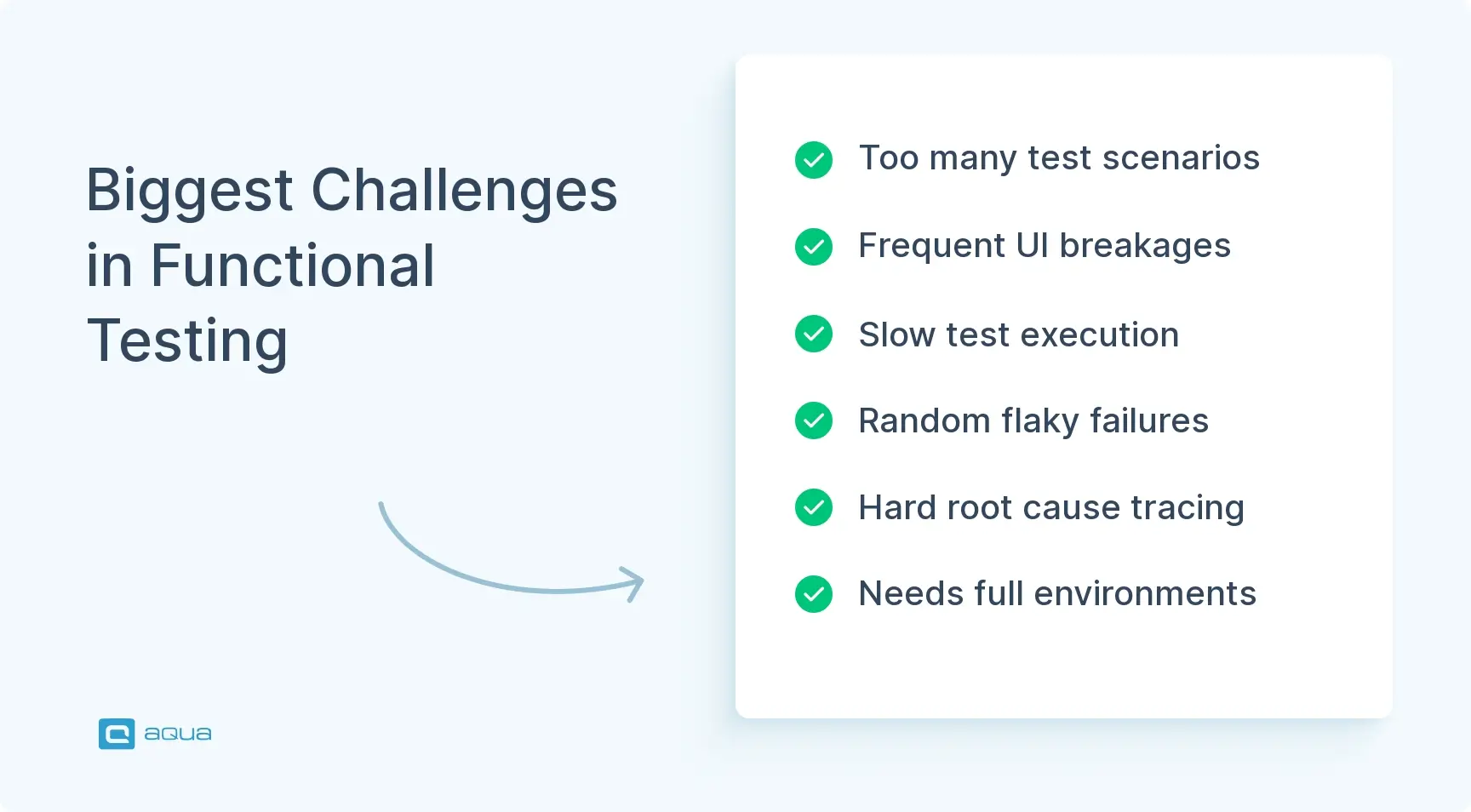
Test explosion. A moderately complex form with dropdown combinations can generate hundreds of scenarios, which makes full coverage unrealistic. Solution: Equivalence partitioning and risk-based testing help your team prioritize high-impact scenarios over exhaustive coverage.
High maintenance burden. UI changes mean rewriting tests, especially Selenium scripts that rely on specific element locators, breaking with every design tweak. Solution: Page object model (POM) patterns abstract UI elements so locator changes only require updates in one place.
Slow execution. End-to-end functional tests through a browser can take minutes per scenario, turning a 500-test suite into a multi-hour pipeline block. Solution: Smoke tests on every commit work well, with full regression suites reserved for nightly builds or pre-release gates.
Flaky tests. Network timeouts and animation delays as well as other conditions cause random failures unrelated to actual bugs. Solution: Explicit waits, retry logic, and test isolation from shared state reduce environmental noise significantly. Using a test management solution for optimal test handling is highly recommended.
Limited root-cause diagnosis. When a functional test fails, your team knows what broke, but finding out why requires additional investigation. Solution: Pairing functional test failures with structured logging and linking tests to specific components speeds up triage considerably.
Environment dependencies. Functional tests often need fully deployed environments with all services running, making local testing expensive. Solution: Containerized environments like Docker Compose or feature flags allow your team to run functional tests against isolated service subsets.
Use Cases of Functional Testing
Knowing where functional testing delivers the most value helps your team allocate testing effort efficiently. The scenarios below represent the highest-ROI applications in practice, so these are good starting points when your team is prioritizing coverage.
1. Authentication flows
Authentication testing covers login with valid and invalid credentials, password reset workflows, two-factor authentication sequences, and account lockout after failed attempts. Session expiry behavior matters here too. Edge cases like expired reset links or concurrent sessions from different devices are strong candidates for functional coverage, as these scenarios directly affect user trust and security posture.
2. Form validation and submission
Form testing involves validating required field enforcement, format rules for email and phone inputs, character limits, and error message accuracy. Going beyond happy-path testing means verifying that partially completed forms preserve user input on validation failure. Error states clearing correctly once the user fixes their input is another detail worth covering, because poor error handling is one of the most common sources of user frustration.
3. E-commerce workflows
E-commerce functional coverage includes cart operations (add, update, remove), discount code stacking rules, and the checkout process from cart to order confirmation. Post-order state updates like inventory decrement and confirmation email triggers deserve attention here too, as these are common points where requirements get missed during development.
4. Search and filtering functionality
Search testing involves confirming that results match queries, filters apply correctly in combination, and sorting options produce the expected order. Empty-result states should display appropriate messaging. Pagination behavior at edge cases, such as the first page, last page, and single-result sets, is often overlooked and worth including in your coverage plan.
5. Payment processing
Payment flow testing covers credit card field formatting, accepted card types, successful transaction confirmation, declined card handling, and refund initiation. Test payment gateways like Stripe test mode or PayPal sandbox should always be used here to keep your team away from live payment rails during testing.
6. User profile management
Profile management testing covers field updates, preference persistence across sessions, avatar upload size and format limits, and account deletion with proper data cleanup confirmation. These flows often get underprioritized, yet they are among the first things users notice when something breaks.
What is Integration Testing?
Integration testing focuses on whether components communicate correctly, as distinct from whether a feature works in isolation.
When dealing with integration tests, your team is no longer examining the login form on its own. The focus moves to verifying that the authentication service queries the user database, the session service stores tokens, and the audit service logs events correctly. That means the test fails when the auth service returns a valid token but the session service never persists it — a gap no unit test would catch.
Key characteristics of integration testing:
Interface-focused. The process validates data contracts, API responses, and communication protocols between components.
Hybrid knowledge required. Your team needs an understanding of system architecture, not just user-facing behavior.
Catches boundary failures. Issues that only appear when independently working components interact get surfaced here.
Sequencing-aware. Multi-step service chains need to execute in the correct order with correct payloads.
Environment-dependent. Multiple services running simultaneously are required to produce meaningful results.
This matters in microservices architectures where one user action triggers multiple service calls. A payment service updates inventory, which notifies the shipping service, which triggers email confirmation. If any interface in that chain breaks, the whole flow fails, even though each service’s backend logic is sound.
Integration testing approaches:
Big bang. All components are integrated simultaneously. Fast to set up, but slow to debug when things fail.
Top-down. Starting with high-level modules and using stubs for lower components not yet ready works well for validating system flow early.
Bottom-up. Building from foundational modules upward with drivers simulating higher-level calls suits teams where core services must be solid before anything is built on them.
Incremental. Adding one component at a time and isolating failures as they appear is the most practical approach for most teams.
Integration testing is when you test more than one component and how they function together.
Integration tests give an essential understanding of whether components work together. So how exactly does integration testing actually earn its place in the pipeline? Here’re the processes:
System-level failure detection. API contract mismatches, message queue failures, and data transformation errors that unit tests can’t reach get caught here.
Real interaction validation. Your payment service actually updating order status gets confirmed here, not just that each service’s internal logic produces the right output in isolation.
Essential for distributed architectures. Microservices, event-driven systems, and API-first designs depend on integration testing to verify service mesh reliability.
Performance bottleneck exposure. Slow API responses, N+1 database query patterns, and network latency issues that only emerge under real component interaction become visible here.
CI/CD pipeline protection. Fast integration tests catch breaking changes immediately after code is pushed, before they reach staging.
Architectural documentation. Writing integration tests requires your team to explicitly map service dependencies and data contracts, which reduces knowledge silos over time.
Challenges of Integration Testing
Integration testing is operationally harder than functional testing. The challenges below each include a concrete mitigation your team can act on without overhauling your entire testing setup.
Environment setup complexity. Multiple services need to run with correct configurations, database schemas, and sometimes mocked external APIs. Solution: Docker Compose or Testcontainers let your team define reproducible multi-service environments as code, checked into the repo alongside tests.
Cross-team coordination. When your team’s service integrates with another team’s service, scheduling shared test environment access becomes a coordination problem. Solution: Consumer-driven contract testing with tools like Pact allows your team to validate integrations independently without needing both services live simultaneously.
Debugging across boundaries. Failures may occur deep in service chains, requiring logs from multiple sources to locate the root cause. Solution: Distributed tracing with OpenTelemetry or Jaeger combined with centralized log aggregation via the ELK stack, gives your team a traceable path from request to failure point.
Test data management. Integration tests need synchronized datasets across multiple databases, and cleanup between runs is error-prone. Solution: Database transaction rollbacks or dedicated test data seeding scripts reset the state to a known baseline before each test run.
Network-induced flakiness. Timeouts and momentary service unavailability cause random failures unrelated to actual defects. Solution: Explicit timeout thresholds, retry policies with exponential backoff, and quarantine tags for known-flaky tests keep your pipeline readable while root causes are investigated.
Infrastructure cost. Running full integration test environments requires containers, cloud resources, and mocked external services. Solution: Tiering your integration tests helps here. Lightweight contract tests on every commit, with full environment integration suites reserved for merges to main or nightly runs, keeps costs manageable.
Version synchronization. When dependent services update APIs, integration tests break across all consumers. Solution: Explicit API versioning combined with a compatibility matrix gives your team clarity on which service versions are tested together.
Use Cases of Integration Testing
Integration testing returns the highest value in scenarios where developments are complex and have external dependencies. The use cases below are where your team’s investment in integration coverage will pay off most visibly. For teams working in enterprise environments, integration testing in SAP presents its own set of considerations worth understanding separately.
1. Microservices communication
Microservices integration testing covers whether an order service correctly calls payment and inventory services in the right sequence with correct payloads. Failure scenarios matter here too, for example what happens when the inventory service is unavailable mid-checkout. Does the payment service roll back? Does the user receive an appropriate error? These are scenarios that functional tests will never surface on their own.
2. API contract validation
API contract testing involves confirming that frontend requests match backend API expectations including headers, request body schemas, and response formats. Error response structures deserve as much attention as success paths. A frontend that can’t parse a 422 response is just as broken as one that can’t parse a 200, and your users won’t distinguish between the two.
3. Database transactions
Database integration testing covers whether multi-table operations maintain data integrity under concurrent access. This includes verifying that foreign key constraints hold under edge-case insertions and that rollbacks restore state cleanly when transactions fail midway.
4. External service integration
External service testing involves validating connections to payment gateways like Stripe or PayPal and identity providers like Auth0 or Okta using sandbox environments. Timeout handling and rate limit responses are worth covering alongside webhook receipt. External services fail in ways your internal services don’t, so this coverage protects your team from surprises your unit tests will never catch.
5. Message queue workflows
Message queue testing covers whether events published to RabbitMQ or Kafka are consumed by subscriber services and trigger appropriate downstream actions. Dead-letter queue behavior for failed processing and consumer group coordination under load are particularly valuable areas for your team to cover.
6. Authentication pipeline
Authentication pipeline testing involves confirming that login requests authenticate against the identity service, generate correctly scoped JWT tokens, and pass authorization checks to downstream services. Token expiry handling and refresh token flows are important to include, as these affect every authenticated user in your system.
7. Data synchronization flows
Data sync testing covers whether changes in one system propagate correctly to related systems, such as CRM updates syncing with email marketing platforms or inventory changes reflecting in product catalogs. Both success propagation and failure isolation need coverage, because a sync that fails silently is often harder for your team to diagnose than one that errors visibly.
Key Differences Between Functional Testing and Integration Testing
Functional tests are more E2E (end to end) tests from a final user point of view… integration tests are about testing the interaction between pieces / modules of the software.
The distinction between functional and integration testing is not always clear because both operate beyond unit tests and involve multiple components. Understanding the difference between functional and integration testing comes down to one core distinction: functional testing validates outcomes, while integration testing validates interactions.
Perspective is a major dividing line. Functional testing adopts the user’s viewpoint. The number of underlying services is irrelevant as long as clicking “Submit” produces the correct result. Integration testing adopts the system architect’s viewpoint: are those services passing data correctly, using proper protocols, and handling errors gracefully?
Timing in the testing lifecycle also separates them. Integration testing runs after unit tests and detects interface issues before higher-level workflows depend on them. Functional testing comes later, validating complete features once integrations are stable. In CI/CD pipelines, integration tests run on every commit to catch breaking changes immediately, while functional regression suites typically run nightly or before releases due to longer execution times.
The complexity factor differs as well. Functional tests are relatively straightforward: simulate user actions and check outputs. Integration tests require understanding system architecture, managing multi-service environments, and handling asynchronous operations. When a functional test fails, your team knows which feature broke. When an integration test fails, debugging spans service boundaries, requires aggregating logs from multiple sources, and may involve coordinating across teams.
The table below summarizes the key differences in functional testing vs integration testing across the dimensions that matter most for creating effective test plans:
Aspect
Functional Testing
Integration Testing
Primary Focus
Validates business requirements and user workflows
Validates component interactions and data flow
Testing Approach
Black-box (no code knowledge needed)
Hybrid (requires architectural understanding)
Scope
Individual features or complete user journeys
Interfaces between modules, services, or systems
Failure Indication
Feature doesn’t meet requirements
Components don’t communicate correctly
Typical Tools
Selenium, Cypress, Appium, Cucumber
Postman, REST Assured, WireMock, TestContainers
Execution Speed
Slower (especially UI-based tests)
Faster than functional, slower than unit tests
Environment Needs
Full application deployment
Multiple integrated services/modules
Maintenance Effort
High (UI changes break tests frequently)
Medium (API contracts change less often)
Understanding functional vs regression testing is also worth your team’s attention, as regression testing adds another layer of protection that works alongside both approaches covered here.
Getting the most out of your functional and integration testing efforts is where many software solutions fail. aqua cloud, an AI-powered test and requirement management solution, offers AI-powered test case generation that cuts test creation time by up to 97%. The domain-trained actana AI (AI Copilot) generates test cases that reflect your actual system architecture. Real-time dashboards show coverage across functional and integration boundaries so your team always knows where gaps exist before they become production issues. aqua’s structured environment management keeps test runs reliable and reproducible, which matters most when your team is validating complex service interactions across multiple components. With native integrations for Jira, Azure DevOps, GitHub, Jenkins, and 10+ other tools from your tech stack, and your CI/CD pipelines, aqua connects test management directly to development. Exactly fitting into how your team already works without additional overhead.
Boost functional and integration testing efficiency by 80% with aqua
Functional and integration testing catch different failures, and your team needs both. Functional tests verify that your features deliver the value users expect: the right outputs for the right inputs. Integration tests verify that your system’s components communicate correctly when those features actually run. In modern software, failures happen most often at service boundaries, not inside individual components. Building both testing layers into your CI/CD pipeline and treating coverage gaps in either layer as production risk gives your team the foundation to ship software that works reliably, not just in testing environments but for real users under real conditions.
What is the difference between functional and integration tests?
Functional tests validate that software features meet business requirements from the user’s perspective: does the checkout process work as specified? Integration tests validate that system components communicate correctly, for example, does the payment service properly update inventory and trigger notifications? Both go beyond unit scope, but they catch fundamentally different failure types.
How do functional and integration testing approaches impact test automation strategies?
Functional test automation focuses on simulating user interactions through UI frameworks like Selenium or Cypress, running later in the pipeline due to longer execution times. Integration test automation targets API contracts and service communication using tools like Postman or REST Assured, running earlier and faster. When it comes to integration testing vs functional testing, a mature automation strategy layers both, with integration tests on every commit and functional regression suites on scheduled runs or pre-release gates.
What challenges do teams face when combining functional and integration testing?
The main challenges are environment management, test data synchronization, and overlapping coverage. Teams often struggle to maintain separate environments for each testing type, which causes interference between test suites. Establishing clear ownership, with functional tests owned by QA and integration tests co-owned with developers, alongside containerized environments, helps maintain clean separation without duplicating infrastructure effort.
When should integration testing happen relative to functional testing in a CI/CD pipeline?
Integration tests should run immediately after unit tests on every commit, catching breaking interface changes before they propagate. Functional tests, being slower and more environment-dependent, work better in nightly runs or pre-release gates. This sequencing ensures fast feedback on integration failures without blocking developer workflows with lengthy functional test suites on every push.
Can functional testing replace integration testing in a microservices architecture?
No, and this is a common gap that leads to production failures. Functional tests validate that the end result is correct from the user’s perspective, but they don’t verify the service interactions that produced that result. In a microservices system, your team can pass every functional test and still have broken service contracts or misconfigured message queues that only surface under specific load or sequencing conditions. Understanding unit functional integration testing as three distinct layers is the foundation of a complete quality strategy.
Home » Best practices » Functional Testing vs. Integration Testing: Understanding Key Differences
Do you love testing as we do?
Join our community of enthusiastic experts! Get new posts from the aqua blog directly in your inbox. QA trends, community discussion overviews, insightful tips — you’ll love it!
We're committed to your privacy. Aqua uses the information you provide to us to contact you about our relevant content, products, and services. You may unsubscribe from these communications at any time. For more information, check out our Privacy policy.
X
🤖 Exciting new updates to aqua AI Assistant are now available! 🎉
We use cookies and third-party services that store or retrieve information on the end device of our visitors. This data is processed and used to optimize our website and continuously improve it. We require your consent fro the storage, retrieval, and processing of this data. You can revoke your consent at any time by clicking on a link in the bottom section of our website.
For more information, please see our Privacy Policy.
This website uses cookies to improve your experience while you navigate through the website. Out of these, the cookies that are categorized as necessary are stored on your browser as they are essential for the working of basic functionalities of the website. We also use third-party cookies that help us analyze and understand how you use this website. These cookies will be stored in your browser only with your consent. You also have the option to opt-out of these cookies. But opting out of some of these cookies may affect your browsing experience.
Necessary cookies are absolutely essential for the website to function properly. These cookies ensure basic functionalities and security features of the website, anonymously.
Cookie
Duration
Description
cookielawinfo-checkbox-analytics
11 months
This cookie is set by GDPR Cookie Consent plugin. The cookie is used to store the user consent for the cookies in the category "Analytics".
cookielawinfo-checkbox-functional
11 months
The cookie is set by GDPR cookie consent to record the user consent for the cookies in the category "Functional".
cookielawinfo-checkbox-necessary
11 months
This cookie is set by GDPR Cookie Consent plugin. The cookies is used to store the user consent for the cookies in the category "Necessary".
cookielawinfo-checkbox-others
11 months
This cookie is set by GDPR Cookie Consent plugin. The cookie is used to store the user consent for the cookies in the category "Other.
cookielawinfo-checkbox-performance
11 months
This cookie is set by GDPR Cookie Consent plugin. The cookie is used to store the user consent for the cookies in the category "Performance".
viewed_cookie_policy
11 months
The cookie is set by the GDPR Cookie Consent plugin and is used to store whether or not user has consented to the use of cookies. It does not store any personal data.
Functional cookies help to perform certain functionalities like sharing the content of the website on social media platforms, collect feedbacks, and other third-party features.
Performance cookies are used to understand and analyze the key performance indexes of the website which helps in delivering a better user experience for the visitors.
Analytical cookies are used to understand how visitors interact with the website. These cookies help provide information on metrics the number of visitors, bounce rate, traffic source, etc.
Advertisement cookies are used to provide visitors with relevant ads and marketing campaigns. These cookies track visitors across websites and collect information to provide customized ads.






 Bankingaqua ALM helps banks increase testing productivity by over 50%