Mastering SAP Project Management: Tools, Tips & Comparisons
If you are managing a fairly complex project, you probably know the frustration of dealing with the wrong framework. You may be considering SAP, and the common concern is that this methodology may not fit your business at all, leading to even bigger disruptions. This guide breaks down what SAP project management looks like in practice, covering core tools and real-world trade-offs. You'll also discover implementation strategies for both technical delivery and organizational change management.
SAP project management excels in regulated industries where compliance, audit trails, and multi-currency budgeting across global teams are non-negotiable requirements.
Implementation requires significant resources, including certified SAP consultants, business process owners with decision authority, and change management specialists to ensure user adoption.
The learning curve is steep with complex interfaces and configurations, making SAP unsuitable for lightweight projects or small to mid-sized organizations with limited budgets.
Many enterprises adopt a hybrid approach, using SAP for core business projects with financial integration while deploying simpler tools like ProjectManager or Microsoft Project for smaller initiatives.
Considering SAP’s seven-figure implementation costs and months-long setup time? See whether your projects justify this enterprise-grade complexity 👇
What SAP Project Management Is
SAP project management isn’t a standalone tool. It sits inside your business systems. When you’re doing an ERP implementation or S/4HANA transformation, it connects project work directly to operations like procurement, inventory, and finance. Traditional PM tools operate separately. You update tasks there, then check other systems for what’s actually happening. SAP connects them. Your project planning ties into real budgets and resources. Changes show operational impact right away, not after someone updates a spreadsheet.
The downside? Complex setup. You need people who know both project management and SAP modules. But for big transformations where delays cost money and affect live processes, integration matters.
Core Components of SAP
SAP for project management delivers through two primary modules that work in tandem:
SAP Project System (PS): Handles work breakdown structures, cost planning, and resource allocation with direct integration to finance and controlling modules for real-time budget tracking
SAP S/4HANA Enterprise Portfolio & Project Management (EPPM): Adds portfolio-level visibility so executives can see which initiatives align with corporate strategy and which burn budget without delivering value
Seamless Integration: Plugs directly into procurement, logistics, HR, and every other SAP module you’re running for one system and one source of truth
Where SAP Excels
SAP shines in scenarios demanding tight financial control and cross-functional integration:
Regulated Industries: Manufacturing companies rolling out SAP across 15 plants in eight countries track capital expenditures and coordinate procurement timelines while ensuring compliance audits can trace every decision
Infrastructure Projects: Utility companies manage upgrades where project costs flow directly into asset accounting, with cost overruns triggering alerts and resource bottlenecks surfacing in dashboards
Financial Transparency: Finance teams see project impact on P&L statements without exporting spreadsheets, which is critical for pharma and energy sectors, where losing track of costs creates serious problems
Assess your tasks and the time allotted, push back on those specific estimates, telling them your own estimate for completion, do not expect them to agree. Then, do your best to be helpful and do your own work well and with integrity.
This SAP project management system works best for complex initiatives, but it struggles with lightweight collaboration. If your team needs to spin up a quick product feature or run a two-week design sprint, SAP tools will feel like driving a semi-truck to grab coffee. The setup demands serious configuration, while the learning curve challenges even experienced PMs. Consequently, project management in SAP makes sense when the stakes justify the overhead. This means coordinating hundreds of people across multiple workstreams or handling non-negotiable financial integration.
This positions SAP squarely in the Enterprise Project Management category. You’re managing delivery models that blend structured governance with agile execution. Besides, you should be controlling scope through formal stages.
Complex SAP implementations demand rigorous testing across every module and workflow. aqua cloud, an AI-driven test and requirement management solution, delivers comprehensive test management perfectly suited for SAP environments. With centralized test asset management, you maintain complete traceability between requirements and test cases. This feature proves essential for coordinating large-scale SAP rollouts. The platform’s nested test case functionality creates reusable components for common SAP procedures like user logins, saving your team significant time. What truly sets aqua apart is its domain-trained AI Copilot, which learns from your specific SAP documentation, chats, or even voice notes, to generate highly relevant test cases. These test cases reflect your unique business processes and compliance requirements. Unlike generic AI tools lacking SAP-specific knowledge, aqua’s AI delivers project-grounded test assets that speak your organization’s language. Aqua also has integrations with Jira, Azure DevOps, Jenkins, and many other tools you may have in your tech stack.
Experience 97% faster test case creation with aqua
Understanding SAP’s strengths and limitations helps you determine whether it fits your organization’s needs. The platform excels in specific scenarios while creating unnecessary complexity in others. Let’s examine both sides so you can make an informed decision about whether this SAP project management tool aligns with your operational requirements.
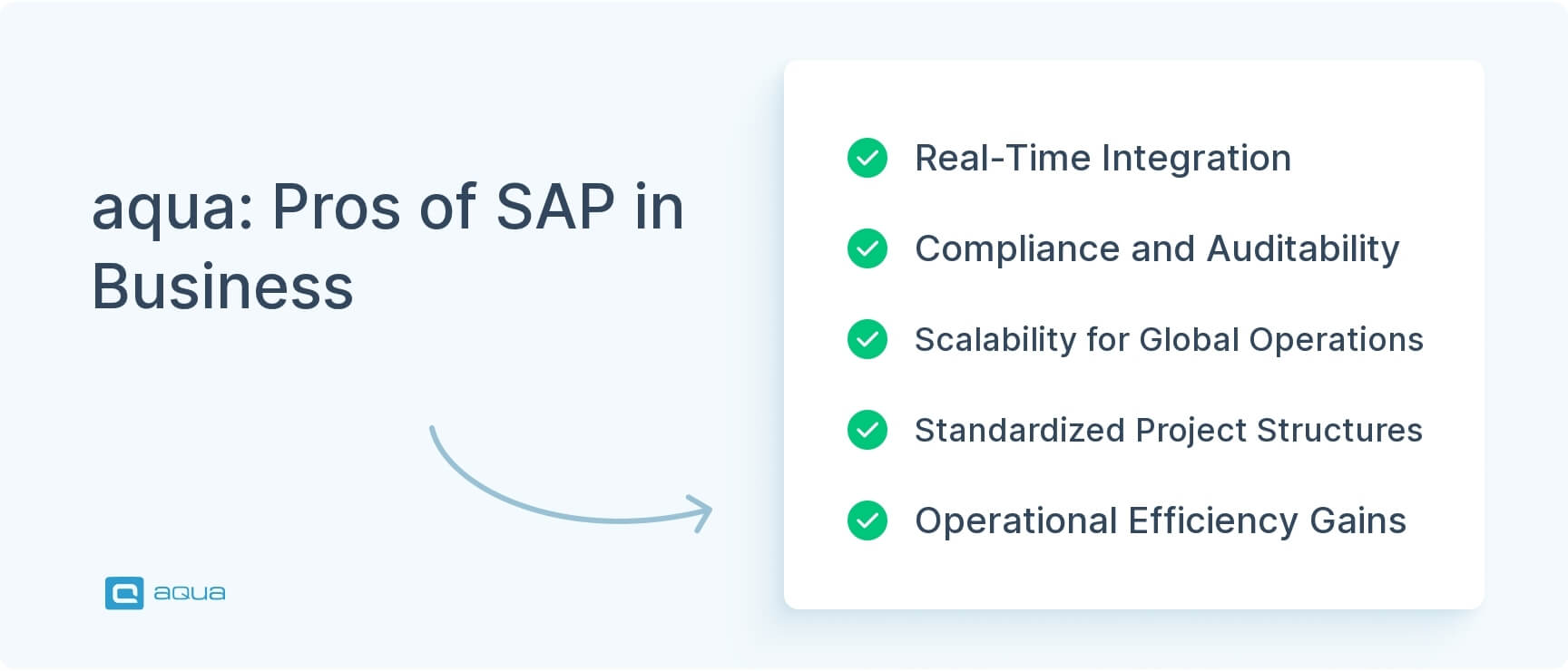
Pros of SAP
SAP delivers several distinct advantages for enterprise-scale project management:
Real-Time Integration: Project data lives inside the same ERP handling finance and procurement. Budget forecasts pull from actual spend, while resource plans tie to HR availability
Compliance and Auditability: Built-in audit trails show who approved what and when, with change control preventing unauthorized modifications. This proves essential for FDA-validated pharma processes
Scalability for Global Operations: The system handles multi-currency budgets and geographically distributed teams while maintaining data consistency across entire landscapes
Standardized Project Structures: Multinational companies can launch SAP in 30 countries with standardized reporting templates. At the same time, the system accommodates local tax codes
Operational Efficiency Gains: Your teams can expect 20-30% reductions in financial reconciliation time, plus faster close cycles when project costs flow automatically into accounting systems
Cons of SAP
However, SAP comes with significant drawbacks that affect daily operations:
Brutal Price Tags: Licensing, infrastructure, consultants, and training often reach seven or eight figures for large implementations. The total cost of ownership dwarfs alternatives like Microsoft Project.
Steep Learning Curve: The interface lacks intuition, while configuration requires deep system knowledge. Even basic tasks involve acronyms that demand weeks of training to master.
Limited Agility: Reconfiguring work breakdown structures mid-stream requires SAP specialists who understand downstream impacts on cost accounting. This takes days or weeks, not an afternoon.
Clunky Usability: Daily users find SAP tools frustrating compared to modern platforms. Updating task status requires drilling through multiple screens, while generating custom reports means learning query tools.
Slow Ramp-Up Time: New team members need structured onboarding rather than figuring things out independently. This slows staffing when you’re trying to scale quickly.
The value equation becomes clear when you consider real-world scenarios. A global manufacturer coordinating capital projects across a $500M budget captures genuine ROI. In contrast, a 50-person startup building SaaS products spends a fortune solving problems they don’t have. SAP performs best for specific scales and regulatory environments where subpar project management creates unacceptable business risk.
Implementing SAP Project Management: Best Practices
Getting SAP project management operational requires building organizational capacity to handle a system that will fundamentally reshape how your teams plan and execute work. Beyond technical configuration, you’ll need to address change management and resource allocation. The following practices help ensure your implementation delivers value rather than becoming another stalled IT initiative. These SAP project management methodology guidelines apply regardless of your industry or organization size.
1. Define Crystal-Clear Project Objectives
Start by establishing why SAP makes sense for your specific context, not just defining scope. Success looks different from simply going live.
Lock down whether you’re pursuing tighter cost controls or better portfolio visibility
Establish measurable success criteria early to prevent scope creep
Document objectives that extend beyond technical implementation to business value delivery
2. Engage Stakeholders Early and Continuously
In SAP projects, your stakeholders span multiple functions. They include finance controllers using cost data and department heads whose processes will change. End users working in the system daily also play a critical role.
Bring stakeholders into design workshops during the Explore phase to determine what you’re building
Finance teams who help define how project costs flow into P&L statements become advocates instead of skeptics
Operations managers who validate process workflows against real-world constraints catch misalignments before expensive rework
The pattern proves straightforward: early involvement creates ownership, and ownership drives adoption.
3. Plan Resources Strategically
Resource planning in SAP contexts extends beyond filling org charts:
Certified SAP Consultants: You need professionals who understand both technical configuration and industry processes
Business Process Owners: Staff these roles with people who have decision-making authority, not junior analysts who escalate everything
Solution Architects: These specialists prevent integration debt as modules get connected
Adequate Time Allocation: When your financial controller dedicates only 10% time to requirements workshops, cost accounting configuration will require rework during User acceptance testing in SAP
Under-resourcing any role creates bottlenecks that cascade through your timeline.
4. Invest in Change Management
SAP changes how people work, not just what system they log into. Effective change management needs proper funding even when budgets tighten.
Provide role-based training starting before go-live
Create realistic cutover planning that includes dry runs
Deliver substantial hypercare support when the system goes live, and users hit edge cases
Embed change managers in each business unit three months before cutover
Run tabletop exercises that simulate common scenarios to identify training gaps
To illustrate, one utility company reduced support tickets by 40% post-launch because users already understood new workflows.
5. Adopt Hybrid Delivery Methodology
Combine SAP Activate’s structured phases with agile execution within those phases:
Fixed Governance Gates: End of Explore equals design freeze, while end of Realize means solution completeness
Agile Within Phases: Individual workstreams run Scrum sprints for configuration and testing
Executive Predictability: Steering committees get predictable milestones for budget releases
Team Flexibility: Development teams iterate on Fiori apps or analytics dashboards without waiting for waterfall approvals
6. Address Common Implementation Challenges
Treat these as first-class workstreams rather than items to figure out later:
Master Data Consistency: Handle data migration and cleansing as a parallel workstream with dedicated resources, because duplicates in the customer master will infect project cost tracking
Minimize Custom Code: Enforce a fit-to-standard mindset where business adapts to SAP’s best practices unless there’s a documented, compelling reason to customize
Continuous Testing: Implement mandatory layers that include unit testing for configuration and integration testing across modules. SAP test automation can accelerate these testing cycles while maintaining quality standards
Enforce Entry/Exit Criteria: Never move forward until testing proves readiness at each phase
Your implementation strategy should follow this sequence: Prepare phase locks down governance, while the Explore phase builds consensus through workshops. Subsequently, the Realize phase executes configuration in iterative cycles. The deploy phase runs cutover rehearsals, while the run phase delivers hypercare support and continuous optimization.
SAP's Core Project Management Tools and Features
SAP provides two primary project management tools alongside a comprehensive set of features for resource management and financial control. These components work together to give you visibility into project execution while maintaining tight connections to your operational systems. Understanding how these tools function helps you determine whether SAP’s capabilities match your project complexity and integration requirements for SAP project management software.
Core Tools
Your primary tools for project management in SAP include two modules that serve different purposes. SAP Project System handles execution-level activities, while Enterprise Portfolio & Project Management addresses strategic portfolio decisions.
SAP Project System focuses on detailed project execution:
Work Breakdown Structures: Decompose projects into hierarchical components moving from program level to sub-projects, then work packages, and finally individual tasks
Budget and Schedule Management: Each node carries its own budget, schedule, and resource assignments
Real-Time Cost Integration: When procurement orders materials through Materials Management, costs automatically flow into project cost elements
Labor Tracking: Maintenance teams logging hours in Plant Maintenance see labor charges hit WBS costs instantly
Live Financial Tracking: Controllers see exactly where money goes as projects execute without batch updates or nightly syncs
SAP S/4HANA Enterprise Portfolio & Project Management operates at the portfolio level:
Portfolio Management: Helps executives prioritize competing initiatives based on strategic fit and resource availability
Demand Management: Business units submit project requests that get evaluated against standardized criteria before becoming funded initiatives
Resource Planning: Capacity views show whether you have enough SAP consultants or business analysts to staff upcoming work
Strategic Focus: While PS focuses on execution, EPPM answers whether you’re doing the right work and whether you have people to do it
Key Features
Beyond the core tools, SAP delivers several features that enhance project visibility and control. These capabilities integrate across your entire SAP landscape, pulling data from finance and HR to give you a unified view of project health. This integration proves particularly valuable when implementing SAP ERP testing strategies across multiple modules.
Resource allocation and tracking capabilities help you match skills to project needs:
Skills Matching: The system matches available skills to requirements, showing which functional consultants are over-committed and which have bandwidth
Capacity Planning: You get real-time visibility into resource availability across all initiatives
Authorization Controls: The system restricts who can approve budget changes or modify schedules, which proves critical for audit compliance
Project monitoring and financial control features surface issues before they escalate:
Dashboard Visualization: The system surfaces schedule variances and budget burn rates without forcing PMs to build custom reports
Unified Financial Data: Cost actuals, commitments, and forecasts all live in one system. This eliminates reconciling project tools against accounting
Multi-Currency Support: The platform handles global budgets with automatic currency conversion and local compliance
Integration capabilities connect project management to your broader operations:
Cross-Module Connectivity: SAP integrates with procurement, logistics, and HR for seamless data flow
Risk Assessment: The system pulls actual cost variances from FI and compares them against project budgets in PS. When mitigation requires additional funding, it triggers workflow approvals automatically
Change Control: Scope change requests route through approval chains while the system automatically updates cost estimates based on resource rates from HR master data
Real-world implementations demonstrate these capabilities in action. For instance, one aerospace manufacturer used EPPM to coordinate a three-year modernization program across 12 legacy systems. They deployed customized Gantt charts showing cross-dependencies between infrastructure upgrades and data migration waves. Executive dashboards aggregated health metrics from 40+ sub-projects with color-coded indicators. Risk assessment workflows required mitigation plans for any risk scoring above 15 on their impact-probability matrix. The result: delivered on time and 6% under budget in an industry where cost overruns typically occur.
Similarly, a global retail chain rolling out SAP S/4HANA across 800 stores used EPPM’s demand management to prioritize which regions got upgraded first. They based decisions on system stability and local team readiness. Resource planning tools flagged conflicts when the same integration architect got assigned to overlapping timeframes across continents.
These tools and features create a comprehensive project management environment, but they require significant investment to configure and maintain. The value becomes apparent when you need deep financial integration and enterprise-scale coordination.
Comparing SAP with Other Project Management Solutions
Evaluating SAP against alternatives helps you understand where it excels and where simpler tools might serve you better. We’ve selected three specific alternatives because they represent the primary options organizations consider when evaluating project management software for SAP: ProjectManager for collaboration without complexity, Microsoft Project for Windows-centric enterprises, and Acumatica for mid-market companies needing cloud ERP. These three span the spectrum from lightweight collaboration to ERP-integrated project management, making them relevant comparison points for decision-makers.
ProjectManager
What It Is: Cloud-native project management platform targeting mid-market teams wanting collaboration without SAP’s complexity.
How It Works: Provides Gantt charts, kanban boards, and resource management in an interface that your teams can learn quickly. It integrates with common tools such as Jira and Slack.
Distinctive Features:
Affordable pricing measured in hundreds per month versus SAP’s hundreds of thousands
Intuitive interface requiring minimal training
Quick deployment measured in days or weeks
Strong collaboration features for distributed teams
Trade-offs: No native ERP integration and no real-time financial consolidation. The tool works well for IT delivery teams shipping software releases. Nevertheless, it falls short when CFOs need project costs impacting quarterly earnings or auditors demand traceability to approved design documents.
Microsoft Project
What It Is: Microsoft’s enterprise project management solution sits in the middle ground. It delivers more power than ProjectManager but fewer comprehensive capabilities than SAP.
How It Works: Operates as both a desktop and a cloud-based scheduling engine with resource leveling. It integrates naturally with the Microsoft ecosystem, including Teams and Power BI. This makes it familiar territory for Windows-centric organizations.
Distinctive Features:
Strong scheduling and resource leveling capabilities
Natural integration with the Microsoft 365 environment
Moderate learning curve for teams familiar with Microsoft products
Established presence in project-centric industries
Trade-offs: Microsoft Project lacks SAP’s depth in cost controlling and financial consolidation. It can track budgets, but costs don’t automatically flow from procurement transactions. Multi-currency support requires manual configuration, while compliance workflows need custom development. The solution makes sense for project-centric organizations such as construction firms, where detailed scheduling matters more than real-time financial consolidation.
Acumatica
What It Is: Cloud ERP platform competing directly with SAP in certain mid-market segments. Built for distribution and manufacturing industries, it offers project accounting tied directly to operations.
How It Works: Provides real-time financial visibility and multi-entity support through industry-specific functionality. The platform delivers project management capabilities with a modern, approachable interface and faster implementation timelines.
Distinctive Features:
Real-time financial integration at a fraction of SAP’s cost
Implementation measured in months instead of years
Modern user interface that reduces training requirements
Strong fit for growing mid-market companies
Trade-offs: Project management features don’t match SAP PS depth for complex WBS hierarchies or resource-constrained scheduling across 50+ concurrent initiatives. It hasn’t proven itself in the Fortune 500 complexity tier, where SAP dominates. The sweet spot sits at $200M manufacturers upgrading from QuickBooks, while $20B conglomerates typically stick with SAP.
Comparison Table
Feature
SAP PS/EPPM
ProjectManager
Microsoft Project
Acumatica
ERP Integration
Native, real-time
Limited APIs
Requires middleware
Native, strong
Cost
Very High
Low
Medium
Medium
Learning Curve
Steep
Gentle
Moderate
Moderate
Scalability
Enterprise-grade
Small to mid-market
Mid-market
Mid-market
Financial Integration
Deep, automatic
Basic tracking
Manual setup required
Strong, automatic
Compliance/Audit
Built-in
Manual processes
Add-ons needed
Good, configurable
Implementation Time
6-18 months
Days to weeks
Weeks to months
3-6 months
Best For
Global enterprises, regulated industries
Agile teams, IT delivery
Windows shops, project-focused orgs
Growing manufacturers, distributors
SAP has a learning hub with official courses, but it’s not cheap. They also do in-person classes for specific topics also not cheap. Outside of that, the best learning is joining a company that either uses it or implements it.
The choice framework boils down to three questions: How complex are your projects? How critical is financial integration? How much can you invest?
SAP serves global enterprises running programs that touch multiple business units. These organizations require real-time cost visibility and face regulatory scrutiny where overhead pays dividends. Lightweight tools work better for teams coordinating smaller initiatives where budget tracking can happen in spreadsheets. Faster value delivery matters most in these scenarios. Bridge solutions fill the middle ground. Growing companies outgrowing entry-level tools but not ready for SAP’s commitment, find that Microsoft Project or Acumatica provides adequate capabilities.
Many large enterprises run hybrid approaches. They use SAP for core business projects with financial integration requirements, then deploy lighter tools such as ProjectManager for marketing campaigns. This acknowledges that not every project needs enterprise-grade oversight, but those requiring such oversight can’t afford tools that weren’t built for the complexity.
SAP project management’s complexity demands enterprise-grade testing solutions that match its scale while reducing overhead. aqua cloud, an AI-powered test and requirement management platform, delivers this balance perfectly. With AI-powered test case generation, your team can create comprehensive test scenarios from requirements in seconds instead of hours. This ensures complete coverage of critical SAP processes without typical manual effort. For SAP implementations where compliance and auditability are a must aqua provides comprehensive audit trails and version control. These features offer full visibility into testing progress, proving invaluable during high-stakes rollouts for identifying risks early. Unlike SAP’s own tools that suffer from usability challenges, aqua cloud offers an intuitive interface that reduces learning curves. Consequently, your teams focus on testing SAP functionality rather than struggling with the testing tool. aqua’s domain-trained AI Copilot ensures your test cases deliver more than speed. They’re deeply contextualized to your specific SAP implementation, with seamless integrations connecting to Jira, Azure DevOps, Jenkins, and multiple other external software.
SAP commercial project management serves organizations where project delivery intersects with complex financial controls and regulatory compliance. When coordinating multi-million dollar transformations that touch core business processes across geographies, SAP’s integration depth becomes an advantage. For smaller projects or initiatives without real-time financial consolidation needs, SAP’s complexity works against you. Organizations that get this right position themselves to deliver sustainable business value. SAP test management becomes equally critical in ensuring quality throughout your implementation journey.
SAP in project management refers to using SAP’s integrated modules, primarily Project System and Enterprise Portfolio & Project Management, to plan and execute enterprise-scale projects. Unlike standalone PM tools, SAP provides real-time financial integration with procurement and HR systems. This enables comprehensive cost tracking and resource management essential for mission-critical business transformations in regulated industries.
What does a SAP project manager do?
A SAP project manager orchestrates complex ERP implementations and business process transformations while coordinating cross-functional teams across finance and operations. They manage work breakdown structures and control budgets through integrated cost accounting. Additionally, they facilitate stakeholder alignment and navigate SAP’s technical configuration while addressing organizational change management. Their role blends traditional PM disciplines with deep understanding of SAP’s ecosystem.
How can SAP Project System improve resource allocation?
SAP Project System improves resource allocation through real-time visibility into capacity across all initiatives. It automatically matches available skills to project requirements while integrating with HR master data to show actual availability. The system flags over-committed resources before conflicts arise and enables portfolio-level planning where executives can reallocate resources based on strategic priorities. This prevents bottlenecks and ensures critical projects have the necessary expertise when needed.
What are common risks faced in SAP project implementation and how to mitigate them?
Common SAP implementation risks include scope creep and master data quality issues. You can mitigate these by establishing clear objectives with measurable success criteria and treating data cleansing as a parallel workstream. Additionally, invest in role-based training three months pre-launch while enforcing a fit-to-standard approach that minimizes customizations. Implement continuous testing with mandatory entry/exit criteria at each phase. Strong stakeholder engagement and adequately resourced teams prevent most failures.
Home » Best practices » Mastering SAP Project Management: Tools, Tips & Comparisons
Do you love testing as we do?
Join our community of enthusiastic experts! Get new posts from the aqua blog directly in your inbox. QA trends, community discussion overviews, insightful tips — you’ll love it!
We're committed to your privacy. Aqua uses the information you provide to us to contact you about our relevant content, products, and services. You may unsubscribe from these communications at any time. For more information, check out our Privacy policy.
X
🤖 Exciting new updates to aqua AI Assistant are now available! 🎉
We use cookies and third-party services that store or retrieve information on the end device of our visitors. This data is processed and used to optimize our website and continuously improve it. We require your consent fro the storage, retrieval, and processing of this data. You can revoke your consent at any time by clicking on a link in the bottom section of our website.
For more information, please see our Privacy Policy.
This website uses cookies to improve your experience while you navigate through the website. Out of these, the cookies that are categorized as necessary are stored on your browser as they are essential for the working of basic functionalities of the website. We also use third-party cookies that help us analyze and understand how you use this website. These cookies will be stored in your browser only with your consent. You also have the option to opt-out of these cookies. But opting out of some of these cookies may affect your browsing experience.
Necessary cookies are absolutely essential for the website to function properly. These cookies ensure basic functionalities and security features of the website, anonymously.
Cookie
Duration
Description
cookielawinfo-checkbox-analytics
11 months
This cookie is set by GDPR Cookie Consent plugin. The cookie is used to store the user consent for the cookies in the category "Analytics".
cookielawinfo-checkbox-functional
11 months
The cookie is set by GDPR cookie consent to record the user consent for the cookies in the category "Functional".
cookielawinfo-checkbox-necessary
11 months
This cookie is set by GDPR Cookie Consent plugin. The cookies is used to store the user consent for the cookies in the category "Necessary".
cookielawinfo-checkbox-others
11 months
This cookie is set by GDPR Cookie Consent plugin. The cookie is used to store the user consent for the cookies in the category "Other.
cookielawinfo-checkbox-performance
11 months
This cookie is set by GDPR Cookie Consent plugin. The cookie is used to store the user consent for the cookies in the category "Performance".
viewed_cookie_policy
11 months
The cookie is set by the GDPR Cookie Consent plugin and is used to store whether or not user has consented to the use of cookies. It does not store any personal data.
Functional cookies help to perform certain functionalities like sharing the content of the website on social media platforms, collect feedbacks, and other third-party features.
Performance cookies are used to understand and analyze the key performance indexes of the website which helps in delivering a better user experience for the visitors.
Analytical cookies are used to understand how visitors interact with the website. These cookies help provide information on metrics the number of visitors, bounce rate, traffic source, etc.
Advertisement cookies are used to provide visitors with relevant ads and marketing campaigns. These cookies track visitors across websites and collect information to provide customized ads.






 Bankingaqua ALM helps banks increase testing productivity by over 50%