Test Case Template: Free Examples & Formats for QA Teams
You can confirm that the testing workflow needs standardization and unification, just like any other tech process. Test case templates give your team a shared language for documenting tests. When everyone writes tests the same way, debugging moves faster, and onboarding gets smoother. This guide covers what test case templates are, why they matter, and how to build ones that work. You'll find practical examples and strategies for shipping quality software, whether you're working solo or coordinating across distributed QA teams.
Test case templates provide a standardized structure for documenting tests, ensuring consistency across procedures.
Effective templates include key components like unique test IDs, clear steps, expected results, preconditions, test data, and traceability to requirements.
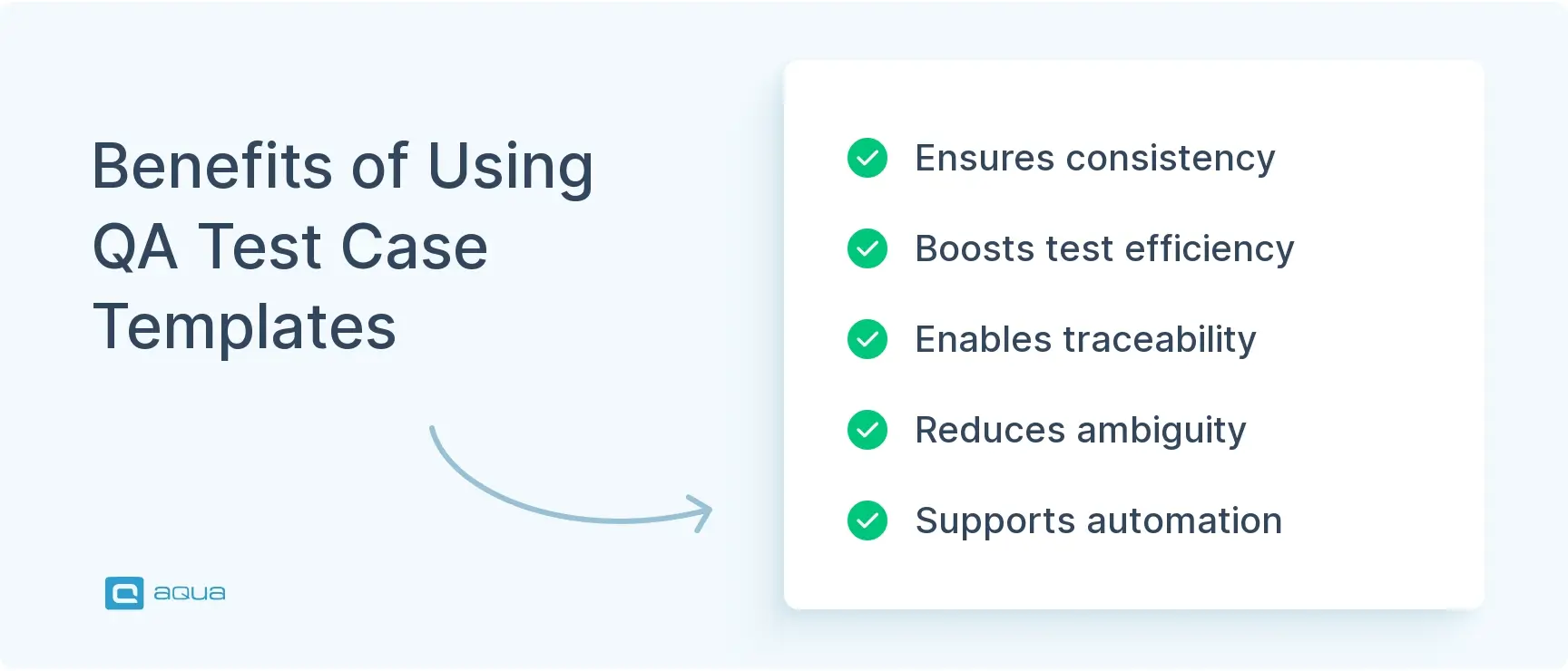
Templates improve efficiency by reducing ambiguity, making tests reusable, supporting automation, and allowing easy handoffs between team members.
Regular reviews of test cases ensure they progress as your project scales, preventing stale tests that waste execution time.
Are your test cases scattered across Excel, Word, and Slack threads? Standardized templates can help with proactive quality assurance and save testing time. See how to build templates that actually work 👇
What is a Test Case Template?
A test case template is your blueprint for documenting tests. With it, each time someone needs to verify a login flow or validate an API response, you have a consistent format ready to go.
The template defines the fields you’ll fill out:
Unique identifiers
Preconditions
Test steps
Expected outcomes
Actual results
Execution status
Metadata like who created it and which environment it ran on
This structure ensures nothing slips through the cracks. When a tester picks up someone else’s test case six months later, they know exactly where to find the setup instructions and success criteria. The consistency means there’s no guesswork about what needs to happen before running the test.
Beyond this organizational benefit, templates reduce ambiguity across your team, especially when junior testers work alongside veterans. Everyone documents tests the same way, so code reviews go faster, and handoffs stay clean. As a result, you can trace which requirement each test covers without digging through ten different files. For teams in regulated industries like finance or healthcare, that traceability is mandatory. Additionally, well-structured test cases translate smoothly into automated scripts or feed directly into test management platforms like TestGrid.
When you can skip creating a test case template in your QA workflow: For very small projects with a single tester, throwaway prototypes, or purely exploratory testing sessions, formal templates may add unnecessary overhead. Simple checklists or freeform notes might be suitable when you’re moving fast, and documentation isn’t shared. However, as soon as you add team members or plan to revisit tests, templates become essential.
Importance of Test Case Template in QA
Without standardized templates, your test documentation becomes a mess. Different formats, varying levels of detail, missing steps. Templates fix this by giving everyone the same playbook, and the benefits show up immediately.
First, there’s efficiency. When your team isn’t wasting time deciding how to structure each test or hunting for missing information, they can focus on actual testing. A proven qa test case template means new test cases get written faster. Existing ones stay consistent enough that anyone can pick them up mid-sprint. This efficiency matters especially in agile environments where you’re cranking out tests alongside rapid development cycles.
We create test cases for every single ticket we work on, and I would say about 90% of the time they are never used or looked at again after the ticket has been passed. Does anyone use a different process when it comes to creating and organising test cases?
Beyond speed, there’s quality and completeness. A good software test case template acts like a checklist. It forces you to think through preconditions and expected results you might otherwise skip. When you have a dedicated field for prerequisites or environment, you’re less likely to forget them. Consequently, this thoroughness translates directly into better test coverage and fewer production surprises.
Templates also supercharge collaboration. Distributed teams benefit from having everyone speak the same documentation language. Onboarding new QA folks becomes smoother, and handing off regression suites to another squad gets easier. New hires can ramp up faster because they’re not deciphering cryptic test notes. Similarly, developers reviewing test cases don’t need a Rosetta Stone.
Here’s where templates deliver the most value:
Traceability: Linking test cases to user stories or requirements becomes straightforward when you have a field for requirement IDs. This is critical for compliance and audits.
Reusability: Parameterized, modular test cases mean you can adapt tests across environments without rewriting everything. Separate data from logic to maximize flexibility.
Automation readiness: Uniform structure makes converting manual tests into automated scripts less painful. Tools can parse consistent formats more easily.
Scalability: As your product and team grow, templates prevent your test suite from devolving into a tangled mess that nobody wants to maintain.
In short, templates save you from reinventing the wheel. They reduce errors, speed up execution, and keep your QA process from collapsing under its own weight. Most importantly, they separate reactive teams from proactive ones.
Scattered test documentation across Excel, Word, and Slack threads creates constant friction for QA teams. aqua cloud, an AI-driven requirement and test management platform, drives your testing process with the capability to manage customizable test case templates. With aqua you can track that every test includes proper IDs, preconditions, and expected results. The platform acts as a centralized repository where test cases remain consistent, traceable, and accessible to everyone. aqua’s domain-trained AI Copilot generates complete test cases from requirements in seconds and automatically applies testing techniques like boundary value analysis. The platform also supports real-time collaboration across distributed teams and maintains full audit trails for compliance needs. You can create reusable test components that update across all related test cases with a single change. aqua integrates seamlessly with Jira, Azure DevOps, GitHub, Xray, TestRail, and 10+ other tools to fit directly into your existing workflow.
A solid test case template covers all the bases without drowning you in unnecessary fields. Here’s what you’ll typically include and why each component matters when you’re deep in test execution.
1. Test case ID
Every test needs a unique identifier, something like TC_LOGIN_001 or API_USER_CREATE_005. This ID is your anchor. It lets you reference specific tests in bug reports and traceability matrices without confusion. Consistent naming conventions make searching and organizing your test suite easier. Use a project prefix, module, and sequence number for best results.
2. Test case title/name
Skip the vague “Login Test” stuff. A descriptive title tells you exactly what’s being verified at a glance. Think “Login with valid credentials redirects to dashboard” or “API returns 404 for non-existent user ID.” Clear names speed up test reviews and help you spot gaps in coverage more quickly.
3. Test objective/description
A short paragraph explaining what this test does and why it exists. This gives anyone reviewing the test the context they need to understand its purpose without decoding every step. Keep it concise. Two to three sentences max works best.
4. Preconditions/setup
Document what needs to be in place before running this test. User accounts created, database seeded with specific data, server running on staging. Whatever setup is required, list it here. This prevents “works on my machine” headaches and ensures repeatability across different environments.
5. Test data
The inputs or data sets needed to execute the test. Instead of hard-coding credentials or values into steps, list them here or reference a data file. This separation makes updating test data easier and supports data-driven testing approaches where you run the same test with multiple data variations.
6. Test steps
The actual actions to perform, broken down into granular, numbered steps. Each step should be clear and unambiguous:
Navigate to login page
Enter username ‘testuser01’
Enter password ‘Pass123!’
Click ‘Sign In’ button
Avoid lumping multiple actions into one step. Granularity helps pinpoint failures and makes tests easier to automate down the line.
7. Expected results
For each test step, or at key checkpoints, specify what should happen. “User is redirected to dashboard. Welcome message displays ‘Hello, testuser01’.” Expected results are non-negotiable. Without them, you can’t objectively determine pass or fail. They also serve as documentation for how the feature should behave in production.
8. Actual results
Record what actually happened when you ran the test. This field gets filled during execution. If actual matches expected, you’re good. If not, you have a defect to investigate. This comparison is the core of functional testing.
9. Status
Current state of the test case: Pass, Fail, Blocked, Skipped, Not Run, In Progress. Tracking status helps you monitor test execution progress and identify flaky tests. It also supports better reporting to stakeholders about coverage.
10. Priority/severity
Not all tests are created equal. Mark critical tests like smoke tests or high-risk flows as High priority. Lower-risk scenarios get Medium or Low. This helps you triage test runs effectively. If time’s tight, run high-priority tests first.
11. Test type/category
Specify whether this is a functional test, regression, smoke, integration, or performance test. Tagging tests by type helps organize suites and filter runs based on testing phase. This becomes especially useful as your test suite grows larger.
12. Environment
Document which environment this test should run on. Dev, QA, staging, or production for smoke tests work well. Specific OS/browser/device combinations matter too. Environment requirements prevent “can’t reproduce” issues and support cross-platform testing efforts.
13. Assigned to / owner
Who wrote or owns this test case? This field is useful for accountability and reviews. It also tells you who to ask when clarification is needed or when the test needs updating.
14. Execution details (metadata)
Record who executed the test, when, and which build or version was tested. This metadata supports traceability and audit trails. It also enables historical analysis of whether this test passed in previous builds.
15. Requirements/user story reference
Link the test case back to the requirement or user story it validates. This traceability is huge for coverage analysis and compliance. It helps confirm complete test coverage without extensive manual searching.
16. Attachments/notes
Any screenshots, logs, or additional context. Maybe you have edge-case notes or references to related defects. This field gives you flexibility without cluttering the core structure of your template.
Depending on your domain, you might add specialized fields. API endpoint and method for API tests, device/OS matrix for mobile testing. The key is balancing completeness with maintainability: capture what you need, skip what you don’t. This component structure keeps tests clear, repeatable, and ready for whatever your QA process throws at them.
Example of a Test Case Template
Let’s bring this together with a practical example. We’ll use a common scenario: testing a login flow. This sample shows how the components fit together in a real test case you might write for a web application.
Test Case ID: TC_LOGIN_001 Test Case Title: Login with valid credentials redirects to the dashboard Test Objective: Verify that users with valid credentials can successfully log in and are redirected to the main dashboard. Test Type: Functional, Smoke Priority: High Requirements Reference: USER-STORY-102 (User Authentication) Assigned To: [Your Name] Environment: QA Environment (https://qa.yourapp.com), Chrome browser (latest version)
Preconditions:
User account exists in the database (username: testuser01, password: Pass123!)
Application is deployed and running on QA environment
Browser cache and cookies are cleared
Test Data:
Username: testuser01
Password: Pass123!
Test Steps:
Step
Action
Expected Result
1
Navigate to login page (https://qa.yourapp.com/login)
Login page displays with username and password fields
2
Enter username testuser01 in the username field
Text appears in username field
3
Enter password Pass123! in the password field
Password is masked (dots/asterisks)
4
Click the “Sign In” button
System authenticates credentials
5
Verify redirect behavior
User is redirected to dashboard page (URL: https://qa.yourapp.com/dashboard)
6
Verify dashboard content
Welcome message displays “Hello, testuser01” and navigation menu is visible
Actual Results: [To be filled during execution] Status: Not Run Execution Date: [To be filled] Executed By: [To be filled]
Notes:
This test covers the happy path; negative scenarios are covered in TC_LOGIN_002 through TC_LOGIN_005
If step 5 fails, capture a screenshot and check the server logs for authentication errors
This software test case template gives you everything you need to run the test and understand what’s being validated. You can also trace it back to requirements easily. The table format for test steps makes automation easier since many tools can parse structured tables directly. Meanwhile, the clear expected results mean anyone executing this test knows exactly what success looks like, whether human or automated.
Notice how the template balances detail with readability. You’re not drowning in unnecessary fields, but you’re also not missing critical information. This is the sweet spot you’re aiming for when designing templates for your team.
How to Create an Effective Test Case Template: Best Practices
Having a template is step one. Filling it with quality content is where the real work happens. Here’s how to write test cases that actually work, avoiding the traps that turn documentation into dead weight.
Start with clarity. Your test steps should read like instructions you’d give a friend. Make them specific and unambiguous with no room for interpretation. “Click the submit button” beats “interact with the form.” If someone who doesn’t know the feature can execute your test, you’ve nailed it. Avoid jargon unless it’s widely understood by your team.
Keep each test focused on one objective. Don’t combine login validation with profile updates and logout flows into a single test case. When it fails, you’re stuck debugging three things instead of one. Single-responsibility tests make troubleshooting faster and results more meaningful. Think of it like unit testing for your QA process, where each case verifies one behavior.
Use granular test steps. Break actions down into the smallest logical chunks. Instead of “Log in and navigate to settings,” write:
Enter Credentials
Click Sign In
Click Settings icon in the Navigation bar
This precision helps when you’re pinpointing where a failure occurred. It also makes converting manual tests into automation scripts much simpler.
Adopt consistent naming conventions. Use a pattern for test case IDs and titles across your team. Maybe [MODULE]_[FEATURE]_[SCENARIO]_[NUM] works for you, like CART_CHECKOUT_EMPTY_001. Whatever pattern you choose, stick to it. Consistent naming makes searching and organizing your test suite less painful. Future you and your teammates will appreciate the consistency.
Parameterize your test data. Don’t hard-code values directly into steps if you can avoid it. Instead, use a dedicated “Test Data” section or reference external data files. This makes updating tests easier when credentials change or when you want to run the same test with different inputs. Data-driven testing becomes straightforward with this approach, where one test case runs against multiple data sets.
As a Ministry of Testing user recommends:
Remove unnecessary information by improving the templates, create a template for exploratory testing, Shift Left - start test planning/admin sooner, look at how you organise past tests, and learn from them.
Link tests back to requirements or user stories. Always include a reference ID, like a requirement number or Jira ticket. This traceability answers questions about feature coverage without extensive searching. It also proves critical for compliance and audit, where you need to demonstrate complete coverage.
Review and refine regularly. Test cases aren’t carved in stone. As your application evolves, so should your tests. Schedule periodic reviews after major releases or quarterly sprints. Prune obsolete tests, update stale steps, and catch duplicates during these sessions. Stale tests waste execution time and erode confidence in your suite over time.
Balance detail with maintainability. You want thorough documentation, but overly verbose tests become a maintenance nightmare. Aim for just enough detail that’s clear enough for anyone to execute. Keep it concise enough that updates don’t require a novel rewrite. If you’re writing paragraphs per step, you’ve probably gone too far.
Use peer reviews for test cases, just like code. Have another tester or developer review your test cases before they go live. They’ll catch ambiguities and missing edge cases. This collaborative approach raises quality and spreads knowledge across the team simultaneously.
Don’t forget negative scenarios and edge cases. Happy-path tests are great, but your test suite needs to cover what happens when things go wrong:
Invalid inputs
Missing data
Unexpected user actions
Network failures
These scenarios often expose the most interesting bugs. Document them with the same rigor as your positive tests to ensure comprehensive coverage.
Follow these practices, and your test cases become assets that are both reusable and effective. Ignore them, and you’ll end up with a pile of documentation nobody trusts or uses.
Test case maintenance pulls focus away from actual testing when documentation lacks structure and consistency. aqua cloud, an AI-powered test and requirement management platform, boost your template approach with intelligent features built specifically for modern QA teams. The platform’s traceability features connect every test back to requirements for complete coverage and simplified audits. aqua’s AI Copilot generates comprehensive test cases directly from your project’s own documentation. Unlike generic AI tools, aqua’s domain-trained AI understands testing concepts and your specific project context to produce relevant test cases. The platform supports version control for test cases and maintains detailed execution history across all test runs. Features like bulk editing and parameterized test data keep your templates flexible as your product evolves. aqua connects with Jira, Azure DevOps, GitHub, Slack, TestRail, and other tools you already use.
Cut test documentation overhead by 40% with aqua cloud
Test case templates are the backbone of any QA process that scales, as they make test documentation a structured asset your team can trust. Whether you’re onboarding new testers, automating regression suites, or proving coverage to stakeholders, the investment in solid templates pays off. When you implement agile test case templates, your team gains flexibility to adapt quickly while maintaining consistency.
Start by identifying the components you need: test case ID, title, objective, preconditions, test steps, expected results, status, and metadata. Choose a format like a table, spreadsheet, or template within a test management tool. Define naming conventions and required vs. optional fields. Write a style guide explaining how to fill out each field. Pilot the template with a small module, gather feedback, and refine before rolling it out team-wide. Keep it simple enough to encourage adoption but comprehensive enough to capture critical information.
What Are Types of Test Cases?
Test cases fall into several categories based on what they validate and when they run. Functional tests verify that features work as specified. Regression tests ensure new changes don’t break existing functionality. Smoke tests hit critical paths to confirm basic stability. Integration tests validate interactions between components or systems. Performance tests measure speed and scalability. Security tests probe for vulnerabilities. Usability and exploratory tests focus on user experience. Acceptance tests confirm the product meets business requirements. Each type serves a different purpose, and your test suite should cover a mix.
What Is an Example of a Test Case?
Here’s a concrete example: “Test Case ID: TC_SEARCH_001. Title: Search returns relevant results for a valid keyword. Objective: Verify search functionality displays matching results. Preconditions: Database contains product records. Test Steps: 1. Navigate to the homepage. 2. Enter ‘laptop’ in the search bar. 3. Click the search button. Expected Results: Results page displays products containing ‘laptop’ in title or description, sorted by relevance. Actual Results: [To be filled]. Status: Not Run.” This test case includes all key components, is specific enough to execute, and links clearly to the search feature it validates.
Home » 'How to' guides » Test Case Template: Free Examples & Formats for QA Teams
Do you love testing as we do?
Join our community of enthusiastic experts! Get new posts from the aqua blog directly in your inbox. QA trends, community discussion overviews, insightful tips — you’ll love it!
We're committed to your privacy. Aqua uses the information you provide to us to contact you about our relevant content, products, and services. You may unsubscribe from these communications at any time. For more information, check out our Privacy policy.
X
🤖 Exciting new updates to aqua AI Assistant are now available! 🎉
We use cookies and third-party services that store or retrieve information on the end device of our visitors. This data is processed and used to optimize our website and continuously improve it. We require your consent fro the storage, retrieval, and processing of this data. You can revoke your consent at any time by clicking on a link in the bottom section of our website.
For more information, please see our Privacy Policy.
This website uses cookies to improve your experience while you navigate through the website. Out of these, the cookies that are categorized as necessary are stored on your browser as they are essential for the working of basic functionalities of the website. We also use third-party cookies that help us analyze and understand how you use this website. These cookies will be stored in your browser only with your consent. You also have the option to opt-out of these cookies. But opting out of some of these cookies may affect your browsing experience.
Necessary cookies are absolutely essential for the website to function properly. These cookies ensure basic functionalities and security features of the website, anonymously.
Cookie
Duration
Description
cookielawinfo-checkbox-analytics
11 months
This cookie is set by GDPR Cookie Consent plugin. The cookie is used to store the user consent for the cookies in the category "Analytics".
cookielawinfo-checkbox-functional
11 months
The cookie is set by GDPR cookie consent to record the user consent for the cookies in the category "Functional".
cookielawinfo-checkbox-necessary
11 months
This cookie is set by GDPR Cookie Consent plugin. The cookies is used to store the user consent for the cookies in the category "Necessary".
cookielawinfo-checkbox-others
11 months
This cookie is set by GDPR Cookie Consent plugin. The cookie is used to store the user consent for the cookies in the category "Other.
cookielawinfo-checkbox-performance
11 months
This cookie is set by GDPR Cookie Consent plugin. The cookie is used to store the user consent for the cookies in the category "Performance".
viewed_cookie_policy
11 months
The cookie is set by the GDPR Cookie Consent plugin and is used to store whether or not user has consented to the use of cookies. It does not store any personal data.
Functional cookies help to perform certain functionalities like sharing the content of the website on social media platforms, collect feedbacks, and other third-party features.
Performance cookies are used to understand and analyze the key performance indexes of the website which helps in delivering a better user experience for the visitors.
Analytical cookies are used to understand how visitors interact with the website. These cookies help provide information on metrics the number of visitors, bounce rate, traffic source, etc.
Advertisement cookies are used to provide visitors with relevant ads and marketing campaigns. These cookies track visitors across websites and collect information to provide customized ads.






 Bankingaqua ALM helps banks increase testing productivity by over 50%