UAT for ERP Systems: Ensuring Successful Implementation
Imagine this: your company just invested millions in a new Enterprise Resource Planning (ERP) system. The vendor demos looked perfect. Every feature seemed to solve your business problems. But now your employees are struggling with basic tasks that used to be simple. There's a way to prevent this disaster before it becomes permanent. User Acceptance Testing lets you catch these problems while there's still time to fix them. Here's how to run ERP UAT that ensures your system actually works for the people who'll use it every day.
User Acceptance Testing for ERP systems validates business requirements and confirms the system actually works for real users, not just that it meets technical specifications.
Effective UAT reduces post-launch disasters by identifying issues when they’re 3-10 times cheaper to fix and prevents the operational disruptions that affect 51% of ERP implementations.
UAT planning requires defining specific business processes to test, establishing clear acceptance criteria, and building a team with representatives from every department the system affects.
Successful UAT execution involves proper training for testers, daily progress monitoring, systematic defect management, and clear criteria for when to extend testing.
Common UAT ERP challenges include time constraints, resistance to change, scope creep, data quality issues, and technical environment problems that require proactive management strategies.
ERP implementations fail at alarming rates, with 64% of organisations receiving less than half their expected benefits. See how proper UAT can protect your multi-million dollar investment from becoming another statistic 👇
Understanding UAT in ERP Implementation
ERP User Acceptance Testing goes beyond checking if buttons work. Technical testing confirms the system meets specifications. UAT answers whether the system actually works for your business and your people.
UAT happens after all the technical testing is complete. Unit testing, integration testing, and system testing focus on whether the software functions correctly. UAT focuses on whether it functions usefully. Your finance team runs actual month-end processes. Your sales team creates real quotes and orders. Your warehouse staff processes inventory transactions using their normal workflows.
The key difference is who does the testing. IT teams and consultants handle earlier testing phases. They check technical requirements and system functionality. UAT puts actual end-users in control. These people know how work actually gets done in your organisation.
Your accounting team knows the quirks of your month-end process. Your sales reps understand the information customers typically request. Your operations managers know which reports they need and when they need them. This practical knowledge catches problems that technical testing misses.
Successful ERP UAT requires representation from every department the system affects. When accounting, sales, operations, and other key stakeholders actively participate, you catch critical issues before they disrupt your business. Each department brings different perspectives and workflow requirements that must work together in the final system.
The goal is to have software that works well enough for people to do their jobs effectively without creating new problems or inefficiencies.
If you want to be agile then you would do UAT continuously not in stages. Continuous UAT ensures ongoing feedback and quality assurance throughout the development process.
ERP implementations fail at alarming rates. They go over budget, miss deadlines, and create operational chaos. UAT significantly reduces these risks by catching problems while you can still fix them affordably.
Validates Business Requirements: UAT confirms the system meets your actual needs, not just what consultants documented. There’s often a gap between what you asked for and what got built. UAT finds those gaps before they become permanent problems.
Reduces Post-Launch Disasters: Every issue you catch during UAT saves you from fixing it after launch. Post-implementation fixes cost 3-10 times more than addressing problems during testing. More importantly, they disrupt operations while people are trying to work.
Builds User Confidence: When employees participate in testing, they become familiar with the system before going live. They develop ownership instead of resentment. This leads to smoother adoption and fewer support calls after launch.
Uncovers Process Gaps: UAT reveals disconnects between how people actually work and how processes were designed in the system. These gaps create workarounds, inefficiencies, and user frustration if not addressed before launch.
Identifies Integration Problems: Many ERP issues occur where modules connect or where the system integrates with external tools. UAT tests these boundaries using real workflows, catching integration problems that technical testing often misses.
Provides Legal Protection: Formal UAT acceptance gives you documented evidence if disputes arise with your implementation partner. It proves you tested thoroughly and accepted specific functionality.
51% of organisations experience operational disruptions after ERP implementation. Another 64% receive less than half their expected benefits. Most of these problems could have been prevented with proper UAT.
Your ERP system will likely run your operations for 7-10 years. Taking extra weeks for thorough UAT prevents years of operational headaches. The investment in proper testing pays dividends throughout the system’s lifetime.
Planning for Effective UAT
Planning determines whether your UAT catches real problems or just wastes everyone’s time. A solid plan creates structure without bureaucracy, focusing testing efforts where they’ll have the most impact.
Define What You’re Actually Testing
Start with specific business processes, not generic system functions. Instead of “test the accounting module,” define scenarios like “process month-end journal entries including foreign currency adjustments” or “generate consolidated financial statements with three subsidiary companies.”
Establish clear acceptance criteria for each process. Define exactly what “working correctly” means for your business. Include performance expectations like “month-end close completes within two business days” alongside functional requirements.
Identify which departments participate and what’s explicitly out of scope. This prevents scope creep and keeps testing focused on critical business operations.
As you plan your ERP implementation’s User Acceptance Testing process, consider how the right test management platform can dramatically streamline your efforts
aqua cloud offers specialised features designed specifically for complex UAT scenarios like ERP implementations. With aqua, you can create comprehensive test scripts with shared steps that perfectly mirror your business processes, while automatically maintaining full traceability between requirements, test cases, and defects. The platform’s collaborative approach allows business users, technical teams, and executives to work together in a centralised environment – exactly what successful UAT demands. Plus, aqua cloud and its defect management capabilities ensure issues are properly documented, prioritised, and tracked through to resolution. AI Copilot helps you create test cases and test data from requirements in seconds, and integrations like Jira, Confluence, Azure DevOps enhance your toolkit massively and Ranorex, Jenkins, and Selenium let you get all the automation testing benefits. Why struggle with spreadsheets and disconnected tools when you can reduce UAT execution time by up to 40% with a purpose-built solution?
Transform your ERP testing process with structured, collaborative UAT management
Your UAT coordinator needs project management skills and authority to make decisions quickly. This person resolves conflicts, manages timelines, and keeps testing moving forward.
Business process owners validate that workflows match real-world requirements. Choose people who actually perform these processes daily, not just department managers who oversee them.
Include both experienced users who know workarounds and newer employees who follow procedures literally. Both perspectives catch different types of problems.
Technical support staff should understand both the ERP system and your business processes. They need to distinguish between user errors and actual system problems during testing.
Your executive sponsor resolves resource conflicts and makes priority decisions when issues arise. Choose someone with authority to allocate additional time or budget if needed.
Create Test Scripts That Mirror Real Work
Effective test scripts walk users through complete business processes using realistic scenarios. Instead of testing individual screens, create scripts that follow actual workflows from start to finish.
Include specific test data requirements, expected results at each step, and clear criteria for determining pass or fail outcomes. Test scripts should be detailed enough that different users can execute them consistently.
Cover both normal operations and exception handling. Test what happens when approvals are rejected, when data is missing, or when integrations fail. These edge cases often cause the biggest operational problems.
Set Up Realistic Testing Environments
Your UAT environment should contain data that reflects your actual business complexity. Use anonymised production data when possible, including the volume and variety of records your system will handle in production.
Include all integrations with external systems, third-party tools, and data feeds. Many ERP problems occur at these integration points, and UAT is your chance to test them under realistic conditions.
Ensure the environment performs similarly to production. Network speeds, server capacity, and concurrent user loads should match what users will experience after go-live.
Establish Clear Issue Management
Create simple templates for reporting problems that capture essential information without requiring extensive documentation. Include fields for business impact, steps to reproduce, and expected versus actual results.
Define priority levels based on business impact rather than technical complexity. A minor technical issue that prevents month-end closing is more critical than a major technical issue that affects rarely-used functionality.
Establish clear ownership for resolving different types of issues. Some problems require configuration changes, others need training, and some might require process modifications.
Plan Realistic Timelines
UAT takes longer than most teams expect. Plan for multiple testing cycles, including time to fix issues and retest. For typical mid-sized ERP implementations, allow 4-6 weeks for complete UAT, including preparation, execution, and retesting.
Include buffer time for unexpected discoveries. UAT often uncovers integration problems or process gaps that require additional investigation and resolution time.
Set clear criteria for UAT completion and sign-off. Define what level of issues can be accepted for go-live versus what must be resolved before launch.
Executing UAT Successfully
Your planning phase is complete, but execution determines whether UAT actually delivers value. Structure keeps testing organised while flexibility helps you adapt when reality doesn’t match your plan.
Kick-Off Meeting
Your kick-off sets the tone for everything that follows. This meeting aligns everyone’s expectations and builds confidence in the testing process.
Review the testing schedule and expectations
Introduce the testing team and their roles
Demonstrate how to use testing tools and document results
Answer questions and address concerns
Build enthusiasm for the testing process
Use this meeting to address concerns early. Many users feel anxious about testing new systems, especially when they’re responsible for validating something that will affect their daily work.
Training Testers
Proper training prevents confusion and ensures consistent results across your testing team. Focus on practical skills rather than comprehensive system training.
The basics of navigating the ERP system
How to follow test scripts
The proper way to document results
How to report issues when they encounter them
Keep training focused on what testers need for UAT success. They don’t need to become system experts, just competent enough to execute test scenarios and provide meaningful feedback.
Managing the Testing Process
Active management keeps UAT moving forward and prevents small issues from becoming major roadblocks. Daily oversight ensures problems get resolved quickly.
Hold daily stand-up meetings to discuss progress and blockers
Track completion rates of test scripts across different areas
Review defects daily and prioritise fixes
Communicate status updates to the broader project team
Adjust the schedule as needed based on progress
Regular communication prevents surprises and keeps stakeholders informed about UAT progress. Address delays or resource needs before they impact the overall timeline.
Handling Defects Effectively
How you manage discovered issues determines whether they get resolved efficiently or create ongoing problems. Systematic defect handling keeps testing momentum strong.
Document them thoroughly with screenshots and detailed steps to reproduce
Categorise by severity and impact on business operations
Assign to the appropriate technical resource for resolution
Retest fixed issues promptly to maintain momentum
Track defect trends to identify problem areas in the implementation
Good defect management turns problems into actionable improvements rather than sources of frustration for your testing team.
When to Extend UAT
Sometimes UAT uncovers more problems than expected. Extending testing feels expensive, but launching prematurely costs much more.
Critical defects are still being discovered late in the testing cycle
Fix verification is taking longer than planned
Key business processes haven’t been adequately tested
User feedback indicates major usability concerns
A delayed go-live beats a failed implementation every time. The cost of extending UAT for a few weeks is minimal compared to the cost of business disruption from inadequately tested systems.
The Role of Stakeholders in UAT
UAT success depends on getting the right people involved at the right level. Each stakeholder group brings different perspectives and responsibilities that collectively determine whether testing delivers meaningful results.
Executive Sponsors
Executive sponsors provide the authority and resources UAT needs to succeed. Without their backing, departments won’t release staff for testing and critical decisions get delayed.
Communicating UAT importance to the organization
Ensuring departments release staff for testing activities
Resolving resource conflicts when they arise
Making decisions when critical issues are discovered
Providing final UAT sign-off
Strong executive support makes the difference between UAT that gets proper attention and UAT that gets squeezed around operational priorities.
Department Leaders
Department managers bridge the gap between project teams and daily operations. They understand both business needs and staff capabilities.
Identifying the right people to participate in testing
Ensuring business processes are accurately represented in test scripts
Balancing testing duties with ongoing work responsibilities
Evaluating business impact of discovered issues
Making decisions about necessary process changes
These leaders help translate technical findings into business decisions about what can be accepted versus what must be fixed.
End Users
Your actual system users are the heart of UAT. They bring real-world knowledge that technical testers can’t replicate.
Executing test scripts with practical business knowledge
Providing feedback on usability and workflow efficiency
Identifying gaps between system functionality and business needs
Building expertise they’ll share with colleagues after go-live
Becoming system champions who help with adoption
End users often discover problems that look fine on paper but create friction in daily work. Their feedback shapes whether the system helps or hinders productivity.
IT Team
Technical teams support UAT execution and resolve discovered issues quickly. Their responsiveness keeps testing momentum strong.
Setting up and maintaining the UAT environment
Providing technical support to testers
Analyzing reported issues to determine root causes
Implementing fixes and enhancements
Managing system configurations based on UAT feedback
Good technical support helps non-technical testers focus on business validation rather than troubleshooting system problems.
Implementation Partners
External consultants bring experience from other implementations and deep system knowledge that internal teams may lack.
Technical expertise on system capabilities and limitations
Best practices from other implementations
Solutions to complex issues discovered during testing
Training and guidance for testers
Documentation of system configurations
Their experience helps distinguish between system limitations, configuration issues, and unrealistic expectations.
Managing Stakeholder Engagement
Effective stakeholder management requires clear communication and realistic expectations. Involve key stakeholders in UAT planning, define roles clearly, and provide regular updates tailored to different interests.
Recognise that UAT often creates frustration when users encounter system limitations or changes to familiar processes. Acknowledging these feelings while focusing on constructive feedback maintains positive engagement throughout testing.
Managing UAT Challenges in ERP Projects
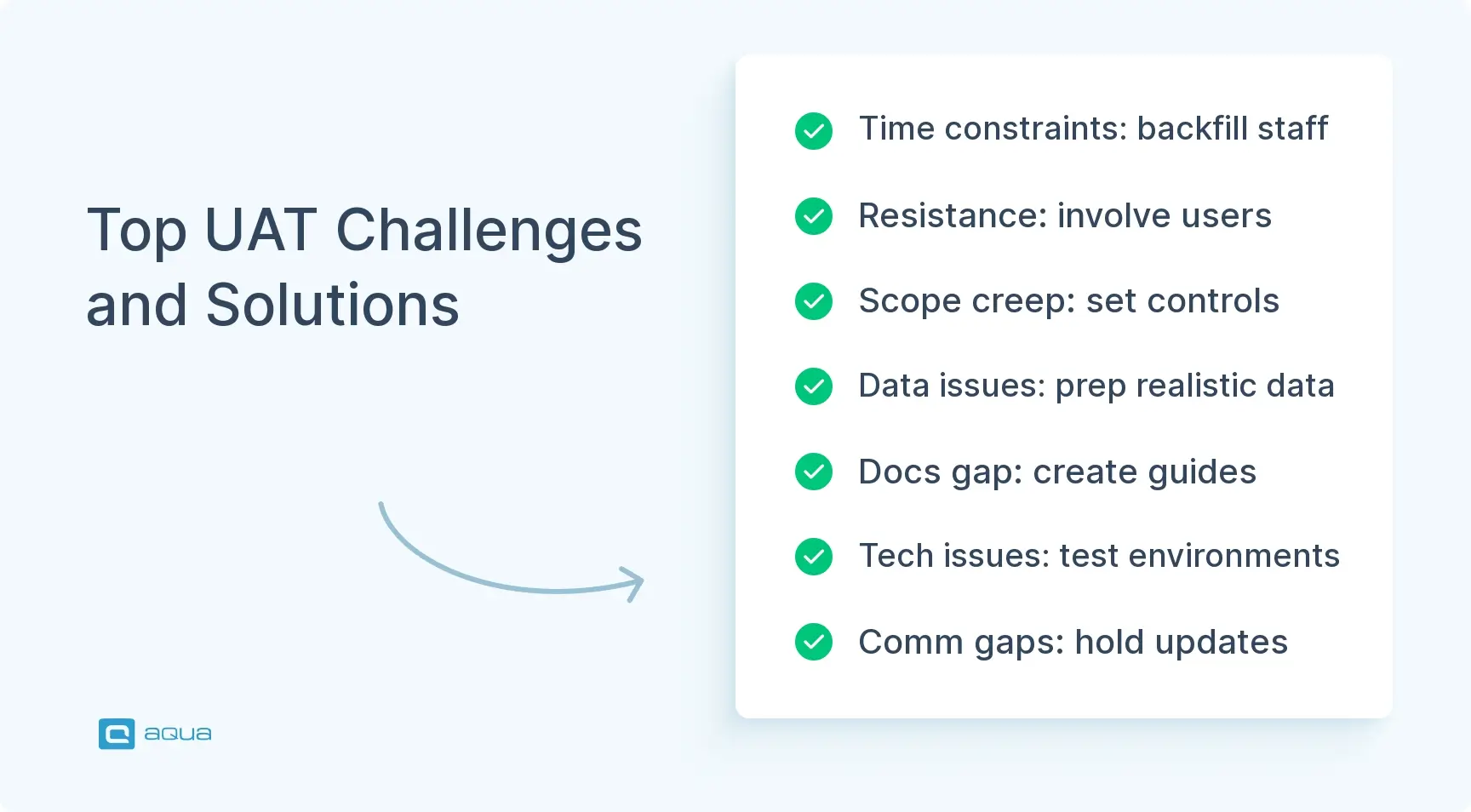
UAT for ERP systems creates predictable obstacles that can derail testing if not handled proactively. Recognising these challenges early and having mitigation strategies ready keeps your testing on track.
Time Constraints
Users struggle to balance testing responsibilities with regular job duties, leading to rushed or incomplete testing.
Solutions:
Consider backfilling critical positions during intense testing periods
Schedule testing in shorter, focused sessions rather than full days
Prioritise test scripts so critical processes get tested first
Use after-hours testing for less disruptive elements
The key is making testing feel manageable rather than overwhelming for participants who already have full-time responsibilities.
Resistance to Change
Some users resist the new system and focus on differences from current processes rather than testing functionality objectively.
Solutions:
Frame UAT as an opportunity to influence the final system
Acknowledge valid concerns while focusing on business objectives
Highlight improvements and benefits in the new system
Involve resistant users in finding solutions to issues they identify
Turn resistance into productive engagement by giving users ownership in shaping how the system works for their needs.
Scope Creep
UAT often uncovers “nice-to-have” features that weren’t in the original requirements, threatening timelines and budgets.
Solutions:
Establish clear change control processes before UAT begins
Categorise requests as “critical for go-live” versus “future enhancement”
Maintain a post-implementation improvement list
Set clear criteria for what constitutes a UAT-blocking issue
Separate genuine problems from wish-list items to keep UAT focused on launch readiness rather than perfect functionality.
Data Quality Issues
Poor test data leads to invalid results or missed scenarios that only appear with real-world data complexity.
Solutions:
Prepare test data sets covering various business scenarios
Include edge cases and exception conditions in test data
Sanitise production data for testing while maintaining realistic relationships
Allow users to create additional test data as needed
Quality test data reveals problems that clean, simple datasets often miss.
Documentation Gaps
Inadequate test scripts or system documentation leave testers confused about what to do or how to interpret results.
Solutions:
Review test scripts with business process owners before UAT begins
Create quick reference guides for common testing tasks
Establish processes for updating documentation based on tester feedback
Provide knowledge bases or FAQs for testing questions
Clear documentation helps non-technical testers focus on business validation rather than figuring out how to use the system.
Technical Environment Problems
System performance or availability issues can halt testing progress and frustrate participants.
Solutions:
Conduct “smoke tests” of environments before formal UAT begins
Schedule regular maintenance windows that don’t conflict with testing
Have technical resources on standby during critical testing periods
Establish clear escalation procedures for environmental issues
Stable technical environments keep users focused on business testing rather than troubleshooting system problems.
Communication Breakdowns
Miscommunication about testing status, issue resolution, or expectations creates confusion and delays.
Solutions:
Hold brief daily status meetings during active testing
Maintain central dashboards showing testing progress and open issues
Establish standard templates for issue reporting
Create communication plans with escalation paths for different issue types
Clear communication prevents small misunderstandings from becoming major roadblocks to UAT progress.
Remember that some friction during UAT is normal and valuable. It’s better to discover and address problems during testing than after your system goes live with real business operations.
As you’ve seen throughout this article, successful ERP User Acceptance Testing requires meticulous planning, engaged stakeholders, and structured processes. This is precisely where aqua cloud excels. This test management platform provides everything you need for seamless UAT execution, from comprehensive test script creation to detailed defect tracking and executive-ready reporting. With aqua’s AI-assisted test case generation, you can quickly build complete test libraries that cover your critical ERP processes, while our collaborative environment ensures all stakeholders stay informed and engaged. The platform’s audit logging and traceability features also provide the governance documentation essential for ERP implementations. Organisations using aqua for ERP testing report up to 97% time savings in test case creation and significantly reduced post-implementation issues. Don’t let your ERP implementation become another statistic; equip your team with the tools they need for UAT success.
Ensure ERP implementation success with structured, collaborative UAT management
User Acceptance Testing goes beyond being another project milestone for ERP implementations. It’s your final opportunity to catch expensive problems before they disrupt business operations. Proper UAT ensures your multi-million dollar investment actually works for the people who’ll use it daily. The alternative is joining the majority of ERP projects that exceed budgets and timelines because nobody validated that the system supports real business workflows. Invest in thorough UAT planning, involve actual end users in testing, and allow adequate time for multiple testing cycles. Your organisation will benefit from smoother adoption and fewer post-launch surprises.
How long should we allocate for UAT in our ERP implementation timeline?
For most mid-sized ERP implementations, plan for 4-6 weeks of UAT activities. This includes preparation, execution, defect resolution, and retesting. Complex implementations with multiple modules or extensive customisations may require 8-10 weeks or more.
Who should participate in our UAT team?
Your UAT team should include representation from every department affected by the ERP system. Bring in both supervisors who understand the overall process and front-line users who will use the system daily. By combining business expertise with technical aptitude, the team not only validates workflows but also highlights automation benefits, showing how the new system can streamline tasks and reduce manual effort.
How many test scripts do we need for ERP UAT?
For the UAT ERP test plan, it varies based on your implementation scope, but a typical mid-sized ERP implementation might have 200-300 test scripts covering key business processes. Focus on quality over quantity: each script should test a complete business process rather than isolated transactions.
What's the difference between UAT and system testing for ERP?
System testing verifies that the technical aspects of the system work correctly and is typically performed by IT or the implementation team. UAT focuses on business process validation and is performed by actual end users to ensure the system meets business needs.
How do we know when UAT is complete?
UAT is complete when:
1) All critical and high-priority test scripts have been executed,
2) Critical and high-priority defects have been resolved and retested,
3) Business process owners have signed off that the system meets their requirements, and
4) Executive sponsors have formally accepted the testing results.
Home » Test Automation » UAT for ERP Systems: Ensuring Successful Implementation
Do you love testing as we do?
Join our community of enthusiastic experts! Get new posts from the aqua blog directly in your inbox. QA trends, community discussion overviews, insightful tips — you’ll love it!
We're committed to your privacy. Aqua uses the information you provide to us to contact you about our relevant content, products, and services. You may unsubscribe from these communications at any time. For more information, check out our Privacy policy.
X
🤖 Exciting new updates to aqua AI Assistant are now available! 🎉
We use cookies and third-party services that store or retrieve information on the end device of our visitors. This data is processed and used to optimize our website and continuously improve it. We require your consent fro the storage, retrieval, and processing of this data. You can revoke your consent at any time by clicking on a link in the bottom section of our website.
For more information, please see our Privacy Policy.
This website uses cookies to improve your experience while you navigate through the website. Out of these, the cookies that are categorized as necessary are stored on your browser as they are essential for the working of basic functionalities of the website. We also use third-party cookies that help us analyze and understand how you use this website. These cookies will be stored in your browser only with your consent. You also have the option to opt-out of these cookies. But opting out of some of these cookies may affect your browsing experience.
Necessary cookies are absolutely essential for the website to function properly. These cookies ensure basic functionalities and security features of the website, anonymously.
Cookie
Duration
Description
cookielawinfo-checkbox-analytics
11 months
This cookie is set by GDPR Cookie Consent plugin. The cookie is used to store the user consent for the cookies in the category "Analytics".
cookielawinfo-checkbox-functional
11 months
The cookie is set by GDPR cookie consent to record the user consent for the cookies in the category "Functional".
cookielawinfo-checkbox-necessary
11 months
This cookie is set by GDPR Cookie Consent plugin. The cookies is used to store the user consent for the cookies in the category "Necessary".
cookielawinfo-checkbox-others
11 months
This cookie is set by GDPR Cookie Consent plugin. The cookie is used to store the user consent for the cookies in the category "Other.
cookielawinfo-checkbox-performance
11 months
This cookie is set by GDPR Cookie Consent plugin. The cookie is used to store the user consent for the cookies in the category "Performance".
viewed_cookie_policy
11 months
The cookie is set by the GDPR Cookie Consent plugin and is used to store whether or not user has consented to the use of cookies. It does not store any personal data.
Functional cookies help to perform certain functionalities like sharing the content of the website on social media platforms, collect feedbacks, and other third-party features.
Performance cookies are used to understand and analyze the key performance indexes of the website which helps in delivering a better user experience for the visitors.
Analytical cookies are used to understand how visitors interact with the website. These cookies help provide information on metrics the number of visitors, bounce rate, traffic source, etc.
Advertisement cookies are used to provide visitors with relevant ads and marketing campaigns. These cookies track visitors across websites and collect information to provide customized ads.






 Bankingaqua ALM helps banks increase testing productivity by over 50%