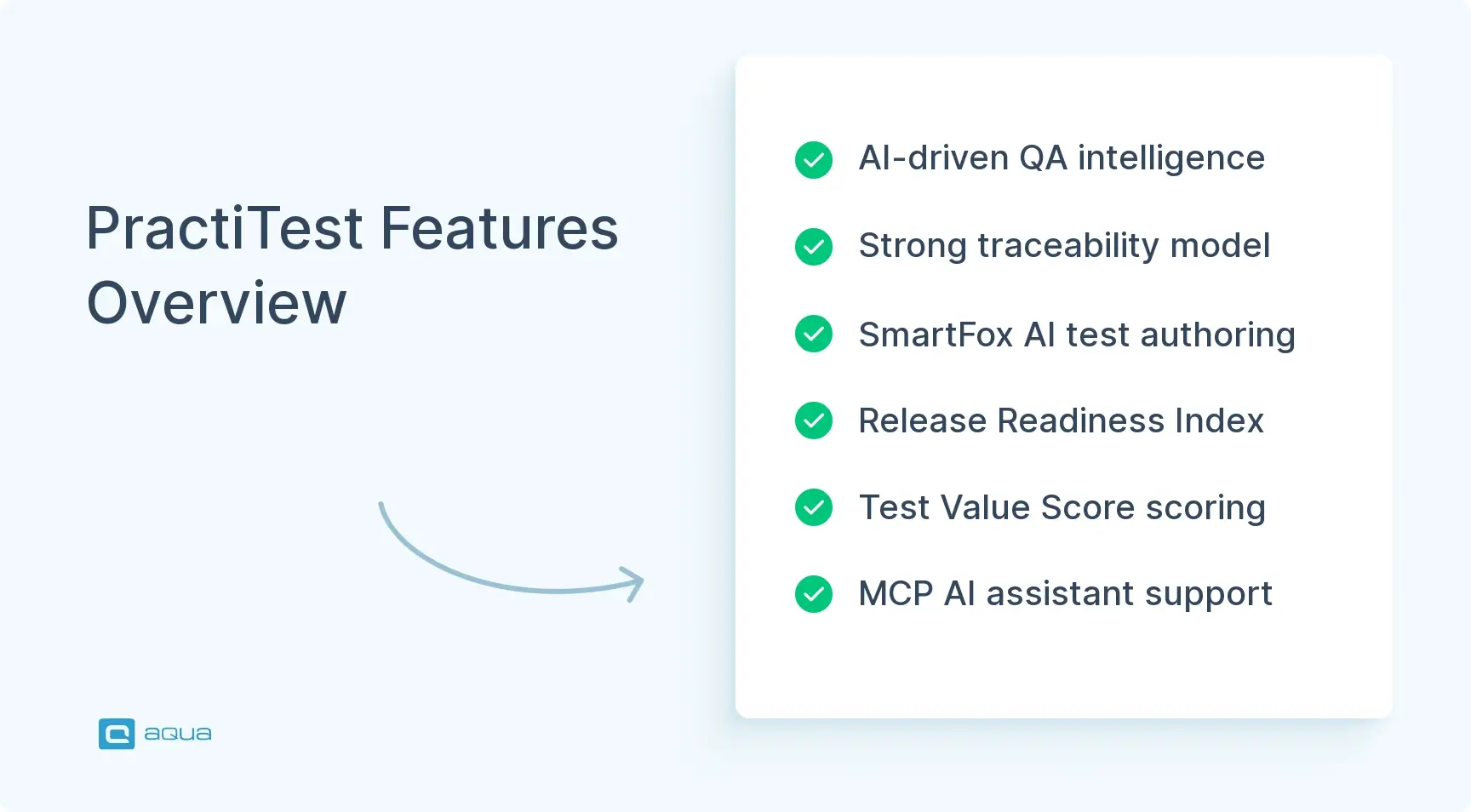
PractiTest has been in test management since 2008, which makes it one of the longer-running platforms in the category. It holds requirements, test cases, execution runs, defects, and release milestones in one connected data model. In 2026, the company layered AI scoring, release readiness models, and an MCP server on top of that foundation, then branded the result QA Intelligence.
PractiTest connects requirements, tests, execution runs, defects, and milestones into one structured data model, now marketed as Test Management + QA Intelligence.d to fit various workflows and projects without a
The Release Readiness Index produces a single readiness score from coverage, execution progress, and defect risk. It launched in public beta in June 2026.
PTQL, the platform’s query language, arrived in April 2026 and remains beta and Corporate-only, alongside Test Value Score, MCP, and audit logs.
MCP capabilities expanded through 2026, letting external AI assistants read and write live project data instead of working from pasted text.
PractiTest is cloud-only, so organizations with self-hosting requirements are excluded regardless of budget.
aqua cloud prices the same work per tester at €89 per user per month annually, with free read-only Guest licences and both cloud and on-premise editions.
See how PractiTest stacks up against TestRail, Qase, and aqua cloud below 👇
Whether that suits your team is a separate question. Organizations needing deep traceability and audit-ready records will find plenty to work with here. Teams wanting fast authoring, a free tier, or self-hosted deployment should check the details before booking a demo. This PractiTest review covers the features, pricing, and integrations in turn, then compares the platform with TestRail, Qase, and aqua cloud.
PractiTest at a Glance
Aspect
Details
Key Consideration
Type
Cloud test management platform with an AI-driven QA intelligence layer
No on-premise deployment option
Founded
2008, nearly two decades in the category
Mature data model, later to modern UI conventions
Core strength
End-to-end traceability from requirements to defects, extended by AI scoring
Configuration depth raises onboarding cost
Target users
Established QA teams mixing manual and automated testing, regulated industries
Poor fit for automation-only teams or very small groups
Standout features
Test Value Score, Release Readiness Index, MCP integration, SmartFox AI
Several remain in public beta as of mid-2026
Starting price
Around $2,940 a year for five tester licences, near $49 per user per month
No free plan. Corporate is quote-based with a 10-seat minimum
Integrations
Jira, Azure DevOps, ClickUp, GitHub, Selenium, Playwright, Jenkins, and more
Team allows one two-way issue integration. Corporate removes that ceiling
What buyers rate PractiTest today
Scores pulled from public review platforms and checked in August 2026.
Primary sources first. Features, tier gates, and prices come from PractiTest documentation, its public pricing page, and its 2026 product update posts.
Beta status flagged. Capabilities still in public beta in August 2026 are marked as such in every section that covers them.
User voice included. Praise and criticism both come from verified reviews on the platforms above, quoted with attribution.
No paid placement. Nothing here is sponsored, and the review order carries no affiliate arrangement.
Disclosure: aqua cloud publishes this review and competes with PractiTest in test management. Every comparison point is limited to documented pricing, deployment options, and features that any reader can verify on both vendors' own pages.
What Is PractiTest?
PractiTest is a cloud-based test management system that launched in 2008. Newer platforms compete on authoring speed or automation observability. PractiTest took a different route, spending nearly two decades on a structured data model. That model connects requirements, test cases, execution runs, defects, and release milestones in one system, and it still underpins everything the tool does.
The workflow follows a fixed shape. Requirements link to tests, and tests sit centrally in the Test Library before appearing as instances inside Test Sets. Every execution creates its own run, and issues found during that run trace back to the relevant test and requirement. Milestones then group requirements, Test Sets, and issues around a sprint or release. The model prioritizes traceability over authoring speed, which suits some teams and frustrates others.
What changed in 2026 is how PractiTest uses the data it has been collecting. SmartFox AI generates tests and flags duplicates. Test Value Score evaluates whether a test still earns its place in a regression suite. The Release Readiness Index reads coverage, execution, and defect signals to answer whether a milestone is ready to ship. The platform has moved from storing your QA information toward interpreting it, and the worth of that interpretation depends on whether its assumptions match your risk tolerance.
Who PractiTest Is Built For
Established QA teams with large test libraries holding manual scripted tests, exploratory sessions, BDD scenarios, and automated results in one repository.
Organizations mixing manual and automated testing where a release needs evidence from human testers and CI pipelines alike.
Regulated industries requiring auditable traceability from requirements through execution to defects, supported by SAML SSO, SCIM, audit logging, and MFA enforcement.
QA leaders running multiple projects or divisions who need cross-project reporting and centralized repositories instead of isolated team instances.
Teams on Jira or Azure DevOps that want QA workflows and reporting to stay independent of the development tool.
Companies modelling a specific QA process through custom fields, filters, and data relationships instead of a fixed workflow.
Test Value Score, MCP, PTQL, and audit logs are all locked behind PractiTest’s Corporate tier, which raises a fair question for anyone building a business case: how much of what you are evaluating will you actually be able to buy? aqua cloud, an AI-powered test and requirement management platform that has AI available in every plan already. aqua Intelligence generates test cases from your project’s own documentation and test history, so output matches how your product behaves instead of following generic patterns. Requirements, test cases, and defects sit in one system built for QA work, with two-way Jira sync for the stakeholders who need visibility and free read-only Guest licences for everyone who only reads reports. Your existing stack stays where it is. aqua ships native automation agents for Selenium, Ranorex, JMeter, SoapUI, and UFT, database agents for MSSQL and Oracle, and a REST API documented across 600 pages.
Boost QA testing efficiency by 80% with aqua’s capabilities
Seven areas determine whether PractiTest fits your process. Each covers what it delivers and where it runs into limits.
1. Test Case Management and Execution
PractiTest supports scripted manual tests, exploratory testing, BDD, and automated results in the same repository. Manual cases hold steps, expected results, attachments, parameters, and reusable steps through the Call to Test mechanism. BDD tests use Gherkin scenarios or scenario outlines, while exploratory tests rely on charters and guide points instead of fixed steps.
The Test Instance model is the platform’s most distinctive architectural choice. A test exists once in the central library and appears in many Test Sets. Updating the source test propagates to every instance while previous execution records stay intact. Teams maintaining regression, smoke, and release suites built from overlapping cases avoid duplicating the test definition across each one.
Data organization leans on custom fields and dynamic filters instead of deep folder trees. In September 2025 PractiTest expanded hierarchical auto-filters to four levels, allowing structures such as Version, Run Status, and Testing Phase without physically moving cases. That flexibility explains why the platform feels heavier than newer test management solution options. Modelling a detailed QA process means deciding which fields, filters, and conventions your organization wants before anyone writes a test.
Bottom line: the test management here is built for structured reuse. It rewards teams maintaining mature regression suites and frustrates anyone who wants fifty cases written and run this afternoon.
2. SmartFox AI
SmartFox generates test steps from a manual test’s title and description, then accepts natural-language refinement instead of forcing you to take the first output. It can also expand, shorten, or improve existing descriptions and steps.
More useful is the link between generation and requirements. A tester generates a complete test directly from a requirement, and the resulting case connects back to that requirement automatically. The same pattern applies to imported Jira and Azure DevOps user stories, which keeps AI output inside the traceability model.
The Similar Tests capability targets suite maintenance. As someone creates a case, PractiTest evaluates its name, description, and content, then surfaces existing cases that overlap. Duplicate tests generate maintenance cost for years after anyone remembers writing them, so prevention at authoring time beats periodic cleanup.
One qualification belongs in any current review. PractiTest’s help documentation still requires an account owner to accept beta terms and enable SmartFox before use. Individual components are therefore better described as evolving than as settled core workflow.
Bottom line: SmartFox reduces authoring friction and flags redundancy. It will not build end-to-end automation suites from your requirements, so value it accordingly.
3. Test Value Score
Test Value Score assigns each eligible test a 0-100 rating from machine learning plus heuristics. Inputs include historical execution behaviour, linked defects, breadth of reuse across Test Sets, step quality, and recent activity. A test needs at least two runs on different days before it receives a score. The feature requires a Corporate licence.
The intended use is prioritization and repository maintenance. A case that passes continually, discovers nothing, and duplicates existing coverage deserves less regression priority than one tied to changing results. The question it answers is whether a test still matters, which very few competing tools attempt to ask.
Explainability is partial but present. PractiTest shows which factors raised or lowered a score and collects user feedback on whether the rating looks right. That transparency earns its place, since no QA lead will cut tests from a release suite on the word of an opaque number.
Bottom line: this is PractiTest’s most differentiated capability, limited by Corporate-only access and by its dependence on execution history you may not yet have.
4. Release Readiness Index
In June 2026, PractiTest launched the Release Readiness Index in public beta for Team and Corporate customers. It produces a 0-1 readiness score for an active milestone from three components:
Coverage Confidence Score, whether requirements are covered and their tests are actually running
Execution Confidence Score, how much planned testing has run and what those runs show
Weighting shifts across the milestone. Coverage carries more influence early, execution dominates the middle, and remaining defect risk matters most as the release date approaches. PractiTest also compares actual readiness against expected linear progress, which surfaces slippage before the final week.
The approach is more opinionated than a conventional dashboard, since a manager reads one number instead of interpreting twelve graphs. The limitation deserves equal attention. The index remains public beta as of August 2026, and it encodes PractiTest’s own definition of release confidence. Check those weights against your business risk before treating the output as fact.
Bottom line: the strongest signal of where PractiTest is heading, and unproven at scale until it leaves beta.
5. Model Context Protocol Integration
PractiTest’s MCP server lets an external AI assistant operate on live project data instead of receiving text pasted into a chat window. The documentation covers Claude, ChatGPT, and GitHub Copilot in VS Code, while naming Claude as the officially tested client. MCP requires a Corporate account.
Scope expanded through 2026. Connected assistants can now:
Retrieve and create tests, then link them to requirements
Work with Test Sets and synchronize Jira items
Search project artifacts through natural language instead of exact entity IDs
Create API-type tests, create Test Runs, and submit execution results, added in the July release
That last group moves MCP from a search connector toward an operational interface for the platform. The strategic difference deserves attention. Most vendors embed a chat panel and control how AI touches your data, while PractiTest lets you bring your own assistant and point it at your project context.
Bottom line: forward-looking and Corporate-only, which makes it compelling for organizations already standardized on Claude or Copilot and irrelevant for everyone else.
6. Reporting, Dashboards, and PTQL
Reporting is among PractiTest’s more mature areas. The platform supports unlimited dashboard tabs, configurable widgets, drill-down into underlying test data, and externally accessible dashboard views. External dashboards auto-refresh, which suits team displays and stakeholder reporting without giving every viewer a licence.
The Reports module produces PDF and Excel output on a scheduled daily, weekly, or monthly cadence. Coverage spans requirements, tests, Test Sets, instances, runs, and issues. Historical executions are retained, so rerunning a report preserves earlier versions for comparison.
PractiTest Query Language arrived in April 2026. PTQL filters tests, requirements, issues, Test Sets, and runs through readable query syntax. It also handles conditions across related entities, such as finding every test with no linked requirement. Two constraints apply: PTQL is beta and Corporate-only.
Bottom line: dashboards and scheduled reports are production-ready today, while PTQL needs to exit beta before anyone builds a process around it.
7. User Interface
Criticism of PractiTest’s dated interface needs updating. In April 2025 the company shipped a redesign across Tests, Test Sets and Runs, Issues, and Requirements. The work standardized entity layouts and added customizable page sections that let projects control where fields appear. Account settings, Jira configuration, and execution screens followed later.
The platform still feels more structured than minimalist alternatives. That reflects a deliberate emphasis on configurability and data relationships. Reviewers repeating pre-2025 complaints about the interface are describing a version that no longer ships.
Bottom line: cleaner than it was 18 months ago, and still built for teams that want control over teams that want simplicity.
How Customisation Works in PractiTest
Define custom fields. PractiTest allows unlimited custom fields across requirements, tests, Test Sets, runs, and issues, in text, dropdown, date, or numeric formats. These fields carry your QA process model.
Build dynamic filters and saved views. Filters slice data by custom field, status, assignment, date range, or relationship. The September 2025 update extended hierarchical auto-filters to four levels.
Configure page sections per project. The 2025 redesign lets each project control where fields appear and how entity types are laid out. This helps when divisions need different views of shared data.
Set custom statuses and workflows. Teams define their own workflow states for tests, runs, and issues beyond the defaults.
Extend through the REST API. The API supports custom integrations and automation for organizations with unusual CI/CD pipelines or internal tooling.
Users who put that configuration work in describe the payoff in similar terms:
PractiTest "can be tailored to fit various workflows and projects without adding unnecessary complexity."
Issue trackers: Jira Cloud, Jira Server and Data Center, Azure DevOps, ClickUp, GitHub, GitLab, YouTrack, Bugzilla, and Mantis.
Automation frameworks: Selenium, Playwright, Cypress, Cucumber, Robot Framework, TestNG, JUnit, and NUnit. For a broader view of the category, see this test automation tools overview.
Result handling: FireCracker translates result files into PractiTest runs, while xBot triggers and schedules automation.
Jira enhancements: The 2026 redesign improved integration configuration, added flexible work-item mapping, and introduced automatic synchronization of Jira sprints into PractiTest Milestones.
Plan ceiling: Team includes one two-way issue integration. Corporate allows several, which matters when divisions run different development ecosystems.
Everything in Team, plus multiple issue integrations, MCP, Test Value Score, SAML SSO, SCIM, MFA enforcement, audit logging, global repository, premium support
There is no permanent free plan. Team is the entry product at a five-licence minimum with a free trial, and pricing is volume-sensitive. The five-seat package indexes at $2,940 annually, while ten licences currently show $47 per user per month, or $5,640 a year.
Corporate is annual-only with a 10-licence minimum. It raises stakeholder access to 10 Comment Users per tester seat and adds multiple issue integrations, MCP, Test Value Score, and the full governance set of SAML SSO, SCIM, MFA enforcement, and audit logging. Global repository functionality, advanced migration, and premium support come with the tier. Concurrent licensing is available.
Cost is PractiTest’s clearest drawback. The smallest paid deployment starts near $2,940 a year. That figure is difficult to defend for a small QA team needing test cases and execution tracking without the surrounding machinery.
How aqua cloud Prices the Same Functionality
aqua cloud charges €89 per user per month on an annual plan, or €119 billed monthly, covering test management and requirements management together. Read-only Guest licences carry no cost, so product owners and stakeholders reviewing coverage never appear on the invoice. No minimum seat count forces you to buy capacity you do not need.
Deployment is the sharper difference. PractiTest is cloud-only, which rules it out for banking, insurance, and public sector teams whose data cannot leave their own infrastructure. aqua runs on-premise with near-identical functionality to its cloud edition. Its cloud servers sit in the EU under ISO 27001 certification with DORA compliance workflows. aqua Intelligence generates test cases grounded in your own project documentation, and it does not sit behind a higher tier.
Looking for cost-effective yet capable solution for all your QA needs?
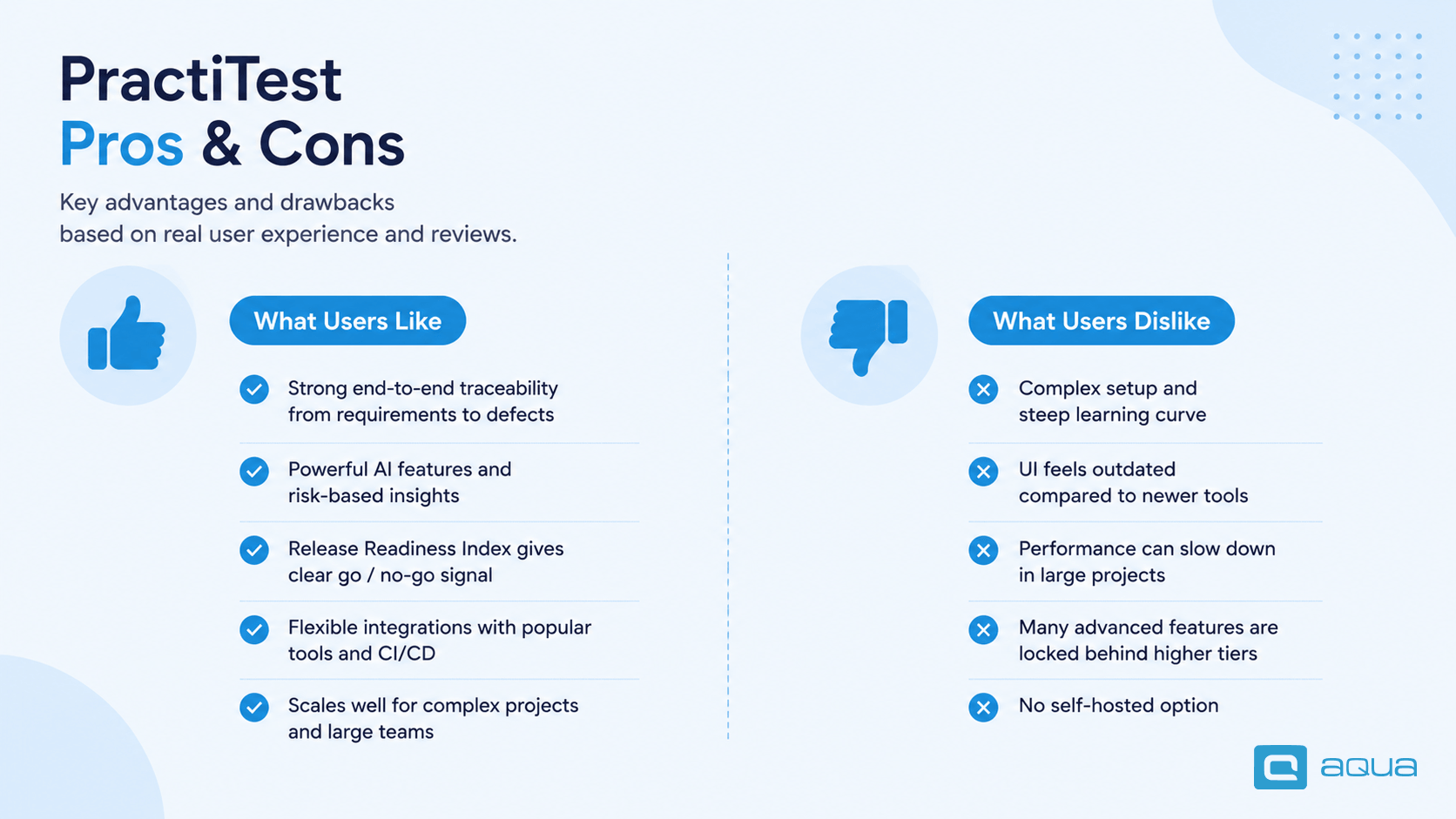
Strong end-to-end traceability from requirements through execution to defects in a single data model.
Test Value Score and the Release Readiness Index push beyond storage into QA decision support.
MCP integration allows external AI assistants to operate directly on project data.
Extensive customization through custom fields, filters, views, and workflow states.
Mature reporting with external dashboard access and scheduled distribution.
Broad integration coverage across issue trackers, automation frameworks, and CI/CD tools.
Consistent user praise for responsive customer support.
Cons:
Entry cost near $2,940 a year for five users, with no free plan and a five-seat minimum.
Test Value Score, MCP, PTQL, and audit logs require the Corporate tier and 10 seats.
Configuration depth creates a real learning curve for teams new to structured QA data models.
Several 2026 headline capabilities remain in public beta.
Cloud-only deployment blocks organizations with self-hosting requirements.
Reporting customization is powerful and can overwhelm teams without a clear reporting plan.
Cost scales disproportionately for very small teams with limited scope.
That learning curve shows up repeatedly in buyer feedback, and it costs time before it pays anything back:
"New users may need to invest time in training and onboarding to become proficient."
Verified Systems Engineer, 6-12 months of use, on Capterra
Posted in Capterra
PractiTest vs TestRail vs Qase vs aqua cloud
Feature
aqua cloud
PractiTest
TestRail
Qase
Free tier
Free read-only Guest licences
No, trial only
No, trial only
Yes, limited free plan
Starting price
€89 per user per month, annual
Near $49 per user per month, 5-seat minimum
Per named user
Per user, free tier available
AI capabilities
aqua Intelligence, grounded in your documentation
SmartFox, Test Value Score, MCP, RRI
Limited
AIDEN, credit-metered
Requirements management
Built-in module
Built-in module
Add-on
Basic
On-premise option
Yes, near-identical to cloud
No
Yes
No
Jira integration
Two-way sync plus Marketplace app
Two-way, multiple with Corporate
Two-way
Two-way
Test reuse model
Reusable shared steps
Test Instance model
Copy-based
Copy-based
Compliance
ISO 27001, DORA, EU-hosted cloud
SAML SSO, SCIM, audit logs on Corporate
Vendor-dependent
SOC 2, GDPR
Best for
Teams needing requirements and tests in one platform with flexible deployment
Established QA organizations needing deep traceability
Teams wanting straightforward test management
Small teams prioritizing speed
Best PractiTest Alternatives
aqua cloud: Test management with a built-in requirements module and AI software testing grounded in your own documentation. Available in cloud or on-premise editions with near-identical functionality, priced per user with free read-only Guest licences.
Qase: Modern and lightweight with a free tier and credit-metered AI. Suits teams prioritizing authoring speed over deep traceability.
Zephyr Scale: Built for Jira-native teams across Cloud and Data Center. Best where the Atlassian ecosystem already holds everything.
Xray: Another Jira-native option with strong Gherkin support. Worth noting that licensing follows total Jira users, not tester count.
Tricentis qTest: Enterprise-scale option with strong analytics, aimed at large organizations running several methodologies at once.
Is PractiTest Worth It in 2026?
PractiTest’s advantage lies in the data model around test cases, not in creating them. Requirements, execution history, defects, milestones, and risk signals all feed one picture. The QA Intelligence additions make that picture considerably more useful than it was 18 months ago. Since several of those additions remain beta, treat them as an emerging advantage and not as the reason to sign.
Depth costs money and setup time. The floor sits near $2,940 a year for five users. The capabilities defining the platform’s 2026 positioning need Corporate pricing on top of that. For a small team wanting test cases and execution tracking, the maths rarely works. For an established QA organization running thousands of tests across divisions, where governance and release confidence carry real weight, the conversation is much easier.
Four questions settle it:
Does your organization need auditable traceability from requirements through to defects?
Are you running manual and automated testing that must report into one place?
Can you justify Corporate pricing for the features that define the platform?
Can your data sit in someone else’s cloud?
A no on that last question ends the evaluation regardless of the others, since PractiTest offers no on-premise edition and no roadmap commitment to one.
Migrating from PractiTest to aqua cloud
If aqua cloud is on your shortlist after this comparison, here is what the move from PractiTest involves.
Export your PractiTest data. PractiTest exports requirements, tests, Test Sets, runs, and issues to Excel and CSV through its Reports module. Export each entity type separately so relationships stay readable in the output files.
Prepare the files before import. Clean inconsistent formatting, standardize naming conventions, and resolve duplicates while the data still sits in a spreadsheet. Fixing this before import saves considerably more time than fixing it afterwards.
Create the destination project in aqua. Stick with default settings on the first attempt, since custom hierarchies applied too early create conflicts between old and new data organization.
Use the Import Assistant. Right-click the destination project or folder in the Projects panel and select Import, then upload your Excel file. aqua provides a sample template that shows the expected format, and the import project guide covers requirements, test cases, and defects in one pass. The “ignore invalid rows” checkbox lets valid items through while flagging the rest.
Map your PractiTest custom fields. PractiTest models process through custom fields and filters. aqua uses a configurable project hierarchy with its own custom fields, so decide which of your existing fields carry real meaning and which were workarounds for folder limitations.
Rebuild traceability links. Requirements and defects live natively in aqua, so links that PractiTest maintained through its own model transfer into aqua’s requirement coverage view. Verify coverage reporting on the pilot project before importing the rest.
Reconnect integrations and automation. Relink Jira through the two-way sync or the Atlassian Marketplace app, then reconnect Jenkins, Selenium, JMeter, and any other agents. Repoint scripts and API calls from PractiTest’s REST API to aqua’s.
Validate, then decommission. Run one full release cycle in aqua before switching off PractiTest. Parallel operation catches gaps that spot checks miss, particularly around historical execution records.
Most aqua migrations complete in about a day, and the vendor’s migration team handles larger datasets directly. Atruvia AG moved several projects of two million items each from Micro Focus Quality Center with full item preservation and versioning intact, so PractiTest-sized exports are well within normal range. For hands-on support, see the aqua data migration page.
Is this PractiTest review leaving you weighing traceability depth against entry cost, tier gates, and cloud-only deployment? aqua cloud, and AI-driven test and requirement management solutions offer a promising alternative. You get requirements management, test management, and defect tracking in one platform built for QA work, with full traceability from requirement through execution to defect. aqua runs in the cloud on EU-hosted servers or on-premise with near-identical functionality, holds ISO 27001 certification, and supports DORA compliance workflows for financial services teams. Licensing follows your tester count at €89 per user per month annually; read-only Guest licences cost nothing, and no seat minimum forces you to buy capacity you will not use. aqua Intelligence produces project-specific scenarios grounded in your real documentation, cutting test design time by up to 97% while holding precision and coverage. Your pipeline keeps running as it does today. aqua connects natively to Jenkins, Azure DevOps, Jira, and Confluence, with PowerShell and UnixShell agents for custom steps and full REST API access on every plan.
Enterprise depth, per-tester pricing, and integrations that fit your existing stack
PractiTest spent 18 months building capabilities that address real problems. SmartFox reduces authoring friction, Test Value Score identifies tests that stopped earning their place, MCP opens project data to external assistants, and the Release Readiness Index converts testing data into a ship-or-hold call.
What has not changed is the cost of entry and the tier structure guarding the interesting parts. Shortlist PractiTest when depth, governance, and traceability drive your decision. Teams needing flexible deployment, per-tester pricing, or AI generation without a tier upgrade will find their comparison points elsewhere.
PractiTest is a cloud-based test management system connecting requirements, tests, execution runs, defects, and release milestones in one data model. It targets QA teams running structured testing processes, not basic test-case authoring.
How much does PractiTest cost?
PractiTest starts at approximately $2,940 annually for five tester licences, around $49 per user per month. Corporate plans are quote-based and require at least 10 seats. They include Test Value Score, MCP, PTQL, and audit logs.
Is PractiTest available on-premise?
No. PractiTest is cloud-only with no self-hosted option. Organizations requiring on-premise test management should evaluate TestRail, aqua cloud, or comparable platforms.
What are the best tools for managing test cases?
The answer depends on your constraints. PractiTest leads on traceability, TestRail on simplicity, and Qase on authoring speed. aqua cloud combines requirements with tests under flexible deployment, while Zephyr Scale suits Jira-native workflows.
How well does PractiTest integrate with Jira, automation frameworks, and CI/CD tools?
PractiTest integrates with Jira Cloud and Jira Server or Data Center, including automatic sprint synchronization into Milestones. It handles results from Selenium, Cypress, Playwright, and other major frameworks. CI/CD coverage includes Jenkins, GitLab CI/CD, Azure Pipelines, and GitHub Actions.
What are common pitfalls when migrating from TestRail or spreadsheets to PractiTest?
The frequent failures are underestimating the structural difference between the two models and mapping custom fields carelessly. Migrate in phases from a pilot project, use the built-in import tools, and validate traceability before moving the rest.
Robert has several years of experience in process optimisation and test management. He is an expert in defining and implementing workflows by adapting aqua to the clients’ processes.
Nurlan, a QA Coordinator & Quality Standards Officer, takes pride in orchestrating seamless QA operations. His expertise in coordinating QA-focused projects and integrating QA solutions has consistently yielded top-tier client satisfaction. Aside from a full-time QA coordinator, Nurlan's role involves creating compelling content that educates…
Pavel, a Quality Assurance Consultant and Author, brings deep expertise to solving complex testing challenges. His background in software development has helped organizations transform their QA practices from reactive to proactive. Beyond consulting, Pavel develops best practice guides and case studies for aqua cloud that…
Home » Best practices » PractiTest Review 2026: Features, Pricing & Verdict
Do you love testing as we do?
Join our community of enthusiastic experts! Get new posts from the aqua blog directly in your inbox. QA trends, community discussion overviews, insightful tips — you’ll love it!
We're committed to your privacy. Aqua uses the information you provide to us to contact you about our relevant content, products, and services. You may unsubscribe from these communications at any time. For more information, check out our Privacy policy.
X
🤖 Exciting new updates to aqua Intelligence are now available! 🎉