Test Cases for Facebook Login Page: Examples & Checklist
Test cases for Facebook login page flows answer one question: does the right person get in while everyone else stays out? With millions of logins a day, one broken validation rule or weak rate limit turns into an outage or a breach. This guide gives you manual test cases for Facebook login page scenarios you can copy today, plus the structure to write your own.
Facebook login page testing checks that valid users get in and invalid ones get blocked, on every browser and device.
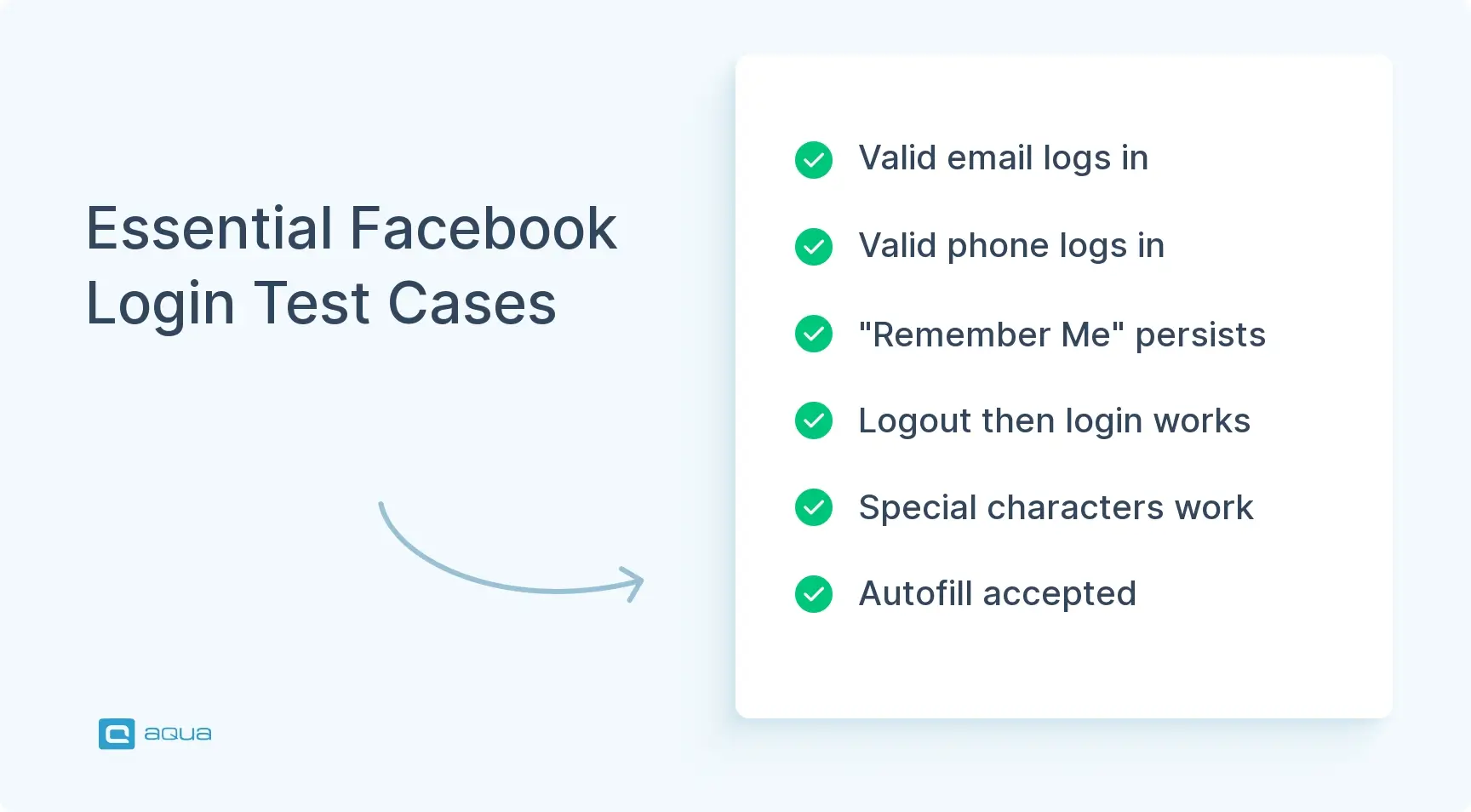
Positive cases confirm that email and phone logins work, along with autofill and “Remember Me.”
Negative cases confirm that wrong passwords, unknown emails, blank fields, and deactivated accounts each get a clear error, and that repeated failures trigger rate limiting.
End-to-end scenarios like password reset and multi-device login catch bugs that isolated cases miss.
One bug on a login page can lock out millions of users or let an attacker in. Most suites still skip expired reset links and international characters in emails. Here are the cases to add.
What Is Facebook Login Page Testing?
Facebook login page testing checks that the sign-in screen lets valid users in and keeps everyone else out. It covers functional behavior like credential validation, and non-functional behavior like security and layout.
The page looks simple, but a lot sits behind it: credential checks, session handling, rate limiting, and HTTPS enforcement. Each one can fail on its own, so each needs its own test cases. Users don’t see any of that. They see “I can’t log in.”
Good coverage also means the page behaves the same on a MacBook in Berlin and an Android phone in Lagos. Write each case around one behavior, so when something breaks you know exactly what.
How to Write Test Cases for Facebook Login Page
To write test cases for facebook login page flows, give each case one objective and enough detail that anyone can run it and reach the same verdict. Here’s how to write test cases for facebook login page specs that stay useful:
ID and objective – A unique ID like AUTH-001 and one sentence on what you’re verifying.
Preconditions – The state the system must be in first, such as “account exists and is active.”
Test data – Exact values. Write testuser@example.com, not “enter an email.”
Steps – Numbered, one action each.
Expected result – Something you can check. Write “user lands on the News Feed and a session token is created,” not “login works.”
Postconditions – Any cleanup, like deleting a created account or ending a session.
Keep every case atomic. A case called “verify login, profile edit, and logout” is three tests in one, and when it fails you won’t know which part broke.
Once you have dozens of cases, track them in a test management platform like aqua cloud so each one links to a requirement and stays easy to update.
Positive Test Cases for Facebook Login
Positive test cases confirm the login works when users do everything right. Run these on every build.
Valid email and password – Log in with a registered email and the correct password. The user lands on the News Feed with an authenticated session.
Valid phone number and password – Log in with a registered phone number. Access should work exactly like the email path.
“Remember Me” enabled – Tick the option, close the browser, and reopen it. The user should still be logged in.
Login after logout – Log out, then log back in with the same credentials. The new session should start cleanly.
Special characters in password – Use a password with @, #, or %. The system should accept it without errors.
Autofill – Let the browser fill stored credentials, then submit. Autofilled values should process like typed ones.
These are also the best first candidates for automation, since they cover the most common journeys. For a wider view, see this guide to app testing.
Negative Test Cases for Facebook Login
Negative test cases confirm the page fails safely when input is wrong or hostile.
Incorrect password – Valid email, wrong password. Login is denied with an error message.
Unregistered email – An email with no account behind it. The page shows an error and no session starts.
Blank email – Submit with the email empty. A validation message asks for it.
Blank password – Submit with the password empty. The form doesn’t go through.
Both fields blank – Submit an empty form. Both fields should be flagged as required.
Deactivated account – Use credentials for a suspended account. Access is denied with a fitting message.
Wrong password case – Enter the right password in the wrong case. Login fails if passwords are case-sensitive.
Excessive attempts – Fail login repeatedly. Rate limiting or a CAPTCHA should step in before the account is exposed to guessing.
Test Cases for Facebook Login Form Validation
Form validation catches bad input before it reaches the server.
Invalid email format – Try testuser@ or testuser.com. The form asks for a valid email.
Spaces in the email – Add a leading or trailing space. The system should trim it or reject it.
Password too short – If a minimum length exists, submit something shorter. Validation should block it.
SQL injection in email – Enter ' OR '1'='1. The input is sanitized and nothing unexpected happens.
Pasted password – Paste a password copied from a text file. Hidden characters shouldn’t break the login.
Special characters in email – Use <, >, or &. Valid ones are accepted and invalid ones are rejected cleanly.
Enter key submit – Fill both fields and press Enter. The form submits the same as a button click.
Test Cases for Facebook Password Recovery
Password recovery has to get real users back in without giving attackers a way around the login.
Reset with valid email – Request a reset for a registered email. A reset link arrives in that inbox.
Reset with unregistered email – Request a reset for an unknown email. The response shouldn’t reveal whether the account exists.
Link within validity period – Open the link before it expires. The user can set a new password.
Expired link – Open the link after it expires. The system rejects it and offers a new one.
Reset by phone – If SMS recovery exists, request a code. It should arrive and be accepted.
Reusing the old password – Set the new password to the old one. Check whether your password history rule blocks it.
Link used twice – Reset the password, then open the same link again. It should no longer work.
Test Cases for Facebook Login Security
Here are the security test cases for fb login page flows, written so you can run each one by hand.
HTTPS enforcement – Open the page over HTTP. It should redirect to HTTPS.
Session token – Log in and check for a secure, randomized token.
Password masking – Type a password. The field shows dots, not text.
Rate limiting – Fail login several times quickly. Rate limiting or a CAPTCHA kicks in after a threshold.
SQL injection – Enter admin' -- in either field. The system sanitizes it and runs nothing.
XSS attempt – Enter <script>alert('XSS')</script>. It gets escaped or rejected.
Brute-force protection – Simulate automated attempts. The system detects and blocks them.
Secure password storage – Confirm with the dev team that passwords use a strong hash like bcrypt, never plain text.
Session timeout – Log in and stay idle. The session expires and the user is logged out.
Building comprehensive test cases like these requires structure, precision, and consistency, but it doesn’t have to consume days of manual work. That’s where aqua cloud transforms the process. With aqua’s AI (aqua Intelligence) powered by domain-trained intelligence and RAG grounding, you can generate complete test cases from requirements in seconds, not hours. Unlike generic AI tools that offer broad, context-free suggestions, aqua’s AI learns from your project’s own documentation, making every test case it creates specific to your standards, terminology, and workflows. Whether you’re documenting positive flows, negative scenarios, or edge cases, aqua ensures your test suite is thorough, organized, and fully traceable. Plus, with seamless integrations into Jira, Azure DevOps, and your automation frameworks, your entire team stays aligned from requirements through execution.
Turn hours of test case writing into seconds with AI that knows your project
A secure page still fails if people can’t figure out how to use it.
Placeholder text – Fields show helpful hints like “Email or phone” and “Password.”
Error message clarity – Trigger an error. The message says what went wrong and what to do next.
Tab order – Press Tab through the page. Focus moves from email to password to the login button.
Password visibility toggle – If a “show password” icon exists, it reveals the password and re-masks it on the second click.
Loading indicator – Submit the form. A spinner shows while the request runs.
Registration link – “Create new account” is visible and leads to sign-up.
Screen reader – Labels, buttons, and errors are announced correctly.
Test Cases for Facebook Login on Mobile Devices
Mobile adds smaller screens and touch input, and both break things.
iOS Safari – Log in on an iPhone with valid credentials.
Android Chrome – Repeat on Android and compare behavior.
Touch target size – Fields and buttons are big enough to tap without misses.
Keyboard type – Focusing the email field brings up a keyboard with the @ key.
Orientation change – Rotate from portrait to landscape mid-login. The layout holds and the entered text stays.
Mobile autofill – Fill credentials from the device’s saved logins, then submit.
App webview – If login opens inside an app’s webview, the session carries into the app.
Facebook Login Compatibility Test Cases
Compatibility testing makes sure nobody gets locked out by their browser or screen.
Chrome – Run the full flow on the latest Chrome on Windows and macOS.
Firefox – Repeat on Firefox and compare with Chrome.
Safari – Test desktop Safari and iOS Safari.
Edge – Test Chromium-based Edge.
Older browser versions – Try an older Chrome or Firefox. Note any deprecation problems.
Screen resolutions – Check 1920×1080, 1366×768, and 1280×720.
Tablets – Test an iPad and an Android tablet.
Smart TV browser – If you support it, check that the page works with a remote control.
Facebook Login Test Case Examples
Here are three full specs. Use them as templates for your own cases.
Example 1: Successful login with email and password
ID: AUTH-001 Objective: Verify a registered user can log in with a valid email and password. Preconditions: An active account exists with email testuser@example.com and password ValidPass123!. Steps: 1. Open the login page. 2. Enter testuser@example.com in the email field. 3. Enter ValidPass123! in the password field. 4. Click “Log In.” Expected result: The user lands on the News Feed, a session token is created, and the profile name shows in the navigation bar. Postcondition: The user stays logged in for the session.
Example 2: Login with an incorrect password
ID: AUTH-002 Objective: Verify login fails when the password is wrong. Preconditions: Same account as AUTH-001. Steps: 1. Open the login page. 2. Enter testuser@example.com. 3. Enter WrongPassword. 4. Click “Log In.” Expected result: Login is denied, an error message appears, and the user stays on the login page. Postcondition: No session exists.
Example 3: Rate limiting after repeated failures
ID: AUTH-003 Objective: Verify the system limits repeated failed logins. Preconditions: Same account as AUTH-001, with no recent failed attempts. Steps: 1. Open the login page. 2. Submit testuser@example.com with a wrong password ten times in a row. 3. Submit the correct password on the eleventh try. Expected result: A CAPTCHA or temporary block appears before or at the threshold, and the correct password doesn’t bypass it. Postcondition: Wait out the lockout, or reset it, before the next test.
Facebook Login Edge Cases
Edge cases are rare inputs that still show up in production.
International characters. Try an email like user@tëst.com. The system should accept or reject it on purpose, not by accident.
Very long passwords. Paste 500 characters. The form should accept, truncate, or reject the input in a way your requirements define.
Phone-only accounts. If a user registered with a phone number, check that they can log in with it and aren’t forced to add an email.
Pending verification. A user registered but never confirmed their email. They should be blocked with a prompt to verify, or given limited access, whichever your rules say.
Migrated accounts. If accounts came from an older system, check whether legacy credentials still work or trigger a password reset.
Time zones. Register in one time zone and log in from another. Timestamp-based checks like session expiry should still behave.
Registration feeds directly into login, so facebook registration page test cases belong in the same suite. The test cases for facebook registration page flows should check that the form accepts a valid name, email or phone number, password, birthday, and gender. They should also check that invalid email formats, weak passwords, and duplicate accounts get rejected, that users under the minimum age can’t sign up, and that a CAPTCHA blocks bots. On the security side, confirm the data travels over HTTPS and that injection or script input in any field is sanitized.
End-to-End Facebook Login Test Scenarios
End-to-end scenarios test the whole journey, not one feature at a time. They’re slower to run and harder to maintain, but they catch problems that only appear when systems work together.
Standard login. Open the homepage, click “Log In,” enter valid credentials, land on the News Feed, and confirm the profile data loads.
Password reset. Click “Forgot password?”, enter an email, open the reset link from the inbox, set a new password, and log in with it. Email delivery, link validation, and the database update all have to work for this to pass.
Multi-device continuity. Log in on a desktop, do something, log out, then log in on a phone. Check that account data and preferences match on both.
Best Practices for Facebook Login Testing
Rank your cases by risk. Valid login and the main security checks run on every build. Obscure edge cases can run weekly or during exploratory sessions.
Automate the stable cases first. A reliable application testing tool can run positive and validation cases on every commit and leave testers free to probe the odd ones by hand.
Keep cases atomic. One behavior per case means a failure points straight at the cause, and you can run cases in parallel.
Write down your test data and environment needs. If a case needs an active account or a feature flag, say so in the preconditions. That ends the “works on my machine” arguments.
Link every case to a requirement. This is where application lifecycle management pays off. When the login flow changes, you can see which cases need updating instead of hunting for them.
Add cleanup steps to any case that changes state, and review the suite regularly. Outdated cases give false confidence.
Facebook Login Testing Checklist
Functional login
Valid email and password log in
Valid phone number and password log in
“Remember Me” keeps the session
Login works after logout
Special characters in passwords work
Autofill works on desktop and mobile
Negative and validation
Wrong password gets an error
Unregistered email gets an error
Blank email, blank password, and both blank are blocked
Deactivated accounts are denied
Invalid email format is rejected
Spaces and special characters in email are handled
Enter key submits the form
Password recovery
Reset works with a valid email
Unregistered email doesn’t reveal account status
Expired link is rejected
Link works only once
Login works with the new password
Security
HTTP redirects to HTTPS
Password field is masked
Rate limiting triggers after repeated failures
SQL injection and XSS input are neutralized
Session token is created and expires after inactivity
UI, mobile, and compatibility
Placeholder text and error messages are clear
Tab order is logical
Layout works on phones and tablets
Touch targets are large enough
Keyboard type matches the field
Login works on Chrome, Firefox, Safari, and Edge
Screen reader announces labels and errors
aqua cloud’s domain-trained aqua Intelligence (AI), powered by RAG grounding, generates detailed test cases instantly from your requirements, ensuring every scenario (positive, negative, security, UI, mobile) is documented and ready to execute. Unlike ChatGPT or other generic tools, aqua’s AI is trained on your project’s documentation, producing test cases that reflect your exact workflows, naming conventions, and business logic. Beyond generation, aqua centralizes your entire test management process: organize test suites, track coverage with visual dashboards, collaborate across QA and dev teams through Jira and Azure DevOps integrations, and execute both manual and automated tests from one platform. Whether you’re preparing for an interview, building a production test suite, or scaling your QA process, aqua ensures nothing slips through the cracks, and does it faster than any manual approach ever could.
Achieve 100% test coverage and save 97% of your time with project-specific AI
Testing the Facebook login page comes down to checking that the right people get in and the wrong ones don’t, every time and on every device. Positive cases prove the basics work. Negative, validation, and security cases prove the page holds up when users make mistakes or attackers try something. Mobile, compatibility, and end-to-end cases prove it works outside your own laptop.
Start with the cases that carry the most risk, keep each one atomic, and link it to a requirement. Then add the edge cases as your suite grows.
What are the most important test cases for the Facebook login page?
Start with the test cases for login page of facebook that cover the paths most users take: login by email, login by phone number, a wrong password, an unregistered email, and blank fields. Then add rate limiting after repeated failures and the password reset flow. HTTPS enforcement belongs on the list too. Together these cover the everyday flows and the failures that cost the most when they break.
How do you write positive and negative test cases for Facebook login?
When you write test cases on facebook login page flows, give each one a single objective, its preconditions, exact input data, numbered steps, and a measurable expected result. A positive case uses valid input and expects access, such as landing on the News Feed. A negative case uses invalid input and expects a safe failure: an error message and no session. Weight your suite toward negative cases, since most real bugs sit in error handling.
What should be tested when validating Facebook login credentials?
Check every credential format the system accepts, such as email and phone number. Test case sensitivity, spaces around the input, special characters, and maximum lengths. Confirm that each kind of bad input produces the right error, and that the message never reveals whether an account exists.
What security test cases should be performed on a Facebook login page?
Check that HTTP redirects to HTTPS and that session tokens are secure and expire after inactivity. Confirm the password field is masked. Test rate limiting and brute-force protection, then enter SQL injection and XSS payloads in every field to make sure they get sanitized. Ask the dev team to confirm that passwords are stored with a strong hash like bcrypt.
How can Facebook login test cases be automated?
Automate the stable cases first: valid login, wrong password, blank fields, and basic validation. Selenium and Playwright handle these well. Keep exploratory and usability testing manual. Run automation against a staging environment or your own app, since automated logins against live Facebook can get test accounts locked. For CAPTCHA and two-factor prompts, use test-only flags or accounts. If you’re building a suite from the test cases for login page of facebook above, start with the positive and validation cases, since they’re the easiest to script and run on every build.
Nurlan, a QA Coordinator & Quality Standards Officer, takes pride in orchestrating seamless QA operations. His expertise in coordinating QA-focused projects and integrating QA solutions has consistently yielded top-tier client satisfaction. Aside from a full-time QA coordinator, Nurlan's role involves creating compelling content that educates…
Robert has several years of experience in process optimisation and test management. He is an expert in defining and implementing workflows by adapting aqua to the clients’ processes.
Home » Best practices » Test Cases for Facebook Login Page: Examples & Checklist
Do you love testing as we do?
Join our community of enthusiastic experts! Get new posts from the aqua blog directly in your inbox. QA trends, community discussion overviews, insightful tips — you’ll love it!
We're committed to your privacy. Aqua uses the information you provide to us to contact you about our relevant content, products, and services. You may unsubscribe from these communications at any time. For more information, check out our Privacy policy.
X
🤖 Exciting new updates to aqua Intelligence are now available! 🎉