Accessibility Testing in Agile Environment: Ultimate Guide
Just imagine you got notified that legal flagged an accessibility compliance gap. In the meantime, your sprint is mid-cycle already, and there’s no budget for last-minute reworks. Accessibility testing in Agile helps prevent that. When built into your workflow before any code is written, it issues early and makes sure that the 15% of users with disabilities can also be your target customers. Unfortunately, it often gets overlooked. This guide shows you how to set up Agile accessibility testing step by step and what tech stack to use.
Integrating accessibility testing into Agile prevents costly post-launch fixes and legal compliance gaps. When built into every sprint from pre-contract through maintenance, accessibility becomes a shared responsibility rather than a last-minute retrofit.
Agile Accessibility Integration Framework
Pre-Contract Phase – Establish WCAG compliance standards, conduct baseline audits, and scope accessibility requirements before signing.
Discovery Phase – Build personas including assistive technology users and embed accessibility acceptance criteria into every user story.
Development Phase – Run automated scans on pull requests, test with screen readers like NVDA and JAWS, and validate keyboard navigation.
Release & Maintenance – Track accessibility defect metrics, run quarterly audits, and use retrospectives to identify recurring failure patterns.
Measurement – Monitor conversion rates by input method, support ticket volume, and task completion rates for assistive technology users.
aqua cloud centralizes accessibility test cases with WCAG compliance checklists, AI-generated test scenarios, and full requirement traceability. Teams using aqua reduce accessibility violations by 75% through systematic sprint-level testing and automated compliance reporting.
Role of Agile Methodology in Enhancing Accessibility
Accessibility testing is the process of verifying that a digital product can be used by people with a range of disabilities, including visual, motor, auditory, and cognitive. Accessibility is typically measured against Web Content Accessibility Guidelines (WCAG) 2.2 standards.
At the same time:
Agile methodology is an iterative, incremental approach to software delivery built around short cycles known as sprints. Additionally, it requires continuous feedback and cross-functional collaboration. In the context of accessibility, Agile methodology is the structure for the entire QA system, focused on catching and fixing issues continuously.
Here is how Agile methodology fulfills key Agile accessibility testing responsibilities in practice:
Shared ownership across roles: designers, developers, and testers all carry accessibility responsibilities, surfaced through daily standups and retrospectives
Moving testing upstream: accessibility criteria enter sprint planning before code is written, not after it ships
Incremental bug fixing: accessibility defects are triaged and resolved within the same sprint schedule as functional bugs
Hard requirement enforcement: accessibility acceptance criteria become something every story has to pass, on par with performance and security
User-centered iteration: Agile’s emphasis on real user feedback extends naturally to users who rely on assistive technology
When incorporated, these practices help to build a high-quality standard for accessibility testing in your QA system.
When integrating accessibility testing into your Agile workflows, having the right toolset makes all the difference. This is where aqua cloud, an AI-powered test and requirement management solutions steps in as a platform that helps track and orchestrate accessibility requirements. With aqua, you can incorporate accessibility criteria into your user stories and acceptance tests. This way, they become part of your team’s release checklist from the start. The platform’s centralized repository allows teams to create, reuse, and maintain accessibility-focused test cases that can be executed within their regular sprint cycles. aqua’s domain-trained actana AI model can generate accessibility test scenarios directly from your project requirements, chats, or voice notes. This notably accelerates test creation while ensuring compliance with standards like WCAG. And since aqua integrates via REST APIs with Jira, Jenkins, Azure DevOps, Selenium, and other tools your team already uses, accessibility testing fits into your existing workflow easily.
Achieve 100% test coverage with accessibility-focused test management
Key Phases for Integration of Accessibility Testing in Agile Development
Accessibility belongs in every stage of your development process. The following numbered phases map directly to your Agile workflow, giving each stage clear inputs, outputs, and checkpoints.
Phase 1: Sales and Pre-Contract
Enterprise buyers and regulated industries routinely require evidence of WCAG compliance, EN 301 549, or Section 508 adherence as a procurement condition. If your sales team cannot refer to your compliance posture early, you risk losing deals or inheriting scope you did not price for. Here’s what should be done pre-contract:
Establish whether the target standard is WCAG AA or AAA.
Conduct a baseline accessibility audit of existing systems or design patterns.
Document compliance posture to set realistic scope and pricing expectations.
Identify regulatory obligations by market (ADA, EAA, Section 508).
Input: Client requirements, existing product or design assets, regulatory context
Discovery is where accessibility becomes part of your product backlog. At this stage, your are expected to define who your users are, what assistive technologies they rely on, and what “done” looks like for every story. Decisions made here determine how much bug fixing your team will face later. Common processes here include:
Build personas that include keyboard-only users, screen reader users, and users with low vision or color blindness.
Write accessibility acceptance criteria into every user story, e.g., “all form inputs have associated labels” or “focus order is logical and visible.”
Reference established component interaction patterns, such as W3C’s ARIA Authoring Practices Guide, to standardize tabs, menus, and dialogs.
Prioritize accessibility stories in the backlog alongside functional features, not as a separate workstream.
Input: User research, business requirements, regulatory obligations from Phase 1
Output: Accessibility-inclusive user stories, updated personas, acceptance criteria embedded in backlog
Phase 3: Development
Pull request is another opportunity to detect problems before they build up across components. Developers who understand semantic HTML and ARIA patterns write accessible code by default, which cuts the volume of issues your testers need to chase. Here’s what should be done in this stage:
Write semantic HTML and apply ARIA roles only where native HTML falls short.
Run automated accessibility scans on every pull request as part of CI/CD.
Test with at least two screen readers across platforms, e.g., one Windows and one macOS/iOS.
Validate focus management in dynamic components such as modals, drawers, and live regions.
Bring in real users who rely on assistive technology for periodic testing sessions.
Input: User stories with accessibility acceptance criteria from Phase 2
Output: Accessible components, passing automated scan reports, manual test results, defect tickets for issues found
Phase 4: Release and Maintenance
Accessibility compliance requires active maintenance, especially after UI refactors, design system updates, or third-party component changes. That’s exactly why your team needs a repeatable process for catching regressions before they pile up into a bug backlog that affects a future sprint. It’s highly advised to do the following:
Track open accessibility defects and mean time to fix them in each sprint.
Run quarterly deep audits covering multiple assistive technologies and platforms.
Collect and store compliance evidence: scan reports, test session notes, and fix records.
Use retrospectives to identify recurring accessibility failure patterns and update training or component defaults accordingly.
I work in an Agile process, so then after that feature is done, it will get tested within the sprint by QA, using keyboard, screen reader, and automated tests.
No single tool covers everything you need. That’s why your tech stack has to work in layers. Pick tools for accessibility testing that work best for your specific business model at each layer to maximize efficiency in testing.
Automated Scanning Tools for Accessibility
Automated scanners integrate directly into your CI/CD pipeline and flag WCAG violations on every build, before any human tester touches the interface. They are essential for catching high-volume, repeatable issues at scale: missing alt text, insufficient color contrast, broken ARIA attributes, and unlabeled form inputs. Without automation in place, these issues go unnoticed across hundreds of components and only appear when a user or auditor reports them.
Automated tools detect roughly 30 to 40% of real-world accessibility issues. They cannot evaluate whether a focus indicator is visually clear enough, whether error messages make contextual sense, or whether a modal flow is actually usable with a screen reader. Run them on every build, just do not mistake a passing score for a usable product.
Common tools in this category:
axe-core (integrates with Playwright, Cypress, Selenium)
Lighthouse (built into Chrome DevTools, supports CI via CLI)
Pa11y (command-line runner for automated accessibility testing)
Browser Extension and Manual Audit Tools
Where automated scans end, manual audit tools begin. Browser extensions let your testers walk through the live UI and inspect the accessibility tree, tab order, landmark structure, and ARIA relationships in real time. They find issues that only appear in context, such as a tooltip that lacks a programmatic association, or a button whose accessible name differs from its visible label.
These tools are especially valuable during sprint reviews, when a tester can step through a new feature and document issues immediately rather than waiting for a formal audit cycle.
Common tools in this category:
axe DevTools (browser extension with guided testing workflows)
WAVE (visual overlay of accessibility errors and structure)
Accessibility Insights for Web (Microsoft tool with fast pass and assessment modes)
Screen Readers and Assistive Technology
Screen readers are the real test for accessibility testing in Agile projects. An interface can pass every automated scan and still be completely unusable for someone relying on a screen reader, because real-world behavior depends on how the browser, operating system, and assistive technology interact together. Testing with at least two screen readers across different platforms confirms that your ARIA implementation holds up beyond a single environment.
Keyboard-only navigation testing, with no mouse at all, is equally critical. Every interactive element needs to be reachable, operable, and clearly indicated through focus styling alone. If your team has never done a keyboard-only walkthrough of your product, schedule one before your next sprint review.
Common tools in this category:
NVDA (free, Windows, widely used baseline for testing)
JAWS (enterprise standard on Windows)
VoiceOver (built into macOS and iOS, no install required)
TalkBack (Android screen reader for mobile testing)
Color and Visual Design Tools
Contrast failures are among the most common WCAG violations, and they are also the easiest to prevent when caught at the design stage. Color and contrast tools integrate into design workflows so that failures get flagged before a component reaches your developers. They validate text contrast, UI component contrast, and focus indicator visibility.
Common tools in this category:
Stark (Figma and Sketch plugin for contrast and color blindness simulation)
Polypane (browser with built-in contrast checker and accessibility panel)
Colour Contrast Analyser (desktop tool for checking any on-screen colors)
Test and Requirements Management Tools for Accessibility
Automated scan results, manual test findings, screen reader session notes, and compliance evidence all need to live somewhere structured, traceable, and reportable. Without a dedicated test management platform, accessibility work fragments across spreadsheets, Confluence pages, and Jira comments, making it nearly impossible to demonstrate coverage or identify recurring failure patterns across sprints.
A proper test management tool lets your team create reusable accessibility test cases, link them directly to user story acceptance criteria, track execution across sprints, and generate audit-ready compliance reports on demand.
aqua cloud is built precisely for this. It centralizes accessibility test cases alongside functional tests, links them to requirements with full traceability, and gives your QA team a live view of coverage and fix status across every sprint. aqua’s actana AI generates accessibility-focused test scenarios directly from your project requirements in seconds, so your team spends time validating rather than writing test cases from scratch. As an Agile testing solution, aqua integrates natively with Jira, Jenkins, Azure DevOps, Selenium, and Ranorex, keeping accessibility testing wired into the toolchain your team already uses.
Try aqua for free
Training and Reference Resources
Shared documentation reduces the mental overhead on your developers and testers and prevents the same issues from recurring, sprint after sprint. When your team understands why keyboard traps occur, how live regions announce dynamic content, or what makes a focus indicator WCAG-compliant, they write better code from the start.
Useful references to standardize on:
WCAG 2.2 Quick Reference (filterable by principle, guideline, and level)
ARIA Authoring Practices Guide (interaction patterns for common UI components)
Internal pattern libraries documenting your team’s accessible component implementations
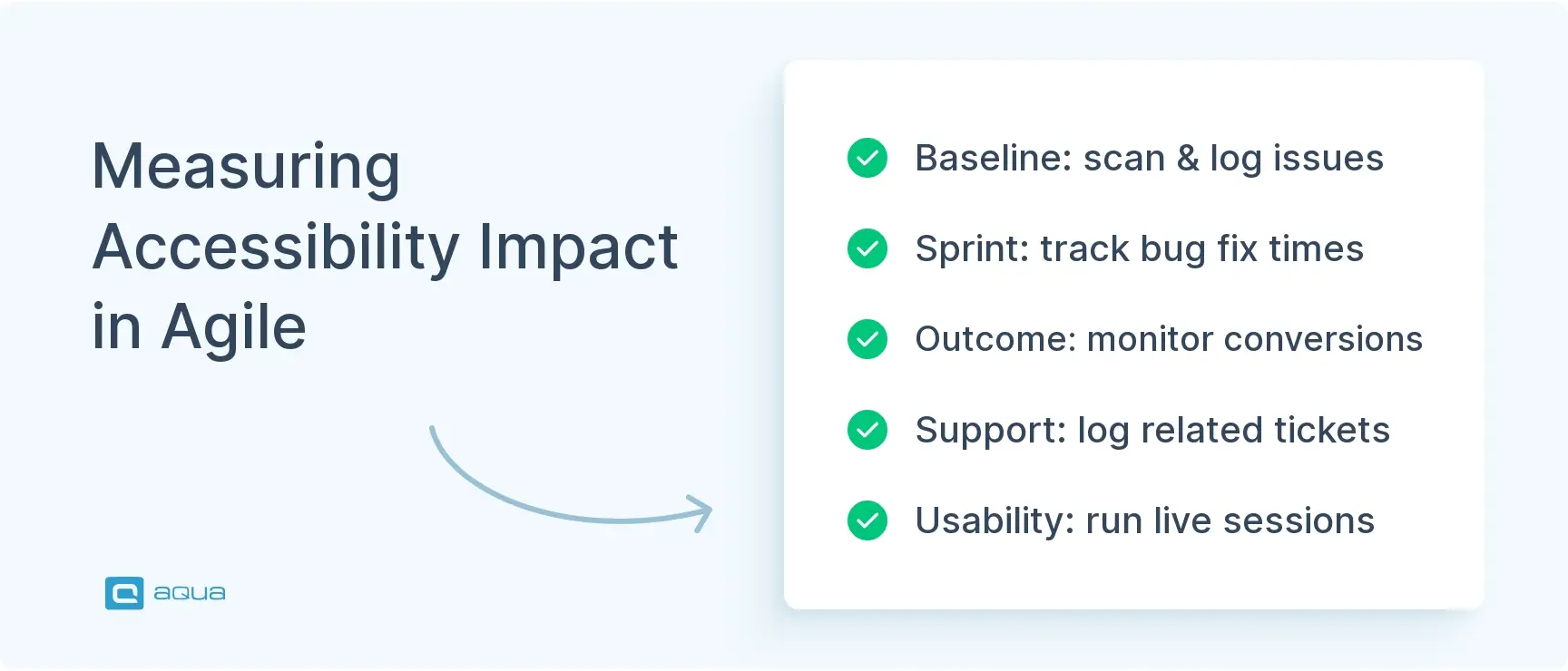
Measuring the Impact of Accessibility on User Experience in Agile Projects
Step 1: Establish a Baseline Before You Start
Before making any changes, document your current state. Run automated scans and record the number and severity of violations by category. Note your starting conversion rates and support ticket volume, along with any available task completion data from usability sessions. This baseline is what every future improvement gets measured against, and without it, your team has no way to demonstrate the value of the work being done.
Step 2: Track Engineering Health Metrics Each Sprint
At the sprint level, monitor:
Percentage of pull requests passing automated accessibility checks
Number of new accessibility defects introduced vs. resolved
Mean time to fix accessibility bugs by severity
Frequency of recurring issue types, e.g., repeated focus management failures signal a training or component gap
The metrics are always changing so what may be an error one month is not an error the next.
Connect accessibility work to outcomes that matter to you and your stakeholders:
Conversion rates by input method: Segment mouse users vs. keyboard users to detect flows that trap non-mouse users.
Support ticket volume: Flag tickets related to navigation or form completion as accessibility proxies.
Task success rate and time on task: Measure these in usability sessions with assistive technology users.
Abandonment rates: Track drop-offs at key funnel steps before and after targeted accessibility fixes.
One study found that fixing keyboard navigation and form labeling in a SaaS onboarding flow reduced abandonment by 12% and cut related support tickets by 30%.
Step 4: Run Structured Usability Sessions with Assistive Technology Users
Metrics show drop-offs and error rates; usability sessions show why users give up. Schedule regular sessions with users who rely on screen readers or keyboard navigation. Measure task success, time on task, and error recovery. Document findings as qualitative insight to pair with your sprint metrics. These sessions expose pain points that no automated tool or conversion funnel can detect, and they give your team direct exposure to how real users experience the product.
Step 5: Close the Loop in Sprint Retrospectives
After shipping a batch of accessibility fixes, track the data for the following two sprints. Did error rates drop? Did support volume decrease? This tight feedback loop lets you attribute specific outcomes to specific changes, building a data-driven case for continued investment. Teams that track a 12% abandonment drop or a 30% support ticket reduction have a concrete number to bring to the next planning session.
Step 6: Automate and Scale Measurement with aqua cloud
Manual tracking across spreadsheets breaks down fast as sprint velocity increases. aqua cloud enables semi-automated accessibility measurement by linking test execution directly to requirements, generating traceability reports that show coverage gaps in real time, and exposing defect trends across sprints. Your team maintains a continuously updated record of test runs, results, and fix history, which means compliance evidence is ready when you need it rather than assembled under pressure before an audit. Combined with integrations into Jira, Jenkins, and Azure DevOps, aqua keeps your accessibility metrics synchronized with the dashboards your engineering and product teams already rely on. You can also use aqua alongside your existing bug reporting tools in Agile workflows to keep defect tracking consistent across the full sprint cycle.
Accessibility testing in Agile environments requires systematic integration at every stage of development. aqua cloud, an AI-powered test and requirement management solution, provides the environment for all your QA efforts. With aqua’s flexible test case management, you can embed accessibility criteria directly into your sprint planning. Besides, it offers compliance tracking and methods to generate detailed audit reports that demonstrate to regulatory organizations your commitment to inclusive design. The platform’s AI-powered test case generation capabilities allow you to quickly create accessibility test scenarios from requirements. It’s proven to save up to 97% of your testing time while allowing no critical edge cases to be missed. When your metrics flag a coverage gap or a recurring defect pattern, aqua’s traceability links surface exactly which requirement or component needs attention. With integrations into Jira, Jenkins, Azure DevOps, Selenium, Ranorex, 10+ other tools, and the broader CI/CD ecosystem, aqua keeps accessibility testing embedded in the same toolchain.
Boost testing efficiency by 80% with aqua’s AI
Try aqua for free
Conclusion
The teams that catch accessibility issues early and fix at the smallest expense are the ones that have integrated Agile methodology and systematically work upon it. Embed criteria in your team’s release checklist, automate basic checks in CI, and validate with real users each sprint. The business case is clear: lower legal risk, broader market reach, and products that perform better for everyone. Start small, one accessible component or one sprint with keyboard-only testing, and build from there.
Accessibility testing in Agile is the practice of continuously verifying that digital products meet accessibility standards like WCAG 2.2 throughout iterative development cycles. Instead of running a single audit before launch, teams integrate automated checks, manual validation, and user testing into every sprint, treating accessibility as a core quality requirement.
What is an Accessibility testing in agile?
Accessibility testing in Agile is the practice of continuously verifying that digital products meet accessibility standards like WCAG 2.2 throughout iterative development cycles. Instead of running a single audit before launch, teams integrate automated checks, manual validation, and user testing into every sprint, treating accessibility as a core quality requirement.
How can accessibility testing be integrated effectively into Agile sprints?
Integrate accessibility by embedding it in your team’s release checklist, writing acceptance criteria that include keyboard navigation and screen reader behavior, running automated scans in CI/CD pipelines, and conducting manual checks during sprint reviews. Treat accessibility defects like any other bug: prioritize, fix, and verify within the same sprint schedule.
What are common challenges of accessibility testing in Agile environments and how can they be overcome?
Common challenges include lack of team knowledge, limited tooling, and treating accessibility as a separate workstream. Overcome these by training teams on WCAG and ARIA standards, integrating automated tools into existing pipelines, and embedding accessibility in user stories and retrospectives so it is a shared responsibility, not an afterthought.
How do you prioritize accessibility defects within an Agile backlog?
Treat accessibility defects using the same severity framework as functional bugs. Critical issues, those blocking task completion for assistive technology users, go into the current sprint. High-severity issues like missing labels or broken focus order are scheduled for the next sprint. Lower-severity issues are backlogged and revisited during quarterly audits.
Home » Best practices » Accessibility Testing in Agile Environment: Ultimate Guide
Do you love testing as we do?
Join our community of enthusiastic experts! Get new posts from the aqua blog directly in your inbox. QA trends, community discussion overviews, insightful tips — you’ll love it!
We're committed to your privacy. Aqua uses the information you provide to us to contact you about our relevant content, products, and services. You may unsubscribe from these communications at any time. For more information, check out our Privacy policy.
X
🤖 Exciting new updates to aqua AI Assistant are now available! 🎉
We use cookies and third-party services that store or retrieve information on the end device of our visitors. This data is processed and used to optimize our website and continuously improve it. We require your consent fro the storage, retrieval, and processing of this data. You can revoke your consent at any time by clicking on a link in the bottom section of our website.
For more information, please see our Privacy Policy.
This website uses cookies to improve your experience while you navigate through the website. Out of these, the cookies that are categorized as necessary are stored on your browser as they are essential for the working of basic functionalities of the website. We also use third-party cookies that help us analyze and understand how you use this website. These cookies will be stored in your browser only with your consent. You also have the option to opt-out of these cookies. But opting out of some of these cookies may affect your browsing experience.
Necessary cookies are absolutely essential for the website to function properly. These cookies ensure basic functionalities and security features of the website, anonymously.
Cookie
Duration
Description
cookielawinfo-checkbox-analytics
11 months
This cookie is set by GDPR Cookie Consent plugin. The cookie is used to store the user consent for the cookies in the category "Analytics".
cookielawinfo-checkbox-functional
11 months
The cookie is set by GDPR cookie consent to record the user consent for the cookies in the category "Functional".
cookielawinfo-checkbox-necessary
11 months
This cookie is set by GDPR Cookie Consent plugin. The cookies is used to store the user consent for the cookies in the category "Necessary".
cookielawinfo-checkbox-others
11 months
This cookie is set by GDPR Cookie Consent plugin. The cookie is used to store the user consent for the cookies in the category "Other.
cookielawinfo-checkbox-performance
11 months
This cookie is set by GDPR Cookie Consent plugin. The cookie is used to store the user consent for the cookies in the category "Performance".
viewed_cookie_policy
11 months
The cookie is set by the GDPR Cookie Consent plugin and is used to store whether or not user has consented to the use of cookies. It does not store any personal data.
Functional cookies help to perform certain functionalities like sharing the content of the website on social media platforms, collect feedbacks, and other third-party features.
Performance cookies are used to understand and analyze the key performance indexes of the website which helps in delivering a better user experience for the visitors.
Analytical cookies are used to understand how visitors interact with the website. These cookies help provide information on metrics the number of visitors, bounce rate, traffic source, etc.
Advertisement cookies are used to provide visitors with relevant ads and marketing campaigns. These cookies track visitors across websites and collect information to provide customized ads.






 Bankingaqua ALM helps banks increase testing productivity by over 50%