Effective Bug Triage in Agile: Streamlining Defect Management
You're three sprints deep, and the bug backlog is a mess. Some defects will stop your release cold. Others are the software equivalent of a mosquito bite, annoying, but nobody's losing sleep over them. Without a clear bug triage process, your team burns hours debating whether a button color counts as "critical." Spoiler: it doesn't. This guide walks you through how to run bug triage in Agile, from understanding its role to picking tools that don't get in your way.
Bug triage in Agile is a systematic process that evaluates, categorizes, and prioritizes reported software defects to ensure developers fix what genuinely affects users.
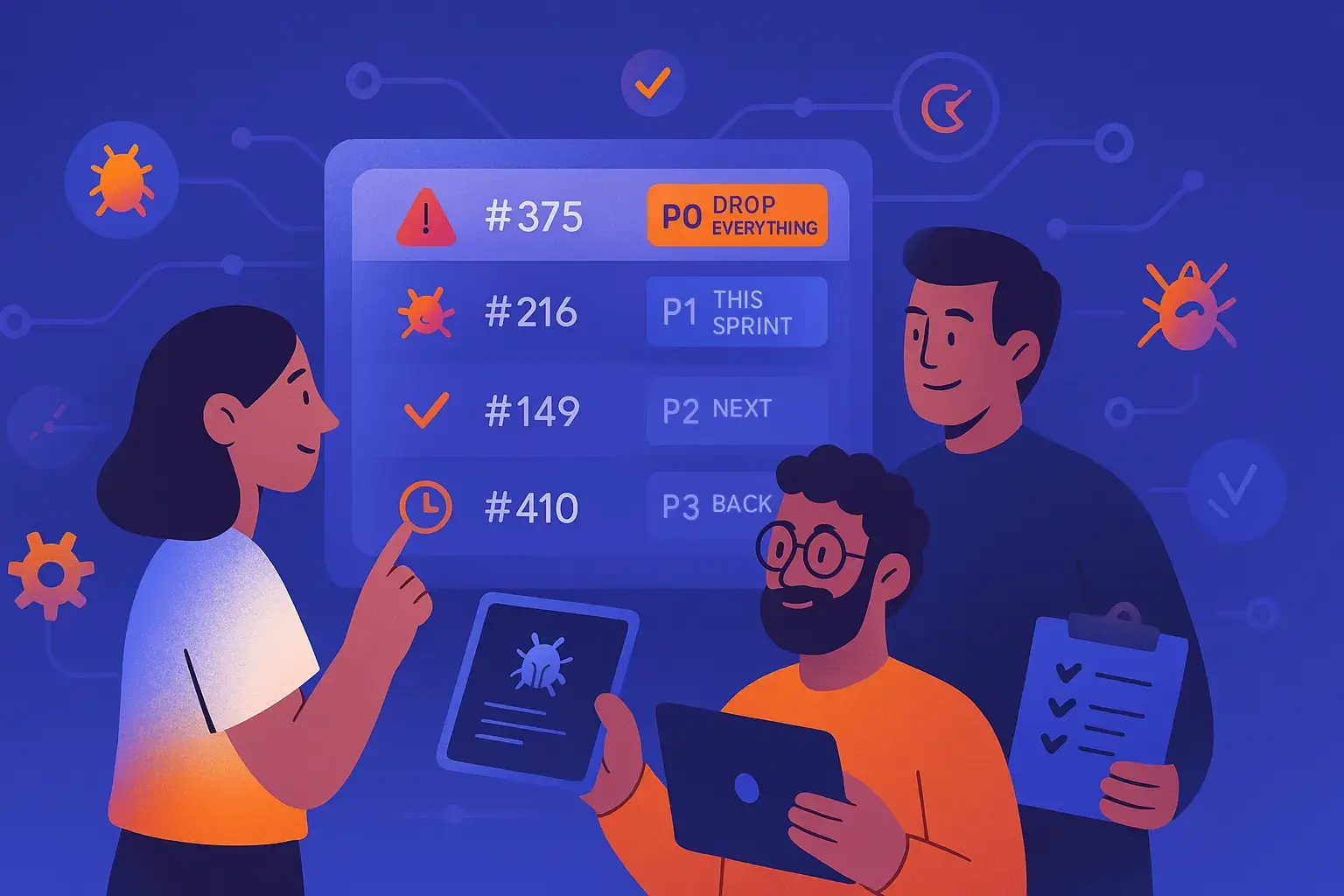
The triage process typically involves assessing each bug against severity criteria and priority levels, with classification tags like P0 (drop everything) through P3 (backlog).
Effective timing for triage sessions includes during sprint planning, immediately after testing cycles, and 1-2 weeks before release as a final safety check.
Bug triage documentation serves as an insurance policy against future confusion and enables trend analysis to identify recurring issues or technical debt hotspots.
Popular triage tools include Jira for enterprise teams, Bugzilla for high-volume tracking, and Linear for fast-moving teams seeking simplicity.
Without structured bug triage, teams end up firefighting based on who complains loudest rather than addressing defects that genuinely impact users. Discover how to transform your quality control process and keep releases on track 👇
What is Bug Triage?
Bug triage is how your team decides which reported defects get fixed now, which get scheduled later, and which get closed as noise. Think of it like an emergency room for code. Not every issue needs immediate attention, but someone has to decide whether the login crash gets looked at before the tooltip typo.
The core of it comes down to two questions for every bug:
Severity: how badly does it break things?
Priority: how urgently does it need fixing?
A triage session usually pulls in QA engineers, developers, and a product owner to validate whether a bug is real, reproducible, and worth the team’s time. It is not about fixing everything. It is about making smart trade-offs, sprint after sprint.
What separates bug triage in agile from just logging bugs is the shared decision-making. One person reports it, the team decides its fate. That shared ownership stops the two most common failure modes: testers who think every bug is critical, and developers who think everything is “working as designed.” Pair this with solid defect management strategies and you have a process that actually scales.
Are you drowning in bug reports while trying to maintain Agile velocity? Implementing a structured triage process is crucial, but so is having the right tool to support it. aqua cloud’s integrated defect management system transforms chaotic bug workflows into a streamlined process where nothing falls through the cracks. Create defects directly during test execution with all relevant context automatically attached, then efficiently prioritize them with customizable severity and priority fields. Unlike generic project management tools, aqua’s traceability links every defect to its related requirements and test cases, giving you complete visibility into impact. Now enhanced with aqua’s domain-trained AI Copilot, you can accelerate defect documentation and get contextual guidance on triage best practices, all while keeping your team’s focus on what truly matters.
Reduce defect resolution time by 40% with aqua cloud's integrated triage workflow
Skipping structured triage does not just slow your team down. It actively misdirects them. Without it, you end up fixing whatever someone complained about loudest, not what actually hurts users.
Here is a real scenario. A SaaS team is racing toward a quarterly release. No triage process in place. They spend three developer-days fixing a UI misalignment in an admin panel used by five people, while a payment processing bug affecting thousands sits untouched. That is not just a waste of time. That is a reputation killer. Agile bug triage surfaces the payment bug first, gets it prioritized, and makes sure it is fixed before the sprint closes.
The ripple effects go beyond just fixing the right things:
Stakeholders stay informed. Product owners can see what is broken, what is being fixed, and what is on hold. No more surprise conversations about a checkout bug five minutes before launch.
Trade-offs become visible. When someone asks why the dark mode glitch was not fixed, you can point to the triage log showing three higher-severity defects that took precedence.
Quality becomes a team sport. When developers and QA triage together, developers build empathy for user pain and testers understand development constraints. The “us vs them” dynamic fades. People start preventing bugs, not just patching them.
When to Run Bug Triage Sessions
Knowing what to triage is only half the battle. Knowing when to do it is what keeps the process from becoming another meeting nobody wants.
In Agile, there are three moments where triage pays off the most.
During sprint planning. Before committing to new features, spend 20 to 30 minutes scanning the defect backlog. If your team found ten bugs in the previous sprint, triaging them before the next one starts makes sure they are factored into capacity. Bug #89, the data export failure, gets pulled in. Bug #102, the cosmetic table alignment issue, gets deferred. That single decision keeps your velocity forecast honest.
Right after a testing cycle. When QA wraps a regression run or an exploratory session, gather the team while the context is still fresh. Developers remember what they just built, product owners recall recent user feedback, and everyone can make a sharper call on whether that API timeout is a showstopper or acceptable latency. Batching triage this way also cuts down on meeting fatigue.
Before a release. A week or two out, audit every open defect and make hard calls. Critical bugs get immediate attention. Medium-severity issues that are not user-facing might slide into a post-launch hotfix window. This checkpoint is what separates a calm, calculated release from a last-minute scramble where someone discovers the forgot-password flow is broken an hour before pushing to production.
Pair these sessions with clear bug reporting templates and your team spends less time decoding vague defect descriptions and more time actually fixing things.
Steps in the Bug Triage Process in Agile Projects
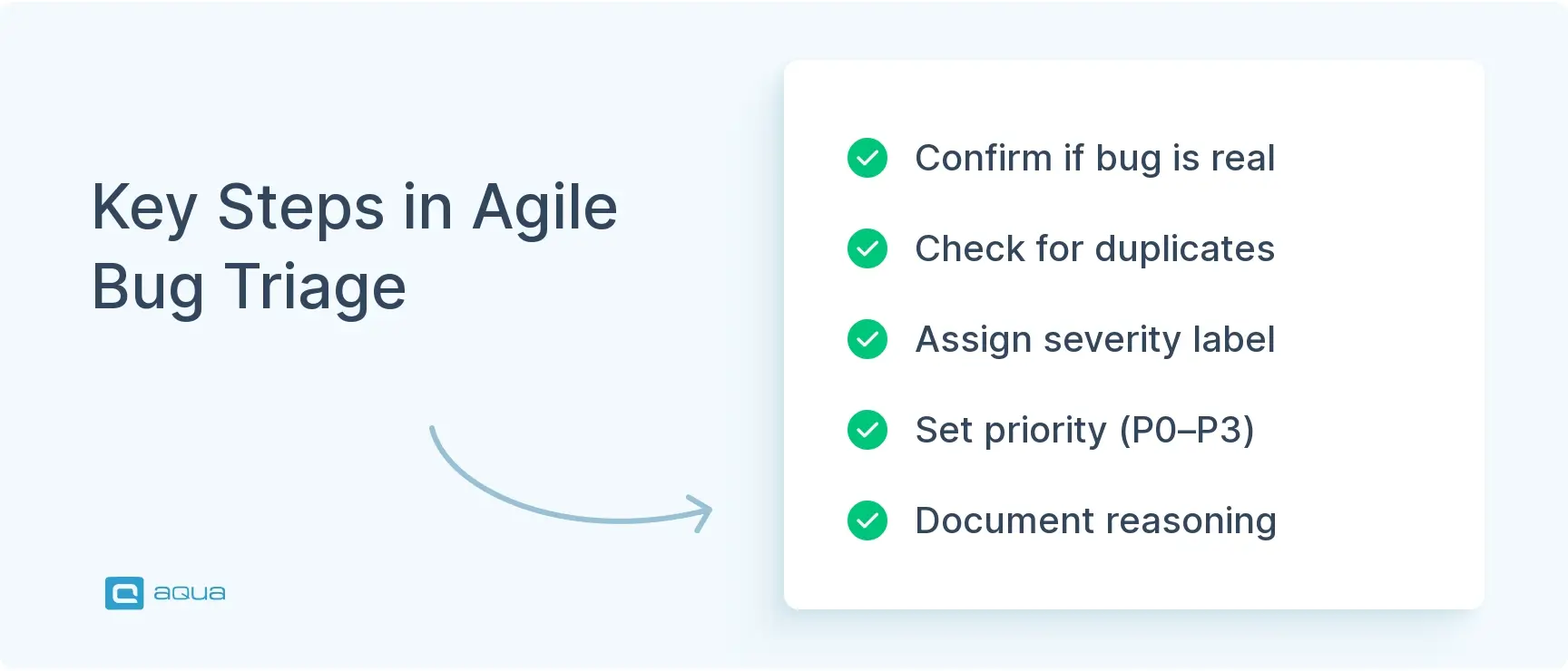
Running effective bug triage in agile projects comes down to a repeatable workflow your whole team can follow without overthinking it. Here is how it breaks down.
Initial Assessment
Before anything else, you need to confirm whether a reported issue is actually a bug. Not every ticket labeled “defect” holds water. Sometimes it is a misunderstood feature, a config error, or a duplicate of something already logged.
Ask these questions upfront:
Is it reproducible?
Does it exist in the current build, or was it already fixed?
Can it be recreated outside the reporter’s specific environment?
This step clears out false positives and duplicates before they clog your backlog. Bug #301 might turn out to be the same root issue as Bug #287, just described differently. Consolidating those saves developers from doing the same work twice. If a bug checks out as real and unique, it moves forward. If not, close it or send it back for more details.
Severity and Priority Assignment
Once a bug is confirmed, you need two labels on it: severity and priority.
Severity measures how badly it breaks things. Priority reflects how urgently it needs fixing given the business context. These two do not always line up. A low-severity typo in a CEO dashboard might be high priority because leadership sees it every day. A high-severity edge-case crash might be low priority because it takes five very specific steps no real user would ever follow.
A simple framework that works:
Severity
Definition
Critical
Blocks core functionality
High
Degrades an important feature
Medium
Noticeable but workable
Low
Cosmetic or minor
Priority
Definition
P0
Drop everything
P1
This sprint
P2
Next sprint
P3
Backlog
P0 and P1 bugs get pulled into active work immediately. P2 and P3 items queue up based on capacity. This removes the endless debate about what is more “urgent” because the criteria are already agreed on.
Documentation and Tracking
After a triage decision is made, log the reasoning behind it. Why did this bug get P1 instead of P0? What information led to that call? Anyone picking up the ticket three weeks later should be able to understand the context without hunting down meeting notes. Include affected components, verified reproduction steps, and any workarounds found.
Beyond individual tickets, look at trends across sprints. If 40% of your critical bugs trace back to the payment service, that is a clear signal something deeper needs attention. Good documentation turns triage from a reactive chore into a feedback loop that actually improves your codebase over time. Solid defect management strategies make this a lot easier to sustain.
Tools for Bug Triage in Agile
The right tool keeps triage decisions visible, trackable, and actionable. Here is what teams actually use.
Jira is the most common choice in Agile teams. Custom fields for severity and priority, sprint labels, shared boards, real-time comments. It integrates with pretty much everything in the Atlassian ecosystem. The tradeoff is setup overhead, which can feel heavy for smaller teams.
aqua cloud is an AI-powered QA management tool that integrates directly with Jira. It brings test management and bug triage into one place, so your QA workflow and defect tracking are not living in separate tools. The AI layer helps surface patterns and prioritization signals that would otherwise take manual digging to find. Worth a serious look if your team wants triage and test management working together without duct tape.
Bugzilla is open-source, handles high volumes well, and gives you full control over your workflow configuration. The interface is dated, but for teams managing multiple products or long-lived codebases, the deep defect history it maintains is genuinely useful.
BrowserStack is not a bug tracker, but it feeds your triage process with high-quality context. When QA catches a bug during cross-browser testing, BrowserStack attaches screenshots, console logs, and network activity automatically. That eliminates the “works on my machine” back-and-forth during triage sessions.
Linear is gaining ground with teams who find Jira too heavy. It is fast, keyboard-driven, and built around sprint workflows. Priorities get assigned with a keystroke, issues link to cycles, and the GitHub integration syncs pull requests with bug fixes automatically. A good fit for dev-heavy, fast-moving teams.
Here is a side-by-side look at how they stack up, keeping in mind the latest agile testing trends:
Tool
Custom Workflows
Real-Time Collaboration
Integration Ecosystem
Best For
aqua cloud
Strong
Excellent
Jira + more
QA-heavy teams wanting AI-assisted triage
Jira
Extensive
Moderate
Very Strong
Enterprise teams, complex projects
Bugzilla
High
Limited
Moderate
High-volume, open-source environments
BrowserStack
N/A (Testing)
Strong
Strong
Cross-browser defect validation
Linear
Moderate
Excellent
Growing
Fast-moving, dev-heavy teams
The tool matters less than how consistently your team uses it. Triage only works if everyone is logging in, updating tickets, and respecting the agreed priorities. Pick something that fits how your team already works, not something that looks good in a demo. Check out the best bug tracking tools to dig deeper into your options.
As you’ve seen, effective bug triage is the difference between Agile success and endless firefighting. But implementing the process is only half the battle. You need a platform that reinforces your triage discipline rather than fighting against it. aqua cloud delivers exactly this with its comprehensive defect management capabilities built specifically for Agile teams. Seamlessly integrate with Jira and Azure DevOps while maintaining complete test-to-defect traceability. Visualize your defect landscape with customizable dashboards that highlight bottlenecks and track resolution metrics in real time. The visual bug reporting with aqua Capture eliminates those frustrating “can’t reproduce” situations by automatically documenting screenshots, videos, and system logs. And with aqua’s domain-trained AI Copilot, your team gains an intelligent assistant that understands testing terminology and workflows, helping to automate repetitive documentation tasks and suggesting relevant context during triage sessions. Stop wasting precious sprint time on inefficient bug workflows and start delivering quality releases that keep stakeholders happy.
Transform your bug chaos into structured quality management with aqua cloud
Bug triage is the quality control valve that prevents your team from drowning in defects while chasing feature delivery. By assessing, prioritizing, and documenting bugs, you’re making conscious trade-offs about where to invest developer time instead of letting chaos dictate your sprint. The process turns reactive firefighting into proactive quality management, ensuring critical issues get fixed while low-impact quirks wait their turn. Does not matter if you’re conducting bug triage in agile project environments during sprint planning, post-testing cycles, or pre-release checkpoints; the discipline keeps everyone aligned on what “done” actually means.
The triage process in Agile means evaluating reported bugs to confirm they are real, then assigning severity and priority so the team knows what to fix now versus later. Teams typically run triage during sprint planning or after testing cycles. Using consistent bug reporting templates makes this faster because the information you need to make those calls is already there.
What is the difference between triage and debug?
Triage is the decision-making step. It answers which defects to fix and when. Debugging is the technical work of finding the root cause and fixing it. Triage happens first and determines whether a bug is even worth sending to a developer.
How can teams prioritize bugs effectively during Agile sprint planning?
Combine severity with business impact. How broken is the functionality, and how many users does it affect? Critical and high-priority bugs go into the current sprint immediately. Medium and low items compete with feature work based on capacity and stakeholder input. Keep product owners in the room so user impact gets weighed against roadmap goals.
What is bug triage, and why does it matter in agile projects?
Bug triage is the process of reviewing reported defects and deciding which ones get fixed, when, and by whom. In agile projects it keeps teams focused on what actually affects users instead of burning time on low-impact issues. Without it, backlogs pile up and sprint planning becomes guesswork.
What role does bug triage play in improving Agile release cycles?
Bug triage keeps release cycles from going off the rails by making sure teams are not wasting time on low-impact defects or duplicates. It creates a clear, prioritized queue developers can work through without constant context-switching. That focus cuts down on re
Home » Best practices » Effective Bug Triage in Agile: Streamlining Defect Management
Do you love testing as we do?
Join our community of enthusiastic experts! Get new posts from the aqua blog directly in your inbox. QA trends, community discussion overviews, insightful tips — you’ll love it!
We're committed to your privacy. Aqua uses the information you provide to us to contact you about our relevant content, products, and services. You may unsubscribe from these communications at any time. For more information, check out our Privacy policy.
X
🤖 Exciting new updates to aqua AI Assistant are now available! 🎉
We use cookies and third-party services that store or retrieve information on the end device of our visitors. This data is processed and used to optimize our website and continuously improve it. We require your consent fro the storage, retrieval, and processing of this data. You can revoke your consent at any time by clicking on a link in the bottom section of our website.
For more information, please see our Privacy Policy.
This website uses cookies to improve your experience while you navigate through the website. Out of these, the cookies that are categorized as necessary are stored on your browser as they are essential for the working of basic functionalities of the website. We also use third-party cookies that help us analyze and understand how you use this website. These cookies will be stored in your browser only with your consent. You also have the option to opt-out of these cookies. But opting out of some of these cookies may affect your browsing experience.
Necessary cookies are absolutely essential for the website to function properly. These cookies ensure basic functionalities and security features of the website, anonymously.
Cookie
Duration
Description
cookielawinfo-checkbox-analytics
11 months
This cookie is set by GDPR Cookie Consent plugin. The cookie is used to store the user consent for the cookies in the category "Analytics".
cookielawinfo-checkbox-functional
11 months
The cookie is set by GDPR cookie consent to record the user consent for the cookies in the category "Functional".
cookielawinfo-checkbox-necessary
11 months
This cookie is set by GDPR Cookie Consent plugin. The cookies is used to store the user consent for the cookies in the category "Necessary".
cookielawinfo-checkbox-others
11 months
This cookie is set by GDPR Cookie Consent plugin. The cookie is used to store the user consent for the cookies in the category "Other.
cookielawinfo-checkbox-performance
11 months
This cookie is set by GDPR Cookie Consent plugin. The cookie is used to store the user consent for the cookies in the category "Performance".
viewed_cookie_policy
11 months
The cookie is set by the GDPR Cookie Consent plugin and is used to store whether or not user has consented to the use of cookies. It does not store any personal data.
Functional cookies help to perform certain functionalities like sharing the content of the website on social media platforms, collect feedbacks, and other third-party features.
Performance cookies are used to understand and analyze the key performance indexes of the website which helps in delivering a better user experience for the visitors.
Analytical cookies are used to understand how visitors interact with the website. These cookies help provide information on metrics the number of visitors, bounce rate, traffic source, etc.
Advertisement cookies are used to provide visitors with relevant ads and marketing campaigns. These cookies track visitors across websites and collect information to provide customized ads.






 Bankingaqua ALM helps banks increase testing productivity by over 50%