Test cases for search functionality prove that a user can type a query and get the right results quickly, and that odd input doesn't break anything. The rigor is the same as in credit card test cases: exact inputs, measurable results, and as many failure paths as success paths. This guide covers the cases for each part of search, from the input field to autocomplete, filters, security, and mobile.
Search functionality testing checks that users find what they need, that bad input fails safely, and that results arrive fast under load.
A good test case is specific and measurable. Write “Search ‘wireless headphones’ and confirm results contain ‘wireless’ or ‘headphones’ within 2 seconds,” not “test search works.”
Negative cases show how the system fails: empty queries, injection strings, very long input, and rapid repeated searches.
E-commerce search has its own risks, like out-of-stock items, SKU lookups, and price range queries.
Mobile search needs separate cases for touch input, voice, offline behavior, and rotation without losing state.
When search breaks, users leave, and when it works they buy. Here are the test cases that cover it, from the input box to the API.
What Is Search Functionality Testing?
Search functionality testing checks that a search feature behaves correctly under normal, unusual, and hostile conditions. You’re confirming that the right results appear, in the right order, fast enough that users stay.
Users ask for things in endless ways. Some queries are clear, some are vague, and some contain typos or nonsense. The search has to handle all of them without crashing or returning junk.
It’s a form of functional testing, so the same method applies whether you test a web shop or an enterprise system, as in functional testing in SAP. It also reaches into several layers:
Front end – The input field, autocomplete dropdown, filters, and results display.
Back end – The ranking and retrieval logic.
API – The endpoint that serves mobile apps and integrations.
Database – Speed and accuracy under load.
Each layer can fail on its own, so each needs its own cases.
Writing comprehensive test cases for search functionality and covering positive scenarios, negative flows, edge cases, security checks, and performance benchmarks can quickly become overwhelming.
What if you could generate dozens of contextually relevant test cases in seconds instead of spending hours manually documenting each scenario? That’s where aqua cloud transforms your testing workflow. With aqua’s domain-trained aqua Intelligence, powered by RAG grounding, you can generate detailed test cases directly from your search feature requirements, complete with coverage for autocomplete, filters, sorting, and security validation. Unlike generic AI tools that produce surface-level suggestions, aqua’s AI learns from your project’s own documentation, understanding your specific terminology, user flows, and business logic, to deliver test cases that are immediately actionable and project-specific. You gain instant coverage verification, automatic requirement linking, and the ability to iterate until every edge case is captured. With integrations across Jira, CI/CD pipelines, and browser extensions like Capture, aqua brings your entire testing ecosystem together in one intelligent platform.
Save up to 43% of test design time with AI that knows your project inside out
Start by splitting search into parts: input field, trigger, autocomplete, filters, sorting, pagination, and results. Give each part its own cases. A functional testing template gives you a consistent structure to copy across all of them.
For the input field, test character limits, special characters, and localization. The approach matches credit card number test cases, which check length, format, and special character handling. For results, test relevance, ranking, load time, and what happens with zero hits or a huge set.
Write each case with these fields:
Objective – One sentence on what you’re proving.
Preconditions – User state and loaded test data.
Steps – Numbered, one action each.
Expected result – Something you can measure, such as a result list sorted by relevance within 2 seconds.
Actual result and status – Filled in during the run.
Run the same case with many inputs. Data-driven runs through functional testing tools cover many queries without duplicating the case.
Involve the people who own the pieces. Developers know how indexing works, product managers know what “relevant” means, and security cares about injection. Agree on acceptance criteria first, and the cases become a shared definition of working search. A platform like aqua cloud keeps those cases linked to requirements as the product changes.
Positive Test Cases for Search Functionality
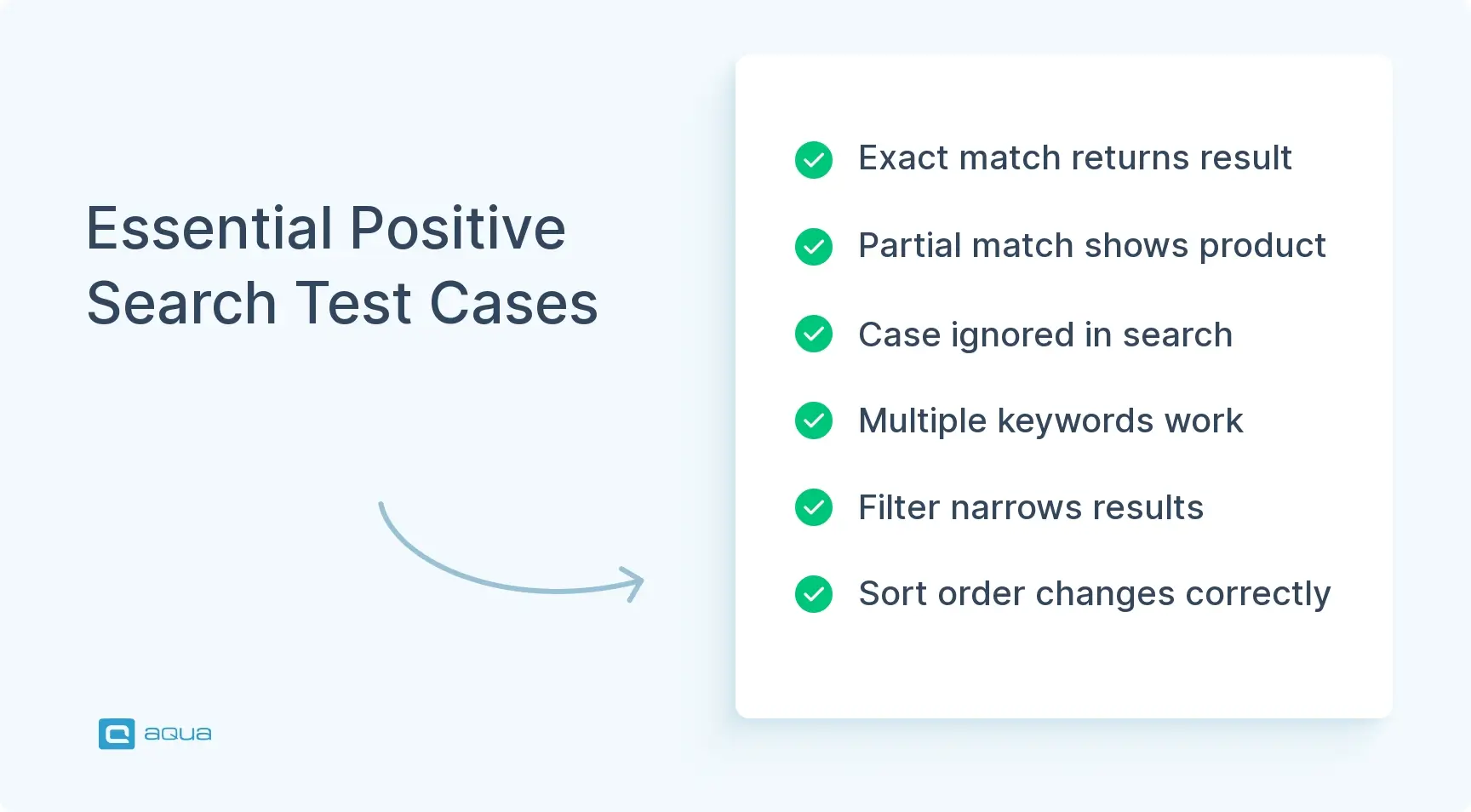
Positive cases confirm search works when users behave normally.
Exact match – Search a product name that exists. It appears in the results.
Partial keyword – Search “blue shirt” when the product is “Blue Cotton Shirt.” It appears.
Case insensitivity – “LAPTOP,” “laptop,” and “LaPtOp” return the same results.
Multiple keywords – Enter two words. Results contain both, or rank by how well they match.
Keyword plus filter – Search “sneakers” with the “Men’s Shoes” category. Only matching items show.
Sorting – Search, then sort by price, rating, or date. The order changes correctly.
Negative Test Cases for Search Functionality
Negative cases push the limits. They show how the system fails and whether the error handling holds. Negative test cases for credit card forms follow the same idea: feed bad input and confirm a clean failure.
Empty query – Submit a blank search. The system prompts the user or shows a clear message.
Invalid characters – Enter @#$%^&*. The system handles them without crashing.
Very long input – Paste 10,000 characters. The field enforces a limit or truncates cleanly.
SQL injection – Enter ' OR '1'='1. The system sanitizes it and exposes no data.
Non-existent term – Search for something that can’t exist. A “no results” message appears, not an error.
Rapid repeated searches – Click search many times fast. The system doesn’t queue redundant requests or hang.
Search Input Field Test Cases
If the input field breaks, nothing downstream matters.
Character limit – The field enforces its maximum, such as 255 characters.
Placeholder text – It shows when the field is empty and disappears on focus.
Special characters – <, >, &, and emojis are accepted or rejected as the requirements say.
Copy and paste – Pasted text loses stray formatting.
Tab navigation – Tab moves focus to the field and shows a visible focus state.
Clear button – If one exists, it empties the field and resets the active search.
Search Results Test Cases
The results page is where users decide whether to trust your search.
Search Functionality Test Cases for E-commerce Websites
In a shop, search leads straight to checkout, so errors cost sales. Pair these cases with test cases for online credit card payment, since a good search result that ends in a broken payment still loses the order.
Availability – Out-of-stock items are hidden or clearly flagged.
Price range – Searching “$50 – $100” returns only products in that range.
Category scope – Searching “shoes” inside “Men’s Fashion” stays in that category.
SKU or model number – A SKU returns the exact product.
Sale filter – “On Sale” shows only discounted items.
Recently viewed – The section appears and reflects the user’s browsing.
Once the buyer clicks through, the payment flow takes over. The test cases for credit card payment cover that stage, and your credit card payment test cases should run in the same release as your search changes.
Search Security Test Cases
A search bar is an attack surface. Test input handling, access control, and data exposure. The mindset is the same as in credit card authentication test cases: confirm that only the right people see the right data.
SQL injection – Payloads are rejected or sanitized, with no database errors shown.
XSS – <script>alert('XSS')</script> is escaped or stripped.
Authorization – Unauthorized users can’t find restricted content through search.
HTTPS – Search requests go over HTTPS only.
Rate limiting – Rapid-fire requests are throttled or blocked.
Data exposure – Searching terms like “password” or “admin” doesn’t surface internal data.
Search Performance Test Cases
Slow search sends users elsewhere. Measure speed and stability.
Response time – Results arrive under your threshold, such as 2 seconds.
Concurrent load – Hundreds of simultaneous searches keep response times steady.
Large datasets – Searching millions of records returns results without timeouts.
Indexing speed – New products show up in search within the expected window.
Caching – A repeated search is faster the second time.
Filters under load – Multiple filters during a load test don’t degrade performance.
Search UI and Usability Test Cases
A search that works but is hard to use still fails.
Visibility – The search field is easy to find on every page.
Keyboard access – The whole flow works with a keyboard alone.
Screen readers – Elements are announced correctly.
Responsive layout – The interface fits small screens without layout breaks.
Loading indicator – A spinner shows while results load.
Error messages – Messages are clear and free of technical jargon.
Search Functionality API Test Cases
Mobile apps and integrations use the search API directly, so test it on its own.
Valid query – A GET or POST with a keyword returns 200 and correct JSON.
Empty query – The API returns a meaningful error, such as 400 Bad Request.
Invalid endpoint – A request to a path that doesn’t exist returns 404.
Authentication – Unauthenticated requests get 401 or 403.
Rate limiting – Exceeding the limit returns 429 Too Many Requests.
Pagination – ?page=2&limit=20 returns the right slice of results.
Search Functionality Test Cases for Mobile Applications
Mobile adds small screens, touch input, and unreliable networks.
Touch response – Tapping the field opens the keyboard without delay.
Voice search – Spoken input is transcribed accurately and searched.
Autocomplete on mobile – Suggestions are large enough to tap and don’t cover other controls.
Offline handling – With no network, the app shows a clear message instead of hanging.
Rotation – Rotating the device keeps the typed query and state.
Gestures – Swipe-to-dismiss works on suggestions and results.
Search Edge Case Test Cases
Edge cases find the bugs most users never hit, though some always do.
Single character – Searching “a” doesn’t crash or return an unmanageable list.
Only spaces – Spaces are treated as empty or trimmed.
Mixed languages – “laptop ordinateur” returns sensible results.
Emojis – Searching 🔍 or 🛒 is handled gracefully.
Very large result set – A broad term like “product” paginates correctly.
High latency – On a slow network, the UI doesn’t freeze or time out silently.
Best Practices for Testing Search Functionality
Search keeps changing as your catalog and ranking rules change, so the test suite needs upkeep.
Automate stable cases – Selenium, Cypress, or Playwright can run repeatable search checks on every build.
Use production-like data – Synthetic data hides ranking and relevance problems.
Test every browser and device – Search that works in Chrome can still break in Safari or on mobile.
Test with real users – Usability sessions show what technical tests miss.
Work with developers – They know the indexing and edge cases.
Treat your suite like your best payment suite. Teams that already maintain test cases for credit card flows know the pattern: wide coverage, clear data, and regular pruning. The same discipline applies to test cases for credit card fraud detection, where rules change often and cases have to keep up, and to test cases for credit card application forms, where input validation carries most of the risk. In all of them, stale cases give false confidence.
Input field limits, placeholder, and clear button work
Results are relevant, paginated, and counted correctly
Zero-result message is helpful
Autocomplete suggests, navigates, and dismisses correctly
Filters and sorting work alone and together
Boolean operators, phrases, and wildcards behave
SQL injection and XSS are blocked
Response time meets the target under load
Keyboard, screen reader, and responsive checks pass
API returns correct codes for valid, empty, and unauthorized requests
Mobile touch, voice, offline, and rotation cases pass
Edge cases covered: single character, emojis, huge result sets
Cross-browser and cross-device runs done
Automated tests run in the CI/CD pipeline
You’ve just walked through dozens of test case categories like input validation, result accuracy, autocomplete, filters, security, performance, mobile scenarios, and edge cases. Now imagine generating all of them in seconds rather than days. aqua cloud eliminates the tedious manual work of writing and organizing test cases via aqua Intelligence with RAG grounding; technology that generates ones grounded in your actual project context and documentation. Whether you’re testing an e-commerce search engine or a SaaS documentation portal, aqua instantly creates comprehensive test scenarios covering positive flows, negative cases, security vulnerabilities, and performance benchmarks. You get 100% traceability from requirements to execution, seamless Jira and Azure DevOps integration, and real-time dashboards that show exactly where your coverage stands. With 42% of AI-generated test cases requiring zero edits, your team can focus on exploratory testing and high-value analysis instead of repetitive documentation. aqua unifies manual and automated testing, keeps your data private and secure, and delivers measurable productivity gains—teams report saving over 12 hours per week per tester.
Achieve 100% test coverage and save 12+ hours per week with aqua's intelligent test management
Good test cases for search functionality prove two things: users find what they want, and nothing breaks when they type something strange. Start with positive and negative cases, then add filters, autocomplete, security, and performance. Finish with the API, mobile, and edge cases that catch the rest.
Keep the cases specific, automate the stable ones, and review them as your catalog and ranking rules change. Search is a feature users expect to just work, and a tested search is how you deliver that.
What are the most important test cases for search functionality?
Start with an exact match, a partial match, and a no-results query. Add an empty query, special characters, and a SQL injection attempt. Then cover filters, sorting, pagination, and response time. These show whether search finds the right items and fails safely.
How do you test a search function?
Break it into parts: input field, autocomplete, results, filters, sorting, and API. Write positive and negative cases for each, with exact inputs and measurable results. Run the same cases across browsers and devices, and add performance and security checks. Automate the repeatable ones so every build gets tested.
What are positive and negative test cases for search functionality?
Positive cases use normal input and expect correct results, such as searching “blue shirt” and seeing the matching product. Negative cases use bad input and expect a safe failure, such as an empty query, a 10,000-character string, or an injection attempt. A negative case passes when the system shows a clear message and doesn’t crash or leak data.
How do you test search filters, sorting, and autocomplete?
For filters, apply one, then several, then conflicting ones, and check that result counts update. For sorting, check ascending and descending orders and confirm the sort survives pagination. For autocomplete, check speed, relevance, keyboard selection, click selection, and dismissal. Test all three together too, since filter and sort bugs often show up only in combination.
What edge cases should be tested for a search function?
Try a single character, only spaces, mixed languages, and emojis. Test a broad term that returns thousands of results, and a search on a slow network. Also test very long input and rapid repeated searches. These are rare for users but common causes of crashes and timeouts.
Nurlan, a QA Coordinator & Quality Standards Officer, takes pride in orchestrating seamless QA operations. His expertise in coordinating QA-focused projects and integrating QA solutions has consistently yielded top-tier client satisfaction. Aside from a full-time QA coordinator, Nurlan's role involves creating compelling content that educates…
Enhancement of the aqua product is Martin’s main responsibility and biggest mission. His expertise covers ITIL Process Consulting, Change Management, Quality Assurance, Quality Management, and Requirements Management. Martin works in QA services for regulated industries for more than 18 years being an irreplaceable leader at…
Join our community of enthusiastic experts! Get new posts from the aqua blog directly in your inbox. QA trends, community discussion overviews, insightful tips — you’ll love it!
We're committed to your privacy. Aqua uses the information you provide to us to contact you about our relevant content, products, and services. You may unsubscribe from these communications at any time. For more information, check out our Privacy policy.
X
🤖 Exciting new updates to aqua Intelligence are now available! 🎉