What is Grey Box Testing? Best Techniques & Examples
Testing software is a lot like detective work. You need the right tools, a keen eye for detail, and sometimes, a little insider information. If you ever wanted to test an application like a regular user but also wished you had some knowledge of what's happening behind the scenes, you are at the right address. Because that's exactly where grey box testing comes in. It's the perfect middle ground that gives you just enough internal system knowledge to be dangerous (in a good way). Let’s discover why it matters, techniques that actually work, and real examples that show its value in action together.
Grey box testing sits comfortably betweenblack box andwhite box testing methodologies. Think of it as testing with X-ray glasses, as you can see some of the internal structures, but not at the code level.
In this approach, testers have partial knowledge of the application’s internal workings. They might have access to design documents, database schemas, or architectural diagrams, but they don’t necessarily see the full source code. This type of visibility allows testers to create more targeted test cases while still maintaining an end-user perspective.
Key characteristics of grey box testing include:
Partial knowledge: Testers work with limited information about internal structures and algorithms
Balanced perspective: Combines the user-focused approach of black box testing with technical insights from white box testing
Practical compromise: Offers deeper testing than black box testing without requiring the extensive code knowledge of white box testing
Strategic insight: Allows testers to focus on high-risk areas and critical integration points
Implementation flexibility: Can be performed by testers who understand system architecture but aren’t necessarily programmers
Grey Box Testing Purpose
Grey box testing is all about software quality testing with just enough insight. You don’t have full access to the code, but you know how the system is built and where the weak spots might be. That knowledge helps you focus your tests where they matter most. It’s like checking how different components talk to each other or validating if business logic is working as expected.It’s especially useful for catching integration issues that black box testing might miss. Maybe you know there’s a service handling payment processing, so you check how data flows in and out of it. It also helps when testing for security—having some system knowledge lets you simulate more realistic attack scenarios. And if you’re working with test automation, that extra context makes it easier to design tests that actually reflect how the system behaves behind the scenes.In short, grey box testing helps you test smarter. You spend less time guessing and more time finding the bugs that actually matter.
Features of Grey Box Testing
Grey box testing brings together the best aspects of black box and white box testing while adding its own unique benefits. It’s particularly valuable if you’re working with complex, integrated systems.
The defining features that make grey box testing effective include:
Context-aware testing: Tests are designed with knowledge of the system’s structure, allowing testers to focus on potential problem areas and integration points. For example, knowing that a shopping cart connects to inventory and payment systems helps create tests that verify data consistency across these components.
Enhanced defect detection: The partial knowledge of the system’s internals helps testers find bugs that might be missed in black box testing. It applies particularly to areas like data handling, security vulnerabilities, and integration issues.
User-centric verification: Despite the technical insights, tests still maintain an external perspective. It ensures the software meets user requirements and expectations.
Flexibility in test design: You can create tests to target specific modules, functions, or interfaces based on the available design documentation and architectural understanding.
Support for both manual and automated approaches: Grey box testing works well withtest automation tools like Selenium or Appium, where tests can simulate user actions while also verifying internal states or data integrity.
Database validation: Testers can verify that frontend actions correctly update backend databases, catching subtle data integrity issues.
API testing capabilities: With knowledge of API specifications, testers can validate that endpoints behave correctly while also checking associated data changes.
Advantages of Grey Box Testing
Grey box testing strikes a smart balance between depth and efficiency. You’re not going in blind, but you’re not buried in source code either. That partial visibility gives you just enough context to be strategic about where to look, and where things are most likely to break.
One of the biggest advantages is improved test coverage. When you know how the system is structured, it’s easier to test the places where user actions interact with internal processes. This means fewer gaps and more confidence in your testing outcomes. It also helps speed things up: instead of wasting time on low-risk areas, you can focus on the parts of the application that are more fragile or complex.
There’s also a huge benefit in how issues are reported. Grey box testers can describe not just what broke, but often why. That added context makes bug fixing faster for developers and keeps the feedback loop tighter. Integration problems, which often fall through the cracks in pure black box testing, are easier to spot early, especially at the points where components hand off data.
Security testing also gets a boost. Having some knowledge of the system helps simulate more realistic attack vectors without needing full access. And importantly, testers still think like end-users. Unlike white box testing, grey box testing keeps a foot in the user experience while offering a technical edge that helps QA stay ahead.
For agile teams, it’s a great fit. You don’t have to wait for full specs or code access, and you can evolve tests alongside the system without rewriting everything from scratch. The result is a faster, smarter, and more adaptable QA process.
In short:
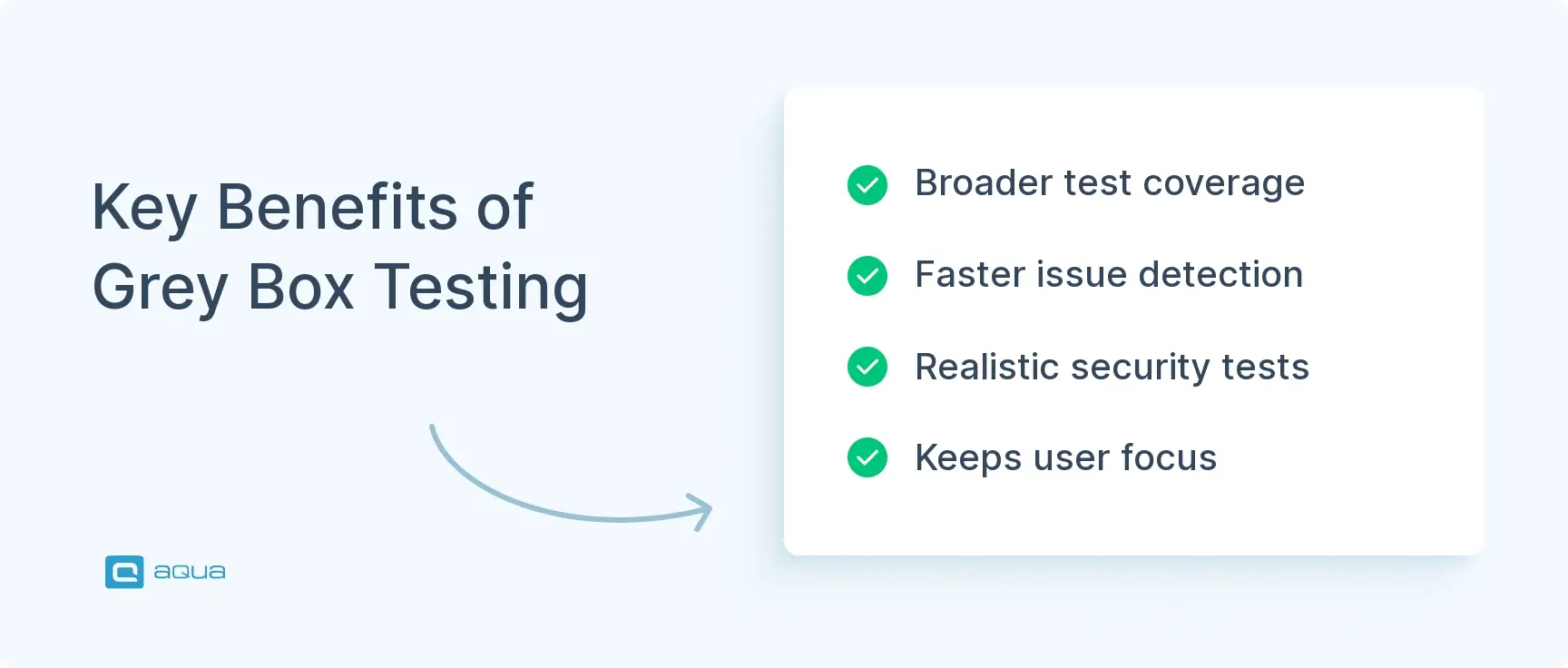
Broader test coverage
Faster issue detection
Realistic security testing
Keeps user focus
Disadvantages of Grey Box Testing
As flexible as grey box testing is, it’s not without its trade-offs. The most obvious? You’re still working without full visibility. That means some defects, especially ones buried in complex logic or error-handling routines, can stay hidden. It’s a step up from black box testing in terms of insight, but not quite as thorough as white box.
Another challenge is linking bugs to their exact code location. Since you only have partial system knowledge, it’s not always clear where a failure originates. This can slow down debugging or lead to miscommunication between QA and development teams.
Grey box testing also asks more of your testers. It’s not enough to know how the product should behave—you also need a working understanding of the architecture behind it. That can require training or limit who on the team can take it on effectively. Writing these tests can also be more complex; it takes a thoughtful balance between technical insight and user behaviour to create something meaningful.
And while testers often focus on known components (because that’s what they have visibility into), it’s easy to unintentionally neglect undocumented areas of the system. This tunnel vision can lead to blind spots in coverage. Plus, if the system changes significantly—like a refactor or new backend architecture—your test cases may need a full review or even a rewrite to stay useful.
In short:
Partial visibility
Requires technical skill
Harder to maintain
Potential blind spots
Now we should explore the different grey box testing techniques to ensure you understand the process better.
Grey Box Testing Techniques
Grey box testing isn’t a fixed recipe. It’s more like a toolkit. Depending on what you’re testing and how much of the system you understand, there are different ways to approach it. The goal is simple: use what you know to design tests that hit where issues are most likely to hide. Let’s break down these techniques, one by one.
Matrix Testing
Matrix testing helps you make sense of complex combinations. You start by mapping out key variables like user roles, input types, or configurations, and how they interact under different conditions. The idea is to make sure you’re not missing combinations that could quietly cause issues. It’s especially useful when the number of possible interactions is high and you want a structured way to cover them without testing everything manually.
This one’s all about learning from the past. Pattern testing looks at where bugs have historically shown up, specific modules, workflows, or integration points, and uses that insight to guide current testing efforts. If certain features tend to break, this method helps you get ahead of the problem instead of reacting to it. It’s less guesswork, more strategy.
Key focus: defect history, high-risk areas
Orthogonal Array Testing
When you’re faced with too many input combinations to test them all, orthogonal array testing offers a smart shortcut. It uses statistical models to pick a small but powerful set of test cases that still cover a wide range of scenarios. You’re not testing everything, but you’re testing the right things. It’s ideal for complex systems where exhaustive testing just isn’t realistic.
Key focus: minimal tests, maximum coverage
Regression Testing
In grey box regression testing, the trick is knowing where to look after a change. Instead of re-running every test, you focus on the parts of the system most likely impacted by the update. That might be a specific service, data flow, or integration point. By using what you know about the system’s internals, you save time and catch meaningful breakages faster.
Key focus: architecture-aware rechecks
State Transition Testing
Applications often behave differently depending on where they are in a workflow; logged in vs. logged out, draft vs. published, and so on. State transition testing checks those shifts. You model how the system moves between states, then test the transitions to make sure nothing unexpected happens. Partial knowledge of how states are managed behind the scenes helps you spot issues that might otherwise be missed.
Key focus: workflow logic, system behaviour over time
Decision Table Testing
When business rules get complicated, decision tables help untangle them. You map out different input conditions alongside their expected outcomes, then use those combinations to design your tests. With a grey box lens, you apply your understanding of the system’s logic to ensure you’re testing real-world scenarios, not just theoretical ones.
Key focus: rule coverage, condition combinations
API Testing
APIs connect the moving parts of your system, and they’re often where things go wrong. In grey box testing, you use API documentation and your knowledge of how services interact to design meaningful tests. You’re not just checking if a request returns 200 OK; you’re validating data integrity, response behaviour, and whether downstream components handle the output correctly.
This technique is all about tracing how data moves and transforms across your application. You follow the path from input to output, checking whether data is stored, modified, and passed between components the way it should be. Grey box testing gives you enough visibility to spot where things might get lost or mishandled along the way, especially across service boundaries.
Key focus: data lifecycle, processing integrity
As mentioned above, it’s a collection of practical techniques that make use of what you do know about the system. Each of these methods helps you focus your effort, uncover smarter bugs, and build confidence in the areas that matter most.
Testing software requires the right balance of tools and techniques, especially when you’re aiming for that perfect middle ground between black box and white box approaches. While grey box testing gives you some visibility into a system’s inner workings, managing these hybrid test scenarios can quickly become complex without the right platform.
This is where aqua cloud excels. Our test management system streamlines grey box testing by providing comprehensive test case management with AI-powered assistance that generates test cases covering both user experiences and internal system behaviours. With aqua, you can easily design tests that target those critical architectural weak points you’ve identified in your documentation, while maintaining full traceability between requirements, test cases, and results. The built-in AI Copilot automatically incorporates industry-standard test design techniques like boundary value analysis and decision table testing, essential methods for effective grey box testing. By centralising both manual and automated testing in one intuitive platform, aqua ensures no integration point or data flow goes untested.
Achieve balanced, comprehensive testing with 40% less manual QA effort using aqua cloud
Grey box testing works best when you approach it with just enough context to be strategic, without falling into over-engineering. Here’s how to make it practical:
Start by gathering what you need to understand how the system behaves under the hood. That could be API specs, database structure, or a quick walkthrough with a developer. You don’t need full source code access; just enough to know where the risks are.
Next, focus your effort. Identify areas where modules interact, where data flows across boundaries, or where logic tends to break. Grey box testing is most valuable when it’s used to validate integration points, internal workflows, or business rules that aren’t obvious from the UI alone.
Design test cases that blend both views: simulate user actions, but with awareness of what’s happening behind the scenes. If you’re testing a checkout flow, for example, you might validate the front-end experience and check whether the order object is created correctly in the backend. Mix in both typical and edge cases, especially ones that touch on known problem areas or recent changes.
Run the tests in a setup that gives you visibility. Whether it’s logs, monitoring tools, or API traces, use whatever access you have to verify that the system is doing what it should internally, not just on the surface.
Finally, when something breaks, report it with enough technical detail to be useful. Grey box testing adds value by narrowing down where the problem likely is, not just that it exists.
A black box is testing something without any advanced knowledge of the inner workings. Grey has a little knowledge of the inner workings. White is complete knowledge of inner workings.
Use partial system knowledge to test smarter, not broader
Focus on integration, logic, and data flow, not just UI
Design tests that simulate real users, but verify internal behaviour
Observe both outcomes and what’s happening under the hood
Report issues with enough context to speed up debugging
Now that we know the theory, let’s put all we know into practice.
Example of a Grey Box Testing
Want a practical example of grey box testing? We take a scenario for a banking application’s funds transfer feature:
Scenario: Testing a funds transfer function in a banking application
Grey box knowledge available: Database schema showing account tables, API documentation for the transfer service, and system architecture showing the components involved in transfers (authentication, account validation, transaction processing, notification services).
Test approach:
1. Test case design: Create test cases that cover various transfer scenarios (valid transfers, insufficient funds, invalid accounts, etc.), focusing on the interactions between the components identified in the architecture.
2. Test execution for a valid transfer:
Log in as a test user (frontend action)
Initiate a transfer of $100 from Account A to Account B (frontend action)
Verify that the success message appears (black box verification)
Check the database directly to confirm Account A was debited $100 and Account B was credited $100 (grey box verification)
Verify the transaction history table has a correct entry with the proper status (grey box verification)
Confirm the notification service triggered a confirmation message (grey box verification using logs)
3. Test execution for an edge case – concurrent transfers:
Using knowledge of the system architecture, set up a test to simulate two concurrent transfers from the same account
Execute the transfers nearly simultaneously
Check not only the user interface response but also verify database transactions to ensure proper locking mechanisms prevent double-spending
Review transaction logs to confirm proper sequencing of operations
This example shows how grey box testing combines the user perspective (logging in, initiating transfers, seeing success messages) with internal verification (database checks, log reviews) to provide comprehensive testing that would be impossible with black box testing alone.
Best Grey Box Testing Tools
You don’t need a massive tool stack to do grey box testing well. You just need the right ones that give you visibility into what’s happening beneath the surface. Here are some of the most useful tools that blend frontend interactions with backend insight:
Selenium / Appium: These are the go-to tools for automating browser and mobile interactions. With Selenium for web and Appium for mobile, you can run realistic user flows while also capturing logs, watching network traffic, and verifying background behaviour. They’re great for checking that a UI action triggers the right backend changes.
Postman: Postman isn’t just for developers. It’s essential for QA too. It lets you test APIs directly, automate calls, and validate responses. More importantly for grey box testing, you can use it to check side effects, like whether the right data was saved or the correct status was returned.
Cypress: For modern web apps, Cypress gives you a ton of control. It runs in the browser, so you can see what’s happening in real time, while also inspecting DOM changes, intercepting network calls, and validating internal states during user flows.
Chrome DevTools: Sometimes, built-in tools do the job just fine. With DevTools, you can inspect frontend behaviour, network requests, console errors, and storage changes; all of which give you a semi-inside view that’s perfect for grey box testing.
Database Clients (like DBeaver or MySQL Workbench): To really verify what your application is doing, it helps to peek into the database. These tools let you check whether form submissions, API calls, or transactions actually land where they should, and in the right format.
Burp Suite: If you’re testing anything security-related, Burp Suite gives you visibility into HTTP requests and responses, with the ability to intercept and modify them. It’s especially useful for checking how inputs are handled behind the scenes and for simulating real-world misuse.
In summary:
Combine frontend and backend checks
Use tools that give you visibility beyond the UI
Focus on what changes under the hood when users take action
Comparison with Black Box and White Box Testing
To know when grey box testing makes sense, it helps to see how it stacks up against black box and white box approaches. Each method has its strengths depending on the context, and understanding their differences can help you choose the right one at the right time.:
Aspect
Black Box Testing
Gray Box Testing
White Box Testing
Definition
Testing with no knowledge of internal code or structure
Testing with partial knowledge of internal structure
Code analyzers, debuggers, unit testing frameworks
When to use
User acceptance testing, system testing
Integration testing, security testing, data validation
Unit testing, code review, algorithm validation
Grey box testing sits comfortably between the two extremes. It gives you just enough visibility to test smarter without needing deep developer access. For teams looking to balance technical depth with user-centric testing, it often offers the best of both worlds.
Conclusion
Grey box testing gives you the edge when full code access isn’t an option, but surface-level testing won’t cut it. It’s about using what you do know to make your testing sharper, faster, and more relevant, especially in systems where components constantly interact and evolve. For teams working in fast-paced, complex environments, it’s a practical way to find smarter bugs and ship better software.
To truly excel at grey box testing, you need a platform that supports this balanced approach. aqua cloud is designed specifically to enhance your grey box testing capabilities with powerful test management features and AI-driven assistance. Our platform helps you organise tests around critical components and integration points, automatically generate comprehensive test cases using industry-standard techniques, and maintain complete traceability throughout your testing lifecycle. With aqua’s AI Copilot, you can transform architectural diagrams and requirements into targeted test cases in seconds, saving up to 97% of time spent on test creation. The platform’s flexible workflow allows you to verify both user-visible outputs and internal system states, making it perfect for the grey box approach. And with seamless integration with tools like Selenium, Postman, and database clients, aqua becomes your comprehensive command centre for all testing activities.
Transform your grey box testing approach and achieve 100% test coverage with minimal effort
What is the difference between grey box and black box testing?
While black box testing examines software solely from the user’s perspective with no knowledge of internals, grey box testing incorporates partial knowledge of the system’s architecture and design. Grey box testers can access documentation, database schemas, or APIs, allowing them to create more targeted tests that still maintain a user perspective.
Who performs grey box testing?
Grey box testing is typically performed by QA engineers or testers who have some technical knowledge about the system’s architecture but aren’t necessarily developers. These testers understand concepts like databases, APIs, and system design, but don’t need to read or write the application’s source code.
Is API testing a grey box?
Yes, API testing is often considered a grey box testing approach. Testers have knowledge of the API specifications and endpoints (internal knowledge) but don’t necessarily know how those APIs are implemented in code. They test both the API responses and often verify the resulting data changes in the system.
What is an example of a grey box test?
A common example is testing an e-commerce checkout process where the tester not only verifies the user interface flow but also checks the database directly to ensure order details are correctly stored, payment records are created, and inventory is updated. The tester uses knowledge of the database structure without accessing the application code.
What is grey box testing in software testing?
Grey box testing in software testing is a methodology that combines elements of both black box and white box testing. In this approach, testers have partial knowledge of the internal workings of an application—such as access to documentation, database schemas, or APIs—but not full access to source code. This balanced approach allows testers to create more targeted and effective tests while still maintaining an end-user perspective.
What is the grey box testing definition?
Grey box testing definition: A software testing approach where testers have partial but limited knowledge of an application’s internal structure and design. It sits between black box testing (no internal knowledge) and white box testing (full code access), providing testers with architectural understanding without requiring source code expertise.
Home » Best practices » What is Grey Box Testing? Best Techniques & Examples
Do you love testing as we do?
Join our community of enthusiastic experts! Get new posts from the aqua blog directly in your inbox. QA trends, community discussion overviews, insightful tips — you’ll love it!
We're committed to your privacy. Aqua uses the information you provide to us to contact you about our relevant content, products, and services. You may unsubscribe from these communications at any time. For more information, check out our Privacy policy.
X
🤖 Exciting new updates to aqua AI Assistant are now available! 🎉
We use cookies and third-party services that store or retrieve information on the end device of our visitors. This data is processed and used to optimize our website and continuously improve it. We require your consent fro the storage, retrieval, and processing of this data. You can revoke your consent at any time by clicking on a link in the bottom section of our website.
For more information, please see our Privacy Policy.
This website uses cookies to improve your experience while you navigate through the website. Out of these, the cookies that are categorized as necessary are stored on your browser as they are essential for the working of basic functionalities of the website. We also use third-party cookies that help us analyze and understand how you use this website. These cookies will be stored in your browser only with your consent. You also have the option to opt-out of these cookies. But opting out of some of these cookies may affect your browsing experience.
Necessary cookies are absolutely essential for the website to function properly. These cookies ensure basic functionalities and security features of the website, anonymously.
Cookie
Duration
Description
cookielawinfo-checkbox-analytics
11 months
This cookie is set by GDPR Cookie Consent plugin. The cookie is used to store the user consent for the cookies in the category "Analytics".
cookielawinfo-checkbox-functional
11 months
The cookie is set by GDPR cookie consent to record the user consent for the cookies in the category "Functional".
cookielawinfo-checkbox-necessary
11 months
This cookie is set by GDPR Cookie Consent plugin. The cookies is used to store the user consent for the cookies in the category "Necessary".
cookielawinfo-checkbox-others
11 months
This cookie is set by GDPR Cookie Consent plugin. The cookie is used to store the user consent for the cookies in the category "Other.
cookielawinfo-checkbox-performance
11 months
This cookie is set by GDPR Cookie Consent plugin. The cookie is used to store the user consent for the cookies in the category "Performance".
viewed_cookie_policy
11 months
The cookie is set by the GDPR Cookie Consent plugin and is used to store whether or not user has consented to the use of cookies. It does not store any personal data.
Functional cookies help to perform certain functionalities like sharing the content of the website on social media platforms, collect feedbacks, and other third-party features.
Performance cookies are used to understand and analyze the key performance indexes of the website which helps in delivering a better user experience for the visitors.
Analytical cookies are used to understand how visitors interact with the website. These cookies help provide information on metrics the number of visitors, bounce rate, traffic source, etc.
Advertisement cookies are used to provide visitors with relevant ads and marketing campaigns. These cookies track visitors across websites and collect information to provide customized ads.