Imagine this: you’ve just joined a QA team, and tomorrow the team is releasing a brand-new feature for the company’s mobile app. You’ve got a pile of test cases to run and no time to familiarise yourself with how the app was built. How are you supposed to check that everything works if you don’t know what’s inside or how the code was written? Well, here’s the good news: you don’t need to. That’s where black box testing comes in. It’s a method that lets you test software without needing to understand its internal code. But what exactly does this mean? Why is it called “black box”? And how can it simplify this testing process? Let’s dive in to uncover all that black box testing has to offer.
Black box testing evaluates software functionality by focusing solely on inputs and outputs without knowledge of the internal code or architecture.
This testing approach includes various types such as functional testing, regression testing, smoke testing, and user acceptance testing.
Black box testing techniques include equivalence partitioning, boundary value analysis, decision table testing, state transition testing, and error guessing.
The method has clear advantages like unbiased testing and end-user focus, but limitations include difficulty identifying specific bugs and limited coverage of internal logic.
Combining black box testing with white box testing (internal code review) creates a comprehensive approach that ensures both user-facing functionality and robust internal operations.
Black box testing removes the complexity of understanding code while focusing on what matters most – how the software works for actual users. Curious about how to implement these techniques efficiently in your QA process? Read the full article below 👇
What Is Black Box Testing?
So, what is black box testing?
Black box testing is a method where you evaluate a system’s functionality by focusing solely on the inputs and expected outputs, without knowing or seeing the internal code or architecture.
In other words, you test the software from a user’s perspective, ensuring it behaves correctly based on the requirements. You don’t need to understand how the system is built or how it processes data—your job is to verify that it delivers the right results when given specific inputs.
Black box testing doesn’t involve reviewing the code, checking internal workflows, or debugging logic. You aren’t concerned with how the system achieves its results, only that it does so correctly and consistently from the outside. That is also what separates black box testing from white box and grey box testing, which we will explain further in the upcoming sections.
Types of Black Box Testing
Black box testing can be applied to various testing types, each focusing on different aspects of software functionality. In general, when you don’t delve into the inner workings of the code, you can consider your method black box. Let’s focus on each one of them separately and why they are black box.
Functional Testing
The first testing type on our list is functional testing. It checks if the software performs according to its requirements. You input data and verify whether the output matches what was expected. It’s about ensuring each feature works as intended.
Why it’s black box: Here, you focus only on whether the software delivers the correct result based on the input. You don’t need to understand how it processes that input behind the scenes.
Now, non-functional testing comes into play. It’s all about how the software behaves under different conditions. This includes:
Performance testing
Load testing
Security testing
Usability testing
All of these ensure the system operates effectively beyond just functionality.
Why it’s black box: You’re testing the system’s behavior (like speed or security) without looking at its inner workings. You’re observing the outcome, not the process that produces it.
Regression Testing
Another key black box type is regression testing. It involves re-running tests to make sure recent changes haven’t broken anything. You verify that everything still functions correctly after updates or bug fixes.
Why it’s black box: Although you’re testing after changes, you’re not analysing the modifications themselves. You focus solely on whether the system’s output is consistent with previous results.
Smoke Testing
Smoke testing is another important type. It’s a high-level test to check if the critical functionalities of a software build are working. It’s often your first round of testing after a new version is delivered.
Why it’s black box: In smoke testing, you’re simply confirming that the main features work as expected. Again, you don’t dive into the code or implementation details.
User Acceptance Testing (UAT)
Finally, we have user acceptance testing. In this stage, real users test the software to ensure it meets their needs and requirements. It’s often the last phase before a product goes live.
Why it’s black box: Users focus on whether the system works for them in real-world scenarios, without any concern for how the system achieves those outcomes internally. It’s purely about functionality from the user’s point of view.
As you can see, different black box testing types focus on ensuring that software performs as expected, without getting involved with the code. However, managing and organising all these testing efforts can quickly become overwhelming, especially when you deal with multiple testing types like regression or smoke testing. This is where a Test Management System (TMS) becomes indispensable. Having a test management tool by your side helps you centralise and streamline your testing efforts, ensure full traceability, and minimise the risk of errors slipping through the cracks.
aqua cloud, an AI powered TMS, takes black box testing to the next level by offering a comprehensive solution. Its AI-driven capabilities enable you to automate the creation of test cases based on functional requirements, ensuring 100% coverage while allowing your team to focus on critical areas of the software. In aqua’s centralised hub, you will be able to trace every single test to its requirements, no matter manual or automated. aqua’s integrations with tools like Jira, Jenkins and Azure DevOps deliver seamless project management, enabling you to track and resolve issues identified during black box testing efficiently. Furthermore, 1-click bug recording with Capture empowers you to document defects quickly and accurately, ensuring that no critical functionality is overlooked. With aqua cloud, you can take away the pain of black box testing and elevate the overall quality of your software.
Master various types of black box testing with just one AI-powered solution
Black box testing applies at different stages of the development lifecycle. Each level targets a different scope of functionality, from individual components to the complete system.
Unit level.
At the unit level, black box testing evaluates individual functions or components based on their specified inputs and outputs. Testers do not need to know how the unit is implemented. They only need the documented behaviour to design their test cases. This level is most useful when developers hand off components to QA for independent validation.
Integration level.
Integration-level black box testing checks how two or more components work together. The focus is on data flow between modules and whether the combined output matches expectations. A black box analysis at this level is particularly useful for catching issues at API boundaries and service connections, where individual components work correctly in isolation but fail when combined.
System level.
System-level black box testing evaluates the full application against its documented requirements. Your team tests complete user journeys, validates business rules, and confirms that the system behaves correctly under real-world conditions. This is where most formal black box analysis happens. aqua cloud connects system requirements directly to test cases and tracks coverage across the full application, making this level significantly easier to manage at scale.
Acceptance level.
Acceptance testing is the final form of black box testing before a product goes live. End users or business stakeholders validate that the software meets their requirements. A structured black box audit at this stage confirms that all acceptance criteria have been tested and that results are documented for sign-off. aqua cloud supports this with full traceability between acceptance criteria and test execution results, so your sign-off process has a clear audit trail.
Black Box Testing Techniques
Enough with the types, let’s dive into the techniques of black box testing.
Understanding these black box testing techniques will help you create effective test cases and identify different kinds of defects.
Equivalence Partitioning
Equivalence partitioning allows you to divide input data into distinct groups, known as equivalence classes. Each class represents inputs that should exhibit similar behaviour when processed by the software. The main goal here is to reduce the number of test cases while ensuring comprehensive coverage.
To achieve this, you identify valid and invalid input ranges and create classes based on expected behaviour. For example, when testing an age input field with valid entries ranging from 18 to 65, you could create classes for:
Valid ages (18-65)
Invalid ages below 18
Invalid ages above 65
By selecting values from each class, you can effectively cover the necessary testing scenarios.
Boundary Value Analysis
Boundary value analysis is crucial for focusing on the limits of input data ranges, as bugs often occur at these critical edges. Your main goal with this technique is to identify defects that may appear at boundary conditions.
You can achieve this by testing values right at the boundaries and including those just below and above the minimum and maximum values. Continuing with the age example, you would test values such as:
17 (just below the minimum)
18 (the minimum valid)
65 (the maximum valid)
66 (just above the maximum).
With this method, you catch edge-case bugs that could impact user experience.
Decision Table Testing
Decision table testing is particularly useful when dealing with software that has multiple conditions and rules. It helps you structure how different inputs lead to various outcomes. The main goal of this technique is to ensure that all possible combinations of inputs are accounted for.
You can achieve this by creating a decision table that outlines the conditions and their corresponding expected results.
For instance, let’s take a discount system where customer type (new or returning) and purchase amount (low or high) dictate the discount rate. Your table would allow you to check every combination. This way, you don’t miss any scenarios that could affect the software’s logic.
State Transition Testing
State transition testing evaluates how your system behaves as it transitions from one state to another. Your main goal here with this black box testing technique is to uncover issues related to state changes.
You can achieve this by identifying different states, such as:
“Active”
“Suspended”
“Deactivated,”
And then simulating inputs that trigger these transitions.
For example, testing how a user account behaves during login attempts can help you with these:
See if the system allows access when the account is active
Appropriately restrict access when suspended.
This technique helps ensure that the software reacts correctly to user inputs and events.
Error Guessing
Error guessing relies on your intuition and experience as a QA professional. The main goal is to identify defects by targeting areas of the software that are likely to contain errors.
You can achieve this by using your knowledge of common past issues to create test cases aimed at high-risk areas. For instance, if you know that a specific function tends to malfunction with special characters, you might test it with inputs like @, #, or spaces.
This way, you can use your expertise to find bugs that might not be caught through more structured testing techniques.
These techniques, if used effectively, can transform your black box testing efforts.
Now, knowing the different types and essential black box testing techniques, how do you perform black box testing?
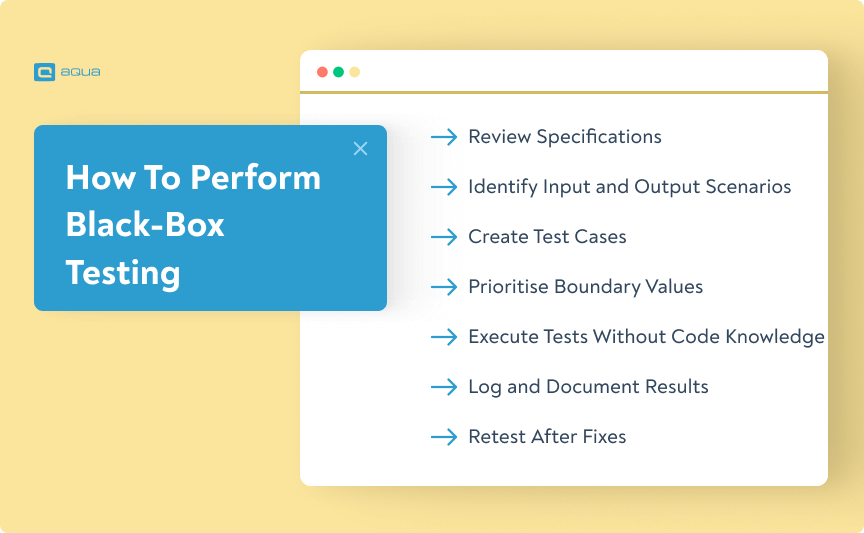
How to Perform Black Box Testing
Without a defined process, black box testing becomes ad hoc and misses scenarios that matter. These steps keep your team focused and coverage consistent:
Review Specifications: Begin by examining the software requirements and specifications in detail. Understand the functionality and expected user interactions to establish a clear testing direction.
Identify Input and Output Scenarios: Focus on identifying various input scenarios based on the specifications. This includes both valid and invalid inputs. Your goal is to cover all possible user interactions to evaluate the software’s behaviour.
Create Test Cases: Develop test cases that specify inputs, actions, and expected outputs. Ensure that each test case aligns with the functionality described in the requirements. Group similar test cases into equivalence classes to optimize your testing process.
Prioritise Boundary Values: Pay special attention to boundary values, as many defects occur at the limits of input ranges. Create additional test cases that specifically target these boundary conditions.
Execute Tests Without Code Knowledge: Conduct tests based on the defined test cases without delving into the internal code or architecture. This emphasizes the black-box nature of the testing, focusing solely on the system’s behaviour from a user’s perspective.
Log and Document Results: Carefully document the outcomes of each test case, noting any discrepancies between expected and actual results. This documentation is critical for tracking defects and understanding software behaviour.
Retest After Fixes: Once defects are addressed, retest the affected areas to validate that the issues have been resolved and that the software behaves as expected.
There are several tools that will help you with most of these steps, although in some of them, you need to use manual effort and your intuition for superior results. Let’s give you a short list of these tools.
Manual vs. Automated Black Box Testing
Both manual and automated approaches have a place in black box testing. Which one your team uses depends on the stability of the feature, the frequency of testing, and the complexity of the validation required.
When manual black box testing works best.
Manual testing fits exploratory testing, one-off scenarios, and any situation where human judgment is needed to evaluate the output. It also works well early in a product’s lifecycle, before a feature is stable enough to automate. A manual black box analysis in this phase helps your team understand a new feature’s behaviour before investing time in building automated test cases around it.
When automated black box testing works best.
Automation suits regression testing, high-volume scenario coverage, and tests that run repeatedly across builds or environments. A structured black box audit of your current test suite will show which test cases run repeatedly without changing. Those are your automation candidates. aqua cloud integrates with Selenium, Ranorex, Jenkins, and Azure DevOps, bringing automated execution results back into the same platform where your manual test cases live. Your team gets a unified view of coverage without switching between tools.
The practical split.
Most teams aim for 60 to 70% automation coverage on stable, repetitive black box scenarios and keep 30 to 40% manual for exploratory testing, UAT, and newly developed features. This split keeps the automated suite maintainable while preserving the human judgment that black box testing depends on for edge cases and acceptance decisions.
Tools for Black Box Testing
The right tool handles the administrative side of black box testing so your team can focus on designing and running test cases:
aqua cloud is your ultimate black box testing tool, an AI-powered solution designed to enhance the efficiency of your black box testing efforts. With its AI-powered test case generation, you can effortlessly create diverse and comprehensive test scenarios based on your specifications, ensuring full coverage of input and output scenarios. Additionally, you can generate realistic test data and requirements, further ensuring that your black box testing reflects real-world user interactions. The platform’s intuitive interface simplifies the process of managing and executing test cases, allowing your team to focus on what truly matters. Moreover, aqua cloud’s seamless integration with project management tools ensures that all test results are carefully logged and tracked, making it easier to retest after fixes and maintain a robust testing workflow. With 100% coverage and traceability, you will have full control over your black box testing efforts. So what are you waiting for?
Automate your black box testing efforts in 3 clicks with aqua’s AI
2. Postman: A widely used tool for API testing, offering a user-friendly interface for creating and executing requests. However, it requires additional tools and integrations for comprehensive testing.
3. SoapUI: A popular choice for testing SOAP and REST web services, allowing for extensive testing with built-in reporting features. The downside is, it presents a learning curve for new users.
4. Ranorex: A comprehensive tool for desktop, web, and mobile applications that supports various technologies and integrates well with CI/CD pipelines, although it might not give what you need as a standalone solution. You can use aqua’s Ranorex integration for a thorough experience.
5. JMeter: Primarily known for performance and load testing, JMeter can also be used for functional testing, providing powerful load simulation. However, its interface is less intuitive for those focusing solely on functional tests.
These tools, especially aqua cloud will guide you through your black box testing journey and will simplify your testing process for more efficient and reliable results.
Example of Black Box Testing
A concrete example shows how black box analysis works in practice and what your team should focus on when running tests. Below, you’ll find five real-world bug scenarios where you can investigate from both perspectives. Click through the clues, see what each approach reveals, and decide which method finds the bug faster.
Interactive Challenge: Black Box vs White Box – Spot the Bug
▼
How it works: Click on investigation options from both Black Box and White Box perspectives to uncover clues, then decide which testing approach would find the bug faster.
🎉 Challenge Complete!
You've experienced firsthand how black box and white box testing approaches reveal different aspects of bugs.
Imagine testing an online shopping cart.
As already mentioned a few times in this guide, as a tester, your focus is solely on the functionality, not the underlying code. Here’s what you should do:
Input Various Items: You start by adding different products to the cart.
Verify Calculations: Check if the total price is calculated correctly.
Apply Discounts: Test how discounts are applied to the cart.
Test Payment Methods: Experiment with different payment options to ensure they work smoothly.
If the software responds as expected throughout these steps, the test is successful. However, if something doesn’t work correctly, you need further investigation to identify the issue.
In this scenario, you’re concerned with the inputs (like adding items and applying discounts) and the outputs (such as the total price and successful payment). So you don’t need to understand how the backend processes these actions.
For your better understanding: In different examples, it would be adding items for input, calculating the total price for output, and applying discounts for input and successful payment for output.
Now that you know the practical, real-world example too, let’s focus on the pros and cons of black box testing and how you can leverage it by combining it with other techniques.
Make sure you know the basics well, like the differences between blackbox and whitebox testing, and common techniques like equivalence partitioning and boundary value analysis. Try some practice scenarios where you create test cases based only on requirements or user stories without knowing the internal details.
There are several benefits of black box testing, including:
Unbiased Testing: With no knowledge of the internal codebase, you ensure an unbiased approach.
End-User Focus: You do the testing from the end user’s perspective, ensuring that the software behaves as expected.
Versatile Testing: You can use it for both functional and nonfunctional testing.
Easy to Learn: You do not need deep technical knowledge of the software’s internal workings.
Cons of Black Box Testing
Limited Coverage: Without insight into the code, you can miss some defects in internal logic.
Difficult to Identify Specific Bugs: It’s challenging to pinpoint the root cause of an issue without access to the code.
Inefficient for Complex Applications: Complex systems with many states require more exhaustive testing, which you can’t perform with the black box method.
Test Case Design: Creating test cases without detailed knowledge of the system is time-consuming.
aqua cloud connects your manual and automated black box tests in a single platform
These practices address the most common ways black box testing loses coverage or produces results your team cannot act on:
Understand Requirements: Thoroughly review the software’s requirements before designing test cases. It will guarantee comprehensive coverage.
Use AI-powered, Automation Tools: Utilise tools like aqua cloud and Selenium, (or aqua’s integration with Selenium) to automate repetitive tasks. This way, you’ll increase efficiency and overall test coverage.
Focus on User Scenarios: Simulate real-world user scenarios to ensure the software behaves correctly under practical conditions.
Perform Both Functional and Nonfunctional Testing: Cover all aspects of the software, including performance and usability, to ensure optimal functionality.
Run Regular Regression Testing: Test previously verified areas after updates to catch any defects that might have been introduced.
These best practices will help you with comprehensive black box testing, but is black box testing itself a comprehensive, standalone approach? Let’s touch this shortly.
Combining Black Box and White Box Testing
Black box testing tells you whether the software works for the user. It does not tell you why it fails when it does. That is the gap white box testing fills. It won’t reveal any issues with how the login logic is implemented behind the scenes.
That’s where white box testing comes into play. White box testing focuses on the internal logic and structure of the code. Think of it as looking under the hood of a car to see how everything operates.
For example, a developer might write unit tests to verify that a specific function behaves correctly with different inputs. With white box method, you can catch bugs that black box testing might miss. You’ll ensure that the software not only works as expected but also has a solid foundation.
Because each testing method has its strengths, many teams combine black box and white box testing for a comprehensive approach. By using both methods, you can ensure user-facing functionality is seamless while also validating that the internal workings of the software are robust and error-free.
QA here: the difference is your level of understanding of how a system works. A system, any system, has Inputs and Outputs. You put a coin in a vending machine, press a button and a soda can drops from the machine. This is black box (sometimes literally, since the machines are black) testing. You don't know what is going on inside. However, you know that you have to place a particular Input (coin/s) into a certain place and expect an Outcome (soda can). The white box (also called glass box) testing is when you open the front of the vending machine and look inside, then insert the coin, and see the whole proceed of dispensing the can.
Sen7Inel
Reddit
Grey Box Testing
Grey box testing is a hybrid approach that blends elements of both black box and white box testing. Testers have limited knowledge of the internal workings of the software but still focus primarily on input/output behaviour. With this approach, you can help identify defects in both the internal code and external functionality.
In summary, while black box testing is excellent for assessing user experiences, especially in scenarios like API testing, and white box testing provides insight into code quality, grey box testing fills in the gaps.
Conclusion
As you saw in this guide, black box testing is a critical aspect of ensuring software quality from an end-user perspective. It helps identify functional and non-functional defects without requiring detailed knowledge of the internal code. By combining black box testing with other testing approaches and using tools like aqua cloud, you can ensure thorough, efficient testing that delivers high-quality software to end users.
With aqua’s central repository, you can combine all your manual and automated tests in one place. aqua’s AI helps you generate test cases, test data and requirements within 3 clicks, saving you 97% of time and manual effort. With project management and automation integrations like Jira, Jenkins, Selenium, Ranorex, etc., you will carefully log and track your black box testing efforts. One-click bug-recording integration Capture will be a perfect addition to your reporting, while 100% traceability and test coverage will keep you up-to-date on your black box testing efforts.
Go beyond black box testing efforts; streamline 100% of your testing cycle
Black box testing focuses on testing the software’s functionality without knowing its internal code or structure. Testers check if the system behaves as expected by providing inputs and analysing the outputs.
It’s all about what the system does, not how it does it. This type of testing is commonly used for functional, acceptance, and integration tests.
What is white box testing vs black box testing?
White box testing involves testing the internal workings of an application, such as its code, structure, and logic. Testers need knowledge of the code and focus on paths, conditions, and loops.
Black box testing, on the other hand, tests the system’s functionality without knowing the internal code. Testers focus on inputs and expected outputs, ensuring the software works as expected from an end-user perspective.
What is an example of a black box?
An example of a black box is testing a login page on a website. The tester doesn’t need to know the underlying code, encryption methods, or database structure; they just provide different inputs (like usernames and passwords) and check if the correct output (successful login or error message) is displayed. The focus is entirely on what the system does, not how it processes the inputs.
Does black box testing require programming or coding knowledge?
No. Black box testing is specifically designed to be performed without knowledge of the internal code. Testers work from requirements and specifications, designing test cases based on expected inputs and outputs. This makes it accessible to business analysts, QA professionals without development backgrounds, and end users participating in acceptance testing. Using a test management tool like aqua cloud makes the process more structured, handling test case organisation, execution tracking, and defect logging without requiring any programming skill from the tester.
Is black box testing manual or automated?
Black box testing can be either, depending on the scenario. Manual black box testing suits exploratory testing, acceptance validation, and scenarios where human judgment is needed to evaluate the output. Automated black box testing works well for regression testing and any test case that runs repeatedly across builds or environments. Most QA teams use both: they automate stable, repetitive scenarios and keep manual testing for new features, edge cases, and UAT sessions where stakeholder sign-off requires human judgment.
Robert has several years of experience in process optimisation and test management. He is an expert in defining and implementing workflows by adapting aqua to the clients’ processes.
As a former QA Automation Engineer, Kirill has a deep curiosity about how systems work and how they can be crushed. He kept this approach when switching to product management and later, top management at aqua. Automation and everything related to it is his biggest…
Nurlan, a QA Coordinator & Quality Standards Officer, takes pride in orchestrating seamless QA operations. His expertise in coordinating QA-focused projects and integrating QA solutions has consistently yielded top-tier client satisfaction. Aside from a full-time QA coordinator, Nurlan's role involves creating compelling content that educates…
Join our community of enthusiastic experts! Get new posts from the aqua blog directly in your inbox. QA trends, community discussion overviews, insightful tips — you’ll love it!
We're committed to your privacy. Aqua uses the information you provide to us to contact you about our relevant content, products, and services. You may unsubscribe from these communications at any time. For more information, check out our Privacy policy.
X
🤖 Exciting new updates to aqua Intelligence are now available! 🎉