Claude Code for Software Testing: What Actually Works
Another flaky test. Another choice: rewrite it, or delete the whole suite and start over. Claude Code changes that math. It's a coding companion built for QA work, not a chatbot that spits out generic scripts. Claude Code sits inside your editor. It learns your codebase, then helps you write better tests faster. This guide covers how it works, what sets it apart, and how to use it well.
Claude Code integrates directly into your IDE and analyzes your entire project structure to suggest test improvements based on existing patterns and coding style.
The tool generates realistic test data, comprehensive assertions based on schema definitions, and analyzes test failures to propose specific fixes instead of generic troubleshooting.
Context-aware prompts deliver better results. Asking “write pytest tests for this auth function covering successful login, invalid credentials, and expired sessions” beats vague requests by miles.
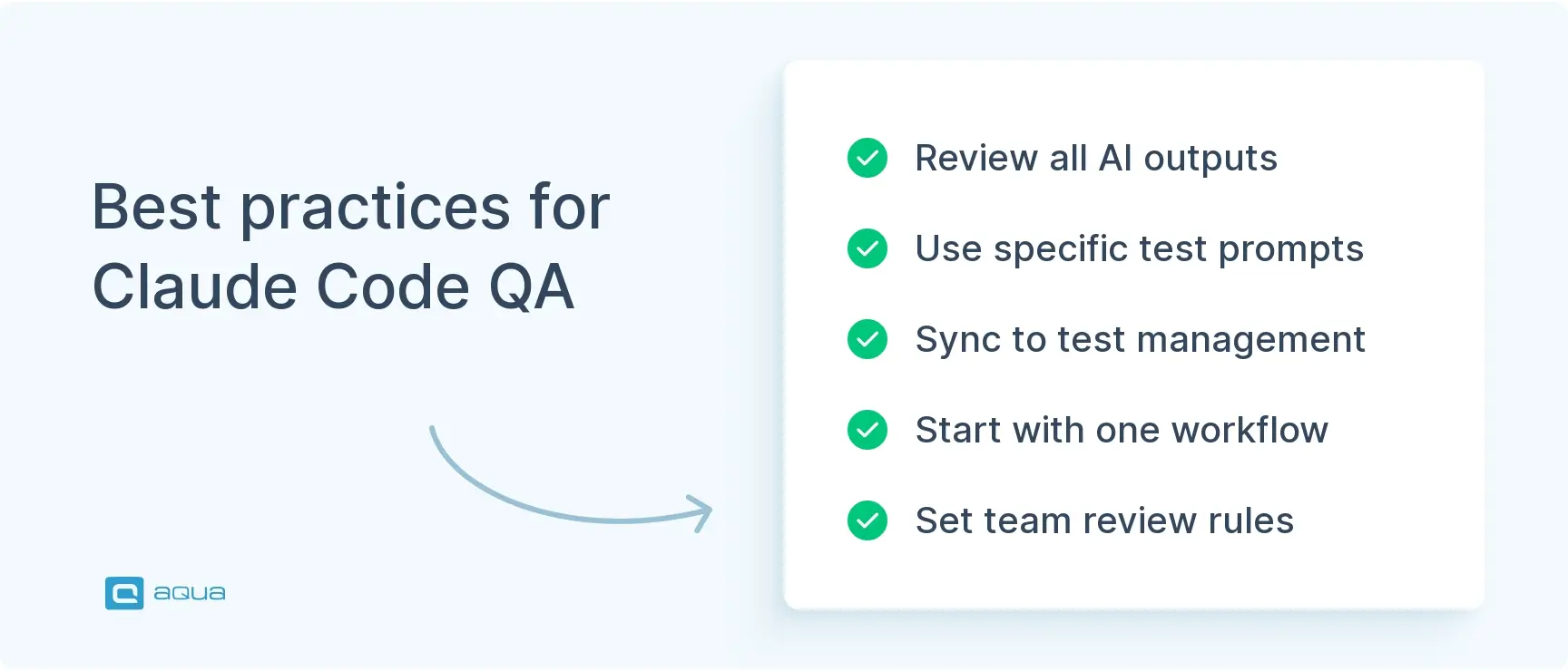
Claude Code reads coverage reports and suggests tests for uncovered branches, but teams must review all generated code since AI can confidently propose terrible ideas or overly brittle tests.
The tool adapts to any testing stack like Pytest, Jest, JUnit, Playwright, or Cypress without forcing framework changes, and pricing scales flexibly for small teams without enterprise sales calls.
Most testers treat AI assistants as magic or ignore them completely, but the real win is knowing exactly when to ask for help and how to review what you get. See how to build that workflow below 👇
What Makes Claude Code Different for Software Testing?
Claude Code reads your actual code before it suggests anything. It doesn’t pattern-match against generic templates the way basic autocomplete tools do.
It lives inside your IDE, through extensions for editors like VS Code. Think of it as a senior engineer who’s always free to review your test code. Claude Code analyzes your project structure and understands how your tests connect to your application. Suggestions come from what you’re actually building, not a generic best guess. Write a new test class and it studies your existing patterns to keep things consistent. Something breaks in production and it traces through the code toward where the issue might live.
The depth of understanding goes further than most tools attempt. Claude Code reads your imports and recognizes your testing frameworks. It knows the difference between a unit test and an integration test. Ask why an assertion failed and it walks through the logic instead of dumping a stack trace at you. That matters even in narrow cases like software testing noc code work, where the context of network operations center testing changes what a passing test actually means.
It also adapts to whatever stack you already run, whether that’s Pytest and Jest or Playwright and Cypress. You’re getting an assistant that speaks your existing language instead of asking you to learn a new one.
How Do You Set Up Claude Code Plugins for Testing?
Install the extension for your editor and authenticate. Then point it at your test repository. The whole process takes about five minutes, with no XML files or environment variables involved.
Getting Claude Code plugins running takes three steps:
Install the extension. Head to the Claude website, grab your API key, and install the extension for VS Code or your preferred IDE. No separate configuration files, just authentication.
Point it at your repository. Claude Code works best when it can see your full project structure, so connect it to your root directory. It indexes your codebase and learns your conventions during this initial scan.
Set your framework preferences. Tell it whether you lean toward async and await patterns, how you structure page objects, or how your team names test files.
That indexing step is what turns generic suggestions into relevant ones. It’s how Claude Code builds a picture of your testing architecture instead of guessing at it. The more it knows about your style, the more useful its output gets.
While Claude Code is excellent for writing individual test scripts, scaling your testing efforts across an entire project requires more than code completion. İt demands intelligent test management. That’s where aqua cloud comes in. aqua’s domain-trained Intelligence doesn’t just suggest code; it works with your actual project documentation through RAG grounding, generating test cases that understand your requirements, terminology, and context. You can create comprehensive test scenarios in seconds, not hours, with AI that speaks your project’s language rather than generic testing patterns. With native integrations into Jira, Jenkins, and all major automation frameworks (Selenium, Cypress, Playwright, Pytest), aqua seamlessly fits into the workflow Claude Code helps you build. This way, you don’t need to choose between AI coding assistance and systematic test management, since you’re already combining both for maximum impact.
Build project-aware test suites with AI that knows your codebase
Claude Code follows your commit history to understand how your test suite evolved. That context feeds directly into better suggestions.
If your tests live in version control, and they should, Claude Code traces back through changes to see the story behind your suite. It notices which tests you modified recently and which ones keep breaking under similar conditions. When you’re stuck, that history becomes part of what it draws on to help.
This also plays out in code review. Pull requests touching test files get evaluated with the same context Claude Code applies elsewhere. Suggestions reflect your team’s actual patterns instead of a generic guess.
What Claude Code Skills Help With Test Automation?
Claude Code skills go well past basic code completion. They cover four areas that matter most day-to-day:
Test structure generation that matches your existing conventions
Realistic test data built around your actual domain model
Sharper assertions based on your schema, not just a few spot checks
Debugging support that reads a failure instead of just reporting it
Start typing a new test function and Claude Code suggests the full structure based on patterns already in your codebase. It recognizes whether your team uses arrange-act-assert or given-when-then and matches that convention automatically. The generated code matches your style, right down to naming.
Test data generation gets a lot less tedious too. Need a batch of test users with varied attributes? Claude Code generates realistic data covering edge cases you might not think to type out by hand. It understands data types and how objects relate to each other in your domain model. aqua cloud’s AI Copilot applies a similar principle to requirements-based test generation, just from inside a dedicated test management platform rather than your IDE.
Assertions get smarter as well. When you’re verifying an API response, Claude Code suggests checks based on your schema instead of the three properties you’d normally settle for. You catch subtler bugs because the validation logic goes deeper than habit usually takes you.
Debugging is where the value really shows up. Feed Claude Code a failing test and it reads the error and checks the implementation. What comes back is a specific fix, not a generic troubleshooting checklist. Sometimes it’s a timing issue. Other times your original assumption about the test was wrong from the start.
How Can Claude Code Support Test Plan Automation?
Claude Code structures your test coverage and flags gaps before you commit to a plan. You still own the strategy.
Describe what you’re building in plain English when planning coverage for a new feature. Claude Code suggests scenarios and failure modes based on similar features already in your codebase, not unlike how requirements engineering tools map acceptance criteria to test coverage automatically.
Gap analysis is where it earns its keep. Point Claude Code at a module and ask what’s missing. It compares your suite against the implementation and flags untested paths and overlooked scenarios. That’s especially useful in code review, when you need confidence that a new feature actually has coverage before it merges.
Documentation stops feeling like a chore too. Claude Code reads your tests and generates plain descriptions of what they validate. That keeps documentation synced with the code instead of drifting out of date the way manually written docs usually do.
How Do You Integrate Claude Code With Open Source Test Management Tools?
Most open source test management platforms connect through their APIs. Claude Code can write the integration code that links your automated tests to test case tracking.
Platforms like TestRail and Zephyr receive results programmatically. Claude Code helps write that glue code so results flow automatically to wherever your team tracks progress. You’re not manually bridging test runs to test cases by hand.
A useful pattern here: use Claude Code to generate metadata that matches your test management structure. Tags and identifiers link your automated tests back to specific cases, so when a test runs, the result lands where your team already looks for it. Some teams consolidate that tracking in a platform like aqua cloud’s test case management tool instead of stitching together spreadsheets and Slack threads.
Custom reporters get easier to build from here too. If your dashboard needs results in a specific format, Claude Code writes the reporter code that transforms raw output into whatever shape you need.
What's the Best Prompt for Claude Code When Writing Tests?
Specificity. A vague ask like “write tests for this function” gets generic output. Naming the framework and the scenarios gets you something you can actually use.
Try: “write pytest unit tests for this authentication function, covering successful login and invalid credentials.” The extra context changes the output completely.
When you’re debugging, describe what you’ve already tried. Something like “this Selenium test is flaky in CI but passes locally, I’ve added explicit waits and confirmed the selectors are correct” gets you targeted suggestions instead of a generic troubleshooting list.
Code review prompts work the same way. Ask Claude Code to explain potential issues in an existing test class or point out race conditions. You get a second pair of eyes that catches what familiarity has made you blind to.
Refactoring prompts round it out. Describe the duplication you’re seeing and ask how to extract shared setup code while keeping things readable. Claude code usage improves fast once you get specific like this.
How Does Claude Code Improve Software Testing Code Coverage?
It helps you prioritize what’s worth testing instead of chasing an arbitrary percentage. It also reads coverage reports to point out branches nobody’s touched.
Not every code path deserves equal attention. Claude Code weighs complexity and how often something changes, then helps you focus effort where it actually matters.
Code testing software integration works alongside whatever coverage tools you already run. Claude Code reads the reports and identifies uncovered branches, then suggests tests to close the gap. More importantly, it helps you judge whether an uncovered path is actually a problem or just dead weight nobody’s removed.
Legacy code with thin coverage is where this gets interesting. Claude Code studies old implementations and infers the behavior they were meant to produce. Then it suggests tests that would have caught bugs from years ago.
The software testing code examples it generates also double as training material. A junior tester sees a well-structured pattern and understands why it works, building habits that apply to your actual codebase instead of a textbook example.
What Should You Watch Out for With Claude Code Usage?
The biggest risk is accepting generated code without reading it. Claude Code will confidently suggest something wrong if you let it, so every output still needs a human check. Four patterns to watch for:
Silent misreads. The AI misjudges a requirement or makes an assumption that looks reasonable but misses your actual intent. Technically correct code that doesn’t test what you need is still a failure, just a quieter one.
Strategy creep. Claude Code can suggest what to test, but you’re still the one deciding what matters. It doesn’t know your business context or how much risk your team can absorb.
Brittle-by-design tests. AI-generated tests sometimes pass today and break constantly as the code evolves, usually because they’re coupled to implementation details instead of behavior.
Weak first prompts. Your first attempts probably won’t land. That’s normal. Refine your questions, add more context, and the results improve steadily.
How Does Claude Code Compare to Other Testing AI Tools?
GitHub Copilot handles inline completion well. It lacks a real conversation interface for working through testing strategy. That’s exactly where Claude Code holds its edge.
Claude Code adds something autocomplete tools don’t: a real conversation. You can talk through an approach and weigh trade-offs before writing a line of code. The two tools work fine side by side if your team wants both.
Specialized testing tools often lock you into one framework or one methodology. Claude Code doesn’t. Whether your team runs BDD with Cucumber or writes REST Assured API tests, it adapts instead of asking you to switch. For teams running Language Server Protocol setups, lsp for Claude Code adds real-time analysis on top of that, which makes navigation and refactoring noticeably smoother.
Pricing plays a role too. Some AI coding assistants charge per seat with usage caps that punish the exact teams trying to adopt AI-assisted testing at scale. Claude Code’s plans scale more naturally.
How Do You Build a Testing Workflow Around Claude Code?
Start with one area, like API test generation or page object creation, and get that workflow solid before expanding. Trying to adopt everything at once is how teams end up abandoning the tool.
Four moves make the difference between adoption and abandonment:
Pick one workflow first. API test generation or page object creation are good starting points. Build confidence in specific patterns before trying to overhaul your entire testing process overnight.
Set team conventions early. Decide when developers reach for Claude Code versus writing tests by hand, and how AI-generated code gets reviewed in pull requests.
Keep a shared prompt log. When someone finds a way to ask Claude Code for help that gets consistently good results, write it down. That knowledge compounds across the team instead of living in one person’s head.
Track the impact honestly. Coverage trends and bug detection rates will tell you whether it’s working. If the numbers aren’t moving, adjust the approach instead of assuming the tool is broken.
Claude Code helps you write better test code, but maintaining comprehensive test coverage across sprints, releases, and team changes requires a unified test management approach. aqua cloud amplifies what Claude Code starts by providing centralized test management powered by AI that’s actually trained on QA domain knowledge. When aqua Intelligence generates test cases from your requirements, it’s using RAG technology to ground suggestions in your project’s real documentation, delivering context-aware results that match your specific testing needs. You gain the practical benefits Claude Code provides for individual test writing, plus the strategic advantages of complete traceability, automated test data generation, real-time coverage dashboards, and seamless integration with your existing automation frameworks and CI/CD pipelines. Teams using aqua report up to 43% time savings on test design work while achieving more thorough coverage than manual approaches. Instead of fighting to keep tests synchronized with rapidly changing requirements, you’re working with an intelligent system that connects code, requirements, tests, and defects automatically. The combination of AI-assisted coding and systematic test management is how modern QA teams ship quality software without burning out.
Achieve 43% faster test design with project-specific AI intelligence
Expect the line between writing tests and describing desired behavior to keep blurring. Test management systems and CI/CD pipelines will connect to AI assistants more tightly too.
Claude Code today handles more than it did six months ago, and that trajectory isn’t slowing down. Staying current means checking in on new capabilities regularly.
Your role changes toward the parts of testing that actually need judgment. Test strategy and validation become the real work. Understanding what a failure means to a real user matters more than the mechanical parts of writing tests, which take up less of your day.
None of this replaces testers. Everything Claude Code offers amplifies what a skilled QA engineer can already do. You end up covering more scenarios and catching more bugs, with the same headcount. That’s a different outcome than the AI panic some people expected.
Conclusion
Claude Code won’t run your testing strategy for you, and it doesn’t need to. Teams seeing real results treat it as a collaborator, not a replacement for thinking. Your testing challenges won’t disappear, but a coding partner that understands your context makes the daily grind lighter. If requirement-to-test-case creation is what’s actually slowing your team down, pairing it with a purpose-built AI test case generator closes that loop in a single pass.
No. It handles the mechanical parts of writing and maintaining tests, but decisions about what’s worth testing and how much risk a release can absorb still belong to you.
Can Claude Code work with an open source test management tool I already use?
Yes. Claude Code can write the integration code that connects your automated tests to open source test management platforms like TestRail or Zephyr, so results flow to your existing tracker instead of living in a separate system.
What's the best prompt for Claude Code if I'm new to it?
Name the framework, the function, and the exact scenarios you want covered. A prompt for Claude Code that says “test the login function” gets generic output. One that names the framework and lists specific cases gets something usable on the first try.
Do Claude Code plugins work with every editor?
Claude Code plugins are available for VS Code and several other popular editors. Setup takes about five minutes and doesn’t require any separate configuration files.
Does Claude Code help with test plan automation or just individual tests?
Both. Beyond generating individual tests, Claude Code supports test plan automation by suggesting coverage scenarios, flagging untested paths, and keeping test documentation synced with your actual code.
Is there an LSP for Claude Code?
Yes. Teams running Language Server Protocol setups get real-time code analysis on top of Claude Code’s usual suggestions, which makes navigating and refactoring large test suites noticeably smoother.
How is Claude Code different from GitHub Copilot for testing?
Claude Code adds a conversation layer Copilot doesn’t have. You can discuss a testing approach and weigh trade-offs before any code gets written, rather than just accepting inline suggestions.
Nurlan, a QA Coordinator & Quality Standards Officer, takes pride in orchestrating seamless QA operations. His expertise in coordinating QA-focused projects and integrating QA solutions has consistently yielded top-tier client satisfaction. Aside from a full-time QA coordinator, Nurlan's role involves creating compelling content that educates…
Enhancement of the aqua product is Martin’s main responsibility and biggest mission. His expertise covers ITIL Process Consulting, Change Management, Quality Assurance, Quality Management, and Requirements Management. Martin works in QA services for regulated industries for more than 18 years being an irreplaceable leader at…
Home » Testing with AI » Claude Code for Software Testing: What Actually Works
Do you love testing as we do?
Join our community of enthusiastic experts! Get new posts from the aqua blog directly in your inbox. QA trends, community discussion overviews, insightful tips — you’ll love it!
We're committed to your privacy. Aqua uses the information you provide to us to contact you about our relevant content, products, and services. You may unsubscribe from these communications at any time. For more information, check out our Privacy policy.
X
🤖 Exciting new updates to aqua Intelligence are now available! 🎉