How to Effectively Reproduce a Bug: Every Step Explained
Reproducing a bug means getting someone else to see exactly what you saw, using the same sequence of actions that broke things the first time. Learning how to reproduce bug issues properly turns a vague "something's broken" into a roadmap developers can follow straight to the fix. Get it wrong, and you're asking someone to find one grain of sand on a beach, blindfolded.
Bug reproduction means making a defect happen again with the same sequence of actions, proving it’s a real, verifiable problem and not a one-time glitch.
Clear reproduction steps cut debugging time by 30 to 50 percent, since developers skip the guessing phase and go straight to fixing the root cause.
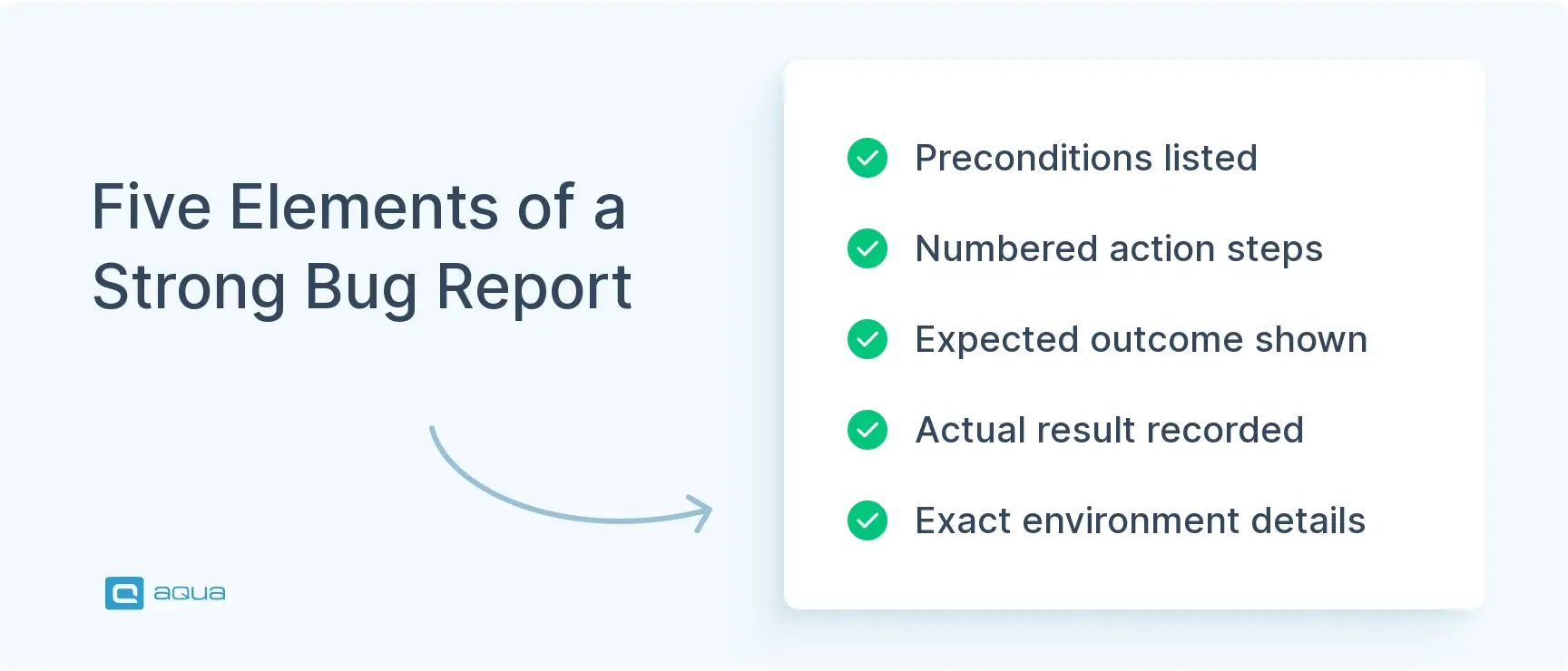
A strong bug report needs five elements: preconditions describing the starting state, numbered steps, expected results, actual results, and exact environment details like versions and hardware.
Intermittent bugs that can’t be reproduced consistently often get pushed down the priority queue, even when the user impact is serious.
Tools like LogRocket and Selenium can capture reproduction data automatically, but they work best alongside clear written documentation, not instead of it.
Poor bug reports create technical debt and emergency fixes when issues resurface in production. Here’s how to write reproduction steps that actually get bugs fixed.
What Does It Mean to Reproduce a Bug?
When someone asks you to reproduce bug behavior, they’re asking you to make the defect happen again using a specific sequence of actions. Understanding what reproduce bug means in practice starts with one idea: repeatability. You start from a known state, called the preconditions, run through specific steps, and land on the same broken result every time. That transforms “the app is broken” into evidence a developer can actually act on.
There are two outcomes when you try this. Positive reproduction is when you can trigger the bug consistently by following the same steps. This is the gold standard: it proves the bug is real and gives developers a clear starting point. Negative reproduction is when you cannot reproduce bug behavior no matter how many times you try. That doesn’t mean the bug isn’t real. It usually means the issue is intermittent and tied to conditions you haven’t identified yet.
This distinction decides how a bug gets prioritized. A consistently reproducible bug with clear steps tends to jump the queue, since it’s easy to diagnose. A bug you can’t reproduce bug conditions for reliably often sits lower, not because it matters less, but because nobody can pin it down yet. That’s the whole case for learning how to reproduce bug issues well and documenting what you find.
Writing clear reproduction steps by hand is essential, but what if you could capture everything automatically and still maintain that same level of precision? That’s where modern test management platforms transform the game. With aqua cloud, you don’t have to choose between speed and quality. The platform’s Capture tool records timestamped videos, action logs, console data, and system information as you test, instantly creating comprehensive visual bug reports that would normally take 15 minutes in just 2 minutes. Even better, aqua’s domain-trained AI (aqua Intelligence), powered by RAG grounding, generates detailed, project-specific bug descriptions and reproduction steps from your captured evidence, learning from your own documentation to ensure every report speaks your project’s language. Teams using aqua save up to 10 hours per week on bug reporting alone, eliminating the back-and-forth that happens when developers can’t reproduce what you saw. Your reproduction steps become clearer, faster, and impossible to misinterpret.
Cut bug reporting time by 87% with AI-powered visual documentation
Clear steps to reproduce bug reports do half the debugging work before a developer even opens the ticket. They don’t have to guess what you did or whether the bug is real. They go straight to root cause.
The time savings are real. Unclear or incomplete bug reports can add 30 to 50 percent more time to debugging, according to industry estimates on defect resolution. That time gets burned on developers recreating conditions from scratch, asking follow-up questions, and guessing at what happened. A report that works the first time removes all of that.
Clear step to reproduce bug documentation also sharpens severity assessment. “App crashes 100% of the time after these five steps” is obviously critical. “App crashes sometimes” tells nobody whether they’re looking at a showstopper or a rare edge case. Detailed reproduction lets teams triage accurately and decide what ships now versus what waits.
There’s a cost angle too. Bugs marked “cannot reproduce” that resurface later in production turn into emergency fixes and customer complaints. Writing solid reproduction steps upfront is cheaper than firefighting later.
Step-by-Step Guide to Reproducing a Bug
Reproducing a bug takes a methodical approach, closer to running an experiment than filing a complaint. These steps help you reproduce bugs consistently instead of chasing them case by case.
Start with a Clean State
Close unnecessary apps, clear browser caches, and start from a fresh session. Log out and back in if the bug touches user accounts or data. Note your exact software version too: build number, OS, browser version. A bug in Chrome 120 on Windows 11 might not exist in Firefox 115 on Mac, and that detail matters more than it seems.
Document Your Preconditions
Preconditions are the setup, not the steps. Think “user must be logged in with admin privileges” or “cart must contain at least three items.” Be specific about data states, user roles, and feature flags. “Normal setup” tells a developer nothing. The more precise you are here, the less time gets wasted trying to reproduce your bug under the wrong conditions.
Write Clear, Sequential Steps
This is the core of any steps to reproduce bug report. Number each action. Keep each step to one discrete action, and don’t skip anything, even if it feels obvious. Instead of “navigate to checkout and enter payment details,” write “1. Click ‘Proceed to Checkout.’ 2. Enter the credit card number. 3. Select ‘United States’ from the dropdown. 4. Click ‘Submit Payment.'” Use active verbs like click, select, enter, scroll. Skip vague phrases like “interact with the form.”
Capture Expected vs. Actual Results
State what should have happened, then what actually happened. Keep both factual. “Payment should process and display ‘Transaction Complete'” versus “Error message reads ‘Payment failed – Invalid card number’ despite a correctly formatted card.” You’re documenting facts here, not diagnosing causes. Add a screenshot or screen recording for visual bugs.
Test for Consistency
Run it again. Then once more. If you get the same result three times, report it as consistently reproducible. If it only shows up occasionally, say so and note the rate. This step also tightens your steps: you’ll often find a detail you thought mattered doesn’t, or the bug needs more specific conditions than you first assumed.
Best Practices for Reproducing Bugs
Good bug reproduction is a habit, not a checklist. A few practices make the difference.
Isolate variables. If a page loads slowly, test different browsers, then different connection speeds, then different accounts, one change at a time. Lumping multiple factors into one report just creates confusion.
Test across devices. A bug on your laptop might not show up on mobile. If a bug only affects certain setups, that belongs in your preconditions, since you’re defining the bug’s boundaries, not just reporting it. It also helps to know the difference in replicate vs reproduce bug terminology. The two get used interchangeably, but “reproduce” technically means following exact steps to trigger the defect, while “replicate” often means recreating similar conditions or outcomes more loosely.
Keep notes on everything, even things that seem minor: error messages, console logs, timing quirks. You won’t use all of it, but having the raw data means you can answer follow-up questions without starting over.
Talk to developers early if you’re stuck. If you can’t reproduce something users are reporting, don’t spend hours spinning alone. A developer might already have a theory about the cause.
Keep a repository of your past reports. Patterns repeat, and your own history becomes a shortcut the next time something similar shows up.
Examples of Strong Reproduction Steps
Example 1: E-commerce Checkout Bug
Preconditions: Logged in with a test account. Cart holds two items (SKU-123, SKU-456). Chrome 120.0.6099.109 on Windows 11. Valid saved payment method.
Steps: Click the cart icon. Click “Proceed to Checkout.” Select “Express Checkout.” Verify the shipping address shown. Click “Place Order.” Wait roughly three seconds for processing.
Expected: Confirmation page shows “Thank you! Your order #12345 has been placed,” with a correct order summary.
Actual: “Unable to process payment” error appears. The card gets charged, confirmed via bank statement, but no confirmation email arrives and the order never appears in account history. Refreshing returns the user to an empty cart.
This works because the environment is exact, each action is broken out, and the gap between expected and actual behavior is unmistakable.
Example 2: Mobile App Crash
Preconditions: iOS app 3.2.1 on iPhone 13, iOS 17.2. Standard (non-admin) account. Location services set to “While Using App.” Fresh install.
Steps: Launch the app. Tap “Find Locations.” Tap “My Location” once the map loads. Double-tap twice to zoom. Tap any marker. Tap “Get Directions” in the popup.
Expected: Native Maps app opens with directions from current location.
Actual: The app freezes for two to three seconds, then crashes to the home screen with no error message. Relaunching shows the main dashboard as if nothing happened, with no crash report prompt.
Counter-Example: What Not to Do
Steps: Open the app. Try to make a purchase. It crashes.
Actual: Doesn’t work.
This report is useless. No device, no version, no idea what “make a purchase” involved or what “doesn’t work” actually means. A developer reading this has to ask several questions just to get started, which is exactly the delay good reproduction steps exist to prevent.
Tools for Simplifying Bug Reproduction
The right tool turns bug reproduction from manual grind into something closer to automatic.
Screen recording tools (Loom, Jam, BugHerd) capture your screen while you work. Jam adds console logs and network data automatically. Great for visual bugs, less useful when a short written report would take thirty seconds to read instead of a five-minute video.
Session replay platforms (LogRocket, FullStory) record real user sessions, capturing clicks, page loads, and errors without anyone needing to manually reproduce anything. Strong for catching intermittent bugs, though they need integration work and raise privacy considerations around recording user behavior.
Bug tracking integrations (Jira, Asana, Linear) offer templates that prompt for preconditions, steps, and expected results, keeping reports consistent across a team. A template won’t fix a badly written report on its own, but it gives structure.
Debugging tools (Charles Proxy, Chrome DevTools) capture network traffic and console logs, useful for backend or JavaScript-related bugs. The learning curve is real if you’re not familiar with dev tooling, but even basic use adds valuable technical detail to a report.
Automated test frameworks (Selenium, Cypress, Playwright) let you script reproduction steps that run on demand or as part of regression testing. Worth the setup time for bugs you expect to recur or need to verify across releases.
For quick, simple bugs, a well-written report still beats any tool. For complex or intermittent ones, pairing a recording with console logs gives the fullest picture. Explore more options in these tools for bug reporting.
You’ve learned the techniques for writing reproduction steps that actually get bugs fixed, but manual documentation only takes you so far when you’re handling dozens of issues across multiple projects.
aqua cloud brings together everything covered in this guide and automates the heavy lifting. With aqua Capture, every test session becomes a potential bug report: video recordings, screenshots, console logs, network activity, and system specs are collected automatically, giving developers the complete picture without you typing a single reproduction step manually. Then aqua’s Intelligence, uniquely powered by domain-trained AI with RAG grounding, transforms that captured data into structured, context-aware bug reports that reference your project’s actual documentation and standards, not generic AI guesses. Link bugs directly to requirements and test cases for full traceability, collaborate seamlessly with Jira and Azure DevOps integrations, and track resolution progress through customizable dashboards. Teams report saving 6.5 to 10 hours weekly on bug documentation alone, with 42% of AI-generated content requiring zero edits. When bug reproduction moves from a tedious manual checklist to an intelligent, automated workflow, you spend less time documenting problems and more time actually testing.
Save 10+ hours weekly with automated, AI-powered bug reproduction
Knowing how to reproduce bug issues well is what separates someone who finds problems from someone who actually gets them fixed. A vague report versus a detailed, step-by-step one is the difference between a bug fixed in hours and one that lingers for months. Clear preconditions, sequential steps, and a precise expected-versus-actual comparison make the fix someone else’s easy job instead of their next mystery. The practices here, starting clean, isolating variables, testing for consistency, and picking the right tool for the situation, aren’t complicated. Applying them consistently is what builds a reputation for reports people trust. Whether the bug shows up every time or only once in a while, reproducing and documenting it accurately remains one of the most valuable skills in software testing. Put these methods into your next bug report and watch how much faster it gets resolved.
What should I do if I can't reproduce a reported bug?
Start by gathering more detail from whoever reported it: exact device, OS, browser version, and any specific data involved. Try the same setup or similar data yourself. If you still cannot reproduce bug behavior after that, document every attempt and mark it “cannot reproduce” with full context. That keeps the issue from stalling and gives developers something to work from later. This ties closely into debugging in software testing, where documented attempts often reveal patterns that a single report misses.
Why are some bugs difficult to reproduce?
Some bugs depend on timing, race conditions, or server load that’s hard to control on demand. Others need a specific combination of data or a sequence of actions across multiple sessions. Network speed, memory usage, and concurrent users can all play a role too, along with browser caching or local storage that a fresh test environment won’t have. These are often the same conditions behind flaky tests, where a test passes or fails unpredictably without a clear cause.
What information should a bug report include to make reproduction easier?
Five elements: preconditions describing the starting state, numbered steps showing exactly what triggers the bug, expected results, actual results, and environment details like software versions and hardware. Screenshots help for visual bugs, and console logs or error messages add weight for technical ones. Good bug reporting comes down to specificity in each of these sections.
Which tools can help reproduce software bugs more efficiently?
Screen recording tools like Loom or Jam capture visual workflows and technical context together. Session replay platforms like LogRocket record user interactions automatically. Bug tracking systems like Jira offer structured templates. Debugging tools like Chrome DevTools or Charles Proxy capture network traffic and console logs. Automated frameworks like Selenium or Cypress let you script tests that run repeatedly. Pick based on whether you need visual documentation, automatic capture, structured reporting, or automation.
Robert has several years of experience in process optimisation and test management. He is an expert in defining and implementing workflows by adapting aqua to the clients’ processes.
Nurlan, a QA Coordinator & Quality Standards Officer, takes pride in orchestrating seamless QA operations. His expertise in coordinating QA-focused projects and integrating QA solutions has consistently yielded top-tier client satisfaction. Aside from a full-time QA coordinator, Nurlan's role involves creating compelling content that educates…
Home » 'How to' guides » How to Effectively Reproduce a Bug: Every Step Explained
Do you love testing as we do?
Join our community of enthusiastic experts! Get new posts from the aqua blog directly in your inbox. QA trends, community discussion overviews, insightful tips — you’ll love it!
We're committed to your privacy. Aqua uses the information you provide to us to contact you about our relevant content, products, and services. You may unsubscribe from these communications at any time. For more information, check out our Privacy policy.
X
🤖 Exciting new updates to aqua Intelligence are now available! 🎉