How to Write Payment Gateway Test Cases: Complete Guide
Test cases for payment gateway projects have to prove two things: money moves correctly when a payment is valid, and nothing bad happens when it isn't. This guide gives you examples for every stage, from card validation to refunds, API behavior, security, and load. Use them as a starting point and adapt the values to your gateway and sandbox.
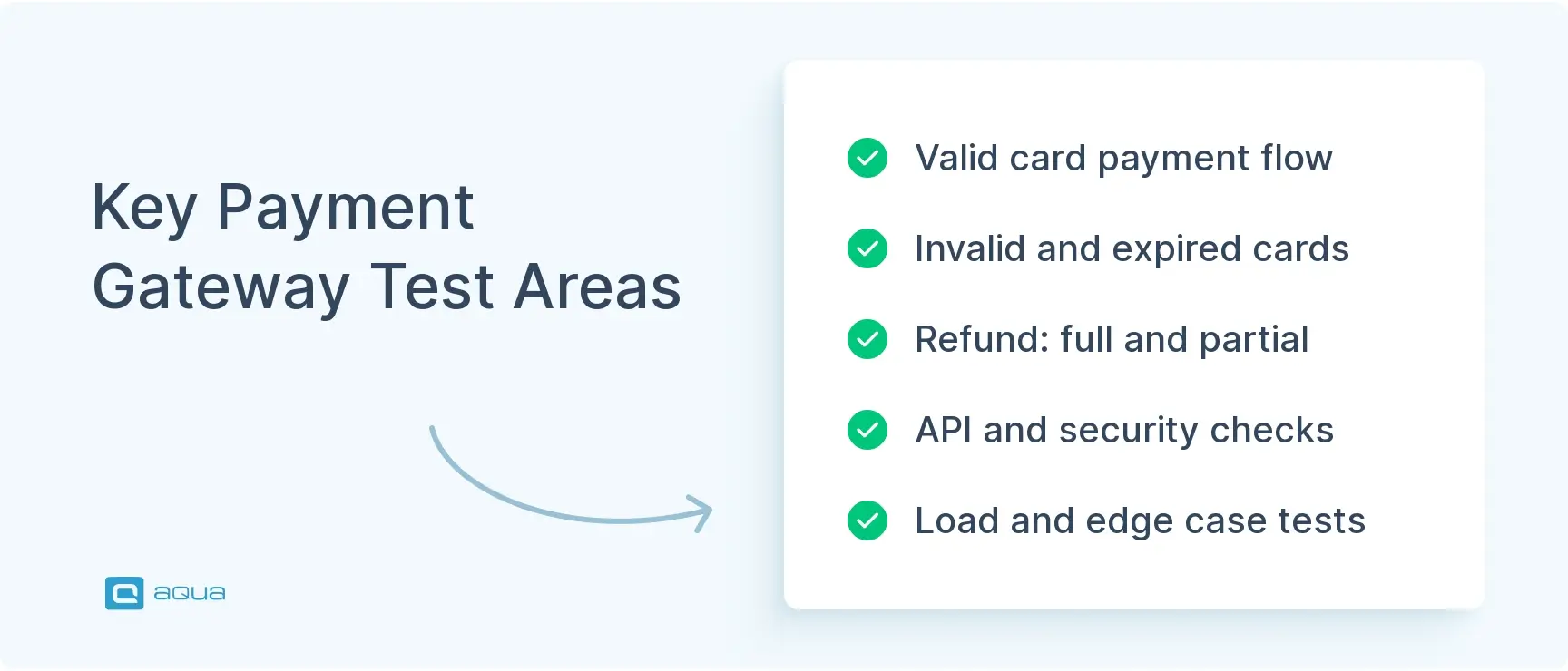
Payment gateway testing checks that transactions complete correctly, fail cleanly, and never expose card data. It covers payments, refunds, API behavior, security, and load.
Positive cases prove valid cards, wallets, multiple currencies, and saved cards work. Negative cases use invalid cards, expired cards, insufficient funds, blocked cards, and timeouts.
Refunds need their own suite: full, partial, multiple partials, and refunds on voided or unsettled transactions.
Edge cases and load tests catch what normal runs miss, like double-clicks, duplicate tabs, midnight transactions, and traffic spikes.
A timeout that double-charges a customer costs more trust than any new feature earns back. Here’s what to test, in the order a payment actually flows.
Test cases for payment gateway projects have to prove two things: money moves correctly when a payment is valid, and nothing bad happens when it isn’t. This guide gives you examples for every stage, from card validation to refunds, API behavior, security, and load. Use them as a starting point and adapt the values to your gateway and sandbox.
What Is Payment Gateway Testing?
Payment gateway testing checks that your system sends, receives, and records payments correctly and securely. The gateway sits between the customer’s card and your merchant account, so a bug there hits revenue directly.
The scope is wider than “does a payment go through.” You’re also checking declined cards, stuck transactions, refund accuracy, API responses, and PCI DSS compliance, the standard that governs how card data can be handled.
Payment gateway testing sample test cases help you simulate real situations before customers hit them. What happens with an expired card? What if the network drops halfway through? Test cases of payment gateway flows answer those questions in a sandbox, where a mistake costs nothing.
How to Write Test Cases for Payment Gateway
How to write test cases for payment gateway systems starts with the transaction lifecycle. A payment moves through these stages:
The customer submits payment details.
The gateway validates the card.
The processor receives an authorization request.
A response comes back.
The transaction completes or fails.
Each stage needs cases for its inputs, expected outputs, and system state, such as pending, completed, or failed.
Every test case for payment gateway work needs the same fields:
ID and title – Something readable, like TC_PG_001_ValidCard_Success, not “Test1.”
Preconditions – For example, “sandbox environment, user has a valid saved card.”
Test data – Exact card number, expiry, CVV, and amount.
Steps – Numbered, one action each.
Expected result – A status, a message, and a database state you can verify.
Environment and payment method – Sandbox or production, Visa or PayPal, and whether 3D Secure applies.
Detail test cases for payment gateway checks should name the exact response code or message you expect. “Payment declines” isn’t checkable. “Gateway returns a decline code and the user sees ‘Card declined, try another card'” is.
Keep a separate sheet for negative cases, since that’s where the hard bugs hide. Group cases into suites by area, and if you’re unsure how a single case relates to a full set, this explainer on test suite vs test case covers it. Start from a reusable test case template so every tester records the same fields. A test management platform like aqua cloud can keep those cases linked to requirements and defects.
A test case scenario for payment gateway work is easiest to think of as one customer story, such as “returning user pays with a saved card and a promo code.” Each story then breaks down into the atomic cases below.
Writing comprehensive test cases for payment gateway scenarios can quickly become overwhelming. Between validating card types, testing refund logic, and covering security requirements, you’re looking at hundreds of test cases that need to be structured, documented, and maintained.
This is exactly where aqua cloud transforms your testing workflow. With aqua’s domain-trained AI (aqua Intelligence) powered by RAG (Retrieval-Augmented Generation), you can generate detailed payment gateway test cases from your requirements in seconds, not hours. What makes this different from generic AI? Your project’s own documentation becomes part of the AI’s intelligence, so every generated test case reflects your specific payment flows, business rules, and terminology. From credit card validation scenarios to API integration test cases, aqua delivers structured, ready-to-execute test cases while keeping your sensitive payment data secure and compliant. You’ll maintain complete traceability from requirements through execution, with seamless Jira and Azure DevOps integration ensuring your dev and QA teams stay perfectly synchronized.
Generate complete payment gateway test suites in seconds with AI that knows your project
Positive cases confirm that valid payments work. These payment gateway test cases are your baseline, and they should pass on every build.
Valid credit card payment – Enter a valid test card, CVV, expiry, and billing address. The payment succeeds, a confirmation page loads, and a receipt email arrives.
Valid debit card payment – Same flow with a debit card. Funds are debited right away and the status becomes “completed.”
PayPal payment – Choose PayPal, log in on the redirect, authorize, and return to the merchant site with the transaction confirmed.
Multiple currencies – Pay in USD, EUR, and GBP. The symbol, any conversion, and the settled amount are correct.
Saved card – Opt to save the card. A token is stored, the card appears in account settings, and the next payment uses it without re-entry.
Promo code before payment – Apply a valid code. The charged amount and the transaction record both show the discount.
Receipt and records – After success, the confirmation email, order status, and transaction ID all match.
If one of these starts failing intermittently, treat it as a regression and investigate right away.
Negative Test Cases for Payment Gateway
Negative test cases for payment gateway checks feed the system bad data on purpose. Good payment gateway negative test cases confirm that each failure produces a clear message, no charge, and a way to retry.
Invalid card number – Enter the wrong length or non-numeric characters. The form rejects it with a clear error.
Expired card – Use a past expiry date. The payment fails with “Card expired.”
Incorrect CVV – Enter the wrong code. The payment is declined and the user can correct it.
Insufficient funds – Use your gateway’s insufficient-funds test card. The payment fails with a clear message.
Blocked card – Use a test card flagged as blocked. The payment declines with the right error code.
Payment timeout – Simulate a network delay. No duplicate charge occurs, a timeout message appears, and the user can retry.
Missing required fields – Leave CVV or billing zip empty. Validation blocks submission.
Injection in card fields – Enter SQL code in card inputs. Sanitization prevents it and the payment fails safely.
Lost or stolen card – Use the matching test card. The transaction is blocked without exposing details.
Payment Gateway Transaction Test Cases
Transaction cases follow a payment from start to settlement and check every status along the way.
Initiated – Click “Pay Now.” A transaction ID appears and the status is “Pending.”
Authorized – The processor approves. The status becomes “Authorized” and funds are held, not yet captured.
Captured – Capture the authorization. The status becomes “Completed” and the amount settles in the merchant account.
Declined by processor – A fraud check or card issue triggers a decline. The status is “Declined” and the user sees a clear error.
Voided – Void an authorization before capture. Funds are released and the status becomes “Void.”
Partial completion – In a multi-item order where one item fails, the partial charge is correct and the user is told.
Reconciliation – Compare gateway dashboard records with your database. IDs, amounts, and timestamps match.
Payment Gateway Test Cases for Credit and Debit Cards
Each card network behaves a little differently, so test them separately. Your credit card test cases here should cover every network you accept.
Visa – A Visa payment authorizes and settles.
Mastercard – The same flow with the same success criteria.
American Express – Amex uses a 15-digit number and a 4-digit CVV. Validation and processing handle both.
Session handling – Payment sessions expire after a timeout and can’t be replayed.
Log hygiene – Logs hold no full card numbers or security codes.
Payment Gateway Integration Test Cases
Test cases for payment gateway integration check what happens in the systems connected to payments.
Order after payment – A successful payment sets the order to “Paid,” sends a confirmation email, and reduces inventory.
Failed payment and the order – A failed payment leaves the order “Pending” or “Failed” and reserves no stock.
Invoice – A successful payment generates an invoice with the right amount and transaction ID.
CRM sync – The customer record is created or updated with the transaction details.
Accounting sync – The transaction appears in the accounting system with the correct amount and metadata.
Notifications – A success or failure email goes out with correct details.
Subscription activation – An initial subscription payment activates access immediately.
Gateway switch – If you run more than one gateway, routing and data format work for each.
Payment Gateway Test Cases for E-Commerce
E-commerce adds carts, guest users, and multi-step checkouts.
Guest checkout – A guest pays successfully and receives confirmation at the email provided.
Logged-in user – Saved methods appear, and the transaction links to the user’s profile.
Cart total matches charge – After a discount, the amount charged equals the cart total exactly.
Split shipments – An order split across two addresses is charged in full and tracked per shipment.
Out of stock mid-checkout – The cart updates and the user is told before payment is processed.
Abandoned cart – The cart is saved, a reminder goes out, and the user can resume without re-entering details.
Express checkout – Apple Pay or Google Pay completes with saved wallet details.
Tax and shipping – Both calculate correctly and appear in the final charge.
Payment Gateway Test Cases for Recurring Payments
Subscriptions bring billing cycles, retries, and cancellations.
Initial payment – A monthly signup charges once and activates the subscription.
Renewal – On the billing date, the system charges automatically and sends a receipt.
Failed renewal – An expired card triggers a retry on schedule and a notice to the user.
Mid-cycle upgrade – The prorated charge is calculated correctly.
Cancellation before billing – No further charge occurs, and the subscription ends on schedule.
Card update – A new card is tokenized, the old one removed, and the next renewal uses the new card.
Grace period – The subscription stays active during the grace period and the user is told to update payment.
Payment Gateway Performance Test Cases
Performance cases show how the gateway behaves under pressure.
Load, 100 concurrent payments – All complete and response time stays under 3 seconds.
Stress – Push load past expected capacity. The system slows down but doesn’t crash.
Spike – A sudden surge, such as a flash sale launch, causes no transaction failures.
Sustained load – Run 50 transactions a minute for an hour. No memory leaks appear and failures stay under 0.1%.
Database performance – Queries stay fast during high transaction volume.
API latency under load – At 200 transactions a minute, API response times stay within SLA.
Payment Gateway Mobile Testing
Mobile adds small screens, touch input, wallets, and unstable networks.
Responsive form – Fields are sized properly and the card number field opens a numeric keypad.
Apple Pay – Face ID or Touch ID authenticates, the payment completes, and confirmation appears right away.
Google Pay – Authentication, payment, and receipt all work on Android.
Network interruption – Lose connection mid-payment. No duplicate charge occurs and retry works after reconnecting.
Autofill – A saved card fills correctly and payment finishes with minimal taps.
Touch targets – “Pay Now” and “Cancel” are large and spaced to prevent mistaken taps.
In-app payment – The payment SDK completes the transaction without sending the user to a browser.
App backgrounding – Switch apps during processing. The payment state is correct on return.
Payment Gateway Edge Case Test Cases
Edge cases are rare, but they cause outsized damage when they hit production.
Very long name – A 100+ character billing name is truncated cleanly or blocked by a length limit.
Midnight boundary – A payment at 11:59 PM rolling into 12:00 AM is logged with the right date and time.
Zero-dollar transaction – A $0.00 payment, such as a free trial signup, is handled as designed.
Special characters – Addresses with é, ñ, and ü are accepted and processed.
Restricted country – A payment from a blocked region is declined with a clear message.
Two tabs, two clicks – “Pay Now” in two tabs at once creates one charge.
Expired session – Submitting after 30+ minutes prompts a refresh, not an error or a charge.
Smallest and largest amounts – Both limits work, and one cent beyond each is rejected.
Best Practices for Payment Gateway Testing
Payment gateway testing test cases only stay useful if they’re maintained and run in the right places.
Test in the sandbox first – Use the processor’s test cards and test mode, and never real card numbers.
Cover every payment method – Test wallets, bank transfers, and alternative methods along with cards.
Test across browsers and devices – Payment flows behave differently in Chrome and Safari, and on iOS and Android.
Automate the stable cases – Valid payments and basic declines run on every build. Humans handle edge cases and exploration.
Use real data – Production error logs and checkout analytics show where real users fail. An AI test case generator can turn those findings into draft cases fast.
Work with security – PCI DSS and penetration testing results belong to more than QA.
Document test data – Keep one list of test cards, test API keys, expected error codes, and test accounts.
Test multiple currencies – Check conversion, localized formatting, and regional payment methods.
Payment Gateway Testing Checklist
Positive cases pass for every supported card type and wallet
Negative cases pass: invalid, expired, blocked, and underfunded cards
Full transaction lifecycle works: authorize, capture, void, decline
Refunds work: full, partial, multiple partial, and blocked invalid refunds
Timeouts, dropped connections, and bad API responses are handled
API validation, authentication, rate limiting, idempotency, and webhooks verified
PCI DSS, TLS, tokenization, injection protection, and brute-force limits confirmed
Guest, logged-in, and abandoned cart flows work
Recurring payments: renewal, retry, upgrade, and cancellation work
Load, stress, spike, and sustained tests pass
Mobile wallets, network loss, and touch targets tested on real devices
Edge cases covered: long names, midnight, zero amounts, duplicate clicks
Multi-currency and international methods tested
Downstream systems updated correctly: orders, inventory, CRM, invoices, accounting
Sandbox testing finished before any production deployment
You’ve now got a complete blueprint for payment gateway testing from transaction lifecycles to mobile flows and security validation. But let’s be honest: translating this checklist into hundreds of structured, maintainable test cases is a massive time sink.
That’s where aqua cloud becomes your weapon. Instead of manually documenting every test scenario, aqua Intelligence generates comprehensive test cases instantly from your payment gateway requirements, user stories, or even uploaded documentation. And unlike ChatGPT or other generic tools, aqua’s domain-trained AI with RAG grounding learns from your project’s actual context (your specific payment processors, business logic, and edge cases), producing test cases that feel like they were written by someone who already knows your system. You’ll cover all the scenarios outlined in this guide: positive and negative flows, refund logic, security validation, API testing, and those tricky edge cases that slip through the cracks. With 100% requirements traceability, real-time dashboards, and native integrations with Jira, Azure DevOps, and CI/CD pipelines, aqua centralizes your entire payment gateway testing operation. Your checkout flow is too critical to leave to chance, and aqua ensures nothing falls through the cracks.
Achieve 100% payment gateway test coverage with AI-powered precision and zero security compromise
Good payment gateway testing covers the successful payment, every way it can fail, and everything the payment touches afterward. Start with positive and negative cases, add transaction states and refunds, then layer on API, security, and load checks. Those are the areas where real money gets lost.
Keep the cases current as your gateway, card networks, and rules change. Automate what’s stable and review the rest after each incident. A payment bug found in the sandbox costs you an afternoon, and the same bug in production costs you customers.
What are the most important test cases for a payment gateway?
Start with a valid card payment, a declined card, an expired card, a wrong CVV, and a timeout. Add refunds, duplicate submission prevention, and 3D Secure. Then cover security checks like tokenization and TLS. These are the test cases of payment gateway projects that protect revenue and customer data first.
How do you test a payment gateway?
Work in the sandbox with the processor’s test cards. Run the full lifecycle first: initiate, authorize, capture, and confirm the order and email. Then run failures, refunds, API checks, security checks, and load tests. Finally, check the downstream systems, such as inventory and accounting.
What are positive and negative test cases for payment gateway testing?
Positive cases use valid input and expect a completed payment, such as a valid card with the right expiry and CVV. Negative cases use invalid input or failing conditions and expect a safe failure, such as an expired card, insufficient funds, or a timeout. A negative case passes when the user sees a clear message, nothing is charged, and a retry is possible.
How do you test payment gateway failures and declined transactions?
Use the processor’s decline test cards for insufficient funds, blocked cards, and lost or stolen cards. Simulate timeouts and dropped connections, and check the user message and the transaction status in each. Confirm that no duplicate charge occurs and that the order stays unpaid when the payment fails.
What security test cases should be included for a payment gateway?
Check that card numbers aren’t stored unencrypted and that CVV and PIN data never appear in logs. Confirm HTTPS with a valid certificate and tokenization of card details. Test SQL injection, XSS, brute-force limits, and session expiry. Verify PCI DSS requirements as part of every release, not once a year.
Nurlan, a QA Coordinator & Quality Standards Officer, takes pride in orchestrating seamless QA operations. His expertise in coordinating QA-focused projects and integrating QA solutions has consistently yielded top-tier client satisfaction. Aside from a full-time QA coordinator, Nurlan's role involves creating compelling content that educates…
Embodying the essence of a QA Coordination Maestro, Paul has excelled in curating and implementing quality strategies tailored to the nuances of each project. His expertise in the market of QA and Test Management solutions has contributed to a vast portfolio of successfully managed TMS…
Home » 'How to' guides » How to Write Payment Gateway Test Cases: Complete Guide
Do you love testing as we do?
Join our community of enthusiastic experts! Get new posts from the aqua blog directly in your inbox. QA trends, community discussion overviews, insightful tips — you’ll love it!
We're committed to your privacy. Aqua uses the information you provide to us to contact you about our relevant content, products, and services. You may unsubscribe from these communications at any time. For more information, check out our Privacy policy.
X
🤖 Exciting new updates to aqua Intelligence are now available! 🎉