Test Cases for Registration and Login: Checklist & Free Examples
Registration and login pages are the front door to your app. Nobody cares how good your dashboard looks if people can't get past the entrance, and these pages fail the same way over and over: validation that lets garbage through, or security treated as an afterthought until something breaks.
Registration and login pages are the primary attack surface for credential stuffing, account takeover, and data breaches, which makes thorough testing a security and compliance issue, not just a UX one.
A solid test case needs a unique ID, concrete inputs, a measurable expected result, and a link back to the requirement it verifies, so any tester or automation script can run it and get the same answer.
Negative testing should make up 60 to 70% of your authentication test suite, since most real bugs live in error handling and malicious input, not the happy path.
Password recovery needs time-limited tokens, consistent response times regardless of whether the email exists, and rate limiting to stop account enumeration.
Cross-browser and mobile testing catches failures that single-browser testing misses entirely, like Safari’s stricter cookie policy or password manager conflicts on mobile keyboards.
Most teams test the happy path and call it done, but attackers probe authentication harder than anyone else. Here’s how to build coverage that actually protects users.
This guide breaks down the test cases for registration and login page flows that actually matter, from form validation to the security checks most teams skip. Teams tracking this coverage in aqua cloud get traceability built in from the start, so every case ties back to a requirement instead of living in a spreadsheet nobody updates. You’ll get concrete examples, a practical checklist, and the reasoning behind each one.
What Are Registration and Login Test Cases?
Test cases for registration and login page functionality verify that users can create accounts and sign in securely. They’re structured scenarios that confirm your authentication flow holds up under different conditions, not just the one you tested manually once and assumed was fine.
Writing test cases for login page scenarios means specifying what happens with valid credentials and confirming that invalid ones get rejected. Test cases for registration page work the same way: check whether the system accepts valid email formats, enforces password rules, and blocks duplicate accounts. Both extend into negative scenarios, security checks like brute-force resistance, and usability questions like whether the error message actually helps.
A real test case includes preconditions (account doesn’t exist yet), concrete inputs (email: test@example.com, password: Test123!), a clear action (click submit), and a measurable expected result (redirect to dashboard, HTTP 200). That precision means anyone on the team, or your automation framework, can run it and get an objective pass or fail.
These pages are also the primary attack surface for credential stuffing and account takeover. Weak testing here risks data breaches and compliance failures, not just annoyed users, which is why coverage isn’t something to shortcut.
How to Write Test Cases for Registration and Login Pages
How to write test cases for registration page and login flows starts with your test basis: the requirements, user stories, and business rules that define how these flows should behave. Don’t guess at coverage. Review specs, check API contracts, and identify the risks specific to your authentication setup before writing a single case.
Map the core flows first. Registration typically runs: user fills form, system validates, account gets created, confirmation sends. Login runs: user enters credentials, system authenticates, session starts, access granted. These happy paths are your baseline, not your finish line. Each step hides an assumption worth testing. What happens if validation fails? What if the confirmation email never lands? What if someone logs in with an inactive account?
When you write test cases for login page scenarios, structure every one the same way: a unique ID (LOGIN-001), an objective (verify login with valid credentials), preconditions (account exists and is active), concrete inputs, clear steps, and a measurable expected result. The same structure applies when you write test cases for registration page scenarios. Just swap in registration-specific preconditions and inputs.
Use real test design techniques instead of inventing scenarios at random:
Boundary value analysis for password length. If passwords need 8 to 64 characters, test 7, 8, 9, 63, 64, and 65.
Equivalence partitioning for email validation. One valid format proves that category works, but you still need the invalid ones: missing @, no domain, stray spaces.
Decision tables for combinations like account status plus password validity plus feature flags.
State transition testing for accounts that move between states, from pending to active to suspended to closed.
Weight your negative testing heavily. Most bugs live in error handling, so negative cases should make up 60 to 70% of your suite. Keep every case atomic too. A test called “verify registration, login, and password reset” is really three tests pretending to be one. When a step fails, atomic cases tell you exactly which capability broke instead of leaving you to untangle it.
Tie every case back to a requirement before you’re done. Test management software handles this through explicit links between requirements and test cases, though a disciplined spreadsheet works too. When a password policy changes or a new OAuth provider gets added, that traceability shows exactly which tests need updating.
That’s exactly where aqua cloud becomes your testing command center. With aqua, you can structure all your registration and login test cases in one centralized platform, using nested test cases to reuse common authentication steps (like “user navigates to login page”) across multiple scenarios. When password policies or validation rules change, update your shared step once, and it propagates everywhere automatically. aqua Intelligence, powered by domain-trained AI with RAG grounding, can generate detailed test cases from your authentication requirements in seconds, using your project’s specific terminology and standards to create immediately relevant scenarios. Plus, with built-in requirement traceability, Jira and Azure DevOps integrations, and comprehensive dashboards showing coverage gaps, you’ll know exactly which authentication scenarios are tested and which still need attention.
Build bulletproof authentication testing with 100% coverage and zero redundancy
Functional test cases for registration page verification start with the basics: does the form accept valid data and create accounts correctly? These registration page test cases establish your baseline before you start trying to break things.
Valid registration with all required fields: A unique email, a password meeting requirements, and any mandatory fields get submitted. Expected result: account created with status “active” or “pending verification,” confirmation email sent, and the user redirected or auto-logged in depending on your flow.
Email confirmation workflow: After registration, the system sends a verification email with a token. Clicking the link validates the token and activates the account. This checks the full registration-to-activation cycle, not just the form submission.
Registration with optional fields: Fields like phone number or company name should let registration succeed when left blank, and correctly store whatever value gets provided.
Password visibility toggle: The eye icon should actually toggle visibility without breaking masking or validation behavior.
Social login registration: Clicking “Sign up with Google” or a similar provider should create an account from the OAuth data with minimal friction, landing the user authenticated.
Auto-fill compatibility: Browser autofill and password managers should populate fields correctly, which catches issues with broken input attributes or JavaScript interference.
Terms and conditions acceptance: If registration requires accepting terms, the checkbox should block submission until checked, and the acceptance should get recorded with a timestamp.
Age verification: For apps with a minimum age requirement, the birthdate input should correctly block underage registration.
Negative Test Cases for Registration
Negative testing shows how gracefully your registration form handles bad input, malicious attempts, and edge cases. Most bugs hide here, not in the happy path.
Duplicate email registration: An email that already exists should return a clear error without exposing whether that email exists, for privacy reasons, and without creating a duplicate account.
Invalid email formats: Malformed emails, missing @, no domain, stray spaces, should get rejected with specific validation messages before any database call.
Weak passwords: Passwords that are too short, lack special characters, or use sequential patterns like 123456 should get blocked, with the requirements explained clearly.
Password mismatch: Different values in password and confirm-password fields should block submission and flag the mismatch specifically.
Required fields left blank: Empty mandatory fields should get caught client-side before server submission, with field-level errors.
SQL injection in registration fields: Input like admin'-- in email or name fields must get sanitized. It should never execute.
XSS attempts in text fields: Content like <script>alert('XSS')</script> in a name or bio field should get escaped so the script never runs on profile display.
Extremely long inputs: A 10,000-character string in an email or name field should hit a maximum length gracefully, not crash the system.
Special characters in name fields: Names with apostrophes, hyphens, or accented characters, like O’Brien, Mary-Ann, or José, should be accepted. Rejecting valid names excludes real users.
Registration with disposable email: If your policy blocks temporary email services, providers like mailinator.com should get detected and rejected with a clear message.
CAPTCHA bypass attempts: Registration should fail without completing the CAPTCHA, and your test automation needs a legitimate mechanism, like a testing token, to handle it.
Rapid repeated registration attempts: Submitting the form 50 times in 10 seconds should trigger rate limiting without blocking legitimate retries.
Login Page Test Cases
Positive test cases for login page scenarios verify expected behavior with valid inputs, while the negative side catches everything that shouldn’t work. These login page test cases examples cover both.
Successful login with valid credentials: Correct email and password should authenticate the user, create a session, and redirect to the dashboard with no error messages.
Remember me functionality: Checking “Remember me” should keep the user authenticated after closing and reopening the browser, via a persistent cookie or token refresh.
Login redirect to intended page: A logged-out user hitting a protected page should get redirected to login, then back to that original page after authenticating, not just to the dashboard.
Session persistence after login: Sessions should persist during normal browsing and time out according to your actual policy, whether that’s 30 minutes idle or 24 hours absolute.
Logout functionality: Logging out should invalidate the session and revoke the token, so any attempt to reach a protected route afterward fails until re-authentication.
Login with username instead of email: If your system supports both, test that each path authenticates correctly.
Case sensitivity in email: USER@EXAMPLE.COM should log into the same account as user@example.com, since email authentication is typically case-insensitive.
Whitespace handling in credentials: Pasted credentials with trailing spaces should get trimmed automatically, not fail authentication for a technically correct password.
Auto-login after registration: If your flow authenticates new users automatically, confirm they land signed in without a manual login step.
Multi-device login: Authenticating on desktop and then mobile should work simultaneously, unless your policy explicitly restricts it.
Negative Test Cases for Login
These login test cases for registration page protection scenarios focus on security: blocking bad credentials, handling errors without leaking information, and stopping common attacks before they work.
Login with incorrect password: A wrong password with a valid email should fail with a generic message like “Invalid credentials,” without locking the account after one attempt or revealing which field was wrong.
Login with non-existent email: An unregistered email should return the exact same generic error as a wrong password, so nobody can enumerate valid accounts.
Login with correct email but wrong case in password: Passwords are case-sensitive, so Password123 should fail if the real password is password123.
Blank email or password: Submitting with one or both fields empty should get blocked client-side with clear field-level errors.
SQL injection in login form: A payload like admin' OR '1'='1 should never get parsed as SQL. The system should reject or sanitize it outright.
Brute force protection: Ten or more rapid wrong-password attempts should trigger a temporary lock, a CAPTCHA, or rate limiting, and response time shouldn’t vary based on whether the email is real.
Login with deactivated account: A suspended or deleted account should fail with a specific message like “Account inactive,” not the generic error.
Session fixation attempts: The system should regenerate session IDs after authentication, so manipulating a session ID before or after login can’t hijack the session.
Login with expired session token: An expired token should get rejected and force re-authentication.
Concurrent login attempts: Starting the login process in two tabs at once with the same credentials shouldn’t create a race condition or corrupt state.
Password Recovery and Reset Test Cases
Password recovery is where forgetful users go, and where attackers try to hijack accounts. Both reasons make it worth testing thoroughly.
Password reset request with valid email: Entering a registered email should send a reset email with a time-limited token, typically 15 to 60 minutes, without confirming that the email exists.
Password reset email delivery: The reset email should arrive with a valid link, a visible expiration time, a legitimate sender address, and a clear subject line.
Successful password reset via email link: Clicking the link and setting a new password should update the hashed password in the database, invalidate the old password, and invalidate the reset token.
Password reset token expiration: Waiting past the expiration window, say 35 minutes on a 30-minute token, and then using the link should get the token rejected.
Password reset for non-existent email: An unregistered email should get the same response as a valid one, something like “If this email exists, you’ll receive instructions,” to prevent enumeration.
Multiple password reset requests: Requesting a reset twice before using the first token should invalidate the older token, or clearly support both, depending on your design.
Password reset rate limiting: Twenty rapid reset requests should get throttled instead of flooding the user’s inbox.
Reuse of old password during reset: If your policy blocks reusing recent passwords, the system should reject a password matching the current or a recent one.
Password reset without email access: Alternative recovery paths, like security questions or SMS, should work correctly if you offer them.
Security Test Cases for Registration and Login
These login page security test cases go past functional checks to target the vulnerabilities that lead to account compromise or a real breach.
Password encryption in transit: Dev tools or a proxy should confirm passwords travel over HTTPS only, never in plain text.
Password hashing in database: Stored passwords should use bcrypt, Argon2, or PBKDF2, never plain text or a weak hash like MD5.
Protection against credential stuffing: Testing with known compromised credentials, from a source like Have I Been Pwned, should trigger detection and possibly an additional verification step.
HTTPS enforcement: Accessing login or registration over HTTP should redirect to HTTPS automatically, or refuse to serve the page at all.
Secure cookie attributes: Session cookies should carry the Secure flag, the HttpOnly flag, and a SameSite attribute for CSRF protection.
CSRF protection on authentication forms: Submitting login or registration from an external page without a CSRF token should fail.
Account enumeration prevention: Response times and messages across email checks, failed logins, and reset requests should stay consistent regardless of whether the account exists.
Logout invalidates session globally: An old session token or cookie should fail on every authenticated request after logout, not just redirect to login.
Password complexity enforcement: The system should require a minimum length and character variety, and block common passwords like password123 outright.
Two-factor authentication: 2FA enrollment, backup codes, and the second-factor prompt after password entry should all work, and bypass attempts should fail.
OAuth and SSO security: Social login should use state parameters to prevent CSRF, keep tokens out of URLs, and resist hijacking mid-flow.
UI and Usability Test Cases
Authentication forms need to work, but they also need to be usable by an actual human under actual pressure to get logged in.
Form field labels and placeholders: Every input needs a clear label, and screen readers should announce each field’s purpose correctly.
Error message clarity: Validation failures should name the specific problem, like “Email format invalid,” placed near the relevant field rather than buried at the top of the page.
Real-time validation feedback: Email format should validate as the user types or on blur, and password strength or confirmation match should update live.
Tab order and keyboard navigation: Tabbing through the form should follow the visual layout, reach every interactive element, and let Enter submit the form.
Password strength indicator: The strength meter should accurately reflect weak, medium, or strong, helping users improve their password rather than just judging it.
Show and hide password toggle: The eye icon should clearly switch between masked and visible text, with proper ARIA attributes for accessibility.
Mobile-responsive layout: Fields should be tappable at a minimum 44px target, with no horizontal scrolling and no keyboard obscuring the input.
Loading states: Submitting the form should show a spinner, disable the button to prevent double submission, and give clear feedback that something’s happening.
Autofocus on first field: Landing on login or registration should place the cursor in the first field automatically.
Link to alternate flow: Login should link clearly to registration and password recovery, and registration should link back to login.
Success confirmation clarity: A successful registration should show an obvious, actionable message, like “check your email,” rather than leaving the user guessing what happens next.
Compatibility Test Cases
Authentication has to work everywhere your users actually are, and compatibility testing is what catches the environment-specific failures a single browser will never show you.
Cross-browser functional testing: Registration and login should behave identically in Chrome, Firefox, Safari, and Edge, across the latest versions and a couple of older ones your analytics still show.
Mobile browser testing: On Safari iOS, Chrome Android, and Samsung Internet, the keyboard should match the input type, email keyboard for email, and submission should work reliably.
Device type coverage: Phone, tablet, laptop, and desktop layouts should adapt without breaking functionality.
Operating system variations: Windows, macOS, Linux, iOS, and Android may handle file upload or camera access differently during registration, so test each.
Screen reader compatibility: NVDA, JAWS, and VoiceOver should announce field labels, validation errors, and success messages correctly.
Slow network conditions: Throttling to 3G should keep forms functional, with generous timeouts and clear loading states.
Offline behavior: Submitting while disconnected should return a clear offline message, not a cryptic network error.
Browser extension interference: Password managers like LastPass, 1Password, and Bitwarden should save and autofill credentials without breaking form behavior.
Ad blockers and privacy tools: Authentication should still work with uBlock Origin, Privacy Badger, or similar tools active.
Different time zones and locales: Timestamp handling, date formats, and localized content shouldn’t break registration or login for global users.
Common Challenges When Testing Registration and Login
Authentication testing comes with the same recurring headaches across teams, and knowing them ahead of time saves a lot of wasted debugging.
Test data management: Creating realistic test accounts without polluting production takes isolated environments, cleanup procedures, or automation that generates and destroys test users.
Email verification testing: Automated tests struggle with confirmation flows. A test-only backdoor token or an email sandbox with API access solves most of this.
Password policy complexity: Requirements change, and suddenly half your test data is invalid. Keep password data in config files, not hard-coded, so a policy update doesn’t break the whole suite.
Rate limiting and throttling: Security features built to stop brute force also block test automation. Unique test credentials, waits between attempts, or a relaxed test-environment flag all help.
Third-party OAuth dependencies: Social login testing depends on providers like Google staying available and consistent. Mocking OAuth in test environments avoids the flakiness.
Session state management: Tests that skip cleanup create false failures on rerun. Build explicit logout or session-clearing steps into your automation.
Two-factor authentication in automation: Test-only accounts with 2FA disabled, deterministic TOTP generation, or programmatic backup codes make automation possible.
Cross-browser consistency: Behavior that works in Chrome can fail in Safari due to stricter cookie policies, which is exactly why compatibility testing can’t stop at one browser.
Visual verification limitations: Functional tests miss misaligned fields and unreadable text. Visual regression testing fills that gap.
Real-world scenarios lab testing misses: Trailing spaces in a pasted password, autocomplete fighting your JavaScript, and keyboard quirks on specific devices only show up with real user monitoring and exploratory testing.
Best Practices for Registration and Login Testing
Good authentication testing means more than running through a checklist. Start with risk-based prioritization: since this is your app’s front door, security vulnerabilities and account takeover scenarios deserve more testing time than a placeholder text tweak.
Build your test cases from actual requirements and acceptance criteria, not a generic template. Your app has its own rules, maybe username-or-email login, specific password policies, or multi-tenant registration, and a boilerplate list will miss all of it.
Keep positive and negative testing clearly separated, and weight negative cases heavily since most bugs hide there. Keep every case atomic too. A test covering registration, login, and profile editing in one pass hides which capability actually broke when something fails.
Write with precision. Concrete inputs, measurable expected results, and clear preconditions remove ambiguity and make automation possible. Vague cases like “form works correctly” invite inconsistent execution and subjective pass or fail calls.
Build security testing into the core suite from day one, not as an afterthought. Injection payloads, brute-force scenarios, and session hijacking attempts belong alongside your functional cases, not in a separate document nobody opens.
Make traceability part of your process. Link every case back to a requirement, user story, or risk, so a policy change tells you exactly which tests need a second look instead of leaving you to guess. Smaller teams evaluating testing tools for startups should look for this traceability from the start, since retrofitting it later costs more than building it in.
Test in an environment that mirrors production. Localhost testing hides HTTPS issues, cookie domain problems, and CORS errors that only show up once you’re closer to the real thing.
Combine manual and automated testing deliberately. Automate the stable, repetitive scenarios, like standard validation and happy-path login, and free up human testers for the exploratory work scripts can’t do: unusual edge cases, usability friction, creative attack angles. Teams on a budget sometimes start this process with open source test management tools before moving to a dedicated platform as their test suite grows.
Treat test data like code. Version control your test accounts, maintain cleanup steps, and use data realistic enough to actually exercise your validation logic.
Registration and Login Testing Checklist
Use this as a baseline, not a ceiling. Add whatever’s specific to your app on top of it.
Functional Registration
Valid registration with required fields completes successfully
Optional fields behave correctly whether blank or filled
Email confirmation workflow runs start to finish
Social login registration works if applicable
Terms acceptance is enforced and recorded
Functional Login
Valid credentials authenticate successfully
Remember me persists the session correctly
Redirect to the intended page works after login
Logout invalidates the session properly
Auto-login after registration works if implemented
Negative Registration
Duplicate email gets rejected with a clear error
Invalid email formats get blocked
Weak passwords get rejected
Password mismatch gets caught
Required field validation works
Injection attempts get sanitized
Rate limiting blocks abuse
Negative Login
Wrong password gets rejected
Non-existent email gets handled securely
Blank fields get validated
Brute force protection activates
Deactivated accounts get blocked
Injection attempts get neutralized
Password Recovery
Reset request sends the email successfully
Reset link with a valid token works
Token expiration is enforced
Non-existent email is handled securely
Rate limiting applies to reset requests
Security
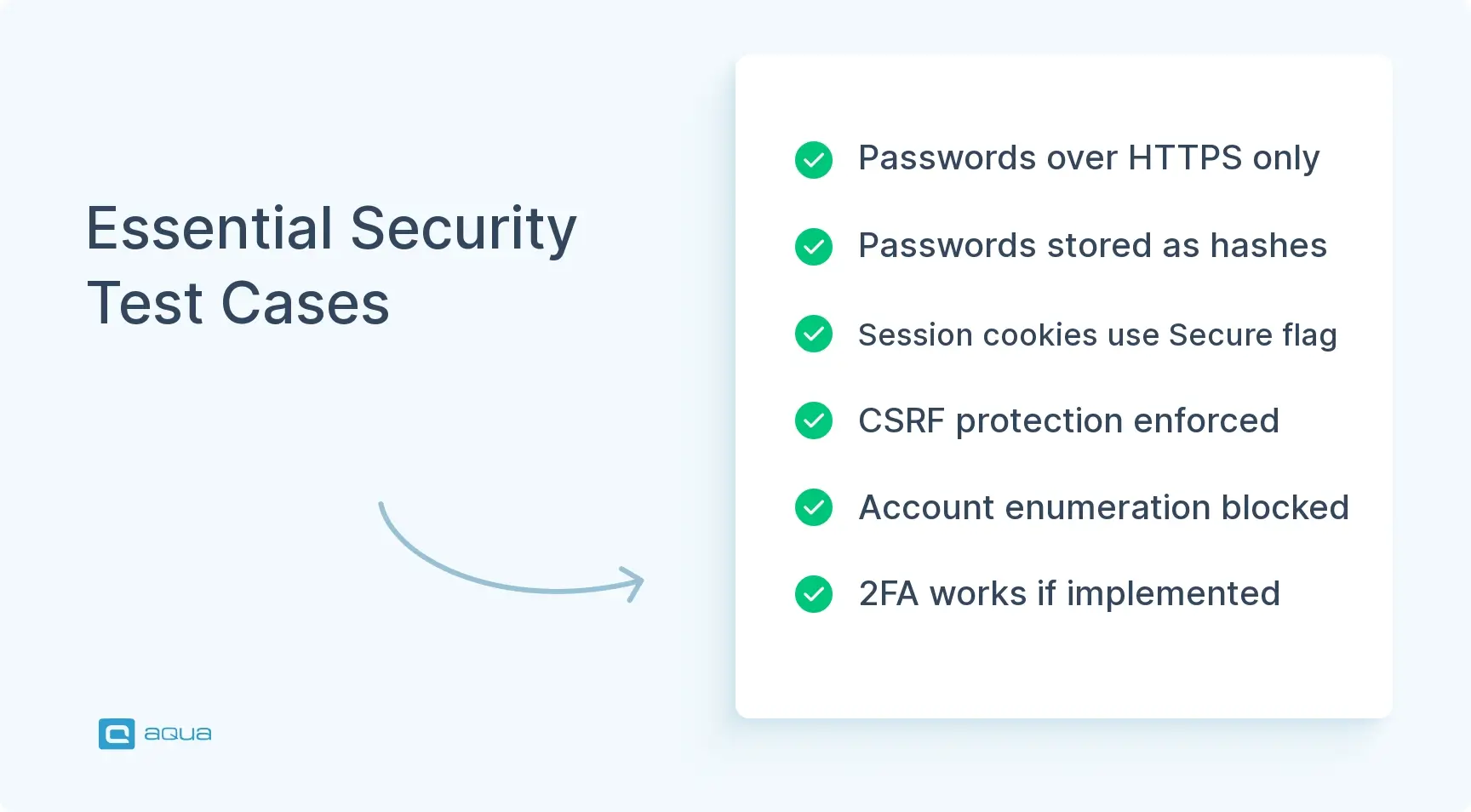
Passwords transmit over HTTPS
Passwords are stored hashed, never plain text
Session cookies carry Secure, HttpOnly, and SameSite flags
CSRF protection is active
Account enumeration is prevented
2FA works correctly if implemented
UI and Usability
Error messages are clear and specific
Real-time validation gives feedback
Keyboard navigation works fully
Password visibility toggle functions correctly
Layout is mobile-responsive
Loading states appear during submission
Compatibility
Works in Chrome, Firefox, Safari, and Edge
Works on mobile browsers, iOS Safari and Chrome Android
Is accessible via screen reader
Is compatible with password managers
Functions on slow networks
aqua cloud solves this by centralizing your entire authentication test suite with smart features built specifically for scale. Create reusable test components for common flows like password validation or email verification, then reference them across dozens of test cases; update once, improve everywhere. Need to generate 50 negative test cases covering injection attempts, boundary conditions, and error handling? aqua Intelligence, a domain-trained AI with RAG grounding, generates these in seconds, drawing from your project’s actual documentation to create contextually accurate scenarios that match your specific business rules. Bulk operations let you update entire test sets when requirements change, while visual traceability maps every authentication requirement to its covering test cases and linked defects, giving you instant visibility into coverage gaps before deployment. Teams using aqua save up to 12+ hours per week per user by automating repetitive test design and documentation work, achieving 100% requirement coverage without the manual grind.
Achieve complete authentication test coverage while saving 12+ hours per week
Solid test cases for login and registration page flows protect your users and your business from the first moment someone tries your app. Skip corners here and you’re inviting security breaches, lost users, and support tickets that could’ve been caught before deployment. The examples and checklist above give you a real framework for test cases for registration and login page coverage that actually holds up, whether you’re writing manual test plans or building automation around them. Start with these fundamentals and adapt them to your own requirements. Your users will notice the difference, mostly by not noticing anything at all.
What are the most important test cases for a registration page?
Prioritize valid registration with required fields, duplicate email rejection, weak password rejection, and injection attempts in text fields. These catch the most common real-world failures: broken account creation, duplicate accounts, weak security policy, and unsanitized input reaching your database.
What are the most important test cases for a login page?
Focus on successful login with valid credentials, generic error messages for both wrong passwords and non-existent emails, brute force protection, and session invalidation on logout. These prevent the two biggest login failures: locked-out legitimate users and unprotected accounts.
How do you write positive and negative test cases for login?
Positive cases confirm expected behavior with valid inputs, like correct credentials leading to a successful session. Negative cases confirm the system fails safely with bad input, like a wrong password returning a generic error instead of specific field information. Write both from the same requirement, then weight negative cases more heavily, since that’s where most real bugs surface.
What security test cases should be performed on registration and login pages?
Cover password encryption in transit, password hashing at rest, CSRF protection, secure cookie attributes, account enumeration prevention, and brute force protection. If you support 2FA or OAuth, test the second factor and the OAuth flow specifically for bypass and hijacking attempts.
How can registration and login test cases be automated?
Automate the stable, repetitive scenarios first: standard validation, happy-path login, and password strength checks. Handle known automation pain points directly, mock OAuth providers instead of depending on live ones, use test-only accounts with 2FA disabled, and keep credentials and rate-limit exceptions isolated to your test environment. Save manual and exploratory testing for edge cases and usability issues scripts won’t catch.
Embodying the essence of a QA Coordination Maestro, Paul has excelled in curating and implementing quality strategies tailored to the nuances of each project. His expertise in the market of QA and Test Management solutions has contributed to a vast portfolio of successfully managed TMS…
Nurlan, a QA Coordinator & Quality Standards Officer, takes pride in orchestrating seamless QA operations. His expertise in coordinating QA-focused projects and integrating QA solutions has consistently yielded top-tier client satisfaction. Aside from a full-time QA coordinator, Nurlan's role involves creating compelling content that educates…
Home » Test Automation » Test Cases for Registration and Login: Checklist & Free Examples
Do you love testing as we do?
Join our community of enthusiastic experts! Get new posts from the aqua blog directly in your inbox. QA trends, community discussion overviews, insightful tips — you’ll love it!
We're committed to your privacy. Aqua uses the information you provide to us to contact you about our relevant content, products, and services. You may unsubscribe from these communications at any time. For more information, check out our Privacy policy.
X
🤖 Exciting new updates to aqua Intelligence are now available! 🎉