Best qTest Alternatives in 2026: Top Tools Compared
qTest is a capable platform. Nobody disputes that. But giving your product owner, compliance lead, and a few UAT stakeholders visibility into QA progress means $1,000 per named user, per year. Add to this analytics and data handling considerations, and a QA tool starts feeling like an infrastructure project. AI coverage creates a separate problem. qTest Copilot generates test cases from requirements, but your team also needs AI for requirements drafting, test data, and bug reports. Covering one step in the process isn't enough. This guide compares seven qTest alternatives for 2026, covering what each tool does well, where it falls short, and which teams it fits. aqua cloud leads the list.
qTest starts at $1,000 per named user annually, which adds up quickly when product owners, compliance leads, and stakeholders need visibility into QA progress.
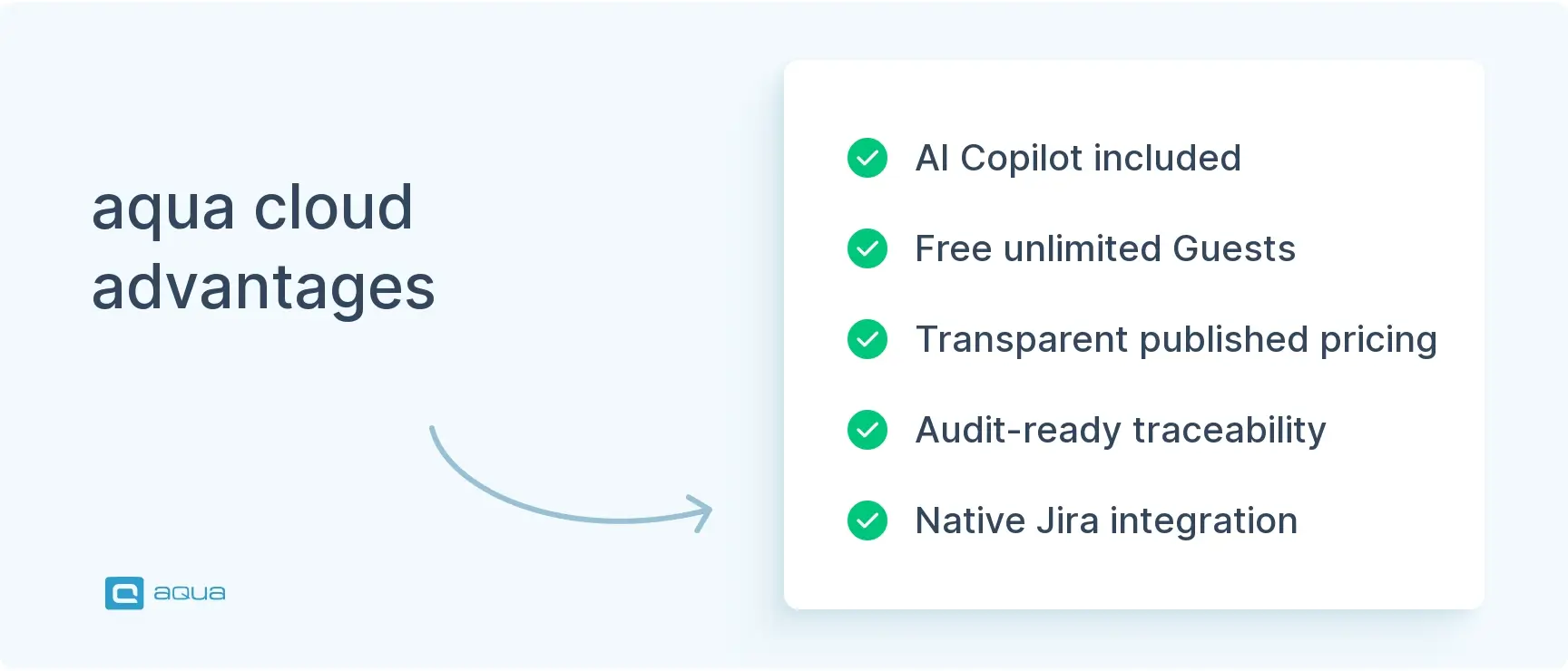
aqua cloud includes AI Intelligence in every paid license, covering requirements generation, test case creation, test data drafting, and bug report writing across the full QA lifecycle.
aqua cloud provides unlimited free Guest licenses with read-only access, so stakeholders and auditors can follow QA updates easily.
Zephyr Scale and Xray are Jira-native tools that keep test cases, executions, and defects inside Atlassian’s ecosystem, but feel constrained when your team needs workflows beyond Jira.
For regulated industries like banking, healthcare, or insurance, aqua’s audit-ready traceability and on-premise deployment options cover compliance requirements that most alternatives can’t match.
qTest is mature, but setup complexity, per-user pricing, and limited AI coverage can slow your team down. See how the top alternatives stack up below 👇
Why Should You Switch from qTest?
Despite qTest being suitable for its intended use, many teams that have used it in production consistently flag the same three problems: performance under load, reliability gaps, and pricing that scales against you. Here’s what they say.
It's overly complicated, their tools seem to be bait for 'big enterprise' environments for the reporting they provide but in reality, you end up doing extra steps for each thing you want to do.
Nahu
Reddit
Extra steps add up. For teams managing large test suites across releases, unnecessary complexity in day-to-day workflows is a real cost.
Jira integration is very problematic and after three years it still does not work as it should (after many support calls).
Verified User
TrustRadius
Three years is a long time to wait for a core integration to work. Teams that depend on Jira for defect tracking can’t afford that kind of ongoing friction.
Sometimes, the requirements between qTest and JIRA did not sync well. There were many times when the number of requirements in each software was not the same.
Noah B
Capterra
Sync issues between test management and Jira don’t just slow teams down — they create traceability gaps that matter most during audits and release sign-offs.
Customer support has been abysmal since Tricentis took over qTest. A user should not have to write an email to support learning how to file a ticket on the support portal.
Verified User
TrustRadius
Support issues hit hardest in regulated industries, where blocked teams and slow responses have both productivity and compliance consequences.
At roughly $1,000 per named user per year with no free tier, the pricing compounds all of this. Every stakeholder who needs basic read-only visibility carries a full seat cost. The tools below are built to solve exactly these problems.
What to Look for in a qTest Alternative
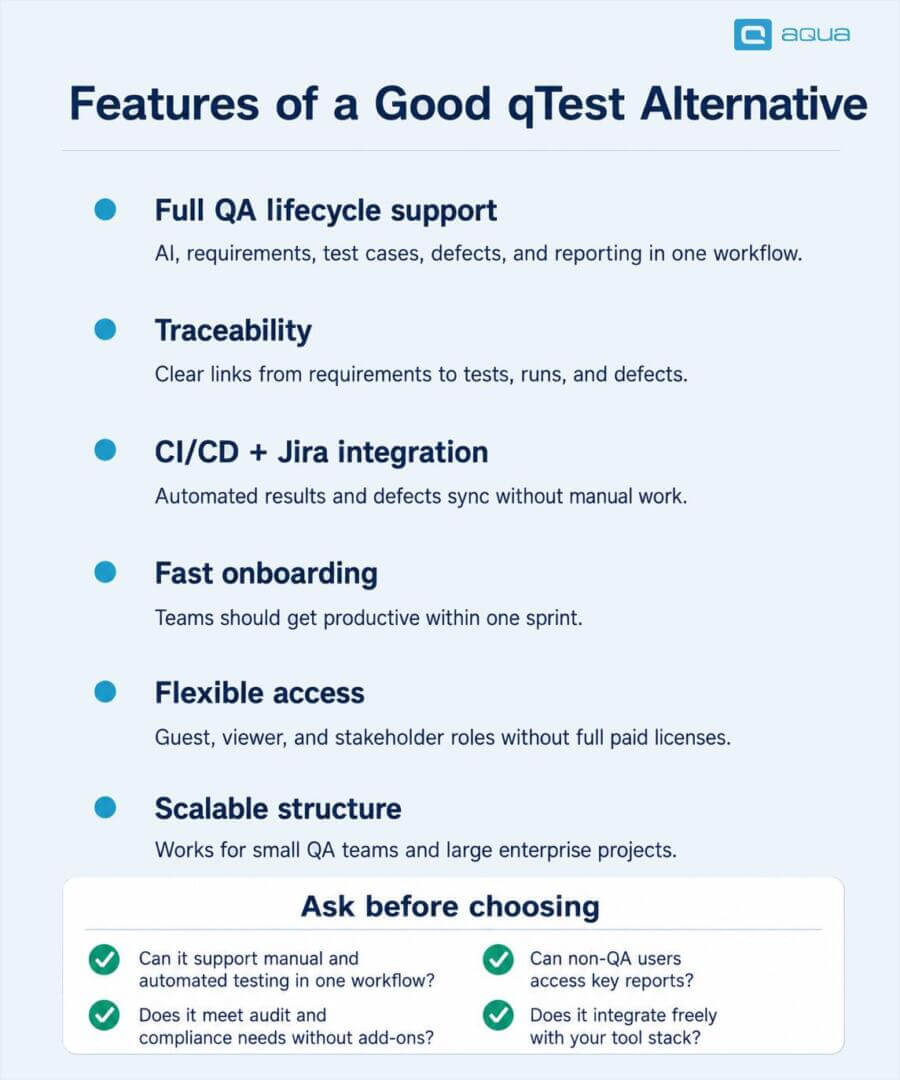
Switching test management platforms affects your entire QA workflow, your CI/CD pipeline, and how stakeholders see QA progress. Before evaluating anything, get clear on what actually matters for your team.
AI across the full QA lifecycle. Test case generation is a starting point. If the tool stops there, your team still spends hours drafting requirements, writing test data, and documenting bugs manually. Look for AI that covers the whole process.
End-to-end traceability. In banking, healthcare, insurance, or any regulated space, a connected audit trail from requirements to defects is non-negotiable. Your tool needs to link requirements, test cases, executions, and defects so that the trail is reproducible on demand.
CI/CD and Jira integration that actually works. Automation results should sync into test runs without manual effort. Defects should flow back to Jira automatically. If maintaining these connections feels like a part-time job, that’s a tool problem.
Fast onboarding. A platform that takes three months to get productive in will slow your team down before it speeds anything up. The best tools get your team running within a sprint.
Pricing that fits your team structure. Named-user-only pricing gets expensive when your team includes stakeholders, auditors, and UAT participants who only need read-only access. Guest licenses or viewer roles make a real difference at scale.
Scalability that works both ways. Smaller teams need something lean. Larger teams need a tool that holds up across 50 projects and 200 users without adding overhead along the way.
When evaluating any qTest alternative enterprise, these questions cut through the noise:
Can the tool handle both manual and automated testing in one workflow?
Does it meet your compliance or audit requirements without third-party add-ons?
Can non-QA users like product owners and auditors access it without full paid licenses?
Does the vendor lock your team into their ecosystem, or do you keep flexibility to integrate with existing tools?
The right qTest competitors should address the challenges qTest creates. At the same time, it should not added any new complexities or the burden of manual migration. aqua cloud, an AI-driven test and requirement management solution, delivers modern capabilities boosted by AI Intelligence. Powered by domain-trained intelligence with RAG grounding, aqua’s Intelligence learns from your project’s own documentation, chats, or even voice notes and delivers context-aware suggestions across requirements and test cases. Free Guest licenses with aqua mean your product owners, compliance team, and stakeholders can see what’s happening in the project without extra costs or need to share accounts with other team members. Connecting aqua to your existing stack is equally straightforward: bidirectional Jira sync, Jenkins pipelines, Azure DevOps integration, and Confluence all work out of the box, with no middleware. 10+ other tools supported through REST API integrations.
Save 12+ hours per week per user with AI that truly knows your project
aqua cloud is a test and requirements management platform for QA teams that need AI assistance, end-to-end traceability, and flexible licensing. For teams moving away from qTest, aqua directly addresses the three most common friction points: pricing structure, AI scope, and traceability setup.
AI Intelligence Included Across the Full QA Lifecycle
aqua Intelligence covers every stage of the QA process. Your team can generate requirements from notes or voice prompts, create test cases from those requirements, and draft test data. Bug report writing and content improvement across the workspace are covered too. aqua’s AI Intelligence is included in all paid licenses at no extra cost, from day one.
aqua’s AI Intelligence is much more capable compared to similar qTest functionality. qTest launched Intelligence in November 2024 and expanded to Agentic Test Creation in February 2026. The scope stays focused on test case generation and requires the latest Enterprise AI version or an upgrade.
Requirements Traceability Built Into the Platform
Requirements, test cases, executions, defects, and evidence all stay connected in one workspace. Version history, approval workflows, and tamper-proof audit logging are built in as standard, not added through plugins.
For teams in banking, insurance, healthcare, or government, auditors get a complete, connected record in one place. Your team won’t need to pull data from multiple tools before every review.
This also helps businesses from regulated industries a lot. For example, as per EU AI Act compliance requirements, there should be a test trail and compliance evidence in place. aqua allows teams to maintain documentation for audit in semi-automated mode and then extract it with one click when needed for an audit.
We use aqua in nearly all projects for QA, so it's our daily driver :) If there are issues, the support reacts really quick and perficiant.
Verified User in Information Technology and Services
Posted in Ministry of Testing
Transparent Pricing Plans
Pricing is one of the clearest practical differences between the two platforms. qTest is quote-based only, with no published rates and no free tier. Third-party sources put the entry point at around $1,000 per user per year, which means cost scales directly with team size regardless of how much access each person actually needs.
aqua takes the opposite approach. Every plan includes unlimited free Guest licenses with read-only access, so product owners, compliance leads, auditors, and external stakeholders can follow QA progress without consuming a paid seat. For users who need to do actual work, aqua offers role-based licenses at different price points:
Requirements Manager at €89/month (annual billing), covering requirements, Agile, dashboards, reporting, AI Intelligence, and bug management
Test Management at €89/month (annual billing), the most popular plan covering full test design, execution, tracking, and bug management
Test Runner/DEV at €19/month (annual billing), a lightweight add-on for developers and testers who execute tests but don’t manage them
aqua Suite at €99/month, the full ALM package for private cloud or on-premise deployments, including SSO, dedicated support, and enterprise-grade security
Guest licenses are free with unlimited seats, included in every plan
Bug management is included in every paid plan as standard. Teams pay for the level of access each person actually needs, nothing more.
Deployment Options for Compliance-Sensitive Teams
aqua supports cloud, on-premise, and enterprise custom cloud deployment. The on-premise model uses a one-time license fee plus 20% annual maintenance, giving compliance-focused teams a predictable long-term cost. Hosting location is guaranteed per client preference, which matters for data residency requirements. Most alternatives in this category are SaaS-only with no hosting guarantees.
The bottom line: aqua covers requirements management, test management, software testing strategies, AI assistance, defect tracking, and audit-ready reporting in one platform. For most teams evaluating alternatives to qTest, it should be the first option on your list.
Zephyr Scale is a Jira-native test management tool built for teams that want QA to stay inside Atlassian’s ecosystem. If Jira is already the center of your workflow and managing a separate platform feels like unnecessary overhead, Zephyr is a reasonable choice.
Test cases, test cycles, and executions sit directly alongside user stories, epics, and sprints. Traceability between requirements, tests, executions, and defects is built in without manual syncing. Automation results push back through API integrations or plugins, and dashboards use Jira’s native gadgets for cross-project reporting.
What works well:
Your team onboards quickly because the interface is already familiar from Jira
Hierarchical folder structures organize test cases across projects without extra configuration
Cross-project reporting covers both manual and automated testing workflows
Everything stays in one tool, reducing context-switching for Jira-heavy teams
What to watch for:
Zephyr’s tight Jira dependency is also its biggest limitation. If your team needs stronger test planning, AI-assisted test creation, or more flexible reporting outside of Jira’s structure, the platform feels constrained quickly. AI features are minimal compared to aqua Intelligence. Requirements management relies on what Jira offers natively, which falls short of dedicated platforms like aqua where requirements are a first-class module. Pricing is per-user with no guest or viewer licenses, so stakeholder access adds up fast. Moving off Jira at any point means rebuilding your QA setup elsewhere.
For a direct feature-by-feature breakdown, the aqua vs Zephyr comparison covers the specifics in detail.
Best fit: Zephyr Scale suits teams fully committed to Jira that want test management inside Atlassian’s ecosystem. If your team needs more flexible workflows, broader AI coverage, or stakeholder collaboration without per-user costs, aqua gives you more room to operate.
AI coverage
Traceability
CI/CD & Jira
Onboarding
Pricing
Compliance
Average
Score
68/100
82/100
85/100
84/100
71/100
62/100
75/100
3. Xray
Xray is a Jira-embedded test management tool with deeper capabilities than Zephyr, especially for teams working with behavior-driven development. Manual testing, exploratory testing, BDD workflows with Gherkin syntax, and automation result tracking all run inside Jira.
Test cases are created directly in Jira and linked to user stories or requirements. Gherkin scenarios connect to automated test scripts through Cucumber and similar frameworks. Automation results sync back through API integrations, with support for JUnit, TestNG, and Cucumber. Exploratory testing runs through a dedicated session-based mode with defect creation built in.
What works well:
BDD support is Xray’s standout feature. If your team writes Gherkin scenarios, Xray handles them well within the Jira environment
Traceability between requirements, tests, executions, and defects stays intact inside Jira
Both cloud and on-premise deployment are supported, which helps compliance-focused teams
The tool scales reasonably for mid-sized to large teams
What to watch for:
Xray carries the same ecosystem dependency as Zephyr, with limited standalone value outside of Jira. AI features are minimal, and requirements management stays bound by what Jira offers natively. That falls short of platforms like aqua, where requirements management is a dedicated module. Pricing is per-user with no free guest licenses, and adding stakeholders gets expensive at scale. Moving off Jira means rebuilding your QA setup from scratch.
If you want a detailed look at how aqua and Xray compare, the aqua vs Xray comparison walks through the differences.
Best fit: Xray is the right choice for Jira-heavy teams that specifically need BDD support and Gherkin scenario management. For teams that need AI-assisted test creation, integrated requirements management, or stakeholder access without per-user costs, aqua covers more of those needs.
AI coverage
Traceability
CI/CD & Jira
Onboarding
Pricing
Compliance
Average
Score
58/100
79/100
78/100
72/100
63/100
74/100
71/100
4. Testmo
Testmo is a unified test management platform focused on clean UX and simplicity. It suits teams that want a lightweight tool covering manual and automated testing without the configuration overhead of enterprise platforms.
Test case creation, test runs, automation result ingestion, reporting, and issue tracking are all available. CI/CD integration works through webhooks and API calls, so results from Jenkins, GitHub Actions, or similar tools sync into test runs directly. Custom fields and dashboards let your team track pass/fail rates, automation coverage, and execution trends across releases.
What works well:
The interface is modern and responsive, which makes onboarding new team members fast
Manual and automated testing workflows sit in one place, reducing tool sprawl
Pricing is accessible compared to qTest, and a free tier is available for small teams getting started
Automation integration is straightforward without requiring custom scripting
What to watch for:
Testmo doesn’t include requirements management. Your team needs a separate tool like Jira or Azure DevOps to handle that side of the process. AI features are limited, covering none of the areas aqua Intelligence handles across requirements drafting, test data creation, and bug reports. Traceability is decent but won’t satisfy audit requirements in regulated environments. No on-premise deployment option exists, so cloud is the only choice. Testmo works well at the lighter end of QA, but enterprise teams with compliance or governance requirements will hit its limits quickly.
Best fit: Testmo suits startups, mid-sized teams, and agile squads that want a modern, simple tool without heavy governance overhead. For teams that need requirements management, AI-powered test creation, or audit-ready traceability, aqua addresses what Testmo doesn’t.
AI coverage
Traceability
CI/CD & Jira
Onboarding
Pricing
Compliance
Average
Score
28/100
44/100
62/100
88/100
76/100
32/100
55/100
5. TestRail
TestRail is one of the most widely adopted test management platforms available. It covers test case organization, execution tracking, milestone-based planning, and reporting. Cloud and on-premise deployment are both supported, and integrations include Jira, Azure DevOps, GitHub, and most CI/CD tools.
Test cases organize into suites, with test runs assigned to team members and progress tracked across releases or sprints. The API is well-documented, which keeps custom integrations manageable for teams with specific pipeline requirements. Reporting covers pass/fail rates, automation coverage ratios, and testing velocity across milestones.
What works well:
Test case organization and milestone-based planning work reliably for teams managing multiple releases in parallel
Integrations with Jira, GitHub, and CI/CD tools
The interface is consistent and relatively straightforward to navigate for new team members
What to watch for:
TestRail doesn’t include built-in requirements management. Your team needs Jira or another tool to handle that side of the process. AI features are limited compared to platforms like aqua or PractiTest. Pricing is per-user with no free guest or viewer licenses, so stakeholders carry the same per-seat cost as full team members. Reporting is functional but can require manual effort to customize beyond preset formats.
The aqua vs TestRail comparison breaks down how the two platforms differ across AI coverage, pricing structure, and integrations if you’re evaluating both.
Best fit: TestRail is a functional choice for mid-sized teams that need structured test case management with reliable execution tracking. Teams that also need requirements management, AI-assisted test creation, or flexible stakeholder licensing will find those gaps require additional tools to fill.
AI coverage
Traceability
CI/CD & Jira
Onboarding
Pricing
Compliance
Average
Score
48/100
70/100
74/100
76/100
62/100
52/100
64/100
6. PractiTest
PractiTest positions itself as a QA intelligence platform, built for QA leaders who need cross-project visibility, trend analysis, and release readiness reporting alongside standard test management features.
The platform covers test case management, test execution, defect tracking, requirements linking, and analytics. SmartFox AI helps generate test cases from requirements, prioritizes tests by risk and change history, flags duplicates, and analyzes results. Integration covers Jira, Azure DevOps, GitHub, Jenkins, and similar tools with two-way syncing for requirements and defects. The data model is highly customizable, letting your team define fields, workflows, and relationships to fit your specific QA process.
What works well:
Deep customization is PractiTest’s main strength. Almost every aspect of the platform adapts to how your team works, from field names to approval workflows
QA intelligence features are strong for trend analysis, risk-based test prioritization, and visibility across multiple projects
SmartFox AI adds value for test case generation and gap detection
Vendor-neutral integration keeps your team flexible without locking into one ecosystem
What to watch for:
Flexibility comes with a setup cost. Getting PractiTest configured to match your workflow takes meaningful time upfront, which slows initial adoption. The interface is functional but feels dated compared to aqua or newer platforms. SmartFox AI is useful but narrower than aqua Intelligence, covering test case generation and prioritization without touching requirements drafting or bug reports. Pricing isn’t published, so getting actual numbers requires a sales conversation.
If you’re weighing PractiTest and aqua directly, the aqua vs PractiTest comparison walks through the key differences in AI coverage, data model, and licensing.
Best fit: PractiTest works well for mid-sized to large QA teams that need customizable workflows and cross-project analytics. For teams that want faster onboarding, broader AI coverage, or transparent pricing without a sales call, aqua is easier to adopt.
AI coverage
Traceability
CI/CD & Jira
Onboarding
Pricing
Compliance
Average
Score
70/100
78/100
72/100
52/100
58/100
72/100
67/100
7. Qase
Qase is a lightweight, modern test management platform built around clean UX and accessible pricing. It targets startups, smaller teams, and agile squads that want straightforward test case management without enterprise complexity.
Test case creation, test runs, defect tracking, and reporting are all covered. Integration with Jira, Azure DevOps, GitHub, Slack, and CI/CD tools lets automation results sync into test runs through API or webhooks. Test cases organize into folders or suites and link to requirements or user stories, with execution tracked across releases or sprints.
What works well:
The interface is clean and fast to learn. New team members can start creating and running tests within minutes of getting access
Pricing is transparent and affordable, with tiers that scale based on team size
Manual and automated testing run in a single workflow
A free tier is available for small teams getting started
What to watch for:
Qase doesn’t include requirements management, so your team needs a separate tool for that. AI features are minimal, covering none of the areas aqua Intelligence handles. Traceability is adequate for smaller teams but won’t satisfy auditors in regulated environments. No on-premise deployment option is available, and no free guest or viewer licenses exist. Qase is intentionally light, which works well for smaller teams but creates real gaps for enterprise organizations that need multi-project governance, compliance reporting, or approval workflows.
Best fit: Qase works well for startups and agile teams that want a simple, affordable platform with a clean interface. For teams that need AI-powered test creation, requirements management, or audit-ready traceability, aqua covers what Qase doesn’t.
AI coverage
Traceability
CI/CD & Jira
Onboarding
Pricing
Compliance
Average
Score
32/100
46/100
62/100
92/100
76/100
28/100
56/100
How Each Alternative Compares to qTest
Before diving into the decision framework, here’s a quick reference showing where each tool gains ground on qTest and where it gives some back.
Tool
Stronger than qTest
Weaker than qTest
aqua cloud
Full-lifecycle AI Intelligence at no extra cost; free unlimited Guest licenses; published transparent pricing; 12 native integrations; faster onboarding; guaranteed hosting locations; tamper-proof audit logging; Bug Management included by default; visual bulk edits and item change reversal
Less embedded in the Tricentis ecosystem; smaller enterprise automation orchestration footprint at the scale of qTest Launch
Zephyr Scale
Native Jira integration with no context-switching; lower cost for Jira-centric teams; fast onboarding for existing Jira users
Fewer AI features; no standalone requirements management; no on-premise deployment; weaker reporting outside Jira; no free guest licenses
Xray
BDD and Gherkin scenario management; exploratory testing mode; on-premise deployment available; deep Jira-native traceability
No AI features; requirements management limited to Jira’s native capabilities; no standalone deployment; no free guest licenses
Testmo
Modern interface; unified manual and automated workflow; lower pricing; faster onboarding; free tier available
No requirements management; no AI; limited compliance support; no on-premise deployment
TestRail
Simpler onboarding; more affordable entry pricing than qTest; well-documented integrations; flexible cloud and on-premise deployment
No built-in requirements management; minimal AI features; no free guest licenses; less governance and compliance depth
PractiTest
Deep customization options; strong QA analytics; SmartFox AI for test prioritization and gap detection; vendor-neutral integrations
Slower onboarding due to configuration needs; dated interface; narrower AI coverage than full lifecycle; quote-based pricing only
Qase
Clean modern interface; fast onboarding; free tier available
No requirements management; minimal AI; no on-premise deployment; limited compliance and governance features
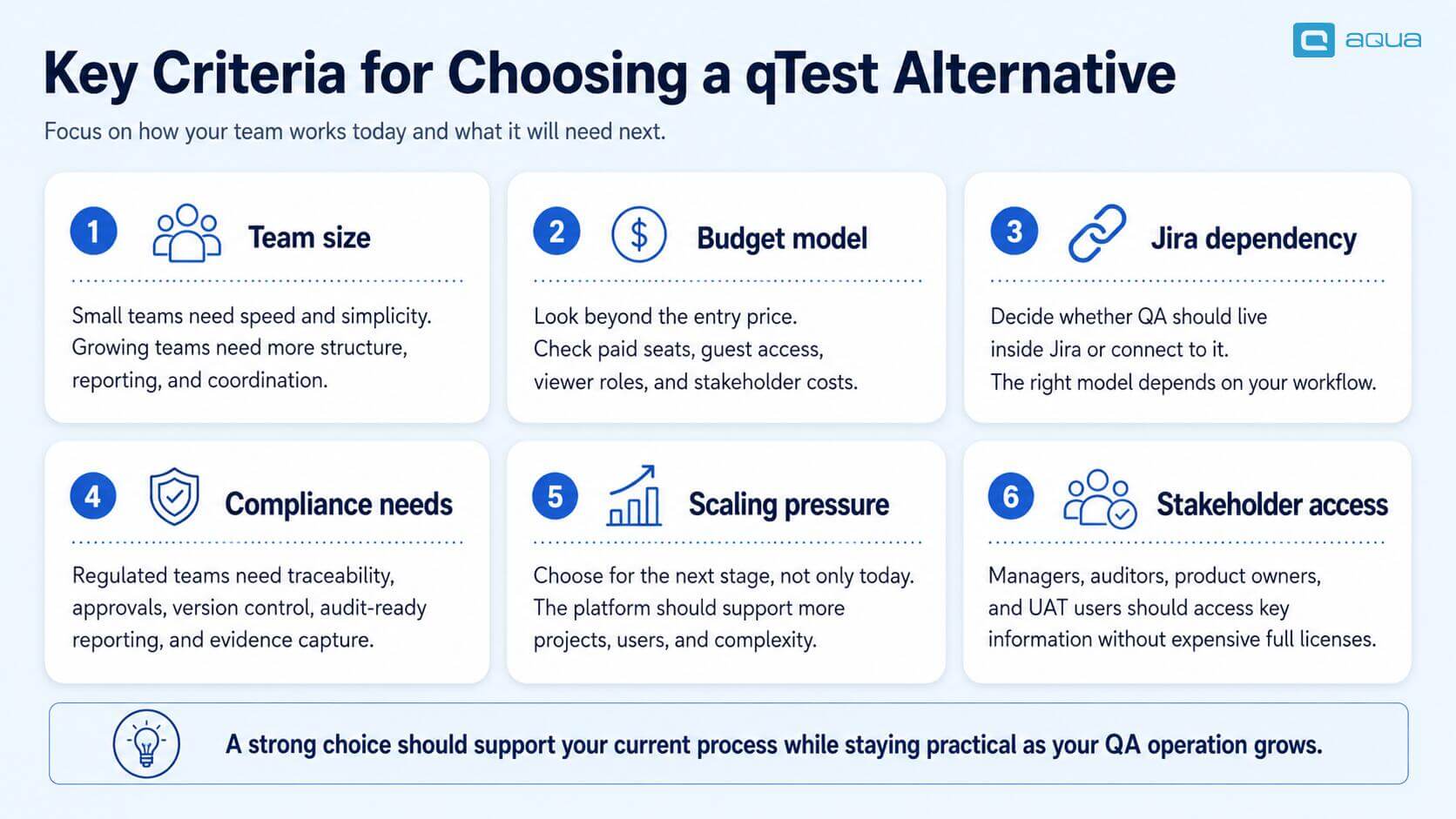
How to Choose the Right qTest Alternative
Team Size
Smaller teams of 5 to 15 people can get started quickly with Testmo or Qase. Both tools onboard fast and won’t overwhelm smaller workflows with features you don’t need yet. Mid-sized teams of 15 to 50 people need more structure, specifically multi-project coordination, stakeholder reporting, and proper test planning. aqua or PractiTest handle this range well. Enterprise teams above 50 people, with compliance requirements, multiple product lines, or regulated release processes, need a platform designed for that scale. aqua is built for exactly this.
Budget
Qase and Testmo offer solid value for teams working within tight QA budgets. TestRail sits in the middle ground, with more structure than lightweight tools and pricing below qTest’s starting point. If your team has more flexibility and needs enterprise features, aqua delivers stronger ROI than qTest. Transparent pricing, free Guest licenses, and the Test Runner license at 19 euros per month keep costs proportionate to actual usage. qTest pricing starts around $1,000 per user per year with no free tier, which makes stakeholder access expensive at any team size.
Jira Dependency
If your team lives entirely in Jira and wants QA inside that ecosystem, Zephyr Scale or Xray are the obvious picks. Both reduce tool sprawl and keep QA artifacts alongside development work. If your team needs a dedicated QA and requirements management workspace with stronger reporting and AI-powered test creation, aqua is a better fit. It integrates with Jira through two-way sync without requiring Jira as the central hub.
Compliance and Regulated Industry Requirements
For teams in banking, healthcare, insurance, government, or manufacturing, the requirements are specific. Full requirements-to-defect traceability, version control, approval workflows, audit-ready reporting, and evidence capture are all non-negotiable. aqua is purpose-built for this. Lighter tools like Qase or Testmo won’t satisfy auditors in these environments.
Quick Decision Guide
Pick aqua if your team needs AI across requirements, test cases, test data, and bug reports, with audit-ready traceability and flexible stakeholder licensing. Also aqua should be your choice if you are looking for an all-in-one testing environment that supports native integrations and prefer having an extended suite of features included.
I used to wish for AI-powered test case generation that actually understood context, but then I came across aqua cloud with their AI Intelligence that can generate proper test cases from requirements and convert manual tests to BDD format. It saves me hours of writing boilerplate.
Pick Zephyr Scale if Jira is your single source of truth and you want test management inside Atlassian’s ecosystem.
Pick Xray if your team runs BDD workflows and needs Gherkin support inside Jira specifically.
Pick Testmo if you want a lightweight tool that unifies manual and automated testing with minimal complexity.
Pick TestRail if your team needs one of the most well-documented integration ecosystems.
Pick PractiTest if you need customizable data structures and vendor-neutral integrations.
Pick Qase if you want a simple, affordable tool with a clean interface without an extensive feature set.
The tools in this guide each have their place. When your team needs AI across the full testing and requirements lifecycle, audit-ready traceability for regulated environments, and stakeholder collaboration that doesn’t add cost per seat, aqua cloud is the clear choice. aqua, a test and requirement management platform, offers AI Intelligence, powered by domain-trained intelligence with RAG grounding that learns from your project’s own documentation. With this AI assistant, you’ll recover up to 15% of weekly hours while getting releases out up to 60% faster. Full requirements-to-defect traceability with ISO 27001 and DORA compliance makes audits straightforward. Your QA environment connects fully: record test execution with video and screenshots through Capture integration, and push results from SoapUI, JMeter, and Ranorex directly into test runs, query MSSQL and Oracle databases. You can freely run automation through PowerShell, UnixShell, and other REST API integrations with external tools. No middleware or custom setup required.
Faster time-to-market with domain-intelligent AI and zero enterprise overhead
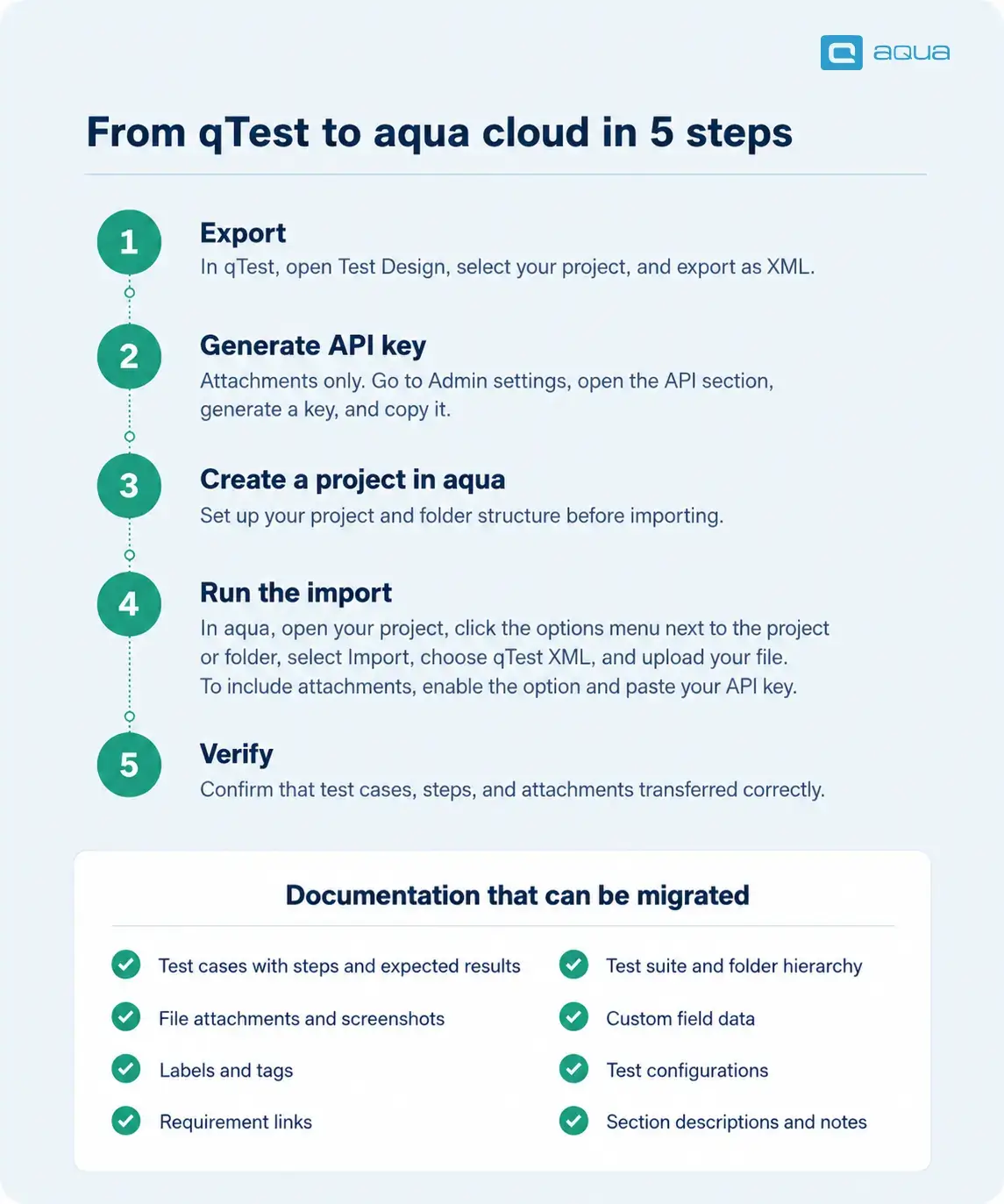
Migrating test assets from qTest or, generally any other QA management tool, manually is both time-consuming and error-prone. Luckily, aqua provides direct import options from qTest.
See the simplified qTest to aqua cloud migration workflow in the infographic below:
Conclusion
qTest remains a capable platform for large enterprises with Tricentis ecosystem alignment. For most teams, per-user pricing, setup complexity, and narrow AI coverage create friction that slows adoption.
The alternatives here cover different trade-offs. Zephyr and Xray keep everything in Jira. Testmo and Qase offer modern UX and affordable pricing. TestRail gives mid-sized teams structured test management at a lower entry cost. PractiTest suits teams needing customizable workflows and analytics.
aqua cloud is the strongest overall choice for teams that need AI across the full QA and requirements lifecycle, audit-ready documentation, and stakeholder access without steep per-seat costs. A free trial is the fastest way to see if it fits.
aqua cloud is the strongest overall alternative, covering the full QA and requirements lifecycle. AI Intelligence is included in every paid license. Guest licenses are free and available in each plan. The general pricing policy is published transparently, while floating license plans and custom cloud deployment options can be negotiated separately.
Is there a free alternative to qTest?
Qase and Testmo both offer free tiers for small teams. aqua provides unlimited free Guest licenses for stakeholders who need read-only access. Neither option delivers the full feature set of a paid platform, but both work as a reasonable starting point.
Why are teams switching from qTest?
The most common reasons are high per-user pricing starting around $1,000 per year, setup complexity requiring Redis and Elasticsearch, limited AI coverage compared to newer platforms, and licensing models that make stakeholder visibility expensive even for basic read-only access.
How does aqua cloud compare to qTest?
aqua offers broader AI coverage, free Guest licenses, 12 native automation integrations, and transparent pricing. All Intelligence features are included in every paid license at no extra cost. qTest is stronger for teams already embedded in the Tricentis product ecosystem.
What is the difference between qTest and TestRail?
Both are established test management platforms focused on test case management. qTest targets larger enterprises with multi-module governance and Tricentis ecosystem integration. TestRail is simpler and more affordable, suited to mid-sized teams without heavy compliance workflows or enterprise-scale orchestration.
What is the best test management tool for agile teams?
Zephyr Scale or Xray work well for Jira-embedded teams that want QA inside the Atlassian ecosystem. aqua or Testmo are better choices when your team needs a dedicated QA workspace with modern UX, flexible workflows, and AI-assisted test creation.
Which qTest alternatives support AI-powered test case generation?
aqua Intelligence covers requirements, test cases, test data, and bug reports, included in every paid license at no extra cost. qTest Copilot focuses on test case generation and requires an Enterprise AI upgrade. PractiTest’s SmartFox AI adds test generation and risk-based prioritization.
What should I look for when choosing a qTest replacement?
Prioritize AI coverage across the full QA lifecycle, requirements-to-defect traceability, clean CI/CD and Jira integration, fast onboarding, and a licensing model that lets stakeholders access the platform without full paid seats. Compliance support is essential for teams in regulated industries.
Is qTest good for regulated industries?
qTest supports traceability, reporting, and compliance workflows. When it comes to qTest vs other tools, aqua goes further with tamper-proof audit logging, approval workflows, version control, and on-premise deployment with guaranteed hosting locations. For banking, healthcare, or insurance teams, aqua covers more of the compliance baseline by default.
Robert has several years of experience in process optimisation and test management. He is an expert in defining and implementing workflows by adapting aqua to the clients’ processes.
Nurlan, a QA Coordinator & Quality Standards Officer, takes pride in orchestrating seamless QA operations. His expertise in coordinating QA-focused projects and integrating QA solutions has consistently yielded top-tier client satisfaction. Aside from a full-time QA coordinator, Nurlan's role involves creating compelling content that educates…
Pavel, a Quality Assurance Consultant and Author, brings deep expertise to solving complex testing challenges. His background in software development has helped organizations transform their QA practices from reactive to proactive. Beyond consulting, Pavel develops best practice guides and case studies for aqua cloud that…
Home » Testing with AI » Best qTest Alternatives in 2026: Top Tools Compared
Do you love testing as we do?
Join our community of enthusiastic experts! Get new posts from the aqua blog directly in your inbox. QA trends, community discussion overviews, insightful tips — you’ll love it!
We're committed to your privacy. Aqua uses the information you provide to us to contact you about our relevant content, products, and services. You may unsubscribe from these communications at any time. For more information, check out our Privacy policy.
X
🤖 Exciting new updates to aqua Intelligence are now available! 🎉