How to Select the Right Requirements Management Tool: Useful Tips
Requirements management tools either make the development smooth or turn it into chaos. Choose poorly, and teams stop understanding each other. Requirements get missed. Problems multiply. A fix that costs $100 early becomes $10,000 later. Spreadsheets used to work when projects were simple, but not anymore. You need something that keeps requirements traceable, teams aligned, and changes visible. This guide shows you how to choose a requirements management tool that solves real problems.
Modern requirements management tools transform requirements from static documents into dynamic, traceable assets that evolve throughout the product lifecycle.
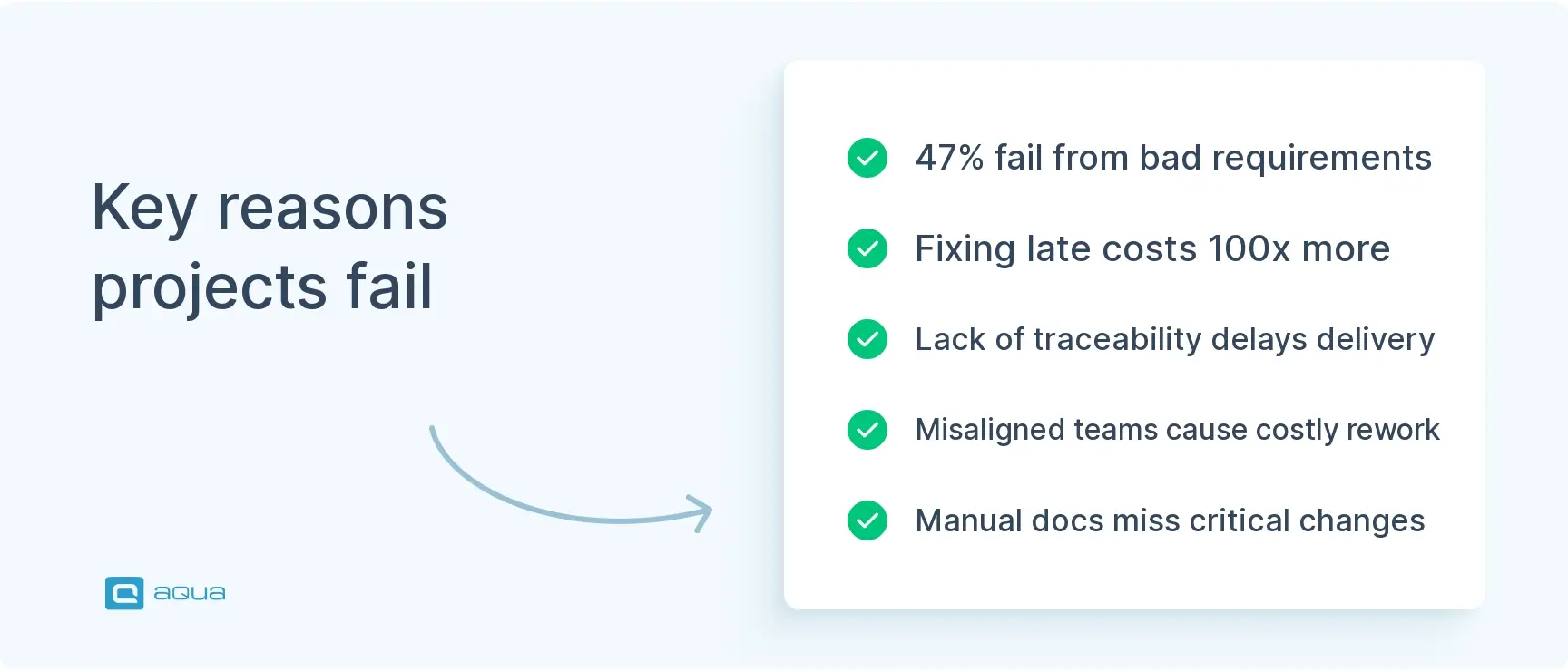
Studies show 47% of projects fail due to requirements issues, while fixing requirements-related defects in later development stages costs up to 100 times more.
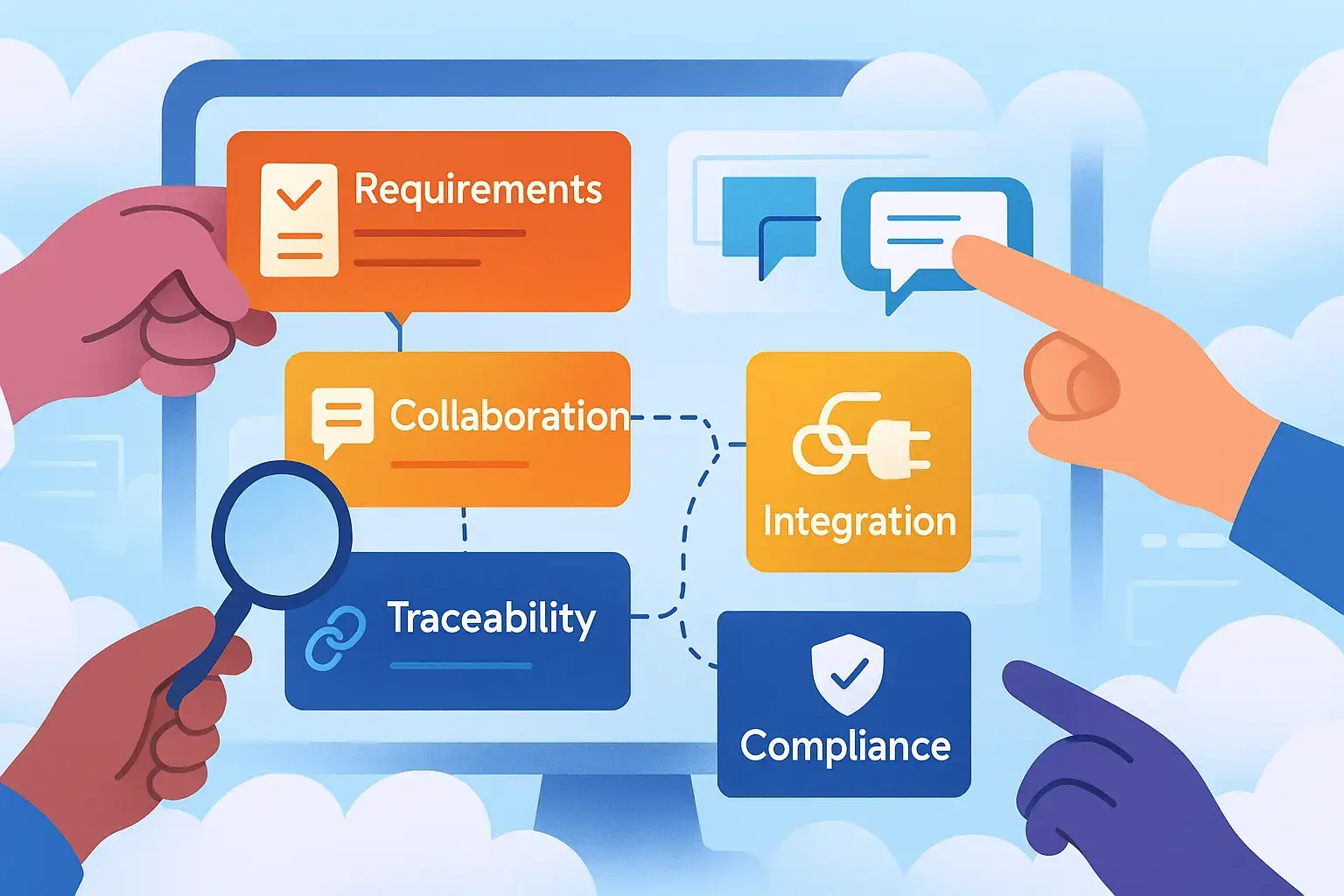
Key features to prioritize include ease of use, collaboration capabilities, requirements traceability, and integration with existing development tools.
Industry-specific requirements vary significantly, with medical devices needing FDA compliance features, aerospace requiring strict verification methods, and automotive demanding ASIL classification support.
Effective requirements traceability can speed up project completion by 24% and improve accuracy by 50%, making it a critical feature in any tool.
The right requirements management tool is about finding a solution aligned with your team structure and development methodology. See how to make this strategic decision in the full article below 👇
Understanding Requirements Management Tools
Requirements management tools centralize, organize, and track project requirements throughout your entire product lifecycle. They transform requirements from static documents into dynamic assets that evolve with your product.
How requirements management evolved
Early approaches relied on Word documents and Excel spreadsheets. These worked fine for small projects, but fell apart as projects grew. Tracking changes became impossible. Keeping everyone aligned required endless email chains. Distributed teams couldn’t see what changed or why.
Modern tools fix these problems with centralized repositories where:
Requirements stay accessible to everyone
Changes get tracked automatically
Relationships between requirements show clearly
Version history preserves context
What modern tools actually do
Today’s requirements management solutions go beyond documentation. They’re collaboration hubs where stakeholders comment, review, and approve requirements in real time. They maintain complete audit trails for compliance. These tools also integrate with development and testing tools to create seamless workflows.
Requirements are living assets that guide development from start to finish. When you choose requirements management tool options, you’re picking between tools stuck in the spreadsheet era and platforms built for how teams actually work today.
Key Features to Look For
Certain features matter more than others when you’re choosing a requirements management tool. Focus on these core capabilities to narrow down options that actually meet your needs.
Ease of use comes first
A requirements tool that business analysts, developers, and executives cannot all use comfortably will be abandoned by at least one of those groups within the first month. Look for intuitive interfaces that minimize learning curves and maximize adoption. Requirements management involves people with different technical expertise: business analysts, developers, and executives. The tool needs to work for all of them.
Good signs of usability:
Customizable dashboards
Logical workflows
Clear visual cues
Fast onboarding for new users
Collaboration features that actually help
When stakeholders across locations need to review, comment, and approve the same requirements, the collaboration model built into your tool determines whether that process takes hours or weeks. Strong tools offer real-time editing, commenting, and feedback mechanisms that keep everyone aligned regardless of location. Look for electronic approval workflows, notification systems that alert stakeholders to relevant changes, and the ability to assign and track review tasks. The best collaboration tools balance structured processes with flexible communication.
Requirements traceability that connects everything
Traceability is the feature that answers the question every QA lead and project manager eventually asks: if this requirement changes, what else breaks? This end to end visibility helps teams understand impact of changes, demonstrate compliance, and ensure nothing gets missed.
Integration with your existing tools
Your requirements tool needs to work within your broader development ecosystem. When you select requirements management software, look for connections to:
Project management platforms
Design and modeling tools
Testing and QA systems
Version control repositories
Strong integration means less duplicate data entry, synchronized information, and requirements flowing naturally into development activities. A good test management solution integrates well with requirements management to streamline your entire workflow. Look for tools with robust APIs that allow custom connections to your existing tech stack.
Traceability and collaboration matter across all industries when you choose a requirements management tool.
aqua cloud delivers automated end-to-end traceability that connects requirements, test cases, and defects in real time. Requirements become dynamic, traceable assets that evolve with your product instead of static documents.aqua’s domain-trained AI Copilot generates comprehensive requirements from notes, files, or images in seconds instead of hours. The AI grounds itself in your project’s actual data through RAG, ensuring outputs reflect your specific terminology and business logic. Teams using aqua save over 12 hours per week by automating previously manual tasks while improving requirements quality and coverage visibility through interactive dependency graphs and real-time dashboards. Aqua’s centralized repository combines all of your manual and automated tests in a single platform, while 100% traceability and coverage provide complete visibility into every requirement, test case, and defect across the project lifecycle.
Transform your requirements management and achieve up to 60% faster release cycles with aqua cloud
Questions to Evaluate Requirements Management Tools
Most teams that choose requirements management tool options poorly do so because they compared feature lists instead of testing whether the tool solves the specific problems costing them time and money right now.
Start with your pain points
What problems are you trying to solve?
Struggling with regulatory compliance? Teams miscommunicating and causing rework? Understanding your specific pain points helps you focus on tools that address real needs instead of getting distracted by features you’ll never use.
Assess your collaboration needs
How does your team work? In office, fully remote, or hybrid? Tools for distributed teams offer more robust real-time collaboration, commenting, and notifications.
Ask vendors:
How does your tool facilitate collaboration across locations and time zones?
Can team members edit simultaneously?
How do notifications work for changes to requirements someone is responsible for?
Confluence is a terrible place to store and manage requirements - particularly if your organisation doesn’t allow you to lock pages. I’ve spent the last 6 months trying to restore traceability as DAs and devs have amended signed off requirements, which has impacted releases , quality and significant additional cost (tens of thousands).
Strong tools offer bidirectional traceability. You can trace forward from requirements to implementation and tests, and backward from tests to original requirements.
Critical questions:
Does your tool provide live traceability that updates automatically when changes occur?
How granular is the traceability? Individual requirement level or only documents?
How does traceability reporting work for compliance audits?
Test integration with your existing tools
List the tools your team currently uses for project management, design, development, and testing. Ask vendors specific questions about integration:
How deep is your integration with our specific tools? Simple linking or automatic synchronization?
Can we see a demonstration of integration with our existing systems?
Be wary of vague answers. Request concrete examples or live demonstrations.
Don’t ignore implementation and support
These factors are crucial but still get overlooked during evaluation.
Ask about:
Typical implementation timelines
Training resources available
Ongoing support options
Uptime guarantees and security measures for cloud tools
IT resources needed for on-premises deployments
A Step-by-Step Selection Framework with a Weighted Scoring Matrix
When you select a requirements management tool across multiple candidates, gut feeling produces inconsistent decisions. A weighted scoring matrix forces your evaluation team to apply consistent criteria and surfaces trade-offs that informal discussions miss.
Step 1: Define your non-negotiables.
Before scoring anything, list the capabilities your team absolutely cannot function without. These become automatic disqualifiers. Common non-negotiables include bidirectional traceability, specific regulatory compliance features, on-premise deployment, or integration with a specific CI/CD platform. Any tool that fails a non-negotiable leaves the evaluation regardless of its score elsewhere.
Step 2: Identify your weighted criteria.
Assign a weight to each evaluation category based on how much it matters to your specific context. An example weighting for a regulated industry team:
Criterion
Weight
Requirements traceability depth
25%
Regulatory compliance features
20%
Ease of use and adoption
15%
Integration with existing tools
15%
Collaboration capabilities
10%
Vendor support and stability
10%
Total cost of ownership
5%
Adjust weights to reflect your team’s actual priorities. A startup choosing a requirements management tool for speed of setup will weight ease of use and cost higher. A medical device company will weight compliance features far above everything else.
Step 3: Score each tool per criterion.
Rate each candidate on a 1-5 scale for each criterion. Do this with a cross-functional panel: include a business analyst, a developer, a QA lead, and a project manager. Each perspective catches evaluation gaps the others miss.
Step 4: Calculate weighted scores.
Multiply each raw score by the criterion weight and sum the results for a total weighted score per tool. This produces a ranked list that reflects your team’s actual priorities rather than whichever tool gave the most polished demo.
Step 5: Validate with a proof of concept.
Before finalising your decision, run a two-week proof of concept with the top two scoring tools using real requirements from an active or recent project. Measure onboarding time, traceability setup effort, and integration reliability against your existing stack. The POC result either confirms the scoring model or surfaces a practical issue the structured evaluation missed.
aqua cloud consistently scores at the top of evaluations that weight traceability, AI-assisted generation, and integration depth, because its domain-trained AI Copilot, real-time bidirectional traceability, and direct Jira and Azure DevOps sync address the criteria that matter most in regulated and complex development environments.
Pros and Cons of Using Requirements Management Tools
Before you select a requirements management tool, knowing what typically improves and where implementation friction usually appears lets you plan for success rather than react to problems after go-live.
Advantages
Improved traceability and visibility
Modern tools create clear connections between customer needs, requirements, design elements, code, and tests. Nothing falls through the cracks. Teams understand impact of changes before making them.
Enhanced collaboration
Centralized platforms enable real-time communication among distributed teams. Features like commenting, reviewing, and automated notifications keep everyone aligned regardless of location. Fewer misunderstandings. More consistent interpretation of requirements across your organization.
Reduced costs
Catching requirements defects early saves substantial money. Fixing defects caused by poor requirements costs up to 100 times more in later development stages. Requirements management tools catch ambiguities, inconsistencies, and conflicts before they become expensive problems.
Regulatory compliance support
For regulated industries, dedicated tools provide comprehensive audit trails, electronic signatures, and automated verification of requirements against standards. Organizations report up to 40% reduction in compliance-related delays.
What Changes
Without RM Tool
With RM Tool
Traceability
Manual tracing through documents
Automated, real time traceability
Change Management
Email chains, meeting notes
Structured workflows with impact analysis
Collaboration
Fragmented communication
Centralized platform with real time updates
Compliance
Manual documentation gathering
Automated audit trails and reporting
Quality
Variable, depends on individuals
Consistent quality with automated checks
Potential Drawbacks
Implementation takes effort
Adopting a new tool requires configuration, data migration, and integration with existing systems. Without proper planning, teams resist change even when current methods are inefficient.
Learning curve exists
Sophisticated tools come with steeper learning curves, potentially slowing initial adoption. Teams accustomed to documents and spreadsheets need time to adjust to structured requirements management processes.
Costs add up
Initial investment includes licenses, implementation, training, and integration. Be aware of hidden costs: add-ons, customization, training fees, and ongoing administration expenses.
Tools don’t replace processes
Teams sometimes focus on the tool rather than developing sound requirements processes. A tool supports good processes. It doesn’t create them.
The key to maximizing benefits while minimizing drawbacks: Careful selection, thoughtful implementation planning, and understanding that tools support good processes rather than substitute for them. Organizations with clear objectives and realistic expectations typically see substantial returns on investment.
Industry Specific Considerations
aqua cloud's AI Intelligence generates complete requirements from notes or voice in seconds
Regulatory compliance dominates everything. The FDA’s 21 CFR Part 820 and ISO 13485:2016 mandate rigorous design control. The FDA’s Quality Management System Regulation Final Rule takes effect in February 2026.
Medical device developers need tools that provide:
Complete design history files and traceability from user needs to verification
Electronic signature capabilities for design reviews and approvals
Risk management integration linking requirements to identified hazards
Automated compliance reporting for regulatory submissions
Change impact analysis with full audit trails
Companies in this space often prioritize tools with pre-configured templates specifically for medical device development. These ensure regulatory compliance while minimizing documentation burden.
Aerospace and Defense
DO-178C for software and DO-254 for hardware establish strict guidelines for airborne systems development. Requirements management tools for aerospace must support:
Classification of requirements by Development Assurance Level
Formal verification methods with complete coverage analysis
Stage of Involvement review documentation
Bidirectional traceability across the entire development V model
Supplier management for complex supply chains
Aerospace organizations prefer tools with proven track records in their industry and certifications from relevant authorities. The cost of non-compliance can be catastrophic.
In my experience, the tools people use usually fall into two camps: 1- task or doc trackers: the look like requirements management but really just store text and folders. 2- real RM platforms: requirements are treated as artifacts with traceability, change impact analysis and verification/validation.
ISO 26262 functional safety standards, complex supplier networks, and increasingly software driven vehicles create specific challenges. Automotive developers need tools supporting:
Advanced traceability across distributed development teams
Supplier collaboration with controlled information sharing
ASIL classification
Support for AUTOSAR and other automotive-specific standards
Integration with model based systems engineering tools
Financial Services
Data security, privacy regulations, and rapid market changes drive different requirements. Financial services organizations need:
Comprehensive audit trails for SOX compliance
Role based access controls with detailed permission settings
Data residency controls for international operations
Integration with IT service management platforms
Support for agile delivery models with regulatory overlay
Look beyond generic capabilities when evaluating tools. The right tool should feel like it was designed for your industry challenges, with templates, integrations, and features that align with your regulatory environment and development methodologies.
As we’ve seen, selecting the right requirements management tool is a strategic decision that directly impacts project success rates and compliance capabilities. While many tools offer basic requirements documentation, aqua cloud delivers a complete solution that addresses the core challenges highlighted throughout this article, from traceability and collaboration to industry-specific compliance needs.
With aqua, you gain a centralized platform where requirements automatically link to test cases and defects, creating bidirectional traceability that updates in real-time. The platform’s AI Copilot, trained specifically for software testing and requirements contexts, helps teams generate high-quality requirements and test coverage in seconds rather than hours. This is beyond generic AI, since it’s grounded in your actual project data, making outputs remarkably relevant and accurate. For regulated industries like medical devices, aerospace, or financial services, aqua provides comprehensive audit trails, version histories, and custom workflows that simplify compliance. Teams using aqua report not just time savings of 12+ hours weekly, but also significantly improved quality through consistent processes and comprehensive coverage analysis.
Reduce requirements-related project failures by up to 47% with aqua's AI-powered traceability
Choosing the right requirements management tool directly impacts your project success, time to market, and compliance capabilities. A lot of project failures stem from requirements issues. Effective requirements management accelerates development, improves accuracy, and significantly reduces costs. Start with a clear understanding of your own needs, then systematically evaluate tools against criteria that matter most to your organization. Consider current needs and future growth, integration requirements, and total cost of ownership. AI tools for requirements are enhancing these processes by improving accuracy and offering predictive insights. The time you invest in selecting the right tool pays off throughout your entire product development lifecycle.
JIRA is primarily a project management and issue tracking tool, not a dedicated requirements management solution. While you can track requirements in JIRA as issues, it lacks specialized capabilities like comprehensive traceability matrices, automated requirement quality checks, and regulatory compliance features that dedicated tools provide. aqua cloud integrates seamlessly with JIRA, combining JIRA’s project management strengths with aqua’s advanced requirements management capabilities, including end-to-end traceability, AI-powered requirement generation, and automated compliance reporting.
What factors should be considered when selecting a requirements management tool?
Consider ease of use for team members with varying technical expertise, collaboration features for distributed teams, comprehensive traceability from requirements through testing, integration capabilities with your existing tools, regulatory compliance support for your industry, and total cost of ownership, including implementation and training. aqua cloud addresses all these factors with its intuitive interface, real-time collaboration features, automated end-to-end traceability, integrations with JIRA and other development tools, complete audit trails for compliance, and domain trained AI Copilot that reduces documentation time while improving requirements quality.
What is a requirements traceability matrix (RTM)?
A requirements traceability matrix is a document or view that maps each requirement to the test cases, design elements, and code components that verify it. It shows whether every requirement has been tested and whether every test case links back to a documented requirement. In regulated industries, auditors use the RTM to confirm compliance coverage. In standard development, teams use it to understand the impact of a requirement change before making it. Modern requirements management tools generate RTMs automatically from live project data rather than requiring manual maintenance of a separate spreadsheet.
Do small teams and startups need a dedicated requirements management tool?
It depends on the cost of a missed or misunderstood requirement. Small teams working on internal tools with low compliance risk can often manage with structured documents and a shared project management platform in the early stages. The calculation changes when any of these conditions apply: the product is customer-facing, changes are frequent, the team is growing, or any regulatory obligation exists. At that point, the time lost to miscommunication and the cost of defects caused by vague requirements typically exceed the cost of a lightweight requirements management tool within a few months. Starting with a structured tool early is significantly cheaper than retrofitting traceability into a project that has been running on spreadsheets for a year.
Robert has several years of experience in process optimisation and test management. He is an expert in defining and implementing workflows by adapting aqua to the clients’ processes.
Nurlan, a QA Coordinator & Quality Standards Officer, takes pride in orchestrating seamless QA operations. His expertise in coordinating QA-focused projects and integrating QA solutions has consistently yielded top-tier client satisfaction. Aside from a full-time QA coordinator, Nurlan's role involves creating compelling content that educates…
Home » 'How to' guides » How to Select the Right Requirements Management Tool: Useful Tips
Do you love testing as we do?
Join our community of enthusiastic experts! Get new posts from the aqua blog directly in your inbox. QA trends, community discussion overviews, insightful tips — you’ll love it!
We're committed to your privacy. Aqua uses the information you provide to us to contact you about our relevant content, products, and services. You may unsubscribe from these communications at any time. For more information, check out our Privacy policy.
X
🤖 Exciting new updates to aqua Intelligence are now available! 🎉