Key Takeaways
- The Qase test management platform holds manual cases, CI results, and AI-generated tests in one workspace, with a 4.7 rating on G2 across 309 reviews.
- AI Test Designer writes manual cases from Jira, GitHub, Confluence, or Notion requirements, and AI QA Architect converts them into Playwright, Cypress, or Selenium tests.
- Qase pricing starts free for 4 users. Teams then require 5 seats, so your first real bill is $175 per month on annual billing.
- Android AI automation shipped as an MVP with no Flutter support and no code export, and iOS automation does not exist yet.
- Teams that need on-premise hosting or free read-only seats should weigh the pricing plans for test tools that publish those options openly.
Qase at a Glance
| Aspect |
Details |
Key considerations |
| Deployment |
Cloud only, no self-hosted option |
Regulated buyers who need on-premise data residency have to look elsewhere |
| Best fit |
Mixed teams running manual regression alongside CI/CD automation |
Pure automation teams get less value from the manual repository |
| Entry price |
Free for 4 users, then $175 per month minimum |
Budget approval usually needed at the fifth hire |
| AI maturity |
Web generation is production-ready, mobile is an MVP |
Credit consumption is hard to forecast in the first month |
| Governance |
SSO on Teams, SCIM and audit logs on Enterprise |
Procurement review lands earlier than most buyers expect |
| Ratings |
4.7 on G2 from 309 reviews, 4.8 on Capterra from 16 |
Capterra’s sample is small enough to move on a few new reviews |
Overview of Qase as a Test Management Platform
Qase launched as a cleaner alternative to older test management tools like TestRail. The pitch was simple. Give your team a modern interface for test cases, runs, defects, and automated results without a UI that makes everyone groan. That positioning still holds, though the 2026 product reaches well past a tidy repository. Qase has built AI into the core product, added requirements traceability, and grown to 35+ integrations. It also shipped an MCP server, so AI assistants can read and write test data without anyone opening the interface.
More than 2,000 companies use Qase, and it carries a 4.7 rating on G2 across 309 reviews. That sentiment stands out against legacy software test management tools, which collect far more usability complaints. Qase aims at software companies with a dedicated QA function. Playwright and Cypress still run your tests. Qase holds their results next to your manual cases, requirements, and defects. That is the practical definition of test management in QA.
Who Qase is built for
| Team profile |
Fit |
Key considerations |
| Mixed manual and automated QA, 10 to 50 people |
Strong |
The workload distribution and dashboards pay off at this size |
| Startup QA team of 3 to 4 |
Workable on Free |
The fifth hire triggers a $175 monthly commitment |
| Automation-only engineering team |
Partial |
A results observability tool may cover the same ground for less |
| Mobile-first product team |
Weak |
Android is an MVP and iOS automation has no release date |
| Regulated enterprise with audit obligations |
Conditional |
Requires an Enterprise contract and a procurement cycle |
Is your team comparing platforms that handle manual and automated testing together? It is worth checking how far the right tool can take you. aqua cloud, an AI-powered test and requirement management solution, covers what you expect from a modern TMS: an intuitive UI, full requirements traceability, and dashboards your stakeholders read without a license. Its AI Intelligence is built specifically for QA work. Your team generates complete test cases from a requirement in seconds and works up to 97% faster. Generated cases link back to their requirements automatically, which keeps traceability intact without extra admin work. Nested test cases and reusable steps mean you update a shared login flow once, and every dependent case picks up the change. All of it plugs into the stack your team already runs. A two-way integration with Jira, Azure DevOps, and Confluence covers tracking, while Jenkins, Selenium, JMeter, Ranorex, SoapUI, and UFT feed execution results back in.
Work up to 97% faster with AI test management built for QA teams
Key Features of Qase
Qase splits into three areas: traditional test management, automation result aggregation, and the newer AI layer. Here is where each one stands right now.
| Feature |
What it does |
Maturity in 2026 |
| Test repository |
Hierarchical cases with steps, parameters, and shared steps |
Mature, improved with folders and bulk operations |
| Manual test runner |
Step-level results, attachments, comments, defect creation |
Mature |
| Test case review |
Pull-request approval flow for test documentation |
Stable, paid plans only |
| AI Test Designer |
Generates manual cases from requirements and screenshots |
Production-ready, multimodal since June |
| AI QA Architect |
Converts manual cases into executable browser tests |
Usable, agent mode still rough |
| Mobile AI automation |
Android browser and app flows |
MVP, no Flutter, no code export |
| Requirements traceability |
RTM linking requirements, tests, and defects |
Solid after the Confluence and Notion work |
| Dashboards and QQL |
Widget dashboards with a query language |
Improving fast, natural-language QQL is early |
| MCP server |
Lets AI assistants query and update Qase data |
Version 2.0 shipped in July |
Interface and daily use
The interface is the element users praise most consistently. Test cases sit in a hierarchical repository with structured steps, expected results, parameters, and shared steps you can reuse. Central shared steps mean your login or checkout flow exists once, so nobody on your team copies it into forty separate cases. Early 2026 brought folders, bulk operations, and nested child steps to shared-step management. That puts Qase ahead of most test case management tools once your team maintains hundreds of cases.
The manual test runner supports step-level results, attachments, comments, and defect creation from inside a run. Outcomes go beyond pass and fail, with these statuses available:
- Passed
- Failed
- Blocked
- Skipped
- Invalid
Paid plans let your team define custom result statuses on top of those five.
Test case review deserves attention because few competitors offer it. It applies a pull-request workflow to test documentation. Changes go up for approval, reviewers request revisions, and projects can demand several sign-offs before a merge. That governance layer earns its keep the moment open editing starts causing problems in your team.
I've shilled for qase before on this sub and I'll do it again! It's probably not perfect for every company/team but I really like it.
Test runs and test planning tools
Execution stays flexible for normal QA work. You can build a run from selected repository cases, a test plan, or a saved query. The test planning tools let your team group cases by milestone, define browser, OS, or configuration groups, and have Qase generate the combinations automatically. Failed tests go into retest without a new run, and you can clone a failed subset on its own.
Workload distribution is the quieter feature worth knowing about. Qase spreads cases across your team evenly by count, or it balances them using historical execution duration. Anyone who has divided a regression cycle by hand at 6pm on a Thursday will appreciate that second option.
AI-powered capabilities
Here is where Qase pulled ahead of most competitors during 2026. The AI suite carried the AIDEN name until June. Qase now calls it Qase AI, and two workflows matter most.
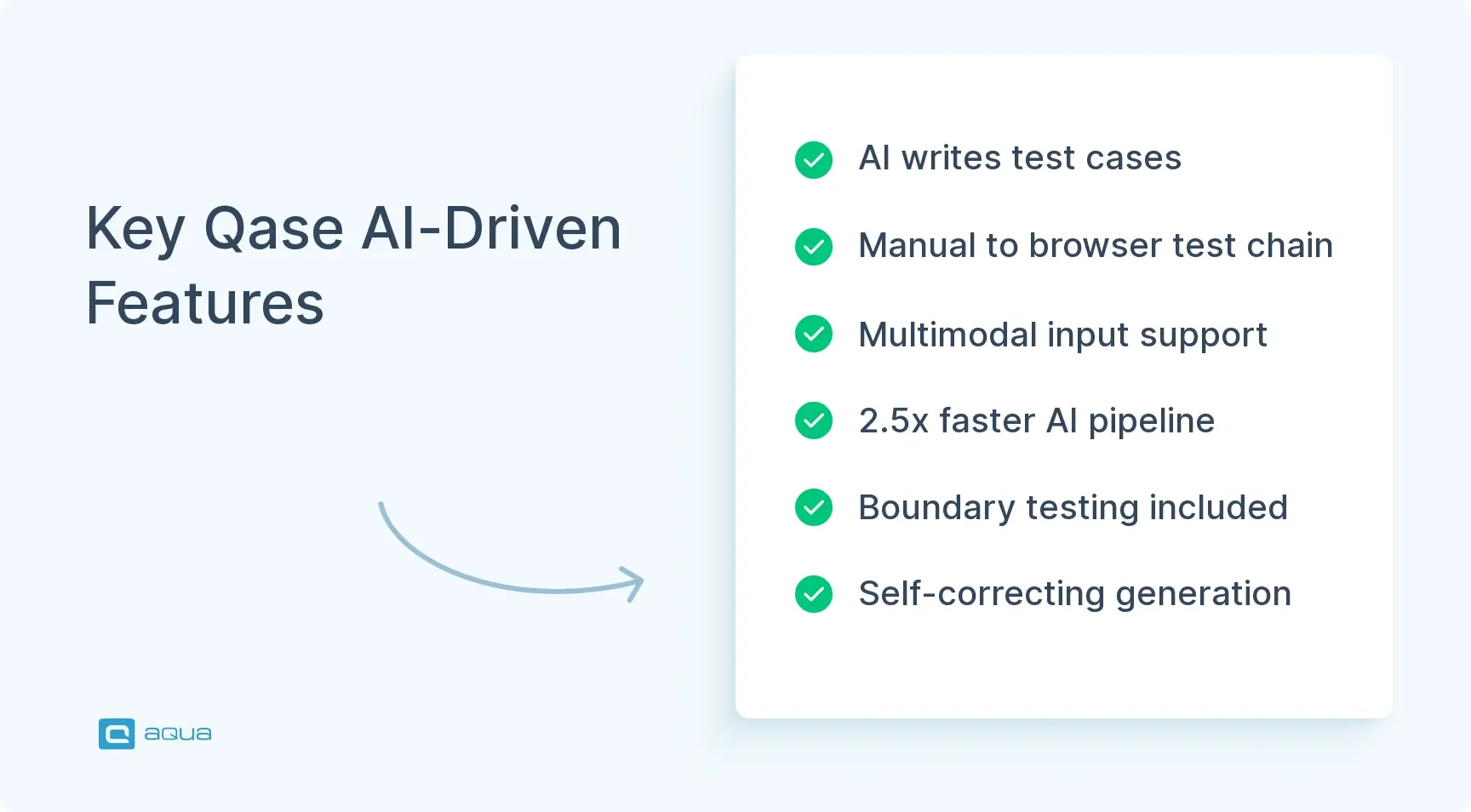
AI Test Designer writes manual test cases from requirements or supplied context. It pulls from Jira and GitHub requirements, plus material you hand to Qase directly, and the Confluence and Notion connections widened those sources considerably. The June release added an “Additional context” field, so your team can pass in conventions, examples, and constraints before generation starts. Test Designer also went multimodal and accepts screenshots alongside Markdown files, up to five attachments per request. Generation deliberately applies techniques such as boundary testing and negative scenarios, which puts it a level above a generic prompt to ChatGPT.
AI QA Architect reads an existing manual case and produces an executable browser test from it. Generation runs step by step with screenshot feedback, and you can edit a problematic instruction and regenerate from that point. Parameterized manual cases become reusable automated flows with separate data-driven instances. There is also an agentic authoring mode where you supply a higher-level objective and the system breaks it into browser actions. Qase added self-correction during generation, so the agent reconsiders a failed approach and keeps working. If your team is building a wider case for AI for improving testing, this chain is the strongest argument Qase makes.
A few practical details make the automation usable in real projects:
- Generated tests run on Playwright, Cypress, or Selenium, and Qase can mix browser steps with GET and POST API calls.
- Canvas and iframe interaction got dedicated support, since standard DOM selectors often fail there.
- April brought a rebuilt generation pipeline that runs roughly 2.5 times faster with fewer wasted model calls.
- Reusable authentication profiles inject credentials into the browser at runtime, and those credentials never reach the LLM.
- Qase Tunnel, added in May, reaches localhost apps or environments behind your corporate firewall from Qase cloud execution.
Mobile is the weak spot. Android automation arrived in Q2 2026, and Qase called that first release an MVP. The July update confirmed there is no Flutter support and no code export for Android workflows yet. Web automation is materially more advanced, so mobile-heavy teams should treat this part as a preview.
Integration options
Qase advertises 35+ integrations covering issue trackers, CI systems, test frameworks, and chat tools. The list includes Jira, GitHub, GitLab, Azure DevOps, and Linear on the development side. If your team is weighing alternatives, aqua cloud reaches the same stack through its integration with Jira, with defects and requirement statuses syncing both ways. Requirements traceability improved sharply in 2026, and the Requirements Traceability Matrix now links requirements to tests and defects. Current documentation lists Jira, GitHub, GitLab, Notion, and Confluence as supported RTM sources.
Confluence Cloud gained a deep integration in April, with Notion following at a similar depth. Both support linked requirements, AI generation from requirement content, and defect creation. If your team read a review criticizing Qase for thin requirements support, that criticism is out of date.
Chat notifications now reach Discord, Mattermost, and Microsoft Teams in addition to Slack. On the automation side, Qase publishes open-source reporters that push execution data into automated test management runs, and a public API covers custom workflows. API tokens inherit the permissions of whoever created them, so they do not act as unrestricted global credentials. Early 2026 added or improved reporters for NUnit, JUnit4, Behave, and CucumberJS, among others. The JavaScript and Python reporters also gained multi-project routing, which lets one monorepo pipeline send results into different Qase projects.
Reporting and analytics
The Test Run dashboard gives your team more than a pass/fail ratio. Its timeline view exposes unusually slow executions, clusters of tests failing at the same moment, and gaps that hint at inefficient sequential execution. That depth makes Qase sensible when manual and automated coverage sit together.
Reporting is widget-based. Your team assembles each dashboard from individual components and filters every widget on its own. Paid plans include dashboards and Qase Query Language for querying test data. QQL picked up bar and donut visualizations during 2026, while widgets gained filtering by milestone, suite, and assignee. Section headers now structure dashboards, and dashboard cloning landed in July.
Natural-language query generation also arrived, letting your team describe the data they want and have Qase write the QQL. Qase calls this capability early, so treat it as convenience and keep someone around who understands the data model. July added optional password protection on public dashboard links, which closes an obvious hole when you share quality reports outside your company.
MCP and agent workflows
Qase wants your test management system reachable without opening the interface. Its MCP server lets compatible AI assistants query projects, suites, runs, and results, run QQL searches, and create or update test artifacts. A developer inside an AI-enabled IDE can inspect or create Qase assets through the assistant, so nobody copies data by hand.
July 2026 brought MCP 2.0, and the numbers tell the story. Version 1 exposed 83 individual tools, which flooded an agent’s context. Version 2 cut that to 30 task-oriented tools and added tool discovery, so an agent loads only what it needs. Composite tools now handle common jobs like reporting CI results or triaging a defect in fewer calls. The MCP server is open source, and Qase includes MCP access even on the Free plan. Hosted MCP sits in the Enterprise column, so confirm availability with sales before you plan around it.
Pricing Plans
Pricing is the section most competing articles get wrong. In July 2026, Qase retired the Startup tier for new customers and renamed Business to Teams. Existing Startup and Business customers keep their legacy pricing and features until they choose to migrate. The current plan structure is what your team can actually buy today.
| Plan |
Price |
Users |
Key inclusions |
AI credits |
| Free |
$0 |
Up to 4 |
2 projects, 2 active runs, ~500 MB storage, 30-day history, defect management, shared steps, public API, MCP |
None |
| Teams |
$35 per user monthly on annual billing, $42 monthly |
Starts at 5 |
Unlimited projects, runs and storage, 2-year history, 35+ integrations, custom fields, test case review, RBAC, single-workspace SAML SSO, QQL, dashboards, RTM |
2,000 per month |
| Enterprise |
Custom |
Custom |
Multi-workspace SSO, SCIM, MFA and IP restrictions, audit logs, private attachments, unlimited retention, dedicated support |
4,000 per month |
What is free and what you pay for
| Capability |
Free plan |
Teams plan |
Key considerations |
| Projects and active runs |
2 and 2 |
Unlimited |
Two active runs blocks parallel regression and release testing |
| Test history |
30 days |
2 years |
Quarterly audits need more than a month of records |
| AI credits |
None |
2,000 monthly |
Extra credits cost $0.40 each and unused ones expire |
| Integrations |
Public API and reporters only |
35+ connectors |
Jira sync is the usual reason your team upgrades |
| Dashboards and QQL |
Not included |
Included |
Reporting to management is impossible on Free |
| Requirements traceability |
Not included |
Included |
Coverage gaps stay invisible until you pay |
| API-submitted results |
5,000 monthly |
Unlimited |
A busy nightly pipeline passes the cap quickly |
Collaborator seats cost $10 per user monthly for stakeholders who read reports and comment without maintaining tests. The pricing weakness is easy to spot. A five-person QA team leaving the Free plan pays $175 per month minimum on annual billing, and monthly billing pushes that past $200. Vendors differ widely here, so compare the pricing plans for test tools on your shortlist before your team commits to a seat count.
Compliance and governance controls
| Control |
Plan required |
Key considerations |
| Role-based access control |
Teams |
Covers most internal separation-of-duty requests |
| SAML SSO, single workspace |
Teams |
Multiple business units need the Enterprise version |
| SCIM provisioning |
Enterprise |
Manual deprovisioning is an audit finding waiting to happen |
| Audit logs |
Enterprise |
Usually mandatory for ISO 27001 and SOC 2 evidence |
| MFA and IP restrictions |
Enterprise |
Security review often blocks purchase without these |
| Private attachments |
Enterprise |
Matters when screenshots contain customer data |
| Data residency choice |
Not offered |
Cloud-only delivery rules out some public sector buyers |
Pros and Cons of Qase
| Area |
Strength |
Trade-off |
| Usability |
Reviewers rate ease of use highest of any attribute |
Depth of configuration lags enterprise incumbents |
| AI generation |
Requirements to manual cases to browser tests in one chain |
Step editing behaves unpredictably for some users |
| Integrations |
35+ connectors covering trackers, CI, and chat |
RTM sources are limited to five named systems |
| Support |
Live chat on Teams, dedicated channel on Enterprise |
Fastest response times are gated to Enterprise |
| Governance |
Test case review is rare in this price band |
SCIM and audit logs require a sales conversation |
| Pricing |
Free tier is generous for very small teams |
Fifth seat costs $175 monthly with no middle tier |
| Mobile |
Android automation exists and is shipping |
No Flutter, no code export, no iOS |
| Reporting |
QQL and widget dashboards improved through 2026 |
Natural-language querying is early and unreliable |
Two of those trade-offs deserve extra attention. The pricing cliff hits exactly when your team grows past four people, which is the moment budget is hardest to defend. Mobile automation is the other one. When your product is mobile-first, Qase cannot cover your automation needs today.
Editorial Scorecard
| Category |
Rating /5 |
Comment |
| Ease of use |
4.8 |
Onboarding rarely needs formal training |
| Test management depth |
4.3 |
Shared steps and review workflow are real differentiators |
| AI capabilities |
4.2 |
Best-in-class ambition, uneven execution in edit flows |
| Integrations |
4.4 |
Strong coverage, RTM sources still narrow |
| Reporting |
3.9 |
Much better than 2025, still needs trial verification |
| Mobile coverage |
2.5 |
Android MVP only, no iOS path announced |
| Governance |
3.5 |
Capable at Enterprise, thin below it |
| Value for money |
3.4 |
The 5-seat minimum distorts the entry price |
| Overall |
4.0 |
A strong web-focused choice with a visible price cliff |
User Feedback and Ratings
Sentiment across review platforms is consistent. G2 rates Qase at 4.7 from 309 reviews. Capterra puts it at 4.8 from a much smaller sample of 16, with the same 4.8 score for ease of use. Reviewers keep returning to the same three strengths: interface quality, test-case organization, and onboarding speed. Integration comes up almost as often, with Jira and CI workflows named specifically as the parts that reduce context switching.
Support draws praise across both platforms, particularly live chat responsiveness during onboarding. The criticism concentrates in two places. AI step editing behaves unpredictably for some users, and dashboard customization reads as limited next to enterprise-focused platforms.
We decided lets not use that [qTest ] but my lead still thinks we need something more then Qase, so now we are trying to use Tricentis Test Management Jira app and I dont like it so much so far.
HappyHourHusker
Posted in
Reddit
The 2026 QQL and widget filtering work addresses part of the second complaint. Your team should still verify that during a trial. Release notes are not evidence.
Qase and aqua cloud Compared
Buyers who reach the pricing cliff usually shortlist a second tool. Here is how Qase measures against aqua cloud on the commercial terms that decide most purchases.
| Capability |
Qase |
aqua cloud |
| Deployment options |
Cloud only, no self-hosted edition |
Cloud, private cloud, or on-premise through the aqua Suite license at €99 per month |
| Read-only stakeholder access |
Collaborator seats at $10 per user monthly |
Guest licenses are free and unlimited on every plan |
| Seat minimums |
Teams billing starts at five seats |
Licenses are bought individually, from €19 per month for a Test Runner DEV seat |
| Requirements coverage |
RTM on the Teams plan, five supported sources |
Requirements Management is a separately licensed product with AI generation included |
| Single sign-on |
Multi-workspace SSO requires an Enterprise quote |
SAML or LDAP included in the published €99 Suite license |
| AI cost model |
2,000 credits monthly, extra credits at $0.40 |
AI generation included in the license with no credit meter |
| Open MCP tooling |
Open-source MCP server on every plan, including Free |
Integration runs through the public API, with no MCP server |
Qase keeps a real advantage on that MCP row. Its server is open source and available even on the Free plan, which no direct competitor matches today.
Building the Same Requirements-to-Automation Chain in aqua cloud
The chain that sells Qase is requirements in, automated tests out. Your team can build the same chain inside the aqua test management solution, with a different balance of governance and cost. Seven steps get you there.
- Import or write your requirements in aqua, then group them by release or module so requirements management feeds coverage reporting with structure.
- Connect your tracker so defects and requirement statuses sync both ways with your development team, which the aqua Jira plugin handles natively.
- Generate test cases from each requirement with the AI Intelligence, which reads your project context and links every case back to its source.
- Review the generated set, keep what fits, and promote reusable fragments into nested test cases your whole team shares.
- Attach test data and expected results, then assign runs to your team members with clear ownership per module.
- Wire your automation framework and CI pipeline into aqua so Selenium, JMeter, or Ranorex results land beside the manual outcomes.
- Open the coverage dashboard at the end of each sprint to see which requirements still have no passing test.
The practical difference shows up in step 4. Updating one nested case propagates the change everywhere it appears, so maintenance cost stays flat as your suite grows.
Alternatives to Qase
Shortlists in this category usually mix modern cloud products with older test management systems that carry heavier compliance history.
| Alternative |
Choose it when |
Key considerations |
| aqua cloud |
You need AI generation plus on-premise or private cloud hosting |
Guest licenses are free and unlimited, which suits report-only stakeholders |
| Zephyr Scale |
Your organization runs everything inside Jira |
Leaving Jira later means exporting a large data set |
| Kualitee |
Budget is the deciding factor for a small team |
Feature depth drops off above 20 users |
| Micro Focus Quality Center |
Compliance evidence and legacy enterprise processes rule the decision |
Implementation timelines run into months |
For a fuller breakdown of each option, our guide to Qase alternatives covers the migration questions in detail.
Which Tool Fits Your Situation
The table below reflects published plan terms at the time of writing. Our guide to choosing a test management system walks through the evaluation criteria behind them.
| Your situation |
Qase |
aqua cloud |
| Four testers, no budget |
Free plan covers all four users |
Paid from €19 monthly per seat, with free guest access for readers |
| A fifth tester joins |
$175 monthly minimum on annual Teams billing |
Licenses are added one at a time, with no plan minimum |
| On-premise or private cloud required |
Not offered |
Suite license at €99 monthly |
| Stakeholders only read reports |
$10 per collaborator seat |
Guest licenses are free and unlimited |
| Heavy AI usage every sprint |
2,000 credits, then $0.40 per extra credit |
AI generation included in the license, no credit meter |
| Requirements-led QA with coverage evidence |
RTM available on the Teams plan |
Requirements Management sold as its own licensed product |
| Mobile-first automation |
Android MVP, no iOS |
No native mobile recorder, connects to frameworks like Ranorex |
The right test management system speeds up your QA work and holds the governance and traceability your company needs. aqua cloud, an AI-driven test and requirement management solution, delivers both. Its AI Intelligence was purpose-built for QA, cutting 42% of test lifecycle time and saving QA specialists 12.8 hours per week. Strong requirements management links every test case to its requirement and defect, which makes coverage gaps visible at a glance. Granular roles, configurable workflows, and SAML or LDAP single sign-on come with published pricing, including on-premise and private cloud deployment. Banking teams using aqua report a 50% increase in testing productivity, and tech companies reach a 98% defect detection ratio. More than 200 companies and 35,000 users across 22 countries run their QA in aqua today. Your existing toolchain stays in place. Jira, Azure DevOps and Jenkins sync both ways, while Selenium, JMeter, Ranorex, SoapUI and UFT report results straight into aqua. A REST API connects anything else your team depends on.
Save 12.8 hours per tester every week with complete requirements traceability
Conclusion
Qase earns its 4.7 rating. Your team gets a pleasant interface, solid manual test management, automation result aggregation, and the most ambitious AI work in this category. The trade-offs are just as clear. Mobile automation is immature, governance costs Enterprise money, and $175 per month is a hard first bill for a five-person team.
Judge it on the 2026 product during the free trial. Build one dashboard your team actually needs, generate test cases from a real requirement, and price the seat count you will have in twelve months. That hour tells you more than any Qase review, including this one.