Smoke Testing: Why It’s More Important Than You Think
You've probably come across countless articles and guides on smoke testing, but let's be honest—how many of them actually hit the mark? Welcome to the ultimate guide on smoke testing where we cut through the noise and deliver exactly what you need to know. Whether you're an experienced tester or just getting started, this article is designed to be your go-to resource. We'll dive into the definition, explore the various types, walk you through the process, and highlight the best tools available to ensure your testing efforts are top-notch. Ready to master the nuances of smoke testing? Let's get started!
Smoke testing in software testing is a build verification technique that checks whether the most critical functions of an application work before any deeper testing begins.
The smoke testing meaning comes from hardware engineering: if you power on a circuit and it produces smoke, you stop immediately. The same logic applies in software. If core functionality fails, there is no point continuing.
A smoke test is not comprehensive. It is intentionally shallow and fast. Its job is to answer one question: is this build stable enough to test further?
Automated smoke tests integrated into CI/CD pipelines give teams immediate feedback after every build, typically within 5 to 15 minutes.
Skipping smoke testing does not save time. It moves the cost of discovering critical failures to later stages where fixes are significantly more expensive.
Common smoke test scenarios cover login, navigation to key pages, core transactions, API health checks, and basic data retrieval.
What is Smoke Testing?
Smoke testing, also meaning “build verification testing,” is your first line of defence against major software issues that determines whether your app or website is ready for the next testing phase. It’s necessary to check the basic functionality of an application. To define smoke testing in software engineering, think of it as a quick health check to ensure the core components are working before you dive into more rigorous testing. By catching the obvious bugs early, you save time and resources, making the entire development process smoother and more efficient. But you need to understand this: smoke testing does not delve into finer details, it is done at a surface level to avoid bugs in the most critical functionalities. So what does it bring to your overall testing efforts, what’s the catch? Let’s explore the advantages of smoke testing together.
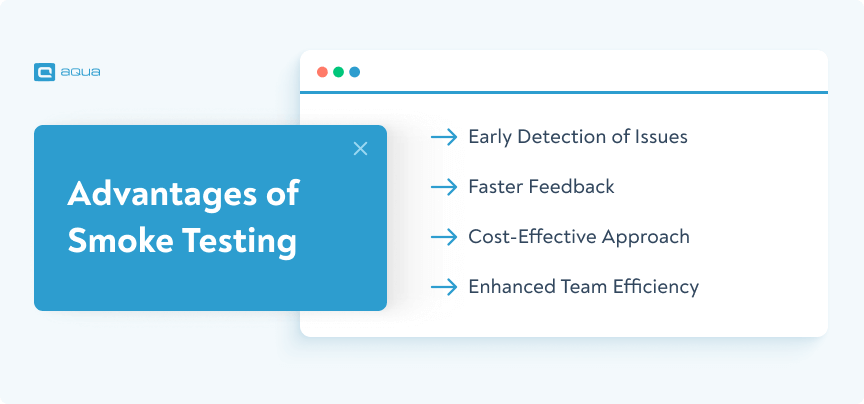
Advantages of Smoke Testing
The main advantage of smoke testing in software testing is speed. You find out within minutes whether a build is fundamentally broken, before any expensive testing effort has been invested. Here’s why incorporating smoke testing is a game-changer:
Early Detection of Issues: By running a quick health check on your software’s core functionalities, smoke testing identifies critical bugs early in the development cycle. This approach saves time and resources that you would otherwise spend on troubleshooting more complex issues down the line.
Faster Feedback: Smoke tests provide quick insights into the health of your build. This rapid feedback loop allows developers to make necessary adjustments almost immediately, facilitating faster iterations and continuous improvement.
Cost-Effective Approach: Catching bugs early reduces the cost of fixing them later in the development process. The earlier an issue is identified and resolved, the less expensive it is to address, making smoke testing a cost-effective strategy.
Enhanced Team Efficiency: By quickly ruling out major problems, smoke testing allows developers and testers to focus on more complex and critical issues. This prioritisation improves team efficiency and accelerates the overall development timeline.
Ready to enhance your testing strategy with smoke testing? Let’s delve into the different types of it before getting you started.
Types of Smoke Testing
Understanding the different types of smoke testing can significantly streamline your software development process. Here’s a detailed look at each type, with their unique characteristics and benefits:
Daily Build Smoke Tests:
Purpose: Verify basic functionalities of the software with each daily build.
Characteristics: These tests are quick and focused, ensuring that core features are operational after each build. They provide immediate feedback to developers, helping maintain stability and reliability throughout the development cycle.
Purpose: Focus on specific functionalities or areas of the software to ensure critical components are working as expected.
Characteristics: Sanity tests are designed to quickly verify whether the most crucial aspects of the software are functional after minor changes or fixes. They are less exhaustive than full regression tests but provide essential validation before more comprehensive testing phases.
Continuous Integration Smoke Tests:
Purpose: Validate the integrity of the software system after each integration or build.
Characteristics: These tests are automated and run continuously as part of the CI/CD pipeline. They ensure that new code integrations do not break existing functionalities and maintain system stability. By catching integration issues early, continuous integration smoke tests support a smooth and reliable deployment process.
Each type of smoke testing plays a vital role in ensuring the quality and reliability of your software throughout its development lifecycle. But who performs these tests? And when is the best time to perform it? Let’s dive into the details together.
In my mind Sanity tests would be "Let's make sure we didn't break anything horribly, just in case" While smoke tests would be "Let's confirm that the core functionalities still work as expected".
You should conduct smoke testing at the initial stages of the software development lifecycle, typically right after a new build is created. It’s also crucial to run smoke tests after major updates or significant changes in the codebase to ensure stability before proceeding with more detailed testing.
As a QA engineer or tester, you are often the one performing smoke tests. Your role involves validating the basic functionality of the application to ensure it’s ready for more in-depth testing. Sometimes, automated tools are used to perform smoke tests, providing consistent and reliable results.
Did you know that a test management system (TMS) can help you run and manage your smoke tests much more effortlessly? TMS can automatically generate smoke tests based on your application’s requirements and recent changes, saving time and ensuring comprehensive coverage. If it is an AI-powered TMS, it can help you prioritise smoke tests based on the likelihood of failure or feature criticality, ensuring important tests are executed first for faster feedback. Additionally, an AI-powered TMS can analyse test results in real-time, quickly identifying issues and potential causes, allowing immediate problem resolution. Automated smoke tests run by the TMS provide consistent and reliable results, eliminating human error and ensuring thorough checks for every build. Furthermore, the TMS generates detailed reports, highlighting smoke test outcomes and offering insights into your application’s health, aiding informed decisions on further testing and development.
And what if we told you there is a solution that will turn your smoke test efforts into a breeze? Introducing you aqua cloud, an AI-powered test solution that has been more than 10 years in the market.
Bringing the German quality to your testing efforts, aqua will streamline your smoke tests in the following ways:
AI-Powered Test Case Generation: With aqua, you get test cases generated in seconds from your requirements, saving time and ensuring comprehensive test case management and coverage.
100% Traceability: You can track every requirement through to its test case and results, ensuring nothing falls through the cracks.
100% Test Coverage: Aqua ensures all aspects of your application are tested, crucial for verifying the basic functionality during smoke tests.
Seamless Reporting: Integration with Capture provides detailed insights into smoke test outcomes, using screen recordings to quickly identify and resolve issues.
Ready to implement a solution that will take away the pain of testing? Think no more, try aqua cloud now.
Elevate your testing efforts with 200% automation and guaranteed quality
The objective of smoke testing is to verify that the core functionality of a new build works well enough to justify proceeding with full testing. It is not a quality guarantee. It is a go or-no-go gate.
In software development, thorough testing is critical to ensuring a high-quality product. According to a study by Capers Jones, approximately 85% of software defects are found during complete testing. That means you have to pay enough attention to different testing types, including smoke testing.
Smoke testing, a subset of overall testing, focuses on verifying the basic functionality of an application. The main objective of smoke testing is to ensure that the most crucial features of your application work correctly after a new build or significant changes. By conducting smoke tests, you can quickly detect major issues early in the development process, saving time and resources.
Smoke Testing Use Case: What Happens When You Ignore It
To understand the significance of smoke testing better, let’s look at this example scenario:
Scenario: A software development team is tasked with deploying a major update to a business-critical enterprise application used for inventory management and order processing.
Challenge: Due to time constraints and project pressures, the team decides to skip comprehensive smoke testing before the deployment. They proceed directly with the deployment based on unit testing results and initial functional checks.
Issue: Shortly after the deployment, users begin reporting significant issues with basic functionalities of the application. Key problems include:
Inability to process orders correctly, leading to customer dissatisfaction and loss of sales.
Inventory tracking errors causing discrepancies in stock levels and logistics operations.
User authentication failures, preventing employees from accessing critical business tools.
Impact: The deployment failure results in:
Increased operational downtime as IT teams rush to diagnose and fix issues.
Loss of revenue due to disrupted business operations and dissatisfied customers.
Damage to the company’s reputation for reliability and service quality.
Resolution: The development team conducts emergency troubleshooting and hotfix deployments to address critical issues. They subsequently implement rigorous smoke testing protocols for future updates to prevent similar deployment failures.
Want to practically see what happens when you skip smoke testing? Sometimes the best way to understand the critical importance of smoke testing is to experience the consequences firsthand. The scenario below simulates a real-world deployment situation where you’ll face the same pressure and decisions that development teams encounter daily. Step into the shoes of a QA lead and discover why that “quick 30-minute delay” for smoke testing could save your company hundreds of thousands of dollars.
🔥 Interactive Smoke Testing Disaster Simulator (Click to open)
▼
Experience the real-world consequences of skipping smoke testing in this interactive simulation. You're the QA lead for a major e-commerce platform about to deploy a critical update.
📊 Deployment Scenario
🏢 Company: MegaShop Inc.
Annual Revenue: $50M
Daily Users: 100K
Peak Sales: Black Friday Week
🚀 Deployment: Payment System Update
New Features: Mobile wallet integration
Risk Level: High
Deployment Window: 2 hours
💰 Revenue
$50,000/hr
●
👥 Active Users
4,200
●
⚡ System Health
98%
●
⚠️ Critical Decision Point
The deployment is ready, but you notice the smoke test suite will take 30 minutes to run. The CEO is pressuring for immediate deployment due to competitor pressure.
📉 Deployment Consequences
Manual vs automated smoke testing
For smoke testing in software testing, automation is almost always the right choice for established features. Manual smoke testing makes sense during early development or for UI-heavy areas where scripts are not yet stable.
Automation testing is getting increasingly popular in software development due to its efficiency and reliability. According to the World Quality Report 2021-2022, automation testing accounts for approximately 52% of all testing activities globally. This shows how widespread automation is in software testing.
When it comes to smoke testing, both automation and manual approaches offer distinct advantages and drawbacks:
Manual Smoke Testing:
Pros:
Greater flexibility to explore edge cases and unexpected scenarios.
Useful for applications with frequently changing requirements or user interfaces.
Lower initial setup costs, particularly beneficial for small projects or ad-hoc testing.
Cons:
Time-consuming and labour-intensive, especially for large applications or frequent testing.
Prone to human error and inconsistency in test execution.
Limited scalability as the application and testing complexity increase.
Automated Smoke Testing:
Pros:
Rapid execution of tests across various configurations and environments.
Consistent and repeatable results, reducing human error.
Scalable for large and complex applications, supporting continuous integration and delivery.
Cons:
Higher initial setup and maintenance overhead, especially for complex test scenarios.
Less effective in exploring new functionalities or edge cases without additional scripting.
Requires expertise in test automation tools and frameworks.
So deciding which one to apply in your smoke testing efforts requires adequate planning and evaluation of your budget, resources and time available.
Process of smoke testing
A smoke test follows a consistent sequence: verify the build, identify the critical paths, run targeted test cases, evaluate results, and decide whether testing proceeds or the build gets sent back.
Here is the detailed, step-by-step approach to smoke testing:
Build Verification: Verify that the latest build or version of the software is stable and ready for testing.
Identification of Critical Features: Determine the core functionalities of the application that need to be tested during smoke testing.
Preparation of Test Cases: Create or select test cases that cover the essential functionalities identified in the previous step. Knowing how to manage test cases effectively ensures comprehensive coverage of critical scenarios.
Execution of Smoke Tests: Run the selected test cases to ensure that the critical features of the application work as expected.
Results Evaluation: Analyze the test results to identify any critical issues or failures in the functionality.
Report Findings: Document and report the outcomes of the smoke tests, highlighting any issues discovered during testing.
Decision Making: Based on the results, decide whether the build can proceed to more detailed testing phases or if further investigation and fixes are necessary.
Only after following all these steps, you can decide that the product is fully ready for more extensive testing efforts as it is free of critical bugs.
Smoke Test Case Example and Checklist
A smoke test should be short, repeatable, and focused entirely on whether the application is functional at its most basic level. The cases below represent a practical starting point for a web-based application. Adapt them to your product.
Example smoke test case for a login flow:
Test case ID: SMK-001 Title: Verify user can log in with valid credentials.
Precondition: Application is deployed and accessible. Test user account exists.
Steps: Navigate to the login page. Enter a valid username and password. Click the login button.
Expected result: User is redirected to the dashboard. Session is created. No error messages are displayed.
Pass/fail criteria: Test passes if the user reaches the dashboard within 5 seconds with no errors.
Smoke test checklist for a typical web application:
Application loads without errors in the target environment.
Login with valid credentials succeeds and redirects correctly.
Core navigation links are reachable and return expected pages.
Primary user action completes without a system error (for example: submitting a form, placing an order, creating a record).
API health endpoint returns a 200 status.
Database connection is established and basic data retrieval returns results.
User can log out and session is terminated.
No critical console errors appear during the above steps.
This checklist is intentionally minimal. The smoke testing meaning in practice is not to test everything but to confirm that the application is alive and its most important paths are open. Extend the list only for features that, if broken, would make all other testing pointless.
How to Integrate Smoke Tests into a CI/CD Pipeline
Integrating smoke testing in software testing into your CI/CD pipeline is the single most effective way to make it consistent. A smoke test that runs manually when someone remembers is not a smoke test. It is an occasional check.
Here is how to set it up step by step:
Trigger smoke tests on every build. Configure your pipeline to run the smoke suite automatically after every successful compile or container build. In GitHub Actions, GitLab CI, or Jenkins, this is a dedicated stage that runs before any other test suite.
Keep the suite fast. A smoke test suite should complete in under 15 minutes. If it takes longer, it is no longer a smoke test. Move slower tests into a separate regression stage.
Run in a staging-equivalent environment. Smoke tests should run against an environment that closely mirrors production. Testing against a local mock is not the same thing and will miss deployment-specific failures.
Gate progression on results. If smoke tests fail, the build should not proceed to integration testing, UAT, or deployment. Configure the pipeline to block the next stage automatically when the smoke stage fails.
Report results immediately. Connect your pipeline to your notification channel (Slack, Teams, or email) so the relevant developer sees the failure within minutes, not at the end of the day.
Log results to your test management system. Every smoke test run should produce a traceable result in your TMS. Over time this creates a trend line that shows build stability across releases. aqua cloud handles this automatically, linking each run back to the corresponding requirements and test cases.
A well-integrated smoke testing setup means no build reaches the testing team in a broken state. It also means developers get feedback fast enough to fix the issue in context, before they have moved on to the next task.
Best practices for smoke testing
Want to ace smoke testing like you never did before? Here are some advanced smoke testing practices you should definitely implement:
Automate Where Possible: Implement automated smoke tests to quickly verify basic functionality after each build, ensuring consistency and efficiency.
Prioritise Critical Scenarios: Focus smoke tests on verifying critical features and high-risk functionalities to quickly identify show-stopping issues.
Use Mocking and Stubs: Employ mock objects or stubs to simulate dependencies and external systems, allowing isolated testing of core application functionality.
Parameterise Tests: Parameterise smoke tests to cover multiple configurations and environments, ensuring broader test coverage without duplicating efforts.
Integrate with CI/CD Pipelines: Integrate smoke tests into your continuous integration and delivery pipelines to automate testing and validate builds before deployment.
Monitor and Analyse Results: Continuously monitor smoke test results and analyse metrics to detect patterns or trends in failures, facilitating quick resolution of recurring issues.
Maintain Test Suites Regularly: Regularly review and update smoke test suites to align with evolving application requirements and ensure relevance and effectiveness.
Implement Smart Retry Mechanisms: Implement intelligent retry mechanisms for smoke tests to automatically rerun failed tests under stable conditions, reducing false positives and ensuring reliable results.
Collaborate and Communicate: Foster collaboration between development, QA, and operations teams to ensure smoke tests address the right priorities and provide actionable feedback.
By following these best practices, you can streamline your smoke testing processes, improve software quality, and enhance overall development efficiency.
Best tools for smoke testing
There are several tools you can go for if you want to master your smoke testing, ensuring all your critical features function well. We will also be answering the question: what is a smoke test software? Here is a short list of them:
aqua cloud: aqua revolutionises smoke testing with its AI-powered capabilities, enabling rapid test case generation in seconds directly from your requirements. It ensures 100% traceability and test coverage, providing confidence that all critical functionalities are thoroughly tested. Integrated seamlessly with Capture, aqua cloud offers detailed reporting insights through screen recordings, facilitating quick issue identification and resolution. Experience enhanced efficiency and reliability in your smoke testing process with aqua cloud, empowering your team to deliver high-quality software faster and with no errors
Achieve 100% reliable, error-free software with an AI-powered solution
2. Postman: Postman is a popular collaboration platform for API development, offering automated testing capabilities to validate APIs quickly and efficiently. While primarily focused on API testing, it provides robust features for automating smoke tests in API-driven applications.
3. Selenium: Selenium is a widely used open-source tool used as smoke testing software for web application testing, supporting multiple programming languages and browsers. It requires scripting effort for test creation and maintenance, potentially increasing initial setup and maintenance costs.
4. Jenkins: Jenkins is a leading open-source automation server for continuous integration and delivery, featuring an extensive plugin ecosystem for integrating with various testing and deployment tools. Setting up complex automation workflows may require a steeper learning curve.
These tools cater to different aspects of testing and automation, with aqua standing out for its AI-powered approach to removing the pain of testing by enhancing smoke testing efficiency and effectiveness.
Conclusion
Smoke testing, although often underestimated in its impact, is crucial for robust software testing strategies. As we’ve explored, its early detection capabilities ensure major bugs are caught early, saving valuable time and resources. Tools like aqua cloud exemplify this efficiency, using AI for rapid test case generation, comprehensive traceability, and seamless reporting. By embracing such innovations, you can enhance your testing processes and elevate software quality with each build. As you delve into mastering smoke testing, consider how these insights and tools can transform your approach, ensuring your software meets the highest standards of reliability and performance.
Smoke testing, also known as build verification testing, checks the basic functionality of software to ensure it’s stable enough for further testing.
What is smoke testing vs Sanity testing?
Smoke testing verifies critical functionalities to ensure basic operability. Sanity testing focuses on specific areas or functionalities to ensure recent changes haven’t adversely affected them.
What is smoke testing vs regression testing?
Smoke testing validates basic functionalities after a build or update. Regression testing ensures that new changes haven’t introduced unintended impacts on existing functionalities.
What is the difference between smoke testing and unit testing?
Smoke testing checks integrated components to ensure basic operability. Unit testing tests individual components or modules in isolation to verify their correctness.
Can we automate smoke testing?
Yes, smoke testing can be automated using tools like aqua cloud, Selenium, or Jenkins to ensure rapid and consistent validation of core functionalities.
How to write a smoke test case?
Write smoke test cases that cover essential functionalities, focusing on high-priority scenarios and critical paths, ensuring quick validation of basic operational capabilities.
When to perform smoke testing?
Perform smoke testing:
After each new build or deployment.
After major updates or changes to ensure stability before further testing phases.
How long should a smoke test take to run?
A smoke test suite should run in 5 to 15 minutes. Anything longer starts to slow down the feedback loop that makes smoke testing valuable. If your suite is taking 30 minutes or more, it has likely grown beyond its scope and is doing work that belongs in regression or integration testing. Review the suite and remove any tests that are not strictly verifying critical core functionality. For teams running smoke tests on every commit, staying under 10 minutes is a practical target. Automated smoke tests in a CI/CD pipeline should complete before the developer has finished reviewing the change that triggered the build.
What is the difference between smoke testing and functional testing?
Smoke testing in software testing checks whether the application is stable enough to proceed to further testing. It covers a small number of critical paths and is designed to be fast. Functional testing checks whether specific features work correctly according to requirements. It is thorough, detailed, and covers a much wider range of scenarios including edge cases, negative inputs, and boundary conditions. Smoke testing comes first. It is a gate. Functional testing comes after and assumes the application has already passed that gate. If a smoke test fails, functional testing does not run because there is no point investing time in detailed checks on a fundamentally broken build.
Embodying the essence of a QA Coordination Maestro, Paul has excelled in curating and implementing quality strategies tailored to the nuances of each project. His expertise in the market of QA and Test Management solutions has contributed to a vast portfolio of successfully managed TMS…
Nurlan, a QA Coordinator & Quality Standards Officer, takes pride in orchestrating seamless QA operations. His expertise in coordinating QA-focused projects and integrating QA solutions has consistently yielded top-tier client satisfaction. Aside from a full-time QA coordinator, Nurlan's role involves creating compelling content that educates…
Home » Best practices » Smoke Testing: Why It’s More Important Than You Think
Do you love testing as we do?
Join our community of enthusiastic experts! Get new posts from the aqua blog directly in your inbox. QA trends, community discussion overviews, insightful tips — you’ll love it!
We're committed to your privacy. Aqua uses the information you provide to us to contact you about our relevant content, products, and services. You may unsubscribe from these communications at any time. For more information, check out our Privacy policy.
X
🤖 Exciting new updates to aqua Intelligence are now available! 🎉