Key takeaways
- Test automation management at enterprise scale covers test strategy, orchestration, environment stability, reporting, maintenance workflows, and governance. Writing scripts is only the starting point.
- Enterprises without a dedicated strategy end up with tool sprawl, no accountability, and test suites that run thousands of cases nobody trusts or acts on.
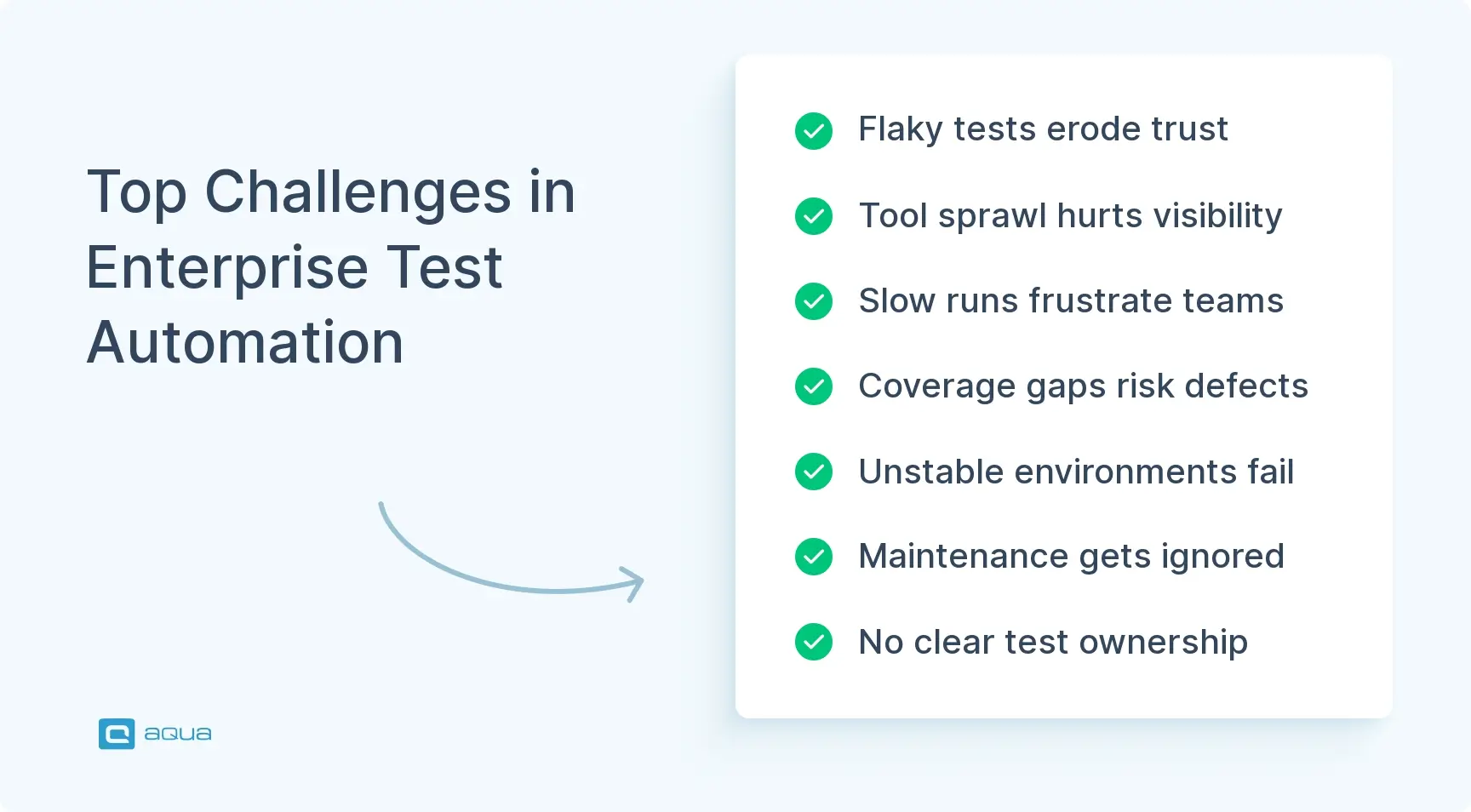
- Flaky tests, slow execution, unstable environments, poor coverage visibility, and maintenance burden are the biggest blockers to reliable automation at scale.
- Building an effective framework takes months and requires auditing current state, standardizing tools, centralizing repos, stabilizing environments, and enforcing ownership with SLAs.
This guide delves into what enterprise test automation management actually means and how to build a system that works.
What Is Test Automation Management?
Test automation management is how you organize, govern, and optimize your automated testing infrastructure across teams, platforms, and products. Think of it as the control layer between your test scripts and the business outcomes you’re working toward.
At enterprise scale, the scope goes far beyond writing test cases. It covers:
- Test strategy: What gets automated, what doesn’t, and why
- Orchestration: How tests are triggered, scheduled, and monitored
- Environment management: Keeping environments consistent and production-like
- Reporting: Making results visible and actionable for the right people
- Governance: Who owns what, and what happens when tests break
Most enterprises treat automation like a side project. Scripts get written, they live in a repo nobody visits, and six months later, they’re broken with no clear owner.
Enterprise process automation fixes that by turning testing into a managed service. Your team defines ownership, sets SLAs for test stability, tracks execution metrics, and enforces coding standards.
The results show up in deployment speed, defect escape rates, and how much time your team spends debugging test infrastructure versus actual code. When automation management works, CI/CD pipelines stay green, release cadence stays consistent, and engineers spend time on features, not test infrastructure firefighting.
The way I'd figure out which one you need: pull a representative slice of the work the team does and split it into "processes we run on a schedule or trigger" vs "requests people send us." If the volume is mostly the second bucket, an orchestration engine is overkill If it's mostly the first bucket, the orchestration tools on your list are the right shape and the AI-native premium is wasted.
Why Enterprises Need a Dedicated Strategy
Enterprises can’t wing test automation. The complexity is too high and the stakes are real.
Small teams might survive with ad-hoc scripts and one person who knows how everything works. Enterprise environments are a different problem. You’re dealing with:
- Dozens of apps and hundreds of microservices
- Multiple clouds and legacy systems running in parallel
- Third-party integrations, compliance requirements, and global delivery schedules
A dedicated enterprise IT management automation strategy solves three core problems.
1. It Prevents Tool Sprawl
Without governance, every team picks its own framework. You end up with Selenium here, Playwright there, Cypress somewhere else, Appium for mobile, and half a dozen dashboards nobody consolidates.
That fragmentation kills visibility and makes central reporting impossible. A strategy standardizes where it matters and allows flexibility where it doesn’t.
2. It Enforces Accountability
In most enterprises, test automation becomes nobody’s job. Developers write some tests, QA writes others, someone else maintains the framework, and when tests fail, everyone points elsewhere.
Automation management assigns clear ownership. Each suite has a team responsible for stability, coverage, and maintenance, with SLAs for keeping tests current and useful.
3. It Connects Testing to Business Risk
A payment gateway failure and a UI color check are not the same event. Enterprise strategy prioritizes execution based on business impact:
- Critical paths run first
- Flaky, low-value tests get fixed or deleted
- Results feed into release gates, incident response, and stakeholder dashboards
Bottom line: Without a strategy, you run thousands of tests, half fail intermittently, nobody trusts the results, and releases still depend on manual sign-off. With a strategy, deployment frequency goes up, and defect rates go down.
Most enterprise test automation frameworks fall apart because teams focus on tools before fixing the underlying process. aqua cloud, an AI-powered test and requirement management solution, gives your team one intelligent system to manage the entire testing operation.
It includes native CI/CD integration, centralized test repositories with full traceability, and real-time dashboards that connect test outcomes to business risk.
aqua’s Intelligence can be trained on your project’s actual documentation using Retrieval-Augmented Generation. That means test cases and maintenance recommendations are grounded in your specific systems, not generic suggestions.
No more tool sprawl, fragmented reporting, or tests nobody trusts. Built for enterprise scale, aqua connects natively with the tools your team already uses, including Jira with bidirectional sync, Jenkins, Azure DevOps, and Confluence.
Centralize, automate, and scale your enterprise test operations with 100% visibility
Core Components of Enterprise Test Automation Management
Enterprise test automation management is a system, not a single tool. These are the nine components your team needs to make it work.
Test Strategy and Governance
Document what gets automated, what doesn’t, and why. Cover test prioritization, coverage targets, framework standards, approval workflows, and responsibility models.
Governance creates consistency across teams without removing the flexibility your team needs to move fast.
Centralized Test Repositories
All test assets, scripts, data sets, configurations, and documentation should live in version-controlled repositories with clear ownership.
This prevents duplicate tests, simplifies maintenance, and helps your team find and reuse existing automation.
Execution Orchestration
Your team needs a way to schedule, trigger, and monitor test runs across environments. That includes:
- CI/CD integration and parallel execution
- Environment provisioning and dependency management
- Retry logic for transient failures
Orchestration handles the logistics so your team members aren’t coordinating test execution by hand.
Environment Management
Test environments need to be consistent, available, and production-like. That means:
- Infrastructure as code for repeatable provisioning
- Automated data refresh before each test run
- Health checks that run before tests start
Poor environment quality is one of the biggest sources of flaky tests and low confidence in results.
Reporting and Analytics
Test results need to be visible, actionable, and trusted. Build dashboards with:
- Pass rates and execution time trends
- Failure categorization and flakiness tracking
- Coverage metrics and integration with incident management
Reporting connects test outcomes to business decisions and helps your team prioritize fixes.
Maintenance Workflows
Automation degrades over time. APIs change and infrastructure updates break tests. Not to mention that UIs evolve and data shifts. Maintenance workflows cover:
- Failure triage and flakiness remediation
- Test refactoring and framework upgrades
- Retirement of obsolete or dead tests
Without active maintenance, automation becomes technical debt.
Tool and Framework Standardization
Define which tools and frameworks are approved for each testing type, including unit, API, UI, performance, and mobile. Standardization reduces fragmentation and makes cross-team collaboration possible.
Access and Permissions
Role-based access control ensures test assets, environments, and pipelines have appropriate permissions. This matters especially in regulated industries where audit trails and separation of duties are required by compliance.
Integration Layer
Test automation connects to CI/CD tools, issue trackers, observability platforms, asset management systems, and deployment workflows. The integration layer ensures test data flows where it’s needed without manual copying.
How it works in practice: A test fails in CI/CD. The reporting layer flags it, the maintenance workflow assigns it to your team, your team investigates using environment logs, fixes it in the centralized repo, and the updated version runs in the next build.
Key Challenges in Enterprise Test Automation
Flaky Tests
Intermittent failures from timing issues or environment instability destroy team trust fast. Once engineers stop believing test results, they stop acting on them, and automation becomes background noise.
How to address it: Root-cause analysis, improved synchronization logic, and stable environments with consistent data.
Tool Sprawl and Fragmentation
Different teams pick different tools based on immediate needs. Each tool brings its own reporting format, execution engine, and skill requirements, making cross-team visibility nearly impossible.
How to address it: Standardize early. Establish an approved tool list and require exceptions to go through a formal approval process.
Slow Execution
Running 10,000 tests sequentially can take hours. Parallel execution helps, but it requires infrastructure, orchestration, and careful test design to avoid conflicts.
How to address it: Invest in parallel execution infrastructure, test sharding, and smarter test selection strategies tied to code changes.
Poor Test Coverage Visibility
Many enterprises genuinely don’t know what their automation covers. Without visibility, your team overtests low-risk areas and undertests critical paths, and defects escape to production.
How to address it: Implement coverage tracking tied to your product features, not just code lines.
Environment Instability
Environments that don’t match production or require manual setup create false failures. When your team spends more time troubleshooting environment issues than actual defects, automation loses its value quickly.
How to address it: Automate environment provisioning with infrastructure as code and add pre-test health checks.
Maintenance Burden
Tests need ongoing maintenance. APIs change, UIs get redesigned, data models evolve. Without accountability, tests rot and dead tests slow every pipeline they touch.
How to address it: Assign explicit ownership to every test suite and enforce SLAs for test stability.
Skills and Knowledge Gaps
Test automation requires coding skills, infrastructure knowledge, CI/CD understanding, and debugging ability. Teams that don’t invest in upskilling end up with a small group of automation experts doing everything while others struggle to contribute.
How to address it: Budget for training, run internal workshops, and build communities of practice where your team members share knowledge.
Lack of Ownership
When automation has no clear owner, tests fail with no investigation, frameworks go out of date with no updates, and coverage gaps accumulate with no one tracking them.
How to address it: Assign every test suite to a named team. Set SLAs for stability and schedule regular ownership reviews.
Integration Complexity
Enterprise systems are interconnected. Testing one service often requires spinning up dependencies, configuring permissions, setting up data, and managing secrets. That complexity multiplies when tests span multiple systems.
How to address it: Design tests with clear dependency contracts and invest in shared test infrastructure for common integrations.
Key point: These challenges compound the longer your team waits to address them. Proactive management is far cheaper than remediation after problems spread across multiple teams and products.
Building an Effective Test Automation Management Framework: Step by Step
Building an enterprise test automation management framework is a staged program, not a weekend project. Here’s how to do it without disrupting existing workflows.
Step 1: Audit Your Current State
Goal: Establish a baseline before changing anything. To build that baseline, your team needs to:
- Inventory all tools, frameworks, execution environments, and reporting dashboards
- Identify flaky tests, long-running suites, tool duplication, and coverage gaps
- Map ownership structures and maintenance bottlenecks
- Talk to your team members about their actual pain points
This audit becomes your baseline and your business case for change.
Step 2: Define Your Strategy and Standards
Goal: Create the blueprint your team will follow. To do that effectively, your team should:
- Set coverage targets, execution time goals, and flakiness thresholds
- Choose standard tools for each testing type, with a formal exception process
- Define how tests get prioritized and how results feed into deployment gates
- Document ownership models and SLAs for test stability
Step 3: Centralize Test Repositories
Goal: Make automation discoverable and reusable. In practice, that means:
- Moving all test assets into version-controlled repositories with clear structure
- Organizing by product, feature, or service
- Enforcing naming conventions, documentation standards, and ownership tags
Step 4: Standardize Execution Orchestration
Goal: Embed testing into your software delivery process. For which your team needs to:
- Integrate test execution into CI/CD pipelines with parallel execution
- Define which tests run on commit, nightly, and on demand
- Build retry logic for transient failures
- Make results visible in dashboards your stakeholders actually check
Step 5: Stabilize Test Environments
Goal: Eliminate environmental causes of test failure. Getting there requires:
- Automating provisioning with infrastructure as code
- Ensuring environments are consistent, production-like, and have fresh data
- Adding pre-test health checks and documenting all dependencies
Step 6: Implement Reporting and Metrics
Goal: Connect test data to business decisions. That translates to:
- Building centralized dashboards for pass rates, execution times, flakiness trends, and coverage gaps
- Integrating with incident management so failures automatically create tickets
- Making data accessible to product managers, not just your QA team
Goal: Treat maintenance as ongoing operational work. Which means setting up:
Step 7: Build Maintenance Workflows
Goal: Treat maintenance as ongoing operational work. Which means setting up:
- Formal processes for triaging failures, fixing flaky tests, and retiring obsolete tests
- Clear ownership and SLAs for every test suite
- Regular maintenance sprints scheduled alongside feature work
Step 8: Train and Upskill Your Team
Goal: Build the skills your team needs to sustain automation long-term. In practice, that looks like:
- Training sessions for tools, coding best practices, and CI/CD integration
- Workshops, certifications, and mentorship programs
- Communities of practice where your team members share learnings
Step 9: Enforce Governance and Accountability
Goal: Make sure standards stick. That requires:
- Approval processes for new tools and major test suite changes
- Ownership tags on all test assets
- Regular reviews where teams present metrics, coverage gaps, and improvement plans
Step 10: Iterate and Optimize
Goal: Keep the framework evolving with your organization. Concretely, that means:
- Reviewing metrics and gathering feedback on a regular cadence
- Increasing team autonomy as maturity improves
- Adjusting coverage targets as business priorities change
Realistic timeline: Building a mature framework takes 6 to 18 months. Start with high-value, low-risk improvements and expand systematically. Teams that try to rebuild everything at once usually fail.
Working at a platform that does automation for enterprise teams, I can tell you you're definitely on the right track with those tools but you're missing some absolute goldmines for IT automation.
Best Tools for Enterprise Test Automation Management in 2026
Choosing tools for enterprise automation management means finding the right mix for your stack, team skills, and business requirements. Here’s what’s worth considering in 2026.
Tool Categories at a Glance
| Category |
Top Tools |
Best For |
| Test & requirement management |
aqua cloud, Zephyr, qTest |
Traceability, compliance docs, stakeholder reporting |
| CI/CD orchestration |
Jenkins, GitLab CI, Azure DevOps, GitHub Actions |
Pipeline integration, parallel runs |
| Web UI testing |
Selenium, Playwright |
Cross-browser coverage at scale |
| Mobile testing |
Appium |
iOS and Android automation |
| API testing |
Postman, REST Assured |
Contract and integration testing |
| Performance testing |
JMeter, Gatling |
Load and stress testing |
| Cloud execution |
BrowserStack, Sauce Labs, LambdaTest |
Cross-browser without device labs |
| Observability |
Datadog, Grafana, Splunk |
Dashboards, trend analysis, executive reporting |
| Environments |
Terraform, Ansible, Kubernetes, Docker |
Consistent on-demand provisioning |
| Security testing |
Snyk, Checkmarx, Veracode |
Vulnerability scanning in CI/CD |
| AI-assisted testing |
Testim, Applitools, Mabl |
Self-healing tests, visual validation |
aqua cloud: The Recommended Choice for Test and Requirement Management
If your team needs one platform to handle both test management and requirement traceability, aqua cloud is the strongest option in this category. Most test managers track tests. aqua connects requirements directly to test cases, so your team has full coverage traceability from business objective to test result, not just a list of scripts that ran.
What makes it practical at enterprise scale is the integration depth. aqua connects natively with:
- Jenkins, GitLab CI, and Azure DevOps for pipeline execution
- Selenium and Playwright for automated test runs
- Jira with bidirectional sync for issue tracking
- Confluence for documentation and delivery workflows
- JMeter, SoapUI, Ranorex, REST APIs, PowerShell, UnixShell, MSSQL and Oracle databases across more than 10 native automation integrations
The Capture integration records every test execution with video and screenshots, giving your team complete evidence for every run without manual effort.
For enterprises dealing with compliance requirements, audit trails, and distributed teams, that level of native integration coverage removes the need to stitch together three separate tools just to get visibility across your testing operation.
Boost testing effectiveness by 80% with aqua’s Intelligence
Open Source vs. Commercial
Open source tools like Selenium, Playwright, JMeter, and Grafana give your team flexibility and avoid vendor lock-in.
Commercial platforms like aqua cloud, Tricentis Tosca, and Micro Focus UFT offer integrated suites, dedicated support, and enterprise-grade features out of the box.
Most enterprises land on a hybrid: open source for execution, commercial for management and reporting.
One rule worth following: Tools don’t fix bad processes. Fix the process first, then choose tools that support it.
Enterprise test automation management works when governance, accountability, and intelligence span your entire testing operation. aqua cloud, an AI-driven test and requirement management platform is built for enterprise scale. It has centralized test management, direct CI/CD orchestration, and reporting that turns test data into decisions your team can act on. The platform covers execution tracking, environment provisioning, compliance-ready audit trails, and role-based access control. aqua’s domain-trained aqua Intelligence uses RAG technology to generate and maintain tests grounded in your actual project context, so every test case is specific to your systems and immediately useful. aqua’s integration library spans the full enterprise toolchain: JMeter, PowerShell, MSSQL databases, UnixShell, SoapUI, Ranorex, Oracle databases, REST APIs, and more than 10 native automation integrations. The Capture integration records every test execution with video and screenshots, giving your team complete evidence for every run.
Boost testing efficiency by 80% and achieve enterprise-grade reliability with aqua
Conclusion
Enterprise test automation management works when you have clear ownership, enforced standards, stable environments, actionable reporting, and ongoing maintenance. Without those pieces, automation becomes expensive noise nobody trusts. With them, deployments speed up, defect rates go down, and your team spends less time firefighting. Treat test automation as a managed service. Start with the fundamentals, standardize where it matters, and keep iterating. Your team will thank you when deployments stop breaking at 9 PM on a Friday.