How to Write a System Requirements Document (SRD): Ultimate Guide
Most software projects fail because teams build the wrong thing. The root cause? Missing or misunderstood requirements. A system requirements document (SRD) solves this by capturing what the system needs to do, how it should behave, and what constraints apply. It keeps developers, testers, and executives aligned on a single source of truth. In this guide, we will delve into the benefits and best practices of SRD for you as well as the step-by-step process for creating a working SRD.
System Requirements Documents (SRDs) transform high-level business goals into technical requirements that developers can build upon and QA teams can verify.
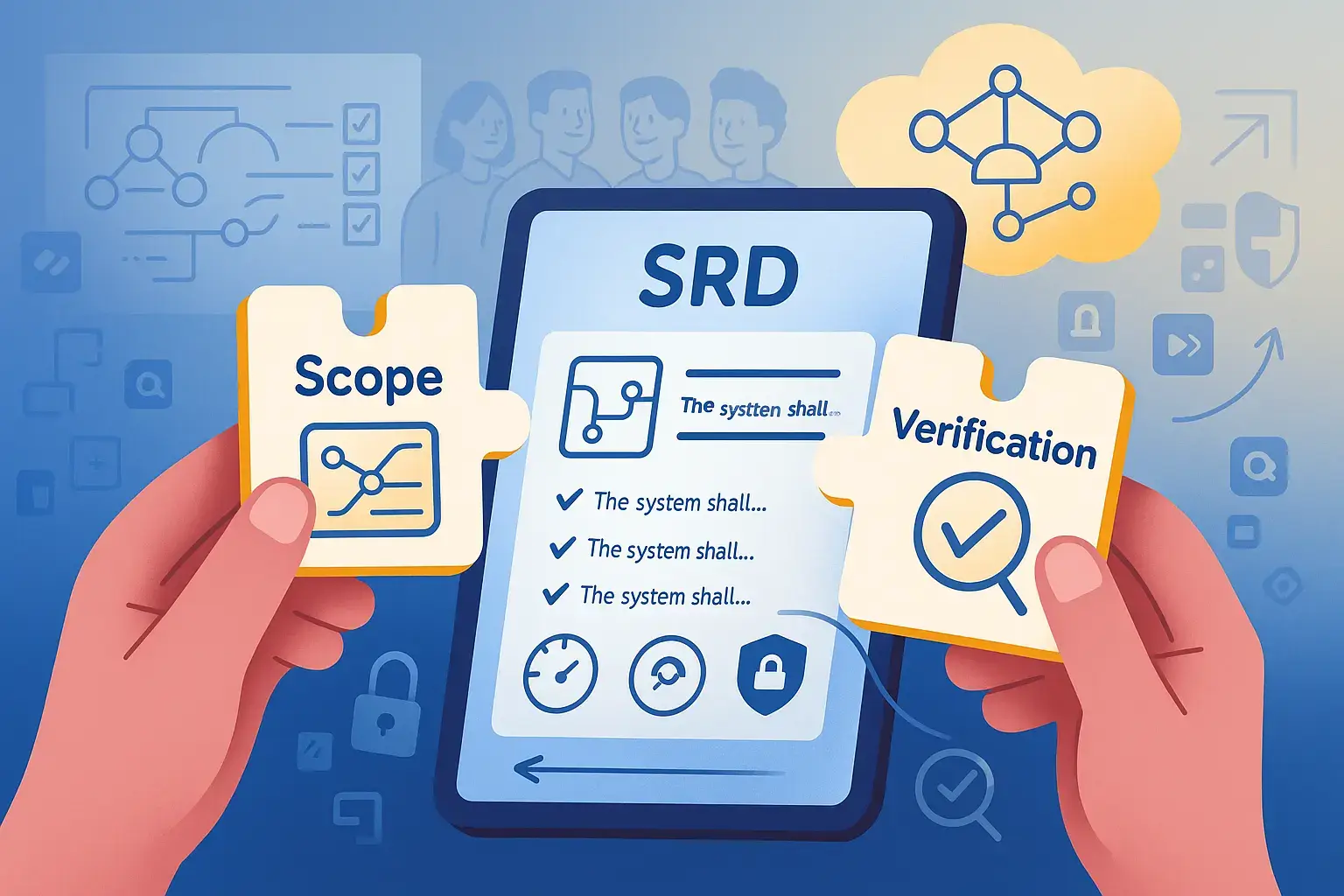
The core components of an SRD include scope definition, functional requirements, interface specifications, performance benchmarks, security requirements, and verification methods.
A well-structured SRD reduces project risks by catching requirement conflicts early, providing traceability from business needs to test cases, and serving as the project’s memory.
Requirements should be written as testable “system shall” statements that avoid vague terms in favor of specific, measurable criteria.
The SRD sits between business requirements (the “why”) and software specifications (the “how”). It focuses on what the system must do and how well it must perform.
Most project failures can be traced back to misunderstood requirements, but not all teams actually invest the time to create a proper blueprint. Learn how to create an SRD that actually helps👇
What is a System Requirements Document (SRD)?
An SRD converts high-level business goals into concrete technical requirements. It answers what the system must do and how well it must perform. Engineers can build from it. QA teams can verify against it. Think of it as a contract between what stakeholders want and what the development team delivers. While a business requirements doc explains the “why,” the SRD covers the “what” and “how well.”
Here’s what you’ll typically find inside a system requirements document (SRD):
Functional requirements describe the capabilities your system must deliver. Write them as “the system shall…” statements. No fluff.
External interface specs detail how your system communicates with other systems, users, hardware, or APIs. Data formats, protocols, error handling matter here.
Performance and capacity benchmarks provide real numbers like “support 10k concurrent users with 95% of requests under 200ms.” QA needs concrete targets to test against.
Safety and security requirements cover authentication, encryption, hazard mitigation, and regulatory compliance. You don’t want to discover missed GDPR requirements on launch day.
Operational constraints include everything from deployment environments to maintenance requirements and uptime targets.
The SRD sits between user system requirements document template and software specs. It examines the whole picture before diving into implementation details.
That being said, every good company SHOULD have some type of requirements document for their software. Although it might not be exactly like the SRS, knowing how to write one and how to parse out the requests from a client and put it into documentation is important.
Many projects fail because teams misunderstood what they were supposed to build. An SRD prevents that by forcing everyone to agree upfront on what “done” actually means. No more expensive surprises halfway through development.
When testers, developers, and stakeholders work from the same document, they stop wasting time on misunderstandings. For QA teams, the SRD creates clear traceability from business needs down to individual test cases through proper requirements management. You can see exactly why each test exists and what requirement it validates.
Here’s the other benefit: team members leave, new people join, and decisions fade from memory. The SRD captures that institutional knowledge before it walks out the door.
A well-structured SRD delivers these concrete benefits across your dev lifecycle:
Change impact analysis – When someone wants to add a feature or modify behavior, you can trace dependencies and understand what else might break.
Regulatory compliance. In regulated industries like aerospace, automotive, or healthcare, the SRD proves to auditors and customers you’ve met every requirement.
Early conflict detection. Two requirements that contradict each other? Better to find that in the SRD review than during integration testing when your schedule is already tight.
Streamlined vendor communication. If you’re outsourcing components, the SRD becomes your specification for what you need delivered.
Reduced rework. Teams report fewer defects, smoother handoffs between phases, and less rework when they invest in a solid system requirements document upfront.
When creating a robust SRD, having the right tools to manage the process is just as critical as the document itself. This is where aqua cloud, an AI-driven test and requirement management platform, shines as a solution for handling SRDs. With aqua, you can transform requests into testable specifications through its one-click requirements creation feature. The platform’s AI Copilot, which is uniquely trained on testing and QA documentation, can instantly generate requirements from various inputs, including plain text, uploaded files, or even voice prompts. What sets aqua apart is how it automatically links requirements to test cases, creating that end-to-end traceability that prevents critical gaps in your SRD implementation. As your requirements evolve, aqua’s visual dependency mapping shows the impact of changes, making sure your SRD remains an updatable document. 14+ Out-of-the-box integrations with Jira, Jenkins, and other tools make it easy to get started with aqua.
Form a complete testing strategy with 100% coverage using aqua cloud
Six sections make up a complete set of SRD requirements. Each answers a different question, and a consistent structure lets readers find the right one quickly. Here’s how the best ones are organized:
1. Scope
This section defines what’s in and what’s out. Describe the system of interest, its boundaries, and explicitly call out what you’re not covering. Legacy systems that won’t be modified or future phases outside this release belong here. A context diagram showing external actors and systems helps everyone visualize the ecosystem. Without a clear scope, you’ll face endless scope creep battles.
2. Applicable Documents
List your source material: business requirements docs, user needs, contracts, regulatory standards, and technical policies. This section creates a paper trail from high-level strategy down to your system requirements. It also tells your team which standards you’re complying with, whether ISO, FDA, GDPR, or whatever’s relevant to your domain.
3. Requirements
This is the heart of your SRD. Break it into subsections:
Requirement Type
Description
Functional requirements
Grouped by feature or subsystem. Each one should be testable and traceable.
Interface requirements
For every connection to external systems, including data schemas, message formats, and error conditions.
Performance requirements
Real metrics: throughput, latency, load capacity.
Security and privacy requirements
Authentication, encryption, access control, and data protection.
Operational requirements
Modes (startup, normal, degraded, maintenance) and environmental constraints.
Maintainability requirements
Diagnostics, updates, and support.
Use a consistent format: unique IDs, “shall” statements, and attributes like priority or risk level.
4. Verification Provisions
For each requirement, specify how you’ll prove it works: test, inspection, analysis, or demonstration. If a requirement says “system shall encrypt all data at rest using AES-256,” the verification method might be “inspection of encryption configuration plus automated security scan.” Linking requirements to verification methods upfront prevents the “we forgot to test that” scramble before release. This directly supports best practices for test management.
5. Requirements Traceability
Your requirements traceability matrix (RTM) links business needs to system requirements to design elements to test cases. It answers critical questions: Does every requirement trace back to a real stakeholder need? Does every requirement have at least one test validating it? Can you show an auditor the path from regulation to requirement to verification result? A traceability matrix explained properly makes impact analysis possible when requirements change.
6. Appendix
Keep the main body readable. Use appendices for reference material: data models, complex use cases, mockups, glossary expansions, risk registers. Specific stakeholders need these details, but they would clutter the flow.
System Requirements Document Template and Example
A systems requirements template gives your team a consistent starting point. The structure below follows ISO/IEC/IEEE 29148 and adapts to most project types.
The template structure
1. Introduction
   1.1 Purpose
   1.2 System overview
   1.3 Definitions and acronyms
   1.4 References

2. Scope
   2.1 System boundaries
   2.2 In scope
   2.3 Out of scope
   2.4 Context diagram

3. Applicable documents
   3.1 Business requirements
   3.2 Regulatory standards
   3.3 Internal policies

4. System requirements
   4.1 Functional requirements
   4.2 Interface requirements
   4.3 Performance requirements
   4.4 Security and privacy requirements
   4.5 Operational requirements
   4.6 Maintainability requirements

5. Verification provisions
   5.1 Verification methods per requirement
   5.2 Acceptance criteria

6. Traceability matrix

7. Appendices
How to write system requirements: the entry format
Every requirement uses the same fields. Consistency here is what makes filtering, reporting, and audit responses fast later.
The system shall process a domestic transfer request and return a confirmation status within 3 seconds under a load of 500 concurrent transactions.
Rationale
Customer research identified transfer delays as the top abandonment cause in the mobile app.
Source
BRD-2.4, Customer Experience Target 2026
Priority
Critical
Verification method
Load test with 500 concurrent virtual users, measuring 95th percentile response time
Owner
Head of Digital Banking
The same requirement written poorly:
“The system should process transfers quickly and reliably.”
This cannot be tested. “Quickly” has no number attached, “reliably” has no failure threshold, and “should” signals a recommendation rather than an obligation. Three engineers would build three different things from it.
Interface requirement example:
REQ-INT-007
Field
Content
Statement
The system shall send payment instructions to the SEPA gateway using ISO 20022 pain.001 message format over TLS 1.3.
Rationale
Regulatory requirement for SEPA participation
Source
EU Regulation 260/2012
Priority
Critical
Verification method
Inspection of message payload plus gateway acceptance test
Owner
Payments Architect
Fill this template with your own requirements and the SRD stops being a formality. Your QA team builds test cases directly from it.
Start with a framework or template, you can find plenty on the googles, plug that in to ChatGPT, and just give a little bit of context about your product. Voila. You can use poorly structured sentences to get rapid iteration, or you can be more thoughtful in your prompting - totally up to you.
Step-by-Step Process of Creating the System Requirements Document
Five steps take you from scattered stakeholder inputs to a baselined document that developers and QA can work from. Here’s how to do it:
Step 1: Gather your Inputs
Collect business requirements docs, user needs, contracts, ConOps (Concept of Operations), and any regulatory or standards requirements. Talk to stakeholders: product owners, architects, operations, and your QA team. They’ll surface constraints and expectations you won’t find in documents.
Run workshops, interviews, and use case modeling sessions to transform stakeholder needs into system-level statements. You’ll need to identify conflicts and gaps during this phase. If two stakeholders want mutually exclusive behaviors, now’s the time to hash it out. Prioritize requirements based on risk, value, and dependencies. Not everything is critical-path, so you should distinguish “must-have” from “nice-to-have” to prevent overcommitment.
Step 3: Draft the SRD
Choose your template based on your industry and organizational needs:
ISO/IEC/IEEE 29148 for standards-compliant documentation
NASA/DoD format for aerospace and defense projects
Tool-based templates from ReqView or Visure for integrated workflows
Many organizations have a standard system requirements document template to ensure consistency across projects. You can also find a system requirements document sample or software system requirements document example online to guide your structure.
Structure it into the sections covered earlier. Write each requirement using the “system shall…” pattern. Make sure it’s clear, testable, and traceable. Add preliminary verification methods so your QA team knows what tests they’ll need to build. Don’t aim for perfection on the first draft. Get the structure and key requirements down first.RetryClaude can make mistakes. Please double-check responses.
Step 4: Review and Validate
Organize peer reviews where systems engineers, architects, developers, and QA walk through the SRD with a checklist. Look for ambiguity, missing requirements, conflicts, and testability issues. Many teams run a formal System Requirements Review (SRR), a gate where stakeholders sign off that the requirements align with business goals and technical feasibility. Use the feedback to iterate. Expect multiple drafts before you’re ready to baseline.
Step 5: Baseline and Manage Changes
Once stakeholders approve the SRD, lock it down as a baseline. From here, all changes go through a controlled process, that looks like this:
Change request submission
Impact analysis (what design or test artifacts are affected?)
Formal approval
Use requirements tools to track versions, maintain traceability, and generate reports. In Agile environments, you might update the SRD at regular intervals (quarterly, per program increment) as validated changes emerge from sprints. The key is keeping it synchronized with your evolving product without turning every tweak into a bureaucratic nightmare.
aqua cloud generates structured requirements from text, files, or voice prompts and links
Writing an SRD that people actually use requires discipline and a few proven techniques.
1. Make every requirement testable and unambiguous. Avoid vague words like fast, user-friendly, or adequate. Instead, write measurable criteria: system shall respond to 95% of search queries within 200ms under normal load. If you can’t define a test for it, it’s not a requirement. Use shall for mandatory requirements, should for recommendations, and may for optional capabilities.
2. Keep it DRY: Don’t Repeat Yourself. One requirement, one ID, one place. If you need the same rule in multiple contexts, reference the original requirement instead of duplicating text. Duplication leads to inconsistencies when you update one instance and forget the others.
3. Engage stakeholders early and often. Requirements are discovered, not dictated. Run workshops, reviews, and demos with business owners, end users, operations, security, and QA. Different perspectives catch gaps and conflicts you’d miss alone. Make sure your SRD review includes people who’ll actually build and test the system. They’ll spot infeasible or contradictory requirements faster than anyone.
4. Use models and diagrams alongside text. Context diagrams, use case diagrams, interface diagrams, and state machines clarify complex interactions better than paragraphs. Tools like SysML or UML help stakeholders visualize the system’s behavior and boundaries.
5. Tag requirements with attributes. Priority (critical, high, medium, low), risk level, safety-critical flag, stakeholder owner, verification method. These attributes let you filter, sort, and report on your requirement set.
6. Avoid design lock-in. At the SRD level, specify what the system must do and how well, but resist dictating how to do it. Let your architects choose the implementation.
7. Plan for change. Treat your SRD as an updatable document. Establish version control, change request workflows, and impact analysis processes from day one.
8. Use automated quality checks. Tools like QVscribe, RQA, or requirements modules in ALM platforms can scan your SRD for ambiguous terms, overly complex sentences, or missing traceability.
9. Study examples for inspiration. Looking at a system requirements document example or system requirements document sample can give you practical insights. For those new to the process, examining a software system requirements document example helps understand the level of detail needed.
10. Connect requirements to test cases. Proper test case management ensures every requirement gets verified through appropriate testing activities.
Documented requirements are often bad, hard to interpret, requires domain understanding, incorrect, conflicting, out of date and so on. People are using their imagination to come up with these ideas, and people with important ideas don't necessarily know how to formulate or communicate those ideas. Remember that we don't have all the requirements until the testing is complete.
kinofrost Chris
https://club.ministryoftesting.com/t/learn-to-do-requirement-review-better/66164/9
How to Validate and Review System Requirements
Writing requirements is half the work. Confirming they are correct, complete, and buildable is what prevents rework during development.
Verification asks whether the requirement is written correctly. Is it testable? Unambiguous? Free of design decisions? A reviewer answers these by reading the requirement alone.
Validation asks whether it is the right requirement. Does it trace back to a genuine stakeholder need? Would satisfying it produce the outcome the business wants? Only a stakeholder can answer this.
Both need to happen before you baseline.
The review checklist
Run every requirement through these questions:
Does it use “shall” for mandatory behaviour?
Can you name a specific test that would prove it works?
Does it avoid vague terms: fast, easy, robust, user-friendly, adequate?
Does it state what the system does, not how it is implemented?
Does it contain exactly one requirement, not several joined by “and”?
Does it trace to a documented source?
Does it conflict with any other requirement in the document?
Is the verification method realistic given your test environment?
Who reviews what
Reviewer
Focus
Systems engineer
Completeness, consistency, correct decomposition
Architect
Technical feasibility, hidden design constraints
QA lead
Testability, verification method realism
Security specialist
Threat coverage, compliance obligations
Business stakeholder
Validation against actual business need
Operations
Deployment, monitoring, maintenance implications
Running the review
Send the SRD at least three working days before the session. Reviewers who read it for the first time in the meeting produce surface-level comments only.
Review in blocks of 20 to 30 requirements per session. Attention drops sharply past the one-hour mark, and the requirements reviewed last receive the least scrutiny.
Log every comment with a requirement ID, the issue type, and the reviewer name. Resolve open items before the next session rather than carrying them forward.
Close with a formal System Requirements Review (SRR) where stakeholders confirm the document is ready to baseline. Record the sign-off. In regulated industries this record becomes part of your audit evidence.
Automated checks
Requirements quality tools scan for ambiguous terms, overly long sentences, missing IDs, and requirements with no traceability link. Run them before human review. Reviewers should spend their time on judgment calls, not on catching missing IDs.
Terminology and Related Documents
SRD, SRS, BRD, ConOps, CDD, ICD. Knowing which document holds what prevents duplicated content and contradictory specifications across your project.
SRS (Software Requirements Specification) dives deeper than the SRD. It describes detailed software behavior, often at the subsystem or module level. If the SRD says the system shall authenticate users, the SRS spells out login flows, password policies, session timeouts, and error messages. Many teams treat the SRS as a decomposition of the SRD’s functional requirements into implementable chunks. Small projects might combine SRD and SRS into one doc, while large systems keep them separate for clarity.
BRD (Business Requirements Document) lives upstream from the SRD. It captures business goals, value propositions, and high-level capabilities from a stakeholder perspective. The SRD takes those business needs and translates them into technical system requirements: the what and how well.
ConOps (Concept of Operations) describes how users and operators will interact with the system in real-world scenarios. It uses narrative and use cases to paint a picture of daily operations, failure handling, and maintenance. The SRD references ConOps to ensure requirements align with actual system use.
CDD (Capability Development Document) and ICD (Interface Control Document) often support the SRD in defense and aerospace projects. The CDD captures high-level capability needs, while ICDs specify the details of data exchanges between systems.
These distinctions prevent confusion about where to document what. Keep business goals in the BRD, operational scenarios in ConOps, system behavior in the SRD, and detailed software specs in the SRS. Maintain traceability links across them so you can answer why a requirement exists and how it will be implemented.
A well-structured SRD is always important for a successful project execution. Yet, documenting requirements is only the beginning. Managing SRDs throughout the dev lifecycle is where teams struggle. aqua cloud, an AI-powered requirement and test automation platform, has got you covered with its capabilities to connect documentation, testing, and verification. aqua’s AI Copilot, uniquely domain-trained on QA and testing documentation, can generate clear requirements for you in seconds rather than hours. The platform’s traceability capabilities let you visualize coverage gaps before they become costly problems. Teams using aqua report saving up to 12.8 hours per person each week on documentation and verification tasks. With deep integrations for Jira, Azure DevOps, GitHub, and other major tools, your entire team stays aligned as requirements evolve. Whether you’re following Agile or traditional methodologies, aqua transforms the SRD from a static document into a dynamic, collaborative tool.
Save 80% of documentation time with aqua's AI-powered platform
A well-prepared system requirements document transforms vague asks into concrete, testable requirements that developers can build and QA teams can verify. When you invest time upfront (defining scope, eliciting needs, writing clear requirements, and planning verification), you save yourself from costly rework and missed expectations down the line. Treat the SRD as an updatable document that evolves with your product. Whether you’re working in defense, SaaS, embedded systems, or anywhere in between, the principles hold: clarity, traceability, testability, and stakeholder engagement.
What are the elements of a system requirement document?
A solid SRD includes scope definition, functional requirements, external interface specifications, performance requirements, security and safety requirements, operational constraints, verification methods, and a traceability matrix. It’s the complete technical spec that bridges business needs and implementation design.
What is the difference between SRS and SRD?
The SRD operates at the system level, describing what the entire system must do, its interfaces, performance, and constraints. The SRS zooms in on detailed software behavior: specific algorithms, UI flows, data structures, and error handling. Small projects sometimes combine them, but larger systems keep them separate.
How do system requirements documents impact software testing strategies?
Your SRD forms the foundation of your test plan. It defines what needs verification and how. QA teams use the SRD to build traceability matrices, ensuring every requirement has corresponding test cases. Performance requirements set load test targets. Security requirements drive penetration testing scope. Without a clear SRD, testers guess what “done” looks like.
What are common challenges in gathering accurate system requirements?
Stakeholders often struggle to articulate needs until they see them. Requirements emerge late, conflict with each other, or are misunderstood across teams. Vague language leads to different interpretations. Domain complexity and regulatory constraints add layers that get missed. The fix? Iterative elicitation (workshops, prototypes, demos), clear documentation standards, frequent reviews, and change control.Retry
How often should a System Requirements Document be updated?
Update it whenever an approved change request alters system behaviour, scope, or constraints. In Agile environments, most teams review the SRD at the end of each program increment or quarterly. Waterfall projects update at defined phase gates. The document should never sit unchanged while the product moves on without it.
Who is responsible for writing a System Requirements Document?
A systems engineer or business analyst usually owns the document and does the writing. Input comes from architects, QA leads, security specialists, operations, and business stakeholders. Ownership stays with one person, but the content is a joint product. Documents written by one person without review consistently miss constraints that other roles would have caught.
Pavel, a Quality Assurance Consultant and Author, brings deep expertise to solving complex testing challenges. His background in software development has helped organizations transform their QA practices from reactive to proactive. Beyond consulting, Pavel develops best practice guides and case studies for aqua cloud that…
Nurlan, a QA Coordinator & Quality Standards Officer, takes pride in orchestrating seamless QA operations. His expertise in coordinating QA-focused projects and integrating QA solutions has consistently yielded top-tier client satisfaction. Aside from a full-time QA coordinator, Nurlan's role involves creating compelling content that educates…
Robert has several years of experience in process optimisation and test management. He is an expert in defining and implementing workflows by adapting aqua to the clients’ processes.
Home » 'How to' guides » How to Write a System Requirements Document (SRD): Ultimate Guide
Do you love testing as we do?
Join our community of enthusiastic experts! Get new posts from the aqua blog directly in your inbox. QA trends, community discussion overviews, insightful tips — you’ll love it!
We're committed to your privacy. Aqua uses the information you provide to us to contact you about our relevant content, products, and services. You may unsubscribe from these communications at any time. For more information, check out our Privacy policy.
X
🤖 Exciting new updates to aqua Intelligence are now available! 🎉