Automated Code Review: Ultimate Guide & Best Tools
You're staring at a pull request with 2,000 lines of changed code and a deploy window that closes in three hours. Somewhere in that diff is a security hole waiting to go live, and manual review alone won't catch it in time. That's the exact moment automated code review earns its keep, catching what shouldn't need human judgment in the first place, from formatting mistakes to code that reads like it was written at 3 AM. This guide covers what automated code review software actually does, the benefits that hold up beyond the marketing slides, and the tools worth your team's time.
– Automated code review scans every commit for security risks, formatting errors, bugs, and style issues before a human opens the pull request. It runs through CI/CD pipelines like GitHub Actions or Jenkins.
– These tools apply the same rules to every commit. Feedback stops depending on which reviewer is tired or what they happen to care about that day.
– Automation surfaces issues in seconds, not hours. That frees senior engineers from mechanical checks so they can focus on architecture and business logic instead of hunting for missing semicolons.
– Start with one language-specific linter like ESLint, Pylint, or RuboCop instead of installing several platforms at once. Incremental rollout beats hitting your team with 50 new failure modes overnight.
– Security vulnerabilities should block merges. Style suggestions and minor complexity warnings work better as informational notes, or developers learn to ignore automated feedback altogether.
Run every analyzer on the market and you can still ship messy code, if your rules fire 100 times per pull request with 95 false positives. Here’s how to tune automation your team actually trusts.
What Is Automated Code Review?
Automated code review is software that scans your code for problems before a human opens the pull request. Think of it as a bouncer checking IDs before anyone gets into the club, looking for security risks, formatting violations, potential bugs, dead code, overcomplicated functions, and style inconsistencies that would otherwise eat up reviewer time during manual inspection.
Here’s how it plays out in practice. A developer pushes code to a branch. CI/CD kicks in, whether that’s GitHub Actions, GitLab CI, or Jenkins. Static analysis tools scan the codebase without running it, checking each line against configured rules. Some rely on pattern matching. Others lean on machine learning to catch anomalies. The best tools combine both, plus context pulled from your repository’s history.
The output lands directly in the pull request: inline comments, severity scores, or blocking checks that stop a merge until someone fixes the critical stuff. Security scanners flag vulnerable dependencies. Linters enforce your style guide. Complexity analyzers call out functions that have grown into unmaintainable monsters. Nobody has to memorize every rule. The tooling remembers for you.
What separates automated code review from just running tests? Tests confirm your code does what you intended. Automated review checks whether the code itself is secure, maintainable, and well-written. A function can pass every unit test and still be a nightmare to touch six months later. That’s the gap automation closes, catching technical debt before it compounds.
Key Benefits of Automated Code Review
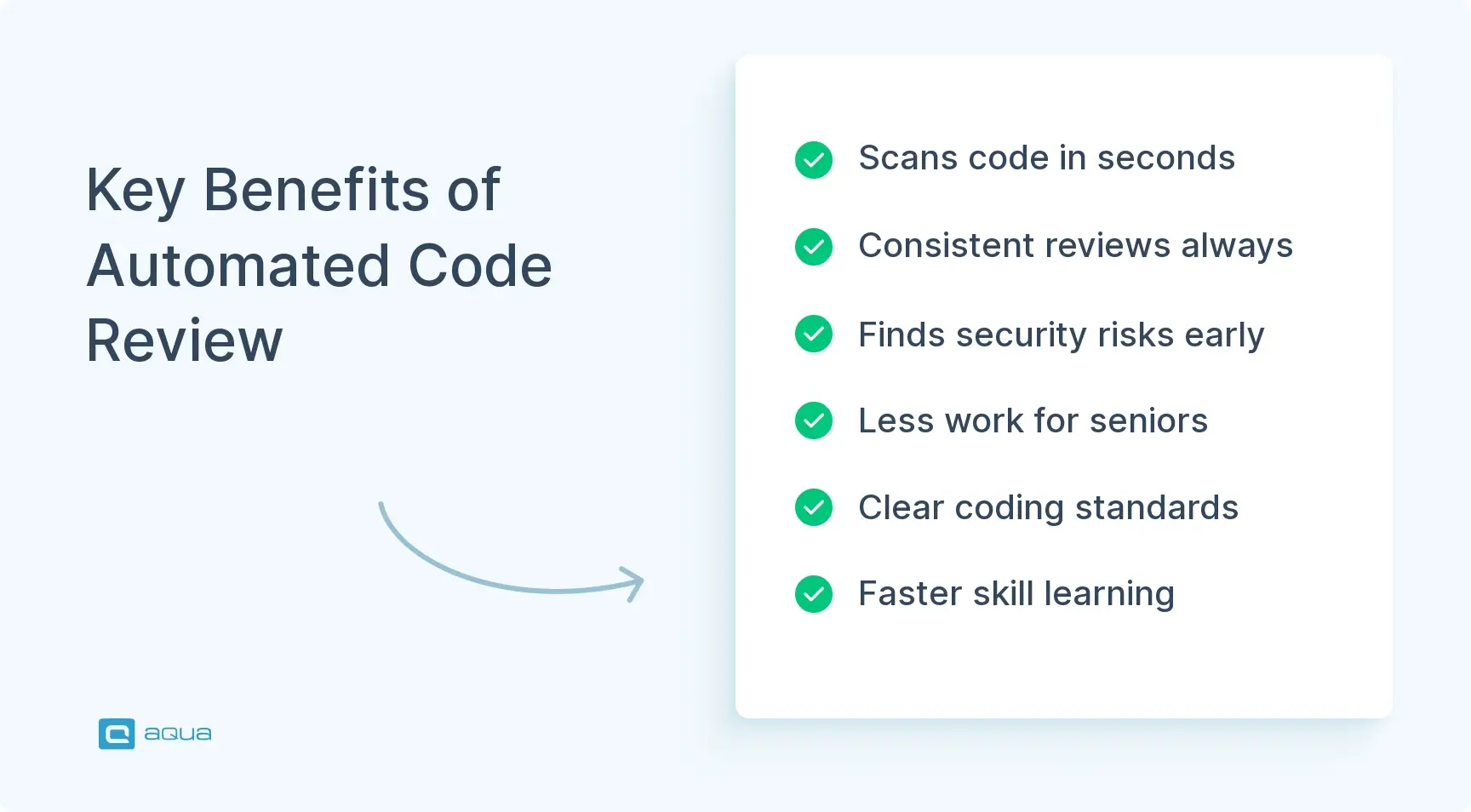
The benefits of automated code review show up fast once you configure things properly, but they’re not all equal. Some matter immediately. Others compound over months as your codebase grows and your team scales. Here’s where the real automated code review benefits show up:
Speed without losing quality – Automated tools scan thousands of lines in seconds, flagging issues the moment code lands in your repository. What used to take hours happens before you refill your water bottle. Humans still review. They just spend that time on architecture and logic instead of hunting missing semicolons.
Consistency on every pull request – Human reviewers have good days and bad days. One engineer catches SQL injection risks every time. Another focuses on naming conventions and misses the rest. Automation applies the same standard to every commit, regardless of who’s on call or how tired they are.
Earlier detection of security vulnerabilities – The longer a flaw sits in your code, the more it costs to fix. Automated scanners catch known vulnerabilities before merge: outdated dependencies, hardcoded credentials, exposed secrets, and known XSS patterns. By the time a security researcher finds the same issue, you’ve already shipped the patch.
Less cognitive load for senior engineers – Your most experienced developers shouldn’t spend an hour checking indentation. Automated review handles the mechanical checks so senior engineers can focus on system design and the business logic that actually needs judgment.
Objective coding standards – Style debates disappear once automation becomes the referee. Everyone follows the same linting rules. Nobody argues about tabs versus spaces or where curly braces belong. The tool decides, developers adjust, and the codebase stays readable as new people join.
Knowledge transfer built into the workflow – Junior developers learn faster when a tool explains why something’s a problem, not just that it failed a check. A message like “this pattern creates a race condition” teaches more than “error on line 47.” It works like a mentor who reviews every commit and never runs out of patience.
These automated code review benefits don’t appear just because you installed a tool. They need real configuration, team buy-in, and regular tuning to balance signal and noise. Get that right, and automated code review becomes the teammate who never sleeps and never lets technical debt slip through unnoticed.
Automated code review tools catch patterns in your code, but what about the testing side of quality? While your CI pipeline scans for security holes and style violations, someone still needs to verify that the code actually works as intended. That’s where test management enters the picture. aqua cloud bridges the gap between code review and comprehensive quality assurance with its domain-trained AI – aqua Intelligence that knows your project. Unlike generic AI tools, aqua’s AI uses RAG (Retrieval-Augmented Generation) grounded in your actual project documentation, generating test cases, requirements, and test data that speak your product’s language. You’ll get seamless integration with the development tools you’re already running – Jira, Azure DevOps, GitHub – so testing fits naturally into your existing workflow without creating another silo. The result? You save up to 97% of your testing time while achieving 100% coverage, catching issues before they reach production, right where your automated code review leaves off.
Stop catching bugs after deployment; prevent them during development with aqua
Automated code review software alone won’t save you from messy code. How you implement and maintain it determines whether it becomes a real asset or just another CI step everyone learns to ignore. These practices separate teams who get value out of automation from teams that just collect badges on their README.
Start with one tool, expand later – Don’t install every analyzer on day one. Pick a single high-impact tool, a security scanner or a linter, configure it properly, and let your team adjust. Add another layer once that one runs smoothly and proves its value. Incremental adoption beats hitting everyone with 50 new failure modes at once.
Configure rules around your actual codebase – Default rulesets catch common problems, but they also flag false positives or miss issues specific to your domain. Spend time tuning thresholds, disabling irrelevant checks, and tightening rules where your team actually struggles. A rule that fires 100 times per pull request with 95 false positives trains developers to ignore every warning.
Block merges for critical failures, keep warnings informational – Security vulnerabilities should block the pull request, along with anything that breaks the build. Style suggestions and minor complexity warnings work better as informational notes. Block everything, and developers waste time arguing with the tool instead of fixing what matters.
Put feedback directly in the pull request – Automated comments should appear inline where the issue lives, not buried in a CI log. Developers need context without leaving their review interface. Tools that surface problems clearly get fixed. Tools that require detective work get bypassed.
Review your rules every quarter – Your codebase changes. Your team’s priorities shift. Rules that made sense six months ago might create friction now. Set a recurring reminder to audit your configuration: disable noisy checks, tighten rules where issues keep slipping through, and add new patterns based on recent incidents.
Balance automation with human judgment – Automated review should assist, not replace, your reviewers. Teams that lean on automation for everything end up with technically correct code that solves the wrong problem. Use automation for pattern detection. Let humans handle architecture and business logic.
Document exceptions and why they exist – Sometimes you need to suppress a rule for a legitimate reason. When that happens, write down why directly in the code or the pull request. Future developers, including you, will thank you when they hit the same situation and understand the tradeoff instead of guessing whether the suppression was intentional or lazy.
These practices compound. Each one makes the others work better. Start simple, tune based on real feedback, and resist the urge to over-engineer your automation before you’ve seen how your team actually uses it.
Best Automated Code Review Tools
The right automated code review tools depend on your language, your team’s maturity, and what you’re actually trying to catch. Some focus on security. Others focus on style consistency or complexity. The best setups usually combine two or three complementary tools instead of hunting for one that does everything. Here’s what’s worth considering when you’re weighing the best ai tools for automated code review on the market right now, alongside a few open-source staples that still hold up.
SonarQube – A veteran in code quality analysis. SonarQube scans for bugs, security vulnerabilities, code smells, and duplicated code across 30+ languages, and tracks technical debt over time so you can see whether you’re improving or piling up problems. The free Community Edition covers the essentials. Paid tiers add team management, branch analysis, and enterprise support. Best for teams that want one dashboard tracking code health across multiple repositories.
CodeClimate – Built for teams obsessed with maintainability. It focuses on complexity and duplication, and puts quality metrics directly into GitHub pull requests through its browser extension. The platform tracks test coverage too and plugs into your existing CI pipeline. Particularly strong for Ruby and JavaScript projects.
Semgrep – A lightweight static analysis tool that uses pattern matching to find security issues and bugs. What sets Semgrep apart is speed and how easy it is to write custom rules. You define patterns in a straightforward syntax and Semgrep finds matches without complex setup. Open-source and free for individuals, with a paid tier adding team collaboration and policy enforcement.
GitHub Advanced Security – If you already live in GitHub, this native option scans for security vulnerabilities and secret leaks across your dependencies. CodeQL powers the analysis, catching issues like SQL injection through semantic code analysis. It integrates directly into GitHub’s interface, so there’s nothing extra to learn. Free for public repositories, paid for private ones.
ESLint and Prettier (JavaScript/TypeScript) – The standard pairing for JavaScript quality. ESLint enforces code quality rules and catches common mistakes. Prettier handles formatting with zero configuration debates. Run them together in your pre-commit hooks and CI pipeline. Both are free, open-source, and backed by massive plugin ecosystems.
Pylint and Black (Python) – Pylint analyzes Python code for errors, style issues, and complexity. Black formats code with an opinionated, zero-compromise approach. Together they set a baseline quality standard for Python projects. Open-source, free, and battle-tested across thousands of production codebases.
RuboCop (Ruby) – The Ruby community’s answer to style enforcement and static analysis. RuboCop checks code against community standards, catches common bugs, and auto-fixes most issues. Highly configurable if you disagree with the defaults. Essential for Rails projects and any Ruby codebase with multiple contributors.
Snyk – Focused exclusively on security, Snyk scans your dependencies for known vulnerabilities and provides fix recommendations you can act on immediately. It monitors your repositories continuously and alerts you when new vulnerabilities appear in packages you’re already using. Free tier covers basic scanning; paid plans add license compliance and container security.
DeepSource – An AI-powered platform that automates code reviews, security checks, and documentation analysis. It learns from your codebase patterns and provides contextual feedback that goes beyond simple rule matching. Supports multiple languages and fits naturally into GitHub and GitLab workflows.
Codacy – A comprehensive platform combining automated code review with quality metrics, test coverage, and security scanning. Codacy integrates with GitHub, GitLab, and Bitbucket through one unified dashboard. It supports 40+ languages and offers both cloud and self-hosted options, with pricing that scales for smaller teams.
Pick one general-purpose analyzer, then pair it with a language-specific linter. Add a security scanner once those two are running smoothly. That combination catches most problems without creating CI bottlenecks or burying developers in redundant feedback. If you want that same speed and consistency to extend past static code into your actual test execution, AI test automation applies the same logic to your QA process.
How to Choose the Right Tool for Your Team
Choosing automated code review tools isn’t about picking the “best” option off a feature comparison chart. It’s about matching capabilities to your team’s current pain points and how you actually work. Rolling out automated code review for engineering teams takes real thought about your specific constraints, not just installing whatever tops a listicle. The wrong tool creates friction. The right one disappears into your workflow.
Name your actual code quality problem – Look at recent production incidents, review comments, and refactoring sessions. Are security vulnerabilities reaching production too late? Is review time going to formatting debates instead of logic? Pin down the top problem before you evaluate a single tool. A security scanner won’t help if your real issue is code complexity.
Match tools to your language – Generic analyzers miss language-specific problems. Ruby teams need RuboCop, and JavaScript teams need ESLint. Python has its own specialist in Pylint. Don’t force a multi-language tool onto a single-language codebase just because it claims broader coverage.
Check your CI/CD integration – Your automated review needs to fit into your existing pipeline without creating bottlenecks. Confirm how each tool integrates with GitHub Actions, GitLab CI, or Jenkins. A thorough analysis that takes 15 minutes on every pull request gets disabled the moment deployment pressure hits.
Weigh team size against collaboration needs – A solo developer can run linters locally and call it done. A 20-person team needs centralized dashboards and shared configuration. Free tools work great until you need team management features, at which point paid tiers suddenly pay for themselves. Calculate the real cost, including setup time, not just the license fee.
Look for real customization – Can you disable noisy checks and adjust severity levels without a fight? Custom rules for domain-specific patterns matter too. Tools that force you to accept every default get bypassed or create constant review friction.
Match reporting to each role – Developers need inline pull request comments, while team leads need dashboards showing quality trends over time. Make sure managers can pull the same data into something they can share upward.
Run a two-week trial on your actual codebase before you commit to anything. Install the tool on one repository and watch how your team responds. Does the feedback feel useful, and does it catch real issues instead of false positives? Does it slow down your pipeline? Those answers matter more than any feature list.
How to Implement Automated Code Review: Step-by-Step
Implementation isn’t just installing a tool and hoping for the best. It’s introducing automation in a way that improves quality without killing momentum. Rush the rollout and you build resentment. Go too slow, and you never see the benefit. Here’s the path that actually works.
Audit your current review process – Before changing anything, document how reviews work today. What eats the most time, and where do bugs slip through? Ask your team what feedback keeps repeating too. This audit tells you exactly what to optimize first.
Pick one high-impact tool to start – Resist deploying a full suite on day one. Choose a single tool that addresses your biggest pain point, a security scanner if vulnerabilities keep reaching production, or a linter if style debates eat up review time. One properly configured tool beats five nobody understands.
Pilot it on one repository – Don’t roll out across the whole org at once. Pick one active repository where the team is open to experimenting. Install the tool, configure its rules, and run it against recent pull requests to see what it actually catches. Adjust thresholds based on the false positive rate before going wider.
Turn on CI integration as informational first – Add the tool to your pipeline, but don’t block merges yet. Let it comment on pull requests for one to two weeks. That gives developers time to understand what it flags without frustration building up, while you both learn whether the configuration makes sense.
Gather feedback and tune the rules – After that learning period, ask your team what’s useful and what’s noise. Disable checks that fire often without catching real problems. Tighten rules where the tool missed something you caught manually. Good automation saves time. It shouldn’t create busywork.
Turn on blocking for critical issues only – Once the rules are tuned and the team trusts the tool, enable blocking for the serious stuff: security vulnerabilities, syntax errors, critical bugs. Keep style and complexity checks informational unless your team explicitly wants them to block.
Write down the process and the edge cases – Note why you picked this tool and how it’s configured. Add how to handle exceptions while you’re at it. This documentation matters most when new developers join.
Add tools gradually from here – After your first tool runs smoothly for a month, consider a complementary one that covers a different concern, maybe a security scanner after you started with a linter. Keep the same rhythm: pilot, tune, enable blocking, document.
Treat automation like any other product change. Test with a small group, gather feedback, iterate, then scale. Skip that process, and you end up with tools everyone quietly disables. Teams building this out alongside their QA stack often pair it with codeless test automation so code-level checks and functional testing move at the same pace.
You’ve automated code review to catch security flaws, style inconsistencies, and complexity issues before they hit production. But here’s what those tools can’t do: verify that your code actually delivers the functionality users need, handles edge cases gracefully, and works across different scenarios. That’s where comprehensive test management becomes non-negotiable. aqua cloud completes your quality automation strategy by bringing the same intelligence to testing that you’ve applied to code review. With aqua’s domain-trained AI (aqua Intelligence) powered by RAG technology, you generate project-specific test cases from requirements in seconds. Not generic templates, but tests grounded in your actual documentation and product context. It integrates directly with your CI/CD pipeline through Jenkins, Azure DevOps, and your development tools like Jira and GitHub, creating a unified quality workflow from commit to deployment. Your team gets centralized test management, real-time dashboards tracking coverage and quality trends, and AI that eliminates up to 97% of manual testing effort while ensuring nothing slips through. Automated code review catches how you write code. aqua ensures what you write actually works.
Achieve complete quality automation; from code review to test execution with aqua
Automated code review reclaims time for the work that actually needs human judgment. Security issues and common bugs get caught immediately. Your team spends its time on architecture and on whether the code solves the right problem, the things automation can’t judge on its own. The tools that work best are the ones you barely notice after setup. They run quietly in your CI pipeline, flag real issues before they reach production, and stay out of the way while developers solve hard problems. Start with one tool that addresses your biggest pain point, tune it until the feedback earns trust, then expand. A platform like aqua cloud extends that same discipline into test management, so code quality and test coverage move together instead of living in separate silos. Pick tools based on what your review process actually needs, not what looks impressive in a demo.
What is the difference between automated code review and manual code review?
Automated code review uses software to scan code against predefined rules and patterns, catching security vulnerabilities, style violations, and common bugs instantly. Manual code review involves humans reading code to assess logic, architecture, edge cases, and whether the implementation matches requirements. Automation handles repetitive pattern detection. Humans handle context, tradeoffs, and business alignment. You need both.
Does automated code review replace the need for human reviewers?
Not even close. Automated tools catch mechanical problems like formatting issues and known vulnerabilities. They can’t judge whether you’re solving the right problem or catch logical flaws that only show up at the edges. Human reviewers bring context and domain knowledge that no scanner has. Automation makes human review more effective by clearing out the tedious stuff, not by replacing judgment.
Which automated code review tool should a small team start with?
Start with a language-specific linter: ESLint for JavaScript, Pylint for Python, RuboCop for Ruby. These are free, quick to set up, and provide immediate value by enforcing consistent style and catching common mistakes. Once your team is comfortable, add a security scanner like Snyk or Semgrep to catch vulnerabilities in dependencies and code patterns. Two tools solving two different problems beat one complicated platform that takes weeks to configure.
Nurlan, a QA Coordinator & Quality Standards Officer, takes pride in orchestrating seamless QA operations. His expertise in coordinating QA-focused projects and integrating QA solutions has consistently yielded top-tier client satisfaction. Aside from a full-time QA coordinator, Nurlan's role involves creating compelling content that educates…
Enhancement of the aqua product is Martin’s main responsibility and biggest mission. His expertise covers ITIL Process Consulting, Change Management, Quality Assurance, Quality Management, and Requirements Management. Martin works in QA services for regulated industries for more than 18 years being an irreplaceable leader at…
Join our community of enthusiastic experts! Get new posts from the aqua blog directly in your inbox. QA trends, community discussion overviews, insightful tips — you’ll love it!
We're committed to your privacy. Aqua uses the information you provide to us to contact you about our relevant content, products, and services. You may unsubscribe from these communications at any time. For more information, check out our Privacy policy.
X
🤖 Exciting new updates to aqua Intelligence are now available! 🎉