Xray is the most installed test management app in the Atlassian Marketplace, and it is also the one your team is most likely to price out of. Organizations that need dependable traceability and formal release evidence get strong value here. However, roughly 26,000 installs sit alongside a licensing model that charges for every Jira user, whether they test or not. That is where most evaluations start weighing aqua vs Xray or scanning the wider list of Xray alternatives. This Xray review covers what the Xray testing tool delivers in 2026, who benefits from it, and where it falls short.
Xray stores tests, plans, executions, and defects as native Jira issue types, so testing data never needs synchronization with a second system.
As per Xray’s product page, Cloud Standard pricing starts at $100 a year for up to 10 Jira users, and the tier follows your Jira instance, so a 200-user instance with 15 testers pays for 200 seats.
Test case versioning, dynamic test plans, and remote CI job triggering are blocked behind the Xray Enterprise paywall, which is quote-based with no public rate card.
G2 reviewers rate Xray 4.3 out of 5 and name the interface and learning curve as the two most common complaints, according to G2 buyer reviews.
There is no free tier. Onboarding takes weeks, since Xray adds seven entity types on top of Jira’s existing interface.
aqua Intelligence drafts test cases straight from requirements, on top of requirements, automation, and bug tracking already living in one platform, priced per tester with free read-only Guest licences.
Find out if that trade-off makes sense for your team in the full breakdown below 👇
Xray at a Glance
Aspect
Details
Key Consideration
What It Is
Jira-native test management tool for manual, automated, and BDD testing
Depends on Jira architecturally. No standalone mode
Parent Company
Xblend, acquired by Idera in 2021, now part of the Sembi portfolio
Third owner since launch
Deployment Options
Jira Cloud, Jira Data Center. Server support ended
Data Center teams carry their own infrastructure cost
Marketplace Installs
~26,000 as of August 2026
Most installed test management app in the Marketplace
User Rating
4.3/5 on G2 across 18 reviews. 4.3/5 on Atlassian Marketplace across 549 reviews
The G2 sample is small for a tool at this scale
Starting Price
$100/year for up to 10 Jira users on the Standard Cloud edition
Tier follows your Jira instance, never your tester count. No free tier
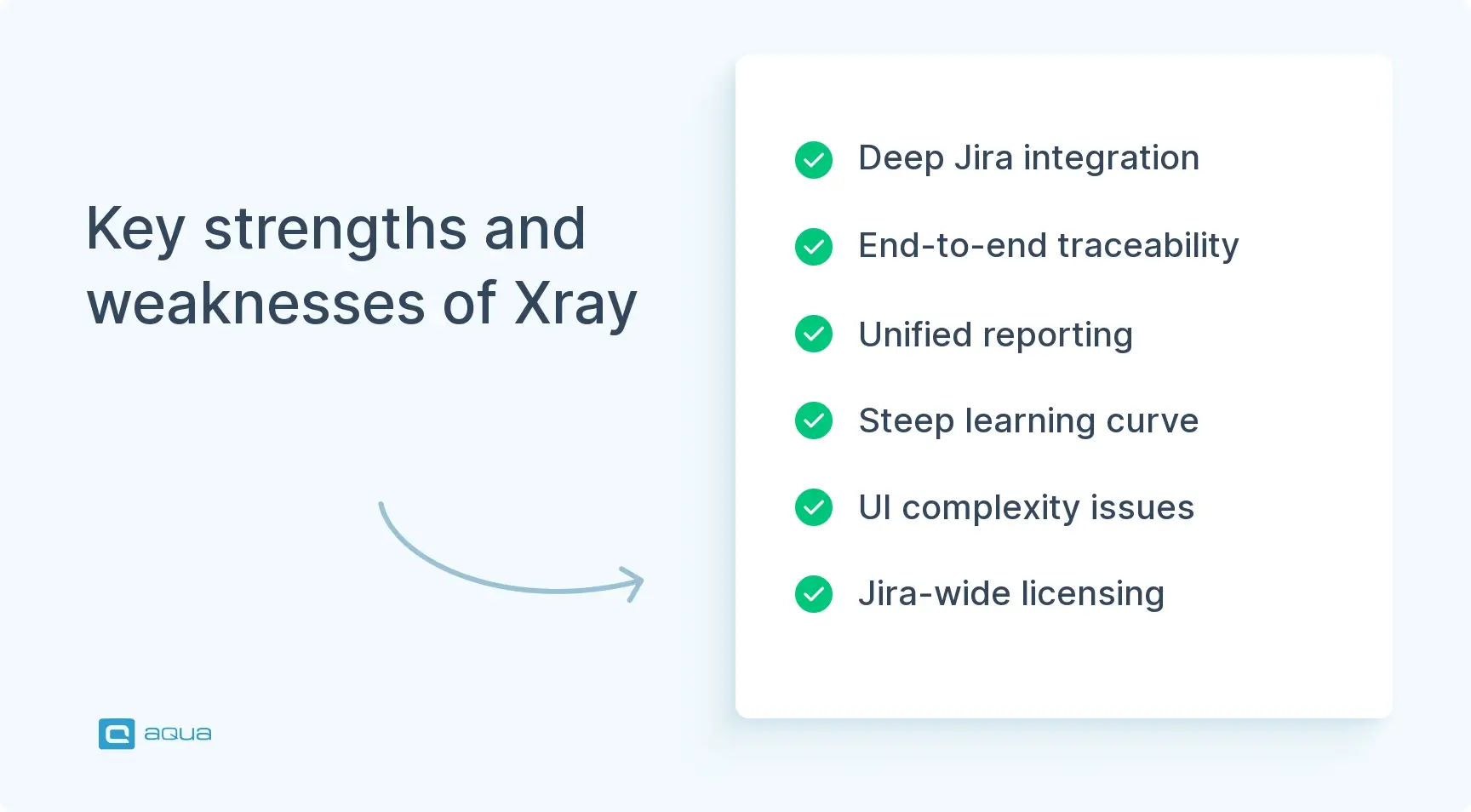
Key Strengths
Requirements traceability, Jira integration, consolidated manual and automated reporting
Traceability holds only with disciplined linking
Key Weaknesses
Steep learning curve, UI complexity, potential performance issues at scale
Seven entity types to learn on top of Jira itself
Best For
Teams already embedded in Jira that need formal test management and audit trails
Regulated industries get the most value
Not Ideal For
Small automation-first teams that want lightweight, Git-centric workflows
Also poor economics for small QA inside a large Jira instance
What Is Xray Test Management for Jira?
Xray is a test management application developed by Xblend for Atlassian Jira. Standalone tools such as TestRail sit outside your issue tracker. Xray software works differently, becoming the testing layer of the tracker itself, so tests, test plans, and test executions all exist as Jira issues with their own fields and workflows.
The practical consequence is a QA workflow that stops moving between systems. When a developer marks a user story as Done, your tester sees the linked test cases, executes them, records results, and files defects without leaving Jira. Coverage and execution history connect through the same linking model your team already uses for engineering work.
The Xray test management tool supports three testing styles, and a single suite can combine all of them:
Manual testing with structured, step-by-step cases and attached evidence
Automated tests from frameworks such as Selenium or Cypress, imported as results
BDD tests written in Gherkin and executed through Cucumber
One regression suite might hold 200 automated UI checks alongside 50 manual exploratory scenarios, with both reporting into the same execution model.
What keeps Atlassian Xray competitive in 2026 is a set of AI features built on your own testing data:
AI Test Case Generation drafts scenarios directly from a Jira requirement
AI Test Prioritization reads historical failure rates and defect links to suggest execution order
Rovo Test Plan Summarizer produces management-facing summaries of plan status
AI Test Script Generation converts validated manual tests into automation code on the Advanced tier
The complexity is genuine. The Xray Jira plugin inherits Jira’s interface and adds seven entity types of its own: Tests, Test Sets, Test Plans, Test Executions, Test Runs, Preconditions, and Environments. Teams coming from simple checklists need weeks to work comfortably with this Xray plugin for Jira.
Xray architecture raises a fair question for anyone signing the purchase order: can you get enterprise-grade traceability without inheriting Jira’s complexity or its licensing model? aqua cloud is an AI-driven test and requirement management platform that syncs bidirectionally with Jira when your stakeholders need visibility. Requirements, test cases, and defects are aggregated in one system built for QA work from the first release. aqua Intelligence generates scenarios from your project’s own documentation and test history, so the output matches how your product actually behaves. Your licence count follows your testers, which means 15 people testing inside a 200-person Jira instance pay for 15 seats. Your existing stack stays where it is. aqua ships native automation agents for Selenium, Ranorex, JMeter, SoapUI, and UFT, database agents for MSSQL and Oracle, and script agents for PowerShell and UnixShell. Jenkins connects for CI runs, and a REST API documented across 600 pages covers anything custom.
Connect your existing QA stack and stop paying for Jira seats that never run a test
Enterprise QA teams: Organizations managing thousands of Xray test cases across products and releases benefit from the hierarchical repository and formal execution tracking.
Regulated industries: Medical device and aerospace programmes need auditable evidence linking requirements to validated tests and documented results.
Jira-centric development shops: When engineers and product managers already work in Jira Xray, keeping testing data there removes tool sprawl.
Hybrid testing teams: Groups running manual regression alongside automated CI checks get unified reporting, since both roll up to the same Test Plan.
Agile teams needing release gates: Squads practising continuous delivery under formal sign-off requirements value structured planning and coverage dashboards.
BDD practitioners: Teams writing Gherkin scenarios store, execute, and report on them natively without parallel documentation.
Distributed QA organizations: Companies with testers across multiple geographies standardize workflows through one shared Jira and Xray instance.
Compliance-driven projects: Any programme that must demonstrate how a specific requirement was tested during certification review.
Xray always felt like a whole second product in Jira — repo, plan, set, execution — and now with AI-assisted case writing, anything locked in Jira is invisible to the codebase. You end up manually reconciling coverage instead of letting the repo speak for itself.
Seven capability areas determine whether the Xray tool fits your process. Each one below covers what it delivers and where it breaks down.
1. Test Case Management
Evaluated as an Xray test case management tool, Xray handles case creation and reuse through a Jira-native object model. Your team creates Test issues with fields, attachments, and workflows exactly as it would any other Jira entity. That consistency makes Xray test management for Jira immediately familiar to Jira veterans, though it also means inheriting an interface never designed for testing work.
Manual test cases hold individual steps, each carrying its own test data and expected result. Two features keep larger repositories from filling with near-duplicates:
Preconditions capture reusable setup steps such as an authenticated session, then get called from any number of tests
Parameters run one logical scenario against different datasets, which prevents a separate case per input combination
Organization becomes the deciding factor past a few hundred cases. Xray provides a hierarchical Test Repository with folders and Test Sets, layered over Jira’s native components and custom fields. JQL queries then build dynamic views of your inventory, such as every P1 test for the Payments component with no execution since the last release.
BDD support is native. Your team writes Gherkin scenarios in Xray, links them to requirements, and executes them through Cucumber. Because the scenarios sit next to manual tests in Jira, product owners can review behaviour specs without opening the automation repository.
Automated tests can be represented in Xray, though the tool never executes them. Your CI system does that, and Xray ingests the results through its API or a plugin, after which they populate the same coverage model as manual runs.
Bottom line: the repository scales past several thousand cases, and only when folder structure and linking stay disciplined from the start.
2. Test Planning and Execution
Xray separates planning from execution across three levels, and the distinction takes time to internalize:
Entity
Represents
Captures
Test Plan
Scope of testing, such as a release or hotfix
Aggregated status across executions
Test Execution
One testing session against that scope
Who ran it, when, in which environment
Test Run
One test inside an execution
Pass/fail status, evidence, linked defects
During manual execution, testers work through cases inside Jira. They mark each step, attach screenshots or logs as evidence, and create defects straight from a failing step with automatic linking. Progress rolls up to the Test Execution and Test Plan levels, which gives managers current status without asking the team for updates.
Environments are first-class entities. Your team defines a configuration such as Chrome 131 on Windows 11, then associates it with an execution. The same specification runs across several environments with separate results for each, which removes any need to clone test cases per platform.
The trade-off is process weight. Persistent records of who tested which requirement, in which environment, with which result, hold real value during formal release validation and external audit. Teams shipping continuously with high automation coverage often experience the identical structure as administrative overhead. A June 2026 Reddit thread laid out both positions: supporters emphasized transparency, while critics argued that Xray creates reconciliation work when automation code in Git already serves as the source of truth.
Bottom line: the three-tier model earns its overhead wherever releases require documented sign-off, and adds friction wherever they do not.
3. Requirements Traceability
Traceability is Xray’s strongest capability and the reason many enterprises stay with the product through onboarding pain. Requirements link to tests, tests to executions, and results to defects. That bidirectional graph answers questions spreadsheets cannot:
Which requirements currently carry test coverage
Which are passing in staging at this moment
Which failed during the last regression run
Which defects block release sign-off
What remains untested for a specific version
All of this data sits in Jira and updates as tests run. Coverage metrics appear inside requirement tickets, so product owners read testing status without switching tools, while dashboards roll coverage up across epics or releases for go/no-go decisions.
The value rises sharply under regulation. Medical device software requires documented evidence that every requirement was validated, and automotive programmes must demonstrate functional safety compliance against a specific standard. Xray supplies the infrastructure for that evidence without producing compliance on its own, which is why the choice of requirements management tool carries as much weight as the test tool itself.
Coverage reports are only as accurate as the links behind them. Xblend names unlinked requirements and stale test cases as the two implementation failures it encounters most often, and both produce dashboards that overstate readiness. Neither problem has a technical fix inside the product.
Bottom line: traceability is the capability worth paying for, and it returns nothing unless linking becomes a standing team habit.
Looking for a system providing 100% traceability end-to-end?
Try aqua cloud
4. Automated Test Integration
Xray receives results from your Playwright or JUnit suites without running any of them. Some buyers expect the tool to replace a test runner or CI pipeline, which it will never do. Its actual contribution is consolidating automation results into the same traceability layer as manual testing.
Supported frameworks cover most common stacks:
JUnit, NUnit, and TestNG
Robot Framework and Cucumber
Cypress and Playwright
Pipeline integrations are equally broad:
Jenkins and Bamboo
GitLab CI/CD and GitHub Actions
Azure DevOps and Bitbucket Pipelines
REST and GraphQL APIs for custom tooling
The workflow follows a predictable sequence. Automation runs in CI, results export to a format Xray reads such as JUnit XML, then import through a plugin or API call. The Test Execution updates with pass and fail status, and linked requirements show refreshed coverage within the same cycle.
Consolidated reporting pays off at organizational scale. A single requirement might carry manual exploratory coverage alongside automated regression checks. When both feed Xray, your management team reads complete test status without asking QA to merge exports from three systems.
Friction appears when automation-first teams question whether maintaining Test entities in Xray is worth the effort. Test cases already documented in code and Git history make a parallel Jira representation feel like duplicated work. Some teams push results into Xray purely for management visibility and stop there, which functions well. Others drop the tool because the synchronization cost outweighs the traceability benefit.
Bottom line: treat Xray as a reporting destination for automation and the integration holds up, and treat it as a second home for your test logic and it will not.
5. AI-Powered Features
The AI capabilities shipped through 2025 and refined in 2026 draw on your own testing history, which separates them from generic model wrappers. Usage limits differ by edition:
Feature
What It Does
Availability
AI Test Case Generation
Drafts manual or BDD cases from a Jira requirement, with human review before approval
Standard, Advanced, Enterprise Cloud
AI Test Prioritization
Reorders tests using past runs, failure rates, and linked defects against a user-defined prompt
75 tests on Standard, 150 on Advanced, 300 on Enterprise
Rovo Test Plan Summarizer
Produces qualitative and quantitative Test Plan summaries for stakeholders
Cloud editions
AI Test Script Generation
Converts validated manual tests into automation code stubs
Advanced tier and above
Test Case Generation helps most against the blank-page problem, provided requirements carry clear acceptance criteria. Vague user stories produce vague output, so the quality of your backlog sets the ceiling on what the feature can return.
Test Prioritization is the most substantial of the four, because it reads historical execution data instead of applying general heuristics. Teams with years of runs stored in Xray get meaningful ordering. A new instance with sparse history will see very little.
Test Script Generation deserves a calibrated expectation. Generated scripts still require engineering review, framework integration, and CI configuration before they run. Its value depends on how closely your automation code tracks manual test logic, and on whether your engineers prefer editing stubs over writing from scratch.
Bottom line: these additions reduce manual effort in specific places without changing the reason teams select Xray.
6. Reporting and Analytics
Xray ships with built-in reports and Jira dashboard gadgets covering requirement coverage, execution summaries, and traceability matrices. Reports slice data by version, environment, or component. Document generation exports testing summaries for stakeholders without Jira access, which matters when external auditors need a static record.
Reporting attracts both praise and complaint in user reviews. G2 reviewers value the centralized dashboards, while several note that advanced reports demand configuration expertise. One 2026 reviewer pointed to the setup time complex workflows require, and another described execution screens becoming cluttered at high case volumes.
Expectations decide the experience here. Teams anticipating a drag-and-drop BI interface will find the default configuration underwhelming. Teams prepared to invest setup time can build dashboards that answer board-level questions about coverage on priority requirements or failure rates by component.
Bottom line: reporting capability is strong and reporting usability is not, so budget configuration hours before the first executive review.
7. Enterprise-Specific Capabilities
Three features sit exclusively on the Enterprise tier, and each addresses a problem that only appears at scale.
Test Case Versioning allows multiple active specifications of one test to coexist. Standard Jira history logs changes, which differs from running version 1.0 and version 2.0 side by side. Xray Enterprise supports restoring earlier versions and assigning a specific version to an execution. A regulated release can therefore continue against an older approved specification while development works from a revised one, which removes the common workaround of cloning test cases and accumulating duplicates.
Dynamic Test Plans populate themselves through JQL filters. Your team defines a plan around components or labels, and newly created tests matching those criteria appear automatically. Repositories holding thousands of constantly changing cases benefit most, since manual curation drops out of the release checklist.
Remote Job Triggering starts external CI/CD jobs directly from Test Plans and Test Executions, with support for Jenkins and Azure DevOps among others. Your team inspects job status inside Xray, which cuts context-switching between test management and the pipeline.
Bottom line: these three capabilities are the practical reason regulated organizations pay for Enterprise, and smaller teams will never reach for them.
This image was generated with AI.
How to Create and Run a Test Case in Xray
Looking for a practical Jira Xray tutorial? Here is how the workflow operates in 2026:
Create a Test issue in Jira: Navigate to your project, click Create, and select Test as the issue type, which Xray adds during installation. Give it a specific summary such as “Verify login with valid credentials.”
Define test steps: Use Xray’s Test Details section to add manual steps, specifying the action, test data, and expected result for each. A login step pairs the credential entry action with the expected dashboard redirect.
Link to requirements: Connect the Test to a related User Story or Epic through Jira’s linking feature. This establishes the traceability that every coverage report depends on.
Create a Test Execution: Create a Test Execution issue as the container for one testing session, named along the lines of “Sprint 23 Regression.”
Add tests to the execution: Add individual Test issues or entire Test Sets. On Enterprise, tests can be pulled in dynamically through a JQL query.
Execute the test: Open the Test Execution and select a test. Xray presents each step in turn, and your tester marks it Passed, Failed, or Blocked while attaching screenshots or logs as evidence.
Create defects inline: When a step fails, create a Bug issue from that step. Xray links the Bug to both the Test Execution and the Test Run automatically.
Review execution results: The Test Execution aggregates pass and fail counts with links to any defects created. Test Plans then roll up multiple executions into release readiness.
Report and analyze: Use built-in reports or Jira dashboards for coverage and traceability matrices, then export whatever your auditors require.
For deeper guidance, Xblend’s documentation and additional Xray tutorial resources are available on the Atlassian Marketplace.
Xray Pricing in 2026
Edition
Users (Jira Tier)
Annual Price
Key Features
Standard
Up to 10
$100/year, about $0.83/user/month
Test management, BDD, cross-project traceability, REST/GraphQL API, CI integrations, AI Test Case Generation, AI Test Prioritization, Rovo Test Plan Summarizer, 100 GB storage, 60 API req/min, 24/5 support
Standard
11–100
Scales with Jira user count
Same as above
Advanced
Variable
Scales with Jira user count
All Standard features plus AI Test Script Generation, 250 GB storage, 100 API req/min, Usage Monitor, expanded Manual Step Library from 10 to 100 steps
Enterprise
Variable
Custom pricing
All Advanced features plus Test Case Versioning, Dynamic Test Plans, remote job triggering, unlimited storage, unlimited API requests, 24/7 support
The licensing rule that surprises buyers: Xray Cloud pricing follows your Jira user tier, and never the number of people who open Xray. Atlassian requires paid Marketplace apps to be licensed at the same tier as the Jira instance hosting them, which keeps QA headcount out of the calculation entirely.
Two organizations with identical testing teams can therefore pay very different amounts:
Scenario
Jira Users
Testers
Seats Licensed
Effective Cost Per Tester
Small Jira, small QA
10
5
10
Low
Large Jira, small QA
200
15
200
High
This came up repeatedly in June and August 2026 Reddit discussions about Xray alternatives. Small QA teams inside large Jira deployments find the economics hard to defend against standalone tools priced per QA seat. Organizations already standardized on Jira-wide tooling absorb it as a normal line item and move on.
How aqua cloud Prices the Same Work
If the Jira-tier rule is what pushed you into this comparison, the alternative worth modelling is per-tester pricing. aqua cloud charges €89 per user per month on an annual plan, or €119 billed monthly, covering both test management and requirement management. Read-only Guest licences carry no cost, so product owners and stakeholders who only review coverage never appear on the invoice.
For a 200-person Jira instance with 15 testers, that difference is structural. Your licence count follows your QA team, and Jira headcount growth never changes the testing line item. aqua also runs on-premise with near-identical functionality to the cloud edition, which matters for banking, insurance, and public sector teams whose data cannot leave their own infrastructure. aqua Intelligence adds AI software testing grounded in your own project documentation instead of generic patterns. Cloud servers sit in the EU, and the platform holds ISO 27001 certification with DORA compliance workflows for financial services.
Jira stays in the picture throughout. aqua provides bidirectional sync at the requirement and defect level plus an Atlassian Marketplace app, so your developers continue working in Jira while your testers work in an interface built for testing.
Boost your testing efficiency by 80% with aqua cloud’s capabilities
Try aqua for free
Xray Pros and Cons
Pros:
Deep Jira integration: Tests, plans, and executions exist as native Jira entities, which removes synchronization work between separate systems.
End-to-end traceability: Direct links from requirements through to defects create an auditable quality chain.
Consolidated manual and automated reporting: Both feed the same coverage dashboards and Test Plans.
Hierarchical test organization: Folders, Test Sets, and JQL keep repositories of several thousand cases navigable.
Native BDD support: Gherkin scenarios sit in Xray, execute through Cucumber, and report back without separate documentation.
AI features grounded in your data: Prioritization and Script Generation draw on historical execution records and defect patterns.
Enterprise-grade capabilities: Test case versioning, dynamic test plans, and compliance-friendly audit trails.
Active development: A steady release cadence through 2025 and 2026 signals continued investment.
Cons:
Steep learning curve: Seven entity types and repository organization take weeks to master.
UI complexity: Xray inherits Jira’s interface quirks and layers its own model on top, so new users struggle to locate actions.
Performance concerns at scale: Users report slowness with large repositories, though these accounts are anecdotal and not benchmarked.
Reporting setup overhead: Advanced dashboards require configuration work and JQL expertise.
Jira-wide licensing: Pricing follows Jira user count, which penalizes small QA teams inside large deployments.
Architectural lock-in: Full commitment to Xray means full commitment to Jira, and later migration away from Atlassian becomes expensive.
Poor fit for Git-centric teams: Automation-first groups treating code as the source of truth experience Xray’s entities as added process.
Xray vs Zephyr vs TestRail vs aqua cloud
Feature
aqua cloud
Xray
Zephyr Scale
TestRail
Jira Integration
Bidirectional sync + Marketplace app
Native Jira entities
Native Jira plugin
Standalone + integrations
Deployment
Cloud and on-premise
Cloud, Data Center
Cloud, Data Center
Cloud, On-Premise
Manual Testing
✅ Full support
✅ Full support
✅ Full support
✅ Full support
Gherkin / BDD
✅ AI-generated Gherkin cases
✅ Native authoring + Cucumber execution
✅ Native support
❌ Limited
AI Features
aqua Intelligence
AI Test Gen, Prioritization, Script Gen
AI Test Generation
❌ None
Version History
✅ Revision history on all items
✅ Full versioning on Enterprise tier
✅
✅
Requirements Management
✅ Built-in module
Through linked Jira issues
Through linked Jira issues
✅ Standalone
Automation Integration
12+ native agents + REST API
CI/CD + API import
CI/CD + API import
CI/CD + API import
Pricing Model
Per user, free read-only Guest licences
Per Jira user
Per Jira user
Per named user
Compliance
ISO 27001, DORA, EU-hosted cloud
Inherits Atlassian certifications
Inherits Atlassian certifications
Vendor-dependent
Best For
Teams consolidating requirements, tests, and defects outside Jira
Jira-centric orgs needing traceability
Jira teams wanting simpler UX
Standalone QA platform seekers
They might want a license for every Jira user even if you only need it for a small subset
The right replacement depends on two things: whether your team stays inside Jira, and how much of your Jira instance you are willing to keep paying for. We have a comprehensive comparison of Xray alternatives that ranks six tools against exactly those two criteria.
Is Xray Worth It in 2026?
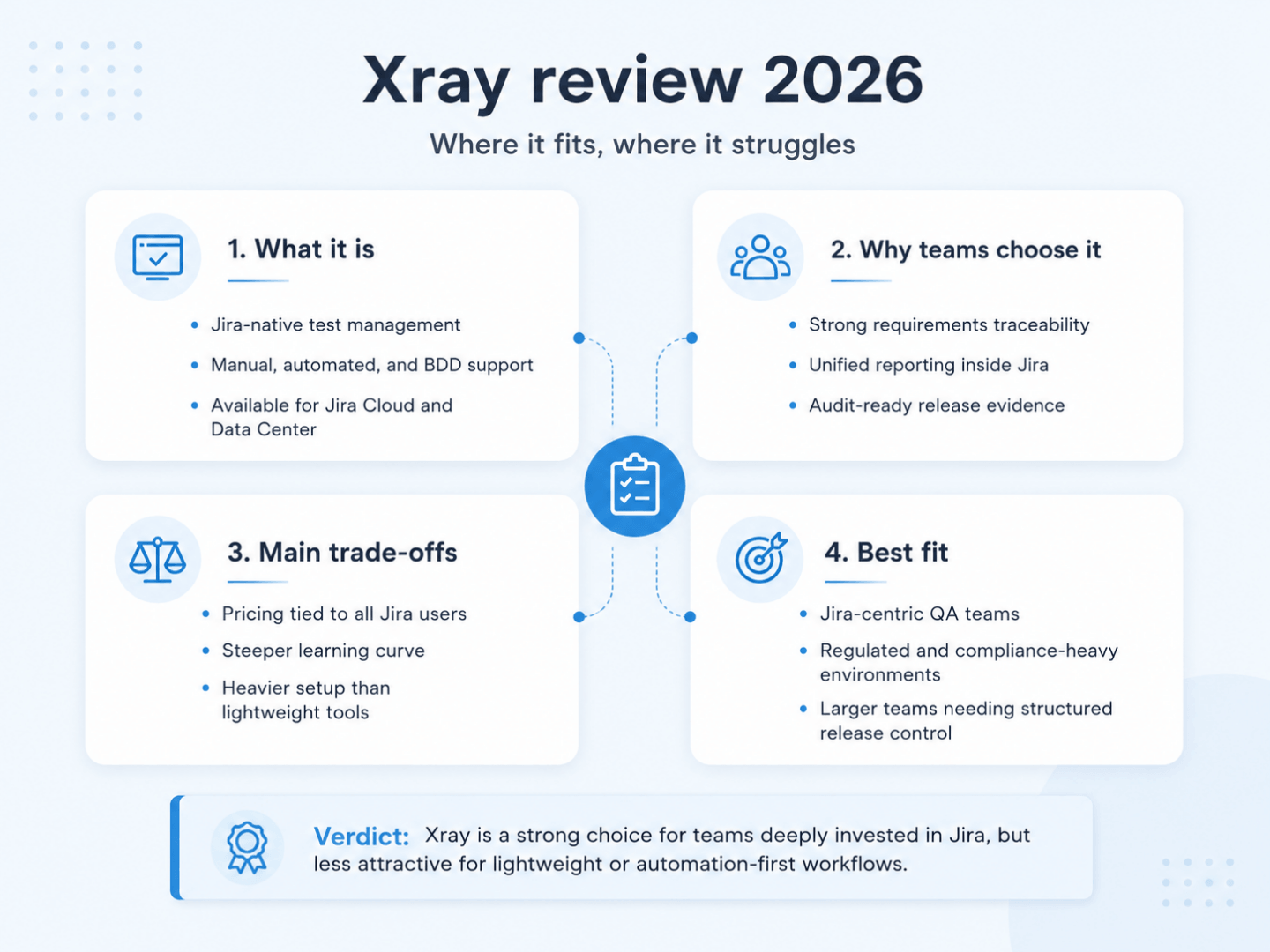
Xray earns its cost when Jira already serves as your operational system of record and your organization needs formal traceability from requirements through to defects. Small automation-first teams working from Git will find the structure heavier than their process demands.
The product’s real strength remains the data model connecting requirements to tests to results inside Jira. Its value grows as organizations scale, distribute QA across business units, or face audit requirements. Higher automation coverage never removes that need, since automated results feed the same traceability structure. Regulated industries and large development organizations find that consolidated quality layer difficult to reproduce with spreadsheets or fragmented dashboards.
The 2026 AI additions improve daily work without altering the value equation:
Test Case Generation accelerates test design against well-written requirements
Test Prioritization suggests execution order from historical failures and defect links
Test Script Generation shortens the path from approved manual scenarios to automation
Cost is where Xray weakens, in money and in attention. Jira-wide licensing is difficult to justify for a small QA team, and your testers have to learn and maintain an elaborate entity model. Large repositories become cumbersome, reporting needs configuration hours, and the interface will win no design awards. Committed teams recover those costs over months through better release confidence and audit evidence. Teams adding light structure to ad-hoc testing will experience the same weight as excess.
Four questions settle the decision:
Does your organization already operate in Jira?
Do you need formal traceability and audit trails?
Are you managing manual and automated testing at scale?
Do stakeholders require documented evidence of coverage and results?
Mostly yes points to Xray as one of the strongest options available in 2026. Mostly no suggests you evaluate a dedicated test management solution or code-first workflows before committing.
If this Xray review left you weighing traceability benefits against onboarding time and Jira-wide licensing, there is a more straightforward path. aqua cloud, an AI-driven test and requirement management platform, was built for the problems Xray introduces. aqua delivers enterprise test management with a built-in requirements module, full traceability, and consolidated manual and automated reporting. Jira integration stays available whenever your stakeholders need visibility, while your QA team works in an interface designed for testing. aqua runs in the cloud on EU-hosted servers or on-premise with near-identical functionality, holds ISO 27001 certification, and supports DORA compliance workflows for financial services teams. aqua Intelligence, powered by RAG technology and domain training, generates project-specific scenarios grounded in your real documentation, cutting test design time by up to 97% while holding precision and coverage. aqua connects to what your team already runs, with native agents for Ranorex, SoapUI, and UFT alongside database integrations for MSSQL and Oracle.
Save 97% of testing time with unified test management and natively integrated AI
Try aqua for free
Final Thoughts
Xray remains one of the most mature test management tools in the Atlassian ecosystem, with roughly 26,000 Marketplace installs. Its Jira-native traceability is genuine, and so is the cost of it. Onboarding is slow, large repositories drag, and your bill tracks Jira headcount instead of tester count. That last point sends most teams to comparison pages. aqua cloud prices per tester at €89 per user per month on an annual plan, and read-only Guest licences cost nothing. It combines requirements, tests, and defects in one platform built for QA, with bidirectional Jira sync. If Jira centralization is worth what it costs you, Xray earns its place. If your Jira population dwarfs your QA team, a dedicated platform serves you better.
Xray handles test management inside Jira, covering manual and automated test case creation alongside organization into plans and executions. It tracks results and maintains links between tests, requirements, and defects for coverage reporting, all without leaving the Jira environment.
How much does Xray cost per user?
Xray Cloud Standard starts at $100 per year for up to 10 Jira users, which works out to roughly $0.83 per user per month. Pricing scales with your Jira user tier and ignores tester count, so larger Jira deployments pay more even when a small QA team does all the testing.
Is there a free version of Xray?
Xray offers a free trial with no permanently free edition. Teams needing free test management should look at open-source tools or lighter Jira plugins that include free tiers.
What is the difference between Xray and Zephyr?
Both are Jira-native test management plugins. Xray generally offers stronger Gherkin support, deeper traceability, and Enterprise features such as test case versioning. Zephyr Scale is frequently described as having a simpler interface and easier onboarding, which suits teams prioritizing usability over depth.
Can Xray be used without Jira?
No. Xray depends on Jira architecturally. Organizations that do not use Jira, or that want test management held separately from it, should consider standalone tools such as TestRail or aqua cloud.
Robert has several years of experience in process optimisation and test management. He is an expert in defining and implementing workflows by adapting aqua to the clients’ processes.
Nurlan, a QA Coordinator & Quality Standards Officer, takes pride in orchestrating seamless QA operations. His expertise in coordinating QA-focused projects and integrating QA solutions has consistently yielded top-tier client satisfaction. Aside from a full-time QA coordinator, Nurlan's role involves creating compelling content that educates…
Pavel, a Quality Assurance Consultant and Author, brings deep expertise to solving complex testing challenges. His background in software development has helped organizations transform their QA practices from reactive to proactive. Beyond consulting, Pavel develops best practice guides and case studies for aqua cloud that…
Join our community of enthusiastic experts! Get new posts from the aqua blog directly in your inbox. QA trends, community discussion overviews, insightful tips — you’ll love it!
We're committed to your privacy. Aqua uses the information you provide to us to contact you about our relevant content, products, and services. You may unsubscribe from these communications at any time. For more information, check out our Privacy policy.
X
🤖 Exciting new updates to aqua Intelligence are now available! 🎉









 KI-generiertes Bild.